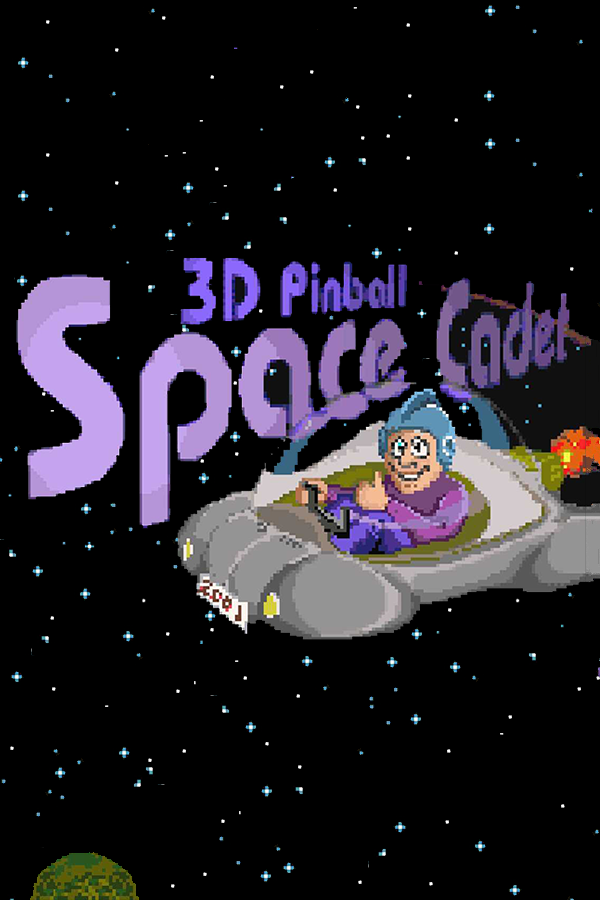
3D Pinball: Space Cadet (PSP)
3D Pinball for Windows
Sobre el proyecto
3D Pinball for Windows es un videojuego de puzles publicado por Microsoft para Windows, lanzado en 1995.
Información oficial del proyecto
Space Cadet Pinball PSP 1.0.2
Development note: this PSP port was created with substantial assistance from AI tools for code generation, refactoring, debugging and analysis, together with iterative testing on real PSP hardware.
Special thanks to the original SpaceCadetPinball reverse-engineering/decompilation project by k4zmu2a, which made this PSP port possible: https://github.com/k4zmu2a/SpaceCadetPinball
The upstream project is MIT-licensed; its license text is included as UPSTREAM_LICENSE.txt.
The PSP-specific additions and modifications are also MIT-licensed under LICENSE. See LICENSING.md for the attribution split.
For build reproducibility, the builders are pinned to upstream commit cb9b7b886244a27773f66b0b19fdc2998392565e. They try the original k4zmu2a repository first and automatically fall back to the archival mirror kira97-fdroid/SpaceCadetPinball-upstream-snapshot if the original source is unavailable.
A native PSP port of 3D Pinball - Space Cadet, based on the open-source SpaceCadetPinball project.
For controls, build steps and PSP installation layout, see INSTRUCTIONS.md.
This package is designed to be copyright-clean: it contains only the PSP port, patching/build tools and source-side helpers. It does not ship PINBALL.DAT, original sound effects, SFXBANK.BIN, PINBALL.WAV, or a SoundFont. The user supplies their own original game files and the builder creates the required runtime assets locally.
v1.0.2 public release
This maintenance release fixes a copyright-clean validator false positive that could block builds when the user's original Space Cadet folder was placed inside the extracted PSP source package. The validator now excludes only the explicitly selected original-game directory while continuing to reject proprietary runtime assets bundled elsewhere in the source package.
All current builder/package/EBOOT version metadata is aligned to v1.0.2.
See RELEASE_NOTES_v1.0.2.md for the full release notes. Previous notes remain available in RELEASE_NOTES_v1.0.1.md and RELEASE_NOTES_v1.0.0.md.
Main features
- native PSP build, not emulation;
- 120 Hz game physics;
- selectable 30 / 60 FPS rendering, 60 FPS by default;
- selectable CPU clock: 222 / 266 / 300 / 333 MHz, 266 MHz by default;
- CPU/BUS hardware readback with
OK,LOCKEDorFAILEDstatus; - MUSIC OFF by default, SFX ON by default;
- FPS counter and BENCHMARK are mutually exclusive;
- DIRTY texture upload + BGR565 presentation;
- fast startup;
- direct-PCM SFX from a locally generated
SFXBANK.BIN; - live benchmark overlay;
- deterministic music loop extracted from the original
PINBALL.MID; - low-CPU PCM music: signed 16-bit, mono, 22050 Hz;
- custom PSP music streamer converting 22050 Hz mono to 44100 Hz stereo in real time;
- automatic PSPDEV/PSPSDK bootstrap on macOS, Linux and Windows.
Required original game files
Point the guided builder at your original 3D Pinball - Space Cadet installation folder. It must contain PINBALL.DAT, PINBALL.MID, and the original SOUND*.WAV files.
The builder creates locally:
EBOOT.PBP
PINBALL.DAT
SFXBANK.BIN
PINBALL.WAV
One-command platform builders
The first build may take longer because the script can install the host dependencies and PSP development toolchain automatically. Internet access is required for the first build.
macOS
Run:
chmod +x build_macos.sh build_from_scratch.sh
./build_macos.sh
The script installs Homebrew if necessary, installs the required host tools, and installs PSPDEV/PSPSDK automatically if psp-gcc, psp-cmake or psp-pacman are missing. It prefers the latest official prebuilt PSPDEV release for the current Mac architecture and falls back to the official PSPDEV source installer if necessary. PSPDEV is installed at $HOME/pspdev unless PSPDEV is already set.
On macOS the script also removes the Gatekeeper quarantine attribute from the downloaded PSPDEV tree when necessary.
Linux
Run:
chmod +x build_linux.sh build_from_scratch.sh
./build_linux.sh
The script installs required host packages using apt, dnf, or pacman. If PSPDEV/PSPSDK is missing, it first tries the latest compatible official PSPDEV prebuilt release. If no matching release archive is available, it automatically builds the official PSPDEV environment from source into $HOME/pspdev (or the path specified by PSPDEV).
Windows — native, no WSL
Open PowerShell in the directory where you extracted the SpaceCadetPinball-PSP source package, then run:
Set-ExecutionPolicy -Scope Process Bypass
.\build_windows.ps1
WSL is not required. The Windows builder uses MSYS2 and the native Windows PSPDEV toolchain from dmang-dev/pspdev-win. If MSYS2 is missing, the script installs it automatically through winget. It then installs the required MSYS2 host packages and downloads the latest prebuilt pspdev-win toolchain into C:\pspdev. The Windows release already carries the PSP libraries required by this port, including SDL2 and SDL2_mixer, so the project build does not invoke psp-pacman on Windows.
pspdev-win is a third-party Windows port/toolchain project and is not maintained by the official PSPDEV project. It provides psp-gcc, PSPSDK, PSP host tools and a prebuilt PSP library bundle in a native MSYS2 environment without WSL. If an existing C:\pspdev installation is missing one of the required libraries, the launcher automatically overlays the libraries-only bundle from the same release.
If winget is unavailable, install MSYS2 manually from https://www.msys2.org/ and rerun the script; the PSP toolchain itself will still be installed automatically.
What the guided builder does
- installs/verifies the platform build environment when needed;
- validates the clean package;
- locates
PINBALL.DAT; - generates
SFXBANK.BINfrom the originalSOUND*.WAVfiles; - locates
PINBALL.MID; - verifies the known original MIDI loop structure;
- generates one authentic loop iteration as
PINBALL.WAV; - obtains the exact pinned upstream source in a temporary directory, trying the original k4zmu2a repository first and automatically falling back to the archival mirror if necessary (Windows downloads the pinned ZIP with PowerShell; macOS/Linux use a clean Git checkout);
- applies the consolidated PSP port;
- builds the EBOOT;
- copies the finished runtime files to
output/; - automatically deletes the temporary upstream source tree.
Music loop
The original MIDI contains nine identical musical blocks after its setup section. The builder verifies:
- loop start: tick 1920;
- loop length: 53760 ticks;
- expected repetitions: 9;
- loop duration: approximately 58.434768 seconds.
It renders three verified repetitions and extracts the middle repetition using MIDI-derived sample boundaries. This preserves steady-state synth/reverb from the preceding repeat without silence detection or arbitrary thresholds.
The generated music file is always PCM signed 16-bit, mono, 22050 Hz.
SoundFont
The builder first looks for an installed .sf2 / .sf3 SoundFont. If none is available, it downloads GeneralUser GS into a user cache and verifies its pinned SHA-256 before use. The SoundFont is never bundled in this package and is never copied to output/.
Video setting display
The Options menu derives the displayed 30 FPS / 60 FPS value from the active FramesPerSecond setting. Existing psp_options.cfg files still preserve explicit user choices. Delete the config if you want to restore all defaults.
CPU clock status
If the benchmark shows LOCKED, a CFW/plugin is overriding the selected clock. The port deliberately does not attempt a kernel-level bypass. Disable any CFW clock override if you want the in-game selector to control the hardware clock.
Distribution
For public distribution, distribute this clean source/builder package rather than your generated output/ directory unless you have the necessary rights to redistribute the original or derived game assets.
Windows CMake note
The Windows build uses native UCRT64 CMake + Ninja so PSP GCC receives real Windows paths; WSL is not used.
Linux toolchain safety
The Linux launcher recognizes the official Ubuntu PSPDEV prebuilt archive and prefers it over compiling GCC locally. Existing usable PSPDEV installations are reused. The rare source-build fallback is capped to one parallel job by default (PSPDEV_BUILD_JOBS=N overrides it), while the normal project build defaults to two jobs (JOBS=N).