
The Legend of Zelda: Skyward Sword HD (Sky Recomp)
The Legend of Zelda: Skyward Sword HD
OrigenNintendo Switch
TecnologíaRecompilación Estática (C/C++ nativo)
Disponible paraWindows
Ver proyecto oficialSobre el proyecto
The Legend of Zelda: Skyward Sword HD es un videojuego de acción y aventura publicado por Nintendo en 2021.
Información oficial del proyecto
Sky Recomp - Native PC Recompilation
Sky Recomp is a native cross-platform port (Windows, Linux, and macOS) based on static AArch64 -> C recompilation of The Legend of Zelda: Skyward Sword HD.
Development status: experimental. Full-game stability has not been established. Crashes, menu freezes and rendering differences are still being investigated. Use the diagnostic log to report a problem; see the review of reported issues for confirmed changes and remaining checks.
Source folders and local runtime files are described in Repository layout.
[!IMPORTANT] No game files are included. Sky Recomp requires your own legally obtained copy of the game files for The Legend of Zelda: Skyward Sword HD (v1.0.0, without updates). Instructions on how to obtain these files will NOT be provided. This project consists exclusively of the open-source static recompiler tooling, compatibility layers, and the native runtime.
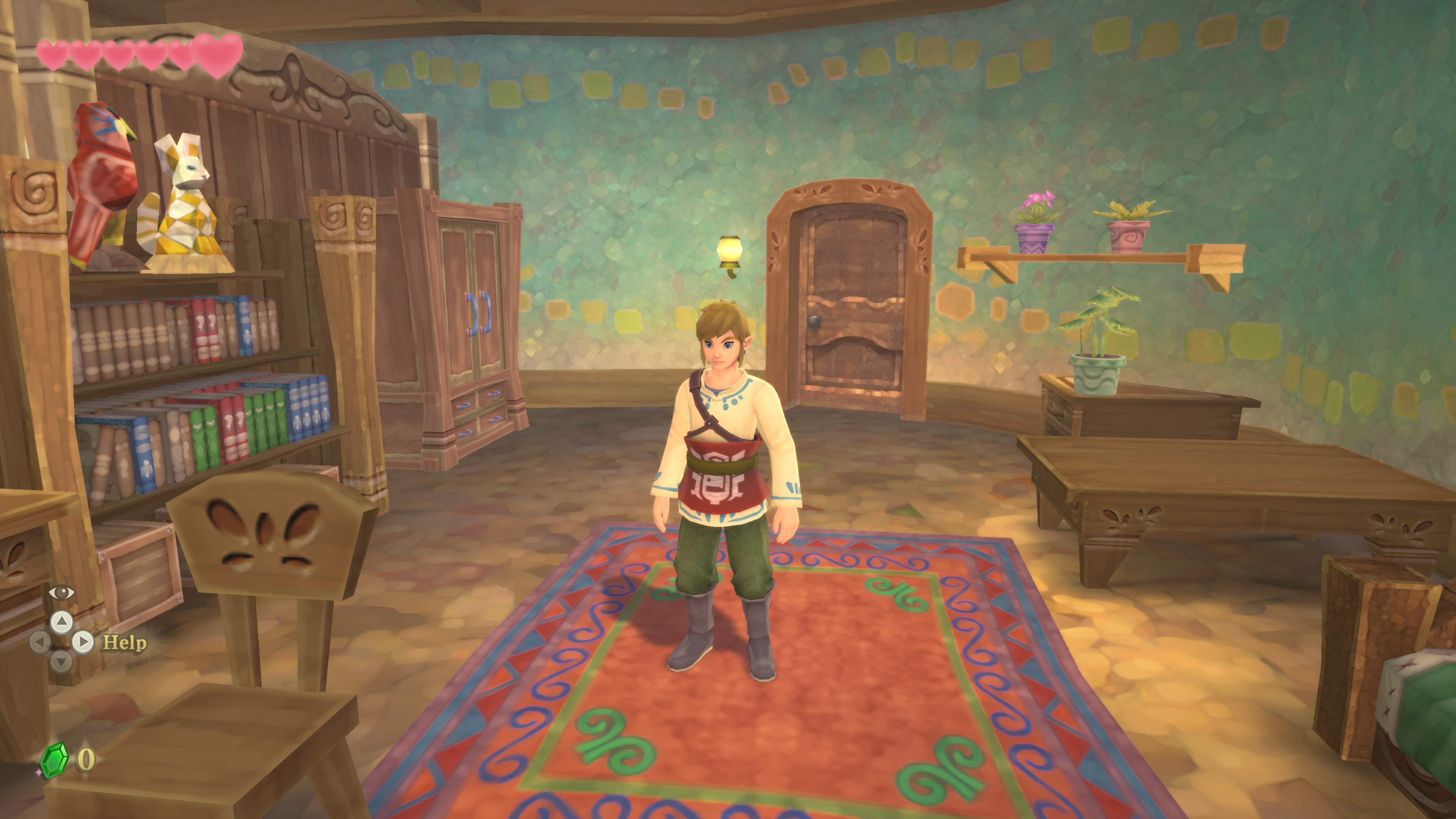
Port Features
- Native C/C++ Execution: This is NOT an emulator (no JIT or dynamic interpretation). Guest AArch64 (ARM64) machine instructions are statically decompiled and lifted to native C code (
-march=x86-64-v3with AVX2 and FMA, or native ARM64 on Apple Silicon). - Multi-Platform Support: Runs natively on:
- Windows: Windows 10/11 (64-bit) with Vulkan 1.3+.
- Linux: Ubuntu, Fedora, Arch, Steam Deck / SteamOS with Vulkan 1.3+ and standalone AppImage distribution.
- macOS: Apple Silicon (M1/M2/M3/M4) and Intel Macs running macOS 11.0+ via native Metal 3 and MetalFX upscaling.
- High-Performance Graphics Backends: Shaders and rendering commands are translated directly into optimized Vulkan 1.3/1.4 pipelines (Windows and Linux) and native Apple Metal 3 (macOS).
- 1:1 Virtual Memory Layout: The runtime reserves a 12.5 GB virtual address window matching the 39-bit guest address space, enabling pointer operations with zero address-translation overhead.
- SDL3 Input & Controller Support: Seamless support for modern gamepads (Xbox, DualSense/DualShock, Nintendo Pro Controller) and keyboard/mouse. Includes standard button-controls mapping (right stick sword combat).
- Mouse Camera and Combat: Optional mouse look, directional sword clicks, shield targeting and ranged item aiming. See the keyboard and mouse guide.
- 60 FPS Default: Supports native resolutions and ultrawide displays. Performance depends on the hardware, scene and shader compilation; a constant 60 FPS is not guaranteed.
- Experimental 120 FPS Mode: Choose Video > Frame rate > 120 FPS in the in-game settings. The shared game clock adjusts to elapsed time while audio retains its own clock. 60 FPS remains the default; reaching 120 FPS depends on your hardware and settings.
- Included 4K Textures and ReShade on Windows: Extract the visual release and launch the game; no separate ReShade installer is required. ESC > Video lets you switch 4K textures and loaded ReShade effects while playing. Starting with ReShade disabled requires reopening the application to enable it. Ultra without motion blur is the default preset. See visual pack details.
- In-Game Settings Menu: Press
ESCat any time while playing to open the overlay menu (adjust graphics, toggle fullscreen/windowed, change aspect ratio, audio volume, or quit). - Cross-Platform Mod Manager: Dedicated Mods tab with one-click folder opening (
ShellExecuteon Windows,xdg-openon Linux,openon macOS), live rescan, individual mod enable/disable toggles, and LayeredFS priority reordering. Supports looseromfs/files andromfs_metadata.bin. - Embedded Setup GUI: No batch scripts or command-line steps required. The standalone launcher GUI allows picking your game files folder on first launch and boots directly to PLAY on subsequent launches.
Architecture & Pipeline
[ User-Provided Game Files Folder ]
                  │
                  ▼ (One-time setup in ~10s)
[ Local Game Data & Assets Directory ]
                  │
                  ▼ (Pre-compiled Native Recompiled Library)
[ skygame.dll (Win) / skygame.so (Linux) / skygame.dylib (macOS) ]
                  │
                  ▼
[ skyrecomp.exe / skyrecomp / Sky Recomp.app ]
                  │
                  ▼
[ Native Execution at 60 FPS (Vulkan / Metal) ]
Getting Started
System Requirements
| Specification | Windows | Linux | macOS |
|---|---|---|---|
| OS | Windows 10/11 64-bit | Glibc 2.35+ (Ubuntu 22.04+, Arch, Fedora, SteamOS) | macOS 11.0+ (15.0+ recommended) |
| CPU | x86-64 with AVX2 & FMA (Intel 4th Gen+, AMD Zen+) | x86-64 with AVX2 or ARM64 | Apple Silicon (M1+) or Intel AVX2 |
| GPU | Vulkan 1.3+ (NVIDIA 900+, AMD RX 400+, Intel Arc) | Vulkan 1.3+ (RADV, ANV, NVIDIA 515+) | Apple Metal 3 (MetalFX supported) |
| RAM | 8 GB minimum (16 GB recommended) | 8 GB minimum (16 GB recommended) | 8 GB unified memory or higher |
| Storage | ~15 GB free space | ~15 GB free space | ~15 GB free space |
How to Play (Release Packages)
- Download the release package for your operating system:
- Windows:
Sky Recomp-<version>-windows.zip - Linux:
Sky Recomp-<version>-linux-x86_64.AppImage(oraarch64) - macOS:
Sky Recomp-<version>-macOS.dmg
- Windows:
- Prepare your legally obtained, uncompressed game files of The Legend of Zelda: Skyward Sword HD (v1.0.0).
- Start Sky Recomp:
- Windows: Run
skyrecomp.exe. - Linux: Make executable (
chmod +x *.AppImage) and run. - macOS: Open the
.dmg, drag Sky Recomp to Applications, and open.
- Windows: Run
- On the Game Files setup screen, click Game files folder and select your game files.
- Click Set up game files. The launcher imports prepared files; it does not decrypt NSP/XCI images or accept console keys. See game file setup.
- Click PLAY to start the game! (Press
ESCat any time while playing to open the settings menu).
Compiling from Source
- Windows:
Ensure MSYS2 UCRT64 with
clang,lld, andmakeis installed. Run:make build/skyrecomp.exe - Linux:
See detailed instructions in docs/BUILD-linux.md.
make build/skyrecomp make appimage - macOS:
See detailed instructions in docs/BUILD-macos.md.
make deps
make app
make dmg
Acknowledgments & Special Thanks
Sky Recomp was made possible thanks to the groundbreaking work of the LAS Recomp project by @peiikai and contributors. Much of the architectural design, ARM64-to-C static recompilation pipeline, Maxwell NVN translation layer, Vulkan/SDL3 compatibility runtime, and launcher UI framework were originally developed by LAS Recomp and readapted for The Legend of Zelda: Skyward Sword HD. We extend our deepest gratitude to the LAS Recomp project and its community for proving the power and feasibility of native Nintendo Switch static recompilations.
Credits
Projects & Foundations
- LAS Recomp — Static recompiler architecture, NVN translation layer, Vulkan runtime, and launcher framework (MIT License).
Visual Assets
- Henriko Magnifico — Creator of the Skyward Sword 4K texture pack and supplied ReShade presets. All credit for the texture artwork and supplied presets belongs to Henriko Magnifico.
Libraries and Tools
- SDL 3 — Windowing, event processing, gamepad bindings, and audio output (zlib license).
- FFmpeg — Video and movie playback decoding using an LGPL configuration (LGPL 2.1+).
- Dear ImGui — In-game overlay settings menu and launcher user interface (MIT License).
- Baloo 2 Font by Ek Type — Typography used across the launcher and menu (SIL Open Font License 1.1,
fonts/Baloo2-OFL.txt). - Vulkan Memory Allocator (VMA) — GPU memory management for Vulkan (MIT License).
- SMAA by Jorge Jimenez, Jose I. Echevarria, Belen Masia, Fernando Navarro, and Diego Gutierrez — Subpixel Morphological Anti-Aliasing (MIT License).
- AMD FidelityFX Super Resolution 1 (FSR 1) — Spatial upscaler and sharpening filter, ported to GLSL (MIT License).
- shaderc by Google — Online GLSL to SPIR-V shader compilation (Apache 2.0).
- Capstone Engine — Disassembly framework for AArch64 binary analysis (BSD 3-clause).
- Unicorn Engine — CPU emulator framework used to evaluate and resolve indirect jump tables (GPL 2.0 / BSD).
- python-lz4 — High-speed compression/decompression for Nintendo Switch NSO binaries (BSD 3-clause; LZ4: BSD 2-clause).
- envytools — NVIDIA GPU documentation used for the Maxwell shader translation layer.
- Switchbrew — Nintendo Switch technical documentation and system architecture references.
Legal & License
Sky Recomp is an unofficial, community-driven fan project. It is not affiliated with, endorsed by, or sponsored by Nintendo. The Legend of Zelda and Skyward Sword are registered trademarks of Nintendo. Game executables and original game data are not bundled. Users must supply their own game files. Open-source dependencies, the launcher font and optional visual packs retain their authors' credits and applicable terms.
Sky Recomp's original code is licensed under the MIT License. Portions derived from LAS Recomp remain under the LAS Recomp copyright and license in LICENSE-LASRecomp. Bundled and linked third-party components maintain their respective original licenses.
Source Code of Bundled Third-Party Components
Release builds distribute pre-compiled binaries and dynamic libraries of open-source third-party dependencies. In compliance with open-source licensing requirements (LGPL, GPL, Apache 2.0, zlib, MIT, OFL), the corresponding source code for the exact versions bundled or used to build release artifacts is available at the links below:
The Windows release libraries (SDL3, shaderc, libiconv, and runtime DLLs) are built via the MSYS2 UCRT64 toolchain environment (MSYS2 Packages).