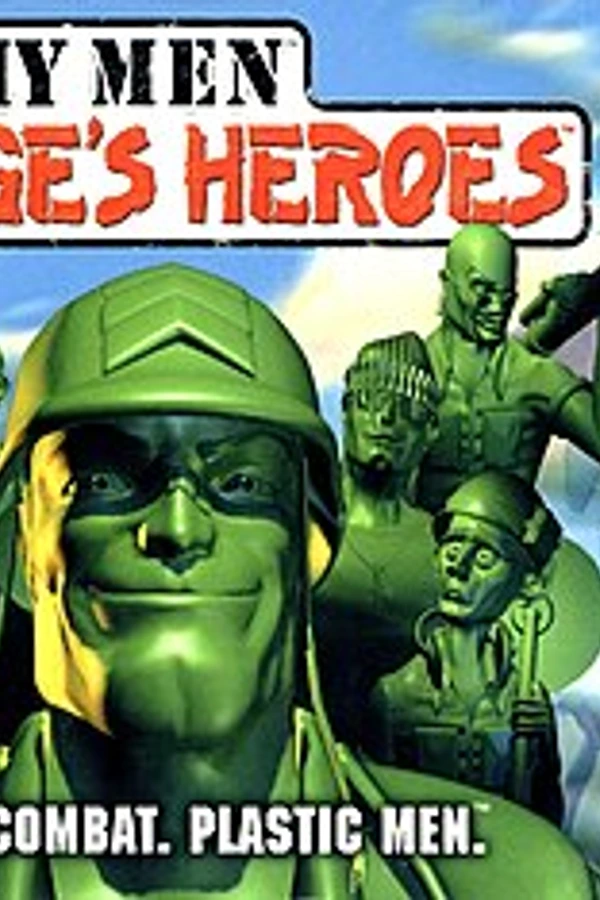
Army Men: Sarge's Heroes (PC)
Army Men: Sarge's Heroes
OrigenNintendo 64
TecnologíaPort Nativo C/C++ (Reimplementación de Motor)
Disponible paraWindows
Ver proyecto oficialSobre el proyecto
Army Men: Sarge's Heroes es un videojuego de acción y aventura publicado por The 3DO Company en 1999.
Información oficial del proyecto
Army Men: Sarge's Heroes 64 Recompiled
This workspace targets the North American Nintendo 64 release of Army Men: Sarge's Heroes. It contains a source-derived N64Recomp translation, a native Windows host, an RT64 D3D12 renderer, and an initial modern input layer.
N64Recomp statically translates the original MIPS machine code into generated C. It does not recover the original handwritten C source, variable names, data structures, or comments. The generated C is a porting input for a native runtime rather than a conventional source decompilation.
The user-supplied ROM is intentionally excluded from version control.
This is an unofficial preservation and compatibility project. It is not
affiliated with or endorsed by The 3DO Company, Nintendo, N64Recomp, or RT64.
No copyrighted game image, PlayStation disc content, or extracted game asset is
included. The project is distributed under GPL-3.0-only because its executable
links GPLv3 N64ModernRuntime code; see LICENSE and THIRD_PARTY.md.
AI disclosure: This project was developed with assistance from OpenAI Codex.
Verified inputs and pinned tools
- ROM SHA-1:
1824380911579424E50042D45AEF4851F7AB25A7 - ROM SHA-256:
B1992D8069CB7C14D5BE4C351578058631CAE9E1B2F29656AE7FB9D5ECC1DC22 - ROM XXH3:
459E462DB1513447 - Internal ROM title:
Army Men Sarge - Standalone N64Recomp commit:
ffb39cdad1da5de07eaaa48bd1db4a89a7986771 - N64ModernRuntime commit:
589bbf018a3e6d3646ddf7de1e7919f1b7e99bb1 - Runtime N64Recomp commit:
81213c26e4ccf74e5bdbd0c8ea18f80e5fa130d2 - RT64 commit:
5473732a822a4423b5696e7cb18fecc425a59875 - Splat:
0.50.0
Project layout
source/
  host/                 Authored native Windows host code
  include/              Generated assembly support headers
  generated/game/       N64Recomp CPU translation
  generated/audio/      RSP audio translation
analysis/
  armymensarge.yaml      Splat analysis configuration
  asm/                   Generated disassembly
  assets/                Extracted binary segments
build/
  port/                  Native PC port build
  tools/n64recomp/       Standalone recompiler build
config/                  N64Recomp CPU/audio/symbol configuration
roms/                    User-supplied source ROMs
runtime/                 Saves, settings, mods, and RT64 data
scripts/                 Reproducible analysis, generation, build, and test entrypoints
tools/                   Third-party source checkouts and modding utilities
patches/                 Small documented third-party source patches
packaging/windows/       Files included with Windows release archives
The repository root contains only project entry files and these named areas.
Build products can be regenerated; roms/, runtime/, and any screenshots/
folder contain user data and must be preserved. Screenshots are next to the
running executable, including build/port/Release/screenshots in this checkout.
Playing a downloaded release
The Windows release does not include the game. You must supply your own dump of the North American Nintendo 64 cartridge:
- Extract the entire release ZIP to a normal writable folder.
- Open the extracted
romsfolder. - Copy your uncompressed ROM into that folder. Any filename is accepted.
- Run
Play Army Men.cmdorArmyMenSargesHeroesRecompiled.exe.
Only the verified 8 MiB North American image is supported. Big-endian (.z64),
byte-swapped (.v64), and little-endian (.n64) dumps are accepted, including
.bin or other filenames; contents, not extensions, determine byte order.
The SHA-1 after normalization to big-endian is
1824380911579424E50042D45AEF4851F7AB25A7. The port checks the full normalized
ROM hash before starting, tries other candidates if one does not match, and
shows an explanatory error when none match. Extract ZIP/7z archives first.
Other regions, revisions, and modified ROMs are not supported.
For optional enhanced music, place your own compatible Dreamcast disc image or
PlayStation BIN in the same roms folder. Escape > Audio enables the detected
source. Automatic chooses Dreamcast, then PlayStation, then the original N64
music. A compatible PlayStation disc also enables the experimental prerendered
cinematics checkbox when ffmpeg.exe is beside the game or in
runtime/tools; the same Audio tab has an independent cutscene-volume slider.
Disc filenames and extensions do not matter; the internal
retail layout is validated and the images are opened read-only. The port
includes no music, movies, or disc content.
The first launch creates a runtime folder beside the executable for settings,
saves, crash reports, and renderer data. F12 screenshots go into screenshots
beside the executable; Escape > Controls > Open screenshots folder opens it.
Older builds used runtime/captures; those existing files are not moved.
Keep the extracted files
together; do not run the executable from inside the ZIP. Windows 10 or 11 x64,
a Direct3D 12-capable GPU, and the Microsoft Visual C++ 2015-2022 x64 runtime
are required.
Fresh-clone setup
Install Git, CMake, Python, and Visual Studio 2022 with the Desktop development with C++ workload. Then, from PowerShell:
.\scripts\setup_dependencies.ps1
# For source generation, use the canonical .z64 filename in roms\README.md.
.\scripts\analyze.ps1
.\scripts\build_n64recomp.ps1
.\scripts\recompile.ps1
.\scripts\build_port.ps1
.\scripts\smoke_test.ps1
The dependency setup checks out the pinned N64Recomp, N64ModernRuntime, and RT64 revisions and applies the committed project patches. It refuses to replace an unexpected or modified checkout.
Current milestone
- The source-derived boundary generator identifies 1,995 functions: one entry function, 1,963 functions in the main image, and 31 mission-overlay functions.
- N64Recomp emits 39 C translation units containing 1,914 translated function bodies, plus the generated lookup and overlay metadata.
- The main loaded image is ROM
0x1000..0xB63F0, mapped at0x80000400..0x800B57F0; BSS follows it. The game entry reachesmainat0x80050810. - The mission overlay loaded from ROM
0x1355F0to0x801F9870is included in the generated lookup metadata. - The Windows host validates the exact US ROM, executes the recompiled game, services PI DMA and SI controller traffic, schedules the game's worker threads, and binds distinctive libultra routines to native runtime implementations.
- RT64 renders the game's real display lists in a 1280x720 D3D12 window. The current verified visual milestone advances through the title and 1 Player menu path, loads the first mission data, and renders the in-game HUD and scene without the former transition crash. N64 A dismisses the Rumble Pak prompt and keyboard analog-stick input moves the player in that scene.
- Keyboard/mouse and XInput are merged into N64 controller port 1. Enter is N64 Start, so the boot/legal screens can be advanced without an original N64 controller adapter.
- A native in-game display overlay is available over the title, menus, and
gameplay. It changes internal resolution from 1x through 12x (9x is 2160p
from the N64's 240-line base), game and HUD aspect handling, MSAA, and
borderless fullscreen without leaving the game. It can also select RT64's
original, display-matched, or manual presentation rate and show a live FPS
counter. Its Controls tab remaps keyboard and XInput sources, configures the
screenshot hotkey, can disable mouse input, and selects Original N64, colored
Xbox, or colored PlayStation button prompts. Modern prompts track remapped
N64 Start, A, and B actions; Xbox is the new-user default. Gameplay defaults to modern
first-person vertical aiming while retaining the original inverted option.
Its Audio tab selects N64, PlayStation, Dreamcast, or automatic music,
enables detected PlayStation prerendered cinematics, and selects WASAPI or
the DirectSound compatibility backend; backend changes take effect after a
restart. Applied
settings persist in
runtime/options.json. - False function boundaries at
0x800017BC,0x800017EC, and0x80001AE8were corrected after they were shown to leak guest stack frames or saved registers during the boot path. - The hidden callback at
0x8004FD3Cis split without dropping its parent wrapper's0x8004FD38return delay slot, preventing guest stack corruption during the 1 Player transition. - Audio status now uses a FIFO-paced DMA queue instead of reporting the N64 AI
permanently empty. The native port retains one safety block beyond the
original two-entry FIFO so desktop scheduling spikes do not empty the output
device. The game's
AI_STATUS_FULLwait loop still paces audio generation near 40 buffers per second while graphics remain near 60 Hz. The SDL host also reports the active AI DMA playhead about 8.3 ms ahead, matching the pinned runtime's protection against late mix-size decisions. The former path accumulated roughly 14.6 seconds of latency in 30 seconds. Captured PCM contains a few source-mix saturation samples during loud peaks, which are intentionally unchanged. DirectSound is the compatibility default and opens at the game's native 22.05 kHz rate, bypassing the SDL resampler that introduced subtle crackle during 48 kHz conversion. A 30-second RT64 capture held the queue near 43-74 ms and confirmed the queued output was byte-for-byte identical to the clean source PCM with zero underruns; listening validation confirmed clean playback. WASAPI remains selectable from the Audio tab for comparison.
This is an active PC-port bootstrap, not a finished playable release. The
retail audio microcode is recompiled and its original 22.05 kHz stereo mix is
sent to the selected native SDL Windows output device; music is audible and the
complete title-to-first-mission smoke path runs with audio active. Extended gameplay,
every level, and the full music/SFX set still need validation. Controller Pak
file save/reload passes automated retail-code tests; level-completion progress
still needs an in-game restart test. Cartridge backends remain provisionally
configured as AllowAll, and mouse movement is currently
translated to digital C-button directions rather than a true analog mouse-look
system.
Controls
Keyboard and mouse input is accepted only while the game window has focus. XInput controller 1 is merged with those bindings; additional connected XInput controllers map to the corresponding N64 ports.
| N64 control | Keyboard / mouse | XInput |
|---|---|---|
| Analog stick | W, S, Left Arrow, Right Arrow | Left stick |
| A | Space | A |
| B | Left Shift | B |
| Start | Enter | Menu / Start |
| Z | Left Ctrl | Right trigger |
| L | Tab | Left shoulder |
| R | F | Left trigger |
| D-pad | Unbound | D-pad |
| C Up / Down / Left / Right | Up Arrow / C / A / D | Unbound |
| Options overlay | Escape | Back + Start |
| Screenshot | F12 | Remappable in the overlay |
While the options overlay is open, keyboard, mouse, and XInput navigation are
captured by the overlay and a neutral controller state is sent to the game.
Use Escape (or Back + Start) to open or close it, A/Enter to activate an item,
and the D-pad/arrow keys to navigate. Quit to desktop provides an explicit
exit path in both windowed and borderless-fullscreen modes.
Screenshots capture the game client area as PNG files in
screenshots beside the executable. A short on-screen notification confirms
the filename, and Controls > Open screenshots folder opens the location.
F12 is the default hotkey and can be changed or unbound in the Controls tab.
These are the defaults, not fixed bindings. The Controls tab can assign each N64 action to another keyboard key or XInput source, including all four directions of either stick. The four Stick rows preserve analog values when assigned to stick directions; unbinding a row disables that direction. Older settings migrate the formerly implicit left-stick defaults without resetting custom buttons. Mouse input is disabled by default. Enabling it adds left-click Z, right-click R, and digital C-button look from mouse movement; true relative analog mouse-look remains later port work.
Controller vibration defaults to enabled. The Controls tab includes an enable toggle and a Test vibration button (350 ms on XInput controller 1). Game effects stop when the overlay opens, the window loses focus, or the game exits. Controller Pak storage is available at the same time, including for keyboard-only players; no accessory swap is required. Implementation details and the automated/manual validation checklist are in docs/rumble.md.
Saving
The game now sees a virtual Controller Pak. Follow its normal save prompts.
Player 1's raw 32 KiB image is runtime/saves/controller-pak-1.mpk; keep the
same runtime folder when upgrading or restarting. Additional connected ports
use numbered images. Do not package or delete your personal save files.
An existing image is backed up as .mpk.bak before its first change in a
session. Writes are flushed and atomically replace the image before success
is returned; unreadable or malformed images are not silently reformatted.
Quit only after the game's save operation finishes. End-to-end campaign
progress saving is still awaiting playtest confirmation. See
docs/controller-pak.md for tests and recovery notes.
Graphics
The development build enables three optional enhancements by default:
- Display > Widescreen > Enhanced widescreen matches the single-player camera projection and visibility checks to the window. Gameplay and cutscenes use the full height without letterbox borders; this is not image cropping.
- Graphics > Always use highest-detail meshes keeps the high-detail variants for characters, vehicles, and other LOD-switched objects. Destroyed models and fixed-detail scenery are preserved.
- Graphics > Extend draw distance defaults to 2x the level's original distance, with a configurable 2x-8x multiplier for single-player gameplay.
Each can be disabled independently. Enhanced defaults also apply when migrating older settings; resolution, antialiasing, controls, audio, and saves are retained. Enhanced widescreen and extended draw distance have passed the user's initial visual playtest. The expanded object LOD coverage passes retail-code tests and still needs its own visual check. Coverage and other limits are documented in docs/graphics-enhancements.md. Only Original 4:3 and Enhanced widescreen remain; saved renderer-only selections migrate to Enhanced.
Esc > Graphics > Texture filtering offers Off (nearest-neighbor), 3-point filtering (original), and 16x anisotropic filtering. Original is the default. Press Apply to use changes without restarting and save them. Anisotropic filtering targets world textures and preserves HUD rectangles and framebuffer effects. Technical details, tests, and limits are in docs/texture-filtering.md.
The experimental persistent-bodies option is temporarily unavailable. A full mission test confirmed that preventing the original cleanup exhausts fixed actor/object pools, blocks later enemy spawns, and can eventually crash. A safe implementation must retain a render-only snapshot while releasing the gameplay object. Findings and the replacement design are in docs/persistent-remains.md.
The Display tab's presentation-rate option controls RT64 interpolation and
presentation, not the original game simulation rate. Original game rate
preserves the un-interpolated presentation path, Match display targets the
active display with synchronization, and Manual cap (VSync off) targets the
selected rate even above the display refresh. Manual mode can visibly tear
when frames arrive between display scans.
Build and run
Prerequisites are Git, CMake, Python, and Visual Studio 2022 with the Desktop development with C++ workload. From PowerShell in this directory:
.\scripts\setup_dependencies.ps1
.\scripts\analyze.ps1
.\scripts\build_n64recomp.ps1
.\scripts\recompile.ps1
.\scripts\build_port.ps1
& '.\build\port\Release\ArmyMenSargesHeroesRecompiled.exe' `
  --rom '.\roms\Army Men - Sarge''s Heroes (U) [!].z64'
A normal RT64 run stays open until its window is closed. Use --seconds 1..300
for a bounded renderer validation run. --headless selects the diagnostic
renderer and defaults to ten seconds when --seconds is omitted:
& '.\build\port\Release\ArmyMenSargesHeroesRecompiled.exe' `
  --headless --seconds 15
setup_dependencies.ps1 reconstructs the pinned and patched third-party source
checkouts under the ignored tools/ directory. analyze.ps1 verifies the ROM,
installs the pinned Splat dependency into the
local virtual environment, regenerates the assembly analysis, and writes the
symbol TOML. build_n64recomp.ps1 uses the pinned standalone N64Recomp
revision and applies the project's small MSVC-safe RSP hexadecimal-formatting
patch. recompile.ps1 verifies the ROM again, safely replaces only
source/generated/game/ and source/generated/audio/, translates the CPU and
retail audio RSP code, and checks their required outputs. build_port.ps1
configures and builds the pinned runtime and RT64 host with Visual Studio 2022.
Unhandled native exceptions write a timestamped text report and Windows
minidump to runtime/crashes. Keep both files from a failure together;
the text report contains the exception address and registers, while the .dmp
retains the thread state for debugger analysis.
Generated disassembly, build products, ROM files, and recompiled C are ignored
by Git. The local source/generated/game/ and source/generated/audio/
directories can always be regenerated from the verified ROM and configurations.
PC-port roadmap
- Validate music, speech, ambience, and sound effects across every mission against N64 execution, including transitions, pitch, stereo order, and long-session queue stability.
- Finish the modern input layer with controller hot-plug feedback, proper relative mouse capture, analog camera behavior, and sensitivity/inversion settings. Keyboard and XInput remapping are already available.
- Validate level-completion save/restart and rumble together in-game, and
resolve any remaining cartridge-backend assumptions behind
AllowAll. - Validate the title menu, every mission overlay, every level, timing, and shutdown behavior against N64 execution; correct any remaining code/data boundary errors encountered along those paths.
- Grow the new native overlay into the common home for display, audio, input, accessibility, and future mod controls.
- Investigate source-derived model, texture, animation, and level extraction with documented Blender-friendly interchange formats.
- Integrate optional user-supplied Dreamcast audio and PlayStation music/video. Filename-independent runtime disc discovery, the native Dreamcast AICA and PlayStation XA decoders, the separate host music bus, and both gameplay-music options are implemented. New installations automatically select Dreamcast, then PlayStation, then N64, while explicit choices are preserved. Enhanced music follows the retail slider, 75% music-bus ceiling, per-cue gain table, and source-master normalization. The shared N64/Dreamcast gameplay cue mapping is verified across all 107 compiled music actions; the PS1 option uses content matches for those cues and falls back to N64 for unmapped calls. Interactive PS1 listening remains in progress. Experimental PlayStation movie playback now presents the full pre-title intro and content-mapped campaign opening reels from the user-owned disc. The game thread is blocked for an entire mission reel and only its initial N64 camera call is skipped, preventing mismatched movie lengths from revealing gameplay or another cutscene underneath. Later in-level N64 cinematics remain original. Dreamcast sound-effect replacement remains pending. See music-replacement-rnd.md and disc-assets.md for evidence and the agreed menu. Releases must not bundle copyrighted ROM, disc, music, or video content.
- Broaden visual validation of game-aware widescreen, extended draw distance, and highest-detail meshes across missions and cutscenes, including the new vehicle/other-object LOD path. Investigate any residual visibility or detail limits; RT64 can only render geometry the game submits to its display lists.
- Rebuild persistent remains as host-side visual snapshots (or another bounded pool independent of guest actors). Never suppress retail object recycling as the final implementation; live testing proved that approach unsafe.
SMAA, more advanced lighting, and an OpenAL Soft/reverb path remain possible later modifications, but are intentionally outside the current fidelity and overlay milestone.
The two tools/modding/RecompModTool files are unrelated to base-game
translation; they package mods for recomp projects that already have a working
runtime.