BetterSpades
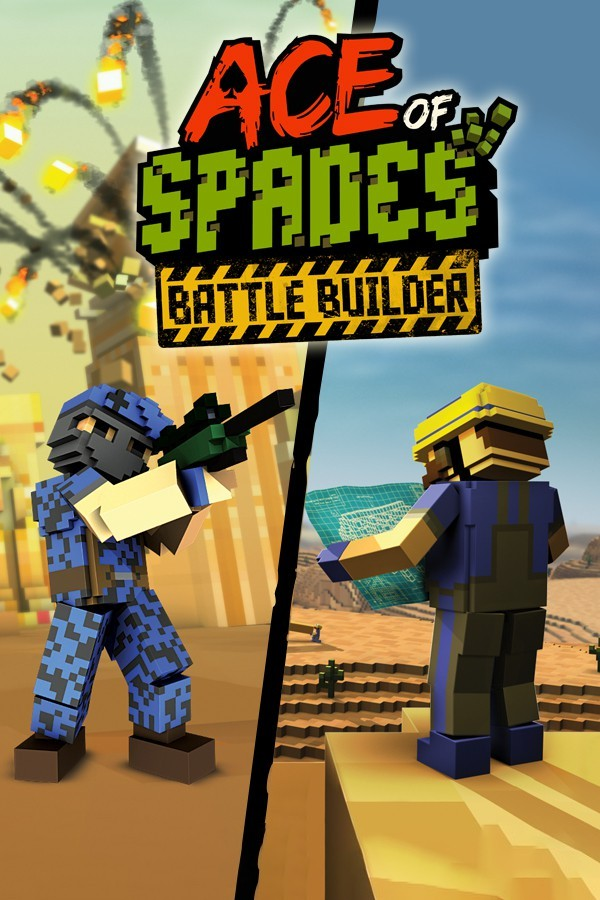
Ace of Spades
OrigenWindows
TecnologíaPort Nativo C/C++ (Reimplementación de Motor)
Disponible paraWindows, Linux, macOS
Ver proyecto oficialSobre el proyecto
BetterSpades es un videojuego de acci�n y aventura, lanzado en 2000.
Información oficial del proyecto



 BetterSpades
- Replicate of the great game Ace of Spades (classic voxlap)
- runs on very old systems back to OpenGL 1.1 (OpenGL ES support too)
- shares similar if not even better performance to voxlap
- can run on "embedded" systems like a Steam Link
Why should I use this instead of ...?
- free of any Jagex code, they can't shut it down
- open for future expansion
- easy to use
- no hidden bugs
Quick usage guide
As of right now, you can download the newest stable version from the releases page.
You can get nightly builds here.
You can either:
- use the client temporarily by extracting the downloaded zip into a new directory.
- extract all contents to your current Ace of Spades installation directory (normally found at
C:/Ace of Spades/), effectively replacing the old voxlap version
System requirements
| Type | min. requirement |
|---|---|
| OS | Windows 98 or Linux |
| CPU | 1 GHz single core processor |
| GPU | 64MB VRAM, Mobile Intel 945GM or equivalent |
| RAM | 256MB |
| Display | 800x600px |
| Others | Keyboard and mouse<br />Dial up network connection |
Build requirements
This project uses the following libraries and files:
| Name | License | Usage | GitHub |
|---|---|---|---|
| GLFW3 | ZLib | OpenGL context | Link |
| OpenAL soft | LGPL-2.1 | 3D sound environment | Link |
| inih | BSD-3.Clause | .INI file parser | Link |
| stb_truetype | Public domain | TrueType font renderer | Link |
| dr_wav | Public domain | wav support | Link |
| http | Public domain | http client library | Link |
| LodePNG | MIT | png support | Link |
| libdeflate | MIT | decompression of maps | Link |
| enet | MIT | networking library | Link |
| parson | MIT | JSON parser | Link |
| log.c | MIT | logger | Link |
| GLEW | MIT | OpenGL extensions | Link |
| hashtable | MIT | hashtable | Link |
| libvxl | MIT | access VXL format | Link |
| microui | MIT | user interface | Link |
You will need to compile the following by yourself, or get hold of precompiled binaries:
- GLFW3
- GLEW
- OpenAL soft (only needed on Windows)
- libdeflate
- enet
Follow the instructions on their project page, then place produced static libraries in deps/.
All other requirements of the above list (like single file libs) will be downloaded by CMake automatically and don't need to be taken care of. Because state of copyright of 0.75 assets is unknown, CMake will also download additional assets from here which are not part of this repository.
Windows
This project uses CMake to generate all Makefiles automatically. It's best to use MinGW-w64 for GCC on Windows. You can generate the required files by opening cmd.exe in the build/ directory and typing:
cmake -G "MinGW Makefiles" ..
mingw32-make
If everything went well, the client should be in the build/BetterSpades/ subfolder.
When starting client.exe, you will be greeted by a server list. Select a server on it to start playing!
You can also start the client the same way as you did with the voxlap version by opening cmd and putting an aos:// link in as the first argument:
client.exe -aos://16777343:32887 //Connects to a local server
Linux
Compilation now works the same on Linux. Just change the build system to Unix Makefiles or leaving it as default will work too (cmake ..).
You can build each library yourself, or install them with your distro's package manager:
sudo apt install libgl1-mesa libgl1-mesa-dev libopenal1 libopenal-dev libglfw-dev libenet-dev libglew-dev
(this does not include libdeflate which is a requirement too, see Wiki/Building for more details)
Start the client e.g. with the following inside the build/bin/ directory:
./client
Or connect directly to localhost:
./client -aos://16777343:32887
macOS
The same instructions for Linux work on macOS aside from some minor differences. First, use Homebrew or MacPorts to grab dependencies:
brew install glfw enet cmake glew
OpenAL and OpenGL headers come bundled with macOS and do not require separate installation. You’ll need to build libdeflate manually and place it in a local deps/ directory:
DEPS_DIR="$(pwd)/deps"
LIBDEFLATE_A="$DEPS_DIR/libdeflate.a"

mkdir -p "$DEPS_DIR"

# Build or reuse libdeflate
if [ ! -f "$LIBDEFLATE_A" ]; then
    echo "Building libdeflate..."
    TEMP_DIR=$(mktemp -d)
    git -C "$TEMP_DIR" clone https://github.com/ebiggers/libdeflate.git
    cmake -S "$TEMP_DIR/libdeflate" -B "$TEMP_DIR/libdeflate/build" -DCMAKE_BUILD_TYPE=Release
    cmake --build "$TEMP_DIR/libdeflate/build"
    cp "$TEMP_DIR"/libdeflate/build/{lib,}libdeflate.a "$DEPS_DIR/" 2>/dev/null || true
    rm -rf "$TEMP_DIR"
    echo "libdeflate built and copied to deps/"
else
    echo "libdeflate already present in deps/"
fi
Then, you need to copy the GLEW static library from Homebrew to your deps/ directory:
DEPS_DIR="$(pwd)/deps"
GLEW_A="$DEPS_DIR/libGLEW.a"

# Copy or reuse GLEW static library
if [ ! -f "$GLEW_A" ]; then
    echo "Copying GLEW static library from Homebrew..."
    HOMEBREW_PREFIX=$(brew --prefix)
    cp "$HOMEBREW_PREFIX/lib/libGLEW.a" "$DEPS_DIR/"
    echo "GLEW copied to deps/"
else
    echo "GLEW already present in deps/"
fi
Build the project using CMake:
# Configure and build
BUILD_DIR="$(pwd)/build"
mkdir -p "$BUILD_DIR"
cd "$BUILD_DIR"

echo "Configuring CMake..."
cmake .. -DCMAKE_BUILD_TYPE=Release -DCMAKE_POLICY_VERSION_MINIMUM=3.5

echo "Building BetterSpades..."
make -j"$(sysctl -n hw.ncpu)"
Start the client e.g. with the following inside the build/BetterSpades/ directory:
./client
Compilated binary should use Metal API on Apple Silicon.
Gallery
| <img src="/docs/pic01.png" width="250px"><br />quite old | <img src="/docs/pic02.png" width="250px"><br />hiesville | <img src="/docs/pic03.png" width="250px"> |
|---|---|---|
| <img src="/docs/pic04.png" width="250px"><br />grenade fun | <img src="/docs/pic05.png" width="250px"><br />falling block animation | <img src="/docs/pic06.png" width="250px"><br />sniping on normandie |