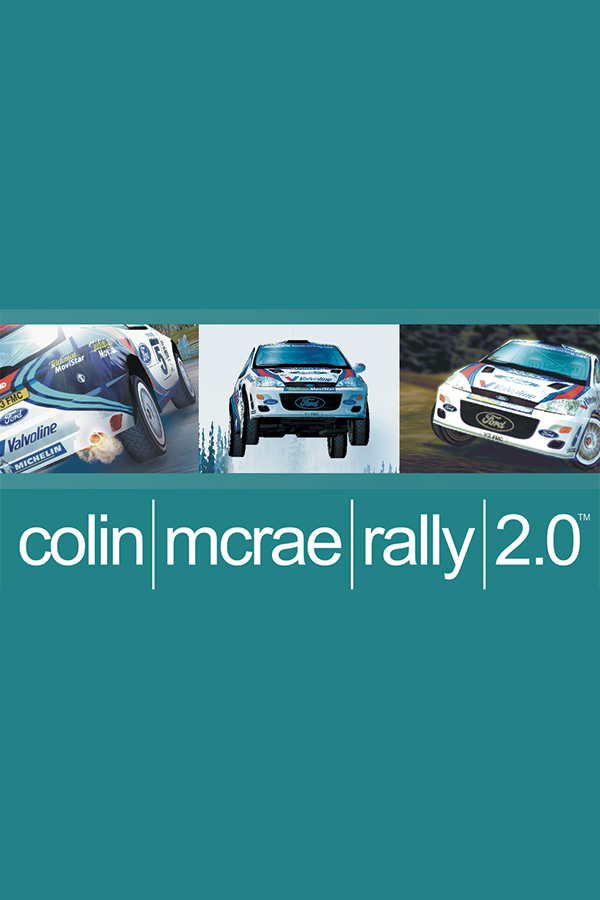
Colin McRae Rally 2.0 (Android)
Colin McRae Rally 2.0
OrigenWindows
TecnologíaPort Nativo C/C++ (Reimplementación de Motor)
Disponible paraAndroid, Windows
Ver proyecto oficialSobre el proyecto
Colin McRae Rally 2.0 es un videojuego de carreras y el segundo juego de la serie Colin McRae Rally, desarrollado y publicado por Codemasters. Originalmente lanzado en Europa el 7 de julio de 2000 para PlayStation, también fue lanzado para PC y Game Boy Advance incluso en Norte y Latinoamérica.
4 versiones de Colin McRae Rally 2.0
Estás viendo: Colin McRae Rally 2.0 (Android)
Colin McRae Rally 2.0 (Android)github.com/pablocpas/OpenCMR2Colin McRae Rally 2.0github.com/pablocpas/CMR2DecompColin McRae Rally 2.0 Decompilationgithub.com/CMR2Decomp/CMR2DecompColin McRae Rally 2.0 Recompiledgithub.com/alexbeavs-ps1-ports/colin-mcrae-rally-2-0-recompInformación oficial del proyecto
OpenCMR2

OpenCMR2 is a work-in-progress native port of Colin McRae Rally 2.0 (PC, 2000) to modern platforms, built on the CMR2Decomp decompilation. It runs the original game code natively on Linux, Windows, macOS and Android. There is no emulation and no Wine or DirectX wrapper: DirectDraw, Direct3D 7, DirectSound, DirectInput, DirectPlay and Bink are replaced with SDL3, the SDL GPU API (Vulkan, Direct3D 12, Metal) or OpenGL 3.3 and the port's own code.
https://github.com/user-attachments/assets/18fcb1c9-e504-4369-98d2-175419f3d4cd
Colin McRae Rally 2.0 running on Linux with OpenCMR2.
[!WARNING] This repository contains no game assets. You need your own copy of the original PC version of Colin McRae Rally 2.0 to play.
Status
Everything tested so far works: the intro videos, the menus, the stages and network races over LAN and the internet. The project is still in development, so you may find bugs. If you do, please report them. The game code follows CMR2Decomp, and its progress is brought into the port as it is made.
| Platform | Architecture | Status |
|---|---|---|
| Linux | x86-64 | Plays stages and matches the original physics |
| Linux | i686 | Plays stages, reference build with the original memory layout |
| Linux | ARM64 | Builds and passes the tests, gameplay not yet tested |
| Windows | x86-64 | Plays stages and matches the original physics (tested under Wine) |
| macOS | ARM64 | Builds and passes the tests, gameplay not yet tested |
| Android | ARM64, x86-64 | Plays stages with on-screen controls (Android 10 or later, Vulkan) |
Other platforms
A friend's fork, OpenCMR2-3ds, runs the game on the Nintendo 3DS, as a CIA or a Homebrew Launcher application, with its own guide. It follows an October 2026 version of OpenCMR2 and is not maintained here: the 3DS is a delicate target for this code. It is there for anyone who wants to try it.
Other ports people have asked for, such as WebAssembly or the Xbox 360, are not planned. Feel free to fork the project and make one.
Features
- Native SDL3 platform layer for windowing, input, audio and files, with saves and settings in the user directory
- SDL GPU renderer (Vulkan, Direct3D 12, Metal) reproducing the Direct3D 7 fixed-function pipeline in shaders, and an OpenGL 3.3 renderer with the same shaders for GPUs without Vulkan or Direct3D 12 (Linux and Windows)
- Fullscreen on the desktop resolution or a resizable window, switched with Alt+Enter
- Keyboards, gamepads and wheels through SDL3, with every driving action bindable to keys, buttons, triggers, sticks or pedals, gamepad rumble and wheel force feedback, and on-screen controls on Android
- Bink intro and country videos with a built-in decoder
- Multiplayer over LAN and the internet using UDP instead of DirectPlay
- Folder dialog on first launch to locate the game installation
- Menus and in-race HUD scaled with the screen and kept at its edges on wide screens, with configurable sizes
- Text drawn from outlines, and the co-driver arrows, menu icons, flags and arcade maps traced from the originals, so they stay sharp when enlarged
- The whole stage drawn on wide screens, with the scenery fading into the backdrop at the view distance instead of popping in
- Fixes for some original bugs, such as German in the language menu loading Spanish
The improvements of SilentPatch are built in as well:
- Widescreen resolutions up to the desktop resolution, with the correct perspective instead of a stretched picture
- Configurable field of view
- High and variable frame rates without changing the game speed or the physics, verified against the original game
Approach
The game code in game/ comes from CMR2Decomp and is kept as close to the
original as possible. Every change the port needs is marked with a PORT:
comment. The rest of the port (src/) implements the platform APIs the game
expects on top of SDL3.
Accuracy is tested against the original executable rather than assumed:
- The fixed-point helpers are compared with the original x87 assembly
- The startup math tables (16,896 entries) are compared with dumps from the original game
- 500 vehicle updates of a Finland stage, driven by recorded input, are compared field by field with the original game + SilentPatch at 30, 60, 120, 144 and 240 FPS and at a variable frame rate. All of them match bit for bit (details).
Enhancements that change the original look, such as the outline text or the scaled menus and HUD, can be turned off in the settings. Those that only sharpen the original's images when they are enlarged are always on: at their own size, the icons, flags and maps keep the original's pixels.
Running
Download the package for your platform from Releases:
| Platform | Package |
|---|---|
| Windows x64 | OpenCMR2-Windows-x64.zip |
| Linux x86-64 | OpenCMR2-Linux-x86_64.tar.gz |
| Linux ARM64 | OpenCMR2-Linux-arm64.tar.gz |
| Linux 32-bit | OpenCMR2-Linux-i686.tar.gz |
| macOS (Apple silicon) | OpenCMR2-macOS-arm64.zip |
| Android | OpenCMR2-Android.apk |
Extract it and run opencmr2. On first launch, choose the folder of your PC
installation. The installation itself, a folder inside it or a parent folder
all work. The location is checked and remembered, and the game files stay
where they are.
If you have the CD or an ISO, install the game or extract it first: OpenCMR2
reads the installed folders Game, FrontEnd, Sounds, CountrySpecific
and SetupRep, and does not start when one of them is missing.
Keyboards, gamepads and wheels work in the menus and on the stages. Every connected controller drives player 1, together with the keyboard; when two players race, the second controller connected is player 2's, with the numeric keypad. Controllers connected or disconnected while the game runs are taken at once; losing the controller a player drives with pauses the stage. A player switches between keys and an axis freely, for the steering and for the pedals apart: keys, buttons and a D-pad steer progressively, as the original's keyboard did, and the triggers and pedals stay analogue. Without a physical keyboard, and always under Steam (Steam Deck Game Mode), the on-screen keyboard opens only to type a name.
The default controls are the original's keys (cursor keys, Space for the
handbrake, ] and [ for the gears, C for the camera, R to look back,
Escape to pause) and, on a gamepad, the left stick to steer, the right and
left triggers for throttle and brake, A for the handbrake, the shoulder
buttons for the gears, Y for the camera, B to look back and Start to pause
and to resume.
A gamepad's stick turns the wheels at the car setup's steering speed, about
as fast as the keys do; followed directly, as the original did with any
joystick, the wheels would jump to the stick's angle in one physics step.
The stick reaches full lock before its end (the last 5% of its travel, as
many sticks stop short of it) and also when the thumb drifts up or down
while pushing to the side (its round gate is read as a square for this).
The faster the car, the more of the stick's travel goes to small angles, in
proportion to how often drivers use each angle at that speed (fitted on the
recorded runs of the super specials, driven with keys): from linear in slow
corners to a square at top speed. The end of its travel still gives full
lock at any speed.
Wheels steer with their first axis, followed directly, and their pedals are
found from where their axes rest.
Options > Controllers chooses the bindings to edit: player 1's keys, player 2's keys, the gamepads' (while one is connected) or those of a connected joystick or wheel. It opens on those of the device used last. This only chooses what to edit: every connected controller drives player 1 unless two players race. Configuration binds each driving action to the next key, button or axis given (Escape gives up waiting for a controller's); an input already bound to another action trades places with it. The page also sets a controller's deadzone, steering curve and vibration, and Default restores the bindings of the device chosen. OK saves, Back drops the changes.
The bindings are kept in controls.ini in the user directory,
written with the defaults and an explanation on first launch: each action
lists the keys, buttons and axes bound to it, with a section for each
keyboard player, for gamepads, for other joysticks, and for each model of
wheel or joystick connected, which also sets its deadzone, its saturation,
a steering curve for finer corrections around the centre, the strength of a
gamepad's rumble and the player it belongs to. The keys of an older
Controller.rcf are taken when controls.ini does not exist yet.
Gamepads rumble on the stages, the one the player used last: lightly on the high frequency motor with the roughness of the surface under the front wheels, more with speed, and with impacts on the low frequency one. Wheels and joysticks with force feedback get the game's own forces. Both go to the controller the player used last, so a wheel does not turn by itself while a gamepad drives; before one is used, a wheel with force feedback takes them.
On Android, install the APK and copy the installation folder to the device first. On first launch, choose it in the system's folder picker: the game files are copied into the app once (about 700 MB), as Android gives apps no direct access to other folders. The on-screen controls press the default keyboard keys, so they work in the menus and on the stages whatever the keyboard is bound to, and hide while a gamepad is used, external or built into a handheld. Start pauses the game. The launcher has a Controls screen, usable by touch before starting the game, to test a pad and correct individual buttons, sticks or triggers. These corrections are saved by device and preserve the rest of SDL’s automatic layout and analog input. Restore automatic mapping removes the corrections. You can also keep the touch controls visible or choose to play with touch controls only. Android Back pauses the game; a controller’s Back/Select follows its SDL mapping. Controller firmware must expose its input to Android; buttons intercepted by system shortcuts cannot be mapped by the app.
In the game's Options > Controllers the touch controls are listed with nothing to change: they are set up in the launcher, and each button shows the action it presses. They steer as keys do, with the car's progressive steering. The keyboard players are listed only while a physical keyboard is connected, and gamepads while one is.
The touch controls use one layout for the menus and the stages. The left group has Left and Right, with Confirm and Back/Pause above them. The right group puts brake and accelerate next to each other on the bottom row, with the handbrake above and smaller gear and camera buttons around it; accelerate and brake also move up and down through the menus.
In Controls > Edit touch controls, drag either half of the preview to move its group, pinch to resize, or twist to rotate the auxiliary buttons. Adjustments sets the size, position, auxiliary-button angle and opacity of each side, plus camera cutout avoidance. Test buttons checks simultaneous presses without starting the game. Save keeps the layout; Cancel discards edits, including a reset. The editor uses the same RadialGamePad views as the game, following the approach of Lemuroid's control editor.
The Linux packages are built on Ubuntu 24.04 and need a distribution of
similar age or newer. The macOS package is not signed: after extracting it,
run xattr -dr com.apple.quarantine OpenCMR2-macOS-arm64 once.
Command-line options:
| Option | Description |
|---|---|
--data <dir> | Use this game installation and skip the folder dialog |
--user-dir <dir> | Keep saves, settings and logs in this directory |
The installation can also be set with the OPENCMR2_DATA environment variable
or [paths] data in opencmr2.ini, or copied into a Data folder next to the
executable, which is found without asking.
Configuration
Settings are stored in opencmr2.ini in the user directory
(~/.local/share/OpenCMR2/ on Linux,
%APPDATA%\OpenCMR2\ on Windows; files from the older
OpenCMR2/OpenCMR2 folder are moved there).
It is created with comments on first launch. The Screen page of the
graphics options sets hud_scale, menu_scale, vsync and fullscreen in
the game.
| Setting | Default | Description |
|---|---|---|
[video] fullscreen | 1 | Fullscreen (1) or window (0), changed and saved by Alt+Enter |
[video] fov | 70 | Field of view in degrees, 30 to 150 (70 is the original) |
[video] run_in_background | 0 | Keep running when the window loses focus |
[video] car_detail | 1 | Every car with the model and textures of the player's car (1), or the original's lower detail for the other cars (0); applies with Car Detail set to High |
[video] hud_scale | 100 | Size of the in-race HUD in percent of the original's at the screen's height; 0 keeps the original's layout in pixels |
[video] hud_aspect | 16:9 | Widest shape the HUD spreads over, centred on wider screens: an aspect ratio such as 16:9 or 21:9, or full for the whole screen |
[video] menu_scale | 100 | Size of the menus in percent of the original's at the screen's height; 0 keeps the original's layout in pixels |
[video] outline_fonts | 1 | Draw the text from outlines, sharp at any size (1), or from the original's bitmaps (0) |
[video] vsync | 1 | Wait for the display's refresh (1) or draw frames as soon as they are ready (0) |
[video] graphics_api | auto | Renderer: sdl_gpu (Vulkan, Direct3D 12, Metal), opengl (OpenGL 3.3, Linux and Windows), or auto for SDL GPU when the GPU has a Vulkan, Direct3D 12 or Metal driver (not a software one) and OpenGL otherwise |
[video] window_scale | 1 | Size of the window in multiples of the game's resolution, applied when leaving fullscreen |
[video] smooth_scaling | 1 | Smooth the picture when it is scaled to the window or screen (1), or keep sharp pixels (0) |
[video] anisotropy | 1 | Anisotropic texture filtering, 2 to 16; 1 is off, as in the original |
[video] stretch_movies | 0 | Stretch the movies over the whole window (1) instead of keeping their 4:3 proportions |
[input] key_repeat_delay | 750 | Milliseconds before a key held in the menus repeats |
[input] key_repeat_interval | 100 | Milliseconds between the repeats of a held key |
[install] language | English | English, American, French, German, Italian, Spanish or Polish |
[install] sku | EUROPE | Game edition: EUROPE, AMERICA, POLAND or JAPAN; when the data has no CountrySpecific folder for it and one for another edition, that one |
[install] menu_shortcut | asked | Entry in the applications menu (Linux) or Start menu (Windows): 1 keeps it pointing at this copy, 0 removes it |
[net] ... | Network play, see NETWORK.md |
Building
OpenCMR2 builds with Clang, CMake 3.24+, Ninja and glslang, using the presets
in CMakePresets.json:
| Preset | Target |
|---|---|
linux | Linux, 64-bit (x86-64 or ARM64) |
windows-x64 | Windows x64 (clang++ with the MSVC runtime) |
macos | macOS, Apple silicon |
linux-x86 | Linux, 32-bit x86 (reference build for the tests) |
OpenCMR2 needs SDL 3.4 or later. An installed SDL3 of that version is used;
otherwise CMake downloads and builds it and places it next to the executable
(to force this, pass -DOPENCMR2_VENDORED_SDL=ON). Start by cloning the repository:
git clone https://github.com/pablocpas/OpenCMR2.git
cd OpenCMR2
Linux
Install the dependencies.
Fedora (SDL3-devel is used when it is 3.4 or later):
sudo dnf install clang cmake ninja-build glslang SDL3-devel
Ubuntu 24.04 or Debian, where SDL3 is built from source with these development libraries:
sudo apt install clang cmake ninja-build glslang-tools pkg-config \
    libx11-dev libxext-dev libxrandr-dev libxcursor-dev libxi-dev libxss-dev libxtst-dev \
    libxkbcommon-dev libwayland-dev wayland-protocols libegl1-mesa-dev \
    libasound2-dev libpulse-dev libudev-dev libdbus-1-dev
Then build:
cmake --preset linux
cmake --build --preset linux
The executable is build/linux/src/opencmr2.
macOS
brew install cmake ninja glslang sdl3
cmake --preset macos
cmake --build --preset macos
Metal needs MSL shaders, and the OpenGL renderer on Linux and Windows GLSL
330 ones, so the build fetches SPIRV-Cross to translate them (or uses
spirv-cross from the PATH). -DOPENCMR2_RENDERER_GL=OFF leaves the OpenGL
renderer out.
Windows
Install Visual Studio 2022 with its "C++ Clang tools" component (or LLVM), Ninja and glslang. From an "x64 Native Tools" command prompt:
cmake --preset windows-x64
cmake --build --preset windows-x64
clang-cl is not supported, as the build uses GNU-style options. To
cross-build from Linux with LLVM-MinGW, see WINDOWS.md.
Android
The Gradle project in android/ builds the same CMake project with the
Android NDK. It needs JDK 17 or later, the Android SDK (with ANDROID_HOME
set or sdk.dir in android/local.properties) and glslang on the PATH.
Gradle downloads SDL's source and fetches the NDK, CMake and SDK platform
when the SDK licences are accepted:
cd android
./gradlew assembleRelease
The APK is android/app/build/outputs/apk/release/app-release.apk. It is
signed with the release key given by OPENCMR2_KEYSTORE,
OPENCMR2_KEYSTORE_PASSWORD, OPENCMR2_KEY_ALIAS and
OPENCMR2_KEY_PASSWORD (or the opencmr2.keystore Gradle properties), and
with the debug key otherwise.
Tests
ctest --preset linux
The 32-bit linux-x86 build keeps the original data layout and is the
reference for the tests against the original game. Its dependencies and
the rest of the development workflow are described in
DEVELOPMENT.md.
Documentation
| Document | Contents |
|---|---|
| ARCHITECTURE.md | Source layout, platform APIs and renderer design |
| DEVELOPMENT.md | Tests, syncing with CMR2Decomp, repository conventions |
| PHYSICS_PARITY.md | Physics and timing comparison with the original game |
| ORIGINAL_REFERENCE.md | Recording the original game for the comparisons |
| BASELINE.md | Stage capture, replay and CPU profiling |
| NETWORK.md | Network play setup and protocol |
| VIDEO.md | Bink decoder |
| WINDOWS.md | Release packages and cross-building for Windows |
| 64bit-raw-access.md | 64-bit memory access audit |
The full index is in docs/README.md.
Credits
- CMR2Decomp, the decompilation this port is built on
- Silent, for SilentPatch, whose improvements are built in and which is the reference for the comparisons with the original game
- The SDL and ENet projects
- Filippo Scognamiglio for RadialGamePad, the on-screen controls on Android
- Konstantin Shishkov, Peter Ross and Daniel Verkamp for FFmpeg's Bink
decoder, which
src/video/is adapted from
Licence
OpenCMR2 is licensed under the GPL-3.0. Bundled third-party code keeps its own licence: SDL3 (zlib), ENet (MIT), Potrace (GPL-2.0-or-later), the Bink decoder (LGPL-2.1) and RadialGamePad (GPL-3.0).
OpenCMR2 is an unofficial project, not affiliated with or endorsed by Codemasters or Electronic Arts. Colin McRae Rally 2.0 is a trademark of its respective owners.