Super Mario Odyssey (smo-recomp)
Super Mario Odyssey
Sobre el proyecto
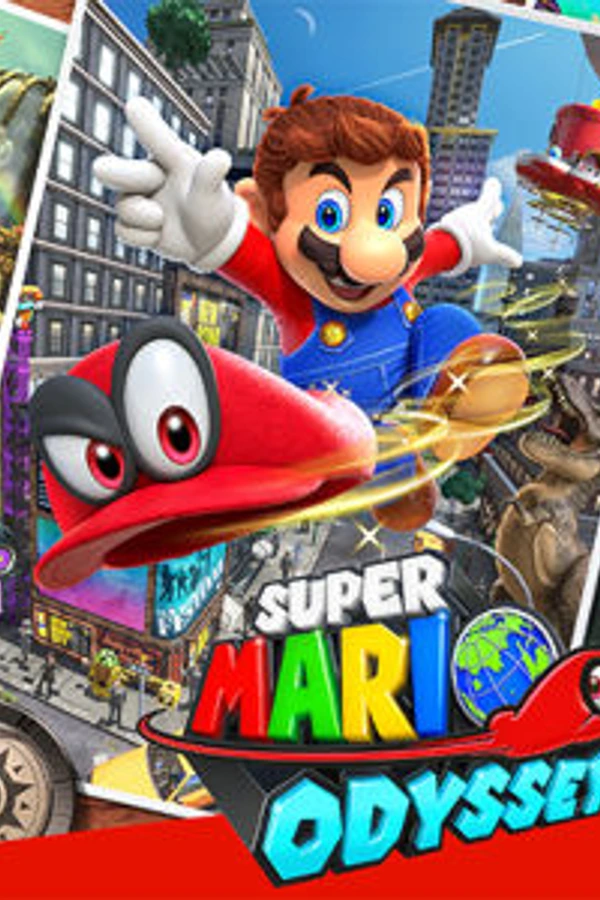
Super Mario Odyssey es un videojuego de plataformas desarrollado y publicado por Nintendo para la Switch. Se trata de una entrega de la serie Super Mario, con Mario y su nuevo aliado Cappy —un sombrero con conciencia propia— en un viaje por varios reinos con tal de salvar a la Princesa Peach de los planes para un matrimonio forzoso con Bowser, su enemigo principal. A diferencia de la mecánica lineal de juegos anteriores, vuelve a la de plataformas 3D y de mundo abierto que caracterizaba a Super Mario 64 y Super Mario Sunshine.
2 versiones de Super Mario Odyssey
Estás viendo: Super Mario Odyssey (smo-recomp)
Información oficial del proyecto
smo-recomp
A native Windows x64 version of Super Mario Odyssey (1.4.1), made by static recompilation of the Nintendo Switch game, with its own runtime and a Vulkan renderer.
It is not an emulator: there is no CPU interpreter and no JIT, and no console firmware runs. The game's AArch64 machine code is translated to C ahead of time and compiled for the PC; the system libraries, graphics API, audio, video, input and file system the game uses are re-implemented by this project's runtime.
This repository contains no game code, no game assets, no keys and no firmware. You need your own copy of the game, dumped from your own console. The build reads the dump's decrypted files: no keys and no firmware are needed. Everything derived from the game is generated on your PC, under
build/, and never leaves it.
Status
Early, not finished. Everything below was measured on the development PC (Windows 11, NVIDIA RTX 4090); where something was not checked, it says so.
| Area | State |
|---|---|
| Start | boot, title screen, file select, Resume: play begins (a scripted start reaches the game's play state at frame 3,564 with the warm shader cache) |
| Cap Kingdom | tests/run_cap_kingdom.py plays from an empty save to Mario's first capture in Top-Hat Tower and checks 13 checkpoints against the game's own state: 13 of 13 (42,558 frames), 0 host exceptions, 0 Vulkan call failures, 0 operations not implemented |
| Every stage and scenario | tests/stress_stages.py started every stage the game plays as a stage scene (176) and every scenario of every kingdom (100), each from a save made to start there, played for a few seconds at 4x speed: 276 runs, 2.1 million frames, 0 Vulkan call failures, 0 operations not implemented, 0 freezes, 0 audio drops. Cutscenes, the Labo VR stages and the world map have scenes of their own and were not started this way; Luigi's Balloon World and the Koopa races are started by their characters and cannot be started from a save |
| Played by hand | from Cap Kingdom to Cascade Kingdom's first checkpoint, with an Xbox One controller¹; that save continues on 1.4.1 |
| Shaders | every stage in the game's shader files translates and compiles (Maxwell machine code → GLSL → SPIR-V), checked offline by tests/check_all_shaders.py: 27,888 of 27,888 distinct stages (7,381 vertex, 20,436 fragment, 3 geometry, 68 compute). The translator's structured control flow equals its reference form on the GPU: 1,519 of 1,519 stages over 6.2 million invocations¹ |
| Picture | the texture layout equals the one Nintendo's tools stored for all 20,203 textures of the RomFS (tests/bntx_layout_check.py). 0 frames with a single-frame flash in captures of every frame while the camera pans in Cascade Kingdom¹. The Ruined Kingdom's lightning (a geometry stage) draws: each bolt brightens about 3,000 pixels before the game draws its clouds over it¹ |
| Graphics memory | 1.4 GB at the end of the Cap Kingdom run, 2.0 GB in the Cookatiel rematch: textures the game gives up are freed once nothing names them |
| Audio | the game's own audio renderer runs (lifted from its system library) and plays through the Windows audio device (6 → 2 channel downmix, 48 kHz): 0 dropped samples, 0 underruns in the Cap Kingdom run |
| Video | H.264 through Windows Media Foundation: the tutorial videos play with their picture |
| Help | the pause menu's Action Guide opens inside the game window, scaled to it, from the manual in your dump (Microsoft Edge WebView2), and the game waits while it is open, as on the console; checked with scripted input in a 2560 × 1440 window: open, the Controls page with its pictures, back, Bonus, Choose Mode (the game's Options, then the page again), close. Without WebView2 it opens in your web browser |
| amiibo | F1, or both stick buttons on a pad, opens a menu drawn like the game's pause menu from its own layout textures, fonts and texts: 102 amiibo, in the game's language. The one chosen is held to a virtual NFC reader; checked in Cascade Kingdom: the game reads Peach and runs her help. Mario, Bowser and Luigi checked as well¹ |
| System calls | every system call the game made in the tested scenes is implemented (331 of 331 in the Cap Kingdom run); SMO_IMPORT_SELFTEST=1 checks the ones written from the game's import list rather than met in play: 0 failures |
| Controllers | keyboard, XInput, and any pad through SDL3 (hot-plug, 8 players, remapping file, rumble, motion): 51 of 51 automated checks with virtual devices; played with an Xbox One controller; other physical pads not tried |
| Window and capture | a borderless window by default; F11 or a double-click switches to borderless fullscreen and back. The game keeps running at 60 frames a second while its window is not the active one or is minimised (unfocused = pause in graphics.ini stops it, as the console does). F12 or a pad's share button saves the frame to the save folder's album |
| Save data | journalled like the console's (two-phase commit); the game's autosave and Resume work |
| Speed | 60 fps, paced to a 60 Hz clock: at Cascade Kingdom's first checkpoint 59.8-60.0 fps in each of 20 windows of 300 frames (1% lows 49.4-56.0); the Cap Kingdom run averages 59.4 fps once play begins, lowest 49.5 while the tower stage loads. Development PC only |
| Online | not available: the network services answer as a console without a network |
| Not tried yet | what the 1.4.1 update adds: Balloon World, the new Snapshot Mode filters, the Labo VR mode |
¹ measured on the base game (1.0.0), before this project moved to 1.4.1; not measured again since.
How it works
- Import.
scripts/setup.pyreads your decrypted dump in place and converts the program's modules to ELF. - Function list. Every function of the executable, with boundaries from its own unwind tables and symbols (54,214
in
main). - Lifting.
tools/lifter/recomp.pyturns each AArch64 function into a C function; clang compiles them into a game DLL. A differential test runs sampled instructions both lifted and in the Unicorn emulator: 23,194 of 23,194 equal. - Runtime.
runtime/stands in for the console: threads with the console's three-core scheduling, files and journalled saves, NVN graphics on Vulkan with a Maxwell shader translator, the audio renderer, controllers, movies, Help and the offline system services.
docs/architecture.md explains each part.
Requirements
- Windows 10/11 x64 and a Vulkan 1.3 GPU (developed on NVIDIA;
VK_EXT_graphics_pipeline_library,VK_EXT_extended_dynamic_state3,VK_EXT_vertex_input_dynamic_stateandVK_EXT_depth_clip_controlare used). - Your own Super Mario Odyssey dump at version 1.4.1: the program with the update, the RomFS with the update applied
and the update's control data.
docs/building.mdlists what to dump and how to lay it out. - LLVM/clang 9.0.0, Visual Studio 2019 Build Tools (16.11) with Windows SDK 10.0.19041, the Vulkan SDK 1.4, SDL3 3.4.18, the WebView2 SDK, Python 3.13.
Quick start
py -3.13 -m venv .venv
.venv\Scripts\python -m pip install lz4 capstone unicorn numpy Pillow
.venv\Scripts\python scripts\setup.py --dump "<folder of your dump>"
.venv\Scripts\python scripts\run.py play --exe smo_native.exe --seconds 0
The first build takes a while (lifting and compiling the game); later runs of setup.py only redo what changed.
docs/building.md has the details, settings and troubleshooting.
Repository layout
runtime/          the host runtime, by subsystem: core, libc, os, fs, gfx, audio, input, services, game
scripts/          setup.py (from your dump to a build) and run.py (start the game, play an input sequence)
tools/target.py   where the build's files go
tools/extract/    the import of your dump (NSO to ELF, version checks) and the function lists
tools/lifter/     the AArch64 to C lifter, the SDK lifter, the differential test and the build steps
tools/dev/        lookups for debugging: disassembly, callers, archives, stage placement, save warps, profiles
tests/            scripted Cap Kingdom run, stage stress test, every shader stage offline, translator equivalence,
                  texture layout, fast paths
docs/             building, architecture, debugging, scripted runs
Plans
- Speed on slower CPUs and GPUs, and shorter stalls the first time a kingdom is visited (its textures and shaders are made then).
- Scripted runs further through the game: the rest of Cap Kingdom, then kingdom by kingdom.
- Checks on real hardware for the few shader instructions translated from documentation only (
SHFL,AL2P, indexedIPA). - Other physical controllers (PlayStation, Switch Pro) and other GPUs (AMD, Intel).
- What the 1.4.1 update adds: Balloon World, the Snapshot Mode filters, the Labo VR mode.
Contributing
Testers with other GPUs and controllers, and people who know the game's internals, are welcome. Read CONTRIBUTING.md first: nothing derived from the game goes into the repository, sources must be clean, and every claim is measured.
Related work
- ssbu-recomp: the static recompilation of Super Smash Bros. Ultimate whose design, lifter and runtime this project started from (GPL-3.0).
- OdysseyDecomp: the decompilation project of Super Mario Odyssey, read as a reference only; none of its code is included.
- yuzu/suyu and Ryujinx: documentation and sources consulted for console behaviour, cited where used.
Legal
This project is not affiliated with, endorsed or sponsored by Nintendo. Super Mario Odyssey and Nintendo Switch are trademarks of Nintendo and are named only to say what the software works with. The repository contains only original source code and documentation (GPL-3.0-or-later, see LICENSE): no game code, binaries, assets, console keys or firmware, and it does not help anyone obtain them. Function names and addresses in comments identify locations in the game's own executable, for interoperability; they are not game code. You must own the game and dump it yourself.
Credits
- ssbu-recomp by Denkishi: the design and runtime this project builds on.
- Unicorn and Capstone: reference CPU emulation and disassembly.
- SDL3, glslang/shaderc, the Vulkan SDK.