
PORT NATIVOACCIÓN / AVENTURABETA
Craftus Reloaded
TecnologíaPort Nativo C/C++ (Reimplementación de Motor)
Ver proyecto oficialSobre el proyecto
Craftus Reloaded es un videojuego de simulaci�n publicado por RSDuck, lanzado en 2020.
Información oficial del proyecto
README original del autor (en inglés)Abrir en GitHub ↗
Craftus 3D Reloaded
Craftus Reloaded is a homebrew Minecraft clone for Nintendo 3DS. It's under active development. It currently features only a creative-mode-esque game mode with infinite resources.
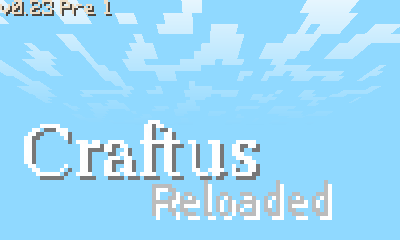 | 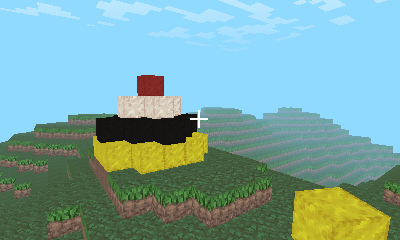 | 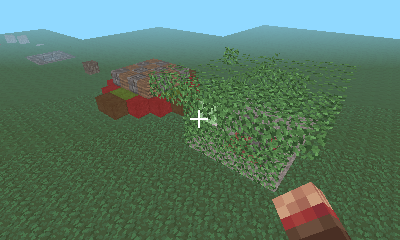 |
|---|---|---|
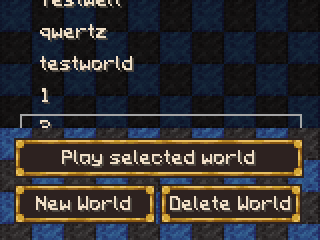 | 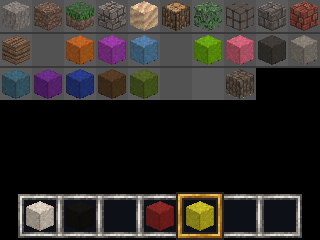 | 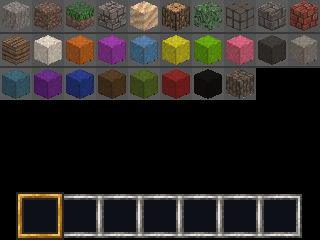 |
History
It's been a while since I started developing this version of Craftus. I started to do a rewrite, because the old Craftus was beyond fixable. Probably 15% is copied from the old Craftus the remaining part is rewritten.
Features
- An infinte world(in theory)
- Two different world generators
- Blocks, of multiple variants, can be broken and placed down to build structures
- A basic inventory system
- Saving and loading, multiple worlds
- Clouds and menus
- Sneaking and Flying
Default Controls
The controls can be changed by editing the file which can be found at sd:/craftus/options.ini (instructions can be found there too).
| Category | Action | OLD 3DS | NEW 3DS |
|---|---|---|---|
| Blocks | Place Block | L | L |
| Blocks | Break Block | R | R |
| Move | Forward | X | Circle Pad (Up) |
| Move | Backward | B | Circle Pad (Down) |
| Move | Left | Y | Circle Pad (Left) |
| Move | Right | A | Circle Pad (Right) |
| Move | Jump | DPad (Up) | ZL |
| Move | Shift | DPad (Down) | ZR |
| Camera | Up | Circle Pad (Up) | C-Stick (Up) |
| Camera | Down | Circle Pad (Down) | C-Stick (Down) |
| Camera | Left | Circle Pad (Left) | C-Stick (Left) |
| Camera | Right | Circle Pad (Right) | C-Stick (Right) |
| Inventory | Switch Block | DPad (Left) | DPad (Left) |
| Inventory | Switch Block | DPad (Right) | DPad (Right) |
| Commands | Open Console | Select | Select |
| Menu | Back | Start | Start |
Options
The options are changed in sd:/craftus/options.ini.
| Option | Meaning | Default (OLD 3DS) | Default (NEW 3DS) | Values to Change |
|---|---|---|---|---|
| Autojump | Jump automatically, being close to a block | 1 (True) | 0 (False) | 0 (False) and 1 (True) |
Known bugs
I experienced once, that blocks, which are newly placed in a specific chunk weren't rendered anymore, but blocks placed in another chunk were, but I couldn't reproduce this bug. Maybe it's related to old savefilesI hope I fixed this bug, because I couldn't find a way to reproduce it.Making a screenshot with Luma Rosalina menu leads to crashSomehow this doesn't happen anymore
Credits
- People who made 3DS homebrew possible
- Especially smea for 3dscraft which is good place for
stealing ideasinspiration - Contributors of the 3dbrew.org wiki and ctrulib
- Fincs for citro3d
- More people I forgot about, even though I extended this list multiple times
- Especially smea for 3dscraft which is good place for
- XSSheep, for the textures, taken from his resourcepack which is licensed under CC BY-SA
- Tommaso Checchi, for his culling algorithm, orginally developed for the use in MC PE
- Of course all other MC devs, how could I forget them?
- All people who worked on the libraries Craftus is depending on(see the dependencies folder)