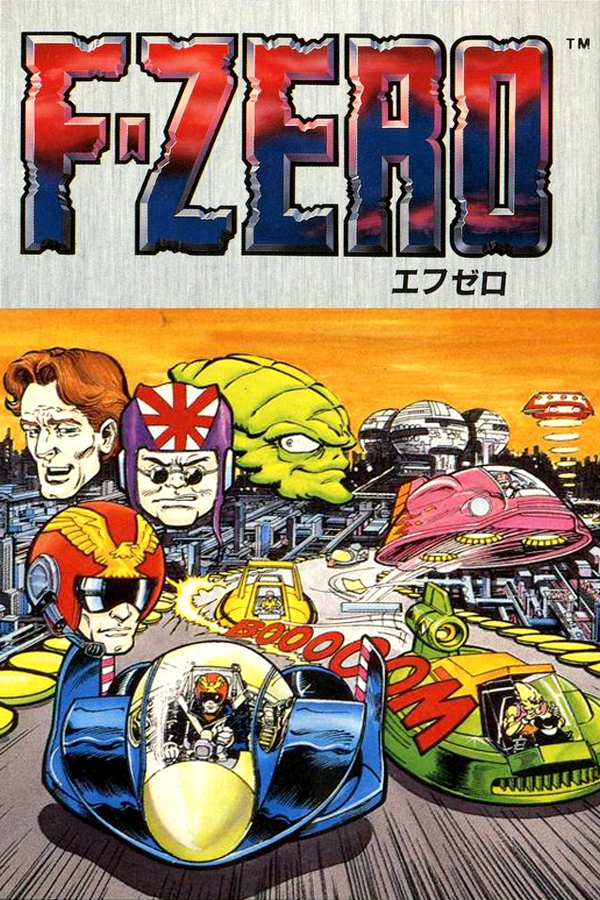
F-Zero
Sobre el proyecto
F-Zero es un videojuego de carreras futurístico desarrollado por Nintendo EAD y publicado por Nintendo para la consola Super Nintendo Entertainment System (SNES). El juego fue lanzado en Japón el 21 de noviembre de 1990, en Estados Unidos el 23 de agosto de 1991 y en Europa el 4 de junio de 1992. F-Zero es el primer título de la serie del mismo nombre y fue uno de los dos principales títulos de lanzamiento de la SNES en Japón, pero también estuvo acompañado de otros juegos durante el lanzamiento de la consola en Estados Unidos y Europa.
2 versiones de F-Zero
Estás viendo: F-Zero
Información oficial del proyecto
F-Zero Recomp
A native, widescreen, static recompilation of F-Zero (USA).
You supply your own cartridge dump. No ROM is included; generated C is not part of the source repository.
<p align="center"> <a href="assets/screenshots/title-screen.png"><img src="assets/screenshots/title-screen.png" width="32%" alt="F-Zero title screen in widescreen"></a> <a href="assets/screenshots/mute-city-i-start.png"><img src="assets/screenshots/mute-city-i-start.png" width="32%" alt="The opening moments of a race on Mute City I"></a> <a href="assets/screenshots/ws1.png"><img src="assets/screenshots/ws1.png" width="32%" alt="Widescreen race results with lap times and rankings"></a> </p>Status and features
F-Zero Recomp brings full widescreen racing, enhanced visuals, and expanded records to F-Zero (USA) on Linux (x86_64), macOS (Apple Silicon), and Windows (x64).
-
Original (8:7), 16:9, and 32:9 display modes. See more of the track and surrounding scenery in the wider modes, with the race HUD positioned for each view. Choose a mode in the Aspect Ratio setting. Title, race intro, results, GP ending, and Records extensions support the wider views.
-
Enhanced visual filters. Choose Enhanced or Vivid for richer colours, Black & White for a different look, or Original to retain the game's original colours. Change your visual settings while playing.
-
Extended records for every car. Track your ten best race times and five best laps for each car on all 15 tracks. Switch between individual car leaderboards and a combined leaderboard, with car icons and flashing markers highlighting your new records. Existing records are imported, and saves remain compatible with the original game.
Linux builds support Vulkan visual filters. Automated and manual checks passed on Ubuntu 24.04 x86_64 with Intel graphics; other distributions and GPUs need validation. See Download and install or Building on Linux.
Widescreen
The same race start in Original, 16:9, and 32:9. Original uses the SNES's 256 × 224 frame, which is 8:7 with square pixels.
<p align="center"> <a href="assets/screenshots/aspect-original.png"><img src="assets/screenshots/aspect-original.png" width="32%" alt="Original 8:7 aspect ratio at the race start"></a> <br> <em>Original (8:7)</em> </p> <p align="center"> <a href="assets/screenshots/aspect-16x9.png"><img src="assets/screenshots/aspect-16x9.png" width="50%" alt="16:9 widescreen at the same race start"></a> <br> <em>16:9</em> </p> <p align="center"> <a href="assets/screenshots/aspect-32x9.png"><img src="assets/screenshots/aspect-32x9.png" width="100%" alt="32:9 ultrawide at the same race start"></a> <br> <em>32:9</em> </p>Visual filters
The same frame on Mute City III, just after the start with all four cars in view. Each screenshot is captured at 1920 × 1080. The HUD retains its original colours in every mode. Click an image to view it at full size.
| Original | Enhanced |
|---|---|
 |  |
| Vivid | Black & White |
 |  |
Extended records
<p align="center"> <a href="assets/screenshots/records1.png"><img src="assets/screenshots/records1.png" width="48%" alt="Blue Falcon records on Big Blue in 16:9, with the extended track header"></a> <a href="assets/screenshots/records2.png"><img src="assets/screenshots/records2.png" width="48%" alt="Combined records on Mute City I in 16:9, with the extended track header"></a> <br> <em>Blue Falcon records on Big Blue (left) and combined records on Mute City I (right).</em> </p>ROM requirements
Use a headerless F-Zero (USA) cartridge dump for code generation:
| Property | Value |
|---|---|
| Size | 524,288 bytes |
| Mapping | LoROM |
| SHA-256 | bf16c3c867c58e2ab061c70de9295b6930d63f29f81cc986f5ecae03e0ad18d2 |
The launcher also accepts the same payload with a 512-byte copier header.
Download and install
The 0.6.0 release is available for Linux, Windows, and macOS Apple Silicon. Downloads bundle SDL; no compiler or code generation is needed to play. You supply your own F-Zero (USA) ROM. The custom save-folder option requires 0.6.0.
| Platform | Download | Requirements |
|---|---|---|
| Linux | Linux x86_64 tar.gz (0.6.0) | glibc 2.38+, GLIBCXX_3.4.29, and system graphics/audio libraries; tested on Ubuntu 24.04 with Intel graphics |
| Windows | Windows x64 ZIP (0.6.0) | Windows 10/11 x64; Direct3D 12 with Shader Model 6.0 for visual filters |
| macOS | Apple Silicon ZIP (0.6.0) | Apple Silicon (M1 or newer), macOS 13 or newer; Intel Macs are not supported |
Linux
- Download the Linux archive and extract it into a writable folder.
- Open a terminal in its
F-Zero Recompdirectory and run./fzero_recomp. - Select your F-Zero (USA) ROM and press Play. Press F1 for settings.
Keep lib/ and assets/ beside the executable. Vulkan is used for visual
filters; unsupported GPUs use Original colours and retain widescreen. The
release includes a .tar.gz.sha256 checksum file.
Settings and saves stay beside the executable. When updating, quit the game,
back up your data, and preserve config.ini, keybinds.ini, rom.cfg,
saves/, and screenshots/. The launcher can select a custom save folder.
Windows
- Download the Windows x64 ZIP and extract the entire archive to a writable folder, such as a folder under your user account. Do not run it inside the ZIP.
- Open
fzero_recomp.exe, select your F-Zero (USA) ROM, and press Play. - Press F1 in game to change widescreen, visual style, audio, and input settings.
Keep the executable, DLLs, and assets/ folder together. SDL and the Visual C++
runtime are included; no separate runtime installation is needed. If the GPU
cannot run the filters, the game uses Original colours and still supports widescreen.
Settings and saves live beside the executable: config.ini, keybinds.ini,
rom.cfg, and saves/save.srm. Keep that folder writable. To update, quit the
game, back up these files, and replace the program files with the new download
while preserving your settings, saves/, and screenshots/ folders. Existing
settings take precedence over the new first-boot defaults. The release includes
a .zip.sha256 checksum file for each download.
In the launcher's Save area, select Browse beside Folder to store
save.srm in another folder. Default returns to the existing saves/
folder beside the executable. The choice is stored locally in config.ini
under [Save]; preserve that file when updating if you use a custom folder.
To use an existing battery save, select Import in the launcher and choose
your .srm or .sav file. A confirmation appears when the import succeeds;
press Play to load it. Import creates the saves folder on first use and
backs up an existing save as saves/save.srm.bak before replacing it.
macOS
- Download
FZeroRecomp-v0.6.0-macOS-arm64.zipfrom the release's Assets. - Extract the ZIP and drag F-Zero Recomp.app into Applications.
- Open the app, select your F-Zero (USA) ROM, and press Play.
The app is not signed with an Apple Developer ID or notarised. If macOS blocks it, attempt to open it once, then go to System Settings > Privacy & Security > Open Anyway. See Apple's instructions.
Saves and settings are stored in ~/Library/Application Support/FZeroRecomp/.
To update, quit the app and replace it with the new download. Keep that data
folder to preserve your saves. To bring a save from a source build, quit both
copies and copy build/saves/save.srm to saves/save.srm in that folder;
back up an existing save before replacing it.
The launcher's Save area can select another folder for save.srm. Default
returns to ~/Library/Application Support/FZeroRecomp/saves/. The folder choice
is kept in ~/Library/Application Support/FZeroRecomp/config.ini under [Save].
Build from source
Visual filters use SDL 3.4 or newer's GPU renderer: Metal on macOS, Direct3D 12 with Shader Model 6.0 on Windows, or Vulkan on Linux. Other renderers retain Original colours and support widescreen.
Clone the project, then follow the instructions for your platform:
git clone https://github.com/craigshaw/FZeroRecomp.git
cd FZeroRecomp
macOS (Apple Silicon)
Requirements: Git, Python 3.11+, CMake 3.20+, Ninja, C11/C++17 compilers, SDL3 development files, and OpenGL development files. On macOS, Apple's Command Line Tools provide the compilers and OpenGL SDK; Homebrew can supply the other tools:
brew install cmake ninja python sdl3
Place your headerless dump at fzero_usa_reference.sfc in the project directory,
then generate and build:
git submodule update --init
sh tools/apply_snesrecomp_patches.sh
python3 snesrecomp/tools/v2_sync_funcs_h.py --cfg-dir config --out config/funcs.h
python3 snesrecomp/tools/v2_emit.py --rom fzero_usa_reference.sfc --cfg-dir config --out-dir generated --cfg-roots
sh build.sh
./build/fzero_recomp
Choose the ROM in the launcher and press Play. Its path is remembered. To skip the launcher for one run, pass a ROM path:
./build/fzero_recomp "/path/to/F-Zero (USA).sfc"
Linux (x86_64)
Tested on Ubuntu 24.04. Install the build tools and SDL development dependencies:
sudo apt-get update
sudo apt-get install --no-install-recommends \
  build-essential git python3 cmake ninja-build pkg-config ca-certificates \
  libasound2-dev libpulse-dev libpipewire-0.3-dev \
  libwayland-dev wayland-protocols libdecor-0-dev \
  libxkbcommon-dev libx11-dev libxext-dev libxrandr-dev \
  libxcursor-dev libxi-dev libxfixes-dev libxss-dev libxtst-dev \
  libdrm-dev libgbm-dev libgl-dev libegl-dev libgles-dev \
  libdbus-1-dev libudev-dev libusb-1.0-0-dev libvulkan-dev zenity
Other distributions need equivalent packages, Python 3.11+, and CMake 3.20+.
The pinned shader compiler requires glibc 2.38+ and a C++ runtime providing
GLIBCXX_3.4.29. From the cloned project directory, run:
python3 build-linux.py --rom "/path/to/F-Zero (USA).sfc"
./build/fzero_recomp
The helper initialises pinned submodules, verifies your ROM, downloads and
verifies SDL 3.4.16 and DXC 1.9.2609, generates C, and builds the game with
Vulkan filters. Dependencies stay in ignored .tools/ and are reused on later
builds. No system SDL installation is needed. Choose your ROM in the launcher
and press Play; it can remain outside the checkout.
Use --skip-generate for later host/shader edits, --jobs 2 to limit memory
use, and --skip-submodule-update for builds with existing pinned submodules.
FZERO_ROM can supply the ROM path instead of --rom. Run checks with
ctest --test-dir build --output-on-failure. See --help for all options.
Windows (native x64 MSVC)
Install Git for Windows, Python 3.11+, and Visual Studio Build Tools with the
C++ x64 workload, Windows SDK (including dxc.exe), and CMake tools for Windows.
The script discovers the compiler environment, restores pinned SDL3 through
vcpkg, verifies your ROM, generates C, compiles the visual filters, and builds
the game and tests. Run from ordinary PowerShell:
.\build.ps1 -RomPath "C:\path\to\F-Zero (USA).sfc"
.\build\windows-msvc-x64-release\fzero_recomp.exe
Use -SkipGenerate for later host/shader edits, -SkipSubmoduleUpdate when
the pinned submodules are already present, and -Fresh to reconfigure CMake
(requires CMake 3.24+). FZERO_ROM can supply the ROM path instead of -RomPath.
For generation alone, run tools\regenerate.ps1 -RomPath "C:\path\to\F-Zero (USA).sfc".
Build output, including SDL3.dll and launcher assets, is under
build\windows-msvc-x64-release\. DXIL shader bytecode is embedded in the
executable; there are no loose shaders or runtime shader compiler dependencies.
Dependency caches stay under ignored .tools/ and build directories.
Windows release ZIP
After building, run:
python tools/package_windows.py --version 0.6.0
The packager runs CTest and GPU presentation checks (brief test windows appear),
stages only program files and notices, resolves x64 SDL/Visual C++ runtime
dependencies, and tests ROM rejection with a clean PATH. A GPU supporting the
filter path is required on the packaging machine. The ZIP and SHA-256 file are
written under build-release/v0.6.0-windows-x64/. Existing output is never
overwritten; use --output to select a new directory for a subsequent build.
To play, extract the entire ZIP to a writable folder and open
fzero_recomp.exe. Windows 10/11 x64 is the intended target; no development
tools or separate SDL installation are required. Keep the executable, DLLs,
and assets together. Settings and saves stay alongside the executable, so
preserve config.ini, keybinds.ini, rom.cfg, and saves/ when updating.
The ZIP contains no ROM, generated C, recordings, or user data.
Linux release archive
From a clean checkout, after building:
python3 tools/package_linux.py --version 0.6.0 \
  --sdl-prefix .tools/sdl3-3.4.16 --source-revision "$(git rev-parse HEAD)"
The packager runs CTest and relocation checks, then writes a .tar.gz and
SHA-256 file under build-release/v0.6.0-linux-x64/. It bundles SDL, assets,
licences, and build metadata. No ROM or user data is included. Existing output
is refused; use --output to select another directory.
Extract the archive into a writable folder and run ./fzero_recomp from its
F-Zero Recomp directory. Keep lib/ and assets/ beside it. Preserve
config.ini, keybinds.ini, rom.cfg, saves/, and screenshots/ when updating.
The tested Ubuntu package needs glibc 2.38+, GLIBCXX_3.4.29, and system
graphics, desktop, and audio libraries. Actual requirements are recorded in
BuildInfo.json; compatibility with other distributions needs testing.
Controls and settings
| Control | Keyboard |
|---|---|
| D-pad | Arrow keys |
| A / B / X / Y | X / Z / S / A |
| L / R | Q / E |
| Start / Select | Enter / Backspace |
| Settings / Resume | Esc or F1 |
| FPS readout | F |
| Screenshot | F12 |
| Quit to desktop | Settings sidebar > Quit |
Connect a gamepad before launch and select Gamepad as the input source. The host uses the first available pad, with standard SNES button positions and D-pad or left-stick steering. Custom physical pad bindings and pad selection are not implemented. Keyboard bindings can be changed in the launcher's Controller page and are loaded when you press Play.
On Xbox controllers, View maps to SNES Select and Menu maps to SNES Start. The Xbox / Guide button opens or closes the in-game settings menu. The button must be delivered to the game by the operating system and any controller software. View+Menu (Select+Start) remains an alternative.
Esc, F1, Xbox / Guide or gamepad Select+Start opens settings and pauses gameplay and audio. Press Esc, F1 or Xbox / Guide again to resume. Backspace or gamepad B goes back one menu level. Select Quit beneath System in the settings sidebar to return straight to the desktop, without confirmation. The normal save and shutdown path still runs. Resume stays at the bottom of the settings menu. The launcher and in-game Display menus share Fullscreen, Aspect Ratio, Window Scale, Stretch to Fill, Race Filter, Linear Filter, and FPS Readout. Launcher changes apply when you press Play and use the same saved settings. On first boot, Fullscreen and Stretch to Fill are on, with 16:9 and the Enhanced race filter selected. Existing saved choices take precedence. Select Display → Aspect Ratio → 32:9 for an ultrawide screen. You can switch between Original, 16:9, and 32:9 while paused. Turn Stretch to Fill off to use integer scaling when the window and game aspect ratios differ. The launcher lists Esc/F1 for settings, F12 for screenshots, F for the FPS readout, and the menu action for quitting. The FPS shortcut can be rebound; the other shortcuts are fixed.
F12 saves a timestamped PNG to screenshots/ beside the executable (packaged
Mac app: ~/Library/Application Support/FZeroRecomp/screenshots/). You can also
choose System → Take Screenshot (F12) in the in-game settings, including with
a gamepad. On Mac keyboards configured for media keys, use Fn+F12.
The fixed shortcut works during gameplay and while settings are open. Captures
include the visual style and game HUD at the window's pixel resolution, after
scaling, stretching and bilinear filtering, including any letterboxing. Fullscreen
and high-DPI captures use the renderer's actual output resolution. Settings,
FPS readout, and notifications are excluded. A brief
message confirms success or failure. Keep screenshots/ when updating the game.
For source builds, keep the executable and its assets/ folder together in a
writable directory.
Settings live beside the executable: config.ini, keybinds.ini, and rom.cfg.
By default, SRAM is saved to saves/save.srm when records change and on normal
exit. Close the game before renaming a settings file to restore its defaults; leave the
save file in place.
The launcher can select an existing save folder. Import, Clear, normal writes, backups, and recovery files then use that folder. Changing folders does not move or delete the old save. Import it into the new folder if needed. If the selected folder is unavailable, the game disables saving for that session instead of writing to the default folder. For cloud-synced folders, quit the game and wait for file sync before playing on another machine. Concurrent or offline changes still need manual conflict resolution.
Per-car records
In 16:9 and 32:9, all 15 Records pages have full-width headers. The extensions use each header's original scenery tiles and colours, keeping the main landmarks intact. The records, car tabs and track map stay centred. Select the Original aspect ratio to use the native view.
Open Records and choose a track. Left/right cycles through the four cars and a fifth mixed page; up/down changes track and keeps the selected page. The four car images stay in fixed positions on every page, with inactive cars greyed out. The mixed page highlights all four and shows each record's car beside its time. It takes the best times across the four car lists. Records reached after a Grand Prix starts on the car you raced. Each car has ten race times and five lap times. GP and Practice share the lists. A completed five-lap race can add its total time and its fastest lap. Equal times from separate races are kept. Empty places show dashes.
Flashing markers identify the latest completed race and its fastest lap on each track, beside their qualifying rows on the car and mixed pages. Each page uses its own ranking. Markers remain available across all five GP tracks and are not stored in the save file.
Existing saved race times and the best lap are imported into their car's lists. Missing history starts empty. Select opens the track-clear confirmation; Yes clears that track for all four cars, including its original records.
Saves remain 2 KB and retain the original record format. Normal saving in the original game preserves the extra records when the transfer tool retains the full file. On return, the recomp merges records still visible in the original table. It cannot recover results that the original game did not retain. Clearing a track in the original game does not clear the extra records.
The previous valid save is kept as save.srm.bak in the selected folder.
Damaged or unrecognised data is preserved there in a numbered
save.srm.recovery-* file before repair. A
newer extension version disables saving for that session to protect the file.
See the records format for storage and recovery
limits.
To combine records from two saves, use the standalone command-line save merge tool. It writes a new save with Primary's non-record data and the fastest distinct times from both inputs. It requires Python 3.11 or newer and does not change either input file.
If the ROM is rejected, check its region, size, and hash. If CMake cannot find
SDL3, install its development files and set SDL3_DIR to the folder containing
SDL3Config.cmake. If input does not respond, check the selected input source.
Development
See architecture and dependency patches.
After generation, maintainers can build the Mac release with
python3 tools/package_macos.py --version 0.6.0. This downloads and verifies
SDL source, builds it for macOS 13, runs CTest, and writes the app, ZIP, and
checksum under build-release/.
The Mac packager includes assets/icons/AppIcon.icns and declares it in the
app's Info.plist before signing. assets/icons/AppIcon.png is the approved
1024 × 1024 master. To regenerate the ICNS on macOS:
mkdir -p build/AppIcon.iconset
for size in 16 32 128 256 512; do
  sips -z "$size" "$size" assets/icons/AppIcon.png \
    --out "build/AppIcon.iconset/icon_${size}x${size}.png" >/dev/null
  double_size=$((size * 2))
  sips -z "$double_size" "$double_size" assets/icons/AppIcon.png \
    --out "build/AppIcon.iconset/icon_${size}x${size}@2x.png" >/dev/null
done
iconutil -c icns build/AppIcon.iconset -o assets/icons/AppIcon.icns
Only the PNG master and ICNS are kept in source. Intermediate sizes stay in
the ignored build directory. Use the packager's --output option to build a
local verification package without replacing an existing release package.
Report bugs with the platform, build revision, settings, and reproduction steps. Do not attach ROMs or generated game code.
Development disclosure
AI coding assistants have contributed to the runtime, tooling, testing, and documentation under the maintainer's direction and review.
Credits and licence
Built on snesrecomp, recomp-ui, and the projects credited by those dependencies. See third-party notices.
Original code in this repository uses the PolyForm Noncommercial License 1.0.0.
Required Notice: Copyright (c) 2026 Craig Shaw
Third-party code retains its respective licences. The ROM, generated game code, and game artwork are not covered by the project licence. The gameplay screenshots illustrate the project; the artwork shown belongs to its respective rights holders. This project is not affiliated with or endorsed by Nintendo. F-Zero and its related names and assets belong to their respective owners.