Dante's Inferno Recompiled
Dante's Inferno
OrigenXbox 360
TecnologíaRecompilación Estática (C/C++ nativo)
Disponible paraWindows, Linux
Ver proyecto oficialSobre el proyecto
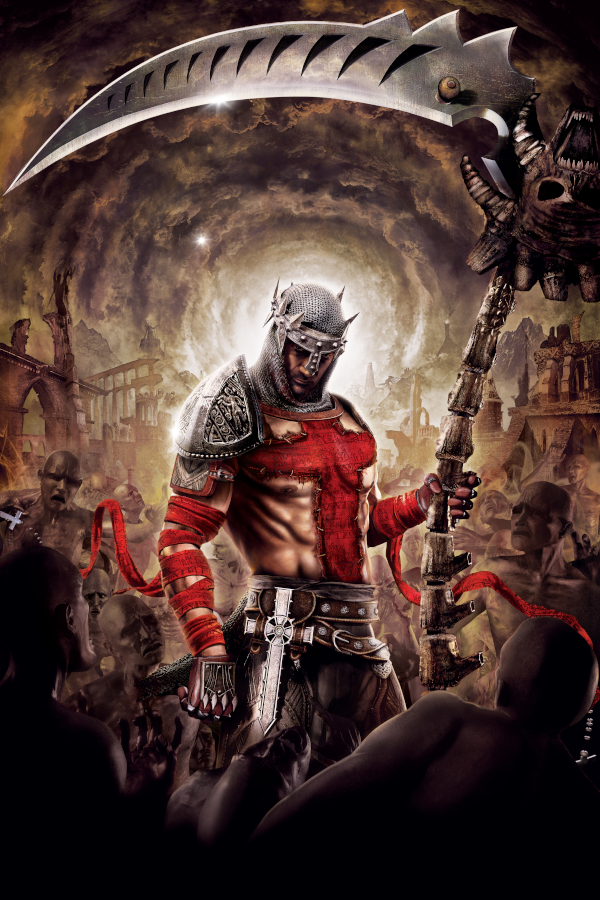
Dante's Inferno es un videojuego de acción perteneciente al género secundario hack and slash desarrollado por Visceral Games y publicado por Electronic Arts para PlayStation 3, Xbox 360 y PlayStation Portable. Está basado en la primera parte de la Divina Comedia del poeta Dante Alighieri.
2 versiones de Dante's Inferno
Estás viendo: Dante's Inferno Recompiled
Información oficial del proyecto
Hell's Gate is a PC port of Dante's Inferno built with the ReXGlue SDK. The game's Xbox 360 PowerPC executable is translated ahead of time into portable C++ and compiled into a native program. There is no emulator and no JIT at runtime.
On top of the recompiled game, Hell's Gate ships its own renderer: the game's Direct3D layer is replaced by a project-owned implementation on DiligentCore (Vulkan), so the game draws at any resolution and aspect ratio without emulating the Xenos GPU.
You need your own copy of the game. Hell's Gate contains no game files. The installer asks for an Xbox 360 ISO of Dante's Inferno that you dumped yourself.
✨ Features
Playability
- Fully playable from start to finish, including saves
- DLC support: drop STFS packages into the DLC folder and they install on launch
- Game language picked from the languages your copy's region contains
Graphics (native renderer, default since 0.8.0)
- Any render resolution, detected from your display by default
- Ultrawide and super-ultrawide (16:10, 21:9, 32:9) and the original 4:3
- 60, 120, 180 or 240 FPS, with menus and minigames kept at the correct speed
- SMAA anti-aliasing, anisotropic filtering, higher-resolution shadow maps
Input
- Mouse and keyboard with rebindable keys
- Xbox and PlayStation controllers through SDL3 (XInput also available)
- Button prompts match the device in use: Xbox, PlayStation or your keyboard / mouse bindings
Launcher
- One-click installer that extracts your ISO
- Settings, keybinds, DLC folder and log toggle in one place
- Built-in updater from GitHub Releases
- Interface in English, Spanish, Portuguese, French and Italian
🎮 Getting started
Windows
- Download the latest package from Releases.
- Run
DantesInfernoInstaller.exe, choose an install folder and point it at your Dante's Inferno Xbox 360 ISO. - Launch from the desktop shortcut, adjust settings if you like, and press PLAY.
The launcher writes dantes_inferno.toml next to the game and checks for
updates when it opens.
Linux
- x86-64: build from source (see below), or run the Windows build under
Proton. The Proton path is documented in
docs/linux-cross-compile.md. - ARM64: a Qt launcher and AppImage are available; see
packaging/appimage/README.md.
A working Vulkan driver is required on every platform.
DLC
Open the launcher's DLC tab, click Open DLC Folder, copy your DLC STFS package files in, then start the game. They are installed automatically on startup.
⚙️ Settings
Everything below is exposed in the launcher. Advanced users can pass the same options as command-line flags.
| Setting | Flag | Notes |
|---|---|---|
| Resolution | --dante_resolution=WIDTHxHEIGHT | Defaults to your display's native resolution |
| Frame rate | --video_mode_refresh_rate=60 | 60 / 120 / 180 / 240. Use multiples of 60 |
| SMAA | --dante_smaa=true | On by default |
| Shadow quality | --dante_shadow_scale=2 | Shadow map scale, 1–4 |
| Renderer | --renderer=dante | xenos is the D3D12 fallback (see below) |
If the native renderer misbehaves on your machine, set
renderer_override in dantes_inferno.toml to fall back to the emulated
Xenos/D3D12 path.
🛠️ Building from source
You need your own default.xex and game files in game/ (see
game/README.md). Requirements: Git, CMake 3.25+, Ninja,
Clang 18+ (Clang 22 on Linux), Python 3 and PowerShell 7 (pwsh). Windows
also needs Visual Studio 2022 with the Windows SDK.
The native renderer needs DiligentCore. Clone it before running setup so the project's patches are applied to it:
git clone --depth 1 --recurse-submodules https://github.com/DiligentGraphics/DiligentCore.git thirdparty/diligent-core
pwsh ./setup.ps1   # clones ReXGlue SDK v0.10.0 and applies the patches in patches/
On Linux, ./setup.sh does the same without PowerShell and also clones
DiligentCore.
Windows
cmake --preset win-amd64-release -DREXSDK_DIR=thirdparty\rexglue-sdk
cmake --build out\build\win-amd64-release --target dantes_inferno_codegen
python patches\generated\apply_generated_patches.py
cmake --build out\build\win-amd64-release --target dantes_inferno
To package the launcher, installer and game into a release folder, run
launcher\package-release.ps1 (details in
launcher/README.md).
You can also cross-compile the Windows build from Linux with clang-cl and
xwin; see docs/linux-cross-compile.md.
Linux (Ubuntu, Vulkan)
<details> <summary>Step-by-step native Linux build</summary>1. Install dependencies (keeps a backup of the manifest, which later steps overwrite):
cp dantes_inferno_manifest.toml dantes_inferno_manifest.toml.back
chmod +x ./scripts/install_dantes_min.sh
./scripts/install_dantes_min.sh
2. Set up the SDK (after cloning DiligentCore as above):
pwsh ./setup.ps1
3. Configure and build the ReXGlue CLI. The same configure command is reused below, so it is kept in a variable:
CONFIGURE=(cmake -B out/build/linux-release -G Ninja
  -DCMAKE_C_COMPILER=/usr/bin/clang-22
  -DCMAKE_CXX_COMPILER=/usr/bin/clang++-22
  "-DCMAKE_CXX_FLAGS=-stdlib=libstdc++ -I$(pwd)/thirdparty/rexglue-sdk/thirdparty/imgui -mssse3 -mavx2"
  -DREXSDK_DIR=thirdparty/rexglue-sdk)

"${CONFIGURE[@]}"
cmake --build out/build/linux-release --target rexglue
4. Build the Xenos GPU plugin:
cmake --build out/build/linux-release --target rexgpu-xenos
cp thirdparty/rexglue-sdk/out/linux-amd64/lib*.so ./out/build/linux-release/
5. Regenerate the SDK-managed project files (game/default.xex must be
present):
thirdparty/rexglue-sdk/out/linux-amd64/rexglue init \
  --force \
  --project-name dantes_inferno \
  --project-root . \
  --xex-path game/default.xex \
  --game-root game
6. Generate the recompiled C++:
"${CONFIGURE[@]}"
cp dantes_inferno_manifest.toml.back dantes_inferno_manifest.toml
cmake --build out/build/linux-release --target dantes_inferno_codegen
7. Apply the generated-code patches:
python3 patches/generated/apply_generated_patches.py
8. Build the game:
"${CONFIGURE[@]}"
cp dantes_inferno_manifest.toml.back dantes_inferno_manifest.toml
cmake --build out/build/linux-release --target dantes_inferno
rm dantes_inferno_manifest.toml.back
The executable is out/build/linux-release/dantes_inferno.
9. Run it from the repository root:
./scripts/dantes_inferno_exe.sh
Linux (openSUSE Tumbleweed)
<details> <summary>Differences from the Ubuntu steps</summary>Steps 1 to 4 were tested on Tumbleweed with Clang 23; steps 5 to 9 need
game/default.xex and are not yet tested on openSUSE. Clone the repository
to a path with no apostrophe (') in it: parts of the build pass the path to
the shell unquoted.
1. Install dependencies (also installs shaderc and wine, which
FidelityFX needs to generate its shader permutations):
cp dantes_inferno_manifest.toml dantes_inferno_manifest.toml.back
./scripts/install_opensuse.sh
2. Set up the SDK without PowerShell. setup.sh does what setup.ps1
does and also clones DiligentCore and applies its patch:
./setup.sh
3 to 9. Follow the Ubuntu steps, but use the system Clang in CONFIGURE:
  -DCMAKE_C_COMPILER=clang
  -DCMAKE_CXX_COMPILER=clang++
🗺️ Status and roadmap
Current release: 0.8.0-beta
| Area | Status |
|---|---|
| Recompiled game: boots, saves, fully playable | ✅ Done |
| FMV (VP6) playback fixes | ✅ Done |
| Mouse & keyboard, SDL controller support | ✅ Done |
| Ultrawide and 4:3 | ✅ Done |
| DLC auto-install | ✅ Done |
| High refresh rate (up to 240 FPS) | ✅ Done |
Native renderer (--renderer=dante) | ✅ Default; still being refined |
| SMAA, higher-resolution shadows | ✅ Done |
| Button glyphs (Xbox / PlayStation / keyboard) | ✅ Done |
| Trials of Saint Lucia online server | 🔬 In development (research) |
📚 Documentation
| Document | Topic |
|---|---|
| Native renderer design | How the D3D layer is replaced, milestones |
| Native D3D map | The game's Direct3D entry points |
| Frame rate | How high refresh rates are made to work |
| VP6 FMV fix | Video corruption root cause and fix |
| Linux cross-compile | Building on Linux, running under Proton |
| ReXGlue notes | SDK notes and patches |
| Trials online emulator | DLC online research |
🤝 Contributing
Bug reports, pull requests and translations are welcome. The Italian launcher translation came from the community (#63), and the ARM64 launcher and AppImage from #11. Come say hi on Discord.
🤖 AI usage disclosure
AI tools were used as an assistant for documentation drafts, research into APIs and references, and routine Git work such as commit messages. Core architecture, problem-solving, implementation and final review are done by the project's human developers.
Credits
- ReXGlue SDK, which makes the recompilation possible
- DiligentCore, the graphics layer under the native renderer
- POOTERMAN for the fan artwork
- Everyone who has tested, reported bugs and contributed
Legal
Hell's Gate is an unofficial fan project and is not affiliated with or endorsed by Electronic Arts, Visceral Games or Microsoft. Dante's Inferno is a trademark of its respective owners. This repository contains no game code or assets; you must provide your own legally obtained copy of the game.