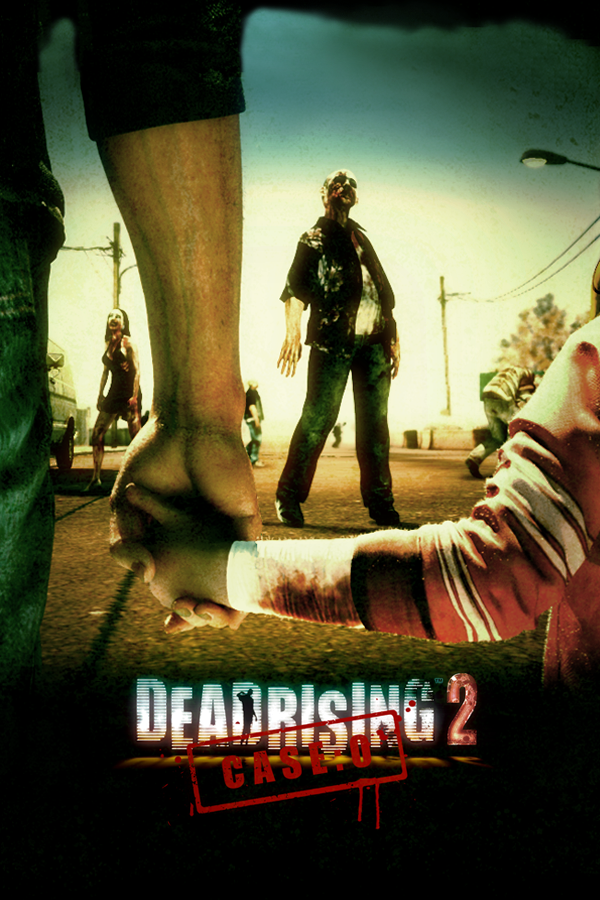
Dead Rising 2: Case Zero
OrigenXbox 360
TecnologíaRecompilación Estática (C/C++ nativo)
Disponible paraWindows, Linux, macOS
Ver proyecto oficialSobre el proyecto
Dead Rising 2: Case Zero es un videojuego de acción y aventura en 2010.
Información oficial del proyecto
Dead Rising 2: Case Zero — Native PC Port
To play with online feature download it from the XenonLive launcher
Play Dead Rising 2: Case Zero (Capcom / Blue Castle Games, 2010 — the Xbox 360 exclusive prologue to Dead Rising 2) natively on Windows, Linux, the Steam Deck and Apple Silicon Macs.
This is not an emulator: the game's Xbox 360 code was translated ahead of time into a native program (XenonRecomp / XenosRecomp), running on a purpose-built engine with a Vulkan renderer, real XMA audio, and native keyboard/mouse support.
Status: finished. v1.1.3 (October 2026) is the final release. The game is 100% playable start to finish, solo and in two-player online co-op, and has been completed end to end on Windows and Linux. The maintainer has stopped working on the project: no further updates are planned, and issues and pull requests may go unanswered. The code and the full development record stay here for anyone who wants to pick it up (see For developers and other porters).
No game data is included in this repository or the downloads. You must own Dead Rising 2: Case Zero and supply your own copy of the game package. This project is not affiliated with, or endorsed by, Capcom or Microsoft.
How to install
- Download the release for your system from the
Releases page:
- Windows:
CaseZeroRecomp-windows-x86_64.zip - Linux:
CaseZeroRecomp-linux-x86_64.tar.zst(or the.AppImage) - Steam Deck:
CaseZeroRecomp-steamdeck-x86_64.tar.gz - Mac (M1 or newer):
CaseZeroRecomp-macos-arm64.zip
- Windows:
- Unpack it anywhere (Windows: right-click → Extract All; Linux:
tar --zstd -xf CaseZeroRecomp-linux-x86_64.tar.zst; Mac: double-click the zip, then runxattr -dr com.apple.quarantine <the unzipped folder>once in Terminal — the Mac build is not notarised by Apple, and without this macOS refuses it or runs it from a hidden location where it cannot find itsassetsfolder). - Add your copy of the game. You need the XBLA package file your Xbox 360
downloaded — about 825 MB, no file extension. On the console's storage
it is at:
Copy that file into theContent/0000000000000000/58410A8D/000D0000/<a long string of letters and numbers>assets/package/folder inside the game folder you just unpacked (copying the whole58410A8Dfolder in also works — or just drag the file onto the launcher window in step 4). - Run the game —
cz_runtime.exeon Windows,./cz_runtimeon Linux,CaseZeroRecomp.appon a Mac (keep it in the same folder asassets). The first run sets everything up by itself under a progress bar: it unpacks your package, prepares the game's 1,367 shaders (~10 seconds), and generates the menu and prompt assets from your data. Later launches go straight into the game. The launcher's SUBTITLES row picks the game's language, and the launcher and the in-game PC settings panel follow it (English, French, Italian, Spanish; Japanese and Korean menus stay in English — the game's own text is localized either way).
If anything needed is missing, the game tells you exactly what and where — it
never fails with a blank screen on purpose. A README.md inside the bundle has
a troubleshooting section. Every run writes cz_runtime.log next to the
game folder's assets/ (for the AppImage, next to the .AppImage), and
cz_runtime --diag prints your OS, GPU, driver and display facts and exits —
attach both to any bug report. Or press F9 in the game: it captures the frame, the
last 60 s of log and your machine into a report the XenonLive launcher's Issues tab
sends for you.
Your saves and settings live outside the game folder (Windows:
Saved Games\Dead Rising 2 Case Zero\; Linux:
~/.local/share/Dead Rising 2 Case Zero/; Mac:
~/Library/Application Support/Dead Rising 2 Case Zero/), so you can delete or replace the
game folder at any time without losing progress.
Controls
- Keyboard/mouse works out of the box with the Dead Rising 2 PC control
scheme: WASD to move, mouse to look, left-click attack, right-click aim,
Space jump, E to use/pick up, Tab for the map, 1/3 to cycle items, arrow
keys for the d-pad. Every on-screen prompt shows real key icons, and the exact map
is printed in the terminal at startup. Rebindable via a
kbmap.txtfile next to the executable. - Any controller SDL recognizes (Xbox layout) works, with vibration, and the prompts switch between keyboard and controller art automatically depending on which one you touched last.
Features
- The whole game: Still Creek, combo weapons, cinematics, save/load — completable start to finish.
- Two-player online co-op (v1.1.0), the mode the Xbox build carried in its code and never showed: JOIN CO-OP GAME on the main menu, a friends list to join from, and the host asked before anyone comes in — over XenonLive, through its launcher. Playable to the ending together (v1.1.3), each player on his own motorcycle.
- Level cap raised to 50 (the original XBLA release stopped Chuck at level 5) with all fifteen skills unlockable — Case Zero as a full game, not a demo-sized one.
- 60 fps (the game's own hidden mode, surfaced) — the original 30 fps pacing remains available as a setting, along with higher caps.
- The restored PC options screen: the Xbox build ships a dormant PC graphics menu; this port revives it in-game — resolution (720p up to 5K, applies live without a restart), display mode, vsync, shadow quality — plus ZOMBIE DETAIL, WORLD DETAIL and SHADOW BIAS (v1.1.3), which bring distant zombies, buildings and overhang shadows in from much further away than the Xbox did.
- 21:9 ultrawide support — pick an ultrawide resolution (e.g. 3440×1440) and the game renders true widescreen. Tip: raise Field of View to at least +10 in the options when playing ultrawide — at the stock FOV the wider frame stretches Chuck; +10 or more makes it look great.
- MSAA 2x anti-aliasing by default, adjustable field of view, a settings launcher, and a pipeline pre-warm so even your first session plays smoothly.
- Real Xbox 360 audio (XMA) through ffmpeg — music, speech, effects, looping ambience.
- Built for long sessions: texture memory recycles over a full playthrough — no slow degradation on marathon runs.
Requirements
- A GPU and driver with Vulkan 1.3 support.
- Windows: Windows 10 or later, x86-64.
- Linux: x86-64 with glibc 2.35 or newer from v1.0.2 (v1.0.1 needed 2.43 — see known issues). An AppImage is provided from v1.0.2.
- Steam Deck: use
CaseZeroRecomp-steamdeck-x86_64.tar.gz(no launcher, native 1280x800, the detail settings at the original values for performance). Do the first run in Desktop Mode: it takes about a minute and Game Mode shows no progress console.docs/steam-deck-testing.mdhas the details. - macOS: an Apple Silicon Mac (M1 or newer) on macOS 13 or later. Intel Macs are not supported.
- ~2 GB free disk space after first-run unpacking.
- Your own copy of the game (see above).
Known issues (minor — none affect playability)
- The occasional spot may shade slightly differently than original hardware (highlight brightness in particular is not exactly the Xbox's).
- Some rooftop props and sign lettering can pop in and out as you cross a
streaming boundary, and the large "LAS VEGAS 46" sign can show holes while the
camera moves (
docs/las-vegas-sign-holes.md). - Linux glibc floor: v1.0.1 refuses to start on distributions below glibc
2.43 with a
GLIBC_x.yz not foundmessage (that includes every SteamOS). v1.0.2 is built on an older base (floor 2.35) and also ships as an AppImage. - Steam Deck: use the dedicated Steam Deck download. The Windows build under Proton is the fallback, not the path to try first.
- macOS (v1.1.3, Apple Silicon only) is an early build: tested on one M1, where it
plays; it can freeze when left idle for ~15 minutes and runs at ~40 fps there. Run
xattr -dr com.apple.quarantine <the unzipped folder>once before the first launch (the build is not notarised).
Debug menu (optional)
The retail disc still carries Blue Castle's own development menu, and this port can switch it back on. F4 opens it; F2 opens the DebugJump screen, which warps straight to any case or mission from the title menu.
It is off by default, so pressing F4 in a normal install does nothing. Pick whichever of these suits you — they all do the same thing:
A shortcut, if you want to switch back and forth. Right-click cz_runtime.exe
→ Send to → Desktop (create shortcut), then right-click the new shortcut →
Properties, and add a space and --debug-menu to the end of the Target box:
"C:\Games\CaseZeroRecomp\cz_runtime.exe" --debug-menu
Keep the normal icon as well and you have one install with two ways to start it —
ordinary play, and play with the menu. On Linux and macOS the same flag works from a
terminal: ./cz_runtime --debug-menu.
The flag is newer than v1.1.2 — on v1.1.2 and earlier, use the file route below.
A text file, if you want it on permanently. Open cz_defaults.env (next to the
executable) in any text editor and add one line:
CZ_DEBUG_MENU=1
An environment variable, if you prefer that. CZ_DEBUG_MENU=1 anywhere the game
can see it. The command-line flag overrides both of the above; the environment
overrides the file.
Once it is on, the menu takes Up/Down to move, Enter to use, Left/Right to change a value and F4 to close. The game window has to have keyboard focus.
This is retained developer scaffolding, not a feature we wrote: some entries do nothing, and a few can leave the game in a strange state. It cannot corrupt a save that is not written, but take a backup if you are attached to one.
Building from source
The repository contains no game data, so a build needs your own package plus
sibling checkouts of the (patched) recompilers — see
docs/xenonrecomp-upstream-bugs.md for the local patches and
docs/windows-build-setup.md for the Windows toolchain. The short form
(Linux, after unpacking the game and regenerating ppc/ per CLAUDE.md):
python3 tools/gen_import_stubs.py
cmake -S runtime -B runtime/build -G Ninja
cmake --build runtime/build -j$(nproc)
./runtime/build/cz_runtime --smoke
CI (.github/workflows/build.yml) builds the host runtime on both platforms
on every push — it proves the host code compiles; it cannot run the game.
macOS is built on the Mac itself (docs/macos-build-setup.md,
tools/release_package_macos.sh).
For developers and other porters
docs/ is this project's full working memory, written for an outside reader
porting a different Xbox 360 title with the same pipeline: the findings
ledger, the 640-entry gotcha list, the .big/STFS/XEX format notes, the
renderer and audio build-out records, and the measurement discipline that kept
it honest. Start with docs/xenia-capture-analysis.md and docs/gotchas.md.
The original day-1 dev README is preserved at docs/dev-readme-day1.md.
If you want to continue the port, docs/final-state.md is the hand-off: what
works, what is open and where each open item's record lives, and how a release is
built on each platform. The licence (PolyForm Noncommercial) allows forks for
non-commercial use.
For speedrunners
The game publishes its loading and cutscene state at a fixed address so a load remover or
autosplitter does not have to chase pointers through a binary that gets rebuilt constantly.
docs/speedrunning.md is the complete interface: the field
layout, the cutscene names, example readers, and what is verified versus what is not.
The v1 layout is final: v1.1.3 is the last release, so no fields will be added. A fork that adds some should keep the v1 offsets and use the reserved tail, as the document says.
Support the project
The project is finished and no longer maintained. If it made your day and you'd like to say thanks, GitHub Sponsors is still there — but please don't sponsor expecting further updates to this port.
Credits and licensing
- hedge-dev — XenonRecomp and XenosRecomp, the recompiler pair this port is built on, and UnleashedRecomp for proving the shape (used as a structural reference only; no GPL code is copied).
- Third-party components and their licences are enumerated in
THIRD_PARTY.md, generated into every release bundle. - This repository's own code is licensed under PolyForm Noncommercial
1.0.0 (see
LICENSE). - Dead Rising 2: Case Zero is © Capcom Co., Ltd. This project ships none of its content; everything the game needs is read from, or generated at first run from, the player's own copy.