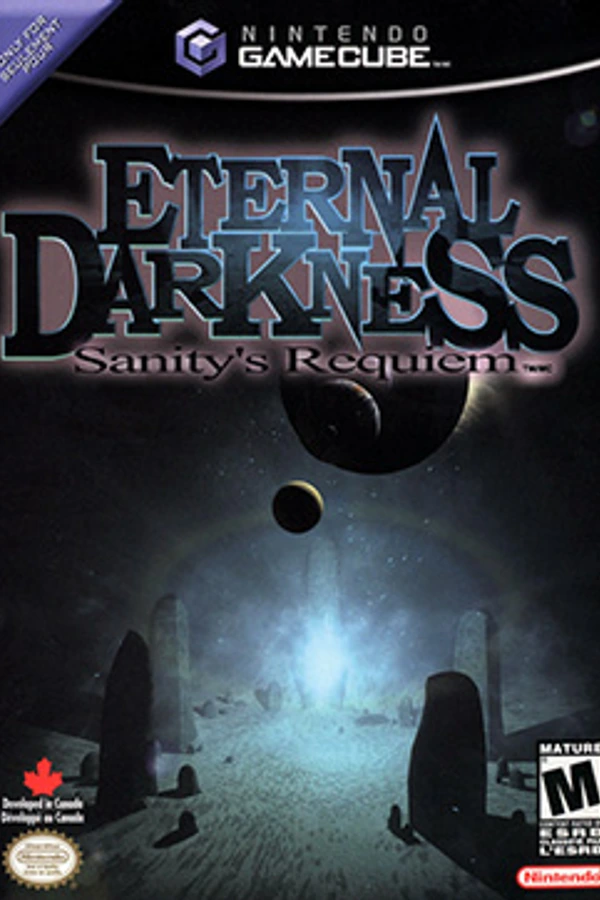
Eternal Darkness Recomp
Eternal Darkness: Sanity's Requiem
OrigenGameCube
TecnologíaRecompilación Estática (C/C++ nativo)
Disponible paraWindows, macOS, Linux
Ver proyecto oficialSobre el proyecto
Eternal Darkness: Sanity's Requiem es un videojuego del género terror psicológico para la plataforma Nintendo GameCube, desarrollado por Silicon Knights. Fue lanzado el 24 de junio de 2002.
2 versiones de Eternal Darkness: Sanity's Requiem
Estás viendo: Eternal Darkness Recomp
Información oficial del proyecto
Eternal Darkness Recomp



Eternal Darkness: Sanity's Requiem (GameCube, 2002) as a native game for the Mac, Windows and Linux / Steam Deck, built from your own disc. Nothing from the game is in this repository. The PlayStation 5 version is PS5_EternalDarkness. Version 0.9.6.
European disc only. You need your own image (
.isoor.gcm) of the European GameCube disc,GEDP01. The USA disc (GEDE01) is not supported: the launcher does not offer it and the installers turn it away.
What you need
- Your own image of the European disc: an
.isoor.gcmfile. An image in another format (.rvz,.gcz,.wiaor.ciso) needs turning into an.isofirst: open it in Dolphin, right-click the game in its list, choose Convert File..., set Format to ISO and click Convert.... - For the HD textures, a program that opens
.7zfiles: 7-Zip on Windows, Keka or The Unarchiver on a Mac, Ark on a Steam Deck's desktop.
Set it up
1. The game
- Mac (Apple silicon, macOS 13 or later)
- Download
EternalDarkness-mac-....zipfrom the latest release, unzip it and move Eternal Darkness.app to Applications. - The first time, right-click the app, choose Open, then Open again (it is not notarised).
- Drop your disc image on its window. It translates the disc and builds the game from it (a minute or two), then starts. Later starts are instant.
- Download
- Windows (64-bit)
- Download
EternalDarkness-windows-x64-....zipfrom the latest release and unzip it somewhere you can write to, such as Documents or a Games folder (not Program Files). You get a folder calledEternalDarknessRecomp. - Put your disc image in its
dumpfolder. - Double-click
play.bat. If Windows says it protected your PC, click More info, then Run anyway. The game's program comes ready-made; its graphics, sound and music come from your disc.
- Download
- Steam Deck / Linux (x86-64)
- Download
EternalDarkness-linux-x86_64-....tar.gzfrom the latest release and unpack it somewhere such as~/Games(on a Deck, Ark does it in Desktop Mode). You get a folder calledEternalDarknessRecomp. - Put your disc image in that folder.
- Run
play.sh. On a Deck: Desktop Mode, Steam > Add a Non-Steam Game > Browse >play.sh, then play it from Game Mode. The first start translates your disc and builds the game from it (a few minutes, about 4 on a Deck; a window shows the time left); after that it starts straight away.
- Download
2. The HD textures (recommended)
Two downloads, both DDS:
| Download | What it is | Size |
|---|---|---|
| Eternal Darkness HD Texture Pack by Zombie | The game's textures redrawn at four times the detail | 2.9 GB .7z |
| PAL supplement by Eternal Darkness Recomp | What the pack misses on the European disc: the Jump to Game, Options and Language screens and the title menu's words, and highlights without hard edges | 13.2 MB .zip |
- Unpack both. Each one gives you a folder.
- Put both folders in the
texturesfolder (the game makes it on its first start, with a note in it; Options > Graphics > HD textures says where):- Mac app:
~/Library/Application Support/Eternal Darkness/textures(in Finder, Go > Go to Folder and paste the path) - Steam Deck, Linux and Windows:
texturesin the game's folder, next tores
- Mac app:
Leave both folders as they are: the supplement replaces some of the pack's textures on purpose, and a folder with supplement in its name always wins. DDS stays compressed on the graphics card, a quarter of the memory PNG takes.
The pack is the work of Zombie, shared on the Dolphin forums.
3. Check the folder
When you're done, textures looks like this:
textures/
├── GED DDS 1.0/
└── Eternal Darkness HD Texture Pack PAL supplement/
GED DDS 1.0 is Zombie's pack; the folders' names don't matter.
4. Play
Start the game and choose New game in the launcher. The defaults are already the best picture: your screen's own resolution, widescreen, HD textures on and sharp baked shadows. In Options > Graphics, HD textures should say On, and its note gives the number of textures it found.
If something's wrong
- The Mac says the app can't be opened: right-click it and choose Open (step 2 above).
- The disc isn't accepted: only the European disc (
GEDP01) works, as an.isoor.gcm. Turn an.rvzor other format into an.isowith Dolphin (see What you need). - HD textures says No pack: the pack isn't inside
textures. Check the folder against the one above, then start the game again: it looks for the pack as it starts. - Anything else: send the files in
saves/reports/with a few words on what you were doing.
Updating
Put the new build in place of the old one (on a Mac, the new app in
Applications). Saves, settings and textures stay where they are: in the game's
folder, or the Mac app's
~/Library/Application Support/Eternal Darkness.
What is better than on the GameCube
- Sharp picture at any resolution: drawn at your screen's own resolution, up to 4K, or a fixed 720p, 1080p, 1440p or 4K, with full colour (no 6-bit banding).
- Widescreen: the game's own 16:9 mode (more of the room at the sides, not stretched) with the HUD and prompts at the screen's edges, widened further for 21:9 and 32:9 ultrawide screens; 4:3 too.
- Smoother on a fast screen: on a 90, 120 Hz or faster screen, frames in between the game's 60 (Options > Frame rate).
- Fast-forward the cutscenes: while a movie or a scene in the black bars plays, hold RB (Tab on the keyboard) to run it at up to four times speed. The prompt stays hidden until you press any button, then fades in and fades away again a few seconds later.
- Camera options (Options > Game > Camera): the game's own fixed cameras, Third person (beta) (behind the character you play, turned with the right stick, up and down for closer or further, and kept inside the room by the game's own collision) or First person (beta) (through their eyes, looking around with the right stick). Both hold still while you aim.
- New baked shadows (below): the rooms' light and shadow redrawn sharp.
- Crisp game text: the game's lettering redrawn in two styles, Sharp or Tome (old typefaces), or Original as on the disc.
- HD texture packs in Dolphin's format, with anisotropic filtering (Options > Texture filtering, up to 16x) to keep floors and walls sharp at a slant.
- Modern controls, remapping, and button prompts that match your controller (Xbox, PlayStation or Switch icons), the game's own prompts included.
- Save anywhere: the pause menu has four save slots that hold the whole moment, besides the game's own memory-card saves (cards in slots A and B both work).
- A launcher: Continue, New game or any save slot straight from the start, and Options for everything here.
- New insanity effects: secret ones of the recomp's own, alongside the game's.
- Problem reports: if the game stops responding, stops or crashes, it says
so on screen and writes a report to
saves/reports/to send. - Debug menu: hold LT, RT and both stick clicks together in play (L2, R2, L3 and R3 on a PlayStation controller), or press the key left of 1 (` or §) on the keyboard. Invincible; sanity always full or always empty; infinite magick and stamina; unlimited ammo; one-hit kills; the early stamina meter the finished game never shows; the developers' own debug views (safe frame, regions, lighting, AI objects and more); and another of any enemy in the room. Its settings last until you close the game.
Controls
A controller works as it is; the keyboard works too. Two layouts and your own:
| Action | Modern (default) | Original (GameCube positions) | Keyboard |
|---|---|---|---|
| Move | <img src="res/ui/glyphs/ink/xbox/stick_l.png" width="30" alt="Left stick"> | <img src="res/ui/glyphs/ink/xbox/stick_l.png" width="30" alt="Left stick"> | <img src="res/ui/glyphs/ink/kb/w.png" width="30" alt="W"><img src="res/ui/glyphs/ink/kb/a.png" width="30" alt="A"><img src="res/ui/glyphs/ink/kb/s.png" width="30" alt="S"><img src="res/ui/glyphs/ink/kb/d.png" width="30" alt="D"> |
| Attack / Confirm | <img src="res/ui/glyphs/ink/xbox/rt.png" width="30" alt="RT"> or <img src="res/ui/glyphs/ink/xbox/south.png" width="30" alt="A"> | <img src="res/ui/glyphs/ink/xbox/south.png" width="30" alt="A"> | <img src="res/ui/glyphs/ink/kb/j.png" width="30" alt="J"> |
| Action / Cancel | <img src="res/ui/glyphs/ink/xbox/east.png" width="30" alt="B"> | <img src="res/ui/glyphs/ink/xbox/east.png" width="30" alt="B"> | <img src="res/ui/glyphs/ink/kb/k.png" width="30" alt="K"> |
| Target / Aim | <img src="res/ui/glyphs/ink/xbox/lt.png" width="30" alt="LT"> or <img src="res/ui/glyphs/ink/xbox/rb.png" width="30" alt="RB"> | <img src="res/ui/glyphs/ink/xbox/rt.png" width="30" alt="RT"> | <img src="res/ui/glyphs/ink/kb/r.png" width="30" alt="R"> |
| Sprint | <img src="res/ui/glyphs/ink/xbox/l3.png" width="30" alt="Left stick click"> toggle, or hold <img src="res/ui/glyphs/ink/xbox/lb.png" width="30" alt="LB"> | <img src="res/ui/glyphs/ink/xbox/lt.png" width="30" alt="LT"> | <img src="res/ui/glyphs/ink/kb/e.png" width="30" alt="E"> |
| Creep | <img src="res/ui/glyphs/ink/xbox/r3.png" width="30" alt="Right stick click"> toggle | <img src="res/ui/glyphs/ink/xbox/west.png" width="30" alt="X"> | <img src="res/ui/glyphs/ink/kb/u.png" width="30" alt="U"> |
| Reload | <img src="res/ui/glyphs/ink/xbox/west.png" width="30" alt="X"> | <img src="res/ui/glyphs/ink/xbox/rb.png" width="30" alt="RB"> | <img src="res/ui/glyphs/ink/kb/q.png" width="30" alt="Q"> |
| Quickcast | <img src="res/ui/glyphs/ink/xbox/north.png" width="30" alt="Y"> | <img src="res/ui/glyphs/ink/xbox/north.png" width="30" alt="Y"> | <img src="res/ui/glyphs/ink/kb/i.png" width="30" alt="I"> |
| Spells | <img src="docs/glyphs/dpad.png" width="30" alt="D-pad"> | <img src="docs/glyphs/dpad.png" width="30" alt="D-pad"> | <img src="res/ui/glyphs/ink/kb/arrows.png" width="30" alt="Arrow keys"> |
| Game's pause menu | <img src="res/ui/glyphs/ink/xbox/start.png" width="30" alt="Menu"> | <img src="res/ui/glyphs/ink/xbox/start.png" width="30" alt="Menu"> | <img src="res/ui/glyphs/ink/kb/enter.png" width="30" alt="Enter"> |
| Fast-forward a cutscene (hold) | <img src="res/ui/glyphs/ink/xbox/rb.png" width="30" alt="RB"> | <img src="res/ui/glyphs/ink/xbox/rb.png" width="30" alt="RB"> | <img src="res/ui/glyphs/ink/kb/tab.png" width="30" alt="Tab"> |
| This port's menu (saves, options) | <img src="res/ui/glyphs/ink/xbox/back.png" width="30" alt="View"> | <img src="res/ui/glyphs/ink/xbox/back.png" width="30" alt="View"> | <img src="res/ui/glyphs/ink/kb/escape.png" width="30" alt="Esc"> |
PlayStation and Switch controllers use the same buttons in the same places, and the game shows your controller's own icons.
In the game's own menus LB and RB page left and right (the GameCube's L and R). Options > Controls switches layout, makes Sprint, Creep and Target hold or toggle, sets the stick deadzone, first-person look inversion and vibration, and Button mapping rebinds any action to a button, trigger or key (that layout is Custom).
The new baked shadows
Eternal Darkness lights its rooms with pre-drawn light maps: the window light on the floors, the shadows under the furniture, the glow of the lamps. On the disc they are small and compressed, so at today's resolutions their edges break up into blocks and smears. With Options > Graphics > Baked shadows: Sharp (the default) each room's light maps are rebuilt four times larger as the room loads: the compression blocks are evened out and edges are doubled along their own direction, so light and shadow keep clean edges; the small maps on the walls are smoothed instead. Original shows them as on the disc. The change shows as soon as you switch.
Playing
- The launcher's Play offers Continue (your newest save slot), New game or any slot. Options holds the display, sound, controls and game settings.
- In the game, the menu button (above) or Esc opens this port's pause menu: four save slots, Options, Return to title screen, Return to launcher, Quit.
- Saves:
saves/(the pause menu's slots) anded-GEDP01-slot-a.dolcard(the game's memory card; a...-slot-b.dolcardbeside it is slot B). - If something goes wrong, send the files in
saves/reports/with a few words on what you were doing.
How it works
The game's PowerPC code is translated to C by
DolRecomp and compiled for your
machine; it runs on GXRuntime, which
supplies the GameCube's CPU state, devices and SDK services, and draws through its
gxcore renderer (the GameCube's GX graphics, after Dolphin's) on Aurora and Dawn
(Metal, Direct3D 12 or Vulkan). generated/ (code translated from your disc) and
dump/ (your disc image) stay on your machine.
Building from source
All platforms start the same way:
tools/setup-deps.sh                           # pinned DolRecomp + GXRuntime, plus our patches
python3 tools/generate.py /path/to/disc.iso   # ISO or CISO; writes generated/
cp /path/to/disc.iso dump/GEDP01.iso          # the European disc
- Mac:
cmake -S . -B build-mac -G Ninja && ninja -C build-mac EternalDarkness, then./play.sh.tools/mac/make-mac-app.shbuilds a self-containedEternal Darkness.app(beta) that asks for your disc and builds the game from it on first start (tools/mac/README.txt). - Windows: configure with clang-cl and Ninja (
build-win), buildEternalDarkness, copy the DLLs from the build tree next to the exe, thenplay.bat. For the release folder,tools/win/stage-win-build.baton the PC gathers the build, thentools/win/make-win-package.shon a Mac zips it. - Linux / Steam Deck: build with clang and Ninja (
build-linux);tools/deck/make-deck-package.shmakes a folder that builds the game from your disc on first start (tools/deck/README.txt).
./play.sh opens the launcher. The first time, pick the disc (images in
dump/ or the project folder; this build runs the disc it was generated from);
after that it lives in Options and the menu leads with Play. Play offers
Continue (the newest save slot), New game, or any used slot, so a save loads
without going through the game first. In the game, Esc or the controller's Back/Select button pauses into a
menu with four save slots (saves/), the same options, and a way back to the
launcher. Menus work with the keyboard (arrows, Enter, Esc), a controller
(d-pad or stick, A, B) or the mouse.
Options (kept in settings.ini): aspect ratio (4:3 or 16:9, the
game's own two, which sets the game's widescreen option; 21:9 and 32:9 widen 16:9),
texture filtering (anisotropic, off to 16x), resolution (each
choice shows its size), fullscreen, on-screen FPS counter (off by default), camera
(Original, Third person (beta) or First person (beta); the right stick, or T F G H, turns it), baked shadows
(Sharp: each room's light maps are upscaled 4x as it loads, with CMPR's blocks
evened out and edge-directed doubling, so window light and shadows on the
walls and floors have clean edges; Original: as on the disc), music and
sound-effect volumes, audio buffer, and Controls: Original (GameCube
positions), Modern (attack RT/A, action B, aim LT, sprint and creep on the stick clicks
as toggles, LB/RB as the GameCube L/R for paging the game's menus, reload
X/Square, quickcast Y/Triangle) or
Custom (select an action, then press a button, trigger or key), Sprint, Creep
and Target as hold or toggle, stick deadzone, first-person look inversion and vibration. Bindings show
as Xbox, PlayStation or Switch button icons for the connected controller, and
the game's own prompts ("B Examine", the inventory's L/R) are redrawn with the
same icons for the button that does each action (keyboard keys with no
controller).
Quick save: 2 saves the whole machine to build/runs/quick.state and 1 loads
it back, in the same session or after a restart (ED_QUICKSTATE=path picks
another file). Memory-card saves are never touched by a load.
Memory cards: slot A is ed-GEDP01-slot-a.dolcard (the disc's game ID in the
name) in the folder the game runs from. A card beside it named
...-slot-b.dolcard, or one given with --card-b PATH or ED_CARD_B=path,
goes in slot B, and the game's Load Game and Save screens offer it there.
The console's own settings sit beside slot A as ...-sram.bin: the game takes
its Audio Mode from them at start, as on a GameCube, and writes them when you
change it. Without that file a new game starts in Stereo.
tools/gci.py lists a card and moves saves in and out as GCI files (as
Dolphin exports them; MaxDrive .sav and GameShark .gcs import too).
Layout
runtime/host/: the game's host layer (SDK intercepts, interrupts, disc, audio and disc-music streaming), derived from StrikersRecomp's host.tools/: disc reading and code generation (generate.py), the symbol map carried from the USA decomp to the PAL disc (symbols.py), per-build constants read from the game's code (gamedata.py), and debugging helpers.config/GEDE01/symbols.txt: function names from the unending-occlusion decomp (CC0).patches/gxruntime/,patches/dolrecomp/: fixes to GXRuntime and the recompiler this game needs.res/icon/: the Eternal Darkness Recomp emblem (window and Dock icon,AppIcon.icnsfor the Mac app).res/: the launcher and in-game menu (RmlUi documents) and their fonts (Alegreya SC and Fira Sans, SIL Open Font License, licences alongside), and button icons from Kenney's Input Prompts (CC0).
Licence
GPL-3.0-or-later (see LICENSE), as the GXRuntime and StrikersRecomp code it
builds on. THIRD_PARTY.md lists everything else a build holds and its
licence; every package carries their texts in licenses/.