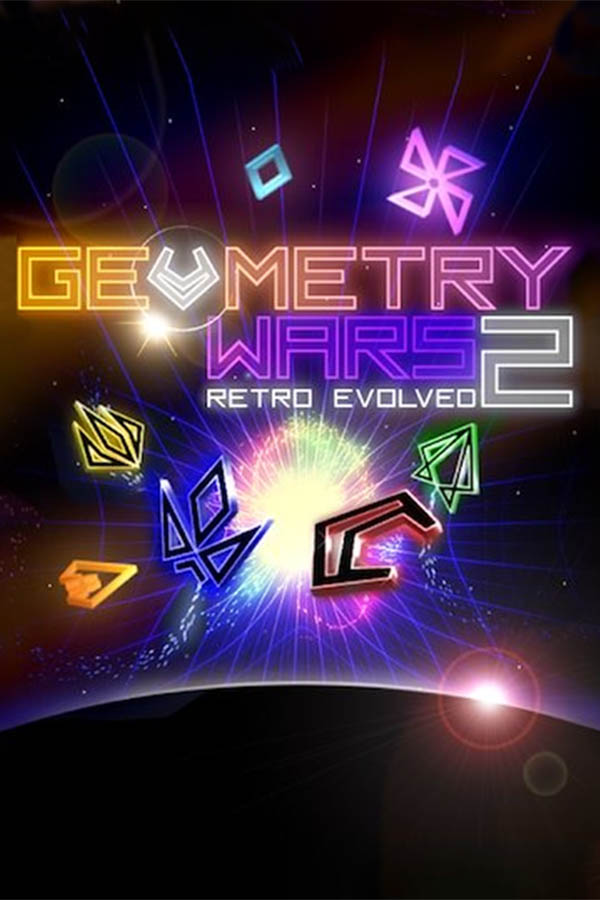
Geometry Wars: Retro Evolved 2
TecnologíaPort Nativo C/C++ (Reimplementación de Motor)
Disponible paraWindows, Linux, macOS
Ver proyecto oficialSobre el proyecto
Geometry Wars: Retro Evolved 2 es un videojuego de acción y aventura en 2008.
Información oficial del proyecto
Geometry Wars: Retro Evolved 2 - PC Port
Geometry Wars: Retro Evolved 2 running natively on Windows, and experimentally on Linux and Steam Deck, through static recompilation, with the TRG launcher, high frame rate support and modern PC options



<sub>The original Xbox 360 game code, statically recompiled to native PC code with the <a href="https://github.com/rexglue/rexglue-sdk">ReXGlue SDK</a>. <b>No game files included</b>: bring your own Geometry Wars: Retro Evolved 2 Xbox Live Arcade package.</sub>
</div> <img width="1080" height="639" alt="image" src="https://github.com/user-attachments/assets/4186f8c0-a249-44a6-8f37-7f67c4034705" />What's new in v0.6.1
- Windows update helper packaging:
trg-updater.exeis now built with MSYS2 CLANG64, a model already validated in other ports, to reduce heuristic antivirus false positives - Updates work as before: v0.6.0 installs v0.6.1 from the launcher, and the Windows ZIP keeps its flat layout so the updater can install it
- No gameplay changes
The details are in the v0.6.1 release notes. HDR output, Smooth glow, the in-game Options menu and the other features added in v0.6.0 are described in the v0.6.0 release notes.
Features
- Controller vibration for gameplay events, off by default (Controls > Vibration). It is a PC-port addition, not a restored original feature
- Native static recompilation for Windows, plus an experimental native Linux / Steam Deck AppImage
- TRG launcher that installs the game from your own package and remembers its window position, size, maximized and fullscreen state
- High frame rate support: 30, 60 (the original), 90, 120, 144, 165, 240 or Unlimited, with gameplay updates capped at 60 Hz so enemy behavior and animations keep the original timing
- Render resolution up to 4x (5120×2880), internal render resolution (100%, 75% or 50%), graphics card choice on Windows, FXAA, 2x or 4x (Compatibility) multisampling, texture filtering up to 16x, VSync and native aspect ratios (16:9, 16:10, 21:9, 32:9, 4:3, 5:4)
- HDR output and Smooth glow on Windows: the game's neon light goes above white on an HDR display, and the glow fades out smoothly instead of in flat steps
- Improved frame pacing and performance, with less unnecessary GPU and CPU work, especially at higher render resolutions
- Automatic discrete-GPU preference on hybrid systems, and a more reliable Exit Game
- Frame rate in the window title, and an in-game frame rate counter (F2)
- Local profile and progression, local scores, offline leaderboards, and all 12 achievements (F7 overlay), with no Xbox Live connection
- An in-game Options menu (F1, or L3 + R3 on a controller) with the launcher's own settings, alongside the launcher itself
- Cheats (Invincible, Infinite Shield, Infinite Bombs, Movement Speed, Add 100 Lives) and Unlock all game modes, set in the launcher or the in-game Options menu, or toggled in game with F10
- Portable
user_datafolder next to the program, with automatic migration of v0.1.0 data - F11 in the launcher and F11 in the game are independent: the launcher's fullscreen never changes the game's Display mode
- The mouse cursor shows on mouse activity and hides on keyboard or controller activity during gameplay
- Xbox controllers without setup, and keyboard support
What you need
- Windows 10 or 11, 64-bit, and a DirectX 12 graphics card, or 64-bit Linux / a Steam Deck with Vulkan (experimental)
- Your own Geometry Wars: Retro Evolved 2 Xbox Live Arcade package, this exact game version:
| Game | Geometry Wars: Retro Evolved 2, Xbox Live Arcade |
| Title ID | 584108FF |
| Content type | 000D0000 (Xbox Live Arcade), STFS LIVE package |
| Media ID | 191FF297 |
| Game version | 0.0.1.2 |
default.xex | 704,512 bytes, CRC32 5E9B6313, SHA-1 048B852E52A8C776C7AE752141591701B7EA5E69, SHA-256 6D5D9980A1D17DC74B9CCF540CEC16C2E144E7CEE3A74938E78C237B8ACEEB88 |
The launcher checks the Title ID and content type when you pick the package, and checks default.xex after extracting it. Package containers can differ between copies, so default.xex is what identifies the version. Any other version is refused, because the port is built for this exact game code.
Installing
- Download GeometryWarsRetroEvolved2-v0.6.1-windows-x64.zip from the latest release and extract it anywhere you can write to.
- Run geometry_wars_retro_evolved_2.exe. The launcher opens.
- On the Play page click Install from package... and pick your package. It is one file with a long hexadecimal name and no extension. On an Xbox 360 drive it is in
Content\0000000000000000\584108FF\000D0000\. - Wait until Ready to play appears. The game files are copied into the
gamefolder next to the program. The package file itself is not copied there. - Press PLAY.
No game files are included in the release.
Reinstall from package... repairs the game files and keeps your settings and saves.
Saves and settings
Your settings, profile, scores, achievements, saves and progression, and the shader cache are stored in a portable user_data folder next to the program (next to the AppImage file on Linux), beside game and logs. It is created the first time it is needed and is not part of the download. Copying the whole application folder to another PC takes your data with it. --user_data_root=<folder> still overrides the location.
Upgrading from v0.1.0: v0.1.0 kept this data in Documents\geometry_wars_retro_evolved_2 on Windows and in ~/.local/share/geometry_wars_retro_evolved_2 (or $XDG_DATA_HOME) on Linux. The first start of v0.2.0 moves it into user_data automatically: a rename when possible, otherwise a verified copy, and the old folder is removed only after that succeeds. If the move fails, the old folder is left untouched and used, and the move is tried again at the next start. If both locations already hold data, user_data is used and the old folder is left alone, never merged. If the program folder is read-only, the old location is used for that run. Details are in docs/user-data.md.
Linux and Steam Deck
Experimental. This is a native Linux build (ReXGlue's Linux runtime with Vulkan), not Proton or Wine. Real-hardware testing so far is one report from a Steam Machine (#1), which found a very dark image and slow motion while the frame rate shows 60. The dark image was fixed in v0.2.3, and the reporter confirmed it. At about 30 FPS the game speed was mostly correct in v0.3.1, but short speed-ups were still seen when the frame rate rose toward about 45 FPS. v0.4.0 changes the game's timing to address that, but it has not been confirmed on the affected Linux machine yet, and why some Linux systems render around 30 FPS is still under investigation.
If FUSE cannot mount the AppImage (for example in a restricted environment), it unpacks itself into a private temporary folder and runs from there. You do not need APPIMAGE_EXTRACT_AND_RUN=1.
- Download GeometryWarsRetroEvolved2Recompiled-v…-x86_64.AppImage from the release and mark it executable (right-click > Properties > Permissions > Is executable, or
chmod +x). - Run it, then install your package from the Play page as above. The game files go in a
gamefolder next to the AppImage. The package picker needszenityorkdialog. - On a Steam Deck (intended flow, not yet tried on a Deck), do this in Desktop Mode, then add the AppImage with Games > Add a Non-Steam Game to My Library and play it from Game Mode.
Settings and saves are in user_data and logs in logs, both next to the AppImage file (not inside it). Requirements, known limits and building the AppImage are in docs/linux.md.
Windows SmartScreen
Windows may warn the first time you run the program, because the release is not digitally signed. If you downloaded it from this repository's releases page, choose More info, then Run anyway.
The launcher
The launcher opens before the game. Your choices are saved to settings.toml in the launcher folder of your user data (user_data next to the program). To turn the launcher off, set Show this launcher to Off on the Play page. Hold Shift while starting to bring it back. The launcher remembers its window position, size and whether it was maximized or in borderless fullscreen. F11 in the launcher switches the launcher only, and F11 in the game switches the game's Display mode only; neither changes the other. Window size and Monitor are game settings and never move the launcher.
Play
- Install from package... with the Title ID and game version checks, and Reinstall from package...
- The Ready to play status, and the Show this launcher setting
Display
- Display mode: Windowed or Borderless Fullscreen. Press F11 while playing to switch between them. In either mode, mouse activity shows the cursor and keyboard or controller activity hides it. Mouse-driven overlays and the launcher always show it.
- Window size and Monitor
- VSync on or off
- Aspect Ratio: 16:9 Original, 16:10, 21:9 Ultrawide, 32:9 Super Ultrawide, 4:3 or 5:4. The game renders in that shape (720 lines, the width follows the format) instead of stretching, and Window size lists the sizes of the chosen format. Render resolution and Internal render resolution scale from it. A window of another shape shows black bars
Window size, monitor, VSync, Aspect Ratio and graphics card take effect when you press PLAY. If one differs from the launcher's window, the game restarts once in a new window.
Graphics
- Graphics card (Windows): the GPU that renders the game; the first detected one is the default
- Render resolution: Original (1280×720), 2x (2560×1440, recommended for 1440p), 3x (3840×2160) or 4x (5120×2880) at 16:9; the other Aspect Ratios change the width
- Internal render resolution: 100% Native, 75% Performance or 50% Low-end. The GPU draws the game at that share of the Render resolution and scales it up, which lowers the GPU work at some cost in sharpness
- Anti-aliasing: Off, FXAA or FXAA Extreme
- Multisampling: 2x MSAA (default), or 4x MSAA (Compatibility) if 2x shows graphics problems on your GPU or driver
- Texture filtering: Game, Off, 2x, 4x, 8x or 16x
- Bloom: Original (the game's own glow), Reduced (lower glow) or Off (no glow). The bright geometry and colors are kept
Gameplay
- Frame rate: 30, 60, 90, 120, 144, 165, 240 or Unlimited. 60 is the original game and the default. Above 60, presentation runs at the selected rate while the game simulation stays at 60 updates per second; frames between two updates show the moving gameplay objects interpolated between those updates, which adds one update (about 17 ms) of visual delay. A slower graphics card or heavier graphics settings lower the frame rate without changing the speed.
- Frame rate in title: shows the frame rate in the window title, for example
Geometry Wars: Retro Evolved 2 | FPS: 60.00 - Render resolution in title: shows the render resolution in the window title, for example
Geometry Wars: Retro Evolved 2 | 2560x1440at 2x on 16:9. It is off by default; with both title options on, the resolution comes before the frame rate. - Frame counter: shows the frame rate in the corner of the window. Press F2 while playing to show or hide it.
Cheats
- Invincible: the player cannot die. A shield or the short protection after a bomb still works as usual.
- Infinite Shield: keeps the player's shield active.
- Infinite Bombs: bombs are not used up when fired. It does not add bombs you do not have.
- Movement Speed: Off, 2x or 4x. Multiplies how fast your ship moves; enemies, shots and the game's speed are unchanged.
All cheats are Off by default. The launcher's Cheats page saves them and they take effect when you press PLAY. Press F10 while playing to open the Cheats menu: move with Up and Down (arrow keys, D-pad or left stick), toggle or change with Enter or A, close with F10, Escape or B. The game ignores input while the menu is open. Changes made in the menu last for the current session only; the launcher's saved values are not changed. Scores, leaderboards and achievements are not disabled by cheats.
Controls
- Xbox controllers work without setup
- Keyboard: enabled or disabled. When enabled, the keyboard and mouse emulate the controller, and the keys are listed on the page.
- Vibration: Off or On (controller rumble). Off by default, with no strength setting. When On, the controller vibrates for bombs, deaths, respawns, game over, extra lives and bombs, shield hits, the King zone, Gravity Well explosions and overloads, and gate crossings. Windows has been tested with a physical controller; Linux and Steam Deck vibration has not been confirmed on real hardware yet.
- Online multiplayer is not supported.
Achievements
The launcher's Achievements page lists the game's 12 achievements (200G in total) with their icons, gamerscore and unlocked state, and a progress summary. The list appears after you have pressed PLAY once, from the next time the launcher opens.
Achievements, leaderboards and Xbox Live
Everything stays offline: there is no Xbox Live connection, Microsoft sign-in or online player.
- Achievements: the game's achievements menu item and F7 open the same list in game. B, Escape or F7 closes it. Unlocks show the usual notification and are kept between runs on this PC, with no synchronization with Xbox Live.
- Leaderboards: the leaderboard screens work with your own scores only. Finished games are kept in a local file, and the boards show your row or no rows, never other players.
- Profile: the game's profile and options are saved locally.
docs/offline-live.md and docs/offline-profile.md have the details.
About
- The port version, game version and library versions
- Open the game folder, or the saves and settings folder (the active
user_data) - Show settings file, and Reset all settings
Screenshots
<img width="1887" height="1057" alt="2026-10-11_18-48" src="https://github.com/user-attachments/assets/c4351235-675b-4864-9371-d0346097c55f" /> <img width="1881" height="1068" alt="2026-10-11_18-48_1" src="https://github.com/user-attachments/assets/13a3fc2f-6281-4170-95db-bd62a82cd1d7" />Reporting problems
If the game does not start or crashes, please open an issue. Attach the newest geometry_wars_retro_evolved_2_*.log file from the logs folder next to the program, and say what you were doing when the problem happened.
Building it yourself
The recompiled C++ is generated from your own game files, so the repository does not contain it. Clone with submodules, so the TRG launcher is included:
git clone --recurse-submodules https://github.com/saulob/geometry-wars-retro-evolved-2-recompiled.git
In an existing clone, run git submodule update --init --recursive.
- Install Visual Studio with the C++ and LLVM/Clang components. See docs/minimal-native-build.md.
- Extract your package's files into
game\extracted(.\tools\extract_stfs.ps1 -Package "<package file>" -OutDir game\extracted), so thatgame\extracted\default.xexexists. .\tools\codegen.ps1downloads the pinned ReXGlue SDK 0.10.0, checksdefault.xexand generates the C++ intogenerated\..\tools\build.ps1buildsbuild\geometry_wars_retro_evolved_2.exe..\tools\build.ps1 -Runalso starts it. The first build also builds the project's patched ReXGlue runtime (see docs/rexglue-runtime-patch.md)..\tools\package-release.ps1builds a Release intobuild-release\(add-Cleanfor a clean build), builds the update helpertrg-updater.exewith MSYS2 CLANG64 (pacman -S mingw-w64-clang-x86_64-toolchain) and makes the release ZIP and its.sha256file indist\.
On Linux, tools/build.sh is the normal build and tools/package-linux.sh makes the AppImage. See docs/linux.md.
Both packaging scripts are local only: they build and write files under dist/, and never upload, tag or publish anything. The release version is the project() VERSION in CMakeLists.txt.
How the launcher, settings and installer work is described in docs/launcher.md. The other technical notes:
- Package analysis
- Minimal native build
- First boot
- Offline profile and save
- Offline Xbox Live services
- Cheats
- F9 adds one bomb, for debugging/testing.
- ReXGlue runtime patches
- ReXGlue GPU plugin patch
- Saves and settings: the portable user_data folder
- Linux and Steam Deck
Sponsoring
Geometry Wars: Retro Evolved 2 Recompiled is maintained and developed in my free time. If you enjoy the project or find it useful, consider supporting its continued development.
<p align="center"> <a href="https://github.com/sponsors/saulob" target="_blank"><img src="https://img.shields.io/badge/GitHub%20Sponsors-Sponsor-EA4AAA?style=for-the-badge&logo=githubsponsors&logoColor=white" alt="GitHub Sponsors"></a> </p>Credits
- Geometry Wars: Retro Evolved 2 by Bizarre Creations, published by Microsoft Game Studios for Xbox Live Arcade (2008). This is an unofficial fan-made PC port. It is not affiliated with or endorsed by them or by any rights holder, and it contains none of their files.
- ReXGlue SDK for the recompiler and runtime (BSD 3-Clause)
- TRG Launcher, the launcher interface, pinned at v1.1.0, licensed under the MIT License
- The launcher and package installer follow the approach of the Hard Corps: Uprising PC port and the Earthworm Jim HD PC port
- The licenses of the libraries the release includes are in the
licensesfolder of the ZIP
AI disclosure
AI tools were used to assist with code analysis, development, debugging and documentation. Changes were directed, tested and reviewed by the maintainer.
License
Original code in this project is licensed under the GNU General Public License v2.0 only (GPL-2.0-only). See LICENSE.
Third-party components retain their respective licenses and notices. See licenses/ReXGlue-LICENSE.txt and licenses/THIRD-PARTY-LICENSES.txt.
No game files are included. Geometry Wars: Retro Evolved 2 and its assets are not covered by this project's license.