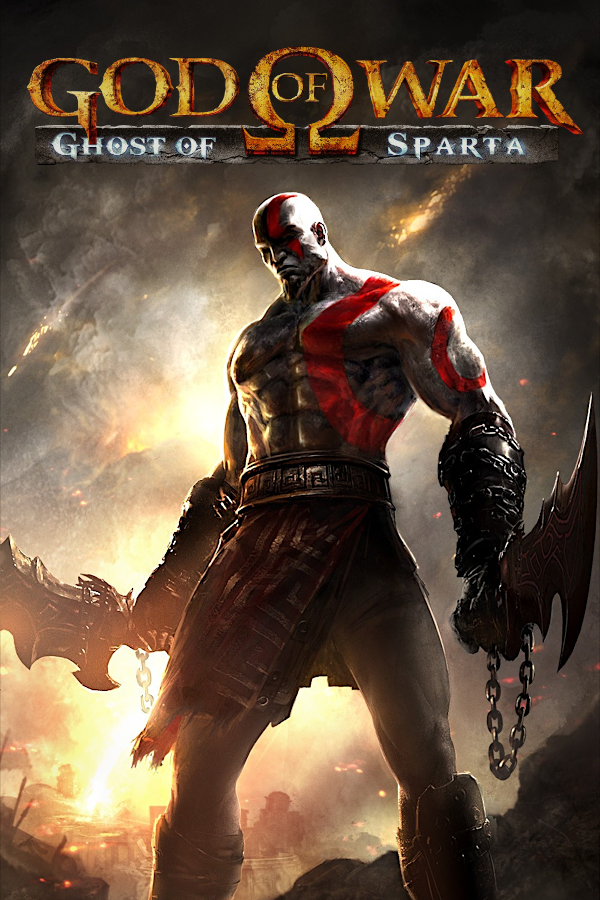
God of War: Ghost of Sparta (PC)
God of War: Ghost of Sparta
OrigenPlayStation Portable
TecnologíaPort Nativo C/C++ (Reimplementación de Motor)
Disponible paramacOS, Windows
Ver proyecto oficialSobre el proyecto
God of War: Ghost of Sparta es un videojuego de acción-aventura en tercera persona desarrollado por Ready at Dawn Studios y SCE Santa Monica Studio. Publicado por Sony Computer Entertainment, primero fue lanzado para la consola portátil PlayStation Portable (PSP) el 2 de noviembre de 2010. Esta entrega es la sexta de la serie completa God of War y cuenta con un sistema actualizado de combate un 25% más que su predecesor, también para PSP, God of War: Chains of Olympus. El juego ha vendido casi 1,2 millones de copias a partir de junio de 2012.
Información oficial del proyecto
Sparta
God of War: Ghost of Sparta (PSP), recompiled to run natively on your computer and phone.





English · Português (Brasil)
</div>Sparta is a native port made by static recompilation: the game's PSP code is translated ahead of time into C++ and compiled for your machine, then run on a reimplementation of the PSP's system software, drawing through Vulkan. No emulator, no JIT.
[!WARNING] Alpha. Only the beginning of the game has been played so far. Expect bugs, graphical glitches and crashes.
[!IMPORTANT] No game data is included. You need your own copy of the game: the European release,
UCES-01401, as an uncompressed.isoof your own UMD. Nobody here can give you a copy or tell you where to get one. Sparta is not affiliated with Sony Interactive Entertainment, Santa Monica Studio or Ready At Dawn.
Download and play
Get the latest build from the releases page. On every platform the first start asks for your .iso, checks it, and from then on goes straight to the game.
Windows
- Download
sparta-<version>-windows-x64.zipand unzip it anywhere (not inside Program Files). - Start Sparta.exe. If SmartScreen stops it (the program is not signed): More info › Run anyway.
- Pick your
.iso.
Needs Windows 10 or 11 (64-bit) and a graphics card with Vulkan and up-to-date drivers.
macOS
- Open
sparta-<version>-macos-arm64.dmgand drag Sparta into Applications. - The first time, macOS refuses to open it (it is not notarized): choose Done, then System Settings › Privacy & Security › Open Anyway.
- Pick your
.iso.
Needs a Mac with Apple Silicon (M1 or newer).
Android
- Install
sparta-<version>-android-arm64.apk(allow installing apps from your browser or file manager). - Pick your
.isoin the setup. It is copied into the app: about 2 GB free.
Needs a 64-bit phone or tablet with Android 10 or newer and Vulkan. Touch controls appear when you touch the screen; a gamepad works too, and Back opens the menu. On a mid-range phone, keep the internal resolution at ×2 (the default), or turn on Limit to 30 fps for a cooler phone.
Controls
| PSP | Keyboard and mouse |
|---|---|
| Analog stick | <kbd>W</kbd> <kbd>A</kbd> <kbd>S</kbd> <kbd>D</kbd> |
| D-pad | Arrow keys |
| × (jump, confirm) | <kbd>Space</kbd> |
| □ (light attack) | <kbd>E</kbd> |
| △ (heavy attack) | Left mouse button |
| ○ (grab) | Right mouse button or <kbd>F</kbd> |
| L / R | <kbd>Q</kbd> / <kbd>Left Shift</kbd> |
| START / SELECT | <kbd>Enter</kbd> / <kbd>Backspace</kbd> |
PlayStation and Xbox gamepads work too. <kbd>Esc</kbd> (or L3+R3) opens the menu, where every key can be changed. START skips a cutscene. The interface is in English or Brazilian Portuguese (System › Language).
HD texture packs in PPSSPP's format work: Mods › Import texture pack… (they go in mods/textures in the data folder). Packs made for the North American release (UCUS98737) fit the European one.
Remastered movies (mods)
Sparta can play sharper, larger versions of the cutscenes in place of the originals, keeping the game's own sound. Put NAME.264 (for the game's movie NAME, e.g. R6_INTRO.264 for the opening) in mods\movies inside the data folder (%APPDATA%\Sparta\UCES01401 on Windows). Make them from your own disc with Kit Movie Tools: extract, upscale, then python kit_movies.py install. The Mods page in the launcher and the menu turns them on or off and shows how many were found. It also has the texture packs and the option to skip movies with START (on by default).
Replacing game files (mods)
A file in mods/files inside the data folder is read in place of the disc's file at the same path: mods/files/PSP_GAME/USRDIR/DATA/ENGLISH/FRONTEND.BIN replaces PSP_GAME/USRDIR/DATA/ENGLISH/FRONTEND.BIN on the disc (upper or lower case, either works). It is how a translation, new models or sounds are put in without touching the disc image. Mods › Replaced files turns them off; Open the files folder shows where they go.
A replacement may be larger or smaller than the original: the game takes each file's size from the disc's listing, which reports the replacement's.
Status
The title menu, the opening cutscene and the first level (the boat) play at 60 fps and full speed:
| Platform | Tested on |
|---|---|
| Windows | Windows 11, AMD Radeon RX 7600 |
| macOS | macOS 26, Apple M4, up to ×5 internal resolution |
| Android | Moto g84 (Snapdragon 695) at ×2 |
| Linux | not tried yet |
What is known to be missing: docs/MISSING.md. Performance work: docs/PERFORMANCE.md.
What's new
- 0.1.8 — Mods and smoother edges. Any file of the disc can be replaced from
mods/files(the base for translations and other mods); Video › Antialiasing adds FXAA; and the occasional crash as the program quits is fixed. - 0.1.7 — Saves, shadows and remastered movies. Save and load in any slot from a list; character shadows sit under them at the right size, without a dark box; the window fits the screen; the launcher can play music (
launcher/music.mp3); and a new Mods page plays remastered cutscenes. - 0.1.6 — Windows. The first Windows build, compiled with clang-cl.
- 0.1.5 — Lighter game code. The recompiler now lets the C++ compiler optimize across PSP instructions; the game's own code takes about 10% fewer CPU cycles.
- 0.1.4 — Faster on phones. Small draws in a row with the same state are drawn as one; the boat's heaviest fights hold full speed on a Moto g84.
Older versions: see the releases page.
How it works
flowchart LR
    ISO["Your disc image<br/>(UCES-01401)"] --> INST["Installer<br/>checks + decrypts EBOOT.BIN"]
    INST --> ELF["Game executable<br/>(Allegrex / MIPS)"]
    ELF --> RECOMP["psp_recomp<br/>MIPS → C++"]
    RECOMP --> CPP["generated/*.cpp"]
    CPP --> CC["C++ compiler"]
    RT["PortableKit runtime<br/>kernel · audio · saves · input"] --> CC
    GPU["GE → Vulkan renderer"] --> CC
    CC --> APP["Sparta"]
- The installer reads your disc image, checks that it is the supported release, and decrypts the game's executable.
- The recompiler turns every function of the game's MIPS code into C++.
- The compiler builds that C++ together with PortableKit's runtime: the PSP's kernel and system modules, audio, movies, saves, input, and a renderer that translates the PSP's graphics commands to Vulkan.
The framework changes this port needed live on the sparta branch of a fork of PortableKit, this repository's submodule.
Building from source
Start with git clone --recursive https://github.com/arnaldolima1/gow-ghost-of-sparta-pc.git. Every build has the same steps: build the program, install the game from your .iso, recompile the game's code (generated/), and build again with it.
-
Windows: docs/WINDOWS.md (Visual Studio 2022 with clang-cl, Ninja, the Vulkan SDK and SDL3).
-
macOS (Apple Silicon, Xcode command line tools):
brew install cmake ninja ccache python sdl3 molten-vk vulkan-loader vulkan-headers glslang ffmpeg scripts/build.sh # the program, without the game's code build/dev/bin/SpartaNative --install /path/to/UCES01401.iso --in-place scripts/generate.sh # recompile the game's code to C++ scripts/build.sh # compile it: ~15 minutes on an M4 scripts/run.sh # play -
Android: after the macOS steps, with the Android SDK, NDK and a JDK:
scripts/build_android.sh, thenscripts/run_android.shto install it on a phone connected by USB.
| Platform | Build | Publish |
|---|---|---|
| macOS + Android | scripts/release_macos.sh, scripts/release_android.sh | scripts/publish_release.sh |
| Windows | scripts\release_windows.ps1 | scripts\publish_release_windows.ps1 |
The version comes from VERSION. When that version is already published, the release script raises its last number first and commits the change.
.
├── CMakeLists.txt     # adds PortableKit and declares the SpartaNative target
├── VERSION            # the version the next release gets
├── host/              # the game's profile (sparta_profile.cpp) and keys
├── scripts/           # build, generate, run and release scripts (.sh; .ps1 for Windows)
├── tools/             # development helpers
├── packaging/         # icon, read-mes for each release, third-party notices
├── docs/              # MISSING.md, PERFORMANCE.md, WINDOWS.md
├── portablekit/       # submodule: the recompiler and runtime (fork, branch sparta)
│
│   # created locally, never committed:
├── generated/         # the recompiled game code
├── build/             # builds and logs
└── release/           # finished releases
| Variable | What it does |
|---|---|
SPARTA_PERF=log | One line a second: frame rate, speed, where the frame time went |
SPARTA_TRACE_STALLS=1 | Every frame longer than 40 ms, and what it waited on |
SPARTA_HALF_RATE=1 | Limit to 30 fps, for this run |
SPARTA_TEXTURE_PACK=/path/to/pack | Use the texture pack in that folder, without installing it |
SPARTA_FLIP_UNLIMITED=1 | Turn the one-flip-a-vblank cap off, to compare |
SPARTA_NO_MOVIE_SKIP=1 | START does not skip movies |
PortableKit's docs/BRINGING_UP_A_GAME.md has the rest.
</details>Contributing
See CONTRIBUTING.md. In short: English only, no game data of any kind, and a change that is true of the PSP rather than of this game belongs in PortableKit.
Credits
- TeamGDB for PortableKit, the recompiler and runtime this port stands on, and for Yakumo, Tenkawa and Purun, the ports it follows.
- The PSP scene's public documentation of the console, among it psdevwiki.
- PPSSPP, used as a reference for how the game behaves; no code from it is included.
License
The code in this repository is MIT licensed (LICENSE). PortableKit and its third-party components keep their own licenses (packaging/THIRD_PARTY_NOTICES.md). God of War is a trademark of Sony Interactive Entertainment; the game itself is not covered by this license and is not included.