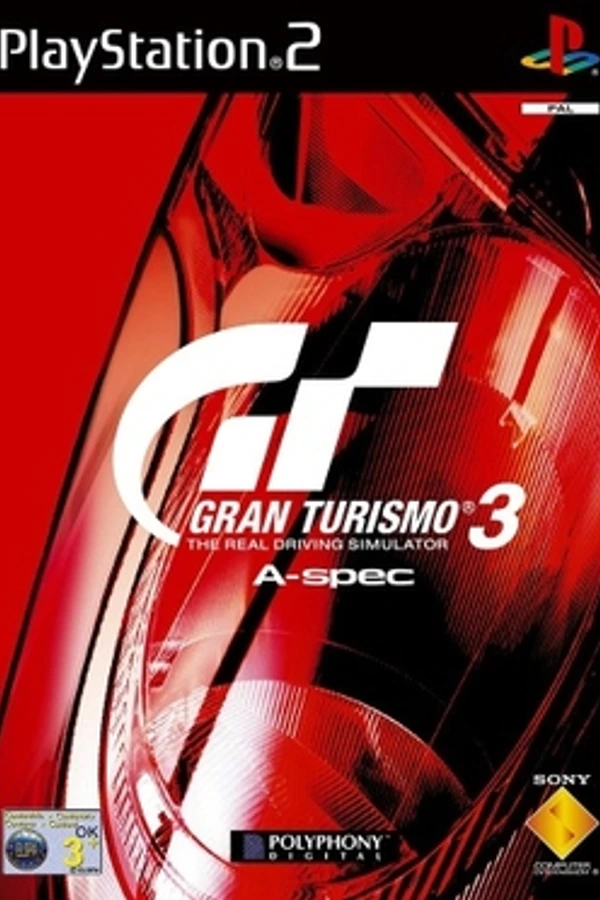
Gran Turismo 3: A-Spec · GT3 Revisited
OrigenPlayStation 2
TecnologíaPort Nativo C/C++ (Reimplementación de Motor)
Disponible paraWindows, Linux, macOS, Android, iOS
Ver proyecto oficialInformación oficial del proyecto
GT3 Revisited
An open-source reimplementation of the Gran Turismo 3 A-Spec engine for modern platforms: Windows, macOS, Linux, Android, iOS and Meta Quest (VR).
GT3 Revisited contains no game data or assets. It needs a
disc image (.iso or .chd) that you made from your own copy of the game. At runtime
it reads the image directly and decodes the assets. Nothing is extracted to
disk or redistributed.
Status: the whole game is playable. Everything in the original is implemented: GT Mode (dealers, garage, tuning, licenses, championships, endurance races with pit stops, endings), Arcade (single race, time trial, free run, 2-player split screen), AI opponents, replays with the TV cameras, the Replay Theater and Analyzer, movies, music and sound, all from your disc. The physics is verified against the original. The remaining differences are small and listed below.
What you get
| The game | GT Mode, Arcade, licenses, 2P battle, Replay Theater, Options: the game's own menus, text (every language on the disc), fonts, movies and soundtrack |
| Faithful racing | physics, AI, cameras, HUD, replays, lighting, reflections, smoke and sounds reimplemented from the original's behaviour and compared side by side with it |
| Online battle | the arcade's i.LINK Battle rebuilt for the internet and LANs: up to 6 players, session codes, no port forwarding |
| Quick race | any of the game's events with any car, nothing to unlock |
| Saves | any number of named saves; import from and export to the PS2 original |
| Modern display | any resolution and aspect ratio, widescreen, high refresh rates (or a 60 fps limit), MSAA, dynamic resolution, or the original 640×448 look |
| VR | Meta Quest: the menus on a large virtual screen, races in stereo from the driver's seat, Touch controllers (sticks and analog triggers, or grab a steering wheel) |
| Controllers | keyboard, any gamepad, wheels and pedals, all remappable; analog pressure buttons, DualSense adaptive triggers, Xbox impulse triggers, wheel force feedback, tilt steering, touch controls on phones and tablets (move, resize or hide each one) |
| Mods | replace any game file, add music, add new cars (electric ones too) to the dealers |
How it's built
GT3 Revisited is an independent reimplementation. The disc's file formats are documented in FORMATS and docs/formats/, and how the game behaves is described per system in docs/behaviour/ (physics, AI, GT Mode, menus, race presentation, sound, music), with implementation notes in docs/dev/. It is verified against the original, side by side and with automated tests. It contains no game data or assets; all game content is read from your own disc at runtime. The rules for contributions are in CONTRIBUTING.
Installing
Download the package for your system from the
Releases page. Each release lists SHA256SUMS, and every
file carries a build attestation: gh attestation verify <file> --repo matt-pulsipher/GT3-revisited checks that it was built by this repository's workflow from
the tagged source. The packages are not signed with a developer
certificate, so the first launch needs one extra step:
- Windows: unzip and run
gt3r.exe. If SmartScreen says "Windows protected your PC", choose More info → Run anyway. 3D runs on Vulkan, or on GPUs without it (e.g. GeForce 400/500, Intel HD 2000–4000) on OpenGL ES through ANGLE, which the package includes. - macOS (Apple Silicon, macOS 12 or later): unzip and move
gt3r.appto Applications. On the first launch macOS says it cannot verify the app; open System Settings → Privacy & Security, scroll down and choose Open Anyway next to GT3 Revisited. Later launches open normally. - Linux (x86_64): extract the archive and run
gt3r. 3D needs a Vulkan driver (Mesa'smesa-vulkan-driverson AMD / Intel, or your GPU vendor's), or on older GPUs without Vulkan, OpenGL ES 3.0 (Mesa, or NVIDIA's legacy drivers). - Android (7.0 or later, arm64 or x86_64): open the
.apkon the device and allow installing from that source when asked. In countries where Android requires verified developers for sideloaded apps, use Android's advanced install flow for unverified apps (Developer options) or install withadb install gt3r-android.apk. - Meta Quest (verified on Quest 3; Quest 2, 3S and Pro untested): turn on
developer mode for the headset in the Meta Horizon phone app, then install
gt3r-quest.apkfrom a computer withadb install gt3r-quest.apk(or SideQuest / Meta Quest Developer Hub). Copy your disc image into the headset's Download folder over USB. The game is in the library under Unknown Sources. Details: VR. - iPhone and iPad (iOS 16 or later): there is no package, because an iOS app has to be signed for the device it runs on. Build it on a Mac and install it with Xcode and your own Apple ID; a free account is enough (Building). With a free account the installed app stops opening after 7 days: installing it again renews it, and your saves and settings stay.
Direct links to the newest release, always the same: gt3r-windows-x64.zip, gt3r-macos-arm64.zip, gt3r-linux-x86_64.tar.gz, gt3r-android.apk, gt3r-quest.apk. The game's Download update uses them.
Or build it yourself (Building); a build from source needs none of the steps above.
Running
You need a disc image of Gran Turismo 3 A-Spec. The NTSC-U releases
(SCUS-97102 and the PBPX-95503 bundle disc) are verified; other regions are
untested (COMPATIBILITY). Use a .iso image or a .chd
created from it with chdman createdvd.
gt3r # first run asks for your disc image
gt3r "/path/to/Gran Turismo 3.iso" # or pass it directly
You can also drag the .iso or .chd onto the window. On Android and the Quest, choose
Open disc image and pick the file (android/README.md). On
iOS, Open disc image shows the Files app's picker: the image can be anywhere it
reaches (On My iPhone, a network share, another app's folder) and is read where it
is, never copied. The path is remembered, with the last five discs you opened. If the remembered disc
is missing at startup (moved, or on a drive that isn't connected), the first
screen says which file failed and offers the recent discs that still exist.
The game starts like GT3: the opening movie (skip with Cross/Start), then the title menu. Press Select on the title menu, or click/tap the GT3R menu button beside it, to reach GT3 Revisited's main menu underneath the game:
| Main menu | |
|---|---|
| Play | back to the game (opening movie, then the title menu) |
| Online battle | race other players over the internet or a LAN |
| Settings | display, audio, controls, force feedback, touch, disc, online |
| Mods | enable or disable installed mods |
| Music jukebox | the soundtrack from your disc |
| Quick race | any event with any car |
| Time trial | any car on any course; saved replays |
| Movie theater | the game's movies |
| Car database | specs, torque curves, upgrades and events |
| Save editor | change a GT Mode save (below) |
| Change disc image... | recent discs, or browse |
| Developer options | asset browser, viewers and test screens for working on the project |
| Quit |
Keys: F11 toggles fullscreen and F12 saves a screenshot to
screenshots/ in the user data folder.
User data folder
Settings, saves, replays, mods and screenshots live in:
- Windows:
%APPDATA%\GT3Revisited\GT3Revisited\ - macOS:
~/Library/Application Support/GT3Revisited/GT3Revisited/ - Linux:
~/.local/share/GT3Revisited/GT3Revisited/ - Android: the app's private storage, shown in the Files app as GT3 Revisited (the Mods screen's Open folder goes there)
- iOS: the app's Documents, shown in the Files app as On My iPhone › GT3 Revisited and in Finder when the device is connected (the Mods screen's Open folder goes there); a copy of the disc image can go there too
If a portable.ini file sits next to the executable, all user data is kept
beside it instead. Saves and replays can go in another folder of your choice
(Saves).
| In the folder | |
|---|---|
config.ini | settings (below) |
saves/ | GT Mode saves (below), unless Settings chooses another save folder |
replays/ | saved replays (.gt3replay), listed by the Replay Theater and Time trial; in the save folder too |
mods/ | installed mods (MODDING) |
music/ | your own race music (below), unless Settings chooses another folder |
music_playlist.txt | your songs' playlist (their order and check marks) |
music_songs.txt | your songs as the last scan found them, and how loud each is (so the next start has them at once) |
screenshots/ | F12 screenshots |
Your music
Your own MP3, FLAC and WAV files can play as race songs, in place of the
disc's or mixed with them: choose their folder in Settings → Audio → Music
folder (or copy them into music/), then pick the Custom or Both tab
in the game's Options → Favorite Music List. In races, the pause screen's
L1 / R1 skip songs. Step by step: MUSIC.
Settings
Settings (main menu, the first-run screen, or --screen settings) edits
everything with a pad, keyboard, mouse or touch: Up/Down picks an option,
Left/Right changes it, Cross toggles or opens, Triangle/Esc goes back, L1/R1
or Tab switches page. Changes are saved immediately; all but the 3D renderer
switch apply at once. The game's own Options menu (title menu) works as in
the original. config.ini can also be edited by hand; keys marked (file)
are only there:
| Section / key | Values | |
|---|---|---|
[game] disc | path | disc opened at startup |
[game] recent1..recent5 | paths | recently opened discs, newest first |
[app] start | game / hub | start with the game, or in Developer options |
[video] fullscreen | on / off | desktop window mode (F11) |
[video] aspect | 16:9 / 4:3 / fill | the game's picture: 16:9 (default), 4:3 like on a 4:3 TV, or the whole screen (races use its full width; menus and movies stay 4:3) |
[video] gamma | 0.5..2.0 | the whole picture lighter (higher) or darker (lower) in its shadows and middle tones, black and white unchanged; default 1, GT3's colors (Settings → Display → Gamma, with a row to reset it). Screenshots keep GT3's colors |
[video] vsync | 1 / 0 | wait for the display refresh |
[video] limit_60fps | on / off | on 120 Hz and faster displays, draw about 60 frames a second (every Nth refresh) |
[video] show_fps | on / off | the frame rate in a corner of the screen (default off) |
[video] msaa | 1 2 4 8 | 3D anti-aliasing (clamped to the GPU); default 4, 2 on phones, tablets and the Quest (Android, iOS) |
[video] anisotropy | 1 2 4 8 16 | anisotropic texture filtering (1 = off); default 4 |
[video] render_scale | auto, 0.5..4.0 | 3D resolution vs. the screen; above 1.0 the 3D views render larger and are scaled down (supersampling), up to 16384 pixels a side |
[video] dynamic_resolution | on / off | lower the 3D resolution (to 50% at most) when the GPU can't keep up and raise it while it keeps up, up to render_scale; with auto, up to the screen's full resolution (at most 1440 lines), starting where the last race ended (kept in dynamic_start). Default on for phones and tablets |
[video] full_car_detail | on / off | every car in full detail at any distance; off: distant cars switch to GT3's simpler models. Default on, off for phones and tablets |
[video] showroom_wheels | on / off | close cars in races get the car menus' detailed rims and tires; off: GT3's race wheels. Default on, off for phones and tablets |
[video] heat_haze | on / off | GT3's heat shimmer over some trackside camera shots in replays, on some courses. Default off |
[video] gpu | auto / gles / gles_driver / 0 | the 3D renderer: auto = SDL_GPU (Vulkan, Metal), or OpenGL ES where the GPU has no Vulkan (Windows, Linux); gles = OpenGL ES first; gles_driver = the same on Windows with the graphics driver's OpenGL ES rather than ANGLE; 0 = 2D-only (restart required). Settings offers only the kinds of OpenGL ES that open on the computer |
[video] original_res | on / off | (file) races at the PS2's 640×448 in a 4:3 frame |
[video] original_filter | nearest / bilinear | (file) upscaling filter for original_res |
[video] car_reflections, car_shadows | on / off | (file) |
[audio] device | device name | output device (Windows, macOS, Linux); absent: the system default. A device that isn't connected plays on the default until it is |
[audio] music_volume, sfx_volume | 0.0..1.0 | |
[audio] surround_cue | on / off | GT3's rear-channel phase cue for Pro Logic decoders |
[music] folder | path | your music folder (absent: the user data folder's music/; Settings → Audio) |
[saves] folder | path | the save folder for saves/ and replays/ (absent: the user data folder; Settings → Disc & saves). On Android, a folder picked there (not a path) |
[music] show_song | on / off | the race song on the pause screen, with L1 / R1 to skip (default on) |
[music] next_race | same / next | same (default): a race, restart or replay starts with the song the last one ended on, from its start; next: a new song every time, as GT3 does (Settings → Audio → Next race starts with) |
[music] race_song | text | the race song playing last (disc: or yours: and its id), for next_race = same |
[race] views | all / gt3 | race views: GT3's plus bumper without mirror and far chase, or GT3's only |
[race] camera_shake | on / off | GT3's in-car vibration |
[race] units | kmh / mph | speed unit in races and menus (absent: the disc's, mph on the North American disc, km/h on the European and Japanese ones) |
[race] split | auto / horizontal / vertical | (file) 2P split (default: as GT3) |
[race] analog_response | linear / original | sticks, triggers, wheels, touch and tilt: a linear response (default) or GT3's DualShock 2 curves (Settings → Controls) |
[input] background | on / off | desktop: controllers and wheels keep driving the game while another window is in front, e.g. on a second monitor (default off; Settings → Controls). The keyboard works only in the game's window |
[player1], [player2] | controller (auto, a device name, or keyboard), keyboard, race, rumble (auto, modern, gt3); phone_vibration (player 1, Android) | see INPUT |
[player1.actions], [player2.actions] | next_song, previous_song | the song controls' chords (INPUT) |
[ffb] | see INPUT | DualSense/Xbox triggers and wheel force feedback |
[touch] | see INPUT | on-screen controls on phones and tablets; Customize layout moves, resizes and hides each one |
[online] server | host name | relay server (default gt3r.gameversions.com; set in the lobby) |
[online] update_check | on / off | ask the relay server for a newer version at startup (Settings → Online) |
[options] | the game's own Options menu (set in game); ours: music_source (original / custom / both) and music_mix (Both's order / shuffle), the music list's tabs | |
[mods] | see MODDING |
Saves
GT Mode keeps any number of saves in saves/ (no memory cards). The title
menu's Load game / Save game / File Operation pages list them by name, with
day, credits, cars and completion, and let you start a new game, save under a
new name or over a save, rename, copy and delete. The game being played
autosaves after every race and continues at the next launch. A save that
cannot be read (damaged, or from a newer version) is never written over.
Settings → Disc & saves → Save folder keeps the saves and replays in another folder, for example one that Syncthing, Nextcloud or a cloud drive keeps the same on your phone and tablet. On Android it can be any folder the system's folder picker offers. A folder without saves gets a copy of yours; a folder that already has saves (from your other device) is used as it is, so that device's game continues. The game's own folder keeps its saves, and Use the game's save folder goes back to them. Play on one device at a time: two devices saving the same game at once leave the sync app two copies of it.
Save editor (main menu) changes a save of the disc's region: credits, prize money, the day, races and wins, the endings seen; the garage (add any car of the game in any paint, remove a car, choose the active car, set a car's paint, odometer, engine, oil and dirt); each license test's medal; each race's best place and the championships won; the arcade's courses and car levels. Numbers change with Left/Right or a number pad (keyboard digits work too). Nothing is written until Save (Start); leaving with changes asks first. The game being played takes the changes at once. Medals, results and cars are set as chosen: the prize cars they would have won are not given.
Saves from and to the PS2 original: on the Load game and File Operation
pages, "FROM A FILE" imports a save from anywhere (a GT3 Revisited .sav or
a PS2 save), and "Export to PS2" in a save's menu asks for the format: a
.psu, a PCSX2 .ps2 card image or a raw save (.raw), then where to put
it. The raw save is the bare game data file that save editors
such as GT3SaveEditor open; an
edited one imports like any other save. Home → Trade and the arcade's Load Garage take a
friend's save the same way. Each release of the original reads only its own
save, and saves go to and from your disc's: BASCUS-97102GAMEDATA (NTSC-U,
both discs), BESCES-50294GAMEDATA (PAL) or BISCPS-15009GAMEDATA
(NTSC-J). gt3tool converts on the command line too (it needs your disc for
the game data):
gt3tool save-import <iso> <ps2 save> <saves folder>/name.sav
gt3tool save-export <iso> <saves folder>/name.sav <out.psu | out.ps2 | out.raw | out folder> [--lang=XX]
On a PAL disc, --lang picks the language the original starts in with the
exported save: BR (British English, the default), FR, GR, IT or SP.
<ps2 save> can be the data file (BASCUS-97102GAMEDATA etc., under any name,
e.g. a .raw), its save folder, a PCSX2 folder memory card, a .psu
(uLaunchELF / EMS export) or a PCSX2 .ps2 / .mcd card image (8 MB, read
only). The export writes a .psu, a new 8 MB .ps2 card image holding just
this save, the data file alone (.raw) or a folder
<out>/BASCUS-97102GAMEDATA/ (or the PAL / NTSC-J name). To move a save onto a PCSX2 card you already
use, import the .psu with a memory-card manager. Compressed .max / .cbs
saves (Action Replay, CodeBreaker) are not read; convert them to .psu
first.
Carried over: credits, days, races / wins, prize money, the garage (parts, settings, paint, wheel, odometer, oil, dirt), the wheel inventory, license medals and best times, race results, prizes, trophies, arcade progress, time-trial records (arcade and per course), machine-test rankings and the last name entered for a record. Setting files on the card and a championship saved between rounds are not carried. Keep a copy of your card before writing to it. Details: GT_MODE.
Online
Online battle (main menu, or Arcade → i.LINK Battle) races up to six players, each on their own machine:
- Create a session shows a code such as
ABCD-EFGH; the others choose Join with a code and type it. No port forwarding is needed: players connect directly where they can, and otherwise through the relay server,gt3r.gameversions.comby default (UDP 47631). Another server can be set under Relay server in the lobby. - Host by address / Join by address works without any server, on a LAN or with UDP port 47630 forwarded to the host.
- Every car of the game can race, none locked: chosen by maker, by class, or from your GT Mode garage. The classes are the arcade's C, B, A, S and rally cars: its class lists' cars (raced as the arcade does), and every other car by its weight per power, as GT3 classes garage cars.
- The host's Car rules limit the cars: class, production or race cars, drivetrain, NA or turbo, stock cars only, a power limit, mod cars. The car page can list only the cars allowed.
- A GT Mode car races only with parts and settings the game's tune shop and settings menu can give it; any other setup (an edited save, say) is refused.
- Stability control (ASM) and Traction control (TCS) are your own choice, on the start page or in the lobby. They are the same switches as the Options menu's driver's assist page, so a change in one place applies everywhere.
- Every lobby page works with a mouse, touch or a VR controller's pointer too.
- Mod cars are offered to the other players as checked downloads.
- The other players can see your IP address, as in any peer-to-peer game.
- Updates. At startup the game asks the relay server whether a newer
version exists. That is one small message with the game's version and
platform (Windows, macOS, Linux, Android or other), nothing else.
- When a newer version exists, a dialog says so once per version: Download update downloads the package for your system, Later keeps playing, and Release notes opens the release page. A badge in the main menu's title bar opens it again.
- Sessions through the relay server need an up-to-date game. An older one shows "Update required to play online" when you open Online battle.
- Offline play is never blocked. Host / Join by address needs the same version on both machines.
- Turn the startup check off under Settings → Online ("Check for updates at
startup", or
[online] update_check = off). Check now there asks on demand; Download update and Release notes are there too.
How it works, and how to run your own relay: ONLINE.
Mods
The Mods screen installs mods from a .zip (Install from .zip, or drop
the .zip onto the window on a computer), turns them on and off, and removes
them. Mods live in mods/ in the user data folder; Open folder opens it
(on Android and iOS, in the Files app). A mod can replace any file of the game, add
music, or add cars, defined in small text files, that appear at the dealers,
in the arcade and online. See MODDING.
Differences from the original
- Saves are files on your computer instead of memory-card slots; the memory-card pages are replaced by a save list on the same artwork. PS2 saves move both ways (above).
- i.LINK Battle is online play over UDP; it does not talk to real PS2s.
- Physics runs at 60 steps a second on every disc, with the rules of the disc's release; races, replays and the disc's demonstrations play out as in the game (PHYSICS, European and Japanese discs: COMPATIBILITY). Electric mod cars race on their donor car's engine for now (MODDING).
- A few presentation details are measured from captures rather than specified exactly, and a few effects that come from PS2 microcode are approximated (RACE, GT_MODE).
- Added on top, all optional: the main menu, Quick race, extra race views, widescreen and high refresh rates, touch controls, modern controller features and mods.
Building
Requirements: CMake 3.21 or later, a C++20 compiler, and SDL3 (3.4 or later). zlib is optional. If SDL3 or zlib is not installed, CMake fetches and builds it.
cmake -S . -B build -DCMAKE_BUILD_TYPE=Release
cmake --build build -j
- macOS:
brew install sdl3 cmakefirst, to skip the source build. Producesbuild/gt3r.app. If linking fails with "unknown architecture" in a.tbdfile, your linker is older than your SDK: update Xcode / the Command Line Tools, or point-DCMAKE_OSX_SYSROOTat an older SDK. - Windows: Visual Studio 2022 or later.
cmake -S . -B buildthen buildgt3r. SDL3 is fetched automatically, or install it with vcpkg. 3D uses Vulkan, or OpenGL ES 3.0 on GPUs without it: the driver's, or ANGLE's when-DGT3R_ANGLE_DIR=<folder>points at a folder with its DLLs and license (pwsh packaging/angle.ps1builds them intoangle\with vcpkg; RENDERING). - Linux: install your distro's SDL3 development package, or let CMake
fetch and build it. Building SDL needs its window, audio and input
headers; on Debian / Ubuntu (tested on Ubuntu 24.04):
The 3D renderer uses Vulkan: install your GPU's Vulkan driver (Mesa'ssudo apt install build-essential cmake ninja-build pkg-config zlib1g-dev libx11-dev libxext-dev libxrandr-dev libxcursor-dev libxi-dev libxss-dev libxtst-dev libxfixes-dev libxkbcommon-dev libwayland-dev wayland-protocols libdecor-0-dev libegl-dev libgl-dev libvulkan-dev libdrm-dev libgbm-dev libasound2-dev libpulse-dev libpipewire-0.3-dev libudev-dev libdbus-1-dev libibus-1.0-dev libusb-1.0-0-devmesa-vulkan-driverson AMD / Intel). - Android: see android/README.md.
- iOS (on a Mac with Xcode): CMake's Xcode generator, signed with your own
team ID and a bundle identifier of your own (a free Apple ID works):
Then opencmake -S . -B build-ios -G Xcode -DCMAKE_SYSTEM_NAME=iOS -DCMAKE_OSX_DEPLOYMENT_TARGET=16.0 -DGT3R_IOS_TEAM=<team ID> -DGT3R_IOS_BUNDLE_ID=<com.you.gt3r>build-ios/GT3Revisited.xcodeproj, choose thegt3rscheme and your device, and Run. Where to find the team ID, the device's Developer Mode, installing from the command line and the simulator: PLATFORMS.
Targets: gt3r (the game), gt3tool (disc tools), gt3r-relay (online
relay server) and gt3r_tests (unit tests). Run the unit tests with ctest --test-dir build; set
GT3R_DISC=/path/to/image.iso to also run the tests that need game data.
Packaging and per-platform notes: PLATFORMS. Please
read CONTRIBUTING before sending changes.
Command line
gt3r [disc.iso] [--hub] [--screen <id>] [--browse <vol path>] [--shot <out.png>]
     [--msaa <n>] [--render-scale <s>] [--no-gpu] [--gles] [--gles-driver] [--help]
--helplists the options, every screen id and the testing variables (GT3R_*).--hubstarts in Developer options (or setstart = hubunder[app]).--screen <id>opens a screen: the main menu'sonline,settings,mods,jukebox,quickrace,race(time trial),movies,database,saveeditor, or a developer tool (browser,gt3menu,cars,courses,menu,text,sound,viewer, ...).--browse <path>opens the asset browser on a file inGT3.VOL.--shot out.pngsaves a screenshot after a few frames and exits.
On Android and iOS, put one argument per line in args.txt in the user data folder.
Tools
gt3tool inspects and extracts data from your disc. Extracted output is for
your own modding and research only.
gt3tool info    <iso>                      identify the disc
gt3tool ls      <iso> [dir]                list GT3.VOL
gt3tool extract <iso> <prefix> <outdir>    extract files (decompressed)
gt3tool tex     <iso> <vol-path> <outdir>  textures to PNG
gt3tool wav     <iso> <vol-path> <out.wav> music to WAV
gt3tool bgm     <iso>                      list soundtrack
gt3tool car     <iso> <label>              a car's catalogue specs
gt3tool modcar  <iso> <car.ini | mod dir>  check and test-drive mod cars
gt3tool input   <iso> [seconds]            list controllers and their presses
gt3tool save-import / save-export          GT Mode saves from / to the PS2 (see above)
Run gt3tool without arguments for the full list.
Documentation
- ARCHITECTURE: how the engine is organized
- FORMATS: the disc's file formats
- docs/behaviour/: how the original game behaves, per system (physics, AI, GT Mode, menus, race presentation, sound, music)
- INPUT: controller support and binding syntax
- MUSIC: playing your own music in races
- MODDING: making and installing mods
- COMPATIBILITY: tested disc versions
docs/dev/: implementation notes per area (race, GT Mode, physics, AI, online, rendering, movies, platforms)- CONTRIBUTING
License
GT3 Revisited's own code is released under the MIT License. Third-party components keep their own licenses (below).
Legal
Gran Turismo is a trademark of Sony Interactive Entertainment. This project is not affiliated with or endorsed by Sony or Polyphony Digital. It ships no game data or assets. It exists for interoperability with your own copy of the game: owning the game is required to play. Please do not open issues or pull requests that contain game files, extracted assets, or the original program's code in any form.
Third-party components
- Barlow (Semi Condensed Medium, Condensed SemiBold), the font of our own screens (setup, main menu, settings, tools): Copyright 2017 The Barlow Project Authors, SIL Open Font License 1.1 (third_party/fonts/barlow/OFL.txt). It is compiled into the executable; the game's menus use the fonts from your disc.
- stb_truetype v1.26 by Sean Barrett, public domain (or MIT), rasterises that font.
- dr_mp3, dr_flac and dr_wav by David Reid, public domain (or MIT-0), decode your own music (third_party/dr_libs).
- SDL 3 and zlib, zlib License,
fetched at build time (Windows builds ship
SDL3.dll). - libchdr v0.3.0, BSD 3-Clause, reads
.chddisc images; it vendors the LZMA SDK (public domain), miniz (MIT) and zstd (BSD 3-Clause). Fetched at build time. Its notices and theirs are in THIRD-PARTY-NOTICES.md, which the Windows, macOS and Linux packages ship. - The Khronos OpenGL ES 3.0
headers (
third_party/khronos), MIT and Apache 2.0, for the OpenGL ES renderer. - ANGLE, BSD 3-Clause, built
with vcpkg: Windows packages ship
libEGL.dllandlibGLESv2.dllwith its license (LICENSE-ANGLE.txt).