
Halo: Combat Evolved · halo ce vita (BirchWoodGod)
Halo: Combat Evolved
OrigenXbox
TecnologíaDescompilación y Reconstrucción en C/C++
Disponible paraWindows
Ver proyecto oficialSobre el proyecto
Port nativo de Halo: Combat Evolved para PS Vita construido desde la decompilación de la versión Xbox. La campaña completa funciona; incluye guardado, cinemáticas y soporte de mapas multijugador en pruebas.
12 versiones de Halo: Combat Evolved
Estás viendo: halo ce vita (BirchWoodGod)
halo ce vita (BirchWoodGod)github.com/BirchWoodGod/halo-ce-vitaHalo 1 Decompgithub.com/cybersecurity/halo-ce-universalHalo 1 Decomp Forkgithub.com/thelinkin3000/halo-ce-universalHalo 1 Touch Control Forkgithub.com/theLlamaNet/halo-ce-androidHalo CE Webgithub.com/fqlx/halo-ce-universalHalo: Combat Evolvedgithub.com/punpckhdq/haloHalo: Combat Evolved (Android)github.com/FulGerNet/halo-ce-androidHalo: Combat Evolved (Chupathingy)github.com/ChupathingyCE/chupathingyceHalo: Combat Evolved (halo-ce-universal, bnunu)github.com/bnunu/halo-ce-universalHalo: Combat Evolved (iOS/macOS)github.com/chrissotraidis/projectreachHalo: Combat Evolved Universalgithub.com/OpenCommunityEdition/OpenCE OpenCE (Halo: Combat Evolved)github.com/OpenCommunityEdition/OpenCE
Información oficial del proyecto
Halo: Combat Evolved for the PS Vita
A native PlayStation Vita port of Halo: Combat Evolved, built from the decompilation of the Xbox game.





Download · Install · PC version · Online play · Controls · Performance · Roadmap · Report a problem · Discord
<img src="docs/screenshots/warthog-beach.png" alt="A Warthog on The Silent Cartographer's beach, on a PS Vita" width="90%"> <table> <tr> <td><img src="docs/screenshots/pelicans.png" alt="Two Pelicans over the sea in The Silent Cartographer's opening"></td> <td><img src="docs/screenshots/beach-landing.png" alt="Landing on The Silent Cartographer's beach"></td> <td><img src="docs/screenshots/silent-cartographer-camp.png" alt="Grunts at the Covenant camp where you fight the Hunters, on The Silent Cartographer"></td> </tr> </table><sub><i>Screenshots taken on a PS Vita.</i></sub>
</div>It is not an emulator: the game's own code is compiled for the Vita's ARM processor, and its Direct3D rendering is translated to the Vita's GPU.
[!NOTE] 1.1.2 is the current release, and this README describes it. Install it over 1.0.3 or any 1.1.0 beta: maps, saves and settings carry over.
[!IMPORTANT] No game data is included. You need your own Xbox copy of Halo: Combat Evolved. Online play also needs three files from the PC version, which the free Halo Custom Edition installer has (see Halo PC files).
<div align="center">[!WARNING] Official sources. The only official downloads are the releases on this GitHub repository, published by BirchWoodGod. VPKs, "updates", mods or donation requests offered anywhere else under this project's or the developer's name are not from me. If in doubt, check that a build is listed on the releases page.
Watch it
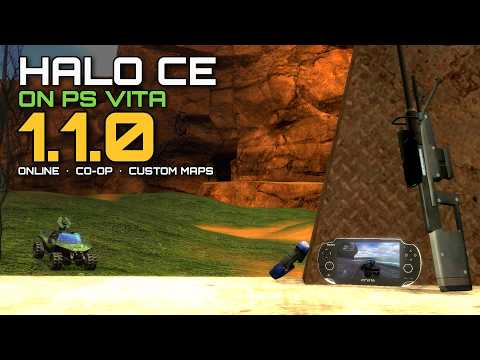
<sub><i><a href="https://youtu.be/rMou5dtYy3k">Halo CE Vita v1.1.0 Release | Multiplayer and Crossplay</a></i></sub>
</div>Contents
- What's new in 1.1 · What works
- Install: requirements, Windows tool, manual install, updating, Halo PC files, movies
- PC version: downloads, game data, first start, keyboard and mouse, settings, playing with Vitas
- Multiplayer: the menus, co-op campaign, custom maps, dedicated servers
- Controls · Settings panel · Performance · Saving
- Building · Contributing · Reporting a problem
- Credits · License
What's new in 1.1
| 🌐 Online play | The PC version's multiplayer menus (from OpenCE): a server browser of public games, Join by code, and Create Game with lobby name, max players, public or private and a password. Needs the Halo PC files. With Crossplay on (Multiplayer tab) the Vita joins PC games instead: hosts and servers running current OpenCE or ChupathingyCE (network version 29: OpenCE build-206, ChupathingyCE 0.7.5b and later). |
| 🖥️ Dedicated servers | The project's US servers in the server browser (Slayer, Big Team, Race, King of the Hill, Team Slayer, SWAT and a party rotation), and your own on a Linux PC or a Raspberry Pi. |
| 📶 Ad hoc | Vitas side by side with no router, next to Same Wi-Fi (system link). |
| 🤝 Co-op campaign | Two Vitas, or three or four (experimental), Private or Public. |
| 🤖 Offline bots | Up to 15 computer players in Split Screen games, from Easy to Legendary. |
| 🗺️ Custom maps | Xbox maps, and Halo PC / Custom Edition multiplayer and campaign maps. A Vita that joins without the host's map downloads it, in the lobby or before it joins a game under way. |
| ⚙️ Graphics settings | Profiles, object shadows, dynamic lights, effects quality, particle density, AI think rate and sound updates, after Bruno Santana's modified build. |
| 🎞️ Frame interpolation | Up to 60 frames a second between the game's 30 ticks. |
| 🧠 Fourth CPU core | With the CapUnlocker plugin. |
| 📊 Latency meter | Your ping in network games, and a Ping column on the scoreboard. |
| 🇪🇸 Spanish | The port's own text in Spanish (settings panel > Audio > Language). |
| 🧰 Windows install tool | Gathers your files and copies them to the Vita or a PC build. |
| 🎮 Controls | A settings panel in tabs (SELECT + D-pad down), button remapping, touch zones, gyro aiming and PlayStation button icons. |
What works
| 🎮 Campaign | The whole campaign from the menus, with checkpoints, saves and Save and Quit, cinematics, and the movies if you convert them (optional). |
| 🏁 Multiplayer | Between Vitas: same Wi-Fi (system link), online and ad hoc (both experimental), and the multiplayer maps on your own or with bots. The PC version of this port plays with them too; OpenCE's PC players join a Vita's game set to Everyone. |
| 🤝 Co-op | The campaign over the network for two Vitas, or up to four (experimental). |
| 🗺️ Custom maps | Xbox maps, Custom Edition multiplayer maps and Custom Edition campaign maps (experimental). |
| ⏱️ Frame rate | Up to 30 fps, or up to 60 with frame interpolation. Quiet areas and cinematics hold 25 to 30 fps; the biggest fights drop lower. See Performance. |
Known issues
- The biggest fights still drop frames (see Performance).
- Downloading a map to join a game under way needs a host on 1.1.0 (or a
dedicated server with
sv_map_download 1); with an older Vita host, join while its game is in the lobby. - In co-op the host's Vita runs everyone's AI and the level's scripts, so it slows down with three or four players: co-op takes two by default, and three or four are experimental.
- Master Chief's body can be missing in The Pillar of Autumn's cryo tube (#29).
The current list is in the roadmap and the issues.
Install
Prefer a video? The install tutorial walks through all of it.
Requirements
- A PS Vita or PS TV on HENkaku/Ensō (firmware 3.60–3.74) with VitaShell.
- The shader compiler
ur0:data/libshacccg.suprx: if you don't have it, run ShaRKF00D once. - About 1.5 GB free on
ux0:. - Your own Xbox copy of Halo: Combat Evolved (disc or image), or your own Halo: The Master Chief Collection on Steam. The PC version's maps don't work.
- For online play and Custom Edition maps: the free Halo Custom Edition installer (see Halo PC files).
Easy install (Windows tool)
Download HaloCEVitaInstaller.exe from the
releases and run it.
It's a normal Setup wizard: Next, Next, Finish.
- Accept the license, then choose where to install: PS Vita or PC. Platforms that aren't ready yet are greyed out.
- Choose Automatic, which takes everything from your own Halo: The Master Chief Collection on Steam, or Manual, where you pick your Xbox disc image, the Halo Custom Edition files and the movies on one page.
- Give it the Vita's address, or a folder on PC, and press Install. One progress bar does the rest: the Vita gets everything over VitaShell's FTP plus the VPK, and a PC gets a real install with shortcuts and an uninstaller.
- On the Vita, then install that VPK from
ux0:data/with VitaShell. Finish tells you how. For PC, puthalo-ce-vita-<version>-pc-windows.zipnext to the tool.
The tool isn't signed: if Windows says "Windows protected your PC", click More info, then Run anyway. Details: README-installer.
Manual install
-
Install the VPK (
halo-ce-vita-<version>-vita.vpk;halo.vpkup to 1.1.0) from the releases with VitaShell. The bubble is called Halo CE. -
Extract the game files from your Xbox disc image with extract-xiso:
extract-xiso -x "Halo.iso". You need themapsfolder anddefault.xbe. -
Copy them to the Vita:
ux0:data/haloce-vita/maps/ <- the whole maps folder ux0:data/haloce-vita/default.xbe -
Optional: add the Halo PC files for online play and the movies.
-
Start the game. Each level's first load takes a while.
Stuck on the loading picture with music playing? The shader compiler is missing (see Requirements).
Updating
Install the new VPK over the old one (the whole VPK). Your maps,
saves and settings in ux0:data/haloce-vita/ are kept. Every Vita in a
multiplayer or co-op game needs the same version: a Vita joining a game of
another version is told which one is newer.
Halo PC files
Online play's menus (the server browser, Join by code, Create Game >
Internet) and Custom Edition maps need 3 files from the PC version of
Halo: bitmaps.map, sounds.map and loc.map. They aren't included in
this project. Get them one of these ways:
Option A: the Halo Custom Edition installer (easiest)
- Download the free Halo Custom Edition installer,
halocesetup_en_1.00.exe(about 170 MB), for example from HaloMaps. - Copy it to
ux0:data/haloce-vita/on the Vita (over VitaShell's FTP or USB). You don't run it on a PC. If your download has another name, rename it so it starts withhalocesetupand ends with.exe. - Start Halo. It finds the installer and takes the 3 files out of it (under a minute; Circle cancels), asks whether to delete the installer, and restarts.
Option B: Halo: The Master Chief Collection (Steam)
- On the PC, open
steamapps/common/Halo The Master Chief Collection/halo1/maps/custom_edition/. Use thiscustom_editionfolder: the files directly inhalo1/mapsare MCC's own and don't work. - Copy
bitmaps.map,sounds.mapandloc.mapfrom it toux0:data/haloce-vita/maps/on the Vita.
Option C: Halo Custom Edition installed on a PC
Copy the same 3 files from its maps folder (usually
C:\Program Files (x86)\Microsoft Games\Halo Custom Edition\maps\) to
ux0:data/haloce-vita/maps/ on the Vita.
The Windows install tool can do any of these for you.
Then turn on online play
- In the game, press SELECT + D-pad down to open the settings panel.
- Go to Multiplayer and set Connection to Online.
- Restart the game.
- On the main menu, open Multiplayer: Join Game > Internet is the server browser, Join by code joins a friend's code, and Create Game > Internet hosts.
If the online menus don't show up
The settings panel's Multiplayer tab says why: which file is missing, the folder the game looked in, or that a file isn't the Custom Edition one. The Modded maps page lists the missing files, and its Extract PC files row takes them out of an installer again (if you stopped it, say).
None of Bungie's files are in this project.
Movies (optional)
The game runs without the movies: each missing one is skipped (no intro, no attract videos on an idle main menu, no credits movie), and the main menu comes up ready to play. Without the intro it appears a few seconds after the menu's background, more at the first start, while the game checks its saves and writes its default profile and playlists (which the intro otherwise plays over).
To have them, convert the Xbox's Bink movies (the disc's bink folder) to
H.264 MP4 and put them in ux0:data/haloce-vita/movies/ under the same
names (intro.mp4, credits.mp4, attract1.mp4 ...), or let the install
tool do it:
ffmpeg -i intro.bik -c:v libx264 -profile:v baseline -level 3.1 -pix_fmt yuv420p \
       -vf scale=640:-2 -c:a aac -b:a 128k intro.mp4
For better quality, keep the same Baseline profile and raise the quality (larger files). Don't use High or Main profile: the Vita shows their B-frames as white frames.
ffmpeg -i intro.bik -c:v libx264 -profile:v baseline -level 3.1 -bf 0 -preset slow -crf 18 \
       -maxrate 6M -bufsize 12M -pix_fmt yuv420p -vf scale=640:-2 -c:a aac -b:a 160k \
       -movflags +faststart intro.mp4
Movies added or removed later are noticed at the next start. A movie is
scaled to fill the screen at the shape its file gives, with black bars only
where that shape needs them: the Xbox's 4:3 movies fill the height, and any
16:9 encoding fills the width (640x360, 848x480, 960x544, or 640x480 made
with ffmpeg -aspect 16:9). Any size up to 960x544 plays (on 1.1.0 beta 1
and 2, keep movies 640 wide: wider ones can play without a picture, #38).
HALO_MOVIE_ASPECT=16:9 in env.txt forces a shape for files without one.
PC version
[!WARNING] Experimental. The PC builds are new in 1.1.1 and less tested than the Vita build. Expect rough edges, and report problems like any other.
The same port runs on PC, Windows and Linux. It plays online with the Vitas: your games show up in their browsers as VITA (PC).
PC downloads
From the releases, take the file for your system:
| File | For |
|---|---|
halo-ce-vita-<version>-pc-windows.zip | Windows 10 or later |
halo-ce-vita-<version>-pc-linux.tar.gz | Linux (a 32-bit build: needs the 32-bit glibc, OpenGL and PipeWire or PulseAudio libraries; SDL3 is included) |
halo-ce-vita-<version>-vita.vpk | the Vita (see Install) |
Unpack it anywhere. To update, unpack the new one over it: your settings, game data and saves stay. The PC version doesn't update itself.
PC game data
No game files are included. If you have Halo: The Master Chief Collection
on Steam, just run the game: it finds MCC by itself and plays its Halo CE
files (the campaign, the multiplayer maps, the menus and the Halo PC files
in halo1/maps/custom_edition). Nothing is copied: MCC's folder is only
read. The game looks in:
- Linux:
~/.local/share/Steam,~/.steam/steam,~/.steam/root, the Flatpak's~/.var/app/com.valvesoftware.Steam/.local/share/Steamand the Snap's Steam, and every library theirlibraryfolders.vdflists. - Windows: the Steam folder the registry names, Program Files' Steam,
every library in its
libraryfolders.vdf,SteamLibraryfolders on your other drives, MCC's own uninstall entry, and the Xbox app'sXboxGames\Halo The Master Chief Collection\Content.
MCC somewhere else? Set paths.content in config.toml to its folder (the
one with halo1 in it). Not found, the main menu says Halo MCC not
found; paths.content = "none" turns the search off. MCC's sound effects
play; its music and dialogue are silent in this version.
Or, the Xbox way:
- Your Xbox disc image (
.isoor.xiso) or itsmaps/folder, the same files as the Vita. - Optional: the Halo PC files (
bitmaps.map,sounds.map,loc.map, see Halo PC files) in the game'smaps/folder. They give the PC menus their pictures and let you play Custom Edition maps. On Linux you can also drop the Custom Edition installer (halocesetup*.exe) next tomaps/and the game takes them out itself.
With both, the game uses both: the Xbox maps/ folder's files come first
(its menus, its levels), and MCC's levels are listed beside them. Which
wins, from first to last: what you set in config.toml (paths.data,
paths.content), then the Xbox maps/ folder, then the MCC the game found.
First start
Start build\windows\halo.exe (Windows) or ./halo.sh (Linux). With MCC
installed it starts right away. With no game data at all it asks for your
Xbox disc image: pick it and it copies maps/ next to the game (a few
minutes). Or put maps/ there yourself first: build\windows on Windows;
the unpacked folder or build/linux on Linux.
Keyboard and mouse
Keyboard and mouse, or any gamepad. The prompts and menus show the keys you
use (the keyboard's icons), and switch to the pad's buttons when you pick
up a pad (display.button_icons in config.toml: auto, keyboard,
xbox or playstation).
The defaults are Halo: The Master Chief Collection's for Halo: CE on PC (the layout as ChupathingyCE set it out, with thanks):
| Action | Keys (default) |
|---|---|
| Move / aim | W A S D / mouse |
| Fire | Left click |
| Zoom | Right click, Z |
| Throw grenade | G |
| Melee | F, mouse button 4 |
| Action (get in, pick up; hold: swap weapons) | E |
| Reload | R |
| Switch weapon | Tab, mouse wheel |
| Switch grenade | H, middle click |
| Flashlight | Q |
| Jump | Space |
| Crouch (walking too) | Left Ctrl, C |
| Scoreboard | Backspace |
| Pause | Escape |
| Fullscreen / free the mouse | F11 / F12 |
Rebind any of them in the menus: KEYBOARD & MOUSE (Halo 3 menus:
CUSTOMIZATION, a profile, KEYBOARD & MOUSE; Halo CE menus: SETTINGS, a
profile, KEYBOARD & MOUSE; ElDewrito menus: CUSTOMIZATION, CONTROLS). Pick
an action, press A (or click) and then the key or mouse button; Escape
cancels, Delete clears, X clears the chosen key, Y (or RESET TO MCC
DEFAULTS) puts every key back. A key another action had is swapped with
it, and the page says so. The same page has the mouse's sensitivity,
invert and raw input. Or edit config.toml's [controls.keyboard]
(throw_grenade = "G, Mouse Right": up to four keys each). A file from an
earlier version gets the new defaults, except for keys you set yourself.
In the menus the mouse moves a pointer: left click picks, right click goes back. The full list is in port/linux/README.md.
PC settings
Everything is in config.toml next to the game (build/windows or
build/linux in the folder you unpacked). The game writes it the first time,
every setting with a line of help. Delete it to get the defaults back.
Playing with Vitas
Online and on the same network, the PC version plays with Vitas on the same version. Its games show up as VITA (PC) in the Vitas' browsers, and friends and party lists say (PC) next to its players.
When you host, Who can join has two choices on PC: Vita PC (the default: Vitas and other PC players of this port) or Everyone (also OpenCE players on PC). A Vita host can also pick Vita, Vitas only: those games show as VITA VITAS ONLY in your browser and turn you away with "This game is for PS Vitas only". That check takes the joining game's word for what it is, so it keeps honest players apart, not cheaters.
For Halo PC's own maps and the PC community's servers, see OpenCE.
Multiplayer
Vitas play only Vitas (and the PC version of this port), and every Vita in a game needs the same version of this port and Xbox maps of a supported build (NTSC 01.10.12.2276 or 01.08.15.1749, PAL 01.01.14.2342). Choose how your Vita connects in the settings panel (SELECT + D-pad down), Multiplayer, Connection (it applies after a restart):
| Connection | What it is |
|---|---|
| Same Wi-Fi (the default) | System link: Vitas on the same Wi-Fi network see each other's games. |
| Online (experimental) | Internet play: the server browser, Join by code, and your own public or private games. |
| Ad hoc (experimental) | Vitas side by side, no router: pick the same Ad hoc room on each, then Join the room (the system's dialog joins the room's group). Nothing goes to the internet. |
[!TIP] Playing on PC? 1.1.1 has an experimental PC version of this port. OpenCE, the community version this port builds on, is the other option: with Crossplay on, the Vita joins OpenCE hosts and servers.
The multiplayer menus
With the Halo PC files, the main menu's Multiplayer opens the PC version's Multiplayer screen, from OpenCE's menus:
- Join Game
- Internet: the server browser of public games, with their map, gametype and players and a lock on those with a password. A joins (a locked game's password is typed on the Vita's keyboard), X refreshes.
- Join by code: type the host's code (
ABCD-EFGH). - LAN: the System Link screen, with the games on the same Wi-Fi or in your ad hoc room.
- Create Game
- Internet: Server Setup: the lobby name others see, max players (2 to 16), visibility (Public: listed in every Vita's server browser; Private: joined by its code) and a password (a public game asks joiners for it; the code still joins). Then your profile, a map and a gametype. The settings panel's Multiplayer tab shows your game's code.
- LAN: the System Link screen, where Y creates a game.
- Co-op campaign and Edit gametypes.
Internet and Join by code need Connection Online; the screen says so otherwise. A code is a convenience, not a password: anyone who has it can join that game.
Without the Halo PC files the Xbox's Multiplayer screen opens: System Link hosts and joins (on the network the Connection row chose), and online the settings panel's Join with a code joins a host's code. The server browser needs the files.
Internet play has no server of its own: Vitas find each other through public MQTT brokers and then connect directly. That can fail between two networks that both use strict NAT (some mobile and company networks, double NAT); forwarding a UDP port to the Vita helps. The brokers and the Vitas you play with see your public IP address, as in any peer-to-peer game; a public game's name, map and players are visible to anyone browsing. See port/vita/README.md for the details.
Co-op campaign
Play the campaign together on two Vitas, by system link, online or ad hoc (experimental). The host can take three or four with Co-op players in the settings panel's Multiplayer tab (experimental: the host's Vita runs everyone's AI, so it may lag). The host goes Campaign, a profile, a level and a difficulty, then Y (Play co-op) instead of A. On the waiting screen:
- X switches the game between Private (the default: joined by its code) and Public (listed in the server browser; online only).
- B cancels; the host's A starts sooner.
The others join from the server browser, Join by code or the System Link screen. The level starts 15 seconds after the first joins (6 once the lobby is full), and a Vita can join a level in progress. Cutscenes are skipped by vote (Start), loading zones follow the host, a dead player watches a teammate and comes back beside one, and winning a level moves everyone to the next. Co-op never touches your single player save. The host runs everyone's AI, so its frame rate drops with each player.
Custom maps and map sharing
Custom maps go in ux0:data/haloce-vita/maps/, next to the game's own:
- Xbox custom maps: copy the
.mapin. Nothing else is needed. - Custom Edition multiplayer maps (
.map, and OpenSauce.yelo; experimental): they need the Halo PC files. Turn on PC maps in the settings panel (Multiplayer, Modded maps); the page lists your custom maps, lets you turn each off or delete it, and warns if a PC file is missing. - Custom Edition campaign maps (single player and Firefight maps; experimental): the same files and PC maps On. They are listed in Campaign's level list after The Maw: A plays one alone, Y hosts it as co-op. A custom campaign map has no saved game and no next level: winning it or Save and Quit goes back to the main menu, and your campaign's own save is kept. What its scripts ask for that the Vita can't do (OpenSauce extras, restarting or switching the map) does nothing.
Map sharing: only the host needs the map. A Vita that joins without
the map is asked "Download it from the host?" (Cross: yes; for a Custom
Edition map, it is also offered to turn PC maps on). In the lobby, the
host's lobby shows each download's progress, and the match waits for it. A
Vita that joins a dedicated server's game already under way downloads the
map first, out of the game, at a lower speed that leaves the players' game
alone, and then joins it (a Vita host on 1.1.0 does this too). A download that stops goes on from where it stopped next time. A joiner still needs its own Halo PC files for a Custom Edition map.
In a game from the public server browser the question warns that the host
is a stranger: only accept maps from players you trust. Map downloads
(Modded maps) is Ask (the default), Not public games or Never,
and an OpenSauce .yelo is never downloaded from a public game.
Big Custom Edition maps can be slow on the Vita or too large for its memory. Custom Edition maps come from the community's Halo CE map archives; this project includes no maps and links to no downloads.
Controls
The settings panel and the game's menus name the buttons as the Xbox controller does; this is where each is on the Vita as shipped:
| Vita | Xbox | In game |
|---|---|---|
| Left stick / right stick | left stick / right stick | move / look |
| Cross | A | jump |
| Circle | B | melee |
| Square | X | reload, action |
| Triangle | Y | switch weapon |
| D-pad left / right | Black / White | switch grenades / flashlight |
| L / R | left trigger / right trigger | throw grenade / fire |
| D-pad down | left stick click | crouch (a toggle; see the panel) |
| D-pad up | right stick click | zoom |
| Start | Start | pause; skips a cinematic |
| Select | Back | scoreboard |
| SELECT + D-pad down | the settings panel (holding SELECT + START still works) |
The settings panel's General tab:
- Check for updates is its first row: press Cross and the game asks
GitHub for the newest version. The answer shows right under it, beside the
build's version: "Version 1.1.0 - Up to date", or, in amber, "Update
available" with the version. Press it again and the game asks whether to
download it; it checks the download against the project's signature and keeps it as
ux0:data/haloce-vita/update/halo-<version>.vpk. Install that file with VitaShell; nothing is installed for you, and a file that doesn't match the signature is never kept. - Look sensitivity, Invert look, Crouch, Gyro aiming and Rear touch guard, then the pages below.
- Button layout puts each Xbox button (A, B, X, Y, Black, White, the triggers, the sticks' clicks, Back) on the Vita button of your choice, in play (the menus keep Cross / Circle and the D-pad). Its first row, Button icons, is Xbox by default (the game's own icons); PlayStation makes every prompt in the HUD and the menus show the Vita button that does it now, in the Halo 3 menus' style (Cross, Circle, Square and Triangle in the PlayStation's colours on a dark round button, and L, R, Start, Select and the D-pad likewise; touch zones by name). The panel keeps the Xbox names either way.
- Touch zones: the front screen's top corners and left and right edges, and the rear pad's halves, can each press an Xbox button (all Off until set). Rear touch guard keeps the hands holding the Vita from pressing the rear zones: a touch near the pad's edges never counts, one further in only once held (Normal, the default: a 96-pixel border, 0.25 s).
- Gyro aiming (Off until set): turning the Vita turns the view, on top of the right stick: On, While zoomed, or While holding the Gyro button. Gyro settings has its sensitivity (0.5x to 3x), direction and Turn or Tilt steering. Lay the Vita still for a second now and then: that teaches it the gyroscope's drift.
- Advanced: Stick deadzone, Reset controls, Show dev settings, and the Update channel Check for updates looks at (Stable, the default: releases only; Experimental: betas too).
Settings panel
Press SELECT + D-pad down (or hold SELECT + START for a second), in play or in the menus. L and R
switch between its tabs, Graphics, General, Audio and
Multiplayer (and Dev, once Show dev settings in General,
Advanced is on). Up and down choose a line, left and right change it, Cross
opens a line marked > (a page of rows few players change) or does what
it says, Circle goes back from a page or closes the panel. The chosen line's
help and the panel's buttons are at the bottom. Changes apply at once,
render resolution and aspect ratio included (the picture pauses for a
moment), except the rows marked *, which apply after a restart. Settings
are kept in ux0:data/haloce-vita/settings.txt (a file from an older
version loads as it is).
Graphics
The Profile row at the top sets the speed-related rows together: Performance, Balanced (the defaults) or Quality (the best look that stays playable on the Vita). All three use Dynamic resolution, each with its own minimum. Changing one of those rows yourself makes the profile Custom. A settings file saved with a profile by an older version loads as that profile with these values.
| Setting | Performance | Balanced (default) | Quality |
|---|---|---|---|
| Render resolution | Dynamic | Dynamic | Dynamic |
| Dynamic minimum | 50% | 63% | 75% |
| Model detail | Low | Medium | High |
| Hide distant objects | Small | Small | Tiny |
| Object shadows | Off | Off | Near only |
| Dynamic lights | 4 | 4 | 8 |
| Effects quality | Performance | Full | Full |
| Sun rays | Off | Off | On |
| Particles | Reduced | Reduced | Reduced |
| Particle density | Half | Full | Full |
| Scenery updates | Quarter | Quarter | Half |
| Object lighting | Third | Third | Half |
| AI think rate | Adaptive | Adaptive | Adaptive |
| Sound occlusion | Every 6th | Every 3rd | Every 3rd |
| Sound updates | Every 2nd | Every 2nd | Every frame |
| Best for | the biggest fights, 60 FPS | most of the game | quiet areas, cinematics, screenshots |
Balanced costs the Vita about what Performance does: it adds nothing that gives the graphics chip extra passes, only reflections, shine and grass, every particle drawn, better models and a sharper picture. Object shadows and Sun rays are the slow extras on the Vita: each is a set of small extra scenes for the graphics chip every frame, so they are in Quality only. Quality also costs the processor up to about a tenth more than Performance in big fights (Particles Full adds as much again in big multiplayer fights, so it is Reduced in all three). The Xbox's every row (Full shadows, all lights, everything updated every tick) is too slow on the Vita; set it yourself under Detail and Performance if you want it (Custom).
Object shadows, Dynamic lights, Effects quality, Particle density, AI think rate, Sound updates and the fourth core's helpers come from Bruno Santana's modified build of this port. All three profiles think less often for far-off enemies, and Balanced and Performance update the sounds every other frame, so a fight plays a little differently from the Xbox's; the shadows, lights, effects and particles change only what is drawn. None of them drops see-through parts such as the Covenant field generators' domes or visors.
The Graphics tab, top to bottom (Profile, then):
- Render resolution: Dynamic (the default) lowers it only while the graphics chip is the limit, down to the Dynamic minimum (shown while Dynamic is chosen; 63% in Balanced); or a fixed 100% to 50%, lower being faster and softer. When video memory is too short for Dynamic's 100% (a heavy map, switched to in play), its most is the largest that fits, and 100% is tried again at the next map.
- Frame limit: 30 FPS (the default), 60 FPS or Off.
- Frame interpolation (Off by default): the game runs 30 ticks a second; with this On the Vita draws frames between them, blended, for up to 60 frames a second while it keeps up, and one a tick when it can't. It applies at once.
- FPS counter.
- Screen >: Aspect ratio, 16:9 (the default) fills the screen with a wider view, 4:3 shows the Xbox's own framing, HUD and menus between black bars; Upscale filter, Smooth (the default) or Sharp (crisp, blocky pixels).
- First person >: First-person legs (On: your own legs when you look down) and Smooth weapon motion (On: the weapon blended between ticks; it costs almost nothing).
- Detail >: Model detail, Hide distant objects, Object shadows, Dynamic lights, Effects quality, Sun rays, Tiny decals, Particles and Particle density (all but Tiny decals set by the profiles).
- Performance >: Scenery updates, Object lighting, AI think rate (set by the profiles) and Fourth core helpers (see plugins).
Audio, Multiplayer and Dev
- Audio: Sound voices (fewer is faster), Sound occlusion and Sound updates.
- Multiplayer: Connection (Same Wi-Fi, Ad hoc or Online), the ad hoc room, Join with a code, and Modded maps (your custom maps, PC maps, Extract PC files, Map downloads). Lines under the rows show your Vita's name and address, what the game is doing, and online your game's code.
- Dev (testers): timing in
halo.log, a crash dump when the game hangs, the FPS overlay, the debug camera, A/B switches a bug report may ask for, and Save report. While a switch is on,halo.logsays "TEST MODE" near its top.
Performance
Measured on a PS Vita 1000 with 1.0.3's default settings:
| Where | Frame rate |
|---|---|
| Menus, cinematics, quiet areas | 25 to 30 fps |
| Ordinary fights | 20 to 30 fps |
| The Silent Cartographer's beach landing | about 25 fps on average (Balanced), 28 (Performance) |
| Pillar of Autumn's biggest firefights | about 15 to 18 fps |
| Late-game Flood and Covenant battles | can drop lower |
The biggest fights are limited by different things in different places. On The Silent Cartographer's beach the Vita's processor is the limit (drawing many characters, and the game's own simulation of them), so the render resolution changes little there. In Pillar of Autumn's firefights the graphics chip is the limit, and a lower render resolution helps a lot: in one test a firefight went from about 16 fps at 75% to about 26 fps at 50% (the Performance profile's Dynamic minimum).
What helps, in the settings panel: the Performance profile; Render resolution Dynamic with a lower Dynamic minimum, or 50%; Object shadows Off and Sun rays Off (extra scenes for the graphics chip); Particles Reduced (the processor's work in big multiplayer fights); Model detail Low or Lowest; Hide distant objects Small or Medium; Sound voices 16. Keep Smooth weapon motion on: it makes the frame rate feel steadier.
More performance with plugins (optional)
Two optional plugins give the game more of the Vita's processor. Neither is needed, and the game runs the same without them.
- CapUnlocker by GrapheneCt
lets games use the Vita's fourth CPU core, which the system normally keeps
for itself. With it, Fourth core helpers (Graphics > Performance;
All async by default; it applies after a restart) moves background
work onto that core: Audio moves the sound mixer, All async also
the display queue, loading, map decompression, checkpoint writing, shader
compiling and the log. It helps most in multiplayer. The game, render and
tick threads never move. If core 3 stays very busy and the frame rate
drops, use Audio. Without CapUnlocker the helpers stay where they are and
halo.logsays so. To install: copyCapUnlocker.skprxfrom its releases tour0:tai/, add the lineur0:tai/CapUnlocker.skprxunder*KERNELinur0:tai/config.txt(keep a copy of the file first: a mistake there stops plugins loading), and reboot. - PSVshell (or PSVshellPlus) raises the processor to 500 MHz, which helps in the biggest fights at some cost in battery and heat. The game keeps a higher speed set there; it only raises the clock when it is lower than the game needs.
To help measure, turn on Dev, Performance logging (or add
HALO_FRAME_TIMING=300, HALO_RENDER_PROFILE=1 and HALO_TICK_PROFILE=1
to ux0:data/haloce-vita/env.txt), play a heavy fight for a couple of
minutes, and attach halo.log to an issue. Any frame over 100 ms is named
in halo.log (a frame-hitch line) whether it is on or not.
Dedicated servers
A dedicated server hosts online games on a PC or a Raspberry Pi 4 instead of a Vita. It runs the host's game (the simulation, the AI, the scores) with no window, sound or player of its own, so no Vita carries the host's work and the game goes on when players leave. Vitas join it as they join any game: by its code, from the server browser (marked as dedicated in this version's browser), or on its LAN. PCs cannot join it: Vitas play only Vitas.
The server is built from this repository (ninja linux-server) and plays a
map cycle set up in init.txt with Halo PC's dedicated server commands
(sv_name, sv_mapcycle_add, sv_kick, sv_ban...). Its operator
supplies the game data (their own Xbox maps folder). Building it, running
it on a PC or a Pi, port forwarding and security:
port/linux/DEDICATED_SERVER.md.
From 1.1.0-beta.2, each release also has the server ready to run, for a
Linux PC or VPS (x86) and a Raspberry Pi (armhf): see
Download a release build.
Saving
Checkpoints are written to the memory card as you play. To continue, choose the campaign again with the same profile and difficulty. Save and Quit from the pause menu is the safest way to stop.
Reporting problems
Questions and finding people to play with: the Discord server.
Reporting a crash or a problem
Open an issue with
the version (the first line of halo.log, or the settings panel's Controls,
Advanced), what you were doing (level, place, weapon, vehicle; for
multiplayer the mode: Online, Same Wi-Fi, Ad hoc or Co-op), and these files
from the memory card (VitaShell's FTP or USB mode):
ux0:data/haloce-vita/halo.logandhalo-prev.log: the port's logs of this and the previous session (the previous one is the crashed one after a restart).- After a crash, the newest
ux0:data/psp2core-....psp2dmp: the crash dump. Leave the Vita alone for a minute after a crash so it finishes writing it (a dump still being written ends in.tmp). ux0:data/haloce-vita/data/debug.txt: the game's own log.
For a multiplayer problem, send the files from every Vita in the game. The
settings panel's Save report (Controls, Advanced: Show dev settings,
then the Dev tab) copies halo.log, halo-prev.log, settings.txt,
env.txt and the newest crash dump into one folder,
ux0:data/haloce-vita/report-<date>/, for you to send; add debug.txt.
Building
What you need
- Linux (or WSL on Windows) with Python 3, ninja and clang 17 or newer (the game code is compiled by clang with the game's MSVC-like ABI).
- VitaSDK for the Vita side (compiled by its
GCC) and the packaging tools. Install it with
vdpm and set
VITASDK(or put it in~/vitasdk).
For example, on Ubuntu or Debian:
sudo apt install git python3 ninja-build clang lld curl
export VITASDK=/usr/local/vitasdk
export PATH=$VITASDK/bin:$PATH        # (add both lines to ~/.bashrc)
git clone https://github.com/vitasdk/vdpm && cd vdpm
./bootstrap-vitasdk.sh && ./install-all.sh && cd ..
Build
git clone https://github.com/BirchWoodGod/halo-ce-vita
cd halo-ce-vita
python3 configure.py --lto off --pgo off --portable --release
ninja vita
The results are build/vita/eboot.bin and build/vita/halo.vpk. Install
the VPK as above, or, with an FTP server running on the Vita (VitaShell's
SELECT), replace just the executable:
curl -T build/vita/eboot.bin ftp://<vita address>:1337/ux0:/app/HCEV00001/eboot.bin
The version is set in port/vita/include/vita_version.h. Run
configure.py again after adding a source file or changing anything in
port/vita/sce_sys (the LiveArea images and the title).
port/vita/README.md has the details: the layout of
port/vita, testing in Vita3K and in a Linux build of
the Vita renderer, debug switches, and the files the game keeps on the
memory card. The install tool's build is in
tools/installer/README-installer.md.
Contributing
Issues and pull requests are welcome. What is planned next is in the roadmap. Open work:
- Performance in the biggest fights: the render on the first core is the limit at the peak.
- Testing online, ad hoc and co-op between Vitas, and Custom Edition maps.
- The issues listed for the next update in the roadmap.
Credits
This port stands on a lot of other people's work:
- Bungie made Halo: Combat Evolved. Halo is a trademark of Microsoft.
- punpckhdq/halo: the decompilation
of the Xbox build 2342 (
cachebeta.exe, SHA-2564cc87b45f721270392a96f1674ed2b5cd4a7bb4355faeab4531d1cf1884d9520), including the decompiled Xbox libraries inlibs/(Direct3D 8, the C runtime, XAPI, Bink). - bnunu/halo-1: the fork of that decompilation the native port starts from.
- OpenCommunityEdition/OpenCE
(formerly halo-ce-universal):
the native Linux, Windows and Android port this repository is built on:
the platform layer, the OpenGL renderer the Vita renderer is modelled on,
the distributed netcode, system link over the internet, the server
browser of public games (signed listings, password-protected games, its
Players and Rules lines), the PC menus' multiplayer screens (Server
Browser, Server Setup, the password and Direct Link screens and their
header art, read with Expat), the map
validator, multiplayer fixes, and much more.
This port's own PC version builds from this tree
(
port/linux,port/windows;port/androidtoo, each with its own README). For Halo PC's own maps and the PC community's servers, see OpenCE. Campaign co-op over the network is theirs too (xshxdex98's and MrBruh's work:network_coop.c,coop_spectate.c,coop_scripts.c,network_actors.c), brought in with its commits' history and authors. Your own legs in first person (first_person_legs.c,object_mesh.c) are OpenCE's too. - bnunu/halo-ce-universal
(Jonas Volman): the Halo Custom Edition and OpenSauce map loader and its
conversions (
port/linux/game/cache_file_formats.c,custom_edition_*.c,docs/custom_edition_caches.md), which the custom maps work builds on. - DamnationCE by xshxdex98 (CC0), the OpenCE fork: Custom Edition models of up to 64 nodes drawn a part's own nodes at a time, and other Custom Edition map fixes, brought over from it (each commit says which).
- Invader by SnowyMouse: the
tag definitions
port/linux/src/tag_layouts.his generated from (bytools/gen_tag_layouts.py), which let the port relocate the maps' tags. - Chimera by SnowyMouse
(GPL-3.0-only): its list of the Custom Edition maps made around Halo PC's
own behaviour (
port/linux/game/custom_edition_behaviours.inc, generated from itsmap_hacks_config.json) and what it found of Halo PC's HUD scaling, brought over by DamnationCE. - Xita: the earlier work on running Halo on the Vita, whose findings (the register combiner translation, the GPU and threading lessons, the tools) went into this port.
- Bruno Santana: his modified build of this port showed the Vita's fourth core running helper work, frame interpolation at 60 fps and more graphics settings, which 1.1.0's are built after.
- iamhaller: the networking work online play started from.
- Vita homebrew the game relies on or recommends: VitaShell by TheFloW, ShaRKF00D by Rinnegatamante, CapUnlocker by GrapheneCt (the fourth core) and PSVshell by Electry.
- PS Vita port: BirchWoodGod.
Testers
Thank you to everyone who played the releases, betas and test builds on their own Vitas and reported what they found, with crash dumps, logs, saves and screenshots: BlazeRed17, ItsSamStone, Benixio, DuckiEXP, 5ackwood, Andiweli, maler82, rbxshh, nxble6, LordLavaLamp, KiddRwxSsj, GrookyGamez, aguy4809-art, iamayod; CallumBlackGames, for the first two-Vita multiplayer video; and psvita_dude and the testers on Discord. Many of the fixes in 1.0.1 to 1.1.0 exist because of your reports.
Libraries and tools: VitaSDK, SDL3 (desktop builds), tomlc17, KCP, Monocypher (the server browser's signatures and password keys), TLSF by Matthew Conte (the Vita's shader compiler's heap, and the Ogg Vorbis decoder's), Tremor and libogg by Xiph.Org (Halo Custom Edition maps' Ogg Vorbis sounds), Expat (the PC menus' files), Mbed TLS, miniupnpc, libmspack by Stuart Caie (LGPL 2.1: Halo Custom Edition's resource maps out of its installer), zlib, musl's math functions, extract-xiso, FFmpeg (GPL v3, inside the Windows install tool) and PyInstaller (which packs it), and Vita3K for testing.
License
This port is licensed under the GNU General Public License, version 3
only (LICENSE), because port/linux/src/tag_layouts.h is
generated from Invader's GPL-3.0 tag definitions. To regenerate it, clone
Invader into invader/ (or set INVADER=<path>) and run
python3 tools/gen_tag_layouts.py port/linux/src/tag_layouts.h.
The decompilation and the OpenCE (halo-ce-universal) port this builds on are dedicated to the public domain under CC0 1.0 (LICENSES/CC0-1.0.txt); the bundled libraries keep their own licenses. The license covers this code only: Halo's maps, executable and other game content belong to their owners and are not included.
This project is not affiliated with or endorsed by Microsoft or Bungie, and it contains no game assets. See LEGAL.md for the project's research purpose, copyright notice and how rights holders can send a takedown request.