
The Wind Waker · BlueWake Android
The Wind Waker
OrigenGameCube
TecnologíaPort Nativo C/C++ (Reimplementación de Motor)
Disponible paraAndroid
Ver proyecto oficialSobre el proyecto
Port Android ARM64/Vulkan de BlueWake. Requiere compilar APK individual desde copia propia de GameCube; prólogo probado.
Información oficial del proyecto
BlueWake for Android
<p align="center"> <strong>The Legend of Zelda: The Wind Waker, running natively on Android.</strong><br> A static recompilation of the GameCube original for arm64 phones and handhelds, with touch controls, controller support, mods and the game in five languages. </p> <p align="center"> <img alt="Android 13+, arm64, Vulkan" src="https://img.shields.io/badge/platform-Android%2013%2B%20%7C%20arm64%20%7C%20Vulkan-3DDC84?logo=android&logoColor=white"> <img alt="Ahead-of-time static recompilation" src="https://img.shields.io/badge/PowerPC-static%20recompilation-FF9F0A"> <img alt="Based on BlueWake 0.5.0" src="https://img.shields.io/badge/based%20on-BlueWake%200.5.0-0A84FF"> <img alt="Game data not included" src="https://img.shields.io/badge/game%20data-not%20included-FF453A"> <img alt="License: GPL-3.0" src="https://img.shields.io/badge/license-GPL--3.0-lightgrey"> </p>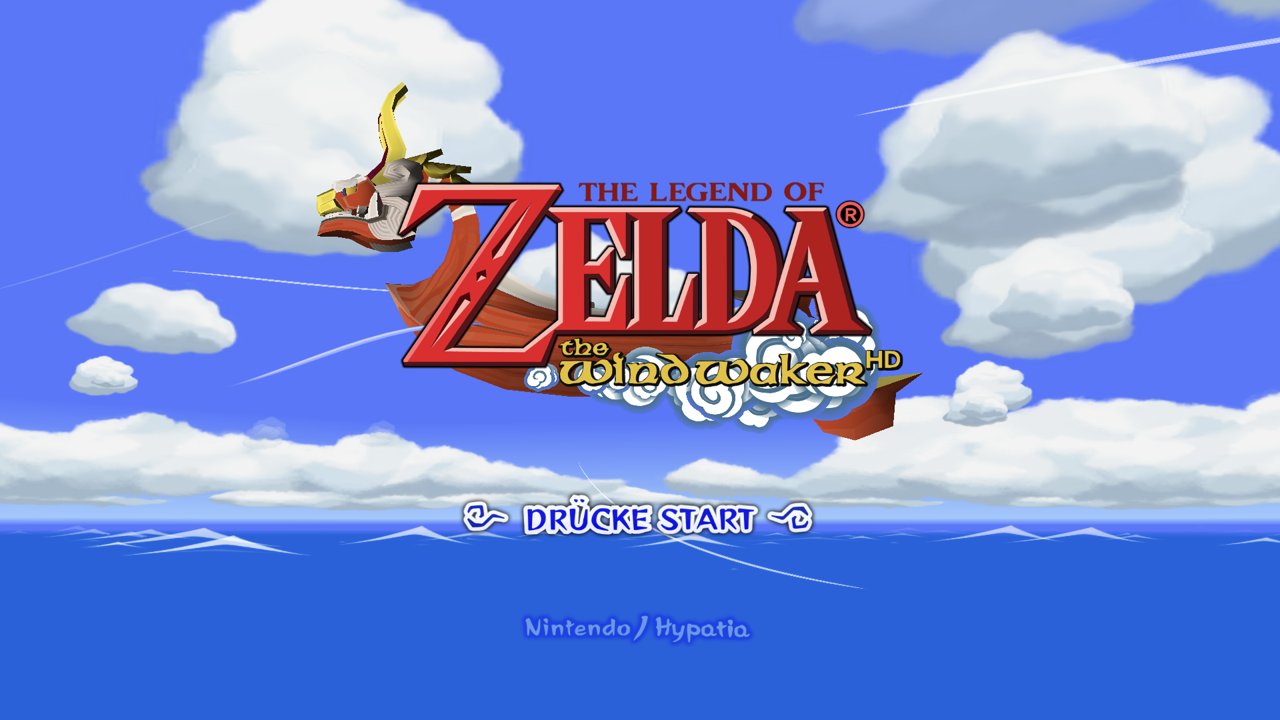
[!IMPORTANT] Bring your own disc, build your own app. This fork needs your own legally obtained copy of The Wind Waker for GameCube, USA version (
GZLE01, revision 0). It contains no disc image, game assets or saves. The APK you build holds code translated from your disc: it is yours alone; never share or upload it.
This is the Android port of BlueWake. It plays the same game the same way as BlueWake on iPhone, iPad, Mac and Windows: the same translator, the same pinned runtime and the same verified game source, only built for arm64 Android, drawn through Vulkan and played with a touch overlay or a controller. For iPhone, iPad, Mac or Windows, use BlueWake itself.
What works
Tested so far:
| Device | What was checked |
|---|---|
| Samsung Galaxy Z Fold 7 (Snapdragon 8 Elite, Android 16) | Boot, title, a new file, the prologue and play on Outset, with touch controls, on both screens. 30 FPS while the phone stays cool (see performance) |
| AYN Odin3 (Snapdragon 8 Elite, Android 15, 16 KB pages) | Title, file select and play on Outset from a save made on the device, Hypatia's HD texture pack, FullHD 16:9 and 4:3 at 120 Hz, and the game in German, French, Spanish and Italian |
| iPlay60 mini Turbo (Android 14) | The app itself starts (no game module on it yet) |
Not yet tried: other GPUs (Mali, older Adreno), external controllers in depth, and the later game. If you try it on another device, please report how it went (see Getting help).
Features
- Touch controls: stick, A/B/X/Y, L/R/Z, START and a D-pad, with the camera on the right half of the screen. They hide while a controller is connected.
- Controllers through SDL, as a GameCube pad, with button remapping.
- Native by default: the screen's own resolution and its highest refresh rate, with Smooth Motion matching it, and the widescreen picture that fits the screen's shape (4:3, 16:10, 16:9 or 21:9 for a foldable's cover screen or a phone held sideways). On a foldable the resolution follows the screen as you fold and unfold; the picture's shape and the rate are chosen again at the next launch.
- Options menu on the Back button or gesture, over the paused game: aspect ratio, render resolution (native, or 1× to 4×), the panel's rate (native or 60 Hz), Smooth Motion, an HD texture pack (Hypatia's downloads from the menu), Better Wind Waker, gameplay extras and controls.
- The game in German, French, Spanish or Italian from your European disc, built in the app as the game loads: see Other languages.
What you need
- A PC to build on. The builder (
scripts/android/build.py) runs on Windows, with Visual Studio's C++ tools and clang, Python 3.10+, Git and CMake; it uses the Windows side of BlueWake's pipeline for the translator and the disc extractor. - The Android SDK with the NDK (r27 or newer) and a JDK 17
- An arm64 Android device on Android 13 (API 33) or newer with Vulkan
- Your
GZLE01revision 0 disc image as.iso(convert an.rvzwith Dolphin first:DolphinTool convert -i GAME.rvz -o GZLE01.iso -f iso) - Optionally, your European disc (
GZLP01) for the other languages
The full list, every builder option and the on-device optimization training are in BlueWake on Android.
Build and install
python scripts/android/build.py PATH/TO/GZLE01.iso --llvm PATH/TO/llvm --sdk PATH/TO/android-sdk --jdk PATH/TO/jdk-17
This translates the game from your disc and builds build/android/WindWakerRecomp.apk (the game module's
compile alone takes about half an hour on a fast PC; --device SERIAL also trains it on your device for more
speed).
Then, on your device:
- Copy the APK and your disc image (
.isoor.gcm) to the device, and install the APK. - Start the app and tap Choose your disc image. The app copies the disc into its own folder (1.4 GB), checks that it is the USA revision 0, prepares the game from it and starts it. Your file stays where it was.
- Optionally, Choose your European disc image for the other languages (also later, from the options menu).
With a PC and adb, python scripts/android/install.py --launch does the same in one step (--pal GZLP01.iso
adds the European disc).
Play
- Options: press Back (or swipe back, or a controller's Back/Select). Changes marked "next launch" apply when the game starts again.
- Frame rate: the game's logic runs at 30, its own rate; Smooth Motion shows in-between frames up to the panel's rate (120 on most current phones). On a phone, heat lowers the CPU's clocks over a long session: if the game slows down, choose a 60 Hz panel, Smooth Motion off or a lower render resolution.
- HD textures: Options › Display › Download Hypatia's HD pack fetches
Hypatia's Wind Waker HD pack
(v2.0001a, its Android-Lite build, 500 MB) from the download link in its Dolphin forum thread, unpacks it
on the device (530 MB) and selects it; it is used from the next launch. The pack is not part of this app
or this repository. Any other Dolphin pack works by hand: copy its
GZLfolder tofiles/Load/Textures/GZLE01/GZLand enter thatGZLE01folder under HD texture pack.
Other languages
The game is translated from the USA disc, whose text is English only. With your European disc beside it, choose Options › Gameplay › Language and start the game again: the app reads that language's files from the European disc as the game loads (about 2 MB, nothing is copied or changed) and plays in German, French, Spanish or Italian, with the messages, the title logo, place names, the button words, the menus and the file select translated.
Two things stay English: the name-entry keyboard and "New Game" on an empty file. If the European disc is missing or not the right one, the game plays in English and the menu says why. Details: Other languages.
Your saves and files
Everything lives in the app's folder, /sdcard/Android/data/dev.bluewake.BlueWake/files, reachable over
adb or a file manager that can open Android/data:
GZLE01.card | your saves (the memory card) |
settings.ini | the options menu's choices |
game/ | what the game reads from your discs |
logs/session-*.log | the newest eight sessions; attach one to a bug report |
Uninstalling the app deletes this folder, saves included. Back them up first with
python scripts/android/install.py --pull-saves backup/. Installing a new build over the old one keeps
them.
Getting help
- Android problems: open an issue on this fork. Say which device and Android version, where in the game it happened, and attach the session log. Please don't attach game files, disc images or APKs.
- The game itself (on every platform): BlueWake's issues and its Discord.
Frequently asked questions
<details> <summary><strong>Can I download an APK?</strong></summary>No. The APK holds code translated from a Wind Waker disc, so everyone builds their own from their own disc, and never shares it. The source and the build scripts are all here.
</details> <details> <summary><strong>Which version of the game works?</strong></summary>Only the GameCube USA release, GZLE01 revision 0: the game code is translated from it, and the builder
checks the disc. The European disc (GZLP01) is used only as the source of the other languages; it cannot
replace the USA disc.
Not in the usual sense. The game's PowerPC code (the main program and all 415 of its modules) is translated into native arm64 code ahead of time, on your PC. Nothing is compiled while you play, so it needs no JIT. The hardware around the CPU (graphics, audio, memory card, timing) comes from a runtime derived from Dolphin.
</details> <details> <summary><strong>The game slows down after a while on my phone</strong></summary>That is the phone's thermal limit lowering the CPU's clocks as it warms, not the game: on the Fold 7 the game holds 30 FPS below about 38 °C and drops to about 21 FPS at 43 °C. A lower render resolution, a 60 Hz panel, Smooth Motion off and playing unplugged keep it cooler for longer.
</details> <details> <summary><strong>Does the Tingle Tuner work?</strong></summary>No. It needs a Game Boy Advance linked to the GameCube, which is not emulated. Better Wind Waker's Tingle Chests without the Tingle Tuner (on by default) opens Tingle Chests with ordinary bombs.
</details>How this fork is kept up to date
main mirrors BlueWake's main; the Android port lives on
the android-port branch, rebased onto each new BlueWake release. Most of the port is its own files
(android/, scripts/android/, docs/ANDROID.md); in shared code it changes little: the options menu's
Android entries, cmake/composite's extra sources for training builds, and an optional parameter of the
Windows builder's job sizing. The language overlay wraps the runtime's disc layer at link time, so the
pinned runtime (RecompCore) is unchanged.
Documentation
- BlueWake on Android: building, installing, options, performance, other languages
- Mods and Wind Waker HD textures
- The Builder: how the build works
- BlueWake's own guides for its other platforms: iPhone, iPad and Mac and Windows
- Legal and provenance
Credits
- Chris Sotraidis and Elliott (@elliotttate), who make BlueWake and Wind Waker Recomp: everything this port runs
- Kevin Good (@LiquidAzir), whose Android port for Wind Waker Recomp (elliotttate/Wind-Waker-Recomp#13) this fork started from, and who brought it up on the Galaxy Z Fold 7
- Dolphin, for the compatibility runtime, DSP audio, the texture-pack format and the widescreen code
- RecompCore and DolRecomp, with the Aurora renderer, Dawn and SDL3
- SunPad, whose touch controls BlueWake adapts
- zeldaret/tww, the Wind Waker decompilation, for research
- Better Wind Waker by WideBoner, and the HD texture pack authors, including Hypatia
Like BlueWake, this port is developed with substantial AI assistance for code, testing, documentation and debugging; docs/ANDROID.md records what was checked, and on what.
License and legal
Licensed under the GNU GPL, version 3 or later, as BlueWake is. See RIGHTS_AND_LICENSES.md for details and for game content.
This is an independent fan project, not affiliated with or endorsed by Nintendo. The Legend of Zelda, The Wind Waker and GameCube are trademarks of Nintendo. You need your own legally obtained discs and are responsible for following the laws that apply to them.