
Tekken: Dark Resurrection (PSP) · tkdr-recomp
Tekken: Dark Resurrection
OrigenPlayStation Portable
TecnologíaRecompilación Estática (C/C++ nativo)
Disponible paraWindows, Web
Ver proyecto oficialSobre el proyecto
Proyecto PSP con objetivos nativo y WebAssembly; distinguir de Tekken 5 Dark Resurrection Online de PS3.
Información oficial del proyecto
tkdr-recomp

Tekken: Dark Resurrection (PSP) recompiled to run natively and in the browser, at 60 fps and up to 4× resolution, with whatever controller you have.
The game's MIPS executable is translated ahead of time (to C for native builds, or straight to WebAssembly inside your browser) and runs on a runtime that reimplements the PSP's system libraries. No CPU emulation.
- 60 fps, up to 4× internal resolution (1920×1088), drawn by the GPU (OpenGL / WebGL 2)
- Play in the browser, nothing to install: drop your own dump on the page and play
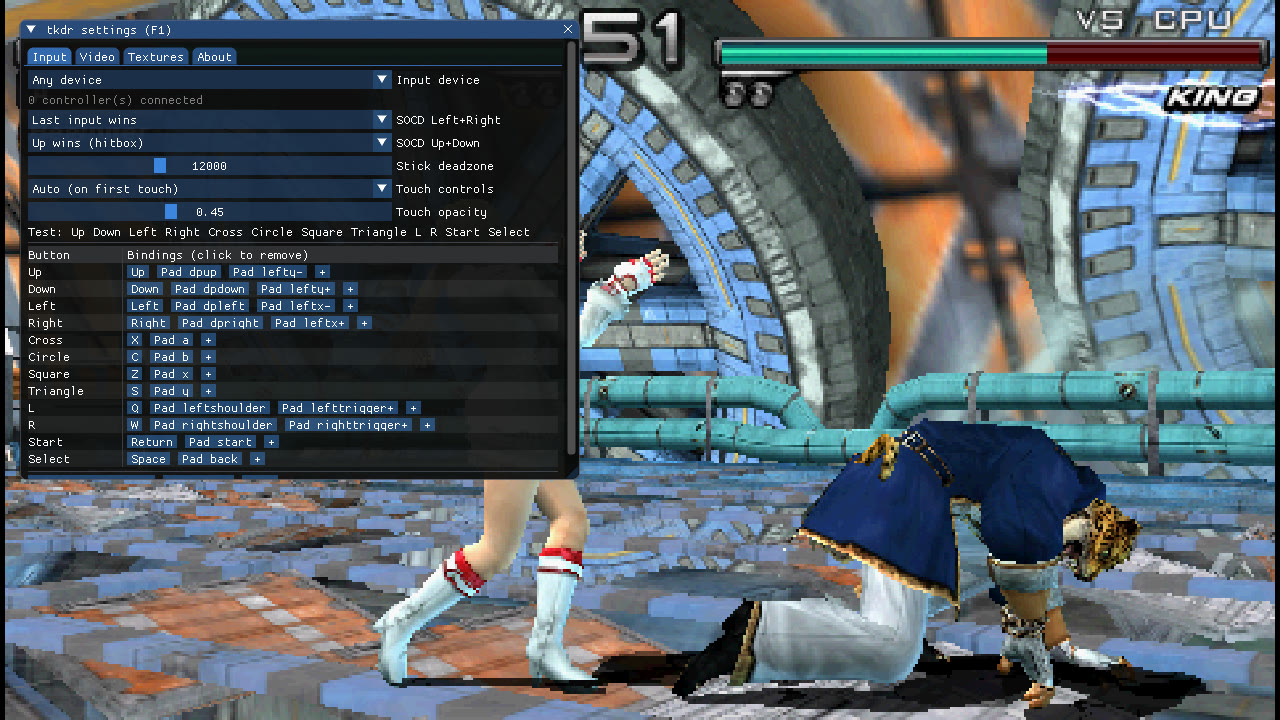
- Any input: keyboard, gamepads, arcade sticks, hitboxes (with SOCD modes), per-device bindings, on-screen touch controls on phones and tablets
- HD texture packs: PPSSPP packs work as they are; dump and replace your own
- Full screen, save data, movies with sound
 |  |
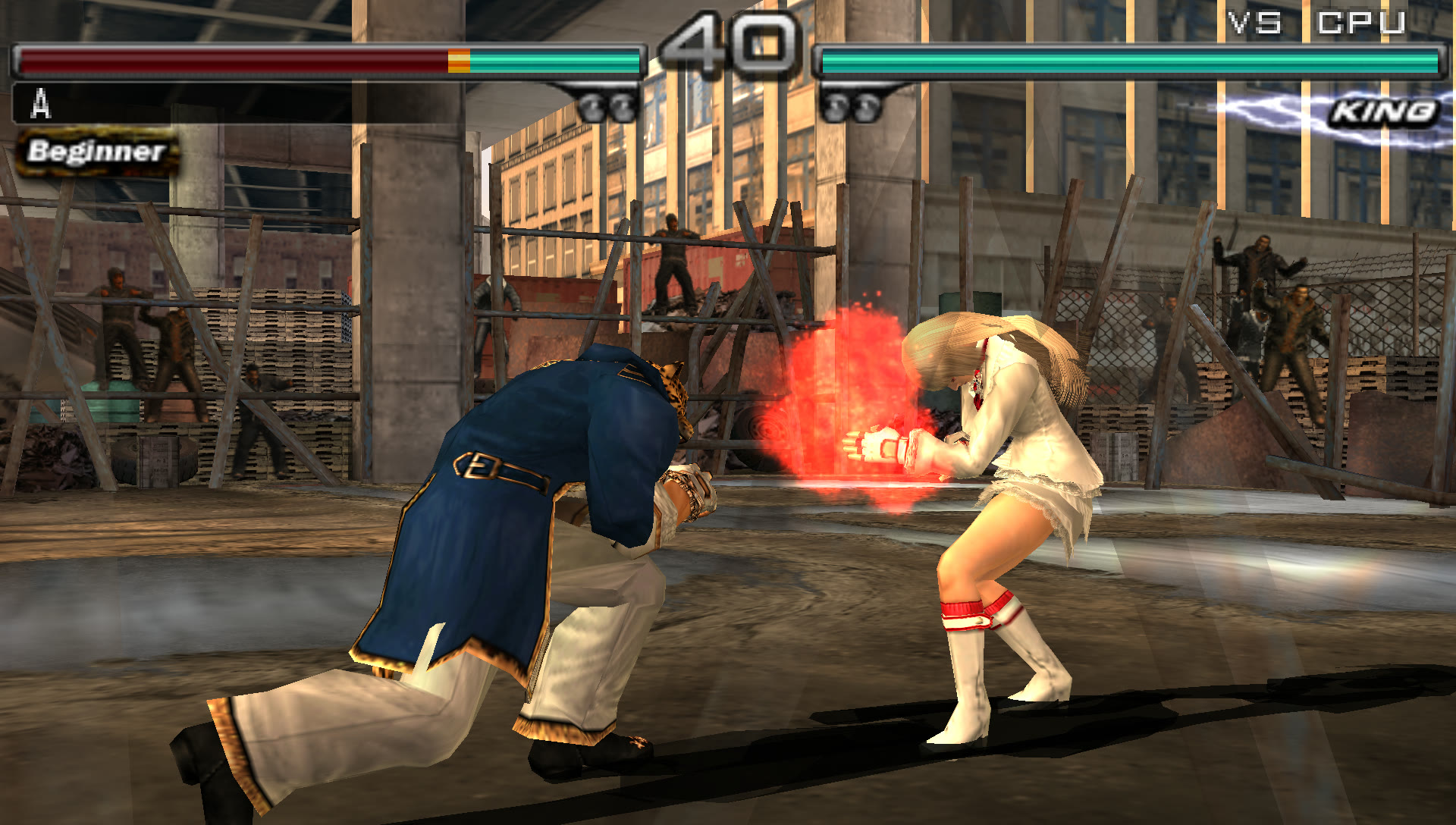 | 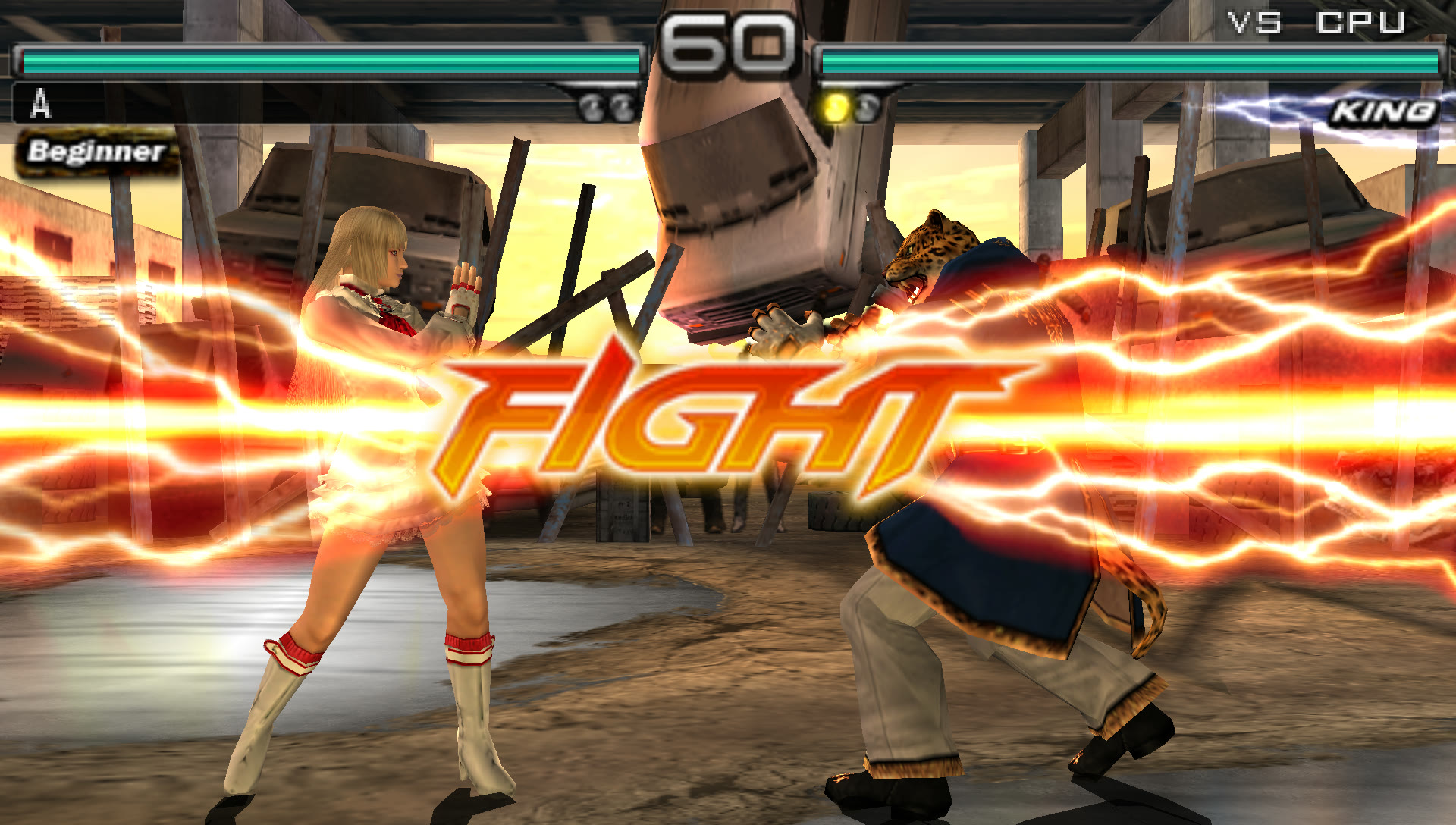 |
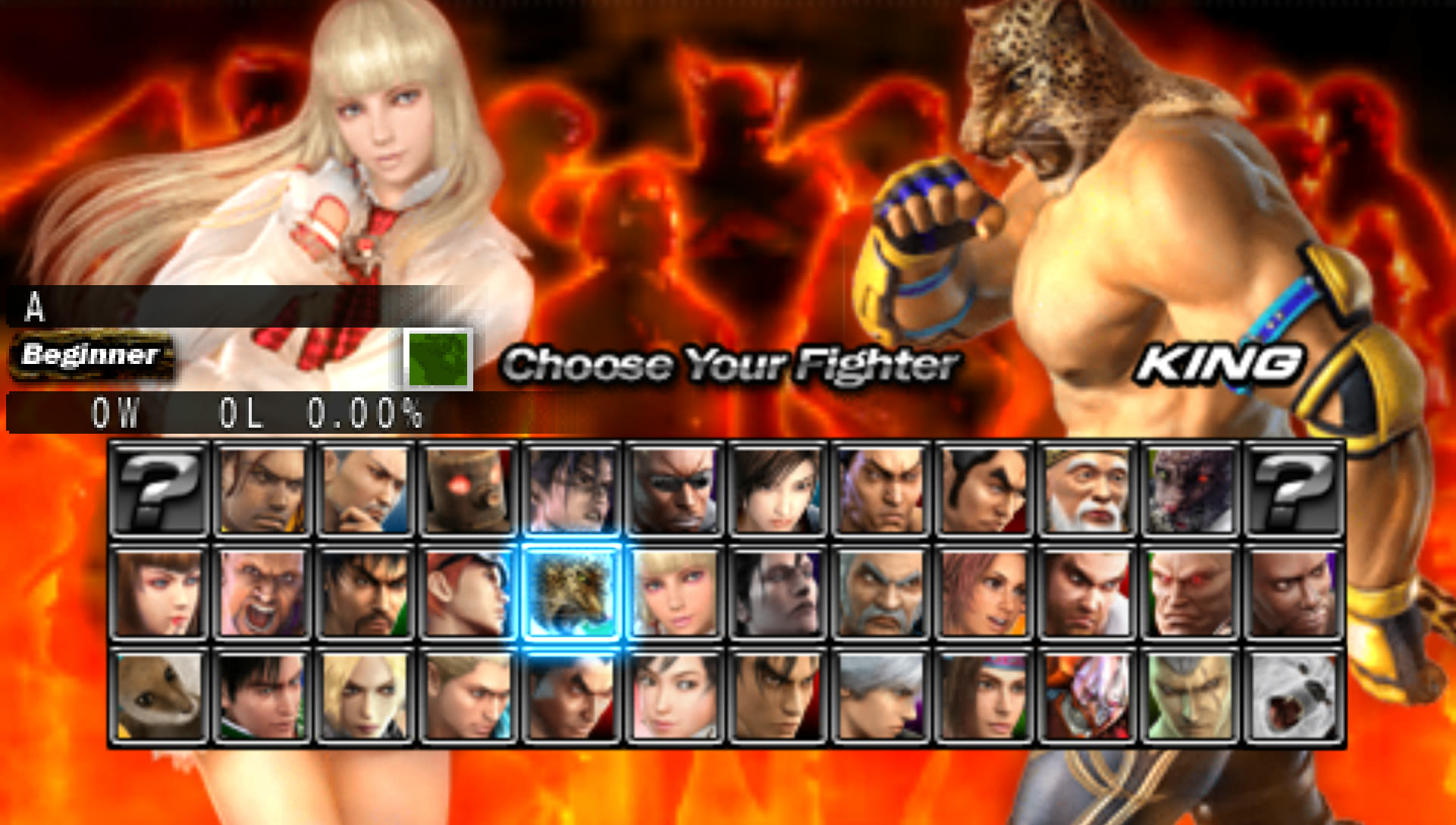
<sub>Native build, 4× (1920×1088).</sub>
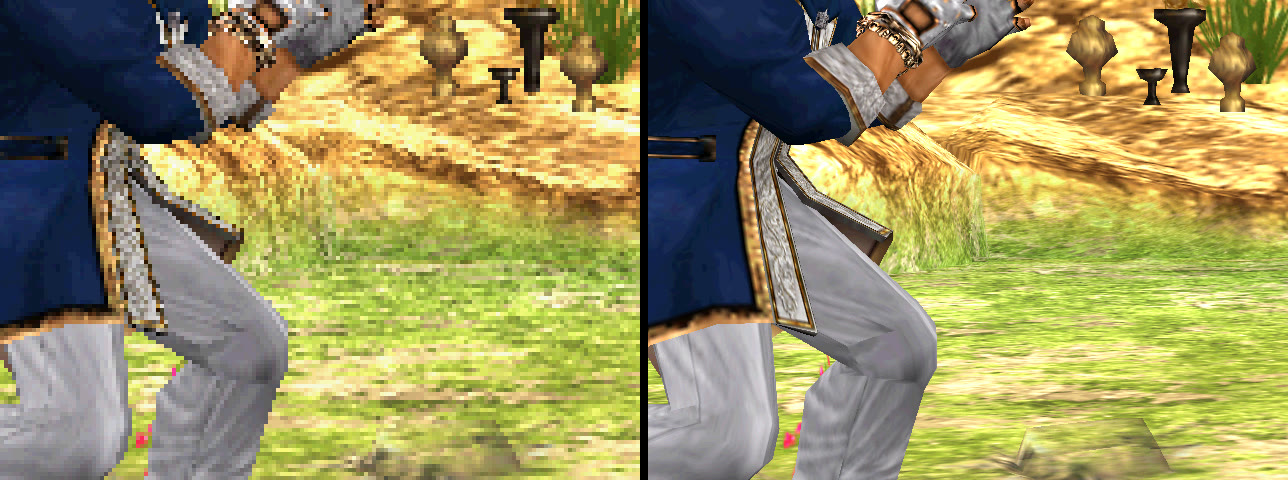
<sub>Same frame at the PSP's 480×272 (left) and at 4× (right).</sub>
Bring your own game
This repository contains no game data, and never will: no executable, no
assets, no translated code, no keys. You need your own UMD of Tekken: Dark
Resurrection ULUS-10139 (USA) v1.00, dumped to an ISO or CSO, and its
decrypted EBOOT. PPSSPP makes it from your disc:
Settings → Tools → Developer tools → Dump decrypted EBOOT.BIN on game boot, boot
the game once, and it appears in PSP/SYSTEM/DUMP/ULUS10139_EBOOT.BIN.
Everything derived from the game is generated locally from your dump, into the
git-ignored game/ and build/. Don't share those or any build made from them.
Unofficial fan project, not affiliated with or endorsed by Bandai Namco or Sony. Tekken is a trademark of Bandai Namco Entertainment Inc.
Play in the browser
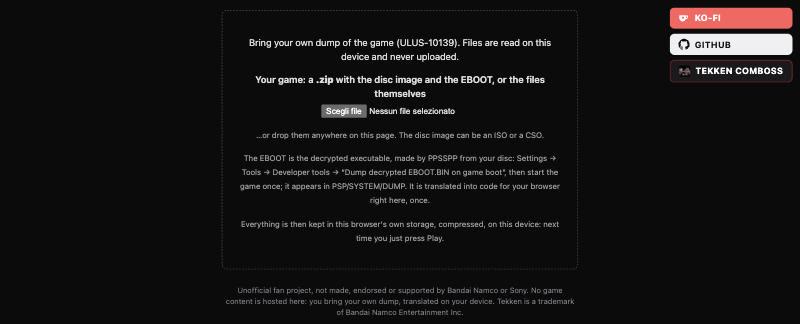
Open the page, pick or drop a .zip with your disc image and EBOOT (or the files
themselves). The EBOOT is translated into WebAssembly in your browser in about a
second; the disc is stored compressed in the browser (1669 → 1109 MB). Nothing is
uploaded. Next time, just press Play.
Needs a recent desktop browser (Chrome, Edge, Firefox, Safari) with WebGL 2.
Controls and settings
| Keyboard | PSP |
|---|---|
| Arrows | D-pad |
| Enter / Space | Start / Select |
| Z / X / C / S | □ / ✕ / ○ / △ |
| Q / W | L / R |
Gamepads, arcade sticks and hitboxes are picked up automatically; F1 opens the settings to rebind each device, choose the SOCD mode, the internal resolution, the renderer and texture packs. F or double click for full screen.
 | 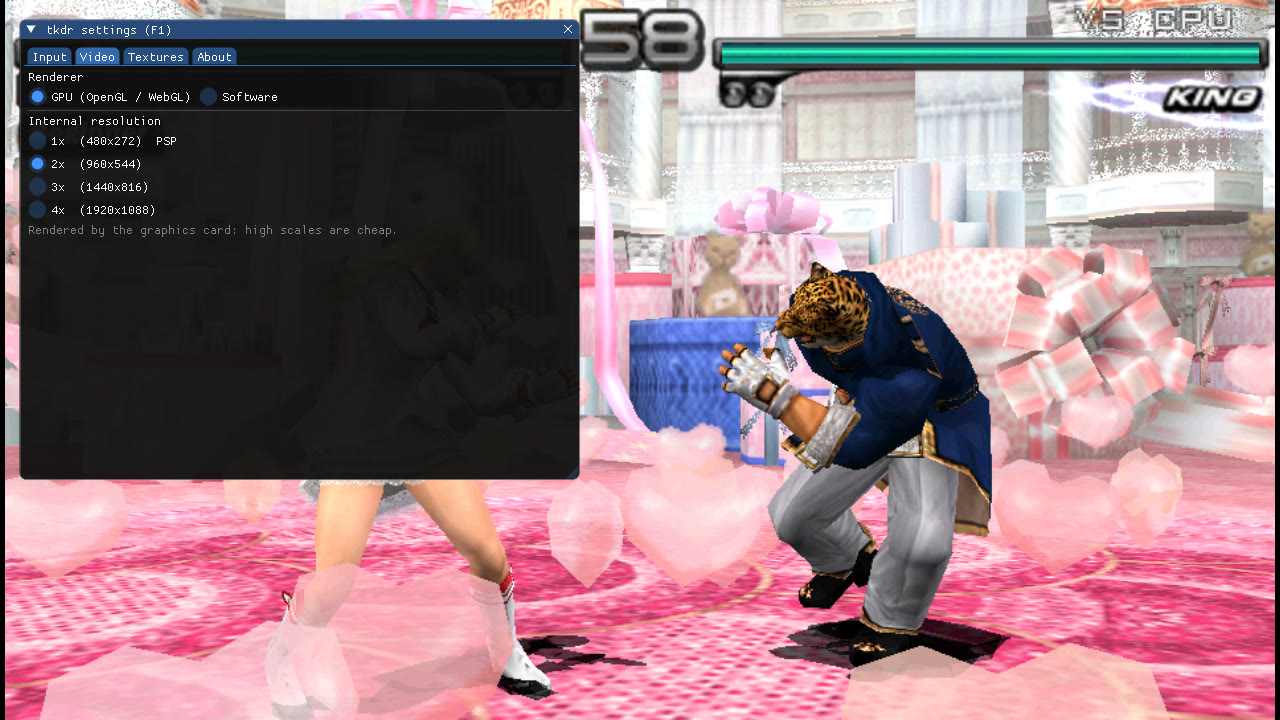 |
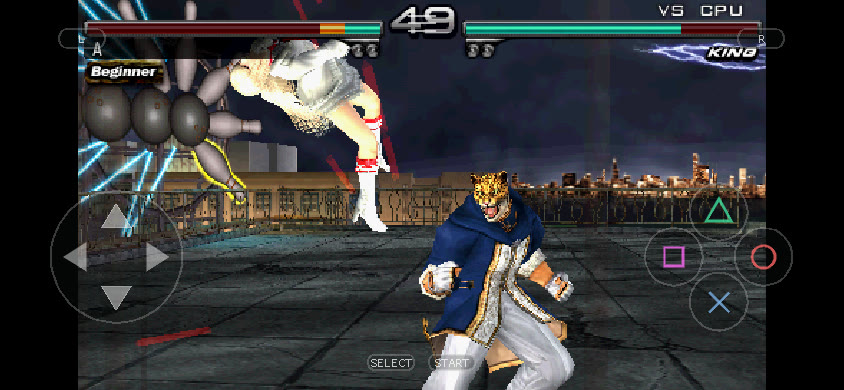
On phones and tablets the page goes full screen with touch controls (d-pad, face buttons, L/R, Start/Select, ≡ for settings), in landscape or portrait.
Build
macOS or Linux with python3, cmake, ninja, a C/C++ compiler and SDL2;
Emscripten for the browser (brew install cmake ninja sdl2 emscripten).
tools/build.sh --iso path/to/game.iso --eboot path/to/ULUS10139_EBOOT.BIN --native --web
build/native/tkdr build/gen/image.bin path/to/game.iso
The script checks the ISO against its redump hash and the
EBOOT against the supported version, translates it to C, builds a minimal FFmpeg
(H.264 only) and compiles. For the browser build, python3 tools/serve.py build/web 8080
and open http://localhost:8080/tkdr.html.
Hosting
tools/build.sh --web-host
needs no game files and produces build/web-host/, the page with the in-browser
recompiler: nothing from the game is in it, so this folder is what can be put
online (any static host sending the COOP/COEP headers in _headers). Each
release has it ready as
tkdr-web-host.zip.
tools/make_deploy.sh [--push] puts it on a deploy branch with a render.yaml
for Render. Never host build/web/ or build/native/: those contain the
translated game.
config.json next to the page can make it load the zip from your own server
instead of asking for files ({"pickFiles": false, "gameZip": "http://my-nas.local/tekken.zip"},
or PICK_FILES / GAME_ZIP with tools/web_config.py). Only on a private
network or behind a login, with your own copy: a page anyone can open that hands
out the game is distributing it. Public builds always ship with pickFiles: true.
Texture packs
Put a PPSSPP pack (textures.ini and the PNGs) in textures/ULUS10139/, or point
TEX_DIR at it. To make your own, enable Dump new textures in F1 → Textures:
every texture is saved to textures/ULUS10139/new/ with PPSSPP's names; edit,
move it up a folder and press Reload pack.
Status
Boots, movies with sound, menus, save/load and full matches at 60 fps up to 4×, natively and in the browser. Tested from boot to Quick Battle; other modes are less explored. Missing: SAS reverb, ad-hoc multiplayer.
How it works
recomp/: loads the PRX, decodes Allegrex, finds functions and emits one C function per guest function.runtime/: guest memory, a PSP-like scheduler on host threads, HLE of the system libraries, VFPU, the GE (vertex pipeline on the CPU, then the GPU renderer or a multi-threaded software rasterizer), SAS/ATRAC3+/H.264, input, touch and settings UI, an SDL2 frontend that also builds with Emscripten.web/recomp/: the same recompiler in JavaScript, writing WebAssembly directly.web/disc.mjs: zip, ISO and CSO in the browser.tools/: build, ISO/CSO, local server and deploy helpers. Debugging aids are inNOTES.md.
Contributing
Welcome. Read CONTRIBUTING.md first: the one hard rule is that nothing derived from a game ever enters the repository.
Found a bug? Open an issue with your setup and the numbers from the fps overlay (F2). Questions and ideas go in Discussions.
Licenses
The project's code is MIT (LICENSE). Third-party code keeps its own:
third_party/at3_standalone/ (ATRAC3/3+ from FFmpeg via PPSSPP, LGPL-2.1+),
third_party/imgui/ (MIT), third_party/stb/ (public domain), and FFmpeg's H.264
decoder, downloaded and built by tools/build_ffmpeg.sh (LGPL-2.1+). The LGPL
sources are in the repository or fetched by the build, as the LGPL requires.
PPSSPP's source served as documentation; recomp/nids.json lists the public
names of the PSP functions the game imports.