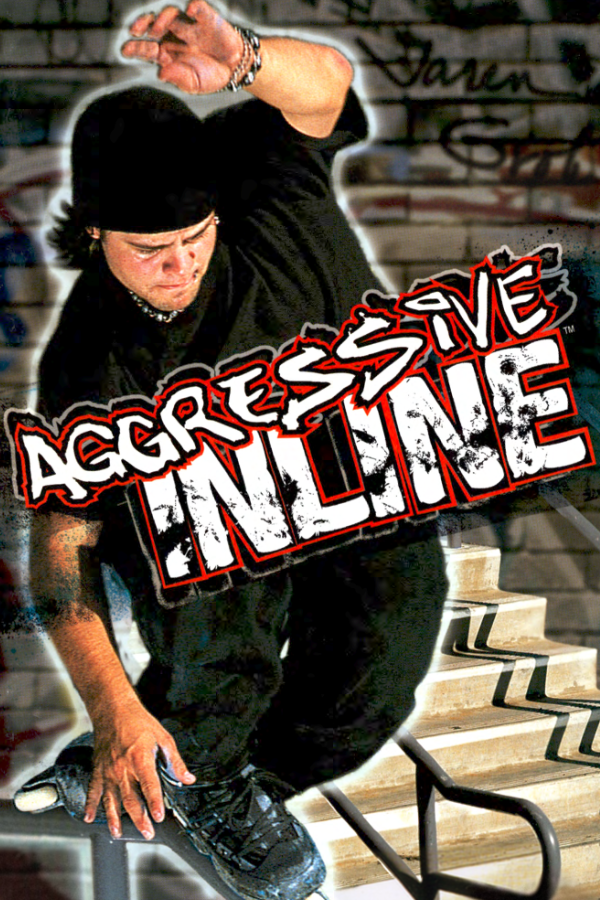
Aggressive Inline · Aggro Royale
Aggressive Inline
OrigenXbox
TecnologíaPort Nativo C/C++ (Reimplementación de Motor)
Disponible paraWindows
Ver proyecto oficialSobre el proyecto
Port nativo del Aggressive Inline original de Xbox a Windows con panorámico, render Direct3D 11 y extras opcionales de BMX XXX y Dave Mirra Freestyle BMX 2.
Información oficial del proyecto
[!NOTE] Beta. The game plays from start to finish on the GPU renderer. Expect rough edges, especially in the optional added levels, and please report problems.
About
Aggressive Inline (2002) is Z-Axis's inline skating game, and one of the best of its era. Aggro Royale turns its Xbox code into C and compiles it for a modern PC, so it runs natively, no emulator, with widescreen, higher resolutions and smoother frame rates on top. If you also own Dave Mirra Freestyle BMX 2 or BMX XXX, their levels and music can come along too. Bring your own copies: nothing from any game is included here.
New levels, for the first time since 2002
For the first time since 2002, you can play new levels in Aggressive Inline. Give the setup your own disc images of BMX XXX and Dave Mirra Freestyle BMX 2, and it builds a plus version of Aggressive Inline: their maps join Free Skate, and their songs join the game's soundtrack, as bonus features.
- 18 bonus levels in Free Skate: 10 from Dave Mirra Freestyle BMX 2 (Woodward, Airport, Cloverleaf, Commercial, Devils Peak, Galloon, Greenville, Swamp Trail, Train Yard, Venice Beach) and 8 from BMX XXX (Rampage Park, The Dam, Mnco, Mullaly, Launch Pad, Sheep Farm, Syracuse, Root)
- 38 bonus songs: both games' soundtracks, each as its own soundtrack in the music menu
- Either game on its own works too, and the setup can take its extras out again
[!WARNING] The bonus features are a beta. These levels were never designed for Aggressive Inline. They work because all three games share Z-Axis's engine, and they are still a lot of fun to skate around, but expect rough spots: grinds feel a little different, a few places let you fall out of the level, and there are no challenges or characters on them.
Status
- ✅ Career, challenges and Free Skate, menus, audio, controller with rumble, keyboard
- ✅ GPU renderer (Direct3D 11) in widescreen, with the render resolution adjustable while you play
- ✅ Optional frame generation up to your display's refresh rate (120 Hz and up)
- ✅ Everything unlocked from a fresh save (can be turned off), and saves kept next to the game
- ✅ A settings menu laid out like a PC game's own: windowed, borderless or fullscreen at your monitor's resolutions (see Settings)
- 🚧 Bonus levels and music from the BMX games (beta, see above)
- 🚧 A couple of effects aren't right yet: the level-up glow, blood from falls
- ⛔ No online play, and none planned
What you need
- Aggressive Inline for the original Xbox, North American release (version 1), as a disc image (
.iso) or its files (default.xbeand themediafolder) - Optional: Dave Mirra Freestyle BMX 2 and/or BMX XXX for the original Xbox (North American), the same way
- Windows 10 or 11, 64-bit, and a graphics card with Direct3D 11
Setting it up
Run aggro_setup.exe. If your games sit next to it, it finds them on its own; if not, point each row at the game's folder or disc image.
- Aggressive Inline is the one you need. The setup checks it's the right release before copying anything. A disc image gets unpacked into a
gamefolder; a folder is just used where it is. - Dave Mirra Freestyle BMX 2 and BMX XXX are optional. Tick one and its levels and music are converted into the
modsfolder. Changed your mind? Untick it and press Build again.
Press Build, then Play. (If you only want plain Aggressive Inline, you can skip the setup: aggro_royale.exe asks for your copy the first time.) For scripts: aggro_setup --build --ai <game> --dm2 <game> --xxx <game>, with --no-dm2 or --no-xxx to take one out.
Build it yourself
You need Build Tools for Visual Studio 2022 with Desktop development with C++, Python 3.8+ and Git for Windows.
- Clone this repository, and next to it the toolkit at its supported version, with this project's patch:
git clone --branch v0.16.0 https://github.com/sp00nznet/xboxrecomp.git cd xboxrecomp && git apply ../aggro-royale/patches/xboxrecomp-local.patch - Put your game in
aggro-royale/game(default.xbeand itsmediafolder). - In Git Bash, in
aggro-royale:./lift.shturns the game's code into C insrc/recomp/gen/. It is made from your copy and never committed. cmake -S . -B build -A x64, thencmake --build build --config Release.- Run
build/Release/aggro_setup.exe, thenbuild/Release/aggro_royale.exe.
For testing, ./run.sh <name> runs the build with its log in logs/<name>.log and lists any crashes or missing functions it hit. The other scripts are described in tools/README.md.
Controls
Any Xbox-style controller works and plays as player 1. On the keyboard: Enter = Start, Z X C V = A B X Y, WASD to move, arrow keys for the d-pad.
| Key | Action |
|---|---|
| F10, or Back+Start | Settings menu |
| Alt+Enter or F11 | Windowed, or back to Borderless / Fullscreen |
| F12 | Screenshot |
Settings
Press F10, or Back+Start on the pad, at any time. The settings sit under four tabs (Q/E, Tab or the bumpers switch them), each with a line explaining what it does, and the mouse works too.
<p align="center"> <img src="docs/images/settings-display.png" alt="The settings menu, Display tab" width="820"> </p>Display
- Display mode: Windowed, Borderless or Fullscreen. Fullscreen switches your monitor to the resolution you pick. Alt+Tab gives your desktop back, and it switches again when you return.
- Monitor: the monitor the game shows on, numbered as Windows numbers them.
- Resolution: every resolution your monitor offers, at its highest refresh rate. After a change the game asks whether to keep it, and goes back by itself after 15 seconds.
- VSync, Scale (fit, integer or stretch), Widescreen, Frame generation and an FPS counter.
Graphics: the renderer (Direct3D 11 or the console's own way), render resolution up to 4x the Xbox's, changed while you play, anisotropic filtering up to 16x, sharpening (AMD FidelityFX CAS), FXAA, a shader (RetroArch presets through librashader, with three CRT looks and AMD FSR included), and the filter used to scale the picture.
Controls: rumble and an extra stick dead zone for worn sticks.
System: pause in background (the game and its sound stop while the window is in the background or minimised), screenshot, save settings and exit.
The display changes wait for "Apply display changes", as in Windows' own display settings, and settings that only take effect when the game starts offer a restart. Everything is saved in aggroroyale.ini next to the exe:
[display]
mode=windowed          ; windowed, borderless or fullscreen
monitor=               ; \\.\DISPLAY2 and so on; empty is the primary monitor
resolution=desktop     ; WxH for fullscreen, e.g. 1920x1080, or desktop
pause_on_focus_loss=1  ; 0 keeps the game running in the background
Mods
Anything in a mods folder next to the game is laid over the game's own files: put a file at mods/<your mod>/media/... and it replaces the game's file at that path. Mods load in name order, and starting a folder's name with _ switches it off.
A mod can also add music (a soundtrack.txt listing its songs) or Free Skate levels (a levels.txt). That's how the BMX extras work. If you're curious how their levels were made to run in Aggressive Inline, see docs/porting-levels.md.
Credits
- xboxrecomp by sp00nz and contributors, the base this project is built on
- xemu, the reference for Xbox hardware behaviour (see NOTICE)
- Exonerated, the Deathrow port this one follows
- A professional coder's input throughout
AI assistance
AI (Claude Opus 5.5) was used as a development assistant for the intensely time-consuming recompilation work, to make this project a reality sooner. Human-made decompilation projects are the gold standard. View the use of AI in this project in whatever way feels most appropriate to you.
Legal
MIT licence (see LICENSE and NOTICE), covering this project's own code only. Aggro Royale is an independent fan project, not affiliated with the rights holders of Aggressive Inline, Dave Mirra Freestyle BMX 2 or BMX XXX, or with Microsoft. Those games, their music, Xbox and related marks belong to their owners. No game code, data, music or assets are included: the program and its setup work only from your own copies.
<p align="center"> <img src="assets/asukaneo-mark.png" alt="AsukaNeo" width="96"> </p>