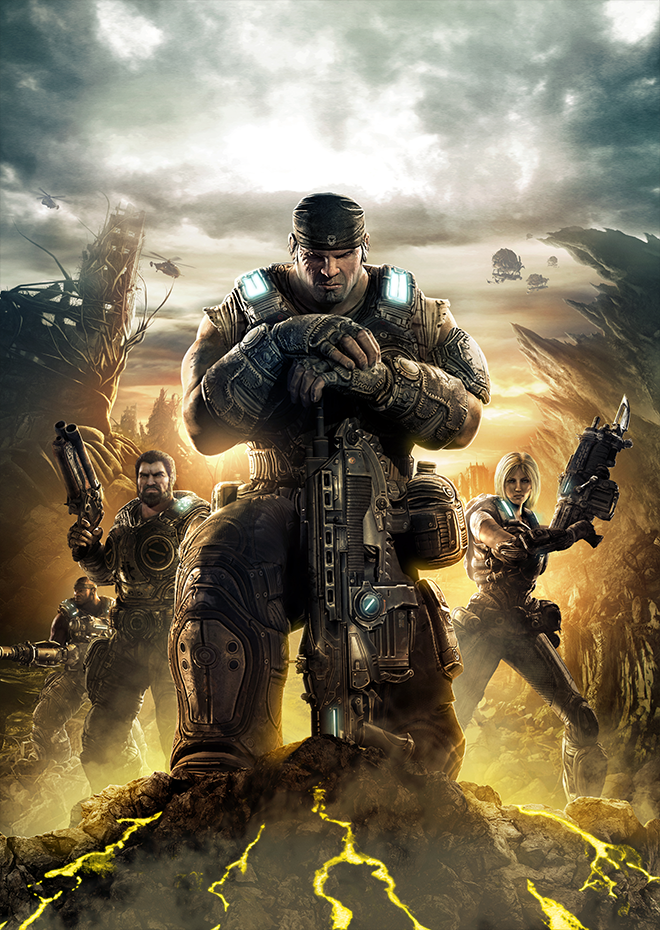
Gears of War 3 · Recompiled (Flippage)
Gears of War 3
OrigenXbox 360
TecnologíaRecompilación Estática (C/C++ nativo)
Disponible paraWindows
Ver proyecto oficialSobre el proyecto
Recompilación ReXGlue para Windows x64 con Direct3D 12, control, ratón nativo y soporte experimental de campaña. El autor no confirma un recorrido completo.
4 versiones de Gears of War 3
Estás viendo: Recompiled (Flippage)
Información oficial del proyecto
Gears of War 3 — native PC recompilation (unofficial, work in progress)




Retail Xbox 360 Gears of War 3 statically recompiled from the player's own default.xex to
native x64 code with the ReXGlue SDK. This is not
emulation of the game's CPU code: the PowerPC executable is translated to C++ and compiled for
Windows. The GPU side still uses ReXGlue's Xenia-derived Xenos renderer (Direct3D 12).
The project's short name is gow3-recomp. It follows the layout and approach of the
Gears of War 2 native PC port and the
Gears of War: Judgment recompilation, and
reuses their open-source tools and runtime patches (see Credits).
You must own the game. This repository contains no game files — no executable, no disc image, no extracted data, no generated code. Every player builds from their own copy of Gears of War 3. Do not open issues or pull requests that contain game files, and do not ask for them.
Status
Built from the base disc executable (title ID 4D5308AB, disc version 0.0.0.11, media ID
58122AD6). The release also includes a separate build for Title Update 6, which you can use
when you have your own copy of that update (see Download).
- Boots, title screen, menus, profile sign-in
- Campaign: loads into missions and plays (tested through the first chapters)
- Saving and loading checkpoints, Continue, across game restarts
- Controller (tested with a DualSense)
- Keyboard and mouse: native mouse aim through the game's own PC mouse input (no stick dead zone or acceleration); left click fires, right click aims, middle click zooms; the mouse back / forward buttons and the wheel can be bound too, and the wheel can cycle weapons (see Keyboard and mouse)
- Shader pipelines compiled off the draw thread and cached between runs; models and textures no longer pop in late or hitch while streaming
- Smooth frame pacing (one present per game frame) and faster EDRAM clears, both from the Gears of War 2 port
- Occlusion culling works: hidden rooms and the lights behind walls are culled as on the console (fixes rooms dropping to ~15 fps, and light glows showing through walls)
- Native renderer (default): the game's render targets stay on the GPU instead of being copied through emulated Xbox 360 EDRAM, about twice the frame rate of ROV at 2x (from ~50-60 to ~90-115 fps on an RTX 5060 Ti). Ported from the Gears of War 2 port. A partial implementation: draws still come from the emulated GPU command stream (see below). RTV and ROV stay as choices in PC Options -> Graphics -> Renderer
- Loading screen while shader pipelines compile (after an update or a graphics change) instead of a black "Not responding" window
- Insane difficulty unlocked from the start (PC Options, Saves; normally it needs a finished campaign)
- Community game patches as settings: Unlock FPS (60 fps and above), Black Shading Fix, 16x AF, texture streaming pool, and optional AO / motion blur / bloom / lens flares / depth of field / post-processing / shadow cuts toggles (off by default: the game runs well with its original look)
- DLSS temporal upscaling calibrated for Gears 3 (camera, depth convention, camera cuts), with the HUD, popups, subtitles and chapter titles kept out of the upscaler (it upscales the frame as it was before the HUD, then the HUD is added on top); 2x internal resolution (2560x1440) renders correctly and runs DLSS as DLAA
- Faces render cleanly in in-engine cutscenes (the black blotches are fixed, see docs/KNOWN_ISSUES.md)
- In-game PC options menu (
F10on keyboard orBack + Starton a controller) - Dynamic on-screen button prompts: replaces original round Xbox 360 buttons with clean Kenney Input Prompts (Xbox, PlayStation, or Keyboard & Mouse matching player keybindings), switching on the fly in Auto mode. Covers menus, the HUD and chainsaw duels, and stays replaced after checkpoint reloads and on the main menu
- Exit Game on the main menu, in place of the defunct Xbox LIVE Marketplace entry (
gow3_main_menu_exit) - Game language in PC Options -> Display (
gow3_language): Automatic (Windows' display language) or any language your copy of the game contains (text and subtitles; speech too where the disc has it) - Ultrawide up to 32:9 with a wider view instead of side bars (Hor+,
gow3_widescreen, automatic on wide displays; needs the Native or ROV renderer, whose emulated render memory is twice the Xbox 360's 10 MB); 16:10, 4:3 and 5:4 for narrower screens; and a field of view slider, 65-100 degrees (gow3_fov), all in PC Options -> Display - FSR 3.1 / FSR 4 on AMD cards: built in and calibrated the same way, but untested
- Two-player campaign co-op over System Link, tested with two instances on one PC (see Co-op); over the internet not yet tested
- Full campaign play-through; Horde, Beast and Versus untested
- Mouse in the game's own menus; 3x internal resolution (wrong colours); the main menu and full-screen menu tints at ultrawide (16:9 only)
Download
Get the latest gow3-recomp-<version>-win64.zip from
Releases, extract it anywhere, and
follow QUICKSTART.txt inside. It includes everything except the game itself, and DLSS:
- You still need your own copy of the game (see Bring your own game).
Run
gow3.exe. It finds your ISO or game folder and walks you through setup. For Title Update 6 and DLC, put your own packages next to the game and setup offers them to you. Unpack any.zip,.7zor.rarfirst: the launcher reads the package files in folders, not archives. launcher.exeopens the settings, upgrades or switches between the base-game and Title Update 6 builds, and checks for new releases (Update, Skip or Later). The zip holds both builds inbuilds\(gow3-base.exe,gow3-tu6.exe);gow3.exestarts the one you chose.- No DLSS in the download (NVIDIA's DLSS SDK license; FSR 3.1 / FSR 4 are included). For DLSS, build it yourself: see DLSS.
- Updating: use the launcher's Update (it keeps
gow3.toml,gow3_game_path.txtandlauncher.ini, and your build). To update by hand instead, extract the new zip over the old folder (replace everything: the zip has nogow3.toml, so your settings are never overwritten), then runlauncher.exeonce: it notices thatgow3.exeis the base-game build again and restores your Title Update 6 build.
Bring your own game
The release can also use your own Title Update 6 and DLC packages: put them next to the game and
the launcher offers them (see Download). Keep them as files in folders (for example
RAAM's Shadow\4D5308AB\00000002\<package>); unpack them first if they came in a .zip, .7z or
.rar, since the launcher doesn't look inside archives.
-
Dump your own Gears of War 3 disc (base version, no title update) to an ISO.
-
Extract it to a folder outside this repository, for example with xdvdfs:
xdvdfs unpack "<your Gears of War 3 ISO>" C:\Games\Gears3-GameFilesThe folder must contain
default.xexand theGearGamefolder. -
Copy that
default.xextogame\default.xexin this repository. Thegame\folder, every game file type and everything generated from the game are git-ignored on purpose.
Building from source
See BUILDING.md. In short (Windows 10/11 x64, Visual Studio 2022+ with the C++ workload, LLVM/clang 18+, CMake, Ninja, Python 3):
# Gears 3's own runtime DLLs (ReXGlue SDK + sdk\patches, with DLSS/FSR), first run ~15-20 min
powershell -ExecutionPolicy Bypass -File scripts\build-sdk.ps1
# The game itself, from your game\default.xex (~5 min)
powershell -ExecutionPolicy Bypass -File scripts\build.ps1 -Sdk C:\path\to\rexglue-sdk\win-amd64
The result is out\build\release\gow3.exe.
DLSS (build from source)
The release zip has no DLSS. Building it yourself takes about half an hour, mostly waiting:
-
Install the tools (once), in PowerShell:
winget install Git.Git Kitware.CMake Ninja-build.Ninja LLVM.LLVM Python.Python.3.12 winget install Microsoft.VisualStudio.2022.BuildTools --override "--wait --passive --add Microsoft.VisualStudio.Workload.VCTools --includeRecommended" -
Download this repository (
git clone https://github.com/Flippage/gears-of-war-3-recomp) and the ReXGlue SDK zip named in BUILDING.md; extract the SDK anywhere. -
Copy your own
default.xex(from your extracted disc) togame\default.xexin the repository. -
Build, from the repository folder:
powershell -ExecutionPolicy Bypass -File scripts\build-sdk.ps1 powershell -ExecutionPolicy Bypass -File scripts\build.ps1 -Sdk C:\path\to\rexglue-sdk\win-amd64 -
Run
out\build\release\gow3.exe. Pick NVIDIA DLSS under F10 → Graphics → Temporal Upscaler. DLSS Preset (same page) picks the DLSS model; Default lets DLSS choose for each quality mode.
The first command downloads the NVIDIA DLSS SDK for your own use and puts nvngx_dlss.dll next to
the game. Full details and options: BUILDING.md.
Or let an AI assistant do it. Paste this into Claude Code, ChatGPT (with a terminal) or Gemini CLI, opened in an empty folder:
Build the Gears of War 3 recomp with DLSS for me on this Windows PC, from
https://github.com/Flippage/gears-of-war-3-recomp. Follow its README section "DLSS (build from
source)" and BUILDING.md exactly: install any missing tools (Git, CMake, Ninja, LLVM, Python,
Visual Studio Build Tools with the C++ workload), clone the repository, download the ReXGlue SDK
release that BUILDING.md names, and run scripts\build-sdk.ps1 (without -NoDlss) and then
scripts\build.ps1 -Sdk <the extracted SDK's win-amd64 folder>. My own default.xex from my game
disc is at <PATH TO default.xex>: copy it to game\default.xex. Never upload, commit or share any
game file. Stop and ask me before deleting anything. When it builds, tell me where gow3.exe is.
Running
From the release zip, run gow3.exe: the first run is guided (see Download). The rest
of this section is for a build from source and for advanced use: run out\build\release\gow3.exe.
It finds your game folder through, in order:
--game_data_root=<folder>, a gow3_game_path.txt next to the exe (first line = the folder), or
the exe's folder and up to four parent folders (and their subfolders) holding default.xex and
GearGame. launcher.exe resolves the folder the same way (with the --game_data_root that
gow3.exe hands over to it), so both act on the same game.
Saves, the profile and the shader cache are written to %LOCALAPPDATA%\GearsOfWar3PC. The game
folder is never modified.
Settings
Press F10 on the keyboard or hold Back + Start together on a controller at any time to
open the in-game PC Options menu. Navigate with the arrow keys, mouse, or controller D-pad /
left stick (LB/RB or Tab switches tabs; A/Enter toggles; B/Esc/F10 closes and saves
your changes back to gow3.toml while keeping its comments intact). Each row displays when it
takes effect:
- Applies now: window mode/size, monitor, V-Sync, Unlock 30 FPS Cap, temporal upscaler (Off / Auto / DLSS / FSR 3 / FSR 4), upscaler quality and DLSS preset, post-process/shadow game patches, button prompt style (Auto / Xbox / PlayStation / Keyboard / Original), keyboard/mouse toggles, mouse sensitivity, controller dead zone, and controller button remapping.
- Applies on next level load: 16x Anisotropic Filtering (
gow3_aniso16). - Needs game restart: GPU selection (
d3d12_adapter), internal resolution scale, display scaling/sharpening filter (present_effect), Black Shading Fix, texture streaming pool size, System Link multiplayer settings, and the save folder (user_data_root). When any restart-only setting has been changed, a Restart Game Now button appears at the bottom of the menu.
gow3.toml next to gow3.exe (made from config\gow3.default.toml, a copy of
config/gow3.toml, on the first start; your edits are kept) can also be edited by hand, and every setting works on the command line
as --name=value.
| Setting | Default | What it does |
|---|---|---|
gow3_button_prompts | auto | Button prompt style: auto (switches live on input), xbox, playstation, keyboard, original |
gow3_unlock_fps | on | Removes the engine's 30 fps cap |
gow3_black_shading_fix | on | GUseTilingMode = FALSE; removes MSAA resolve artifacts |
gow3_disable_motion_blur | on | Removes motion blur (ghosting when panning) |
gow3_disable_ao, gow3_disable_bloom, gow3_disable_lens_flares | off | Community patches that trade the original look for speed |
gow3_disable_dof, gow3_occlusion_query_fix | off | Community quality patches |
gow3_aniso16 | on | 16x anisotropic filtering |
gow3_resolution_scaling_fix | off | Disables all post-processing (changes the look) |
resolution_scale | 1 | Internal resolution: 2 = 2560x1440 (looks great with DLSS); 3 = 3840x2160 is experimental (wrong colours) |
gpu_guest_pixel_center_ps, gpu_unscaled_resolve_max_pitch | on | Keep the colour grading correct at resolution_scale 2 |
gow3_shadow_perf_b | off | Performance Patch Option B (smart shadow cuts) |
gow3_texture_pool_mb | 196 | Texture streaming pool (the game's own is 145) |
readback_memexport | off | CPU readback of memexport (on = long load stalls) |
gow2_temporal, gow2_upscaler | off | Temporal upscaling: set gow2_temporal = true and gow2_upscaler = "dlss" (NVIDIA RTX), "fsr4", "fsr3" or "auto" |
gow3_renderer | native | Renderer: native (fastest), rtv, rov (most exact, slowest); restart |
gow3_widescreen | auto | Ultrawide: auto, off, 21:9, 32:9, 16:10, 4:3, 5:4 (wider than 16:9 needs Native or ROV); restart |
gow3_fov | 80 | Field of view in degrees, 65-100 |
gow2_dlss_preset | default | DLSS model: default, k, j, m, l (DLSS builds only) |
gow3_main_menu_exit | on | Exit Game on the main menu |
gow3_language | auto | Game language: auto (Windows' display language) or a code your game has (INT, FRA, RUS, PTB, POL, CZE, HUN, KOR, CHN, ...); restart |
gow2_hud_separate | on | The upscaler takes the frame before the HUD; the HUD is added on top afterwards |
gow2_ui_mask | off | The old HUD mask for frames without that copy (it let parts of the scene fall back to the raw frame) |
Co-op
System Link campaign co-op works between instances of this recomp. To try it on one PC:
powershell -ExecutionPolicy Bypass -File scripts\coop-local.ps1        # two windowed instances
powershell -ExecutionPolicy Bypass -File scripts\coop-local.ps1 -Stop  # close both
Each instance gets its own profile, saves, shader cache and System Link identity under
out\coop-local. Player 1 uses the controller, player 2 the keyboard (Tab = Back, Enter = Start,
Space = A, WASD = move, arrows = look); a window only gets input while it has the focus.
In both windows, press Back on the main menu to switch the party from Local to System Link. Player 2 joins player 1's System Link party, then player 1 starts the campaign as usual (the campaign's own lobby is the Xbox Live one and asks for a subscription; the party is what links them).
Playing over the internet uses the same System Link with the runtime's net_peers (from the Gears of
War 2 port's patch 0011); a guide for Gears 3 is still to come. Every player needs their own copy of
the game, dumped from their own disc.
Keyboard and mouse
Keyboard & Mouse Input and Mouse Look & Aim are on by default, next to the controller (PC
Options menu, Controls page, or mnk_mode and mnk_mouse in gow3.toml). Click the game window to
capture the mouse. The mouse goes into the game's own PC mouse axes (Unreal Engine 3's MouseX / MouseY
bindings, still present in Gears 3's input config), so aiming has no stick dead zone or stick
acceleration. Mouse Sensitivity (gow3_mouse_scale) and Invert Mouse Y
(gow3_mouse_invert_y) apply at once.
| Input | Action |
|---|---|
| Mouse | Look / aim |
| Left click / right click | Fire (RT) / aim (LT) |
Middle click or Z | Zoom (right stick click) |
W A S D | Move |
Space | Cover, roll, sprint (A) |
F | Melee (B) |
E | Interact, revive, pick up (X) |
Q | Point of interest, execute (Y) |
R | Reload (RB) |
C | Tac/Com (LB) |
Shift | Left stick click |
1 2 3 4 | Weapons (D-pad left, right, down, up) |
| Arrow keys | Look (keyboard) |
Enter or Esc | Pause (Start) |
Tab | Scoreboard / objectives (Back) |
Rebind any of them on the PC Options menu's Keyboard & Mouse Bindings page (F10). Every action
has a Primary and a Secondary slot, shown as key / button icons: click a slot (or select it and
press Enter / A), then press the key or mouse button, or scroll the mouse wheel; Delete, Backspace or X clears a slot, and
Reset Page to Defaults restores the table above. The Controller Buttons page works the same
way for a controller, with Xbox or PlayStation icons; two buttons can press the same action, and a
button bound to a new action moves from its old one. Shift, Ctrl and Alt bind like any other
key. Every binding is also a keybind_* setting in gow3.toml (key names, comma-separated; LMB,
RMB, MMB, Mouse4 (back), Mouse5 (forward) for the mouse buttons, WheelUp / WheelDown for one
notch of the wheel), and controller buttons are pad_map_*. Mouse Wheel Weapon Cycling (Controls page,
mnk_wheel_weapon_cycle, off by default) makes wheel up / down select the next / previous weapon, in
the 1 to 4 order, from the one last picked with a weapon key or the wheel. The game's own
menus are controller-style: use the keys above, the mouse does not point and click there (the
console menus have no pointer; a known limitation).
Known issues
- The first launch after updating, or after changing a graphics setting (such as the internal resolution), recompiles the shader pipelines behind a "Preparing shaders" screen. It can take a few minutes; later launches load them from the cache.
- The native renderer is a partial implementation. It covers the Gears of War 2 port's native surfaces and native resolves (render targets and resolves handled on the GPU), with one Gears 3 addition (depth to colour copies kept, which the cutscene lighting reads). Drawing straight from the game's own Direct3D calls (the Gears 2 port's "native frontend") still needs the game's Direct3D functions mapped for Gears 3, and is future work. If something renders wrong, compare with Renderer = ROV in PC Options -> Graphics and report it.
- With an upscaler on, characters that move by themselves can ghost slightly (only camera motion vectors are available).
- 3x internal resolution shows wrong colours (issue #13); use 2x.
- Ultrawide: the main menu stays 16:9, and the full-screen pause tint, death tint and main-menu blood effect cover only the middle 16:9 of the screen.
- Aim assist also applies to the mouse.
- Saves and Title Update 6: the Title Update 6 build reads the base game's saves (a campaign checkpoint from before the update loads, and is saved in the update's format at the next checkpoint), but the base-game build cannot read saves the Title Update 6 build wrote. Once you have played with Title Update 6, keep using that build; if the base-game build then reports "Error Loading Checkpoints", choose Cancel, not Overwrite, or the updated saves are deleted.
Finding the functions codegen misses
tools/harvest_hints.py (from the Gears 2 port) scans the decrypted image for function entries
that codegen missed; the image comes from gow3.exe itself (GOW3_DUMP_IMAGE=<folder>) and
tools/make_image_blocks.py. scripts/harvest-loop.ps1 boots the game, reads the "unregistered
function" FATAL, adds it to hints/runtime.toml and rebuilds. tools/patch_switch_traps.py turns
codegen's give-up points into runtime dispatch. tools/find_site.py maps a guest address to the
generated C++.
Credits
- ReXGlue SDK (BSD-3-Clause, derived from Xenia): recompiler and runtime.
- Gears of War 2 native PC port
(BSD-3-Clause): SDK patch series
0002-0029, build scripts, the hint harvester, the UTF-8 and XamInput guards, the in-game PC options menu, and the overall approach; the native renderer's native surfaces and native resolves (its patches0032,0034-0039,0041-0045, ported as our0069-0080). - Gears of War: Judgment recompilation (BSD-3-Clause): the switch-trap patcher, the guards and the temporal upscaler code (by way of the Gears 2 port).
- Xenia (BSD-3-Clause): GPU fixes ported as
sdk/patches/0030and0031, and the reference for correct rendering. - Community game patches from xenia-canary/game-patches by illusion, boma and Sowa_95.
- NVIDIA DLSS SDK and AMD FidelityFX SDK: fetched at build time for your own use, never committed.
- xdvdfs (MIT): disc extraction.
Exact files, copyright lines and license texts: THIRD_PARTY_NOTICES.md.
Legal
Unofficial project. Not affiliated with or endorsed by Microsoft, Xbox Game Studios, The Coalition, or Epic Games. Gears of War is a trademark of Microsoft Corporation; Gears of War 3 is © Microsoft Corporation (originally © 2011 Epic Games, Inc.). All trademarks belong to their owners.
This repository contains no part of the game and must never be used to distribute it. You need your own legally obtained copy. This repository's own code is licensed under the BSD 3-Clause License — see LICENSE; files from other projects keep their licenses (THIRD_PARTY_NOTICES.md).