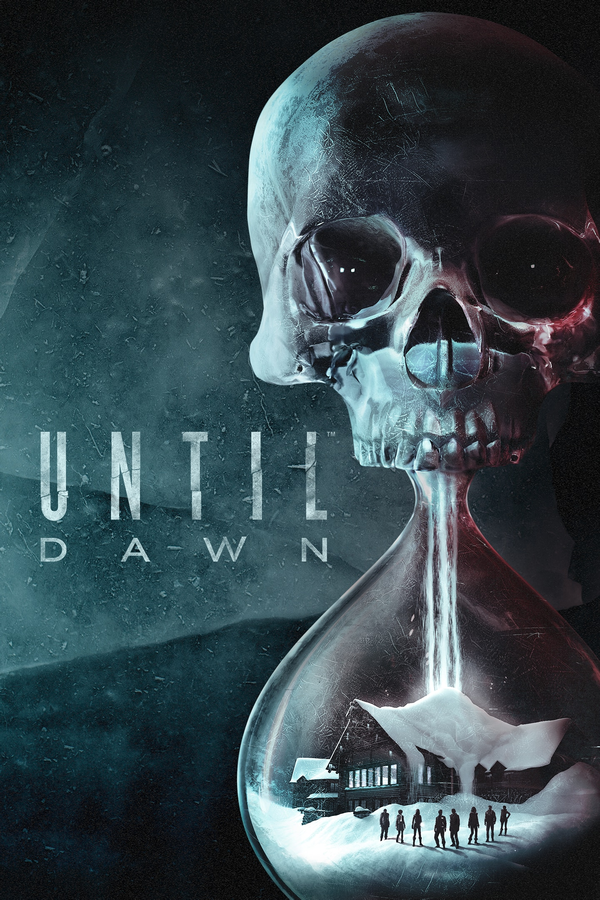
Until Dawn PC · Until Dawn
Until Dawn
OrigenPlayStation 4
TecnologíaRecompilación Estática (C/C++ nativo)
Disponible paraWindows
Ver proyecto oficialSobre el proyecto
Until Dawn PC: proyecto comunitario para Until Dawn. Consulta las instrucciones oficiales y utiliza exclusivamente tus propios archivos del juego.
Información oficial del proyecto
Until Dawn (2015) — Native PC Recompilation
Play the original Until Dawn (2015) natively on Windows, without console emulation.
This project brings the original PlayStation 4 version of Until Dawn to PC using the game's original x86-64 code, a custom Windows runtime and a Vulkan renderer.
The game is playable from start to finish, although development is still ongoing. A complete playthrough was achieved with an earlier build, but the latest release has not yet been fully playtested.
[!WARNING] This is still a work-in-progress. Expect occasional crashes, graphical issues, frame-rate drops and shader compilation stutters. Some demanding scenes still run below 30 FPS. Improvements to stability, performance and compatibility are ongoing.
[!IMPORTANT] You must provide your own legally obtained copy of Until Dawn (2015) for PlayStation 4 (CUSA02636), with update 1.03 applied.
No original game files are included with this project.
This is an unofficial fan project and is not affiliated with Sony Interactive Entertainment or Supermassive Games.
Download
Current version: v0.3.1 — Released 4 November 2026
Download UntilDawn_0.3.1.zip from the release's Assets section.
The download includes the program, shader list, compatibility tester and documentation. Game files are not included.
What's new in v0.3.1
v0.3.1 is a focused graphics and shader update:
- Fixed see-through and depth-faded surfaces, including the black icicles, the solid liquid in the "strange skull" clue jar, the squares on the cable car windows in Chapter 1 and a pale glow along the edges of hair.
- Fixed draws that were left out in parts of Chapters 5 and 6.
- Expanded shader preparation to 6,797 recorded pipelines from a full playthrough of the game.
See the v0.3.1 changelog for the full list of changes.
Previously in v0.3.0
- Added GPU memory coherence to fix stretched character geometry and disappearing lake water.
- Fixed a crash when loading chapters.
- Expanded shader preparation to 4,440 recorded pipelines, covering the opening of every chapter.
- Fixed cinematic letterbox bars and some outdated textures.
- Improved memory handling and stability.
- Added the original Halloween Hunt 2015 event as an optional extra.
See the v0.3.0 changelog for the full list of changes.
Features
Gameplay
- Play the original PS4 version of Until Dawn on Windows.
- Supports the full story, including all chapters and endings.
- Save files are stored locally in
savedata\. - Supports the original pre-order bonus chapter, The Road Not Taken, if you own the DLC.
- Supports skipping certain intro videos, recaps and tutorials.
Graphics
- Custom Vulkan renderer running the game's original graphics.
- Renders internally at 1920×1080, with windowed and borderless display modes.
- Adjustable window size and frame-rate limit, with 60 FPS as the default cap.
- Shader preparation before gameplay to reduce stuttering.
- Shader caching so previously compiled shaders don't need to be compiled again.
- GPU memory coherence to prevent certain graphical issues, enabled by default.
- Options for selecting your graphics card and presentation mode.
Controllers and input
- DualShock 4, DualSense and DualSense Edge support over USB or Bluetooth.
- Touch pad and motion-control support, including Don't Move sequences.
- Xbox controllers and other XInput-compatible controllers.
- Keyboard and mouse support, including mouse aiming.
Extras
- Halloween Hunt 2015: Restores the original Halloween screen and hidden pumpkins throughout the game. Disabled by default, but can be enabled anytime by setting
halloween_hunt = 1inConfig\settings.ini.
Other
- Checks your game files and hardware before starting.
- Settings can be changed through
Config\settings.ini. - Includes a hardware compatibility tester.
- Saves logs to help identify crashes and other issues.
System requirements
| Component | Requirement |
|---|---|
| Operating system | Windows 10 or 11, 64-bit |
| Processor | Intel Core 4th generation (Haswell) or newer, or AMD Ryzen or newer |
| Memory | 16 GB RAM recommended |
| Graphics card | Vulkan 1.3 compatible GPU with the required extensions |
| Storage | Approximately 50 GB for the game, plus space for shader caching |
| Game | Until Dawn PS4, CUSA02636, update 1.03 |
Important information:
- The CPU must support AVX, F16C, BMI1, LZCNT, POPCNT, MOVBE and SSE4.2.
- The graphics driver must support
VK_EXT_external_memory_hostandVK_KHR_push_descriptor, along with the Vulkan features checked at startup. - Keep the Windows page file enabled.
- NVIDIA GPUs have received the most testing. AMD support has been tested in earlier builds, while Intel GPUs remain largely untested.
- Meeting these requirements does not guarantee smooth performance or compatibility.
Tested hardware
The project has been tested on several different PCs. Results include both gameplay testing and hardware compatibility checks.
A successful compatibility test does not guarantee that the game will run without issues. Most results are from earlier versions, and not all systems have been tested with v0.3.1.
| CPU | GPU | Driver | OS | RAM | Results |
|---|---|---|---|---|---|
| Intel Core i9-12900KF | NVIDIA RTX 3090 Ti | 617.42, 621.01 | Windows 11 | 64 GB | Full playthrough completed. 66/66 compatibility checks passed. |
| Intel Core Ultra 9 275HX | NVIDIA RTX 5070 Laptop | 617.42 | Windows 11 | 32 GB | 66/66 compatibility checks passed. |
| AMD Ryzen 7 5700G | NVIDIA RTX 3060 Ti | 610.88 | Windows 11 | 24 GB | 67/67 compatibility checks passed. |
| AMD Ryzen 5 7500F | NVIDIA RTX 3080 | 617.42 | Windows 11 | 32 GB | 67/67 compatibility checks passed. |
| AMD Ryzen 7 5700X | NVIDIA RTX 5070 | 596.49 | Windows 11 | 16 GB | 63/63 compatibility checks passed. |
| AMD Ryzen 5 9600X | AMD Radeon RX 9070 XT | 26.8.1 | Windows 11 | 32 GB | All compatibility checks passed with WIP 0.1.3. |
| AMD Ryzen 7 5800X | NVIDIA RTX 3090 | 617.14 | Windows 11 | 32 GB | 67/67 compatibility checks passed. |
| AMD Ryzen (model not reported) | NVIDIA RTX 5080 | 617.42 | Windows 11 | 56 GB | 67/67 compatibility checks passed. |
| Intel Core i5-9400F | NVIDIA GTX 1660 Ti | 616.92 | Windows 11 | 16 GB | 66/66 compatibility checks passed with WIP 0.1.4. |
Additional gameplay reports
- GTX 1660 Ti: Gameplay confirmed with WIP 0.1.4, although occasional crashes and shader compilation pauses were reported.
- RTX 5050 Laptop: Gameplay tested with WIP 0.1.4. Performance and display issues were reported when the integrated GPU handled the display.
- AMD Radeon RX 9070 XT: Graphical issues reported in WIP 0.1.2 were fixed and verified in WIP 0.1.3.
Important: the GPU coherence system (new in v0.3.0) has primarily been tested on the development NVIDIA RTX 3090 Ti. AMD and Intel testing is still needed.
If you have different hardware, please consider submitting a compatibility report.
Installation
1. Download the program
Download UntilDawn_0.3.1.zip from the Releases page.
Extract the ZIP into a folder of your choice, such as:
D:\Games\UntilDawn
Avoid installing it inside Program Files, as the game stores its settings, saves, logs and shader cache in its own folder.
2. Add your game files
You need a decrypted dump of the original Until Dawn PS4 game, CUSA02636, with update 1.03 applied, from your own legally obtained copy.
Copy the game files into the Game folder beside UntilDawn.exe.
The required files and folders include:
Game\
├── eboot.bin
├── all_programs.prx
├── sce_sys\
├── localcachepink\
├── Movies\
└── audio\
Alternatively, you can use your existing game folder by setting its location in Config\settings.ini:
game_dir = D:\PS4\CUSA02636
Replace the example path with your own game folder.
If you own the The Road Not Taken DLC, you can also include its UDAWNDLC00000001 folder.
3. Start the game
Double-click UntilDawn.exe.
The program will check your game files and hardware before starting.
On the first launch, the game will prepare its shaders. This takes approximately 2¼ minutes on the development PC, but may take longer on slower processors.
Later launches are much quicker because compiled shaders are cached.
You can skip preparation with Esc or Circle, although this may cause shader compilation stutters during gameplay.
For more details, see the Installation Guide.
Updating from an earlier version
If you're updating from v0.3.0 or an earlier release, replace the program files with the new versions.
Make sure to update:
UntilDawn.exepipelines.udmcompat\ud_compat.exe- The included documentation
Do not overwrite your existing Game\, savedata\ or Config\settings.ini.
Your game files, saves and settings will carry over.
Settings
Most settings can be changed in Config\settings.ini.
Some useful options include:
| Setting | Description |
|---|---|
shader_preparation | Controls shader preparation before gameplay. Enabled by default. |
gpu_coherence | Keeps CPU and GPU memory synchronised. Enabled by default; set to 0 to disable. |
halloween_hunt | Enables the original Halloween Hunt 2015 event when set to 1. |
renderer_thread | Controls whether the renderer runs on a separate thread. |
gpu | Selects which graphics card the game uses. |
present_mode | Changes how rendered frames are presented. |
The program also supports changing window size, display mode and frame-rate limits.
See the Installation Guide for the full list of settings.
Controls
The game supports PlayStation controllers, Xbox controllers, keyboard and mouse.
| Action | Keyboard / mouse | Xbox controller |
|---|---|---|
| Movement | W, A, S, D | Left stick |
| Camera | I, J, K, L or mouse aiming | Right stick |
| Cross / Confirm | Enter or Space | A |
| Circle / Back | Esc or Backspace | B |
| Square | Q | X |
| Triangle | E | Y |
| L1 / R1 | 1 / 3 | LB / RB |
| L2 / R2 | Z / C | LT / RT |
| D-pad | Arrow keys | D-pad |
| Options | Tab | Menu |
| Touch pad click | T | View |
Mouse aiming can be toggled using M.
DualShock 4 and DualSense controllers also support the original touch pad and motion controls, although motion drift can occur during some Don't Move sequences.
See the Full Controls Guide for more information.
Known Issues
The project is still in development, and some issues remain.
- Intermittent memory corruption can still cause crashes.
- Some demanding scenes run below 30 FPS.
- Shader compilation stutters may occur when entering scenes for the first time.
- Some graphical issues remain, including lighting problems, flickering UI elements and occasional character distortions.
- Certain Chapter 10 graphical problems have not yet been fully re-tested.
- Motion controls may drift during some Don't Move sequences.
- Some laptops with integrated and dedicated GPUs may experience performance or display issues.
- PlayStation controller vibration and light-bar support are not yet available.
- Keyboard controls cannot currently be remapped.
- Online and PlayStation Network features are not supported.
GPU coherence fixes several major graphical problems in v0.3.0, but does not resolve the remaining memory corruption.
If you experience new issues, try setting gpu_coherence = 0 in Config\settings.ini and report whether it makes a difference.
See the Known Issues page for a more detailed list.
Compatibility testing
The release includes a compatibility tester to check whether your PC supports the program.
How to run it
- Open the
compatfolder. - Run
run_compat.bat. - Wait for the tests to finish.
- The results will be saved as
compat_report.zip.
If possible, please share your results through a GitHub compatibility report.
AMD and Intel GPU reports are especially helpful, even if everything passes.
More information is available in the Compatibility Testing Guide.
Reporting bugs
If you encounter a crash, graphical issue or other problem, please report it through GitHub Issues.
Try to include:
- What happened and where it happened.
- Whether the issue happens again.
- A screenshot or video, if possible.
- Your CPU and graphics card.
Logs\UntilDawn.log.compat\compat_report.zip, if available.
Please check logs for personal information, such as your Windows username or folder paths, before uploading them.
Do not share or request copyrighted game files.
How it works
The original PS4 uses an x86-64 processor, which is also used by modern Windows PCs.
This allows the game's original CPU code to run directly on Windows, without console or CPU emulation.
The project provides:
- A custom loader that loads the original game files and starts the game.
- A Windows compatibility layer that replaces the PS4 system functions needed by the game.
- A custom Vulkan renderer that translates the original graphics commands and shaders for modern PC graphics cards.
- Shader caching to reduce compilation stutters on future launches.
The original game code, graphics, audio and other assets come from your own game files.
For more details, see the Technical Overview.
Modding
The project includes technical documentation for anyone interested in understanding or modifying the original Until Dawn on PC.
This covers the game's file formats, memory, graphics, shaders and other systems.
Modding support is still early in development, and there is currently no dedicated mod loader.
See the Technical Overview.
Source code
The project is open-source, including the Windows runtime, Vulkan renderer, shader translator, compatibility tester and supporting tools.
You can find the code and build instructions in the source folder.
The repository does not include the original game's code or assets.
See Third-party Notices for additional information.
Future development
Development is ongoing, with the main priorities being:
- Stability: Fix remaining crashes and memory corruption.
- Graphics: Improve rendering accuracy and fix graphical issues.
- Performance: Improve frame rates and reduce stuttering.
- Compatibility: Expand support for different graphics cards and hardware.
Other features I'd like to explore in the future include:
- Higher resolutions, including native 4K.
- More consistent 60 FPS performance and possibly higher frame rates.
- DLSS and FSR support.
- A proper in-game settings menu.
- More language options and accessibility improvements.
- Additional features such as freecam and first-person mode.
- Better modding support and documentation.
These are future goals and are not guaranteed features or confirmed release plans.
License
See LICENSE for the project's license.
The license applies only to this project's own code and does not grant rights to the original Until Dawn game or its assets.
Additional information can be found in Third-party Notices.
Disclaimer
Until Dawn PC Recompilation is an unofficial, non-commercial fan project.
It is not affiliated with, endorsed by or supported by Sony Interactive Entertainment or Supermassive Games.
All original game files, characters, music, artwork and other intellectual property belong to their respective owners.
The game is not included. Players must provide their own legally obtained copy of the original PlayStation 4 version.
This software is provided as-is, without warranty.