
Halo 1 Decomp Fork
Halo: Combat Evolved
OrigenXbox
TecnologíaDescompilación y Reconstrucción en C/C++
Disponible paraAndroid
Ver proyecto oficialSobre el proyecto
Halo: Combat Evolved, comúnmente conocido como Halo, Halo CE o Halo 1, es un videojuego de disparos en primera persona desarrollado por Bungie Studios y publicado por Microsoft Game Studios el 15 de noviembre de 2001, a manera de título debut de la videoconsola Xbox, y de la cual es considerado como su aplicación asesina. Es el primer juego de la franquicia Halo.
12 versiones de Halo: Combat Evolved
Estás viendo: Halo 1 Decomp Fork
Halo 1 Decomp Forkgithub.com/thelinkin3000/halo-ce-universalHalo 1 Decompgithub.com/cybersecurity/halo-ce-universalHalo 1 Touch Control Forkgithub.com/theLlamaNet/halo-ce-androidHalo CE Webgithub.com/fqlx/halo-ce-universalHalo: Combat Evolvedgithub.com/punpckhdq/halohalo ce vita (BirchWoodGod)github.com/BirchWoodGod/halo-ce-vitaHalo: Combat Evolved (Android)github.com/FulGerNet/halo-ce-androidHalo: Combat Evolved (Chupathingy)github.com/ChupathingyCE/chupathingyceHalo: Combat Evolved (halo-ce-universal, bnunu)github.com/bnunu/halo-ce-universalHalo: Combat Evolved (iOS/macOS)github.com/chrissotraidis/projectreachHalo: Combat Evolved Universalgithub.com/OpenCommunityEdition/OpenCE OpenCE (Halo: Combat Evolved)github.com/OpenCommunityEdition/OpenCE
Información oficial del proyecto
OpenCE Ports
Halo: Combat Evolved on Android phones and handhelds, the Nintendo Switch and the PlayStation 5, built from the decompilation of the Xbox game.







Download · Install · Graphics · Multiplayer · Controls · Report a problem · Building · Discord
<!-- Videos and screenshots from a contributor go here: one large capture, then a row of three, each taken on a phone, a Switch or a PS5. --> </div>It is not an emulator. The game's own code, decompiled from the Xbox build 2342, is compiled for the device's processor (ARM, or the PS5's x86-64). Its Direct3D 8 rendering is translated to Vulkan on Android and the PS5 and to deko3d, the Switch's own GPU interface, on the Switch.
[!TIP] New: the OpenCE overlay. Hold L + R and press d-pad down (on Android without a controller, tap the screen with three fingers, or four as set in the touch controls' General options) for a panel of cheats (god mode, infinite ammo, super jump and more), bots, the game's speed, the HUD, the camera and the renderer's switches, without leaving the game, and entries of your own. No cheats in multiplayer unless you are the host: in a game someone else hosts, the overlay's cheats are refused. See The OpenCE overlay.
[!IMPORTANT] No game data is included. You need your own Xbox disc image of Halo: Combat Evolved (
.isoor.xiso, any region). The game unpacks its maps from it on the first start.
<div align="center">[!WARNING] Official sources. The only official downloads are the releases on this repository. Builds, "updates" or donation requests offered anywhere else under this project's name are not from us.
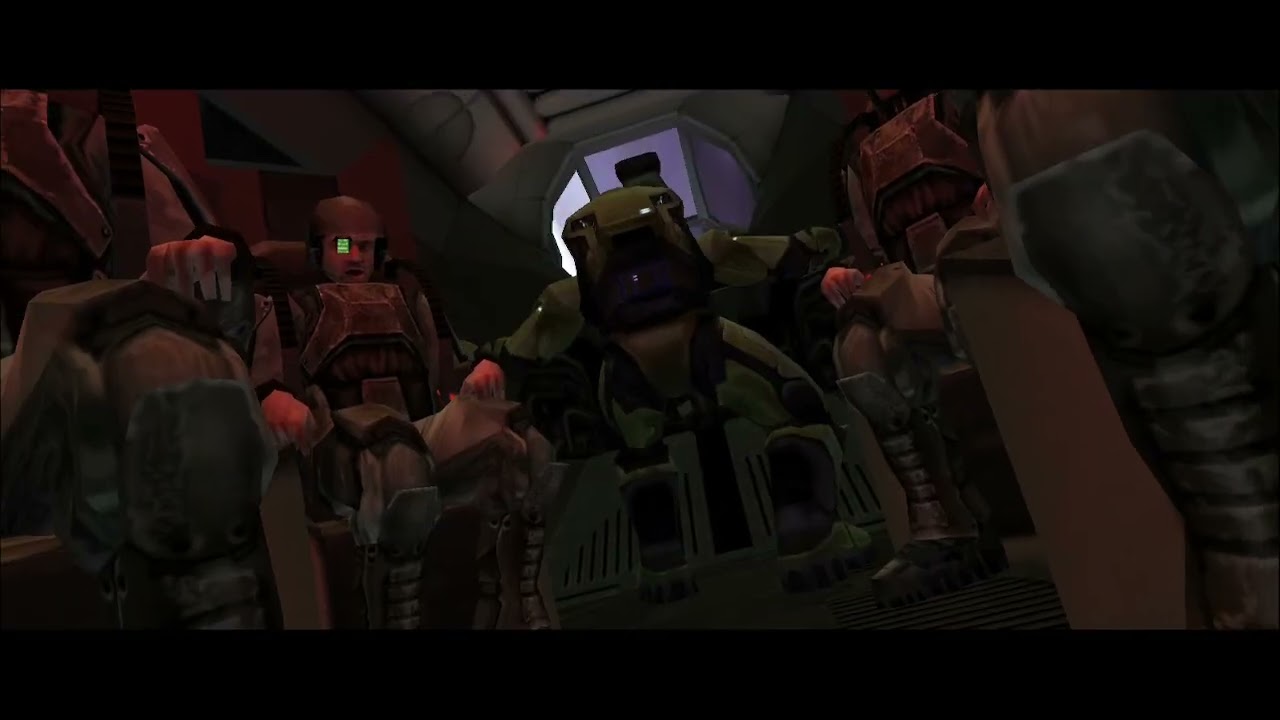
Halo: Combat Evolved on the Nintendo Switch (video by puginatux).
</div>Contents
- What works · Known issues
- Download · Install: Android, Nintendo Switch, PlayStation 5, updating
- Graphics: Vulkan, Turnip and deko3d
- Multiplayer · Controls · The OpenCE overlay
- Reporting a problem
- Building · Credits
What works
| 🎮 Campaign | The whole campaign, with checkpoints, saves and cinematics. Xbox maps of every region; PAL maps are made to play as NTSC ones. |
| 🖼️ Vulkan on Android | The default renderer. On Qualcomm Adreno GPUs the app can download and use Turnip, Mesa's open-source driver, in place of the phone's own. OpenGL ES 3 is still there as a fallback. |
| 🟥 deko3d on the Switch | A renderer written for the console's GPU, docked at 1080p or handheld at 720p, switching on its own when you dock. |
| 🟦 The PS5 | A homebrew title for a jailbroken console: up to native 4K at 120 frames a second, aiming with the DualSense's gyroscope, voice chat through the pad's microphone. |
| 👥 Split screen | Up to four players on one device, with one controller each. |
| 🌐 Multiplayer | System link on the local network and internet play through invite links and the server browser, with voice chat. |
| 🗺️ Custom maps | Xbox maps and Halo PC / Custom Edition maps, downloaded from the host when you join without them. |
| ✋ Touch | On Android: touch controls in game with swipe aiming, optional gyro aiming, a layout editor; taps work in every menu. |
| 🔠 High-res HUD and text | The HUD, the menus' text and their titles redrawn at high resolution. |
| 🔄 Self-updating | Both builds look for a newer release when they start and offer to install it. |
Known issues
- Bink movies don't play: the game skips them.
- Android: kernels with 16 KB memory pages (a developer option on Android 15, and some newer phones) can't run the game: the Xbox memory uses 4 KB pages. The app also needs Android 9 or later and a 64-bit ARM CPU.
- Android, Vulkan: the first time a scene shows, a few parts can be missing for a moment while the phone compiles their shaders.
The current list is in the issues.
Download
Each release is a build of main we choose to publish, numbered by its tag.
These links always point to the latest one:
| Platform | Play | Debug (for reports) |
|---|---|---|
| Android | halo-android-release.zip | halo-android-debug.zip |
| Nintendo Switch | halo-switch-release.zip | halo-switch-debug.zip |
| PlayStation 5 | halo-ps5-release.zip | halo-ps5-debug.zip |
Use the release build to play. The debug build stops at the first failed assertion and writes it to the log, which makes it the one to use when you're chasing a problem. The releases page keeps the last five builds, if the latest one has a problem.
For Windows and Linux, see the upstream project, OpenCE.
Install
Android
- Unzip the download and install the APK.
- Copy your Xbox disc image to the phone.
- Start the app. On the first start it asks for the disc image: pick it, and it unpacks the maps (about 1.7 GB) into its own data folder.
The app needs Android 9 or later on 64-bit ARM. More, including where the data folder is and how to keep your saves across a reinstall, is in port/android/README.md.
Nintendo Switch
The Switch build is a homebrew program, for a console that runs custom firmware (Atmosphère). Run it with title takeover (hold R while you start a game, or use a forwarder), not from the album: the game needs the memory that only a full title gets.
- Unzip the download into
sdmc:/switch/halo/on the SD card, so that you havesdmc:/switch/halo/halo.nroandsdmc:/switch/halo/halo_guest.elf. - Put your disc image next to them as
sdmc:/switch/halo/halo.iso. - Start
halo.nro. On the first start it unpacks the maps (about 1.7 GB; it takes a few minutes, and the screen shows how far it has got).
An already unpacked maps/ folder at sdmc:/switch/halo/maps/ works as
well. Saves go in sdmc:/switch/halo/save/ and settings in
sdmc:/switch/halo/config.toml. See
port/switch/README.md.
PlayStation 5
The PS5 build is a homebrew title, for a console on system software 13.60 or lower, jailbroken (the Relapse exploit, or another kernel exploit, then kstuff), with ShadowMountPlus 1.7beta5 or later and an FTP server such as ftpsrv.
- Unzip the download on your computer, and copy its
PPSA99500folder into/data/homebrewon the console over FTP. - Make the folder
/data/haloand copy your disc image into it. - Start Halo: Combat Evolved from the home screen. On the first start it unpacks the maps (under a minute); notifications show how far it has got.
Saves and settings go in /data/halo. See
port/ps5/README.md.
Updating
The game updates itself: when it starts, it looks for a newer release and
asks whether you want it. update.auto = false in config.toml turns the
check off. On the PS5 it downloads the new release while you play and
tells you to close the game and start it again. To update by hand, install
the new APK over the old one, or copy the new files over the old ones on
the SD card or the console. Your saves and settings stay.
Graphics: Vulkan, Turnip and deko3d
Android draws with Vulkan by default. To change it, open SETTINGS from the main menu, choose a profile, and open VIDEO SETUP:
- GRAPHICS BACKEND:
VULKANorOPENGL(OpenGL ES 3). - VULKAN DRIVER (with
VULKAN):STOCK, the phone's own driver, orTURNIP, the open-source Mesa driver for Qualcomm Adreno GPUs, which the app downloads. On Adreno, Turnip is often the more correct of the two.
Select OK, then close the game and start it again: the backend and the driver change only at start-up. The line below the version number in the main menu shows which ones are running. For driver archives of your own and what to send when something looks wrong, see "Graphics: OpenGL ES and Vulkan" in port/android/README.md.
The Switch draws with deko3d, the console's native graphics interface, through a renderer written for it (port/switch/DEKO3D.md). There is nothing to set.
The PS5 draws with the same Vulkan renderer as Android, on RADV, Mesa's driver for AMD's GPUs, built for the console by PS5_Vulkan. Its VIDEO SETUP has MAXIMUM RESOLUTION (2160P, 1440P or 1080P). The first visit to each place can stutter while its shaders are made; the second is smooth.
Multiplayer
- System link on a local network, with up to 128 players. Android phones, Switches and PS5s on the same network see each other's games.
- Internet play: the host's invite link (Android puts it on the
clipboard, and opens
halo://join/...links), or the server browser. No server of this project is needed. - Voice chat, with the phone's microphone, a headset in the Switch's jack, or the DualSense's microphone.
- Split screen for up to four players on one device.
- Custom maps are sent by the host to players who don't have them.
Custom Edition maps
Put Halo PC / Custom Edition maps in custom_maps, beside maps (on the
Switch, sdmc:/switch/halo/custom_maps/), with Custom Edition's
bitmaps.map, sounds.map and loc.map. The level lists then have CUSTOM
SINGLEPLAYER and CUSTOM MULTIPLAYER. A subfolder of custom_maps is listed
under its own name and opens to its maps, so a set of maps (Cursed Halo,
say) can keep its own folder; the campaign maps in it show under CUSTOM
SINGLEPLAYER and the multiplayer maps under CUSTOM MULTIPLAYER. One level
of folders is read, and bitmaps.map, sounds.map and loc.map stay in
custom_maps itself. Joining a game on a map you don't have downloads it,
with its progress at the top of the screen.
On Android, IMPORT under the level lists (New Game's and the Map screen's)
copies maps in from the system's file picker: .map files, or .zip files
of them. A .zip with more than one map becomes a folder named like it;
bitmaps.map, sounds.map and loc.map always go to custom_maps itself.
The netcode is new: each machine moves its own player at once, and the host makes the decisions for the game. See port/linux/NETCODE.md. Keep the game in the front during a network game on Android: in the background, Android stops it and the others drop it after 15 seconds.
Controls
Any controller that Android knows works, and on the Switch the Joy-Con, the Pro Controller and the Lite's own buttons, with rumble. The first controller is player 1 and the others are players 2 to 4. The buttons follow the Xbox controller's:
| Xbox | DualSense | In game |
|---|---|---|
| left / right stick | left / right stick | move / look |
| right trigger | R2 | fire |
| left trigger | L2 | throw a grenade |
| A | Cross | jump, accept |
| B | Circle | melee, back |
| X | Square | action, reload |
| Y | Triangle | change weapon |
| white / black | L1 / R1 | flashlight / change grenade |
| stick clicks | L3 / R3 | crouch / zoom |
| start / back | Options / Create | pause / scoreboard |
On Android without a controller, touch controls show in game: a move stick, swipe to look (with the controller's aim assist), and buttons that you can move, resize, hide or copy from Options at the top of the screen. In menus, tap an item to pick it and drag to scroll. All of it is in "Controls" in port/android/README.md.
The gyroscope can aim as well, the phone's on Android and the controller's on the Switch (each player's own): open a profile, GAMEPADS, then GYRO AIM, to turn it on (ON, or ONLY ON ZOOM for fine aiming through a scope) and set its sensitivity and inversion each way. See port/switch/README.md.
<img width="640" alt="Controller setup, with Gyro Aim as its own row" src="docs/images/gyro-aim-row.jpg" /> <img width="640" alt="The Gyro Aim screen: aim, sensitivity and invert" src="docs/images/gyro-aim.jpg" />The settings, which are the same on every platform, are described in port/linux/README.md.
The OpenCE overlay
A panel over the left of the screen with cheats, bots and switches, in the menus and in a game, on the Switch, the PS5 and Android.
Opening it
| Open and close | |
|---|---|
| Switch | hold L and R, press d-pad down |
| PS5 | hold L1 and R1, press d-pad down |
| Android, with a controller | hold L1 and R1 (LB and RB), press d-pad down |
| Android, touch only | tap the screen with three fingers together (or four: the touch controls' Options, General) |
The same buttons close it. While it is open the game gets none of your input, but it is not paused.
| Control | Does |
|---|---|
| d-pad or left stick | move up and down the list (hold to repeat) |
| A (Cross) | choose: run a command, flip a toggle, open a folder |
| left / right | flip a toggle; otherwise right opens a folder, left goes back |
| B (Circle) | back out of a folder; at the top, close |
| Back / Start (Create / Options) | close |
| touch or mouse | tap a row to choose it, tap the folder's name to go back, tap outside the panel to close, drag or scroll the wheel to scroll |
A label too long for the panel scrolls while it is chosen, and some entries show a note above the panel's foot (for example, "Applies at the next restart"). What a command did shows at the foot for a few seconds.
Its folders: Cheats, Bots (add and drop bots, their difficulty,
vehicles and routes), Game Speed, HUD, Camera and System
(the frame rate, the renderer's switches and, on the Switch and the PS5,
Xbox button pictures). game.overlay_menu = false in config.toml stops the
buttons from opening it.
Cheats and multiplayer
The overlay gives no way to cheat in another player's game. It runs the same commands as the game's console, and in a game someone else hosts (system link or internet) the game refuses every command that changes the game: cheats, game speed, spawning, bots, the camera, wireframe, fog and the other drawing switches. Cheats, a game speed and drawing switches turned on before you joined are put back as soon as you join, and kept so while you play. What still works changes only what you see and hear: the HUD's parts, the frame rate, sound and your own settings. The host decides the game in any case (damage, deaths, pickups and spawns), so nothing a player's machine does changes anyone else's game.
The cheats work where the game is yours: the campaign, split screen, and games you host.
Adding your own entries
Your entries are .toml files in the overlay folder of the game's data
folder, the one with maps/ and config.toml in it. The game makes the
folder the first time the overlay opens.
| Device | Folder |
|---|---|
| Switch | sdmc:/switch/halo/overlay/ |
| PS5 | /data/halo/overlay/ |
| Android | /sdcard/Android/data/com.halo.decomp/files/overlay/ (copy files with adb push) |
| Linux and Windows | overlay/ beside maps/ |
Each folder in it is a folder of the overlay, and each folder in one of
those a folder in that, by its name. A folder with the name of one of the
overlay's own (Cheats, Bots, System, in any case) adds its entries to
it. Each .toml file is one entry:
overlay/
  Cheats/
    infinite_grenades.toml   added to the overlay's Cheats
  Fun/                       a new folder, after the overlay's own
    big_heads.toml
    Weather/                 a folder in Fun
      rain.toml
There are three kinds of entry:
# a command, run when it is chosen
label   = "Spawn All Weapons"
type    = "command"
command = "cheat_all_weapons"
# a toggle, ON or OFF
label = "VSync"
type  = "toggle"
on    = "config display.vsync true"
off   = "config display.vsync false"
state = "config:display.vsync"
note  = "Takes effect at once"
# a choice: one of several in a folder, marked ON while it is the one
label   = "Half Speed"
type    = "choice"
command = "game_speed 0.5"
state   = "speed=0.5"
| Key | Means |
|---|---|
label | the entry's name in the list |
type | command, toggle or choice |
command | a command's or a choice's: a console command, or config <setting> <value> to set and save a setting of config.toml |
on, off | a toggle's commands, as command |
state | where a toggle's ON or a choice's being chosen is read (below); a toggle without one shows what it was last set to |
note | a line shown while the entry is chosen (optional) |
state | ON while |
|---|---|
global:<name> | the console global is true (global:cheat_deathless_player) |
global:<name>=<number> | the console global has that value (global:rasterizer_stats=5) |
config:<setting> | the setting is true, or a number not 0 (config:display.vsync) |
config:<setting>=<word> | the setting has that value (config:bots.routes=lanes) |
speed=<number> | the game runs at that speed (speed=2) |
remembered | the overlay last turned it on |
A folder lists the overlay's own entries first, then its folders, then its
files' entries, each in order of name. The files are read again each time
the overlay opens after one has changed, so an entry copied over FTP shows
the next time you open it. A file that is not a whole entry shows in red as
LABEL: MALFORMED ENTRY (MALFORMED ENTRY: NO LABEL without a label),
and choosing it says what is wrong; debug.txt says so too. Entries from
files follow the same multiplayer rules as the overlay's own.
The overlay's first entries are those of hardran3's OpenCE-Ultrahand and HaloDrones packages for the Switch's Ultrahand Overlay.
Reporting a problem
Open an issue or ask on Discord, and include:
- the device (phone model and GPU, or Switch / Switch Lite / OLED) and the build number from the main menu;
- on Android, the renderer and driver line from the main menu;
debug.txtandhalo.logfrom the game's folder (sdmc:/switch/halo/on the Switch, the app's data folder on Android);- on the Switch, if it crashed, the newest report in
sdmc:/atmosphere/crash_reports/; - screenshots or a video of what looks wrong.
A debug build gives the most useful logs.
Building
You do not need the Xbox SDK. The port supplies the SDK declarations that the game uses. Refer to port/include/xdk.
To build the game:
- Install Python and ninja.
- Install the tools for your platform. Refer to the README for the platform.
- In the root folder of the repository, enter
python configure.py. - Enter
ninjawith the target for the platform:
| Target | Result |
|---|---|
ninja linux | build/linux/halo |
ninja linux_arm64 (on 64-bit ARM Linux) | build/linux_arm64/halo and libSDL3.so.0 |
ninja linux_x86_64 (on 64-bit x86 Linux, after python configure.py --linux-x86-64) | build/linux_x86_64/halo and libSDL3.so.0 |
ninja windows (on Windows, or on Linux after configure.py --windows-cross) | build/windows/halo.exe and SDL3.dll |
ninja android_apk | port/android/app/build/outputs/apk/debug/app-debug.apk |
ninja switch | build/switch/halo.nro and build/switch/halo_guest.elf |
The Switch needs two toolchains and neither can be replaced by the other.
devkitPro builds the host (devkitA64, libnx, switch-sdl2,
switch-mesa, switch-libdrm_nouveau), and the Android NDK builds the game
image, which is ILP32 AArch64 - 32-bit pointers, because the Xbox data
formats embed them and have to keep their layout. devkitA64 cannot build it,
being LP64 only. So the Switch build wants the same NDK as the Android build,
found as it is there, plus devkitPro:
sudo dkp-pacman -S --needed devkitA64 libnx switch-sdl2 switch-mesa switch-libdrm_nouveau
configure.py finds devkitPro through DEVKITPRO, or /opt/devkitpro, or
~/devkitpro. Both files are needed to run: the NRO is the program, and the
ELF is the game image it loads from the card.
If you enter ninja without a target, ninja builds the game for the
computer that you use: on 64-bit x86 Linux, the x86 build (ninja linux).
tools/ci_build.py makes the same builds as GitHub Actions. For example,
enter python tools/ci_build.py linux release.
Build options
Give these options to configure.py:
| Option | Result |
|---|---|
| (none) | A debug build. A failed assertion stops the game. |
--release | A release build. The game does not examine assertions, as in the retail game. |
--portable | The Linux and Windows builds operate on all x86-64 processors. The Linux build also operates on older distributions and on SteamOS: refer to "Portable build" in port/linux/README.md. Use this option for builds that you give to other persons. |
--lto=thin, --lto=off | Less link-time optimization. The link is faster. |
--pgo=off | No profile-guided optimization. |
--pgo=train | Records a new optimization profile. Refer to "Optimization profiles". |
--profile | A profiling build. It records CPU times. Refer to "Profiling builds". |
--web-emcc PATH | The Emscripten emcc for ninja web (else the one on the PATH, or ~/emsdk's). |
Without --portable, the Linux and Windows builds use all the instructions
of the processor that builds them (-march=native). Such a build does not
always start on a different computer.
Optimization profiles
The builds use profiles of the game to optimize the code:
pgo/halo_linux.profdatafor Linux and Android.pgo/halo_windows.profdatafor Windows.
The profiles need clang 22 or later. With an older clang, the builds do not use the profiles.
To record a new profile:
- Delete the profile.
- Enter
python configure.py --pgo=train. - Enter
ninja linuxorninja windows.
The build then plays the main menu and the first minute of each campaign
level. This procedure continues for approximately 15 minutes. The game
data must be in assets/.
Profiling builds
A profiling build records where the game spends its time.
- Enter
python configure.py --profile, then build as usual. - Start a recording. Enter
profile_recordin the console (or the telnet console), or setdebug.profile_record = trueinconfig.toml. To record each game of a session, also setdebug.profile_record_when = "game". - Stop the recording. Enter
profile_stop, load another map, or quit.
The game writes numbered .part<n>.json files under profiles/ in its data root
and logs their paths. Parts are retained after the recording stops. Logs go to
standard error; a Windows release build without standard error writes them to
halo.log next to halo.exe.
tools/net_report.py is a helper for developers. Enter
python tools/net_report.py <recording.part1.json> to read a recording
as tables. The command also writes <recording>.summary.txt, a short text
file.
| Command | Result |
|---|---|
profile_record [seconds] | Starts a recording. With a number of seconds, the recording stops after that time. |
profile_stop | Stops the recording. |
debug.profile_memory sets the memory of a recording in MB (default 256,
from 4 to 1024). A recording has no length limit:
the game writes a part each time the memory is full. Refer to "Settings" in
port/linux/README.md.
On Android, the files are in /sdcard/Android/data/com.halo.decomp/files/profiles/.
Enter adb pull to copy the recording parts to a computer.
A profiling build plays with normal builds. It does not use
--pgo=train.
Credits
- The decompilation: punpckhdq/halo,
continued in bnunu/halo-1. It is of the
Xbox build 2342 (
cachebeta.exe, SHA-2564cc87b45f721270392a96f1674ed2b5cd4a7bb4355faeab4531d1cf1884d9520). - OpenCE, the upstream port to Windows and Linux, which these ports follow and share the game code, netcode and menus with.
- Mesa's Turnip driver, in the builds of K11MCH1/AdrenoToolsDrivers.
- deko3d, libnx and devkitPro, for the Switch.
- SDL, on both platforms.
- Kenney's Input Prompts (CC0), the controller buttons' pictures on the Switch and the PS5, and a replay's button prompts everywhere.
- AL2009man's Gamepad Asset Pack (MIT), the controllers of the button-layout overlay (Gamepad Setup's BUTTON LAYOUT).
Halo is a trademark of Microsoft. This project is not affiliated with or endorsed by Microsoft, Bungie or 343 Industries.
License
This fork includes OpenCE's code, which OpenCE moved to the GNU Affero
General Public License, version 3 or (at your option) any later version
(AGPL-3.0-or-later), in its commit 4b09168e7. The full text is in
LICENSE. The commits before that change came into this fork,
and the releases built from them (up to Build 106), were released under
CC0 1.0 and stay that way. Third-party code under
port/third_party, and the fonts and art under port/assets, keep their
own licenses.