The House of the Dead: ReWrithe
OrigenArcade
TecnologíaPort Nativo C/C++ (Reimplementación de Motor)
Disponible paraWindows, Linux, macOS
Ver proyecto oficialInformación oficial del proyecto
The House of the Dead: ReWrithe
A rewrite of the arcade game and its PC port, combined.
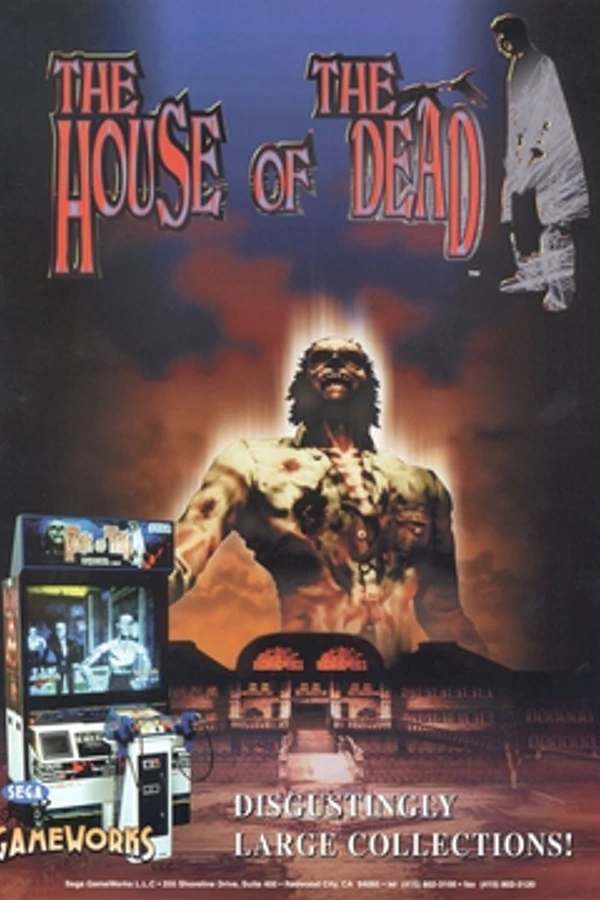
<!-- READY FOR REVIEW (release3 worker, 2026-10-17). -->The House of the Dead: ReWrithe is an unofficial, fan-made C++ rewrite of The House of the Dead (Sega, arcade 1996 / PC 1998). Its game logic takes the best of both versions (the PC port and the Sega Model 2C arcade game, Revision A), system by system, and it can draw the arcade version's more detailed models and textures or the PC's.
A fan-made rewrite, not affiliated with, endorsed by or sponsored by SEGA. "The House of the Dead" is SEGA's trademark, used here only to say which game this rewrite works with. No game data is included: you need your own, legally obtained arcade ROM set and 1998 PC game (see What you need to play).
Health warning (photosensitivity): the game has flashing lights (gunfire, hit flashes, the optional CRT-gun Shot Flash, which is off unless you pick the CRT Gun type). A few people may have seizures from flashing lights; stop playing if you feel unwell.
Mature content: an unrated fan project with horror violence and blood (Options: Blood Color can make it green, blue, purple, yellow or a custom colour; there is no "off"), intended for adults.
Made with AI assistance: Anthropic's Claude assisted with the reverse engineering and with rewriting and combining the existing code, directed and tested by the project's author (Tawhid); the translations are machine-made and marked as such. No AI-generated images/assets are shipped (the button icons are CC0 packs, the menu wordmark was set in a free font). Details: docs/release/compliance_v1.0.0.md.
Expect bugs: v1.0.0 is the first public release. Every chapter plays from start to end, but not every mode, chapter and setting has been played through by a person. If something looks or plays wrong, please report it on this repository's Issues page (or tell the author directly), with
settings\hotd.logand a short note of what you did. Every report helps make it match the originals.
Quick start (players)
- Download the release zip (
hotd-rewrithe-v1.2.0-win64.zip, GitHub Releases) and unzip it anywhere. - Double-click
HOTDReWritheSetup.bat. The setup window opens:- Install to: the folder for the game (default
C:\Games\HOTD ReWrithe; anywhere you like, but not Program Files). - Game files: drop your Arcade ROMs (MAME's
hotdset, Revision A only) and your 1998 PC game on the two boxes, as a zip, a folder or a CD image (.iso,.bin/.cue), or click a box to choose. Each is checked at once: green is good, yellow is accepted with a note, red says why not ("This is the Saturn version", "This is the PC demo", "SOUND\GAMESNDS.RBH is missing" ...). - Options: Desktop shortcut, Start menu entry (both on), Add to Steam, import the CD music (
TrackNN.ogg). - Install: copies the game and only the files it needs (the 29 ROM files, the PC game's files, the music) into the folder, so your originals are not needed any more. Or Play from here without installing.
- Play. From then on start the game with its shortcut; it opens at the main menu.
- Install to: the folder for the game (default
- Uninstall: Windows Settings > Apps > Installed apps > The House of the Dead: ReWrithe (no administrator needed). It asks before deleting your settings and high scores.
- Change the game files later: Options > System > Repair / Change Files. What changed in a version: Options > System > What's New (also shown once after an update).
- Something missing? The Game files page says what and why; details in
settings\hotd.log(a crash also leavessettings\crash-<date>.txt: attach both to a bug report, never game files).
Portable use still works: put the ROM zip in data\arcade, the PC game in data\pc and the music in data\music of the
unzipped folder, and start bin\hotd.exe: with the files found it goes straight to the menu. (HOTDReWritheSetup.bat
always opens the setup.)
An unpatched 1998 PC copy is recommended; a patched THOTD.EXE or PC files of another version (the Japanese release, repacks) are accepted with a
note. The mouse is the gun (left shoot, right reload).
If your PC copy does not pass the check, try another one. Copies of the 1998 PC game differ: the US and the European releases work best (a CD image: choose its
.cue). When the setup says a file is missing or damaged, that file is missing or damaged in the copy itself, wherever it came from: it is not a problem of the setup or the game. Keeping a second copy (US or European) at hand is recommended.
System requirements (Windows): Windows 10 / 11, 64-bit; graphics with OpenGL 3.3, or else a DirectX 10.1-class GPU (Intel HD 2000 / 3000 and newer, Radeon HD 3000+, GeForce GT 200+): Options > Video > Renderer, Auto picks DirectX (ANGLE) by itself where OpenGL 3.3 is missing (docs/renderer_backends.md).
Linux / Steam Deck: the linux-x86_64.tar.gz works the same way (./hotd-setup.sh). macOS: the macos-universal.zip
(unsigned). Step by step for both: Linux, Steam Deck and macOS just below. Online play step by step:
ONLINE HOWTO (also ONLINE HOWTO.txt in the package). Mods: docs/modding.md.
Details below: the menu, Boss Mode, PC Mode, the Gallery, the Jukebox, secrets, controllers and light guns, online co-op, mods, Sonic Mode, 4 players, game speed, the CRT filter.
Linux, Steam Deck and macOS
You need the same two things as on Windows: your own arcade ROM zip (MAME's hotd set, Revision A) and your own
1998 PC game (its folder, a .zip of it or a CD image). No game data comes with the download.
Linux Mint, Ubuntu and other desktop Linux (64-bit x86 with glibc 2.31 or newer and OpenGL 3.3: Linux Mint 20 / 21 / 22, Ubuntu 20.04 / 22.04 / 24.04 and newer, Debian 11+, current Fedora, Arch ...):
- Download
hotd-rewrithe-v<version>-linux-x86_64.tar.gzfrom the GitHub Releases page. - Unpack it: right-click it in the file manager -> Extract Here, or in a terminal
tar -xzf hotd-rewrithe-v*-linux-x86_64.tar.gz. You get a folderHOTD ReWrithe Linux. - Open the folder and start
hotd-setup.sh: Linux Mint (Nemo) asks what to do, choose Run; Ubuntu (Files) needs a right-click -> Run as a Program. Or in a terminal:cd "HOTD ReWrithe Linux" && ./hotd-setup.sh. - The setup window is the same as on Windows: drop or pick your ROM zip and your PC game, then Install (a copy in
~/Games/HOTD ReWritheor a folder you choose, with a desktop icon and an applications menu entry under Games) or Play from here. Uninstall:bin/hotd --uninstallin the installed folder (your settings are kept). - Portable instead: put the files in
data/arcade,data/pcanddata/musicof the folder and starthotd.sh.
Nothing else needs installing (the game brings its own SDL; sound through PipeWire / PulseAudio / ALSA). On GNOME the
desktop icon may first need a right-click -> Allow Launching. A .7z / .rar of the PC game needs bsdtar
(sudo apt install libarchive-tools) or 7-Zip; a zip, a folder or a CD image need nothing. Linux does not update
itself: the game tells you when a new version is out and opens the download page.
Steam Deck (SteamOS):
- Switch to Desktop Mode (Steam button -> Power -> Switch to Desktop).
- Download the Linux
.tar.gz(as above) and extract it, e.g. into~/Games. Runhotd-setup.sh(Dolphin: click it, choose Execute) and Install, or put your files in the folder'sdata/arcade,data/pc,data/music(Game Mode has no file picker: the game finds them there by itself). - Add it to Steam: tick Add to Steam in the setup (Steam must be closed for that: right-click Steam in the task
bar -> Exit first), or by hand: Steam -> Games -> Add a Non-Steam Game to My Library -> Browse -> set "File
type" to All files -> pick
hotd.sh(orbin/hotdof the installed copy) -> Add Selected Programs. - Back to Game Mode (the desktop's "Return to Gaming Mode" icon): the game is under Library -> Non-Steam. It runs fullscreen at 1280 x 800.
Controls on the Deck: Steam gives the game an Xbox-style pad: a stick aims, R2 shoots, L2 reloads, Start (the menu button) pauses / joins, A / B confirm / go back in the menus and the setup. The touch screen is a light gun (tap = a shot where you touch; turn on Options -> Auto Reload, a touch cannot shoot off the screen). The trackpads move the mouse cursor. Gyro aim: pick a Steam Input layout that hands the gyro to the game as a motion sensor ("Gamepad with Gyro"), then a gyro aim style on the pad's page in Options -> Controls (not tried on a Deck yet).
macOS (11 Big Sur or newer, Apple Silicon and Intel):
- Download
hotd-rewrithe-v<version>-macos-universal.zipand unzip it (double-click). Move theHOTD ReWrithe macOSfolder where you want it; keep it together. - The download is not signed by Apple, so clear its download flag once: open Terminal, type
xattr -dr com.apple.quarantine(with the space at the end), drag theHOTD ReWrithe macOSfolder into the window, press Return. - Right-click (Control-click) HOTD ReWrithe.app -> Open -> Open. On macOS 15 Sequoia and newer: double-click it, then System Settings -> Privacy & Security -> Open Anyway. After that a double-click starts it.
- Your files go in
data/arcade,data/pc,data/music, or double-clickhotd-setup.commandto check and copy them in. (HOW TO OPEN.txtin the folder repeats these steps.)
macOS is the least tested system: please report what works and what does not (Issues, with settings/hotd.log).
Features
- Arcade mode, Chapters 1-4 and the ending, arcade (1996) or PC (1998) models. The whole game matches the arcade frame by frame in MAME replays of all four chapters (one and two players).
- PC Mode and Boss Mode on the 1998 PC's own rules and maths (characters, shared continues, boss clock, boss times tables); Chapter 1 PC Mode matches a 1998 PC recording to the end.
- Players' quick choice: after picking a mode, choose 1-4 players and Human / CPU for each; one press plays.
- 1-4 players on one PC (players 3 / 4 experimental), CPU teammates (Easy / Normal / Hard).
- Online co-op: a short join code, up to 4 PCs with 1 or 2 players each, Arcade, PC Mode or Boss Mode; both PCs must have the same game files (checked when you join). See docs/online_howto.md.
- Two menu styles: Remake (widescreen) or Classic PC (1998). Scroll bars on long lists, volume bars, Reset to Defaults on each Options tab.
- Screens: Widescreen 16:9, 16:10 or 4:3; fullscreen at any resolution; any frame rate.
- Arcade Sort: arcade models hide each other as the arcade board does (its own polygon sort, as MAME shows it).
PC models use a depth buffer, as the 1998 PC did; the cut-scene viewer's Free Cam is per pixel too. Advanced (no
menu row):
drawdepth=sort|bufferin launcher.ini or--draw-depth sort|buffer; mods pick their own (depth =in mod.ini, docs/modding.md). - Firing Range (Options > Video > Crosshairs): each player (P1-P4) picks a crosshair, colour, size and thickness and tries it on targets.
- Controllers: DualSense / DualShock / Xbox / Switch pads (gyro aim, the pad's own button names in the menus); light guns: gun type (IR / Sinden / CRT gun), Shot Flash, Gun Border, Assign (which gun is whose).
- Languages: English, plus Korean, Japanese, Arabic and Hebrew (right-to-left). The four are AI-translated and still need a check by a native speaker. Anyone can add a language (docs/translating.md).
- Mods: Options > Mods; the built-in Ragdoll mod; texture packs. Guide: docs/modding.md.
- Gallery (models in 3D) and cut-scene viewer: swap the actors, Free Cam, Clean View for recording.
- Cut-scenes in play: hold fire / start 3 seconds to skip (a ring fills), Esc / P / pad Start to pause.
- Jukebox, High Scores, Sonic Mode, CRT filter, Trailer Mode, the 1998 PC's cheat codes.
State
Version 1.0.0 (October 2026): the whole game, Chapters 1-4 and the ending, with every branch route,
arcade or PC models, local co-op, sound and music, the arcade's title / attract loop (with the 1998.12.18 prologue), name
entry and a top-10 ranking, widescreen 16:9 / 16:10 (or Original 4:3), 60 Hz logic on any monitor, a chapter select, a portable data folder (data\hotd.zip, data\pc found by the game itself, so Steam can start bin\hotd.exe directly; both games may stay zipped), and options for
music / effects volume, crosshair (auto / arcade style / PC / simple cross), auto reload and blood colour (red, green,
blue, purple, yellow, custom). Sonic Mode (the main menu's More Modes or Options -> Gameplay / sonicmode= / --sonic-mode): the play
runs faster (Frenzy x1.2, Overkill x1.5, Nightmare x1.5 with bosses x1.75 and the Magician x2) while cut-scenes, voice lines and menus stay
at the normal speed; every mode, local and online co-op (the host's choice); its own high scores per preset
(docs/teaser_status/fastmode.md). It is a work in progress. Large parts are not yet proven against
the original; routines without a capture proof are marked UNVERIFIED (teaser) in the source
(py tools/unverified_list.py lists them). See docs/teaser_plan.md and the per-area notes in
docs/teaser_status/, and the release notes for what
works and what does not.
Tested
What has been tried, as of 2026-10-27. Tested by the user = played by a person on real hardware. AI-tested = only automated checks (headless play-throughs, input tests, network tests on one PC, rendered pictures looked at), no person has tried it yet. Not tested yet = neither. A feature can sit in two columns (part of it tried).
| Feature | Tested by the user | AI-tested (automated tests, renders) | Not tested yet |
|---|---|---|---|
| Arcade mode, Chapter 1 to the ending | yes: start to finish on a Surface Pro 7 (2026-10-21, "very playable") | every build: Chapters 1-4 and the ending, arcade and PC models | |
| Arcade accuracy | the whole game replayed against MAME frame by frame: Chapters 1-4, the Magician and the ending, 1 and 2 players: 0 frames differ | ||
| Menus (Classic PC and Remake styles) | yes: both styles, the players' quick choice, smooth menus, dropdowns, Q / E tabs, F12 (2026-10-26) | page pictures, the input test walks them (keys, mouse, pad) | the 10-26 fixes: scroll bars, shorter resolution list, volume bars, Reset to Defaults, Live Background Off slideshow, blood RGB bars |
| Firing Range (Video > Crosshairs) | pictures, test shots, pad and keyboard aim in the input test | yes | |
Arcade Sort (advanced --draw-depth sort / buffer; no menu row since 10-27) | pictures compared with MAME snaps; 0 pixels differ after the speed-ups (6,924 frames) | ||
| DualSense | yes: the first aim feel ("extremely clunky", then reworked) | virtual pads in the input test (gyro, touchpad, rumble, LED, PlayStation prompts, menus by pad alone) | the reworked aim feel, the new prompts |
| 4 players (local, CPU teammates) | yes: played twice; 4P Enemy Toughness, P2 blue blood (2026-10-26) | balance runs, Chapters 1-4 with 4 seats | the P3 / P4 fixes (hit splash, join sound, cut-scene bodies), smarter CPU aim |
| PC Mode / Boss Mode (the 1998 PC's rules) | Chapter 1 PC Mode equal to a 1998 PC recording for all 17,289 frames; Chariot / Hangedman Boss Mode fights equal; THOTD.EXE routines checked (321, 0 differ) | yes | |
| Cut-scenes: hold to skip, pause | input test (held 2 s no skip, 3 s skip; pause / resume) | yes | |
| Gallery / Model Viewer / cut-scene actors | yes: first version (broken arcade models reported, fixed) | renders of every entry; every cut-scene with 1-4 players | the 10-26 / 10-27 fixes, actors, Free Cam on a pad |
| Surface touch / pen | a touch bug reported (edge = reload, 2026-10-22) | touch and pen in the input test, the edge fix | the pen, the fix on the tablet |
| Surface Pro 7 (integrated graphics) speed | menu felt laggy (2026-10-26) | menu and 3D timed on the RTX 5080 with the integrated-graphics path (Menu Frame Rate Auto 60, depth pre-pass) | the Surface itself |
| Online co-op on one network (LAN) | two to four game copies on one PC (hashes equal, desync / rejoin tests, menu pairs) | two real PCs | |
| Online co-op over the internet | the join code, UPnP dry-run, simulated lag / loss on one PC | real internet play | |
| Online PC Mode / Boss Mode, 1-2 seats per PC, same-files check | two to four copies on one PC: hashes equal, rejoin, the four "files differ" refusals | two real PCs | |
| Light guns (Sinden, Gun4IR, AimTrak ...) | absolute pointer devices simulated in the input test; Shot Flash frames, Gun Border pixels, Assign with two fed-in guns | any real light gun | |
| Other pads (Xbox, PS4 / PS3, Switch Pro, Joy-Con) | virtual pads in the input test | real pads | |
| 16:10 screens (1680 x 1050, 1920 x 1200, 2560 x 1600, Steam Deck 1280 x 800) | yes: the Aspect choice and its thin bars (2026-10-26) | renders of play, cut-scenes, chapter cards, the Remake menu, High Scores, Gallery; a hidden 16:10 window | a real 16:10 screen |
| Arcade score display (title code, Score Display) | MAME capture of the arcade code, renders | yes | |
| Crashes / hangs | soak: 340 headless runs of every mode, 0 crashes / hangs / soft-locks | ||
| Mesa software driver (strict OpenGL) | AI-tested (2026-10-29): Chapters 1-4, the ending, the attract and every menu page drawn on Mesa's llvmpipe and compared with the RTX 5080 (no differences beyond single edge pixels), OpenGL debug output clean, --gl-check in CI | ||
| Other graphics (AMD, Intel, integrated) | a friend's Radeon 610M laptop: flicker and a resolution-change crash (both fixed 10-27 / 10-28) | Mesa (above); Play (Safe Mode).bat | most AMD / Intel GPUs |
| Linux | builds and plays headless under WSL (Ubuntu) | a real Linux PC | |
| SteamOS / Steam Deck | the Linux package script; 1280 x 800 renders | the Deck itself | |
| macOS | a CI workflow (.github/workflows/release.yml) builds it; not run yet | yes: never built or run | |
| Languages (Korean, Japanese, Arabic, Hebrew) | yes: the samples looked right, Arabic / Hebrew right-to-left (2026-10-26) | full AI translations (every line), --lang-check: 0 texts too long | a native reader |
| Mods / Ragdoll mod | yes: Ragdoll on, the example mod stays off (2026-10-26) | headless runs, pictures, --mods-test | the new Mods page, Friction, walls |
| DirectX renderer (ANGLE, Video > Renderer) | NVIDIA only (RTX 5080): input test, Chapter 1 renders equal to OpenGL to rounding, the menu tour; Direct3D 10.1 and WARP simulated | any old PC; AMD / Intel graphics through it |
Roadmap
- Fullscreen (F11, any monitor) and widescreen 16:9
- Switch between arcade (1996) and PC (1998) models
- Chapter 1 teaser (ready for review)
- Online co-op (up to 4 PCs, 1 or 2 players each; Arcade, PC Mode, Boss Mode)
- 4-player mode, local and online (new: the original supports two players; experimental)
- Linux / Steam Deck build (tested in WSL; a package script, the same game results as Windows; docs/porting.md)
- Online cross-play: Windows and Linux PCs play together (one protocol, now protocol 19)
- macOS, Android, iOS (after the teaser: one SDL_GPU renderer; see ROADMAP.md)
What you need to play
You must supply your own, legally obtained copies:
- the arcade ROM set: Revision A only, MAME's
hotdset (the original release, prototypes and other revisions are not supported), as a zip or loose files; - the installed 1998 PC game: its folder, or a
.zipof that folder (no need to unpack it; the game may sit one folder down inside the zip). RAR / 7z archives are not read: convert them to a.zip(or unpack them).
The game checks both against the official releases and reads them without changing them. Nothing of the game is distributed here.
System requirements (also above): Windows 10 / 11 64-bit (or Linux / SteamOS / macOS 11+), OpenGL 3.3 (or DirectX
10.1 through ANGLE on Windows), integrated graphics included, 4 GB RAM, a 2-core CPU. Slow PCs: set
Options > Video > Live Background to Off. Trouble with the picture (black, flickering, very slow) or a crash at the
start or on a resolution change: start the game with Play (Safe Mode).bat (or hotd.exe --safe-mode): a 1280 x
720 window, no live attract behind the menu, the menus at 60 fps, no CRT filter, no texture packs. A setting you then
change in Options keeps these values; HOTDReWritheSetup.bat starts normally again.
Build and run
Windows 10 / 11, 64-bit, Visual Studio 2022 build tools, CMake, a GPU with OpenGL 3.3 (or DirectX 10.1 through ANGLE: its DLLs in private/downloads/angle or -DHOTD_ANGLE_DIR, docs/renderer_backends.md), Python 3 (tools only).
- Configure with CMake (
-DHOTD_FETCH_SDL3=ONdownloads SDL3;-DHOTD_FETCH_STB=ONor-DHOTD_STB_DIR=<folder>adds OGG music via stb_vorbis), then build thehotdtarget in Release. tools\make_portable_hotd.ps1builds and packs a self-contained folder (program only) withHOTDReWritheSetup.bat.- In the setup window choose your ROM files and your PC game folder or zip, then Play. Command line:
hotd.exe --arcade <zip or folder> --pc <folder or zip>. Portable copy: the game (also started frombin\hotd.exedirectly, e.g. by Steam) usesdata\arcade\*.zip(ordata\hotd.zip) anddata\pc(the unpacked game there or one folder down, elsedata\pc\*.zip).
Controls: mouse = light gun (left trigger, right reload; a shot off screen also reloads); player 2 = a second mouse or the
keyboard (arrows, Space, Enter); keys 1 / 2 = start / join; Esc / P pause (as the PC game:
Continue / Exit, Exit = back to the menu); F11 / Alt+Enter fullscreen (the game starts in borderless fullscreen; Options -> Video "Display Mode": Windowed / Borderless (the desktop's resolution) / Fullscreen (exclusive), applied at once, displaymode= in launcher.ini, --windowed; it opens the way you left it; Options -> Video "Resolution": the window's size, or in Fullscreen the display mode (Auto = the desktop's; a 10-second "Keep this resolution?"); resolution_fullscreen= / resolution_window= in launcher.ini); F12 screenshot. Gamepads and light guns: below.
Rebinding keys and buttons: Options -> Controls -> Keys & Buttons. Pick the player (1-4) on the top row. Page 1
is the keyboard (Aim Up / Down / Left / Right, Fire, Reload, Start, Pause; two keys each), page 2 the gamepad (Fire,
Reload, Start, Pause, Recentre, Gyro Hold, Precise Aim; any number of buttons, back paddles and the d-pad too). Click a
row (or move the hand there with the keys / pad and press Enter / Cross / A), then press the key or button: a new one is
added, one the row already has is taken off. Esc, a click or 5 seconds cancels. A key or button used for two things
shows "!" and the Status row names the other use. Reset Keys / Reset Pad / Reset Everyone go back to the
defaults (a pad's default is "Auto": the buttons of its control style). Esc always pauses and F1 / F3 / F9 / F11 / F12
cannot be bound. The default keys are the ones listed above (player 1: 1 start, P pause; player 2: arrows, Space /
Right Ctrl fire, Right Shift / Enter reload, 2 start; players 3 / 4: see 4 players). Kept in launcher.ini (key1.fire=,
padbind1.fire=, only the ones you changed); online co-op uses the same keys and buttons.
The menu
The game's menu is the 1998 PC version's own (its pictures, the bony-hand cursor, the font, the click and the menu music, read from your PC files), reorganised:
-
Menu Style (Options > Video,
menustyle=in launcher.ini,--menu-style classic|remake): Remake (the default) or Classic PC (the 1998 PC menu, 4:3). Remake is a modern, widescreen menu laid out like The House of the Dead: Remake's (the logo at the top with the "ReWrithe" wordmark on it, the items on torn paper strips in a dark torn panel, settings as paper tabs with rows and bloody-handprint switches, key / pad prompts at the bottom right) drawn from your PC files' art and the game's own attract running live behind the menu (its 3D only, muted, grey and dark; without the arcade files: the mansion hall picture). Same items, settings and actions as Classic. Keys: Up / Down choose, Enter / A accept, Esc / B back, Left / Right change a setting, Q / E (or the shoulder buttons) change tabs; the mouse shows the bony hand. A short choice (Models, Aspect, Display, Sound, Blood Color, Difficulty ...) opens a small dropdown list on a click / Enter / A. The background starts on the story's desk / telephone shot (a still of it while the attract loads) and cross-fades between scenes. High Scores, Chapter Select, Jukebox and PC Mode have Remake layouts too; the Gallery has its own Resident Evil-like page in this style (see Gallery). Details: docs/menu_remake.md. -
Display (Options > Video,
display=in launcher.ini): the monitor the game shows on; applied at once, used at the next start (missing: the primary monitor). -
Start-up: with the game files known the game goes straight to the SEGA logo and the menu (no setup page); only when the files are missing or wrong a short "Find your game files" page asks for them.
-
Main menu (menu2: grouped): Arcade (the whole game from Chapter 1), PC Mode, Boss Mode, More Modes (Chapter Select: the four chapters with the PC's boss portraits, the ending after Chapter 4; Co-op: Local 2 Players, Local 4 Players, Online Co-op, computer teammates; Sonic Mode: click for the next preset), Extras (Gallery, Jukebox), High Scores (the arrows turn the tables: arcade, each Sonic Mode preset, the same for 4 players), Options, Quit (it asks "Are you sure?"; Esc / a pad's B there is No).
-
Players' quick choice: Arcade, Chapter Select (after the chapter), Boss Mode (after the boss) and PC Mode ask "Players 1 2 3 4" with Human / CPU for each extra player; the last choice is remembered and Start is already selected, so one press (Enter / A / a click) plays. Keys 1-4, Q / E or a pad's LB / RB change the count; Esc / B goes back. 3-4 players are the experimental 4 players mode. Online games skip it.
-
On every page: a help line for the item under the hand and, at the very bottom, the controls (mouse / arrows / pad to point; click / Enter / A to choose; Esc / B to go back). On the settings pages the whole row is the button; a grey row says why it does nothing right now (e.g. Vsync while the frame rate is Unlimited); a row ending in ">" opens another page. Experimental features carry a small EXPERIMENTAL tag: 4 players, light guns, custom blood (and online with 3-4 PCs).
-
Options: the PC's Options screen (difficulty, lives, continues, auto reload, blood colour, volume sliders, resolution; Lives and Auto Reload are one setting for every player, players 3 / 4 too; Controller Config opens Controls), and a strip of tabs, one page each: Video (models, aspect, menu style, Live Background, fullscreen, resolution (the desktop's shape first; Show All for the rest), frame rate, menu frame rate, vsync, smooth motion, CRT filter, Crosshairs > the Firing Range), Audio (sound source, effects and music volume bars, music, menu music), Controls (each player's input, Keys & Buttons, the controller pages, Light Guns (Assign), light gun type, Shot Flash, Gun Border, calibration), Gameplay (blood color incl. custom Red / Green / Blue bars, auto reload, Free Play (PC Mode's continues never run out; arcade games are always free play), Score Display, Sonic Mode, title / attract, FBI screen, PC Start-up Screens (the 1998 PC's SEGA screen and zombie title art at start-up; off by default); Advanced: game speed, music numbering, Trailer Mode, the 4P boss hit points and enemy toughness, guards), Mods (each mod On / Off, its Settings page) and System (Language, Repair / Change Files (the setup window), Check for Updates, What's New, desktop shortcut, Add to Steam). Most tabs end with Reset to Defaults (it asks first). Long lists show a scroll bar. Live Background Off shows the attract's scenes as stills in turn.
Boss Mode (the PC port's): pick the Chariot, the Hangedman, the Hermit, the Magician or All Bosses (the four in a row, the clock kept). It follows the 1998 PC's own Boss Mode: the game opens straight on the boss's title card (no walk to the boss), the clock (minutes, seconds, hundredths) runs from the title card's end, stops on the boss's death and in the pause; there are no continues and nobody joins during a fight. A new best time asks for your name on the PC's own name-entry screen (a letter grid you can click, aim at or move with the pad, or type on the keyboard) and goes into the best-times tables (High Scores: the page arrows reach the five boss tables after PC Mode's). Boss Mode runs on the PC's maths too (the Chariot and Hangedman fights match a 1998 PC recording). Online too: see Online co-op.
PC Mode (the PC port's): each player first picks a character, as on the PC: Rogan, G, Rogan 2, G 2, Sophie or the Researcher, each with its own hit points, rounds per magazine, bullet damage, reload time and hit size. With Players 3 or 4 (the 4-player mode) the screen shows four panels (P1 red, P2 blue, P3 green, P4 yellow): each player picks with their own controls (the mouse, their keyboard keys: arrows left / right pick, fire or start = Ready, reload takes Ready back; or their gamepad: d-pad / stick, South / Start = Ready, East takes it back), and the game starts when everyone who plays is Ready (computer teammates get a random character). The game then follows the PC's rules (who gets the kill credit, the life gift, no shot flash, the PC's auto reload, shots that pass scenery, the bleeding cap). Continues (Options, 0 to 9, default 5) is the PC's shared credit pool: every start and continue takes one from it (players 3 / 4 too). PC Mode keeps its own ranking and never uses the Sonic Mode speeds. PC Mode runs the 1998 PC's own maths and rules (the bosses, the camera, the creatures' bodies): Chapter 1 matches a recording of the 1998 PC to the last frame. With the PC game folder set it also reads the PC's camera paths and motion table from it. Online too: see Online co-op. Not done yet: the PC's own drawing of some effects, the characters' bodies in the endings (see docs/pcmode.md).
Gallery: the game's models in 3D, in categories down the left: Players, Humans, Creatures, Bosses, Items (the
golden frog, the life item, the gold coin, props worth a look with their damage steps), Cut Content (creatures and a
Hermit head in the arcade data the game never uses; most have no textures there, so they are shown untextured) and
Cut-scenes. 65 entries, arcade or PC models, their motions; an info panel per entry (official name, where it
appears, hit points where the data says, a short line); backgrounds: dark (softly lit, a floor shadow), two rooms of
the game's world (the Chapter 1 bridge, a Chapter 2 mansion corridor), the game's own skies (Chapters 1, 2, 4), grey,
blue, white. It opens on Thomas Rogan (Players). The motion and the slow turn are off at first. Keys: Q / E entry, Tab /
Shift+Tab (or 1-6) category, drag or arrows turn, right / middle drag or Shift+arrows pan, wheel or + / - zoom, Space
play / hold the motion, M next motion, T hide the page (full screen; T / Esc back), I info panel, O slow turn, L
light, R / Home reset, S arcade / PC, B background, K layout, C cut-scenes, Esc back. Blood (the Gallery's own
settings, taken from Options and Mods each time it opens and never saved: the game keeps its own): G / Shift+G Blood
Color (Red, Green, Blue, Purple, Yellow, Custom with its red / green / blue; the arcade has no yellow, so its models
take the custom recolour in yellow), N Rainbow Blood (its Colours, Speed and Creature Blood on the Remake page), J
Blood Particles (a hit's blood burst on a part given a damage step, the drips from a cut part). Damage (the game's
own damage and part-loss models, from its tables: the models a shot part takes, the damage routines that cut off the
head and arms, the head's blow-off step): per body part (Head, Right Arm, Left Arm, Body, Legs) Whole, Damage 1, 2 ...
and Off where the game can shoot it away; Z the part, X its next state (Shift+X back), Shift+Z all whole. A body step
the game ties to a part loss takes those parts with it (the zombies' last chest damage: the head and both arms).
Entries without damage models (the players, the people, the bosses, Baba) say so. Pad: LB / RB entry, L3 category,
right stick turn, left stick pan, LT / RT zoom, X play / hold, Y next motion, View background, Start hide the page,
R3 reset, B back. In the Remake menu style the Gallery is laid out like the Resident Evil 2 / 3 / 4 remakes'
galleries (layout and feel only, drawn by this project): the model large on a dark, softly lit stage with a faint floor
reflection, the categories and the entries' list in a slim column on the left, the entry's "file" on the right (the
name in large caps, a red rule, its category, the description, Appears / Type / Hit points rows, the boss's
weak-point card, the settings in three panels, H or a click on their names between them: Viewer (Motion, Model,
Light, Background, Layout), Blood (Blood Color, Custom Red / Green / Blue, Rainbow Blood, Rainbow Colours, Rainbow
Speed, Creature Blood, Blood Particles) and Damage (each body part's state, All Parts) - click a row to change it), the
controls as key caps along the bottom (click Light, Play, Next Motion, Hide UI, Background, Back). A new entry
fades and slides in. Its Cut-scenes page uses the same look. Layout (K): in the Remake style Remake (default) ->
portraits -> the Classic page; in the Classic style Classic (default) or portraits (after The House of the Dead: Remake's gallery: a grid
of portraits on the left, the name in red, the description, the boss's weak-point card and the controls on the right;
Q / E category, W A S D or d-pad move in the grid, Tab more text). Cut-scenes (the last category, or key C): the players' cut-scenes
(15, by chapter), played by the game's own scene code with 1-4 players and arcade or PC models. Play runs the game
ahead to the scene without picture or sound (under a second), then shows it; Replay starts at
once. Watching: Space pause, R replay, S slow motion (half speed), F Free Cam (W A S D Q E move, right-drag look,
the wheel zooms), C Clean View, T subtitles, A Actors, Esc back (pad: A / Cross pause, X replay, Y slow, L3 Free Cam,
R1 Clean View, d-pad down subtitles, L1 Actors, B back; left click pauses, right click replays). Actors (also rows
on the Cut-scenes page): who plays Rogan's, G's, Player 3's and Player 4's part: Rogan, G, Player 3, Player 4, Sophie,
the ten researchers, Dr. Curien, zombie Sophie (picks kept in launcher.ini). Command line: --scene-view 2:12
(chapter:scene; with --players, --models).
Cut-scenes in play: hold the trigger / fire / start (or a pad's fire button) for 3 seconds to skip one: a ring fills in the bottom bar. Esc / P / a pad's Start pauses a cut-scene. Both offline only (online, the host's trigger skips where the arcade allows).
Record-friendly (clips of the cut-scenes): "Clean View" on the Cut-scenes page (On by default; key C, also while
watching) shows only the picture: no HUD, lamps, prompts, crosshairs or mouse cursor. The keys' line shows small at
the bottom for 2 s, then fades; any key brings it back for a moment. The end shows nothing until you press a key (then
"Over. R replay Esc back"). The scene's music starts with it (the fast-forward is silent). For a clip:
hotd --scene-view 2:12 --players 4 --models arcade (or --models pc), in borderless fullscreen (the default; F11 /
Alt+Enter toggles). Start recording, press R to play it from the start, stop after it ends; Space pauses on a frame.
"Subtitles: On / Off" next to it (key T while watching) hides the cut-scenes' captions; Clean View On + Subtitles Off
is only the picture (command line: --scene-no-subtitles).
Trailer Mode (recording gameplay): Options > Gameplay > Advanced > Trailer Mode, or F7 in the game (a 1 s note
says On / Off; F7 lasts for that run only, Options keeps it). While on, the game shows only the picture: no lamps,
score, ammo, prompts, players 3 / 4's bands, online info, crosshairs, mouse cursor or subtitles. You still aim and
shoot as usual (the game plays the same; only the drawing changes). Off by default. Command line: --trailer.
Jukebox (main menu, under Gallery): listen to anything the game plays. Three lists: Music (each song named by where the game plays it: Title and attract, Chapter 1-4, Boss: Chariot / Hanged Man / Hermit, Boss: Magician, Game over, Chapter clear, Ending and credits, Name entry, Menu), Sound Effects and Voices. Sound (top right, or Tab) switches the source: Arcade sends the game's own sound commands to the arcade sound board (your ROM set's sound program and samples), PC plays the 1998 PC release's music files (Music\TrackNN; the info line also gives the Saturn disc's number) and its sound files. Play, Stop, Prev / Next, Play once / Loop one / Loop all / Shuffle, the game's Music and Effects volumes (- / +, saved as in Options), a time and a progress bar where the length is known (the PC's music: click the bar to jump). The menu music stops while you are on the page and comes back on Exit. Keys: Up / Down choose, Left / Right the list, Enter play, Space play / stop, S stop, N / P next / previous, L the mode, Tab the source, + / - volume, Page Up / Down, the mouse wheel; pad: d-pad, South play, West stop, North the mode, shoulders previous / next, a stick click the source, East back.
The line at the bottom explains the item under the hand. Mouse, keyboard (the arrows move the hand, Enter / Space
click, Esc back), a gamepad (d-pad / stick, South / Start, East / Back) and a light gun's pointer all work. The whole
640 x 480 picture always fits the window (side or top / bottom bars). Every setting is still in launcher.ini and the
setup window (Options -> System -> Repair / Change Files) picks the game files.
Secrets
The 1998 PC version's hidden codes work here too (found with a tip from RUNESA, thank you). On the menu, hold Ctrl and type SKIDMARX: Cheat and Edit Char Stats appear under Quit (Cheat: start at any stage and scene, Free-Play); in play, with the code on, Ctrl + 1 / Ctrl + 2 give player 1 / 2 infinite ammo and lives. Then hold Ctrl and type CREATURE: Creature Test appears too (the PC's creature list; View in Gallery shows it in 3D). Type a code again to switch it off; nothing is saved. Details: docs/teaser_status/pc_cheats.md.
The arcade's score display (Model 2, tip also by RUNESA): at the title screen (Title / Attract on), pull the left gun's trigger 3 times, then the right gun's twice (player 1 / player 2: the mouse and player 2's trigger key work too), then press Start. In play a SCORE:00000 line shows each player's score at the top, as on the cabinet. The title also knows the cabinet's other trigger codes (LLRLL, RRLRR, LRLRLR, LRLLRR, RLRRLL, LRRLLR: they swap the players' bodies in the cut-scenes). Without the code: Options -> Gameplay -> Score Display (offline games). Found in the arcade program (title_code_screen 0xD2C0) and checked in MAME (docs/decompilation.md, "Title trigger codes").
Thanks to RUNESA for both tips (YouTube comments, 2026-10-20 and 2026-10-26).
Controllers and light guns
Options -> Controls -> Player 1 Input (Mouse / Gamepad / Light Gun) and Player 2 Input (Mouse 2 / Keyboard /
Gamepad / Light Gun); launcher.ini p1input= / p2input= (0 mouse, 1 keyboard, 2 gamepad, 3 light gun); command line
--p1-input mouse|pad|gun, --p2-input mouse|keyboard|pad|gun. Mixed is fine (player 1 on the mouse, player 2 on a pad;
two pads; a pad and a gun). Player 2's keyboard keys keep working in every case. Every button below can be changed per
player on Options -> Controls -> Keys & Buttons (see Controls above).
Gamepads (anything SDL3 knows: DualSense, DualShock 4, DualShock 3 with its driver, Xbox One / Series, Switch Pro, Joy-Con pairs and singles, most others). Each player gets the first pad connected that nobody else has; unplug a pad in play and the game pauses with a message for that player until a pad is connected again. Controller: Player 1 / 2 (Options -> Controls -> Controller: Player N) picks the player's control style; every style keeps its own settings (sensitivity, vertical sensitivity, invert, sticks, dead zone, curve, gyro smoothing / space, shoot button, touchpad). For a gun-like grip, a Switch controller (a Joy-Con) works better than a big pad held sideways:
| Style | Held | Aim | Notes |
|---|---|---|---|
| Classic Pad | normally | a stick (left, or right: "Sticks: Swapped"); the other stick fine-adjusts | Stick Curve Medium (precise centre, fast edge), 8 % dead zone, full speed from 92 %, Edge Turbo (held at full tilt: up to 1.5x), no smoothing |
| Motion Only | normally | the gyro, like a pointer (turn = left / right, raise = up) | the sticks do not aim |
| Motion + Stick | normally | the gyro; the right stick (or left) fine-adjusts | the default for DualSense / DualShock 4 / Switch pads |
| Touchpad | normally | the touchpad: Pointer (the touch's point is the crosshair's, like a light gun) or Trackpad (relative) | DualSense / DualShock 4 |
Style Auto: DualSense / DualShock 4 / Switch pads with a gyro = Motion + Stick, the others = Classic. The touchpad also adds to the other styles (its own setting there: Off / Pointer / Trackpad; Auto = trackpad on a DualSense / DualShock 4); its click and a tap = reload or shoot (Touchpad Click). Gyro Space World uses the accelerometer's gravity so that up stays up when the pad is tilted or rolled; Local uses the pad's own axes as held when you last recentred; Player (the default) is Gyro Wiki's player space: turning or rolling the wrist turns the crosshair, raising the front aims up. Sensitivity is physical: at 5 (1.0x) a 36 degree turn of the pad crosses the screen's width (0.5x .. 2.5x). Gyro Smoothing (default Low) smooths only motion slower than 3 / 6 / 10 degrees/s (faster motion is 1:1, nothing is lost); Gyro Tightening and Gyro Acceleration are off by default. Gyro drift is learnt while the pad lies still; Aim Test (on the Controller page) shows the live gyro rate, stick deflection and crosshair speed and has Calibrate Gyro (hold the pad still 2 s). Feel Preset: Precise / Balanced (the defaults) / Fast. Shake to Reload (gyro styles, default Medium): a quick flick of the wrist (a roll or a tilt) or a quick jerk of the pad (up / down, side to side, forward / back; also with the pad on your lap) reloads, then 0.4 s until the next one; the crosshair does not move meanwhile; slow aim sweeps, a shaky hand and rumble never count. Low needs a hard shake, High the lightest flick.
Buttons: R2 (fires at a light press: Trigger Point, default 15 %) / R1 / South (A, Cross) = trigger; L2 / L1 / East / West = reload; a trigger pulled with the crosshair pushed off the window (gyro) = the off-screen reload, and the crosshair comes back to the middle. North (Y, Triangle): hold = ratchet (the crosshair stays while you turn the pad back), tap = recentre (and calibrate: point at the screen's centre as you hold the pad, tap); right stick click = recentre; left stick click held = precise aim (35 %). Start = start / join / continue, in play = pause; Back / Share / Minus = pause. In the pause: d-pad up / down, South or the trigger chooses, Start / East closes. In the menus: d-pad / stick = arrows, South / Start = Enter, East / Back = Esc, L1 / R1 = the tabs, Left / Right change a value (the volume and colour bars step and stop at their ends); the prompts at the bottom show the buttons of the pad used last (Xbox A / B / LB, PlayStation's shapes and L1 / R1, Nintendo B / A / L). The Firing Range (Video -> Crosshairs): each pad player aims and shoots with their pad, d-pad / A / B still work the page; Tab lets the keyboard players aim there with their keys (Tab or Esc gives the keys back to the menu). The cut-scene viewer: South pause, West replay, North slow, L1 Actors, R1 Clean View, d-pad down subtitles, East back.
Feedback (per player): vibration when hit, when your shot hits an enemy and on a reload (each Off / Light / Medium /
Strong); the light bar in the player's colour (P1 red, P2 blue); the DualSense's adaptive right trigger with a gun's
resistance that gives way with a click (Adaptive Trigger Off / Light / Medium / Strong). Command line:
--p1-style / --p2-style auto|classic|motion|mix|touch; launcher.ini pad1.style=, pad1.<style>.<setting>=.
Light guns. Guns that show up in Windows as a mouse with absolute positions should work: Sinden (with its own
software running), Ultimarc AimTrak, GunCon 3 through a mouse driver / feeder, a Wii Remote through a Mayflash
DolphinBar in mouse mode, and similar (the Wii Remote's own camera is not read without the DolphinBar). The game needs
no vendor software of its own. In the menus a DualSense / DualShock 4 touchpad, or tilting a pad with a gyro while
ZL / L2 / LT is held, moves the bone hand too (Controls > Touchpad Cursor / Gyro Cursor / Cursor Speed); the prompts
show your pad's own buttons (Controls > Button Icons / Button Style). Set the player's input to
Light Gun: the game then reads every mouse through Windows' raw input itself, so two guns (or a gun and a mouse)
each get their own crosshair. Which gun is whose: Options -> Controls -> Light Guns (Assign): pick a seat (P1-P4)
and pull the trigger of its gun; the names are shown and saved (gun1dev= / gun1name=), Clear per seat or Clear All;
guns not assigned go in the order first used. Trigger = shoot, the gun's right button / pump = reload,
middle = start; pointing off the screen and pulling the trigger reloads. F9 in the game calibrates: each gun shoots
the two targets (top left, bottom right); Esc cancels; kept in launcher.ini (gun1cal= / gun2cal=; reset on the
Controller page). Options -> Controls -> Calibrate Light Guns = the calibration at the start of the next game (no
keyboard needed); every player (1-4) has a Light Gun reset row. Light Gun Type sets what the screen does for the gun:
IR / Mouse Mode (Gun4IR, AimTrak, a Wii Remote: nothing), Sinden (a white Gun Border round the screen, menus
too; Auto / Off / Thin / Medium / Thick), CRT Gun (the arcade's Shot Flash: the whole screen white for 4 frames
on every pull, as the arcade's gun cycle times it; Auto / Off / On, --shot-flash). Warning: the shot flash flashes
the screen on every shot (photosensitivity). launcher.ini guntype= gunflash= gunborder=. One gun alone also works
as player 1's plain Mouse (the desktop cursor), without the calibration. A
gun that reports relative motion (like an ordinary mouse) is a Mouse / Mouse 2 input instead. (tools\calibrate_gun.ps1
is the old MAME-era tool, disabled; it is not used.)
Only a DualSense has been tried by a person so far (no light gun yet; no pads or guns on the development PC): docs/teaser_status/pads.md lists what the automated test covers and what needs a real device.
Online co-op
Up to four PCs, peer to peer (no server, no account): the main menu's Co-op > Online Co-op. The host picks
Host a Game -> Start Hosting and gets a short join code (K7QX-M2PD-H4TA-9BCE: 16 letters / digits, a new one
each time; Copy Code). Friends pick Join a Game and type or paste it (Ctrl+V). On the same network the code finds
the host by itself (the game is also in the page's list). The host can press Play Alone to start before anyone has
joined; a friend can join a running game, and rejoin it if the line drops (the seat comes back at once). Rollback keeps
the game smooth on ordinary internet pings; F3 shows the ping.
- Players: 2 PCs (with 4 players: two on each), or Up to 4 PCs with Your Seats 1 or 2 on each PC (a second person on the same PC plays with the Player 2 input).
- Game Mode (Host page): Arcade, PC Mode (each player picks a character on their own PC; the host's Continues count for everyone) or Boss Mode (the host picks the boss or All Bosses). Each PC keeps its own high-score table.
- Same files: every PC needs the same build (protocol 19) and the same arcade ROMs; PC Mode / Boss Mode also need the same 1998 PC game folder on every PC. A PC whose files differ is told so plainly at the join.
Step by step for players (also in the portable copy as ONLINE HOWTO.txt): docs/online_howto.md.
Routers and tests: docs/netplay.md.
Security: everything between the two PCs is encrypted and authenticated (Monocypher, the same on Windows and Linux: a password-authenticated key exchange, CPace on X25519, then XChaCha20-Poly1305), so a stranger who knows the address can neither join nor read nor change anything, and an intercepted handshake gives nothing to guess the password with. A host exposes one UDP port only while hosting (asked of the router by UPnP, removed again) and announces its game on the local network without any secret; Stop Hosting / leaving the game / closing ReWrithe ends it. Windows Firewall asks once: allow Private networks.
Languages (translations)
Options > System > Language switches the menus, help lines, Gallery, Jukebox, online pages, the first-run page, the
notes over the game and the cut-scene subtitles to another language (its own page: each language in its own script,
a sample sentence). The first start picks your Windows language when there is a file for it (launcher.ini lang=;
--lang <code> for one run). Languages are plain text files in data\lang: English, Korean, Japanese, Arabic and
Hebrew. Arabic and Hebrew read right to left (joined Arabic letters, mirrored rows and tabs). The four are
machine-translated (AI) and not yet checked by native speakers: corrections welcome. Words drawn by the arcade
itself (RELOAD, CONTINUE?, the chapter cards) stay as they are. Anyone can make a language, no programming:
docs/translating.md (--export-lang en, F5 reloads in the menu, --lang-check <code> lists
what does not fit). The bundled Noto Sans fonts (Korean, Japanese, Arabic, Hebrew) are under the SIL OFL.
Mods, Sonic Mode, 4 players, game speed, CRT filter
- Mods: folders in
data\mods(or the settings folder'smods), each with a smallmod.ini; switched on, ordered and set up on Options > Mods (per PC: each mod's row switches it On / Off, Settings > opens its own page). How to make one: docs/modding.md (an example indata\mods\example, off by default). Visual only. - Ragdoll mod (built in, off by default; like the HOTD Remake): dead zombies fall as ragdolls, and shooting a body slides it over the floor; bodies stop at walls and doors and push each other. Settings: Friction (Rough / Normal / Smooth), Bodies Stay, Gravity. Scores and online play are unaffected.
- Texture packs / custom models: a kind of mod; how to make one: docs/mods.md.
- Sonic Mode (main menu or Options > Gameplay): Off, Frenzy (x1.2), Overkill (x1.5), Nightmare (x1.5, bosses faster still, the Magician the fastest); cut-scenes and voices at the normal speed; a separate top 10 per mode.
- 4 players (experimental): pick 3 or 4 on the players' quick choice (or More Modes > Co-op); players 3 and 4 use a gamepad (or a mouse / light gun of their own) or the keyboard (player 3: W A S D aim, F fire, R reload, 3 start; player 4: I J K L or keypad 8 4 5 6 aim, H / keypad 0 fire, Y / keypad . reload, 4 start); empty seats can be CPU teammates (Easy / Normal / Hard). In the cut-scenes with room, players 3 and 4 stand there as Rogan 2 and G 2 (a few scenes still show two bodies). With 3 / 4 players the creatures take more shots (Advanced: 4P Enemy Toughness, 4P Boss Hit Points). Online: up to 4 PCs, 1 or 2 seats each. Design and limits: docs/coop4.md.
- Game speed (Options > Video): Auto (default) runs the game at the arcade's 57.52 Hz, and PC Mode at 60 Hz as the PC did; Arcade and 60 Hz force one of them. Frame rate and vsync set how often the picture is drawn, and Smooth Motion blends frames between game ticks so that motion stays even on any monitor.
- CRT filter (Options > Video > CRT Filter): Off, Arcade Monitor, Consumer TV, Sharp Scanlines or Custom; aiming follows the screen's curvature.
If something goes wrong
- The setup window shows CANNOT START: the line starting with
->says what to choose or where to put it (the arcade zip and the PC game swapped, a .7z / .rar or CD image, a zip inside a zip, nothing chosen yet). - A message about OpenGL 3.3: update the graphics driver (from NVIDIA, AMD or Intel). Older graphics: Options > Video > Renderer: DirectX (ANGLE) (Auto tries it by itself); it needs DirectX 10.1.
- A black, flickering or very slow picture, or a crash at the start or when the resolution changes: start the game
with
Play (Safe Mode).batand report it withhotd.log(it names the graphics card and driver).HOTD_GL_DEBUG=1(an environment variable) also writes the driver's OpenGL warnings intohotd.log. - The game closed with a message:
crash-<date>.txtandhotd.logare in the settings folder (the package'ssettings\, or%APPDATA%\hotd-rewrite\hotd\for a build from source); attach both to a bug report. - Odd settings: delete
launcher.iniin the settings folder (a damaged one is set aside aslauncher.ini.damagedby itself).
Updates
At start-up the game asks GitHub once whether a newer release of this project is out (Windows; one request to
api.github.com, nothing else is sent). If there is one, a page shows the new version and its changelog with Update /
Not now. Update downloads the release's Windows zip (with a progress bar), checks it against the release's
SHA256SUMS.txt (a mismatch is refused and deleted), then the game closes, the new version is unpacked over the
game's folder (your settings\ and the game files in data\ are kept; nothing outside the folder is touched) and the
game starts again, showing What's New. Nothing is downloaded unless you press Update. Off: Options > System > Check
for Updates. Changes per version: CHANGELOG.md (CHANGELOG.txt in the package).
Known issues
Chapters 1-4 and the ending play, with parts still skipped or rough; some routines are still unverified against the originals (45 listed by py tools/unverified_list.py);
the PC prologue and route-map walker are partial; custom blood is experimental (the screen splash stays red); two physical
mice and other sound cards were not tested by a person. Not every mode / chapter was played through by a person: please
report what you find (Reporting problems). Full list: release notes.
First launch
The program is not code-signed, so Windows SmartScreen may show "Windows protected your PC / unknown publisher":
click More info, then Run anyway. To check a download, compare its hash with the SHA-256 values published in the
release notes (the hashes of the package files are printed by tools\package_hashes.ps1): Get-FileHash .\hotd-rewrithe-v1.2.0-win64.zip -Algorithm SHA256 (PowerShell).
Icon and desktop shortcut
No game icon is included. The program reads the icon from your own THOTD.EXE (the PC game folder) for its window, and the
Options -> System -> Desktop Shortcut (or hotd.exe --create-shortcut) puts a shortcut on your desktop and in the Start
menu that shows that icon (it points at your THOTD.EXE; nothing is copied, no program file is modified; with a zipped PC
game the window icon still comes from it, the shortcut shows the program's own icon). An existing
shortcut is only replaced after you confirm. The exe files carry a neutral icon of their own; building from source on a
machine where CMake finds your THOTD.EXE embeds your icon in your own build (-DHOTD_LOCAL_ICON=<path> to point at it,
-DHOTD_LOCAL_ICON=OFF to turn it off).
Play on Steam
Close Steam, then press Add to Steam (the main menu's Options -> System,
or hotd.exe --add-to-steam). The game adds itself to every Steam account on this PC as a non-Steam game, with library
artwork made at that moment from your own PC game files (nothing is downloaded or shipped). Start Steam: it is in your
Library, and Steam starts hotd.exe directly (overlay and play time work; a portable copy finds its data\ by itself).
Pressing it again updates the entry instead of adding a second one; [ REMOVE FROM STEAM ] (or --remove-from-steam)
takes it out again. Only Steam's own shortcut list and artwork folder are changed, after a backup
(shortcuts.vdf.hotd-backup-<time> next to it); no program file is touched.
CRT filter
Options -> Video -> CRT Filter: Off (default), Arcade Monitor (the cabinet's 24 kHz monitor: 384 lines, aperture
grille, slight curve), Consumer TV, Sharp Scanlines, Custom (CRT Settings: scanlines, mask strength / type, curvature,
bloom, brightness; crosshairs crisp over the filter (default) or in it; F12 screenshots filtered or plain). The scanlines
follow the game's own lines (arcade 384, PC 480) at any window size; aiming goes through the curvature. launcher.ini
crt=off|arcade|tv|sharp|custom, crt.scan= crt.mask= crt.masktype= crt.curve= crt.bloom= crt.bright=; --crt <preset>.
Gamma
Options -> Video -> Game Gamma and Menu Gamma: 0.60 - 2.00 in 0.05 steps (a bar: drag it, or Left / Right), 1.00 (default) = the
picture as before. Above 1 the dark and middle tones get brighter while black stays black and white stays white (a
gamma curve, not a brightness lift), for players who find the game too dark (the cabinets were brighter than MAME's
picture: docs/formats.md, "Why the picture is darker than the cabinets"). It applies to the whole picture: arcade and
PC models, the HUD, VR, F12 screenshots and --render. Game Gamma is the play; Menu Gamma the menus, the Gallery and
the other screens outside the play (so Menu Gamma changes while you move its bar; Game Gamma shows in the game, and in
the pause menu's settings). launcher.ini gamma=1.00 (Game Gamma, as before) and menugamma=1.00; --gamma <0.6-2.0>, --menu-gamma <0.6-2.0>.
Crosshairs
Options -> Video -> Crosshairs opens the Firing Range: pick the Player (P1-P4), then their Crosshair (arcade
style, the PC's, simple cross, ring + dot, corner brackets, gap cross, capped cross, all drawn by the game, then your own pictures),
Colour, Size and Thickness; Copy to Every Player; Teammate Crosshair Flashes; Reset to Defaults. The range
below has targets every player can shoot with their own mouse / gun / pad (Tab: the keyboard players aim with their
keys; Tab / Esc gives the keys back). Each player's choice is their crosshair in the game (launcher.ini:
crosshair=0..10, crosssize=0..4, crossthick=0..3, crosscolour=, the same ending in 2 / 3 / 4 for the others; command line --crosshair auto|arcade|pc|cross|ring|brackets|gap|capped|custom:<name>,
--crosshair-size tiny..huge, --crosshair-thickness thin..bold).
Your own: put PNGs in data\crosshairs (or crosshairs in the settings folder), directly or one sub-folder per sight (the
folder name is the choice: "Custom: name"): crosshair.png is tinted per player (draw it white or grey; 1P red, 2P blue),
or p1.png / p2.png are used as they are (only p1.png: both players). Any other .png directly in the folder is a
tinted choice named after the file. The Firing Range's Crosshair row's help line names the settings folder's one (made at
its first visit). Transparent, not interlaced, up to 1024 x 1024; the picture's middle is the aim, one
picture pixel = one screen pixel at 1080 lines (scaled with the window and the size setting).
Texture packs and custom models
Put packs in data\mods\<pack>\, with PNGs in textures\ named by texture ID and OBJ models in models\. Turn them on and
off, and set their order, under Options -> Mods. To start a pack, export your own files
with hotd --export-textures <folder> [--models arcade|pc]. For models, use hotd --export-models <folder> --model-ids 781. mod.ini can also recolour textures without any pictures (*-c1023 = tint #FFD820 gives yellow arcade blood).
Packs are visual only. The full guide is docs/mods.md; mods in general (the Mods page, mod.ini, the
Ragdoll mod, sharing): docs/modding.md.
Model Viewer
The release package also contains the ReWrithe Model Viewer (Model Viewer.bat, bin\hotd_viewer.exe): a free camera
through the four chapters' stages and their models, built from your own arcade ROM and PC files (it finds data\arcade
and data\pc by itself, as the game does). Controls are on screen (H hides them): WASD / Q / E move, hold the right
mouse button (or M) to look, 1-4 chapter, Tab arcade <-> PC, F1-F5 / P pick the source of a category or model, U / J
creature motions and animation, L / F / G lighting and filtering, X the arcade colour rows (as in the game / the area's
own), Y rides the Chapter 1 camera rail, F12 saves a
screenshot to screenshots\, Esc quits. It starts fullscreen (F11 / Alt+Enter toggles; --windowed for a window).
Repository layout
| Folder | Contents |
|---|---|
src/ | the game (game/, port/ the rewritten game logic, render/, assets/), launcher, viewer, proof harness |
tools/ | format crackers, MAME / Ghidra scripts, comparison and proof tools (tools/README.md) |
docs/ | formats, decompilation notes, proof method, teaser plan and status |
ROADMAP.md | the plan |
private/ (reference dumps, extracted data, decompiler exports) is local only and is never committed.
Credits
- Button prompts: Xelu's Free Controller & Key Prompts by Nicolae "Xelu" Berbece (Those Awesome Guys), updated by Paul Paun, thoseawesomeguys.com/prompts, CC0: the default icons for every controller and the keyboard / mouse.
- Button prompts: Input Prompts by Kenney, CC0: Options > Controls > Button Style "Kenney", and the pads Xelu's pack lacks (Switch 2, GameCube, paddles).
- Fonts, code libraries and the rest: NOTICE.md. Thank-you list: docs/release/CREDITS.txt (CREDITS.txt in the package).
Legal
The rewrite is reverse-engineered from the original games for preservation and interoperability. The House of the Dead is a trademark and copyright of Sega. No ROM, executable or extracted asset is part of this repository. No SEGA logo or artwork is shipped: anything of the game on screen is read at run time from your own files. The project's own code is under the MIT license (LICENSE); NOTICE.md says what it covers.