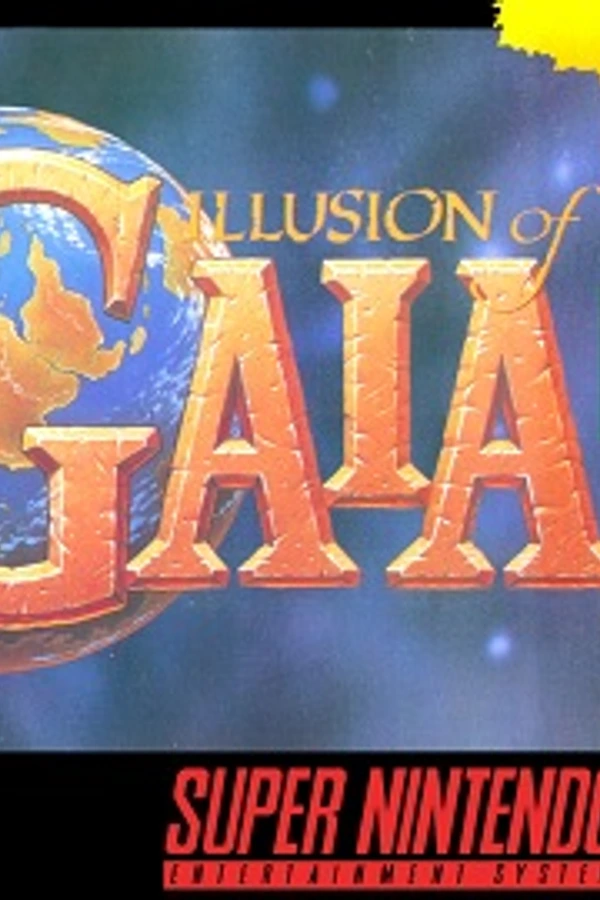
Illusion of Gaia (PC)
Illusion of Gaia
OrigenSuper Nintendo
TecnologíaPort Nativo C/C++ (Reimplementación de Motor)
Disponible paraWindows, Linux, macOS, Android
Ver proyecto oficialSobre el proyecto
Illusion of Time, conocido en Japón como ガイア幻想紀 y en Estados Unidos como Illusion of Gaia, es un videojuego del género ARPG lanzado en 1995 para la consola Super Nintendo. Fue desarrollado por Quintet. Enix publicó el juego en Japón, y Nintendo en Europa lo publicó en cuatro idiomas: inglés, francés, español y alemán.
Información oficial del proyecto
Babel Recomp — Illusion of Gaia
A native PC and console port of Illusion of Gaia (SNES, USA) built on a static-recompilation framework, with languages, an MSU-1 soundtrack, HD scaling, New Game+, RetroAchievements and more.

No game data is included. This repository and its releases contain no ROM, no graphics, no music and no code generated from the game. You need your own legally obtained copy of the game; everything is read from it when you play.
| Platform | Package | Status |
|---|---|---|
| Linux x86-64 | .zip | Developed and tested here |
| Windows x86-64 | .zip | Builds; not yet tested on Windows |
| Nintendo Switch | .nro | Tested on hardware, start to finish |
| Android arm64 | .apk | Builds; not yet tested on a device |
| macOS (Apple Silicon) | .zip | Built by CI; untested |
| Nintendo 3DS / 2DS | .cia, .3dsx | Runs in Azahar; not yet tested on hardware; New 3DS recommended |
| PlayStation Vita | .vpk | Runs in Vita3K; not yet tested on hardware |
Thanks
This port stands on the work of many people. Thank you all.
- snesrecomp — the SNES static-recompilation framework this port is built on, by Matthew Stanley and the R.A.I.D. community; and its launcher, recomp-ui.
- GaiaLabs by Azarem — the Illusion of Gaia ROM-hacking toolkit, disassembly and database: symbols, text format, and the reference patches behind the run button, New Game+, music transitions and more. This port would not exist without these tools.
- Aleks (ALEKS Ultimate NX) — for the dual-screen companion (the Dual and Flip Grip layouts) and for their help throughout. Its safe boot, crash reporter and RetroAchievements storage were adapted here with permission.
- EstebanPdN (zelda-alttp-3ds) — the port ALEKS Ultimate NX is built on.
- Illusion of Gaia Randomizer — DontBaguMe and contributors (IoGR, iogr.app); the Apocalypse Gaia patch by a member of that community, and its playtesters.
- MSU-1 pack authors, in particular Conn (Zeldix forum), whose track layout this port follows.
- Emulation research and code in snesrecomp: snesrev zelda3 and smw (the SNES hardware core), LakeSnes, snes9x, bsnes, ares (Cx4), SMWDisX (IsoFrieze), recompiler-rs (perplexes), ar-recomp (DerrickGold) — see THIRD_PARTY_ATTRIBUTION.md.
- RetroAchievements and rcheevos.
- SDL, Dear ImGui (Omar Cornut), stb (Sean Barrett), the Lato, Noto Sans Symbols 2 and OpenMoji fonts.
- Consoles: devkitPro (devkitA64, libnx, devkitARM, libctru), Mesa for Switch (danfromtico, NaGaa95), VitaSDK, Project_CTR (makerom) and bannertool.
- RetroArch / libretro — the GLSL
shader format and
libretro.h. - The zelda3 ports for 3DS (ProbablyRohan) and Vita (Rinnegatamante), whose build choices informed the handheld versions.
- Quintet / Enix, for the original Illusion of Gaia (1993). All game content belongs to its rights holders.
- Everyone who tested builds and sent logs, screenshots and videos.
What you need
-
Illusion of Gaia (USA) ROM, unmodified, 2 MB (a 512-byte copier header is fine and ignored). The game checks it before booting:
SHA-256 32adc048fd89228a4310c03df243e83de7d436cdb2460b4cc83ade20d359b2bdSHA-1 38de0c84dd2bc3bdfc0a3d7ab0220c79b70887c3CRC32 1c3848c0 -
Optional: your own European ROMs (Illusion of Time: Spain, France, Germany) to play in Spanish, French or German.
-
Optional: an Illusion of Gaia MSU-1 pack (
.pcmfiles) for the CD-quality soundtrack. -
Optional: the Apocalypse Gaia
.ipspatch (see MODS.md).
Features
The game
- The whole game, playable from start to finish, running natively.
- Save files compatible with the original (
.srm), plus 10 save-state slots with thumbnails, rewind and fast-forward. - Languages: Spanish, French and German text and font taken from your own European ROM, switchable in game. Lines that only exist in the US release are translated by hand.
- MSU-1 soundtrack: CD-quality music from any MSU-1 pack. No ROM patch is needed; sound effects stay the game's own.
- New Game+: at the END screen the game offers to save the file as finished. Continuing it starts again keeping Will's stats and abilities, with tougher enemies (×2 damage, ×3 from the second round).
- Completion percentage: rooms cleared, Red Jewels collected, story end.
- Quality of life: run button, item hotswapping (X + L/R), stacking of Red Jewels/Herbs/Crystals, equipped-item marker, hold to advance dialogue.
- Cheats: infinite HP, DP, stats, all 50 Red Jewels (achievements off).
- Apocalypse Gaia: the restored, cut final boss (bring your own patch).
- Randomizer: play Illusion of Gaia Randomizer (IoGR) seeds.
Graphics
- HD scaling: sharp pixels at any resolution, or smooth redrawn edges (xBR), up to 4K.
- HD Mode 7: the world map and Mode 7 scenes rendered at high resolution.
- HD packs: replacement art for tiles and sprites (1×/2×/4×).
- RetroArch GLSL shaders: multi-pass presets, LUTs, parameters.
- Fullscreen, FPS counter, aspect-ratio options.
Convenience
- Launcher: ROM picker with verification, display / audio / input settings, controller remapping, and a Mods page.
- In-game settings menu over the paused game (Esc, or ZL + R3 on a pad).
- Companion screen (I, or ZL + L3): inventory, status, save states and settings in the game's own art, usable by touch. Dual and Flip Grip layouts show it beside the running game.
- RetroAchievements (softcore), with offline unlocks sent later.
- Logs and crash reports in
logs/on every platform, to attach to a bug report. - Touch controls on Android: an on-screen pad beside the picture, hidden while a controller is connected.
Display modes
- Widescreen 16:9. The picture is extended to the sides with the real map
(what the SNES never showed), not stretched; past the edge of a map the
extra columns stay black. In the launcher's display settings choose
16:9 (Widescreen), or set
Widescreen = 1under[Graphics]inconfig.ini(on the 3DS and the Vita, which have no launcher). Off, the 4:3 picture is identical to the original. - Companion screen. I on the keyboard, ZL + L3 on a pad: the game pauses on a second screen drawn in the game's own art — your inventory on the stone pedestal (tap or press A to equip), the status page, the save states with thumbnails, and the settings. Works by touch.
- Dual screen. Dual puts the game and the companion side by side, both live; Flip Grip and Flip Grip R stack them and turn the picture a quarter turn for a console held upright (Switch with a Flip Grip, phones, tablets). Settings menu → Companion screen.
Every mod and option is described in MODS.md.
Install and play
Download the package for your platform from the Releases page, or build it yourself (below). In every case the files you add go beside the executable:
babel-recomp(.exe / .nro)
assets/  i18n/  mods/       (come with the package)
rom.sfc                     your USA ROM (any name works if you pick it)
languages/                  your European ROMs (optional)
msu1/                       your MSU-1 pack's .pcm files (optional)
shaders/                    RetroArch GLSL shaders (optional)
Where everything goes
| Platform | Game folder (ROM, languages/, msu1/, mods/, shaders/, saves/, logs/, config.ini) |
|---|---|
| Windows | the folder you unzipped, beside babel-recomp.exe |
| Linux | the folder you unzipped, beside babel-recomp |
| macOS | the folder you unzipped, beside babel-recomp |
| Switch | sdmc:/switch/babel-recomp/ (shaders also from sdmc:/retroarch/shaders/shaders_glsl/) |
| Android | Android/data/com.mr0ta.babelrecomp/files/ on the internal storage |
| 3DS | sdmc:/3ds/babel-recomp/ (DSP firmware: sdmc:/3ds/dspfirm.cdc) |
| Vita | ux0:data/babel-recomp/ (the app itself installs as ux0:app/BABL00001) |
Inside it:
| Path | Contents |
|---|---|
rom.sfc | your USA ROM |
languages/ | your European ROMs, any file name |
msu1/ | an MSU-1 pack's .pcm files |
mods/ | unpacked mods (a folder with manifest.toml), plus the built-in catalog |
shaders/ | RetroArch GLSL shaders (desktop, Switch, Android) |
saves/save.srm | the game's battery save (compatible with the original) |
saves/save0.sav … | save states, with .thumb previews |
logs/ | the debug log and crash reports |
config.ini, keybinds.ini | settings and controls |
env.txt | consoles only, optional: diagnostic switches, one KEY=VALUE per line |
On a PC, if the folder is read-only the logs go to the per-user data folder
instead (%APPDATA%\babel-recomp, ~/.local/share/babel-recomp,
~/Library/Application Support/babel-recomp); the log's second line gives the
path.
Windows
- Unzip
babel-recomp-<version>-windows-x86_64.zipanywhere you can write. - Run
babel-recomp.exe. The launcher opens: choose your ROM, then Play. (Or put it beside the executable asrom.sfc.)
The executable is self-contained (no DLLs). SmartScreen may warn about an unsigned program: More info → Run anyway.
Linux
- Unzip
babel-recomp-<version>-linux-x86_64.zip. ./babel-recompand choose your ROM in the launcher, or./babel-recomp /path/to/rom.sfcto go straight in.
macOS
- Unzip
babel-recomp-<version>-macos-arm64.zip. - The build is not signed:
xattr -dr com.apple.quarantine babel-recomp-*once, then./babel-recomp.
Nintendo Switch
Requires a Switch running custom firmware with the Homebrew Menu.
- Copy the
switch/babel-recomp/folder of the package to the root of the SD card, so you havesdmc:/switch/babel-recomp/babel-recomp.nro. - Put your ROM there as
rom.sfc(sdmc:/switch/babel-recomp/rom.sfc). Optional:languages/,msu1/. - Open Babel Recomp from the Homebrew Menu. Starting the Homebrew Menu through a game (hold R while launching any title) rather than the Album gives it the full memory and is recommended.
Controls are the SNES layout on the Joy-Con / Pro Controller. ZL + R3 opens the settings, ZL + L3 the companion screen. Hold ZL + R3 while it starts for a safe boot (default video, no shader).
Android
- Install
babel-recomp-<version>-android-arm64.apk(allow installing from unknown sources). Android 7.0 or newer, 64-bit ARM. - Open it once and close it: it creates its folder.
- Copy your ROM as
rom.sfctoAndroid/data/com.mr0ta.babelrecomp/files/(with a USB cable, or withadb push rom.sfc /sdcard/Android/data/com.mr0ta.babelrecomp/files/).languages/andmsu1/go in the same folder. - Open it again. Touch controls appear beside the picture; connecting a controller (Bluetooth or USB) hides them.
Nintendo 3DS / 2DS
Requires custom firmware (Luma3DS). Every model runs it; a New 3DS / New 2DS XL is recommended, since the original models have far less CPU (and do without the MSU-1 soundtrack).
- Copy the
3ds/babel-recomp/folder of the package to the root of the SD card, and put your ROM there asrom.sfc(sdmc:/3ds/babel-recomp/rom.sfc). Optional:languages/,msu1/. - Install
babel-recomp.ciawith FBI (it appears on the HOME Menu), or runbabel-recomp.3dsxfrom the Homebrew Launcher. - Sound needs the console's DSP firmware, as for all 3DS homebrew: run
DSP1 once (it writes
sdmc:/3ds/dspfirm.cdc).
The game is shown on the top screen, unscaled. Frames are skipped when the console cannot draw them all, so the game keeps its speed.
PlayStation Vita
Requires HENkaku/Ensō with VitaShell.
- Install
babel-recomp-<version>-vita.vpkwith VitaShell. - Put your ROM as
ux0:data/babel-recomp/rom.sfc(the folder is created on the first launch;languages/andmsu1/go there too).
Performance on handhelds
Every version emulates the SNES hardware exactly (the same frames and the same sound as on a PC, verified frame by frame). The 3DS and the Vita have far less CPU than a phone or a Switch: they skip drawing frames when needed so the game keeps its speed, and use the fastest settings automatically. Measured in an emulator, a New 3DS should run the game at about three quarters of full speed; reports from real hardware are welcome (enable the FPS counter in the settings menu).
Controls
The SNES layout, by position on every pad: on Nintendo consoles the labels match (A right, B bottom, X top, Y left); on other pads the button in that position plays that role. Everything can be remapped in the launcher.
| SNES | Keyboard | Nintendo (Switch, 3DS) | Xbox | PlayStation / Vita |
|---|---|---|---|---|
| D-pad | Arrows | D-pad / left stick | D-pad / left stick | D-pad / left stick |
| A | X | A | B | Circle |
| B | Z | B | A | Cross |
| X | S | X | Y | Triangle |
| Y | A | Y | X | Square |
| L / R | C / V | L / R | LB / RB | L1 / R1 (Vita: L / R) |
| Start / Select | Enter / Right Shift | + / − (3DS: Start / Select) | Menu / View | Options / Share (Vita: Start / Select) |
Shortcuts. On a pad, hold ZL (LT, L2) as a function button — the game never uses it:
| Action | Keyboard | Pad |
|---|---|---|
| Settings menu | Esc | ZL + R3 |
| Companion screen | I | ZL + L3 |
| Save-state menu | F11 | ZL + Start |
| Quick save / load (slot 1) | Shift+F1 / F1 (slots 1-10: F1-F10) | ZL + R / ZL + L |
| Rewind | F12 | ZL + Select |
| Fast forward (hold) | Tab | ZL + ZR |
| Performance overlay | — | ZL + X |
| Volume | — | ZL + Up / Down |
| Fullscreen | Alt+Enter | — |
| Next language | Ctrl+L | — |
Per platform.
- Switch: Joy-Con (attached or in pairs) or a Pro Controller. The touch screen works on the companion screen and in Dual / Flip Grip.
- Android: the on-screen pad (d-pad, A/B/X/Y, L/R, Select/Start and a ☰ button for the settings) while no controller is connected; a Bluetooth or USB controller hides it and uses the table above.
- 3DS: the console's buttons (Circle Pad = d-pad). Tap the touch screen to open the settings menu; save states are inside it.
- Vita: the console's buttons as in the PlayStation column. Tap the screen to open the settings menu; save states are inside it.
Build from source
You need CMake ≥ 3.20, a C11/C++17 compiler, Python 3 and Ninja (or Make). SDL3 is downloaded and built automatically when the system has none.
git clone https://github.com/mrOt4/babel-recomp.git
cd babel-recomp
cmake -S . -B build -DCMAKE_BUILD_TYPE=Release
cmake --build build -j
./build/babel-recomp
The default build is interpreter-only: the game's code is read from your
ROM at run time, so nothing derived from the ROM is ever compiled in, and no
ROM is needed to build. (For this game it plays identically and just as fast;
we compared every frame.) Developers who want the statically recompiled code
can configure with -DSNESRECOMP_INTERPRETER_ONLY=OFF and generate it from
their own ROM with bash tools/regen.sh --rom /path/to/rom.sfc; that output
(src/gen/) must never be committed or shared.
| Target | How |
|---|---|
| Windows (cross from Linux) | scripts/toolchains/setup_windows.sh, then configure with -DCMAKE_TOOLCHAIN_FILE=scripts/toolchains/windows-llvm-mingw.cmake |
| Android | scripts/toolchains/setup_android.sh, source ~/toolchains/android-env.sh, then cd android && ./gradlew assembleRelease |
| Switch | devkitPro (switch-dev) and Mesa: scripts/toolchains/setup_switch.sh, then scripts/toolchains/stage_switch.sh for the SD-card folder |
| 3DS | scripts/toolchains/setup_3ds.sh, then configure with -DCMAKE_TOOLCHAIN_FILE=$DEVKITPRO/cmake/3DS.cmake (builds the .3dsx and the .cia) |
| Vita | scripts/toolchains/setup_vita.sh, then configure with -DCMAKE_TOOLCHAIN_FILE=$VITASDK/share/vita.toolchain.cmake (builds the .vpk) |
| Package | scripts/package_release.sh <build-dir> <platform-tag> |
scripts/toolchains/README.md has the details.
The GitHub Actions workflow builds Linux, Windows, macOS and Android, and
publishes them when a v* tag is pushed.
Reporting a problem
Open an issue and attach the logs/ folder from beside the game
(sdmc:/switch/babel-recomp/logs/ on Switch, babel-recomp.log too). Say
what you were doing and which mods were on.
AI-assisted project
This project was developed with the assistance of AI (Anthropic's Claude, through Claude Code), directed, tested and reviewed by mr0ta. Bugs are ours; please report them.
License
The source code is under the
PolyForm Noncommercial License 1.0.0: free to use, study, modify
and share for any non-commercial purpose. The frameworks keep their own
licenses (snesrecomp/LICENSE, recomp-ui/LICENSE, and the third-party notices
above). None of them covers the game, which is not distributed here.
Donations through Ko-fi are voluntary and are not a sale of the game or of this software: everything here is free.
Illusion of Gaia is a trademark of its respective owners. This project is not affiliated with or endorsed by Nintendo, Square Enix or Quintet.