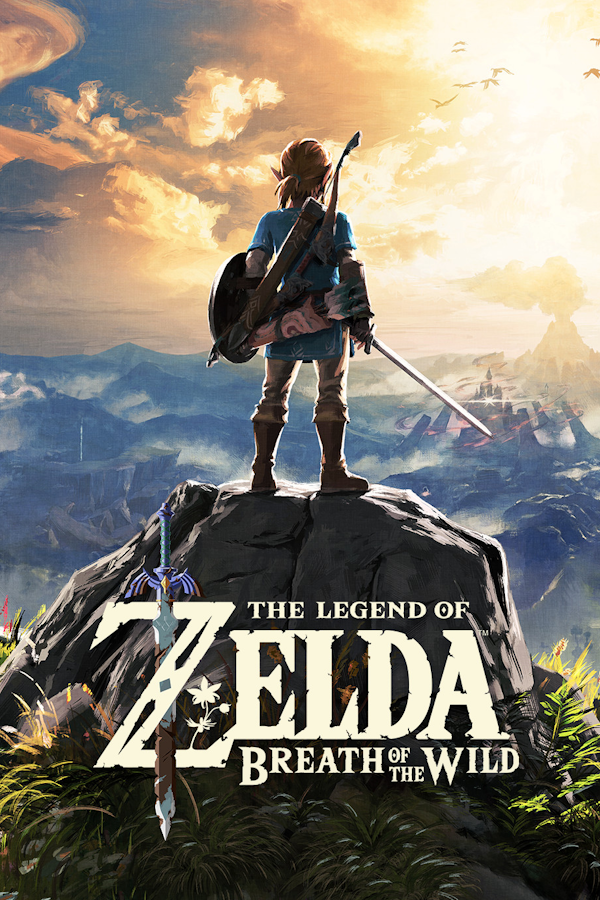
The Legend of Zelda: Breath of the Wild (BotW Recompiled)
The Legend of Zelda: Breath of the Wild
Sobre el proyecto
The Legend of Zelda: Breath of the Wild es un videojuego de acción-aventura de 2017 de la serie The Legend of Zelda, desarrollado por la filial Nintendo EPD en colaboración con Monolith Soft y publicado por Nintendo para las consolas Wii U, Nintendo Switch, y Nintendo Switch 2. Es la decimoctava entrega de la serie y la tercera en utilizar gráficos en alta definición. Se lanzó el 3 de marzo de 2017 para Wii U y Nintendo Switch.
5 versiones de The Legend of Zelda: Breath of the Wild
Estás viendo: The Legend of Zelda: Breath of the Wild (BotW Recompiled)
The Legend of Zelda: Breath of the Wild (BotW Recompiled)github.com/IshaanKalra2103/BotWRecompBreath of the Wild Decompilationgithub.com/zeldaret/botwThe Legend of Zelda: Breath of the Wildgithub.com/hardkiller2565123123/CafeRecompThe Legend of Zelda: Breath of the Wild (Android)github.com/mamcjr/BOTWRecompAndroidThe Legend of Zelda: Breath of the Wild (Savage Wind Recomp)github.com/Revivedx/SavageWindRecompInformación oficial del proyecto
BotW Recompiled (unofficial)
A native port of The Legend of Zelda: Breath of the Wild (Wii U) to iPhone and Apple Silicon
Macs. The game's PowerPC code (U-King.rpx) is statically recompiled to C++ and runs on a Cafe OS
runtime written for this port, with Cemu's Latte GPU layer drawing through Metal. There is no
emulator and no JIT, so it runs as an ordinary signed iOS app.
[!IMPORTANT] This repository contains no game files and no game code. You need your own copy of the Wii U game. The build recompiles your copy on your Mac, and you install the result on your own iPhone. There is no download-and-play IPA, and there never will be one: it would contain Nintendo's code.
Status
iPhone (main target). Tested on one iPhone 16 Pro (A18 Pro, 8 GB), signed with a free Apple ID. The game boots and plays with on-screen touch controls. The GPU ran at mostly 35-60 fps in the open world, using about 2.4 GB of memory. On the one long run so far, the game hung after about 4 minutes of play (the cause is not known yet), so expect that. Nothing else has been tested: no other iPhone, no iPad.
Mac. Plays with keyboard or a controller (DualSense, with gyro aiming). On an M1 Pro: 60 fps in menus, 24-35 fps in the open world at the default render scale (about 2.4x).
Known gaps: the iPhone hang above; the app keeps sending GPU work when it goes to the background;
shaders compile on first use, so the first run hitches; DLC is untested. Details for iOS are in
ios/PORTING.md.
What you need
-
A Mac with Apple Silicon to build, even for the iPhone. Xcode (from the App Store, with the iOS platform installed) and Homebrew.
-
An iPhone on iOS 18 or later, A14 chip or newer. Only an 8 GB iPhone 16 Pro has been tested; phones with less memory will probably run out of it. A free Apple ID is enough to sign the app.
-
The game, as files: Breath of the Wild for Wii U, USA, with update 1.6.0 (v208), as a folder containing
code/,content/andmeta/. The recompiler and the game patches are made for that exact executable. Check yours:shasum -a 256 /path/to/game/code/U-King.rpx # ba58da5b95ce929e005d058ceb08b9b2788d1ab2bbc8a6c189bbadca0bb34d30
Getting the game files
Dump the game and its update from your own Wii U (for example with
Dumpling). Then copy the update's code/, content/ and
meta/ folders over the base game's, replacing files, so that one folder holds the updated game.
If you have a .wud or .wux disc image and its disc key instead, tools/wud_extract.py unpacks
the base game. It needs the Wii U common key, which is not included here. Pass it in
WIIU_COMMON_KEY, either as hex or as a file:
WIIU_COMMON_KEY=/path/to/common.key uv run python -I tools/wud_extract.py game.wux game.key game-base
You still need the v208 update from your console on top of that.
The scripts look for the game in a folder named game next to this repository. If yours is
elsewhere, set BOTW_GAME=/path/to/game.
Build for iPhone
brew install cmake ninja uv boost glm
git clone https://github.com/IshaanKalra2103/BotWRecomp
cd BotWRecomp

# 1. Recompile your copy of the game to C++ (writes generated/, about a minute)
uv run python -I tools/recompile.py /path/to/game/code/U-King.rpx generated
-
Sign in to Xcode with your Apple ID (Xcode > Settings > Accounts). Connect the iPhone by USB, unlock it and tap Trust. If Developer Mode is off, turn it on under Settings > Privacy & Security
Developer Mode (the switch appears after the phone has been connected to Xcode once).
-
Make a provisioning profile, build, sign and install:
ios/scripts/provision.sh           # registers the phone and makes the profile
ios/scripts/build.sh iphoneos      # about 15 minutes the first time (M1 Pro), incl. SDL3, fmt, zstd
ios/scripts/device.sh install
The app's bundle ID is
com.<your Mac user name>.BotWRecomp. Bundle IDs are unique across all Apple accounts, so if provisioning says it is taken, put another one inios/local.env:BOTW_BUNDLE_ID=com.yourname.BotWRecomp. The other settings are listed inios/scripts/env.sh. -
Copy the game onto the phone (about 12 GB):
BOTW_GAME=/path/to/game ios/scripts/device.sh copy-gameOr in Finder: select the iPhone, open the Files tab, and drag your game folder (the one with
code/,content/andmeta/) onto BotW. -
On the iPhone, trust your developer certificate (Settings > General > VPN & Device Management), then open BotW.
Controls: on-screen touch controls, shown while no controller is connected. Controllers go through SDL and work on the Mac, but have not been tried on the iPhone yet. The on-screen menu button opens the settings menu: frame rate (30 or 60), resolution, aspect, upscale filter, gyro, button layout, touch controls, FPS counter and volume.
With a free Apple ID the app stops opening after 7 days. Run ios/scripts/provision.sh,
ios/scripts/build.sh iphoneos and ios/scripts/device.sh install again; the game files and saves
stay on the phone. ios/scripts/device.sh log fetches the runtime log.
To add an app icon, put a 1024x1024 PNG at
ios/assets/Assets.xcassets/AppIcon.appiconset/AppIcon-1024.png before building.
Build for Mac
brew install cmake ninja uv sdl3 fmt openssl@3 zstd boost glm libpng
uv run python -I tools/recompile.py /path/to/game/code/U-King.rpx generated
cmake -B build -G Ninja && ninja -C build
BOTW_GAME=/path/to/game tools/play.sh
F11 toggles fullscreen. F1, L3+R3 or the DualSense touchpad opens the settings menu. --fps 30 and
--scale 1 give the original frame rate and resolution. Saves and settings are kept in
~/Library/Application Support/BotWRecomp.
How it works
cafe/andtools/recompile.py: the recompiler. It loads the RPX (Wii U ELF with compressed sections and relocations), finds every function, and writes one C++ function per PowerPC function intogenerated/, bucketed into files by address.runtime/: the Cafe OS the game expects. Loader, memory and heaps, threads and synchronisation, the file system,coreinit, GX2 (the graphics API, building the same command packets as Cemu's),snd_coreaudio, controller and gyro input, game patches such as 60 fps (runtime/src/game/), and the window and touch controls.runtime/cemu/: Cemu's Latte GPU layer (command processor, shader decompiler, texture cache, Metal renderer), vendored with small changes.runtime/cemu_shims/stands in for the parts of Cemu that are not vendored.ios/: the iOS app. Its own CMake project over the same sources, plus the UIKit entry point, a Metal layer, signing and device scripts. Seeios/PORTING.md.runtime/src/gpu_native/andtools/shaders/: an experimental Metal renderer meant to replace Cemu's layer (docs/native-renderer.md). It is off by default.
Credits and license
By Ishaan Kalra, built with Claude Code.
- Cemu: the GPU layer in
runtime/cemu/, and parts of GX2, snd_core and the motion code inruntime/src/(each such file says so at the top). - Cemu's graphic packs (CC0): the BotW resolution rules in
runtime/cemu_shims/botw_texture_rules.inc. The 60 fps approach follows the FPS++ pack by Xalphenos, rajkosto, epigramx, Crementif, leoetlino, Pig and Exzap. - SDL3, fmt, zstd, Dear ImGui and metal-cpp.
This project's own code is MIT licensed (LICENSE). Code from Cemu stays under the Mozilla
Public License 2.0 (runtime/cemu/LICENSE.txt). Dear ImGui and metal-cpp
keep their own licenses, in runtime/cemu/dependencies/.
The Legend of Zelda and Breath of the Wild are trademarks of Nintendo. This is an unofficial fan project, not affiliated with or endorsed by Nintendo.