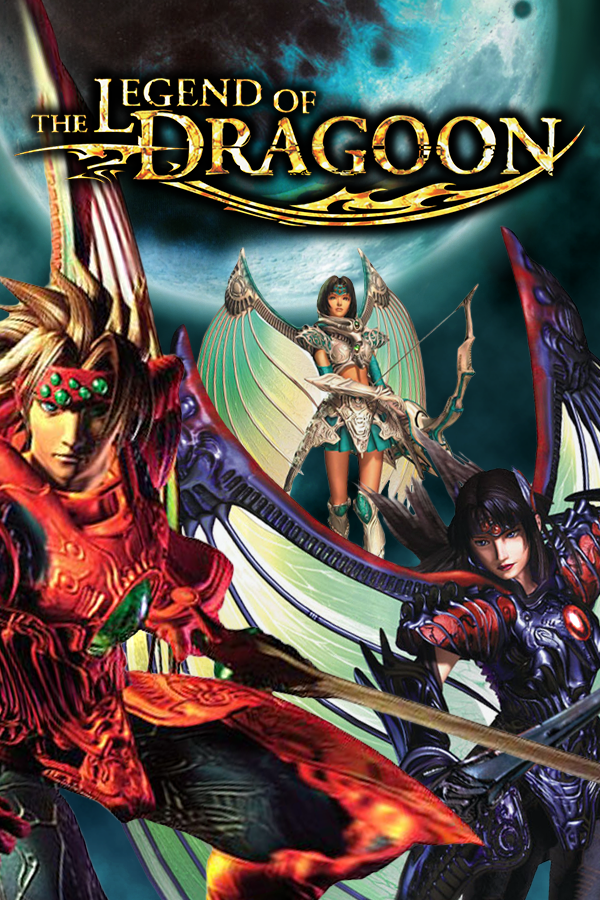
Severed Chains (The Legend of Dragoon)
The Legend of Dragoon
OrigenPlayStation
TecnologíaPort Nativo C/C++ (Reimplementación de Motor)
Disponible paraWindows, Linux, macOS
Ver proyecto oficialSobre el proyecto
The Legend of Dragoon es un videojuego de rol desarrollado y publicado por SCEI para PlayStation. Fue lanzado el 2 de diciembre de 1999 en Japón, en Norteamérica el 11 de junio de 2000 y en Europa el 19 de enero de 2001.
Información oficial del proyecto
Like what you see? Send me a tip! You can also subscribe to our YouTube channel.

Severed Chains
Legend of Dragoon reverse engineered into high-level code with a modding API. This is not an emulator, but assembly code disassembled and rewritten in Java. AI was not used to create this project.
Current Progress
- The game is fully playable with no known crashes
- Many bugs in the original game have been fixed
- Many new features and options not in the original game
- A Modding API with many features and more features in development
Interested in playing?
Visit our project page for downloads and a setup guide! https://legendofdragoon.org/projects/severed-chains/
Controls
Controllers and gamepads are fully supported, including rumble. Keyboard controls are also supported, and mouse controls are available in menus. You can see the default controls in the options menu. Controllers and gamepads should be automatically detected.
NOTE: There are known issues with using DS4windows, and possibly other controller emulators. Severed Chains supports 1800+ controllers out of the box so it's very likely you can just plug in your controller, set it up, and play. If you find a controller that isn't in our controller database, please contact us and we'll work with you to get it added. If you do use DS4windows, make sure your controller isn't hidden and close DS4windows.
Updating
When a new version is available, an "Update Available" button appears on the title screen. Clicking it downloads and applies the update automatically.
The automatic updater preserves your saves, mods, ISOs, and config. After the update completes, restart the game.
GPU Selection
Severed Chains supports GPU preference settings for systems with multiple graphics cards (laptops with integrated and discrete GPUs).
Linux/Steam Deck: GPU preference is applied automatically based on your launch.conf setting. No additional setup required.
Windows: GPU preference requires one-time configuration. You have two options:
-
Easy Setup (Recommended): After running launch.bat Run
gpu-optional-setup.batand follow the prompts. This is optional but makes GPU selection automatic. -
Manual Setup: Add Severed Chains to Windows Graphics Settings:
- Open Windows Settings > Display > Graphics
- Click "Add desktop app" or "Browse"
- Navigate to your Severed Chains folder and select
jdk25\bin\java.exe - Click "Options" and choose your preferred GPU (Power saving or High performance)
To configure GPU preference in UNIX systems, edit launch.conf in your game folder:
GPU_PREFERENCE=0- Auto (let the system decide)GPU_PREFERENCE=1- Discrete GPU (NVIDIA/AMD dedicated graphics)GPU_PREFERENCE=2- Integrated GPU (Intel/AMD integrated graphics)
Interested in the code?
Visit our discord and drop into the #modding channel!
If you are interested in contributing (or just curious), the following steps should get you up and running:
- Install a git client and ensure the installation includes command line integration
- Clone this repository to your local computer using git
- Copy your ISOs or BINs of the LoD disks into the
isosdirectory. - Open your local copy of this repository in your IDE (IntelliJ recommended)
- Gradle should automatically attempt to configure the project and download all dependencies. If it doesn't, expand the gradle tab and click refresh. This process should succeed; resolve any errors if it does not. (lack of command line git can cause issues here)
- Run the project
Note: Java 25 is required.
Copyright Information
Even though it is not an emulator, Severed Chains can not be played without the user providing the LoD disk images. Assets are extracted from the ROMs at runtime. This codebase does not include any official Legend of Dragoon code or assets.