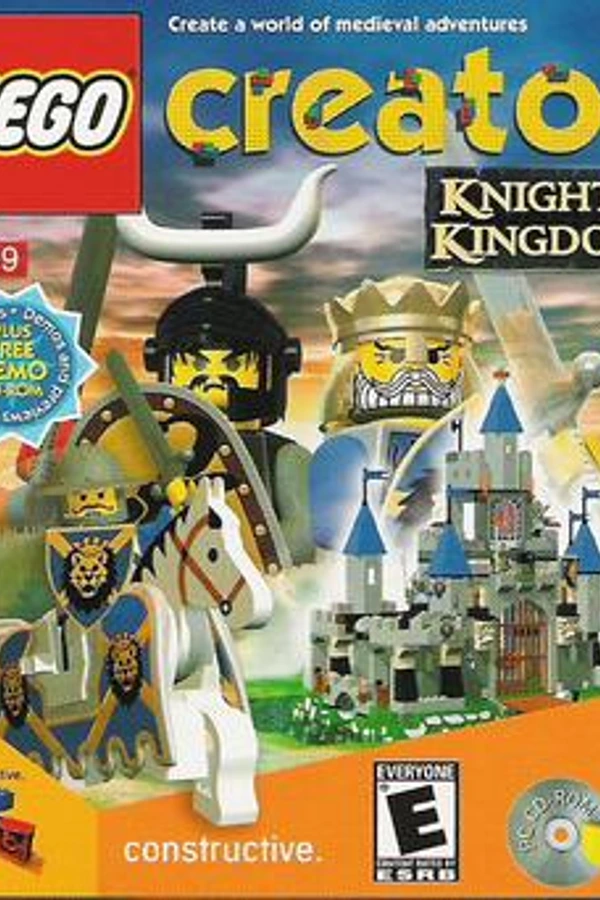
Lego Creator Knights Kingdom
TecnologíaPort Nativo C/C++ (Reimplementación de Motor)
Disponible paraWindows, Linux, macOS
Ver proyecto oficialSobre el proyecto
Lego Creator es un videojuego sandbox para Microsoft Windows, que implica construir con elementos de virtual Lego. El juego no tiene misiones, objetivos, desafíos ni limitaciones de dinero. El juego fue lanzado el 11 de noviembre de 1998.
Información oficial del proyecto
Overview
This is an ongoing project which covers two-fold:
- Reverse Engineering Lego Creator Knight's Kingdom
- Modernize the game (using same or similar assets) while expanding functionality
Current Progress (right click + open in new tab)
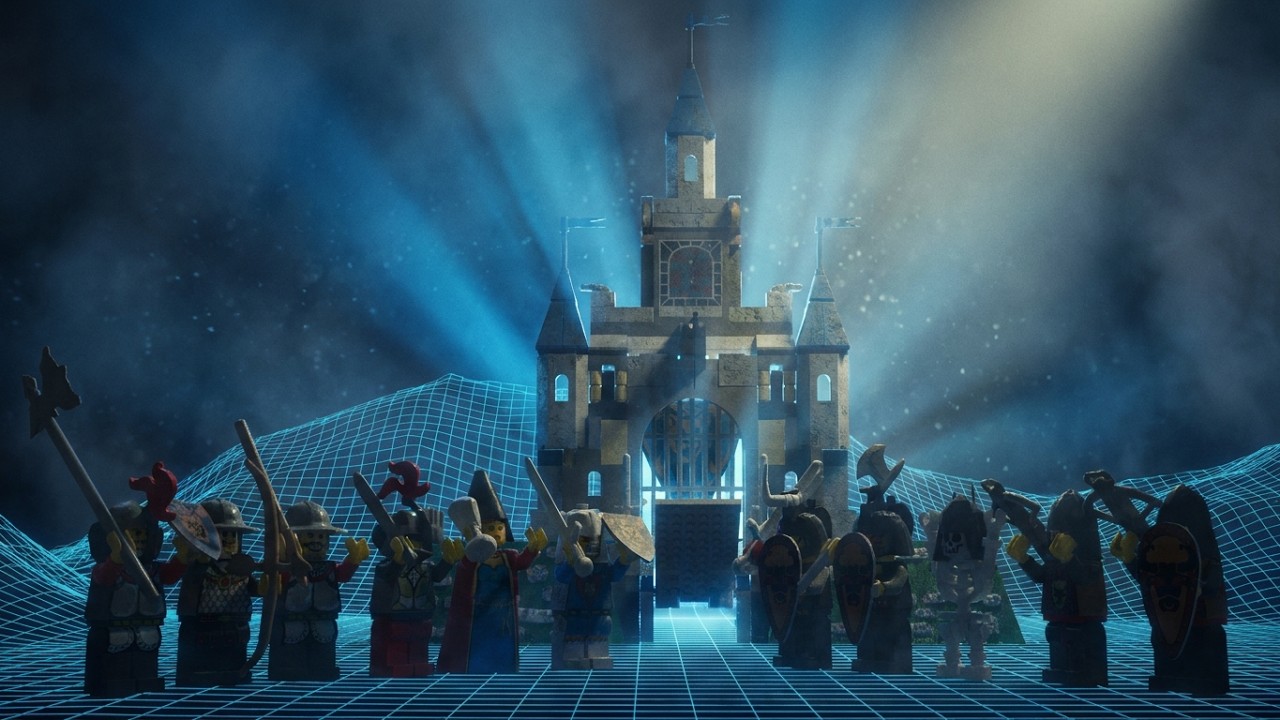
Video Overview (right click + open in new tab)

Software and associated items utilized
Reverse Engineering
Superscape
- Superscape VRT 5.71 SDK
- LEGO Creator: Knights Kingdom (2000)
- LEGO Creator: Harry Potter - North American (Windows PC)
- Superscape Do3D Evaluation Version 5.10
- Lego Creator 1998 Lego Group Superscape CD
- Superscape Visualiser
- Superscape Do 3D (1998)
- Superscape VRT v5.60 (1998)
- Superscape Viscape Universal v5.61
Misc
Folders
Below you will find the associated folders pertaining to the project and research as to which I have gathered on the subject.
For reverse engineering the model data, resources is the place to be.
For writing the modern app, src is the place to be.
resources
This folder contains the files which I have acquired from original developers at Superscape.
Archive
Contains certain files which were found in older Superscape VRT 5.71, and used to import data.
model_files
Contains sample model file data, with thumbnail, which you can open in any Hex editor to see the finer details.
ordinals
Python scripts as swell as the MFC42 file which would have been utilized in 2000 to create the game.
sdk
Contains the SDK which was documented and used by Superscape employees, to help them understand what the program does.
research
Here is the compiled research I, along with help from RE community members, have been able to come up with:
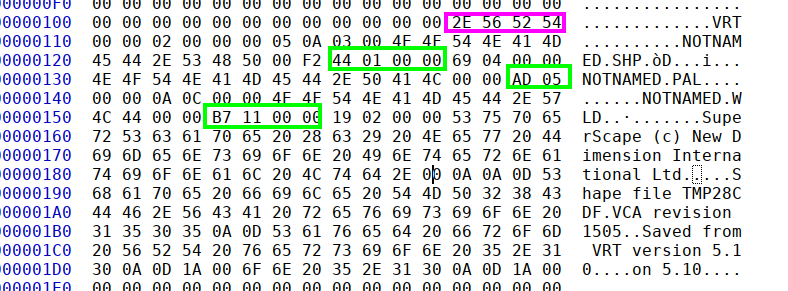
This is what the VRT file name consists of, and will let you know the offsets of the VCA files.
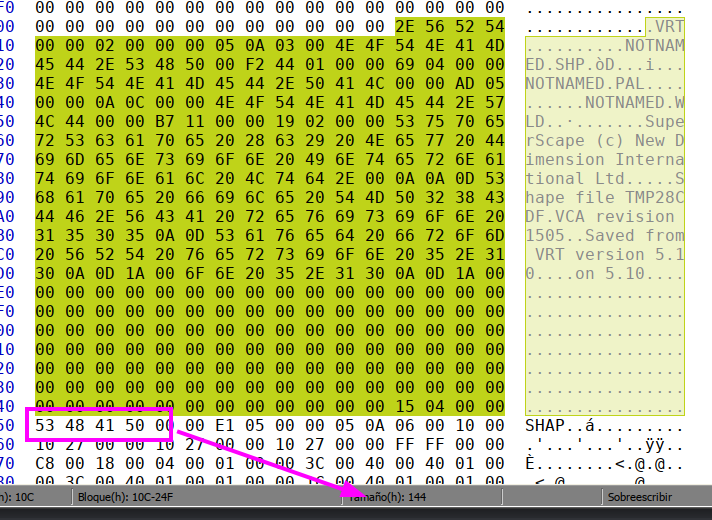
This is the Shape data, which you can see follows along with the offsets.
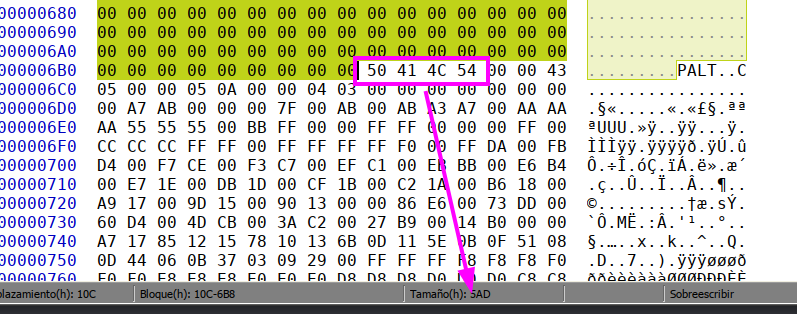
This is the palette data, which also follows along the offsets.
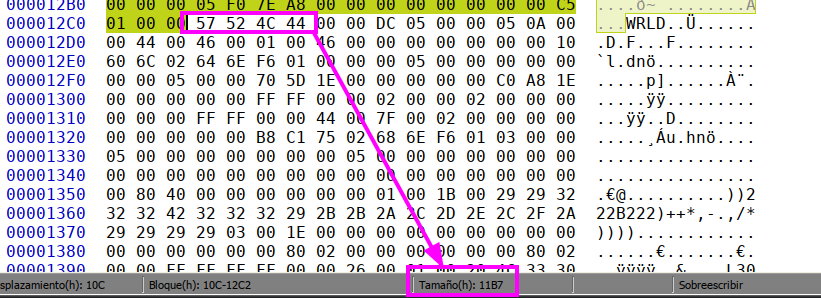
This is the world data, which follows the offsets.
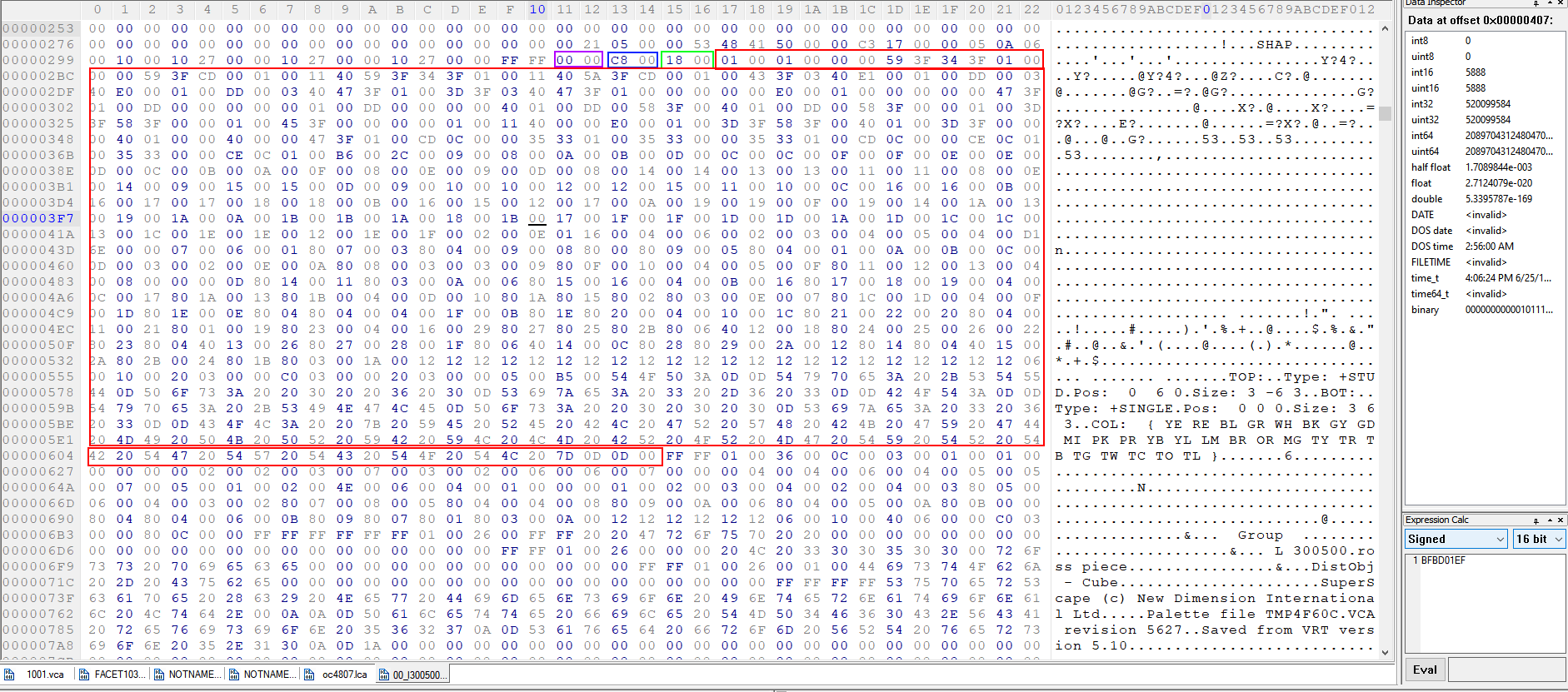
This is a basic brick, with the shape offset at top
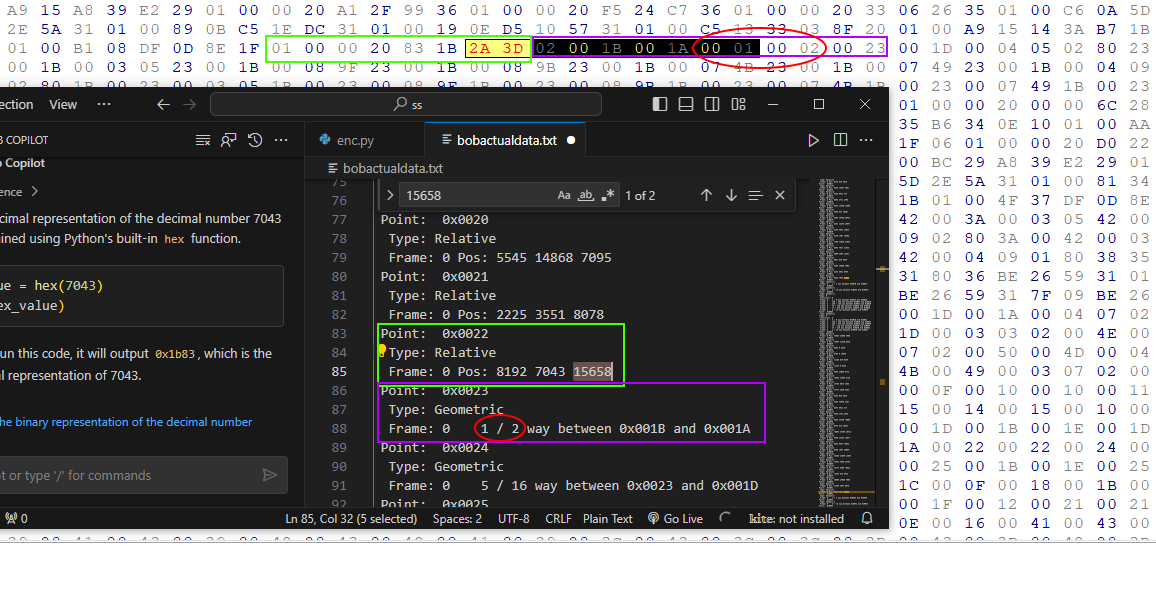
Here is an example of the point data which VRT uses. The data is split by memory address in geometric, or regular. Also can have facets and line data as well.
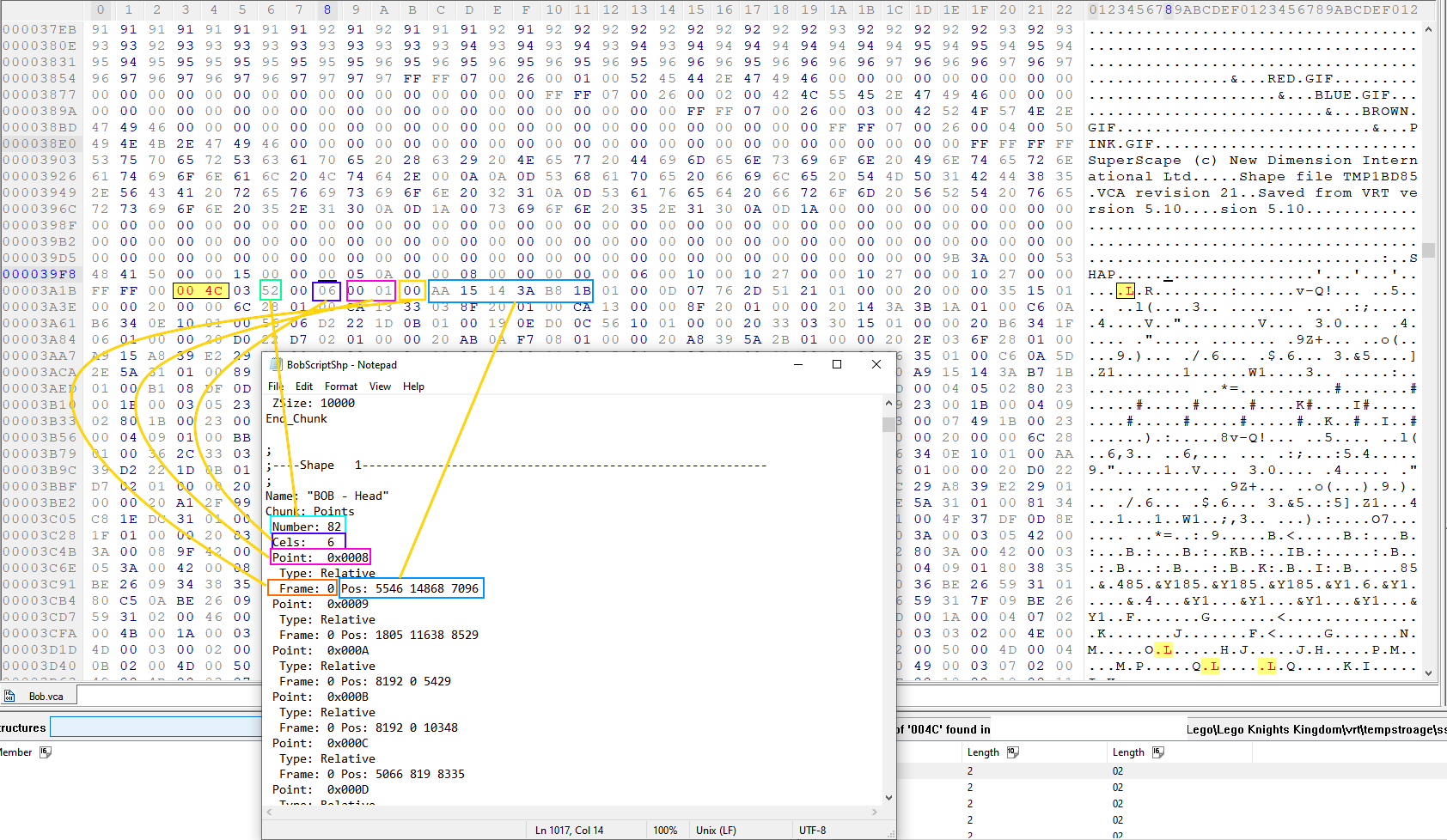
This is what an example script looks like when pulling from VRT 5.60. They updated a ton of new information and features with 5.71, though the developers I talked to did not have copies as the company was bought twice, now owned by EA.
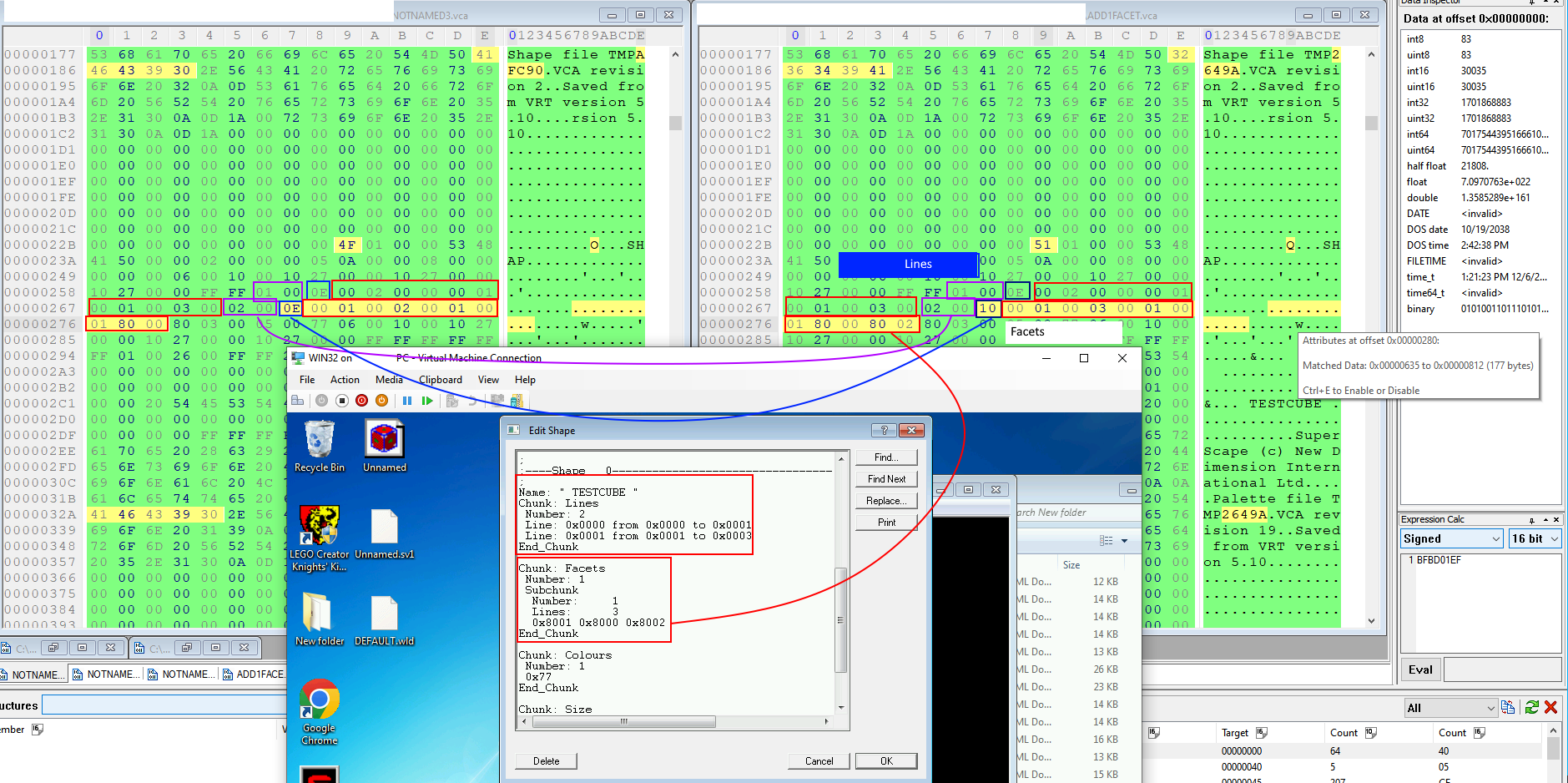
Here is an example of the modified VCA file. I simply added one new point and you can see the difference the HEX file saves it as.
lca_file
Consists of LCA (24 or 27 bit wrapper over VCA file format containing model data).
The offsets for each subfile such as SHP, PAL, WRLD, etc. are included within this particular file.
src
Contains the main components which are utilized to recreate and expand upon the game
images
Contains the upscaled images which I extracted from original bitmaps parsed out to better be utilized later on.
models
Is a model that I extracted from Lego Island 2, to help get a basic grasp for dealing with the engine/app to utilize. Was becoming worn down and wanted to have some progress to boost my mental health.
components
Is where the components for each screen will be, to help make workflow of the game easier to utilize. As of now, just recreating with higher definition files, but later on will change things around to be more graphic-oriented like using shaders instead of photos, or real-time rendered scenes. Once the castle data can be extracted will make it into a dynamic not static welcome screen.
How to Run Modernized App
Getting Started with Create React App
This project was bootstrapped with Create React App.
Available Scripts
In the project directory, you can run:
npm start
Runs the app in the development mode.
Open http://localhost:3000 to view it in your browser.
The page will reload when you make changes.
You may also see any lint errors in the console.
npm test
Launches the test runner in the interactive watch mode.
See the section about running tests for more information.
npm run build
Builds the app for production to the build folder.
It correctly bundles React in production mode and optimizes the build for the best performance.
The build is minified and the filenames include the hashes.
Your app is ready to be deployed!
See the section about deployment for more information.