
Link's Awakening (Switch, Android)
The Legend of Zelda: Link's Awakening
OrigenNintendo Switch
TecnologíaPort Nativo C/C++ (Reimplementación de Motor)
Disponible paraAndroid
Ver proyecto oficialSobre el proyecto
The Legend of Zelda: Link's Awakening, conocido en Japón como Zelda no Densetsu: Yume o Miru Shima , es un videojuego de acción-aventura desarrollado y publicado por Nintendo para la videoconsola portátil Game Boy. Fue lanzado el 6 de junio de 1993 en Japón, el 1 de agosto de 1993 en Norteamérica y el 1 de diciembre de 1993 en Europa. Es la cuarta entrega oficial de la serie The Legend of Zelda y la primera para una videoconsola portátil.
2 versiones de The Legend of Zelda: Link's Awakening
Estás viendo: Link's Awakening (Switch, Android)
Información oficial del proyecto
LAS Recomp for Android
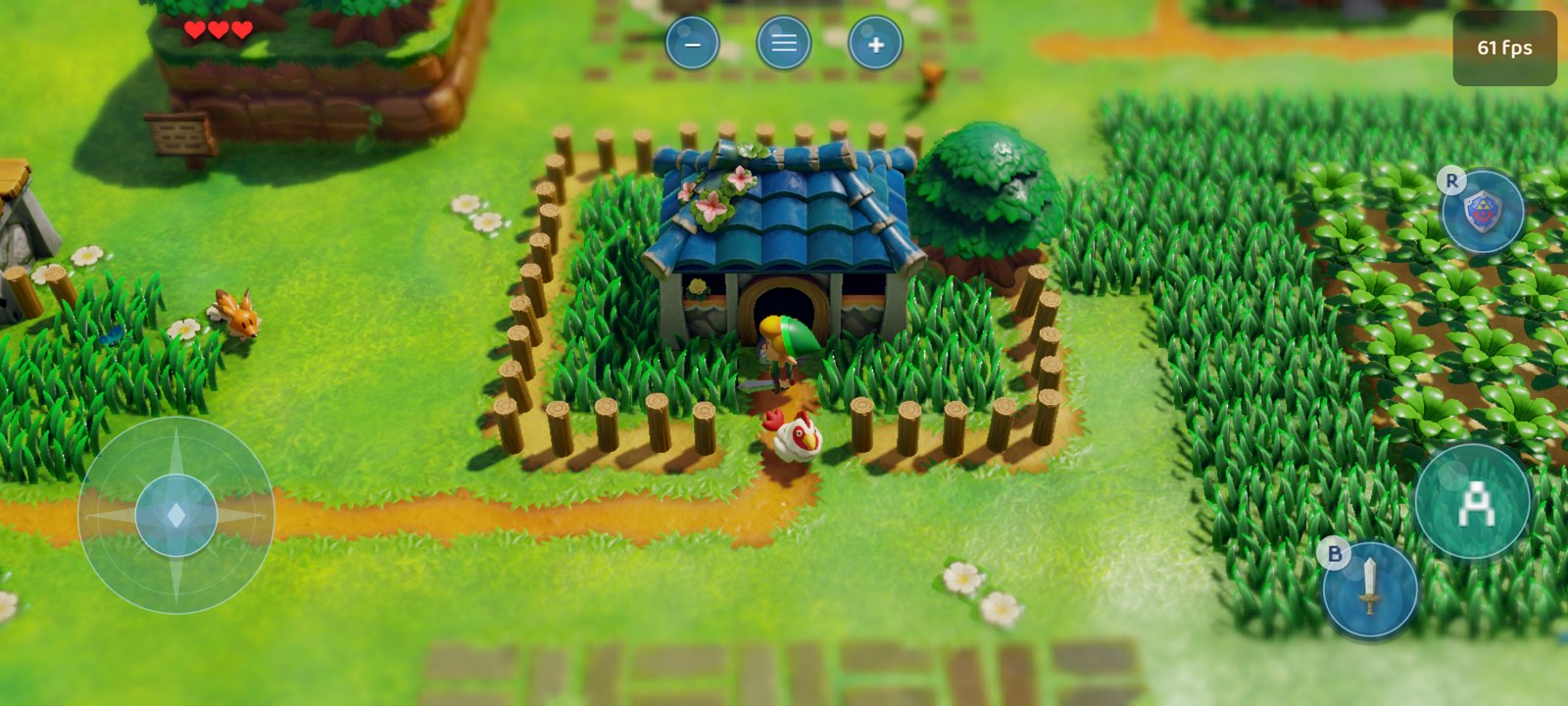
A native Android port of LAS Recomp: The Legend of Zelda: Link's Awakening (Nintendo Switch, 2019), statically recompiled to native ARM64 code and running on your phone at up to 60 frames per second - not emulation. This repository is a fork of peiikai's project, focused on mobile: touch controls designed for the game, a phone-tuned Vulkan renderer, frame generation, and an app that sets everything up on the phone itself from your own game package.
[!IMPORTANT] No game files are included. You need your own legally obtained copy of Link's Awakening (an
.xcior.nspof v1.0.0 dumped from your own cartridge or console, together with theprod.keysfrom your own Switch - or the extractedexefs/romfsfolders of v1.0.0, v1.0.1 or v1.1.0). The app contains nothing from the game; it builds the game code on your phone from your files. Instructions on how to obtain them will not be provided.
[!NOTE] Like the original project, this port was made almost entirely with AI (Anthropic's Claude, through Claude Code), directed, tested and reviewed by a human. You run the code at your own discretion.
Download
Get the latest APK from the Releases page.
What's new in 1.2.0
- Lighter on the GPU and smoother: up to date with LAS Recomp Beta 5's latest renderer work (Vulkan calls on a thread of their own, descriptor sets recycled and reused, a pipeline key memo, faster texture checks, steadier frame pacing). Same save, same scripted route through the Field and two dungeons on a Galaxy S20 FE: GPU time per game frame 22.1 -> 18.1 ms (-18%), frames over 50 ms 171 -> 49 (-71%), the same 30 + generated frames.
- Lighter on memory: the shader head start's file is mapped instead of read into memory, the pipeline cache is saved without a second copy in memory, and the shader caches start over when the shader translator changes (before, on phones, they only grew - and the GPU driver keeps all of the pipeline cache in memory).
- Game versions 1.0.1 and 1.1.0 set up too, as well as 1.0.0 (the address tables by build ID from the original project).
- More menu languages (#11): Spanish, French, German, Italian and Dutch for the main menus and settings (the rest stays in English), next to English and Brazilian Portuguese.
- Fixes: a crash in the GPU driver at the first area with the bundled Turnip driver; the game's amiibo option at Dampe's no longer crashes; the vertical lighting seam in interiors with a widened view; PhysX and level-change crash fixes from the original project.
- Crash logs name the crashing thread and the code it was in, also inside the GPU driver.
[!WARNING] 1.2.0 is signed with a new release key (the one of 1.0.0-1.1.2 is no longer available), so Android won't install it over 1.1.x. To keep your progress: copy the folder
Android/data/com.lasrecomp.android/files/saveto another place with a file manager or a computer over USB (or Settings > Prelaunch > Saves > Export saves...), uninstall the old app, install 1.2.0, set up the game files again, and put thesavefolder back (or Import saves...). From 1.2.0 on, updates install directly again.
The first start compiles the game code on the phone again (the generator changed) and prepares the shaders anew.
How it runs - Galaxy S20 FE (Snapdragon 865)
Developed and tested on a Samsung Galaxy S20 FE (Snapdragon 865, Adreno 650, 6 GB RAM, Android 16 custom ROM) with the Mesa Turnip driver bundled in the app:
| Frame rate | 60 fps on screen (the game's own 30 fps plus a generated in-between frame), at 1x internal resolution |
| GPU time | ~24.5 ms per game frame in the overworld at 1x (1920x1080 internal, upscaled with Snapdragon Game Super Resolution) |
| First setup | ~11 minutes on the phone: 33 s to extract the game from an .xci, ~11 min to build the game code |
| Thermals | 1x + frame generation holds 60 for long sessions; 1.25x / 1.5x (native 1080p) need the "GPU performance" power mode |
Faster phones (Snapdragon 8 Gen 1 and newer) should have room for higher resolutions.
Features
Made for the phone
- Set up from your game package: choose your
.xcior.nsp, then yourprod.keys; the app decrypts and extracts the game on the phone. A package with the update inside works the same - the base v1.0.0 is used. A folder with the extractedexefs/romfsworks too. The game files can go on a memory card (Settings > Prelaunch > Storage). - Saves to and from Switch emulators: import your progress from yuzu / Eden / Citron / Sudachi / Ryujinx, or export it to them (Settings > Prelaunch > Saves; the saves already there are backed up first).
- The game code is built on the phone (a bundled Python + Clang toolchain): no computer needed, ~11 minutes once. Functions the game never runs are compiled without optimization - the result plays the same, built in less than half the time.
- Touch controls that follow the game: only the buttons the game uses right now are on screen - B appears with the sword, R with the shield, L with the Pegasus Boots, X / Y with the items you equip, each showing the game's own item icon. On the title screen a tap starts the game, on the file select a tap on a file loads it, on the Items page a tap on an item selects it.
- Your layout: drag any button, resize or hide it (Settings > Controls > Edit touch layout). The stick can follow your thumb or stay fixed in its place (Settings > Controls > Stick).
- Controllers: Bluetooth / USB controllers are supported through SDL3 and play as on the Switch (not yet tested on the phone above - reports welcome); the touch controls hide while one is in use and come back with a touch. Face buttons go by their letters (A = the bottom button) by default, or by position as on a Switch (Settings > Controls > Face buttons); the in-game button icons follow. Select + Start (Minus + Plus) opens the settings menu; so do the Android back button and the menu button on screen.
- 60 fps frame generation: an in-between frame reprojected from the game's depth and camera, Link held in place, the HUD kept still. Or the game's native 60 fps mode on phones fast enough for it (Settings > Video > Frame rate).
- Any GPU driver: install a Vulkan driver package (
.zip, as emulators use) on any phone - Mesa Turnip for Adreno, Mesa PanVK for Mali... (Settings > Video > GPU driver). If the phone's own driver can't start the game, the app offers to install one right away. - Snapdragon Game Super Resolution upscaler, dynamic resolution, pre-rotated swapchain, power modes (Balanced / GPU performance / maximum performance on rooted phones), custom Turnip driver loading (adrenotools).
- Brazilian Portuguese: the app's menus, and the game itself through the fan translation by **Projeto Zelda Brasil
- Heroes of Time** - optional, under Settings > Language. The APK carries it only as a patch: the app makes the translated text from your own game files, so nothing of the game ships with it.
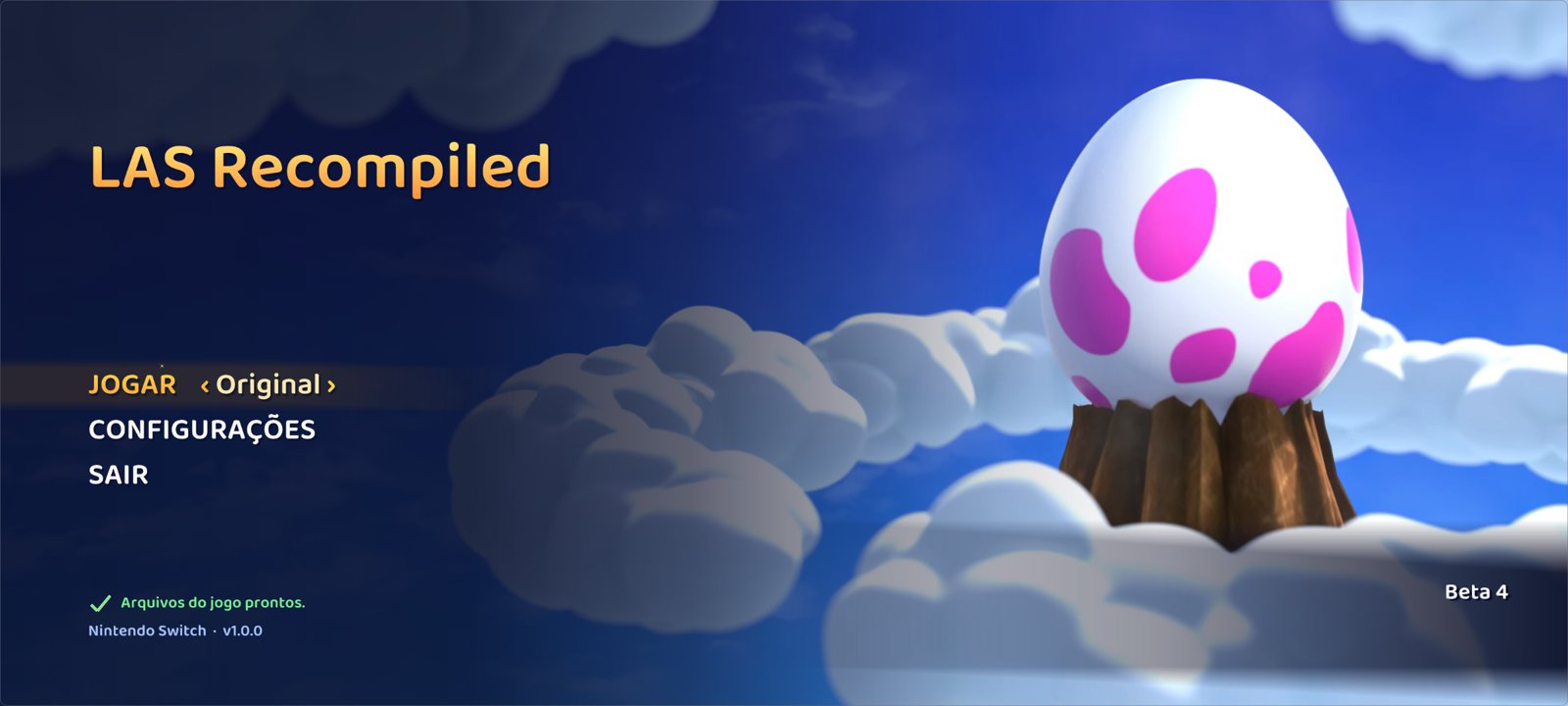
From LAS Recomp (see the original project for the full list): the in-game overlay menu, the randomizer (seeds made on a computer can be played), unlocked aspect ratio, 360-degree movement, blur removal, cheats, the warp menu, the save editor and more.
Requirements
- An arm64 Android phone, Android 11 or newer. Adreno (Snapdragon) GPUs are what it's built and tested for; the bundled Turnip driver supports Adreno 6xx / 7xx. Mali, Xclipse and other GPUs run through the phone's own Vulkan driver (1.3, or 1.1 with the needed extensions) or one you install (e.g. Mesa PanVK on Mali).
- About 12 GB free during the setup (the game files, the build); about 7 GB stays afterwards.
- Your own Link's Awakening v1.0.0:
.xci/.nsp+prod.keys, or the extractedexefsandromfs.
Installing
- Download the APK from the Releases page and install it (allow installing from your browser / file manager when Android asks).
- Copy your game package (
.xcior.nsp, not a compressed.nsz/.xcz) and yourprod.keysto the phone, for example intoDownload/LAS. - Open the app: Game file (.xci / .nsp) -> choose your game, then your prod.keys when asked -> Set up game files. Keep the app open for the first seconds (the extraction), then the build continues in the background with a notification (about 11 minutes on a Snapdragon 865). The game starts by itself when it's done.
- Play with the touch controls or a controller. The button at the top centre (or Select + Start, or Android's back button) opens the settings.
Everything the app keeps (saves, settings, the game files it extracted, caches) lives in
Android/data/com.lasrecomp.android/files/. Uninstalling the app deletes that folder - copy save out first.
Building from source
The app (runtime, SDL3, Vulkan backend) is built with Gradle and the Android NDK 27.2:
tools/android/build_deps.sh                          # FFmpeg, shaderc, Vulkan headers, VMA, volk, SDL3
tools/android/ondevice/build_all.sh                  # the on-phone builder: Python, zig, the generator kit
cd android && ./gradlew assembleRelease -PonDeviceBuild=true
tools/android/ondevice/check_public_apk.sh <apk> checks that an APK carries no game code or data. Building the game
code on a computer instead (a personal APK): tools/android/build_game.sh <game folder> --apk. Details:
docs/android-ondevice-build.md and the port's work log
docs/android-plan.md (in Portuguese).
Known issues
- Tested on one phone (Snapdragon 865). Reports from other devices are welcome: open an issue with the phone model,
the GPU driver and
lasrecomp.logfrom the app's data folder. - The first setup needs the app's data folder on internal storage, and the phone gets warm during the build.
- Changing the internal resolution while playing is best done on the title screen.
Thanks
- peiikai and every contributor of LAS Recomp - this port is built on their recompilation, runtime and randomizer work. Bugs of this fork belong here, not there.
- mamcjr/LASRecompAndroid (MIT) - another Android port; ideas from it are used here (the shader translator's jump-table windows and tables, CPU-only performance hints, render-thread savings).
- Projeto Zelda Brasil - Heroes of Time - the Brazilian Portuguese fan translation of the game.
- Mesa / Turnip (MIT) - the open-source Adreno Vulkan driver bundled with the app, loaded with libadrenotools (BSD-2-Clause).
- Snapdragon Game Super Resolution (BSD-3-Clause), Qualcomm.
Credits (LAS Recomp)
Contributors - thank you to everyone who has sent code (GitHub handles, in order of first contribution):
- @dvilelaf - the System language setting (#15), packaging fix for the game code generator helper (#10), and the task forwarder fix for the level-transition crash (#34, issue #19)
- @Tensorlong - Metal half-precision fix for the white Link on M1 Macs (#18)
- @mansarip - support for unrecognised controllers through a simple mapping file (#26)
- @we11adam - shared fonts served per language instead of one Japanese font (#27), and the zh-Hans / zh-Hant codes for Chinese (#25)
- @Maganra - Linux page write tracking (userfaultfd + PAGEMAP_SCAN) for the Vulkan vertex cache and texture checks (#42)
- @hjqcan - centralized game patch and runtime addresses (#57); CRLF settings
parsing and Traditional Chinese locale detection (#53); Windows game thread stacks reserved instead of committed,
about 9 GB less memory committed (#107); the Vulkan fence fix for reused submission slots (#108); x86 rounding
without x87 state changes (#115); movie memory freed on close, source change and reboot (#112); Vulkan stopping
cleanly on GPU timeouts (#127); a strict Vulkan validation mode for automated tests (#128); Windows session logs:
lasrecomp.logalways the latest run, with five backups (#114); resumable game-code builds: a cancelled or interrupted setup picks up where it stopped (#56); randomizer check flags kept with committed saves (#170); save write fixes that keep a failed save from losing data (#169, merged in #182) - @gitarre1234rr5 - controller rumble: the game's vibration on your controller (#104), and a regression test for the kernel's timed condition-variable wait (#88)
- @rkammoun - diagnosed and patched the Metal 16-sampler limit behind the black walls in the Ukuku Prairie cave (#215, fixed in #216)
- @NevesHenry - a clear message on Linux when no folder or file window can open (#298), and the controller rumble test building again and running in CI (#299)
- @ky1vstar - the Linux aarch64 release built natively on an arm64 runner, cutting that build from about 1 h 20 to under 10 minutes (#319)
Thanks also to everyone who reports issues and tests builds; your logs and screenshots find most of the bugs.
LAS-Randomizer - the randomizer at the heart of this project's randomizer features, vendored (with local
changes) in third_party/LAS-Randomizer under the MIT license. Huge thanks to its authors and community:
- Owen_Splat - LAS-Randomizer (https://github.com/Owen-Splat/LAS-Randomizer)
- Glan - created the original early builds of the randomizer (https://github.com/la-switch/LAS-Randomizer)
- ProfessorLaw - additional programming
- and everyone who has reported bugs, given feedback or contributed to LAS-Randomizer
Community mods - some options re-implement ideas from these GameBanana mods (re-implemented in the recomp; none of their files are used):
- 360 Controls (And More!) by Owen_Splat - 360-degree movement, blur removal (blur removal patch by theboy181) (https://gamebanana.com/mods/659802)
- XBOX UI by fellow_demo - Xbox button prompts (https://gamebanana.com/mods/540069)
- PS4 UI Buttons by messiahgov - PlayStation button prompts (https://gamebanana.com/mods/324458)
- No Hero Mode Indicator by Boo/Calla - hide the Hero Mode icon (https://gamebanana.com/mods/441172)
Libraries and tools
- SDL 3 - windowing, input, audio (zlib license)
- FFmpeg - movie playback (LGPL)
- Dear ImGui - overlay menu and start screen (MIT)
- Baloo 2 by Ek Type - the start screen's font (SIL Open Font License 1.1,
third_party/fonts/Baloo2/OFL.txt) - Vulkan Memory Allocator - Windows and Linux renderer (MIT)
- SMAA by Jorge Jimenez, Jose I. Echevarria, Belen Masia, Fernando Navarro and Diego
Gutierrez - the anti-aliasing option (MIT,
third_party/smaa/LICENSE.txt) - AMD FidelityFX Super Resolution 1 - the Windows and Linux upscaler option, ported to GLSL (MIT)
- oead and evfl - Nintendo file formats, used by LAS-Randomizer
- PyInstaller - packs the seed generator into a standalone helper (GPL 2.0+ with the bootloader exception, which allows distributing the packed program). The helper bundles CPython (PSF License), oead / evfl (GPL 2.0+), Keystone (GPL 2.0; Python bindings BSD), quicktex (LGPL 3), Pillow (MIT-CMU), PyYAML (MIT) and appdirs (MIT)
- Zig - its C compiler (
zig cc: Clang and LLD) builds the game code on the player's machine during setup (MIT; LLVM, Clang, LLD: Apache 2.0 with LLVM exceptions) - The game code generator (
tools/gen.py) is packed by PyInstaller into a standalone helper too. It bundles CPython, Capstone (BSD 3-clause; disassembly), Unicorn (GPL 2.0; Python bindings BSD; runs small pieces of code to resolve jump tables) and python-lz4 (BSD 3-clause, with the LZ4 library: BSD 2-clause) - envytools - NVIDIA GPU documentation used for the shader translator
- An MIT-licensed open-source project's audio renderer and shader instruction decoders (license and copyright notice:
third_party/ryujinx/LICENSE.txt) - the audio renderer's reverb is a port of its reverb code and the mixer is modelled on its renderer; its instruction decoders were the bit-layout reference for parts of the shader translator - Dusklight by the TwilitRealm team (https://github.com/TwilitRealm/dusklight) - design inspiration for the start screen (Play / Settings / Game Files layout)
- The Switch homebrew community's documentation (Switchbrew)
Legal
LAS Recomp is a fan project. It is not affiliated with, endorsed by or sponsored by Nintendo. The Legend of Zelda and Link's Awakening are trademarks of Nintendo. No game files, game code, assets or fonts are included - not in this repository and not in release builds. You must provide your own legally obtained copy of the game files to play.
License
LAS Recomp's own code (the recompiler tools, the runtime, the randomizer additions) is open source under the
MIT License. Third-party components keep their own licenses: LAS-Randomizer (MIT), ported audio renderer code (MIT, see third_party/), Dear ImGui (MIT),
Vulkan Memory Allocator (MIT), SMAA (MIT), AMD FSR 1 (MIT), the Baloo 2 font (SIL OFL 1.1), the DejaVu Sans font (Bitstream Vera / DejaVu license), SDL 3 (zlib), FFmpeg (LGPL 2.1+, linked dynamically), the
Zig compiler (MIT; its LLVM / Clang / LLD: Apache 2.0 with LLVM exceptions; its C library headers keep their own
licenses), and the generator helpers' bundled libraries listed under Credits (oead / evfl / Keystone in the seed
generator and Unicorn in the game code generator are under the GPL, versions in the table below: each helper is a separate program the game runs, and its
sources are this repository plus those projects' published sources). The license covers LAS Recomp's code only - it grants
nothing for Nintendo's game, which you must supply yourself.
Source code of bundled third-party components
Release builds include these components; their source code for the exact versions shipped is available here:
| Component | Version | License | Source |
|---|---|---|---|
| Keystone (seed generator) | 0.9.2 | GPL 2.0 | https://github.com/keystone-engine/keystone/releases/tag/0.9.2 |
| oead (seed generator) | 1.3.0 | GPL 2.0+ | https://github.com/zeldamods/oead/releases/tag/v1.3.0 |
| evfl (seed generator) | 1.2.0 | GPL 2.0+ | https://github.com/zeldamods/evfl/releases/tag/v1.2.0 |
| quicktex (seed generator) | 0.2.1 | LGPL 3.0 | https://github.com/drewcassidy/quicktex/releases/tag/v0.2.1 |
| PyInstaller (packs the seed and game code generators) | 6.22.3 | GPL 2.0+ with bootloader exception | https://github.com/pyinstaller/pyinstaller/releases/tag/v6.22.3 |
| CPython (seed and game code generators) | 3.12.14 (macOS), 3.12.10 (Windows), 3.12.15 (Linux) | PSF | https://github.com/python/cpython/releases/tag/v3.12.14, https://github.com/python/cpython/releases/tag/v3.12.10, https://github.com/python/cpython/releases/tag/v3.12.15 |
| Zig (builds the game code during setup; includes LLVM, Clang, LLD) | 0.17.0 | MIT; LLVM: Apache 2.0 with LLVM exceptions | https://ziglang.org/download/0.17.0/zig-0.17.0.tar.xz |
| Capstone (game code generator) | 5.0.9 | BSD 3-clause | https://pypi.org/project/capstone/5.0.9/ |
| Unicorn (game code generator) | 2.1.4 | GPL 2.0 (Python bindings: BSD) | https://pypi.org/project/unicorn/2.1.4/, https://github.com/unicorn-engine/unicorn |
| python-lz4 (game code generator; includes LZ4) | 4.4.5 | BSD 3-clause; LZ4: BSD 2-clause | https://pypi.org/project/lz4/4.4.5/ |
| FFmpeg (LGPL configuration, macOS, Windows and Linux builds) | 9.0.2 | LGPL 2.1+ | https://ffmpeg.org/releases/ |
| SDL 3 | 3.4.18 (macOS, Windows), 3.4.16 (Linux) | zlib | https://github.com/libsdl-org/SDL/releases/tag/release-3.4.18, https://github.com/libsdl-org/SDL/releases/tag/release-3.4.16 |
| shaderc (Windows, Linux: GLSL to SPIR-V; Linux: with glslang, SPIRV-Tools inside) | 2026.4 (Windows), 2026.3 (Linux) | Apache 2.0 | https://github.com/google/shaderc |
| libiconv (Windows: used by SDL 3) | 1.19 | LGPL 2.1+ | https://ftp.gnu.org/pub/gnu/libiconv/libiconv-1.19.tar.gz |
| GCC runtime: libgcc, libstdc++ (Windows) | 16.2.0 | GPL 3.0 with the GCC Runtime Library Exception | https://gcc.gnu.org/ |
| winpthreads (Windows, mingw-w64) | 14.0.0 | MIT / BSD | https://www.mingw-w64.org/ |
| Baloo 2 font (SemiBold) | 1.640 | SIL OFL 1.1 | https://github.com/EkType/Baloo2 |
| SMAA (shader and lookup textures, built in) | 2013 (repository master) | MIT | https://github.com/iryoku/smaa |
The exact build scripts that fetch and build these (with checksums) are in this repository: tools/build_deps_macos.sh,
tools/build_deps_windows.sh, tools/linux/build_deps.sh and tools/rando/rando_gen.spec. The Windows build takes SDL 3, shaderc, libiconv and the
compiler runtime from MSYS2's UCRT64 packages (https://packages.msys2.org, which links each package's source).