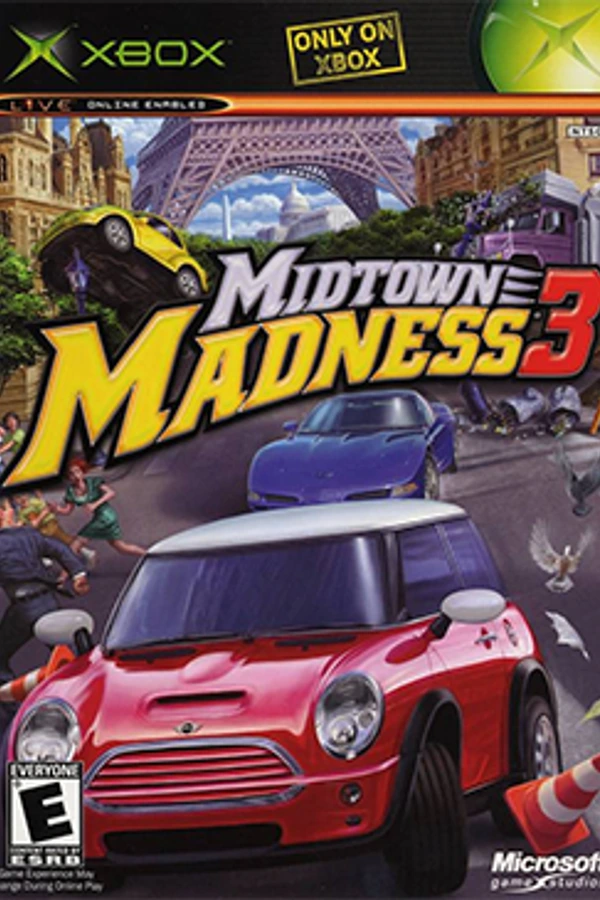
Midtown Madness 3
Sobre el proyecto
Midtown Madness 3 es un videojuego para Xbox, publicado en 2003. Es parte de la serie de videojuegos Midtown Madness. Por primera vez en la serie, el juego fue exclusivo de Xbox, con una versión de Windows rumoreada para un lanzamiento posterior, pero fue desechada en última instancia.
2 versiones de Midtown Madness 3
Estás viendo: Midtown Madness 3
Información oficial del proyecto
Midtown Madness 3 recompilation
Build the Xbox game as a native PC executable using xboxrecomp. No game files are included; you need a dump of your own disc.
Experimental and AI-assisted. Windows x64 gameplay has been checked. Linux x64 has a build path, but gameplay has not been rechecked after the SDL3 migration. The builder does not support macOS.
Build and play
On Windows, install:
- Python 3.12 or newer, Git and CMake.
- Visual Studio 2022 or newer with Desktop development with C++ and C++ CMake tools for Windows.
Run these commands from a terminal:
git clone --recurse-submodules https://github.com/MattSG/mm3-recomp.git
cd mm3-recomp
Download the Windows builder from Releases,
or run python scripts/build_gui.py from the checkout.
- Choose your disc image. Check SHA verifies its game code and reports whether the image matches a tested dump.
- Choose Direct3D 12 or Vulkan, then Build. If asked, select the checkout folder. Use Show log for progress or errors.
- Select Launch game, configure the game's launcher, then press Play.
The standalone builder can check a disc without Python, but building requires the tools above. The first build downloads dependencies and translates the game code. Both graphics backends use SDL3 and share one build. Vulkan needs a compatible GPU driver; no Vulkan SDK is required.
Command line
From the repository root:
python scripts/setup.py --iso "<path to your disc image>"
.\build\RelWithDebInfo\mm3_recomp.exe
Setup extracts the disc, translates and builds the game, then tries to capture
its DSP programs for native compilation. Audio can use the DSP interpreter if
capture is not completed. Later setup runs can omit --iso when the game files
are already extracted.
The GUI builds in build/gui-windows-sdl3_gpu; command-line setup uses build.
For a direct launch, RECOMP_SDL_GPU_DRIVER selects vulkan or direct3d12;
leave it unset for automatic selection.
Linux
Use an x86-64 system with Python, a C/C++ compiler, CMake, Ninja, pkg-config,
OpenSSL, SDL3's platform build dependencies and a Vulkan driver. Install the
FFmpeg development packages for libavformat, libavcodec, libavutil,
libswscale and libswresample. The GUI also needs Tkinter
(python3-tk on Ubuntu).
From the checkout, run python3 scripts/build_gui.py, or use:
python3 scripts/setup.py --iso "<path to your disc image>"
RECOMP_SDL_GPU_DRIVER=vulkan ./build/mm3_recomp
The standalone Linux builder is also available in Releases; make it executable
with chmod +x mm3-builder-linux. GUI builds use build/gui-linux-sdl3_gpu.
Disc compatibility
The tested images are the USA redump ISO and the Europe/Australia multilingual XISO. Other dumps are accepted only if their game-code hash matches the expected code. The tested image hashes are listed in scripts/extract_disc.py; the builder shows the check results before building.
Playing and settings
The game's launcher has Settings, Controls and Mods tabs. Settings include resolution, aspect ratio, MSAA, texture filtering, draw distance, field of view and a frame limit. Keyboard/mouse input and controller button mappings are configured under Controls.
- Enable Use keyboard and mouse to drive without a controller. With the Keyboard driving mod enabled, arrows drive and steer, R/F change gear, Space is the handbrake and C changes camera.
- Enable Menu keys and mouse for mouse selection and clicks in game menus.
- Press F11 or Alt+Enter to switch fullscreen.
- If audio stutters, try Settings > Audio > Sound processor > Off. This bypasses DSP effects and mixes the voices directly.
- Back up your saves before trying a new build.
For a command-line build, python scripts/play.py --keyboard --profile Balanced
skips the settings launcher. It also supports Quality and LowPower profiles.
For a GUI build, supply --exe with that build's executable path.
Mods
Most visual and gameplay mods default to on. Developer features default to off. The collision guard is required.
| Mod | Purpose |
|---|---|
| Widescreen | Widen the view and move the HUD to the window edges. |
| Extended draw distance | Draw the world further away, with depth fog. |
| Smooth skyline | Filter the distant skyline panorama. |
| Field of view | Adjust the race camera's view. |
| Console-rate simulation | Keep simulation timing separate from rendering; default 30 updates/second. |
| Keyboard driving | Add driving keys when keyboard input is enabled. |
| Menu mouse | Select and confirm menu items with the mouse. |
| Lamp flare depth | Hide lamp flares behind scene geometry. |
| Skip intro movies | Skip startup logos and movies; story movies still play. |
| Collision cell guard | Repair invalid face indices in a Paris collision cell. |
The Mods tab also has translation corrections and optional developer/debug
features. src/mods/mods.c lists the switches and defaults.
The retail developer tools require tools/debug-features/prepare.py.
Network status
System Link and Insignia integration are work in progress. Live two-PC System Link and Xbox Live sign-in have not been verified.
Optional car tools
The editor and model converters are maintained in the separate
mm3-car-tools repository. A recursive
clone checks it out as the tools/car-tools submodule; it is not part of the
game launcher or builder.
See the car-tools README for Car Workshop and model conversion instructions. Custom model assets are not included. The game's normal build does not install custom cars.
Documentation and contributions
- Contributing: changes, bug reports and tests.
- Documentation: implementation notes and developer tools.
- Game test harness: bounded runtime checks.
- SDL3 validation: tested scenarios and limits.
Game-specific changes belong here. Generic runtime fixes belong in the
xboxrecomp fork, included as
tools/xboxrecomp.
Copyright and contributions
Do not upload game files, disc images, generated/decompiled game code, DLC, BIOS files, keys or saves. Submit only material you have permission to contribute.
This is an unofficial project, unaffiliated with Microsoft, Xbox or DICE. Original project code is GPL-3.0-only; third-party code retains its own licences. Earlier MIT revisions remain available under MIT. See THIRD_PARTY.md and the submodules' notices for attribution, including work from lakshya16157's PC Native fork. Midtown Madness 3 and its assets belong to their rights holders.