Test Drive Unlimited · OpenTDU
Test Drive Unlimited
OrigenWindows
TecnologíaPort Nativo C/C++ (Reimplementación de Motor)
Disponible paraWindows, Linux, macOS
Ver proyecto oficialSobre el proyecto
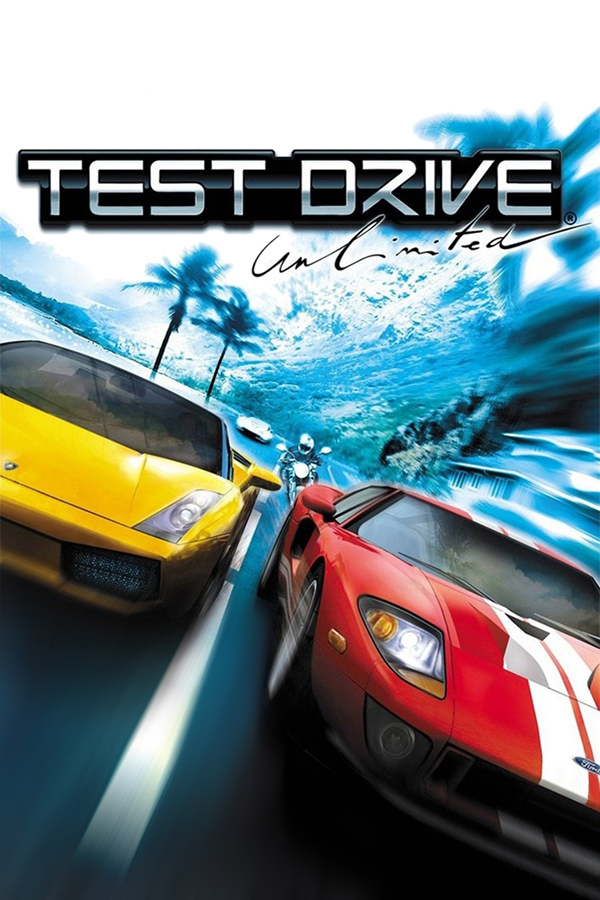
Test Drive Unlimited es un videojuego de carreras callejeras de 2006 desarrollado por Eden Games y distribuido por Atari para Xbox 360, Microsoft Windows, PlayStation 2 y PlayStation Portable. A pesar de ser la decimoctava entrega de la serie Test Drive, Test Drive Unlimited sirve como un reinicio de la franquicia, descartando la continuidad de sus juegos predecesores.
3 versiones de Test Drive Unlimited
Estás viendo: OpenTDU
Información oficial del proyecto
Open Test Drive Unlimited (OpenTDU)


Source port of Test Drive Unlimited PC (TDU) (MC 1.66A)
WORK IN PROGRESS
The goal of this project is to create a new client fixing various issues encountered on modern systems (AI, rendering, security, etc.) as well as providing cross-platform compatibility.
This project is not a replacement for the game (you still need to own a legal copy); and does not provide any game assets!
<img src="/screenshots/carshowcase_exige.jpg" alt="GMCarShowcase" width="256" height="144"> <img src="/screenshots/worldviewer_3.jpg" alt="GMSandbox" width="256" height="144"> <img src="/screenshots/freeride.jpg" alt="GMFreeride" width="256" height="144"> <img src="/screenshots/login.jpg" alt="GMLogin" width="256" height="144"> <img src="/screenshots/cinviewer.jpg" alt="GMCinViewer" width="256" height="144"> <img src="/screenshots/boattour.jpg" alt="GMBoatTour" width="256" height="144"> <img src="/screenshots/living.jpg" alt="GMLiving" width="256" height="144"> <img src="/screenshots/garage.jpg" alt="GMGarage" width="256" height="144"> <img src="/screenshots/cockpit.jpg" alt="GMFreeride (cockpit)" width="256" height="144">
Regular updates/screenshots can be found in this thread.
Download
Latest stable binary can be found here: https://github.com/opentestdriveunlimited/OpenTestDriveUnlimited/releases/tag/v0.1.
Nightly binaries are also available here: https://github.com/opentestdriveunlimited/opentestdriveunlimited/releases.
Installation
Extract the archive to your TestDriveUnlimited folder.
Dependencies
- CMake (3.15 or newer)
- C++17 compiler (eg. clang; gcc or MSVC)
- Vulkan SDK (1.3.204.0 or newer)
Build instructions
- Clone the code using:
git clone --recursive git@github.com:opentestdriveunlimited/OpenTestDriveUnlimited.git - Run the build script for your host platform (
build_win.bat x64for Windows orbuild_unix.shfor Linux or macOS)
Command Line Arguments
| Command | Description |
|---|---|
| -w | Enable windowed mode |
| -vbl (value) | Set target vsync blank |
| -fps | Enable FPS counter |
| -pos | Enable debug position text overlay |
| -orb | Override ORB address for online login |
| -nopub | Disable GSPub |
| -gm (id) | Launch game with a specific game mode (see eGameMode) |
| -worldviewer | Launch world viewer |
| -carshowcase | Launch car showcase (alias for '-gm 7') |
| -cinviewer | Launch cinematic viewer (alias for '-gm 20') |
| -freeride | Launch cinematic viewer (alias for '-gm 1') |
| -login | Launch login screen (alias for '-gm 24') |
| -vk_enable_validation_layer | Create Vulkan render device with validation layer enabled |
| -break_on_assert_failure | Trigger debug breakpoint on assert failure |
| -disable_assert | Disable assert log/debug break |
| -norunlock | Disable single game instance run lock |
| -profile (name) | Launch game with a specific profile (must match savegame name) |
| -car (id) | Override the local player car in world game modes (e.g. freeride) with a car database ID |
| -silent | Disable logging (stdout, outpudebug and file) |
| -log (path) | Redirect game logs to a specific file (default: ./opentdu.log) |
| -nolog | Disable logging to file (note: does not disable stdout/outputdebug) |
| -logtransient | Write transient log to file |
| -verbose | Enable verbose (aka Debug) logging. Adds significant runtime overhead |
| -maxfps (fps) | Set framecap (0: unlimited) (default: 0) |
Debug Shortcuts
- F1 - Engine debug menu (services + managers)
- F2 - Pause simulation
- F3 - Active game mode debug menu
Project progress
Progress is tracked on a game mode basis:
| GameMode ID | GameMode | Status |
|---|---|---|
| 1 | FreeRide | Done |
| 2 | Map | Done |
| 3 | Home | Done |
| 4 | Shop | Done |
| 5 | Mission | Done |
| 6 | GameModeEdit | Done |
| 7 | CarShowCase | Done |
| 8 | InstantChallenge | Done |
| 9 | TestCar | Done |
| 10 | Garage | Done |
| 11 | Living | Done |
| 12 | Sandbox | Done |
| 13 | Goodies | Done |
| 14 | AvatarShowcase | Done |
| 15 | DriveIn | In Progress |
| 16 | Dressing | Done |
| 17 | Aftermarket | Done |
| 18 | VideoBumper | Done |
| 19 | AITrainer | Done |
| 20 | CinViewer | Done |
| 21 | Estates | Done |
| 22 | Club | In Progress |
| 23 | Lobby | Done |
| 24 | Login | Done |
| 25 | OnlineReplay | In Progress |
| 26 | Intro | Done |
| 27 | OutroDemo | Done |
| 28 | BoatTour | Done |
| 29 | Jail | Done |
| 30 | IntroDemo | Done |