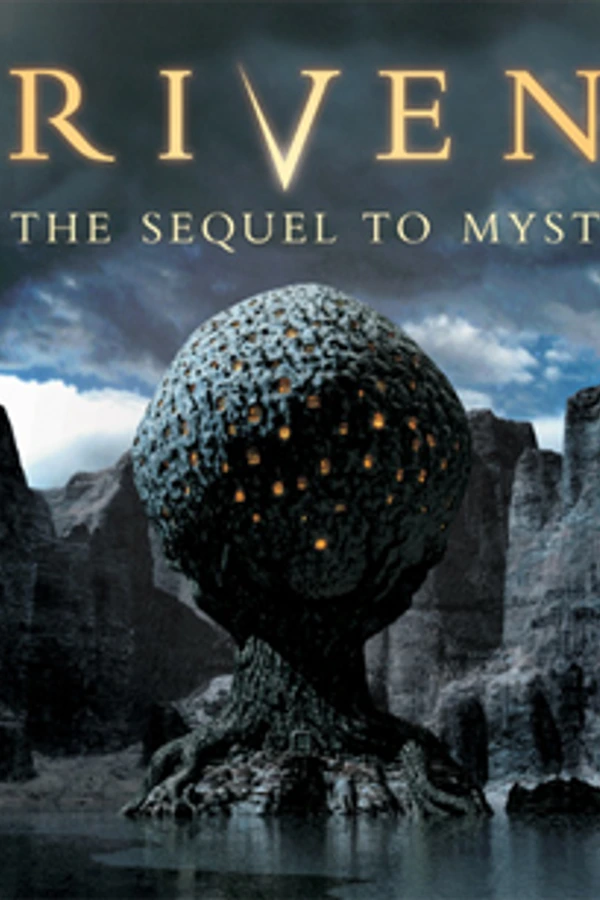
Riven (DS)
Riven
Sobre el proyecto
Riven es un juego de aventura gráfica tipo point-and-click. Es la secuela de Myst desarrollado por Cyan Worlds, el cual fue inicialmente publicado por Brøderbund. Riven fue distribuido en 5 discos compactos y liberado el 29 de octubre de 1997 en Norteamérica, y más tarde fue liberado en un solo DVD-ROM, el cual agregaba audio y 40 minutos de un video "making-of". Además de la versión de PC, Riven fue portado a varias otras plataformas, incluyendo PlayStation, Sega Saturn y Android.
Información oficial del proyecto
A homebrew port of Riven: The Sequel to Myst to the Nintendo DS and DSi. All five islands, the movies, the sound and the puzzles run off an SD card or flashcard, on real hardware or in an emulator.
It contains no game data. The download is the program only; a converter turns your own copy of Riven into files the DS can read.
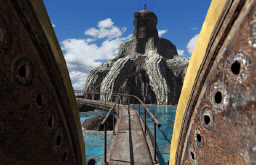 | 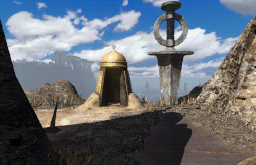 | 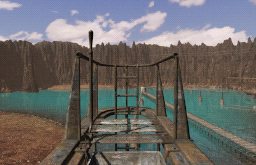 | 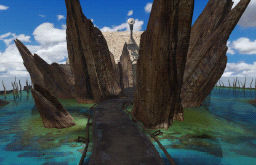 |
Status: it plays. All eight stacks are in, and every one of Riven's 131 external commands is implemented — the telescope, the marble grid, the domes, the boiler, the pin map, the trap book, and every ending with the credits behind it.
What you need
- A Nintendo DS with a flashcard, a DSi with homebrew, or an emulator such as melonDS.
- An SD card with about 8 GB free. The movies are stored as the raw pixels the DS draws, so it can play them without decoding anything — that costs 7.6 GB and buys a fullscreen movie that never stutters.
- Your own copy of Riven for Windows. The 5-CD, DVD and GOG releases are all detected automatically, patch archives included.
- ffmpeg and ffprobe, used to read the QuickTime movies. Install them from
your package manager (
apt install ffmpeg,brew install ffmpeg) or from ffmpeg.org;--ffmpeg <path>points at a copy that is not on your PATH.
Getting it running
- Convert the game. Download the archive for your system from the
releases page, unpack it and run
riven-convert-gui. The wizard asks where Riven is, where your SD card is, and what to convert. Expect it to take hours — it is reading every frame of every movie. It is resumable: stopping costs only the asset in flight, and starting again skips what is done. - Copy the ROM. Put
riven-nds-port.ndson the same card and launch it the way you normally launch homebrew. The converter can place it for you — the GUI has a checkbox, and the CLI takes--rom riven-nds-port.nds. - Play. You land on Riven's own main menu; the Riven button at the bottom right starts the game.
Everything the ROM reads lives in <card>/_nds/riven_nds/data/, and it writes its
saves, notes and settings back there. In a hurry, two stacks are enough to see the
game start and much quicker to convert than all eight:
riven-convert --stack aspit --stack tspit /path/to/riven /path/to/sd
If you converted with an older build, just convert again — each stage stamps the version it wrote and redoes itself when that no longer matches.
Controls
The game is played with the stylus on the bottom screen. The pointer is persistent: touching moves it, lifting leaves it where it was, and the D-pad nudges it with A as the click — which is what gives the port hover, and hover is the only thing Riven's cursor shapes are for. The books you carry sit in the band under the card view and are touchable.
| Button | |
|---|---|
| X | Zoom the card to Riven's original resolution — for dials, journals and the telescope. The stylus works in there exactly as it does on the card; R + drag pans instead of clicking, B leaves |
| Y | Open your notebook — 24 pages you can scribble on in six colours |
| L | Slip a picture of what you are looking at into the notebook. Works at any moment, mid-cutscene included |
| B / START | Skip a cutscene |
| START | The port's menu — save, load, notebook, settings, resume. Riven's own menu card reaches the same screens |
| SELECT | Held, it is a developer chord: a direction replays the card with that transition. SELECT+START opens a command prompt with the DS keyboard |
Notes are global, not part of a save slot: what you wrote down is knowledge you keep whichever game you load. There are five save slots. Settings — zip mode (off by default, as in the original), transitions, water, master volume and a debug log — live behind the port's menu and behind Riven's own Options button.
Debug log turns the top screen into a trace instead of Riven's splash, writes it
to debug.log on the card line by line so it survives the power switch, and swaps
L from taking a note to writing a screenshot. It is read once at startup.
Building from source
git submodule update --init     # libvaht
./setup-env.sh                  # ./env: architectds + ninja
./make.sh                       # -> riven-nds-port.nds
You will need BlocksDS (installed through the
Wonderful toolchain) and Nitro Engine
Advanced in $BLOCKSDSEXT.
.github/workflows/release.yml sets both up from
scratch on a clean machine, so it doubles as the exact recipe.
The converter is a separate C++ program and needs no Python:
cmake -S tools/riven-convert -B build/convert
cmake --build build/convert -j
ctest --test-dir build/convert
Qt 6.5+ is optional — without it the build produces the CLI and the tests and says
so. riven-convert <source> with no destination probes your copy of the game and
reports what it found without writing anything, and --movie-report lists what is
inside the movies. Several tests read a real install when you point them at one
(RIVEN_TEST_DATA=/path/to/riven) and skip cleanly when you don't.
Credits
- Cyan — for Riven.
- ScummVM — its Mohawk engine is the reference this port's game logic was rebuilt from.
- BlocksDS, Nitro Engine Advanced and ArchitectDS — the toolchain, the 3D engine and the build system.
- libvaht — the Mohawk archive reader the converter is built on.
Legal
The code in this repository is licensed under Apache-2.0 (see LICENSE).
Riven, its artwork, music and text are the property of Cyan Worlds and are not distributed here, in any form. This project only converts data you already own, on your own machine. It is a fan project, not affiliated with or endorsed by Cyan.
The dependencies each carry their own terms, and the boundaries matter:
- ScummVM (GPLv2+) is used as documentation, never copied. Behaviour is
reimplemented from it and every fact is cited in a comment as
file.cpp:lineso any claim can be checked. - libvaht (LGPL-3.0) is statically linked into the converter and never into the ROM. The LGPL's relink requirement is met because the converter is published as source with libvaht as a submodule.
- Qt 6 (LGPL-3.0) is used by the GUI only, and must stay dynamically linked —
windeployqton Windows and the AppImage on Linux are what satisfy that. The core and the CLI link no Qt at all. - ffmpeg is run as a child process, never linked and never shipped. Running a program is not linking against it, so no ffmpeg code, header or symbol enters this binary and the GPL question never arises.
- minimp3 (CC0-1.0) decodes the MPEG-2 Layer II sounds the DVD and GOG releases ship. Converter-side only; what reaches the card is ADPCM like everything else.