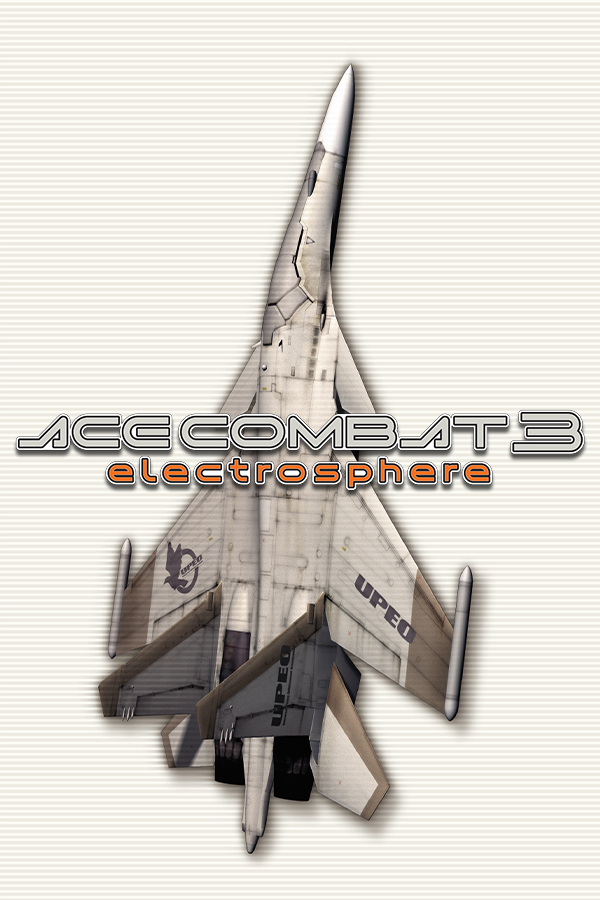
Ace Combat 3
OrigenPlayStation
TecnologíaRecompilación Estática (C/C++ nativo)
Disponible paraWindows
Ver proyecto oficialSobre el proyecto
Ace Combat es una serie de videojuegos desarrollados por la empresa japonesa Namco. En estos juegos se mezcla la simulación del combate aéreo con el estilo de los videojuegos de arcade. Aunque emplazados en países ficticios, muchos detalles de las ambientaciones creadas para los juegos de Ace Combat son similares a los de batallas realmente existentes, como las de la guerra del Golfo, la Guerra Fría o la Segunda Guerra Mundial. En estos juegos se incluyen aviones existentes en la actualidad pero también otros ficticios, especialmente fortalezas voladoras.
Información oficial del proyecto
Ace Combat 3: Electrosphere, recompiled
A native Windows port of the PlayStation game, made by translating its MIPS code to C ahead of time and linking that against rewritten versions of the Psy-Q libraries it used. There is no CPU emulator underneath.
Two programs come out of the build:
ac3.exedraws the game the way the console did, in software, pixel for pixel.ac3_enhanced.exeadds a Vulkan renderer on top: higher resolution, 16:9, perspective-correct textures, and in flight a longer draw distance, atmosphere, clouds, ocean and forest.
There is no game data in this repository. No disc images, no executable, and no translated game code either. The C version of the game's code is generated on your machine, from your own disc, when you configure the build. You need to own the game.
What you need
The game: the Japanese release, both discs (SLPS-02020 and SLPS-02021), dumped
as .bin files with 2352-byte sectors. The build checks for the "Rev 1"
version, which is what Redump lists as
Ace Combat 3 - Electrosphere (Japan, Asia) (Disc 1) (Rev 1).bin
Ace Combat 3 - Electrosphere (Japan, Asia) (Disc 2) (Rev 1).bin
Keep those names. The launch scripts look for them.
Tools, all on your PATH:
| Tested with | Notes | |
|---|---|---|
| Visual Studio 2022 or its Build Tools | 17.x | "Desktop development with C++". clang uses its headers, libraries and the Windows SDK |
| LLVM (clang) | 22.1 | |
| CMake | 4.2 | 3.20 is the minimum |
| Ninja | 1.13 | |
| Python 3 | 3.12 | must run as python |
| Vulkan SDK | 1.4.350 | for glslc, the headers and the loader |
| SDL3, the VC development package | 3.4.8 | unpacked so that C:\SDL3\include and C:\SDL3\lib\x64 exist |
Windows only, 64-bit, and a graphics card with a Vulkan driver.
Building
-
Put the two disc images in
game\disc\. -
Copy the game's executable out of disc 1:
python tools/ac3_disc.py extract "game/disc/Ace Combat 3 - Electrosphere (Japan, Asia) (Disc 1) (Rev 1).bin" ACE3.BIN game/ACE3.BIN -
Configure and build:
cmake -S . -B build -G Ninja -DCMAKE_C_COMPILER=clang
cmake --build build
The configure step is where game/ACE3.BIN gets translated: it runs
tools/recompile.py and writes about 6 MB of C into recomp/main/. That
happens once. If the file is missing, or is not the Rev 1 executable, configure
stops and says so.
If SDL3 is somewhere else, add -DSDL3_ROOT=D:/path/to/SDL3 to the first
command. If ACE3.BIN is somewhere else, -DAC3_GAME_EXE=....
A full build takes well under a minute on a recent machine. You end up with
build\ac3.exe, build\ac3_enhanced.exe and a copy of SDL3.dll beside them.
To translate the game again (after changing the recompiler, say), delete
recomp\main and run the configure command once more.
Running
play.bat                    the original look
play_enhanced.bat           the enhanced renderer
play_enhanced.bat 2         boot from disc 2 instead
Both discs are mounted together, so the game never asks you to change disc.
Saves go to saves\card1.mcd and saves\card2.mcd, which are ordinary memory
card images.
A controller works if SDL recognises it. On the keyboard:
| Key | Button |
|---|---|
| Arrows | D-pad |
| W A S D | Left stick |
| X, C, Z, V | Cross, Circle, Square, Triangle |
| Q, E | L1, R1 |
| 1, 3 | L2, R2 |
| Enter | Start |
| Right Shift or Backspace | Select |
| Esc | Quit |
In the enhanced build, F1 opens a settings menu (resolution, widescreen, the
individual effects, language, volume), F7 switches the world effects on and
off, and F11 toggles fullscreen. Settings are kept in ac3_settings.ini.
Anything after the disc number is passed to the game, for example
play_enhanced.bat 1 --scale 6 --no-clouds. The options: --scale N (1 to 8),
--no-widescreen, --no-perspective, --no-pgxp, --no-fx, --no-far,
--no-atmosphere, --no-gi, --no-ocean, --no-forest, --no-clouds,
--no-sun, --one-disc, --disc2 <image>.
English
The game is Japanese. Team NEMO's fan translation (v0.9b3) is supported and included
to pick English press F1 > Game in the enhanced build, or pass --english
(play.bat 1 --english). --japanese goes back.
Your disc images are not modified. The patch is applied in memory when the
game starts, and the result is cached in a .en.cache file next to each image
so the next start is quick.
Checking a build
build\ac3.exe --selftest-gpu
build\ac3.exe --selftest-raster
build\ac3.exe --selftest-libgpu
build\ac3.exe --selftest-gte
build\ac3.exe --selftest-libc
build\ac3.exe --selftest-card
build\ac3.exe --selftest-spu <disc 1 image>
build\ac3.exe --japanese --selftest-cd <disc 1 image>
build\ac3.exe --selftest-english <disc 1 image>
build\ac3_enhanced.exe --selftest-hw
Each prints SELFTEST PASSED or says what failed. --selftest-english needs
the translation patch in place. Run them from the project folder.
What is in here
CMakeLists.txt          the build
play.bat, play_enhanced.bat
host/                   program entry, boot, self-tests
runtime/                CPU context, memory, GTE, interpreter for overlays
  hle/                  the rewritten Psy-Q libraries, software GPU, SPU, CD
renderer/               Vulkan output, SDL input and audio
  hw/                   the enhanced renderer and its menu
  shaders/              GLSL, compiled and embedded by the build
recomp/
  analysis.json         where the game's functions and jump tables are
  psyq_symbols.json     which of them are Psy-Q library functions
  main/                 generated: the game's code as C (not in git)
tools/
  recompile.py          MIPS to C
  ac3_analyze.py, mips.py   what recompile.py is built on
  ac3_disc.py           reads files out of a disc image
  embed_spv.py          turns compiled shaders into a header
third_party/imgui/      Dear ImGui 1.92.9b (MIT), used by the settings menu
game/                   yours: disc images, ACE3.BIN, translation (not in git)
recomp/analysis.json and recomp/psyq_symbols.json are lists of addresses
and names. They describe the executable; they do not contain any of it.
If it does not build
game/ACE3.BIN not found: do step 2.is not the executable this project was written against: your dump is a different revision. Only Rev 1 works.Could NOT find Vulkan (missing: glslc): install the Vulkan SDK and open a new terminal so its environment variables are picked up.SDL3/SDL.h file not foundor a missingSDL3.lib: SDL3 is not atC:\SDL3. Pass-DSDL3_ROOT=....'python' is not recognized: Python is installed aspyorpython3only. Add apythonto yourPATH.- Missing
stdio.h,windows.horkernel32.lib: clang cannot find Visual Studio. Install the C++ workload, or build from a "x64 Native Tools Command Prompt".