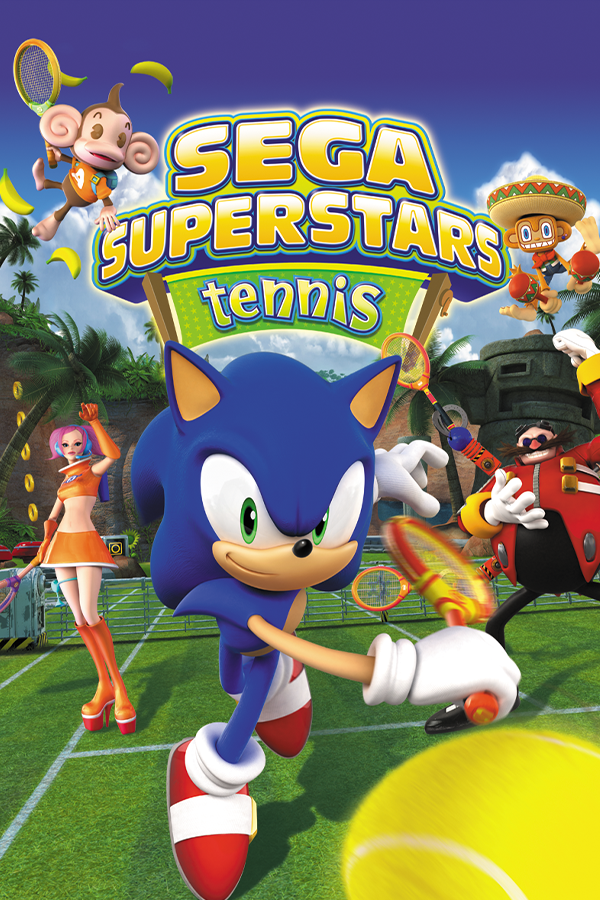
Sega Superstars Tennis (ReMatch)
Sega Superstars Tennis
OrigenXbox 360
TecnologíaPort Nativo C/C++ (Reimplementación de Motor)
Disponible paraWindows
Ver proyecto oficialSobre el proyecto
Sega Superstars Tennis es un videojuego de tenis desarrollado por Sumo Digital y publicado por Sega. El juego fue publicado el 18 de marzo de 2008 en América del Norte, el 20 de marzo de 2008 en Europa, y el 27 de marzo de 2008 en Australia. El juego incluye dieciséis personajes controlables de franquicias de Sega así como diez canchas de tenis. En total, quince franquicias de Sega son representadas en el juego. Junto con Sonic & Sega All-Stars Racing, tendrá una versión de Mac OS X por Feral Interactive.
Información oficial del proyecto
Sega Superstars Tennis ReMatch
A native Windows/Linux port of the Xbox 360 version of Sega Superstars Tennis, recompiled with the ReXGlue SDK (v0.10.0). The game's code runs as native x64. Its graphics run on a native Direct3D 12 renderer that translates the game's Xbox 360 shaders, not an emulated GPU.
Features
- Native D3D12/Vulkan renderer: internal resolution up to 2160p, render scale, FXAA/MSAA, shadows resolution, bloom toggle, shader quality (ACCURATE, or FAST for weak GPUs), brightness, VSync, a 30/60 FPS limit toggle, and an FPS counter. All of these are set in a new VIDEO page in Settings and in the pause menu.
- Aspect ratios: 4:3, 16:9, 16:10, 21:9 and 32:9. The 3D view is widened, and menu backgrounds fill the screen. The HUD adjust to each aspect ratio for a more natural look.
- Keyboard and mouse support, with rebindable keys (CONTROLS -> KEY BINDINGS). Button prompts follow the device you're using (Xbox, PlayStation or keyboard icons).
- PlayStation controllers: DualShock/DualSense prompts, a DualShock 3 diagram on the CONTROLS page, and an adaptive lightbar to distinguish which controller belongs to which player.
- Menu changes:
- a QUIT option on the main menu
- skippable boot intro
- Xbox LIVE and Xbox profile pop-ups removed. ONLINE PLAY is greyed out for now.
- In-game achievement pop-ups and achievements menu
AI disclosure
This project was developed with AI assistance and falls under Level 3 of PCGamingWiki's REAL AI Rating. Most of the code was handwritten in C++. Additional Python scripts were written for game file extraction and research. AI was mostly used to understand the original Mac port and Xbox 360 shader implementations, debug rendering issues (like shadow depth artifacts and ball trail effects), and assist with debugging. I made all development decisions, implementation decisions, and final code reviews. AI was used as a tool for development and debugging to speed up progress, not as a replacement for the core development process. This project does not contain any AI-generated art or sound assets.
Setup
- Download the latest release zip from the Releases tab for desired platform and extract it anywhere.
- Follow README instructions.
Requirements for Windows:
- Windows 10/11 x64.
- A GPU with Direct3D 12 support.
- The Microsoft Visual C++ 2015–2022 Redistributable (x64), if Windows reports a missing
msvcp140.dllorvcruntime140.dll.
Requirements for Linux:
- 64-bit Linux with glibc 2.38 or newer (Ubuntu 24.04+, Debian 13, Fedora 39+)
- A Vulkan 1.3 driver
The game's shaders come precompiled, so there's no shader compiling on first launch. The few shaders the game generates while running are compiled the first time they're needed (on-screen ones first) and cached in cache/shaders for later runs.
Controls (keyboard defaults)
| Action | Key |
|---|---|
| Move | W A S D |
| Shots (X A B Y) | J K L O |
| Superstar | I / Space |
| Partner | Q / E |
| Back | U |
| Start | Enter |
| Pause / back / quit | Esc |
All keys can be changed in Settings › CONTROLS › KEY BINDINGS. By default the keyboard shares player 1 with the first pad. To give it its own player slot, set that in KEY BINDINGS or launch with --sst_keyboard_player=separate.
Settings files
These files are created next to the exe:
sst_settings.ini: video page settings.sst_keys.ini: key bindings.
Delete either one to go back to the defaults.
Reporting bugs
Please create an issue under the issues tab of this repo and attach the log from the logs folder next to the exe. If the game crashed, also attach sst_crash.txt from the same folder as the exe. Say what you were doing when it happened and which aspect ratio and controller you were using.
Build
Requirements: Clang 18+, CMake 3.25+, Ninja, the Windows SDK (for dxcompiler.dll / dxil.dll), and a ReXGlue v0.10 SDK (installed or a source checkout).
-
Put the extracted game in
assets/soassets/default.xexexists. -
Configure and build:
cmake --preset win-amd64-release -DREXSDK_DIR=path/to/rexglue-sdk
cmake --build --preset win-amd64-release
Codegen runs automatically as part of the build (target
sst_rematch_codegen). Drop-DREXSDK_DIRif the SDK is installed and onCMAKE_PREFIX_PATH. Ifdxcompiler.dll/dxil.dllaren't found, point-DSST_DXC_DIRat the folder that contains them.The build also precompiles the game's shaders (target
sst_shader_pack, tooltools/shader_bake). It reads the ShaderCache files fromassets/, translates every shader with XenosRecomp, compiles each variant the renderer can use with DXC, and embeds the result in the exe, compressed (unpacked once at startup). The first build takes a minute or so for this; later builds only recompile shaders whose translation changed (out/build/<preset>/shader_bake_work). Options:-DSST_SHADER_BAKE=OFF: skip it (shaders then compile on players' machines on first use).-DSST_SHADER_BAKE_FAST=OFF: skip the second pack for VIDEO > SHADER QUALITY: FAST (~40 MB of the exe, about twice the bake time on a clean build). Without it, FAST falls back to ACCURATE.-DSST_GAME_DIR=<path>: the extracted game, if it isn't inassets/.- Shaders the game generates while running aren't in any game file, so the first build can't include them. The exe saves each one it has to compile to
cache/containersnext to itself, and the next build bakes them in automatically. Before a release, run the exe from the build folder, play through every character, court and mode once, then rebuild. -DSST_SHADER_DUMP_DIR=<path>: also bake another folder of saved shaders (e.g.cache/containerscopied from another PC, or--sst_dump_shaders=trueoutput in<exe>/d3d_trace/shaders).
-
Copy (or symlink)
assets/next toout/build/win-amd64-release/sst_rematch.exeand run it.
Layout
| Path | Purpose |
|---|---|
sst_rematch_manifest.toml | Project manifest (entrypoint XEX, output dir) |
config/sst_rematch_func.toml | Codegen hints: setjmp/longjmp, manual function starts |
src/sst_rematch_app.h | App hooks: default assets/ path, GPU plugin choice, crash log |
src/gpu/ | Native D3D12 renderer (native/) and its GPU plugin (plugin/) |
src/menu/ | VIDEO page, pause menu and main menu patches, wide layouts, HUD anchoring |
src/input/ | Keyboard / mouse, key bindings, button prompts, lightbar |
src/movie/ | Movie playback hooks |
src/debug/ | Crash report, scene update-list guard |
tools/shader_bake/ | Build-time shader compiler: game shaders -> DXIL pack embedded in the exe |
thirdparty/xenosrecomp/ | Vendored Xenos shader translator |
generated/rexglue.cmake | SDK glue (regenerated by codegen) |
generated/default/ | Recompiled output (not committed) |
Code map
The renderer (src/gpu/native/), by job/task:
| Files | Job |
|---|---|
native.cpp | Startup, shutdown, the D3D hooks' entry points (the hooks themselves: ../d3d_trace.cpp) |
capture*.cpp, capture_state.h, write_watch.* | Game thread: each hooked call becomes a command, with copies of the guest data it reads |
render_thread.cpp | Render thread: runs the commands on the renderer, a frame behind |
renderer.cpp, renderer.h, renderer_internal.h | The renderer: setup, frames, stats |
renderer_draw.cpp, draw_context.h | Renderer::Draw as a list of steps |
renderer_vertices / shaders / constants / textures / geometry.cpp | The draw's vertex input, shaders, constants, textures, geometry cache |
renderer_targets / present / pipelines / memexport / profile / debug.cpp | Render targets and resolves, presenting, pipelines, morph passes, GPU timing, debug tools |
shader_cache.*, shader_pack.h | Translated shaders: the embedded pack, the disk cache, background compiles |
texture_cache.*, texture_formats.h, guest_watch.* | Textures and samplers; guest data the game rewrites |
memexport.*, cpu_shader*, ucode_analysis.* | Running memory-export shaders on the CPU; what a shader's microcode uses |
prompts.cpp, prompt_*.cpp | Button prompt icons for the device in use |
vertex_format.*, guest_memory.h, xenos_ucode_tables.cpp | Vertex declarations to D3D12; checking guest memory is there; the SDK's microcode tables |
present_hook.*, hitch_profiler.* | VSync control; the game-thread sampling profiler (--sst_hitch_profiler) |
The menus (src/menu/): menu_internal.h lists each file's job (VIDEO page, natives, CONTROLS, script and scene patches, texts, camera aspect). The scene patchers share scene_format.* (the SumoTool scene format) and script_asm.* (the script module assembler).
Game files (assets/, extracted archives, the XEX) are never committed.