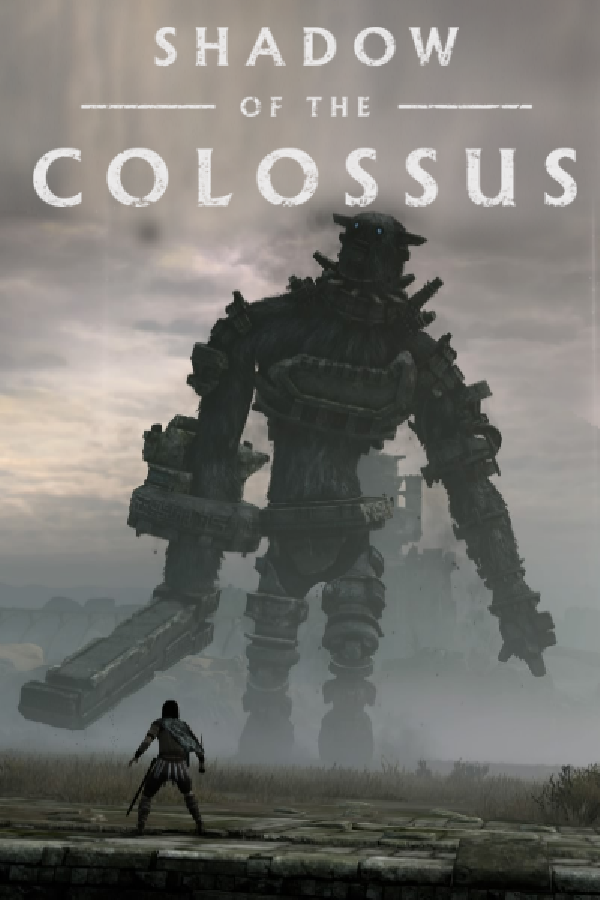
Shadow of the Colossus (PC, frame generation)
Shadow of the Colossus
OrigenPlayStation 4
TecnologíaPort Nativo C/C++ (Reimplementación de Motor)
Disponible paraWindows
Ver proyecto oficialSobre el proyecto
Shadow of the Colossus es un videojuego de acción-aventura desarrollado y publicado por Sony Computer Entertainment (SCEI) para PlayStation 2. El juego fue publicado en Norteamérica y Japón en octubre de 2005, y posteriormente en Europa en febrero de 2006. Fue creado por el Estudio Internacional de Producción 1 de SCEI, el mismo grupo de desarrollo responsable del éxito de culto Ico.
7 versiones de Shadow of the Colossus
Estás viendo: Shadow of the Colossus (PC, frame generation)
Shadow of the Colossus (PC, frame generation)github.com/nakaionyt/ShadowOfTheColossus-PC-FrameGenShadow of the Colossus (celosia)github.com/HenryKun55/celosiaShadow of the Colossus (PC)github.com/AjncSystem/ShadowOfTheColossus-PCShadow of the Colossus (PS2 decomp)github.com/TheRealestNwah/sotc-decompShadow of the Colossus (PS3) PCgithub.com/sp00nznet/shadowofthecolossusShadow of the Colossus (ShadowOfTheColossus-PC)github.com/Oussama268/ShadowOfTheColossus-PCShadow of the Colossus Decompilationgithub.com/Fantaskink/SOTCInformación oficial del proyecto
The PS4 Shadow of the Colossus (Bluepoint, 2018) running natively on Windows: the game's own x86-64 code runs on your CPU and the PS4 GPU work is translated to Vulkan. It is not a full emulator. This build adds frame generation to the Oussama268/ShadowOfTheColossus-PC port, so the game's 30 FPS lock is shown at a steady 60 FPS, and lets you uncap it live.
[!IMPORTANT] Bring your own game files. No game file and no Sony firmware is included. You need your own PS4 dump of the game (CUSA08809, EU version 1.01) and, for sound,
libSceNgs2.sprxandlibSceUlt.sprxfrom your own console.
Highlights
- Frame generation: NVIDIA DLSS Frame Generation on RTX 40/50, AMD FSR 3 on any Vulkan 1.3 GPU (RTX 20/30, Radeon, Arc). One generated frame between two game frames.
- F7 caps or uncaps the game at any time: 30 FPS like the PS4, or as fast as your CPU goes.
- F8 switches frame generation: off → DLSS-G → FSR 3, live, no restart.
- Steady pacing: 60 frames shown per second with the cap on, one every 16 to 17 ms. A late game frame no longer halves the frame rate.
- Faster: far sun shadow cascades are reused between frames (+17 to 22% FPS at the shrine).
- F10 overlay: frame rate, frame time graph, late frames, frame generation status.
Performance
Measured on a Ryzen 7 5800X + RTX 4070 SUPER, 2560×1440 output, running through the open world:
| Setting | Game FPS | Shown on screen |
|---|---|---|
| 30 FPS cap + FSR 3 | 30.0 | 60.0, one frame every 16–17 ms |
| 30 FPS cap + DLSS-G | 30.0 | 60, 0.04% late frames |
| Uncapped | 40–60 depending on the area (average 50) | same |
| Uncapped + FSR 3 | 40–50 | 80–113 |
The game logic follows real time: uncapped, Wander runs at the same speed as capped. The port is CPU-bound (one very busy thread): single-core speed matters most, the GPU is lightly used.
| Capped at 30 | Uncapped (F7) | |
|---|---|---|
| No frame generation | 30, as on PS4 | 40–60 |
| Frame generation (F8) | 60, very even ← recommended | 80–110, varies by area |
Quick start
- Download
SotC-PC_v0.57-fg2_bring-your-own-game-files.zipfrom Releases and unzip it anywhere. - Install Microsoft's Visual C++ Redistributable 2015–2022 x64 if it is missing (NVIDIA frame generation needs it).
- Run
SotC.exeand choose your game folder (theCUSA08809dump witheboot.bin) and the folder with your sound modules. - In Quick settings: Frame generation → Automatic (DLSS-G on RTX 40/50, else FSR 3), Uncapped FPS → unchecked for a steady 60.
- PLAY. The first minutes can stutter a little while shaders compile (once).
Controller (DualShock 4, DualSense, Xbox…) or keyboard and mouse; keys can be remapped in the launcher's Controls page.
In-game keys
| Key | Action |
|---|---|
| F7 | 30 FPS cap on / off |
| F8 | Frame generation: off → DLSS-G → FSR 3 → off |
| F10 | Show / hide the FPS overlay |
Requirements
- Windows 10/11 64-bit, a Vulkan 1.3 GPU with recent drivers.
- CPU: a fast single core (Ryzen 5000/7000, Intel 12th gen or newer). Turning on XMP/EXPO in the BIOS helps a lot (+25% measured).
- GPU: RTX 3060 / 4060 or Radeon RX 6600 are enough. DLSS-G needs an RTX 40 or 50 and Windows Hardware-accelerated GPU scheduling. About 4 GB of video memory at 1440p.
- For a steady 60: a 60 or 120 Hz display, or G-SYNC / FreeSync.
Is the whole game playable?
The game is playable: menus, saves, the open world, sound, controller, keyboard and mouse. A full run from start to end with all 16 colossi has not been verified on this exact build yet.
Known issues:
- Switching saves without restarting the game can close it: restart before loading another save.
- In places the water stays dark or flat.
- FSR 3 was tested on an NVIDIA card; on AMD and Intel it is less tested. Feedback welcome in Issues.
- FSR 3 is a little less clean than DLSS-G when the camera turns fast (slight ghosting).
If anything looks wrong: press F8 until frame generation is off, or set it to Off in the launcher.
Under the hood
- Frame generation inputs come from the game itself: depth and motion vectors are copied from
its G-buffer pass (an R16G16 float target holding
curUV − prevUV), and the camera (view and projection, jitter, near/far, reversed-Z) is decoded from its view constants.vk_dlssg.cpp - DLSS-G goes through NVIDIA Streamline 2.14 (Vulkan), with Reflex markers.
- FSR 3 uses the FidelityFX SDK 2.3 optical flow and frame interpolation on Vulkan
(FSR-Vulkan). The presenter shows the interpolated frame,
then the game frame half a frame later.
vk_fsrfg.cpp - F7: the game caps itself with
sceVideoOutSetFlipRate(1)and its logic follows real time; the rate it asks for is kept and applied or not by the vblank thread.sotc_fps_cap.h - Shadow reuse: the engine snaps its sun shadow cascades to texels, so a far cascade is moved
by whole texels instead of redrawn every other frame (99.9% texel-identical to a real draw).
vk_shadow_scroll.cpp
Building
Windows with MSYS2 (CLANG64); package list in
packaging/windows/README.md. Freezing SotC.exe needs a Windows
Python with PyInstaller and Pillow (WINPYTHON).
git clone --recursive https://github.com/nakaionyt/ShadowOfTheColossus-PC-FrameGen.git
bash build.sh                              # out/bb-probe.exe
bash packaging/windows/package_sotc.sh     # dist/SotC-PC.zip
The release zip also carries the NVIDIA Streamline 2.14.16 runtime files next to bb-probe.exe
(sl.interposer.dll, sl.common.dll, sl.dlss_g.dll, sl.reflex.dll, sl.pcl.dll,
nvngx_dlssg.dll, NvLowLatencyVk.dll, from the
official SDK). Packaging refuses
any .sprx/.prx: Sony firmware never goes into the package. More details on the port, its
launcher and its diagnostic variables: docs/README-upstream.md and
docs/sotc/README-SotC.md.
Credits
- AjncSystem: the Shadow of the Colossus PC port; Oussama268: the 0.57-opt fork this build starts from.
- bloodborne_pc (Supermedo, deadinside, deadinside28): native loader, runtime and launcher.
- shadPS4 and the shadPS4 SotC fork: Vulkan video core.
- Pink-shadPS4 (luizgustavs): culling, command recording thread, shader fixes and more.
- illusion: the original 60 FPS patch (GoldHEN).
- AMD FidelityFX FSR 3, ported to Vulkan by FSR-Vulkan.
- NVIDIA DLSS Frame Generation, Streamline and Reflex.
Legal
Shadow of the Colossus belongs to Sony Interactive Entertainment; the 2018 remake is by Bluepoint Games. This project is not affiliated with Sony, Bluepoint, NVIDIA or AMD, and contains no game data. NVIDIA, DLSS and Reflex are trademarks of NVIDIA Corporation; AMD and FidelityFX are trademarks of Advanced Micro Devices, Inc.
The program is licensed GPL-2.0-or-later (LICENSE). The NVIDIA runtime files in the
release are under NVIDIA's licenses (bin/licenses-nvidia/ in the zip); other components are
listed in THIRD-PARTY-NOTICES.txt.