
Super Mario Bros. 35 (SM35 Recomp)
Super Mario Bros. 35
OrigenNintendo Switch
TecnologíaRecompilación Estática (C/C++ nativo)
Disponible paraWindows
Ver proyecto oficialSobre el proyecto
Super Mario Bros. 35 es un videojuego de plataformas competitivo online con elementos de battle royale. Fue desarrollado por Arika y publicado por Nintendo y estuvo disponible exclusivamente en el servicio on-line de Nintendo Switch desde el 1 de octubre de 2020 hasta su retiro de la plataforma el 1 de abril de 2021. Se creó para celebrar el 35.º aniversario de Super Mario Bros.
Información oficial del proyecto
SM35 Recomp turns your own legally dumped Super Mario Bros. 35 (with its v1.0.2 update) into a native program for macOS, Windows and Linux (iOS, iPadOS and Android from source). The game's code is translated to C and compiled for your machine, its system calls run on a native runtime, and its graphics run on Metal or Vulkan. It isn't an emulator: there is no CPU or GPU emulation at run time.
It is a fork of SMM2 Recomp, which shares its runtime and recompiler.
Status: online through Nextendo, and reasonably stable. The game's online service comes from Nextendo Network, a community server (never Nintendo's). Sign-in, the game's login, 35-Player Battle matchmaking, the battle relay and the results are implemented. Course Practice, Special Battle and Daily Challenges work.
Tested by us: two-player matches from Matching to the final Ranking (a Mac and an iPad), Cancel, dropped connections, and the macOS and iPad builds. Left to testers: long matches with many players, and Windows and Linux on real hardware (Reporting problems).
Two things to know. Cancel, Main Menu and Rematch are held, not tapped: hold the button for about a second. One device per internet connection: two devices on the same home connection can't share a match. See PROGRESS.md.
Screenshots
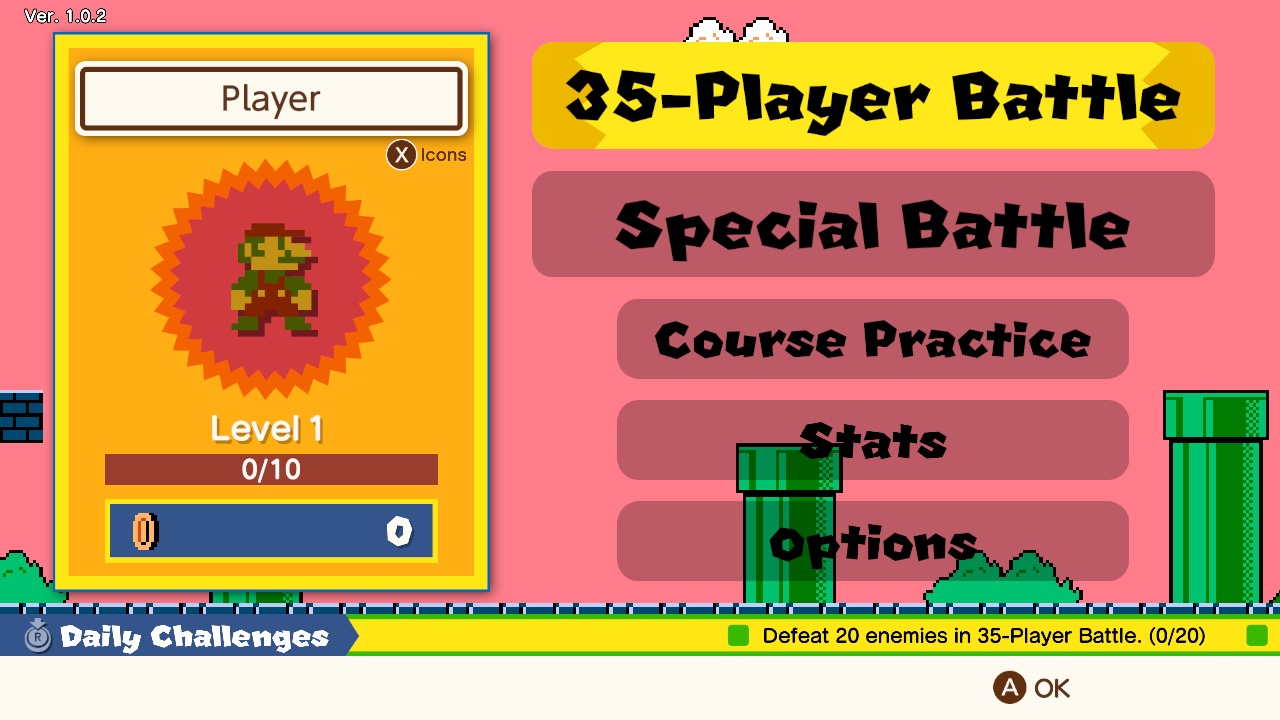
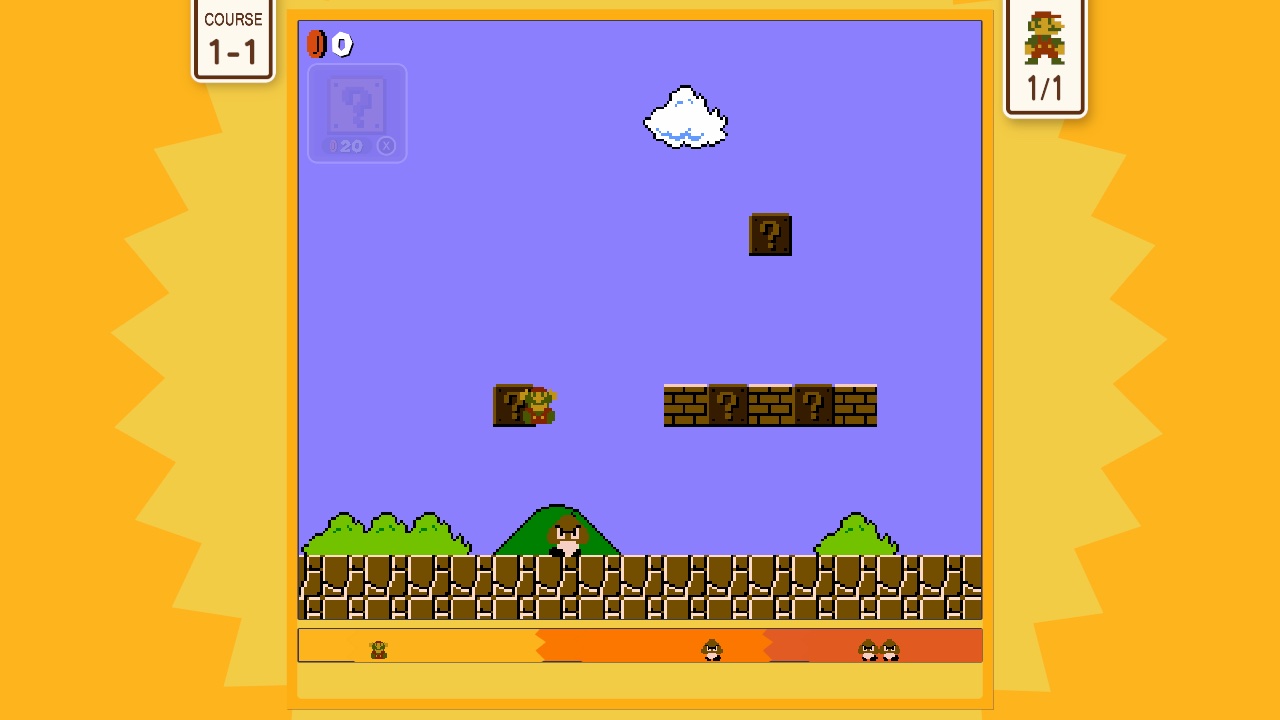
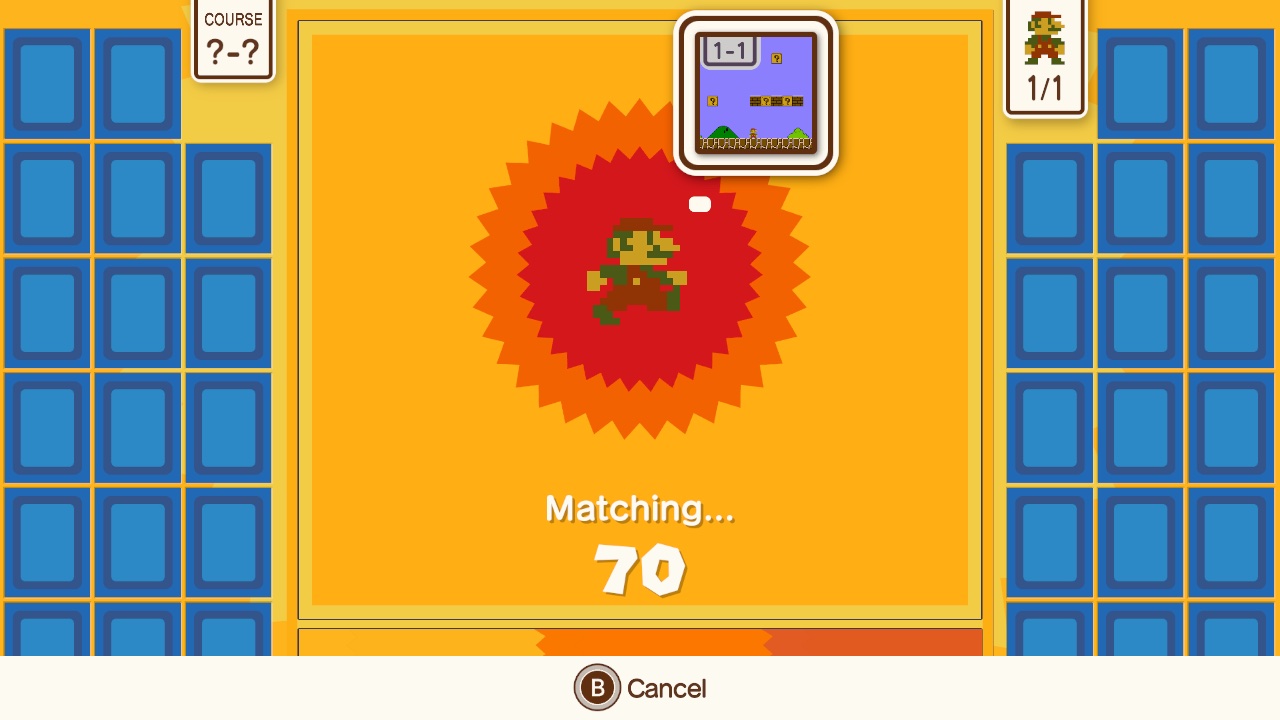
| Main menu | Course Practice, on Nextendo | 35-Player Battle matchmaking |
|---|---|---|
 |  |  |
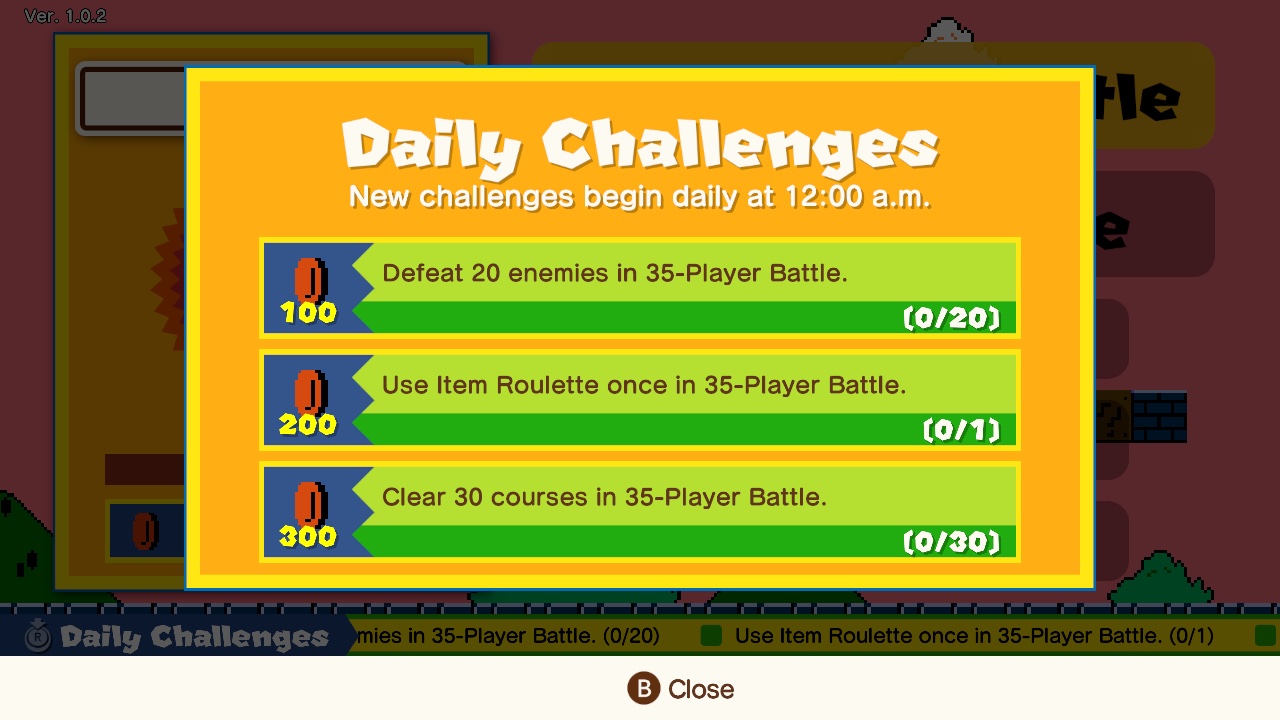
| Daily Challenges | The setup screen |
|---|---|
 | 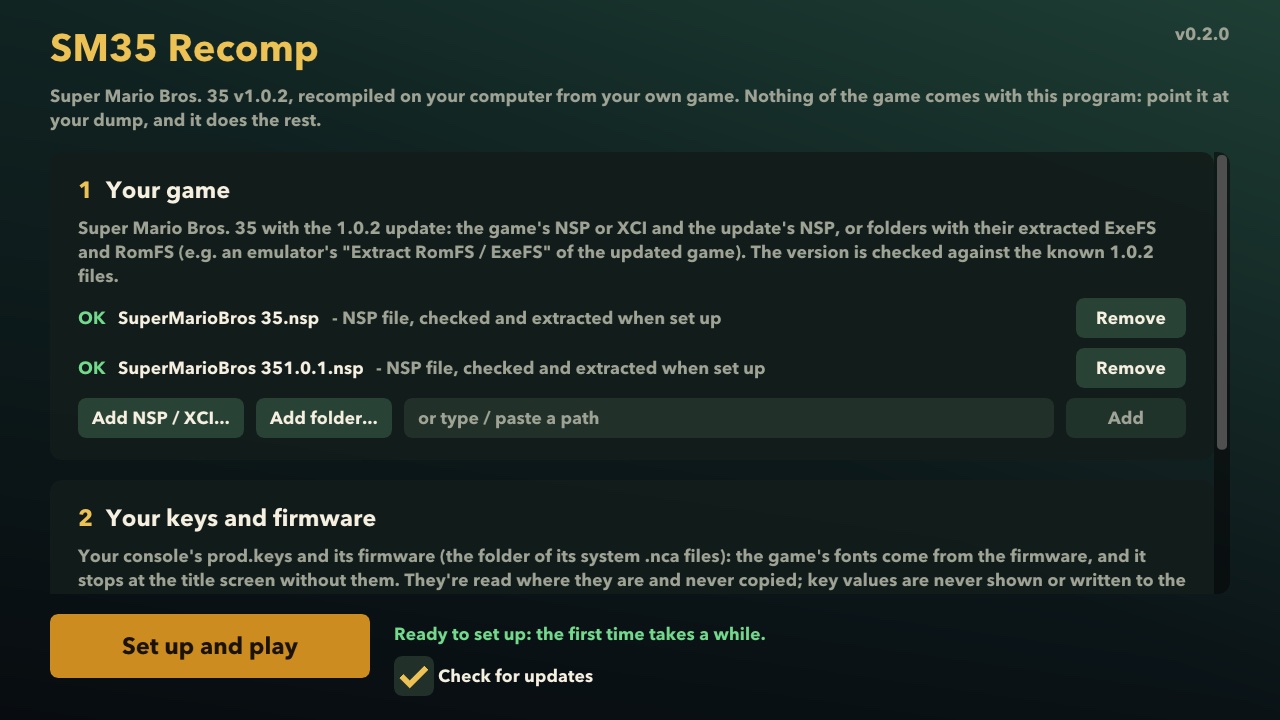 |
Nothing of the game is included
- This repository and its releases contain no game code, assets, keys or firmware, and nothing derived from them.
- You need your own dump of the game, made from a console and cartridge or download you own: the base game, the
v1.0.2 update, and your console's
prod.keysand firmware. - The release is a launcher plus recompiler: its setup screen checks your files against the known v1.0.2 version, and recompiles the game code on your machine. What it builds stays on your machine: don't share it.
- Every commit and every release package is checked for game content (
scripts/check_no_proprietary.py,scripts/check_package.py).
SM35 Recomp is not affiliated with, endorsed by or sponsored by Nintendo. Super Mario Bros. 35 and its characters are trademarks of Nintendo.
Platforms
| Platform | Graphics | Status |
|---|---|---|
| macOS 15+, Apple silicon | Metal | Course Practice and matchmaking on Nextendo |
| Windows 10 / 11, x86-64 (AVX2) | Vulkan 1.3 | builds; untested |
| Linux x86-64 (AVX2) / arm64 | Vulkan 1.3 | builds; untested |
| iOS / iPadOS | Metal | from source; plays on an iPad Pro (touch controls, Nextendo sign-in) |
| Android, arm64 | Vulkan 1.3 | from source; not tried yet |
Play it
- Download the package for your system from the releases:
SM35Recomp-macos-arm64.zip,SM35Recomp-windows-x86_64.ziporSM35Recomp-linux-<arch>.tar.gz. - Unpack it and start
Super Mario 35.app/sm35recomp.exe/./sm35recomp. - The setup screen asks for:
- your Super Mario Bros. 35 with the 1.0.2 update: the NSP / XCI files, or folders with the extracted ExeFS and RomFS;
- your
prod.keysand the firmware folder (read where they are, never copied; key values are never shown or logged).
- Press Set up and play. The first time it checks and extracts your files, copies the fonts and recompiles the game code (a few minutes to half an hour), then the game starts. Later starts go straight to the game.
- Sign in to Nextendo Network. The game needs its online service even for Course Practice. Make a free account at nextendo.network, verify its e-mail address and link your Discord account there (Nextendo lets only accounts with a linked Discord play online), then in the game open the overlay menu (F1 or Esc; the menu button on touch screens), go to Online and choose Nextendo account: Sign in. You sign in in your browser (the game never sees your password), then restart the game.
Keyboard: WASD stick, arrows d-pad, K/J/L/I = A/B/X/Y, Q/E = L/R, 1/3 = ZL/ZR, Enter / Backspace = + / -, F1 or Esc for the overlay menu. Controllers work through SDL.
macOS: the app isn't notarized. The first time, right-click it and choose Open; if macOS still blocks it, run
xattr -dr com.apple.quarantine "/path/to/Super Mario 35.app". Windows: see docs/windows.md.
Reporting problems
Open an issue with your system (OS, CPU, graphics card), what you did and what happened, and attach the logs. They hold no keys; the log hides your player id, so it's fine to share.
| System | Game log | Setup logs |
|---|---|---|
| macOS | ~/Library/Application Support/org.sm35recomp.sm35recomp/sm35recomp.log | logs/setup.log, logs/sysdata.log in that folder |
| Windows | sm35recomp.log next to sm35recomp.exe | logs\setup.log, logs\sysdata.log in that folder |
| Linux | ~/.local/share/sm35recomp/sm35recomp.log (started from a terminal: the terminal's output) | logs/setup.log, logs/sysdata.log in that folder |
Before reporting, two things that look like bugs but aren't:
- Cancel, Main Menu and Rematch are held, not tapped. On the Matching and Ranking screens, hold the button for about a second until its gauge fills.
- One device per internet connection. Nextendo tells players apart by their internet address, so two devices on the same home connection can't share a match. Testing together at home: put one device on a phone's hotspot.
iPhone / iPad
There is no download for iOS: the app holds the game's code, so you make your own on a Mac, from the game the Mac app set up. With Xcode signed in to your Apple account and your device connected once:
recomp/tools/ios_kit.sh --team <your Apple team id>
It makes build/ios-kit/SM35Recomp.ipa (drag it onto your device in Finder) and build/ios-kit/Documents/ (copy its
contents into the app: Finder, your device, Files, SM 35). A paid Apple Developer account is known to work. A free
account is untested: apps signed with one expire after 7 days, and it may not get two entitlements the app needs
(extended virtual addressing and the increased memory limit). If you try one, please report how it went in
Issues.
Build it
On macOS (Apple silicon) with Xcode's command line tools, Homebrew sdl3 and Python 3.12+, from your own extracted
dump (by default in ~/smm-work/sm35/: base-romfs, v101-exefs, v101-romfs):
make -C recomp venv        # once: the recompiler's Python environment
make -C recomp sm35        # check and lay out your dump, recompile, build
make -C recomp run-sm35    # play
Linux, Windows (cross-built with zig), iOS, Android and the player packages: recomp/README.md.
Before committing: scripts/check.sh (the same gates as CI) and scripts/install-hooks.sh (a pre-commit guard).
Repository
| Path | What |
|---|---|
recomp/runtime/ | the runtime: loader, kernel, IPC and services, NVN on Metal / Vulkan, platform layers, setup screen |
recomp/tools/ | the recompiler (AArch64 to C) and the packaging scripts |
recomp/games/sm35/ | the game's glue: identity, dump setup and version checks, patches |
recomp/docs/ | bring-up findings (names and behaviour only) |
scripts/ | the proprietary-content guard and the package check |
docs/ | Windows guide, toolchain, branding |
Credits
- SMM2 Recomp: the runtime, recompiler, setup screen and packaging this is forked from.
- LAS Recomp (MIT), the recompilation of Link's Awakening SMM2 Recomp is forked from, and SuperMarioWonderRecomp (MIT) for ideas.
- Dear ImGui, SMAA, bcdec, Mbed TLS, zlib's puff, SDL3, shaderc, zig, python-build-standalone, capstone, unicorn and hactool:
see recomp/UPSTREAM.md and each package's
THIRD-PARTY.txt. - Nextendo Network, for the online service (sign-in, Course Practice, 35-Player Battles).
Licence
GPL-3.0-or-later. Third-party code keeps its own licence (MIT, BSD, Apache-2.0, zlib and others): LAS
Recomp's notice is recomp/LICENSE-LASRecomp, the rest is listed in recomp/UPSTREAM.md and in
each release package's THIRD-PARTY.txt.