
Super Mario Maker 2 (SMM2 Recomp)
Super Mario Maker 2
OrigenNintendo Switch
TecnologíaRecompilación Estática (C/C++ nativo)
Disponible paraWindows
Ver proyecto oficialSobre el proyecto
Super Mario Maker 2 es un videojuego de plataformas y de creación de niveles desarrollado y publicado por Nintendo para Nintendo Switch. Es la secuela de Super Mario Maker y salió a la venta el 28 de junio de 2019 en todo el mundo. El videojuego conserva en gran medida la jugabilidad de su predecesor, en la que los jugadores crean sus propios niveles personalizados utilizando elementos de varios videojuegos de la franquicia Super Mario y compartirlos en línea.
Información oficial del proyecto
SMM2 Recomp
A native port of Super Mario Maker 2 (v3.0.3) for macOS, iOS / iPadOS, Windows, Linux and Android, made by static recompilation. The game's AArch64 code is translated to C ahead of time and compiled for your platform. A native runtime stands in for the Switch's system services, and the game's graphics run on Metal or Vulkan. Nothing is emulated at run time.
On top of the original game it adds:
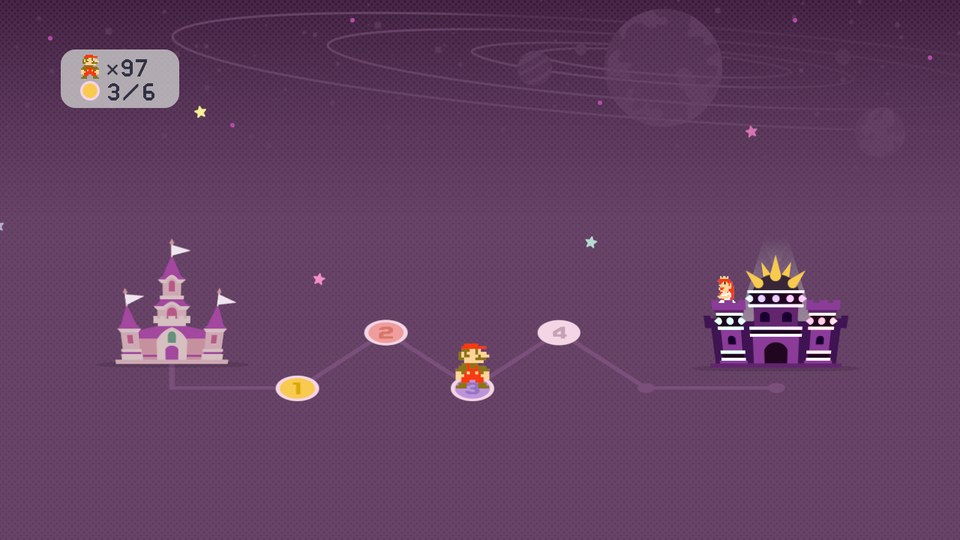
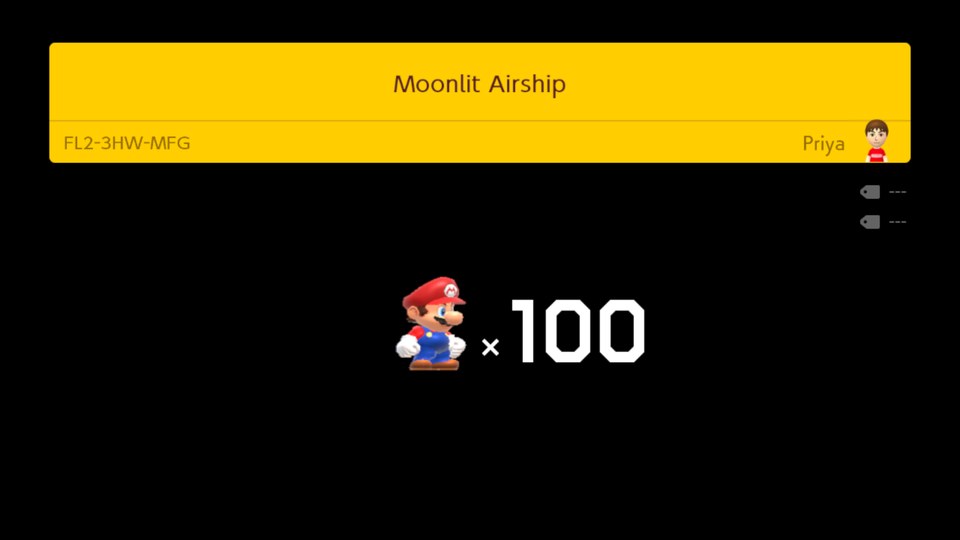
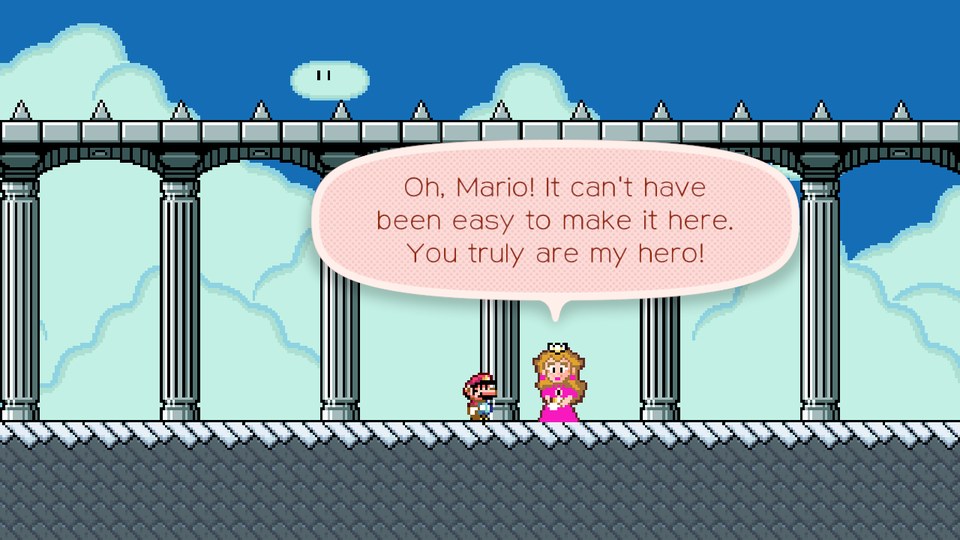
- The 100 Mario Challenge from Super Mario Maker 1, with SMM1's difficulty select, world map, start card and ending, next to SMM2's own Endless Challenge
- Course World without Nintendo's servers, through a self-hostable open-source course server, courses from TGRCode's public archive, or your own OpenCourse World account
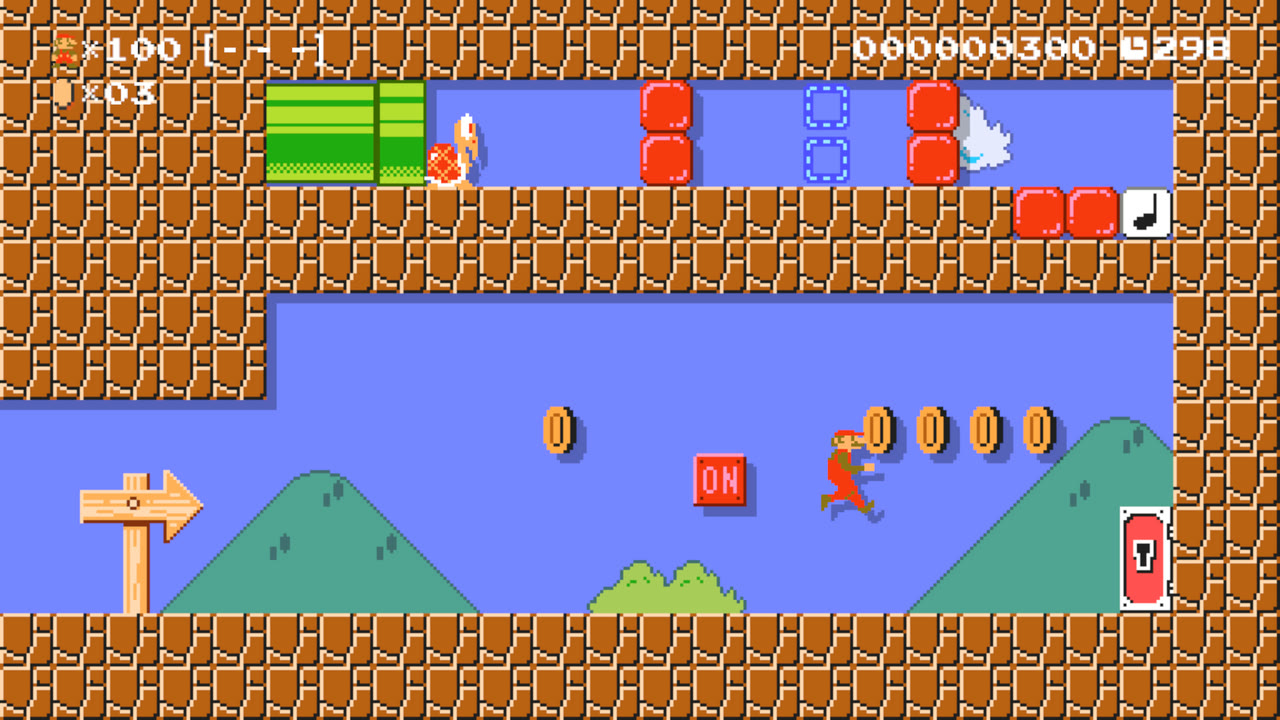
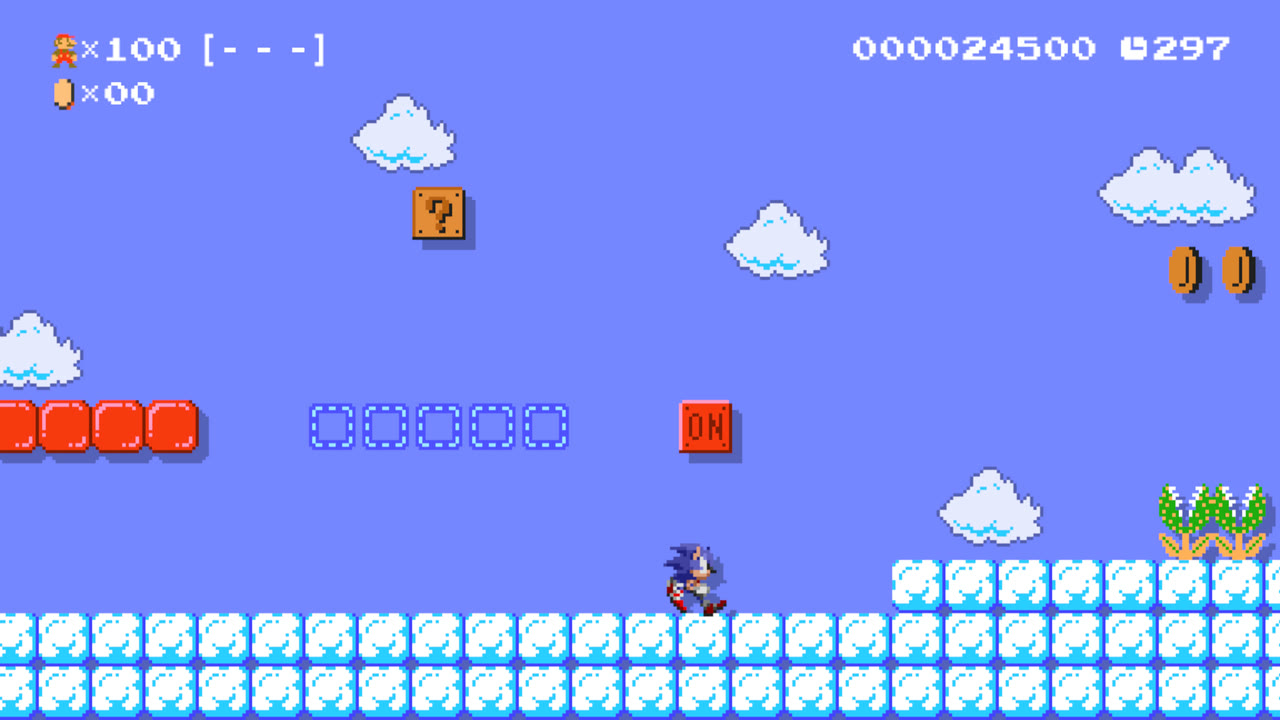
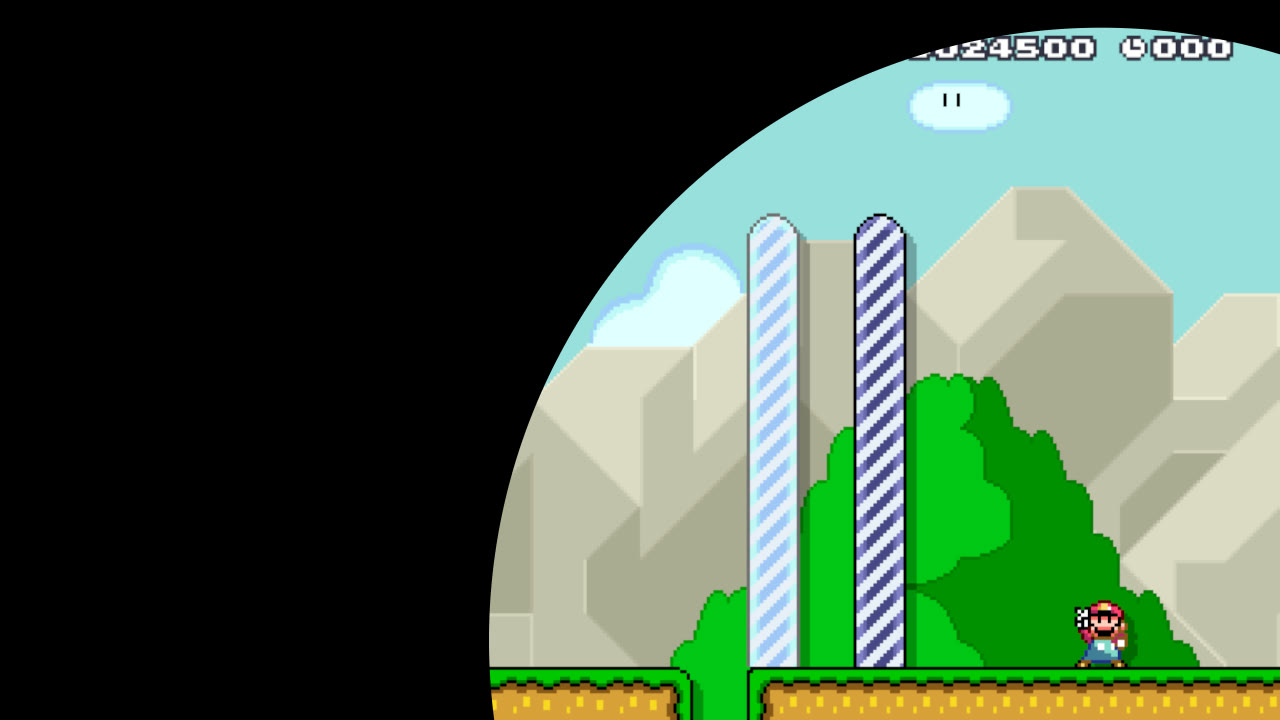
- SMM1 features as mods, each with its own switch: Mystery Mushroom costumes, Lanky Mario (the Weird Mushroom), mid-air shell jumps, overlapping pipes, and "Try it now" buttons to try them in a course
- Co-op in Endless and 100 Mario, Super Worlds in Course World, and editing any course you downloaded
You need your own copy of the game. This repository and its downloads contain no code, assets, text, keys or recompiled output from Super Mario Maker 2 or Super Mario Maker. You point the program at your own dump, and everything made from it is generated on your machine.
Screenshots
| Title screen | Playing the title course | Make / Play |
|---|---|---|
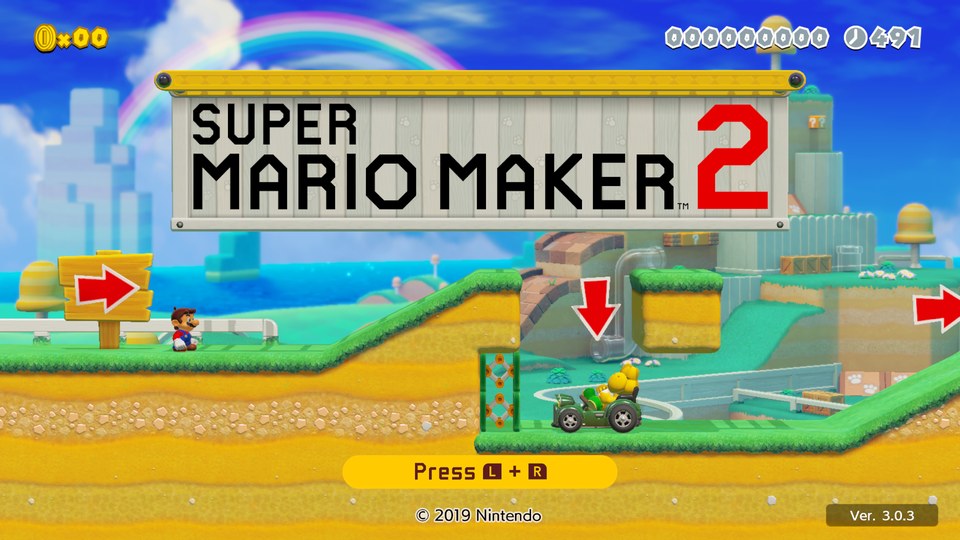 | 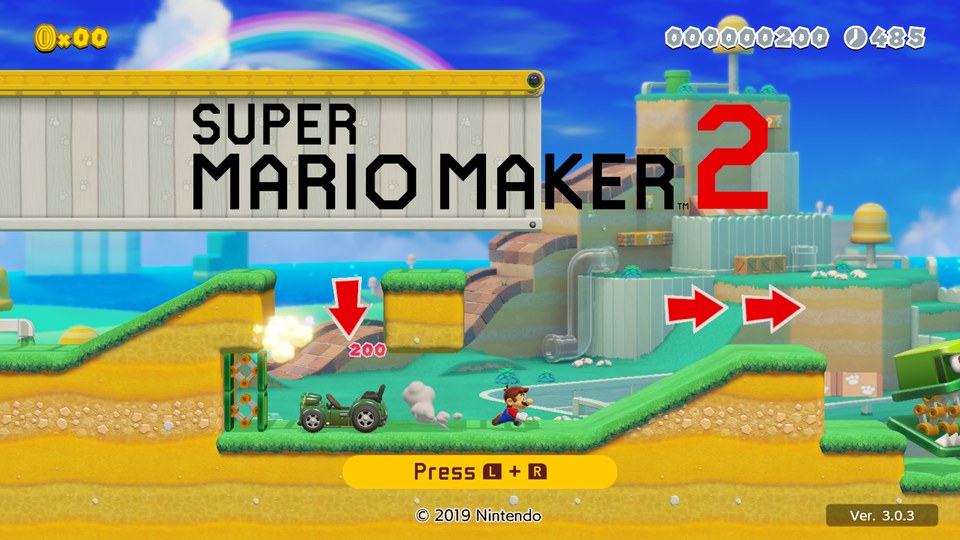 | 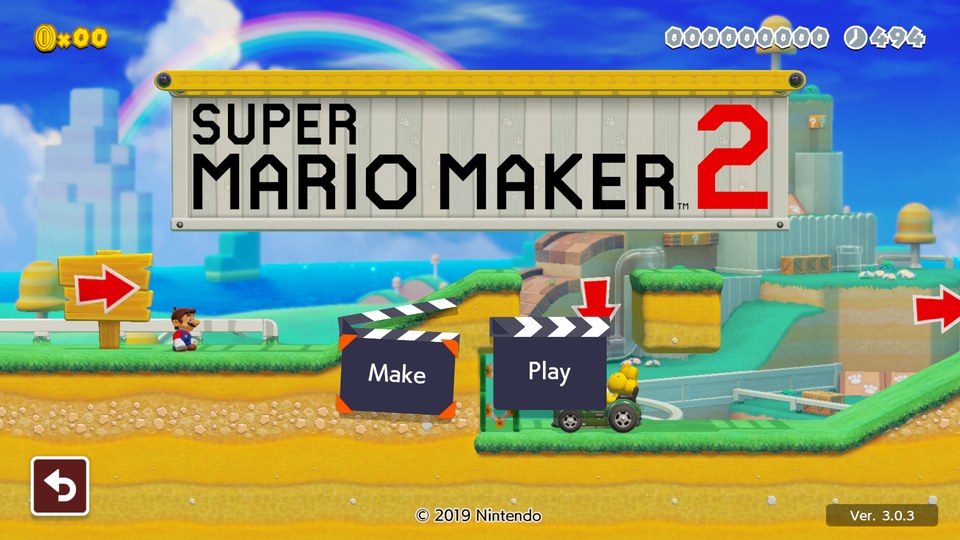 |
100 Mario Challenge
| Difficulty select | World map | Course-in card |
|---|---|---|
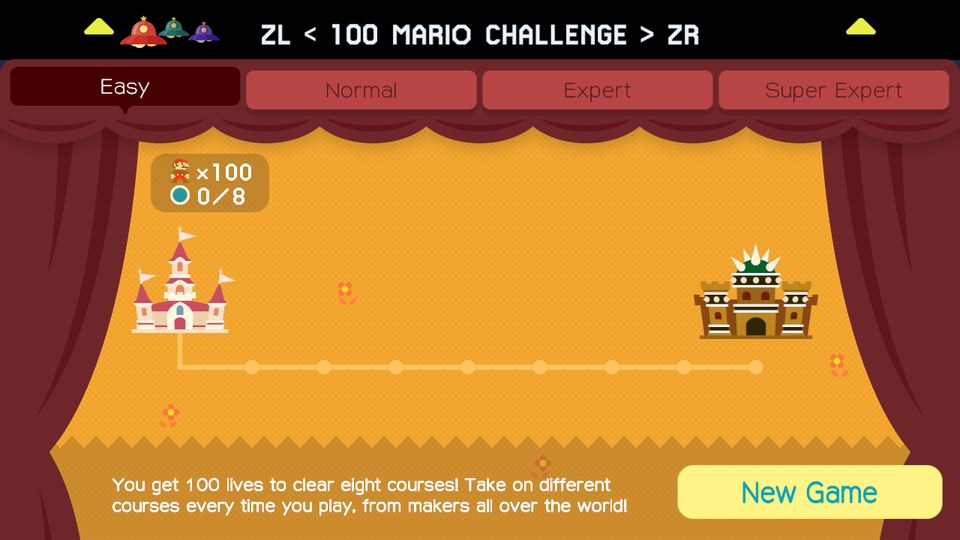 |  |  |
| Ending | Credits |
|---|---|
 |  |
SMM1 features as mods
| Lanky Mario | Mystery Mushroom costume | SMW goal wipe |
|---|---|---|
 |  |  |
Play it
A download is a launcher plus the recompiler, not the game: on first start it takes your dump, checks it, recompiles the game code on your computer, and then runs it.
-
Download the package for your system from Releases:
System Package Also needs Windows 10 / 11, x64 SMM2Recomp-windows-x86_64.zipa CPU with x86-64-v2 (AVX2 used when available), a Vulkan 1.3 graphics driver (docs/windows.md) Linux, x64 or arm64 SMM2Recomp-linux-x86_64.tar.gz,-linux-aarch64.tar.gzSDL3 3.2+ and a Vulkan 1.3 driver from your distribution (Debian 13, Ubuntu 25.04, Fedora 41, Arch or newer); x64: x86-64-v2 (AVX2 used when available) macOS 15+, Apple silicon SMM2Recomp-macos-arm64.zip(Super Mario Maker 2.app)nothing; the app isn't notarized: right-click > Open the first time (macOS then checks the whole app once, which can take a few minutes) macOS 15+, Intel (x86-64) no package yet: build it from source (see Building) a CPU with AVX2 (Intel Haswell / 2013 or newer); Homebrew sdl3 -
Unpack it and start it (
smm2recomp.exe,./smm2recomporSuper Mario Maker 2.app). Windows keeps everything in the unpacked folder, so put it somewhere writable. -
Point it at your dump. The setup screen asks for:
- Super Mario Maker 2 with the 3.0.3 update: the game's NSP or XCI and the update's NSP, or folders with their extracted ExeFS and RomFS. The version is checked against the known 3.0.3 files (build ids and hashes of your own files).
- Your console's
prod.keysand firmware (the folder of its system.ncafiles): the game's fonts come from there. If an emulator already has them, they're filled in. They're read where they are, never copied, and key values are never shown or logged. - Optionally Super Mario Maker (Wii U), for the SMM1 mods.
-
Set up and play. The first time it extracts and lays out your files, copies the fonts and recompiles the game code with the bundled compiler: a few minutes to half an hour. Then the game starts, and later starts go straight to it.
If something goes wrong, please open an issue
and attach the log files from the program's data folder: smm2recomp.log (the program) and
logs/setup.log (the setup's steps). Neither contains key values. After a crash, the next start keeps the crashed
session's log as smm2recomp.previous.log: attach that one. The data folder is:
| System | Data folder |
|---|---|
| Windows | the unpacked folder, next to smm2recomp.exe |
| Linux | ~/.local/share/smm2recomp (or $XDG_DATA_HOME/smm2recomp) |
| macOS | ~/Library/Application Support/org.smcraft.smm2recomp |
On Linux, started from a terminal, the log goes to the terminal instead of smm2recomp.log: copy it from there.
The setup screen tells you when a newer release is out and links to it; nothing is downloaded by itself. To update on Windows, unpack the new release over the old folder (replace the files): your game files, saves and settings stay, and setup isn't repeated. On Linux and macOS they're kept outside the program, so any copy finds them. The game code is only rebuilt when a release changes it.
iPhone and iPad have no download either: the Mac app builds an iPhone / iPad app from your game, which you sign and install yourself (docs/ios.md). Android is built from source (recomp/README.md).
Troubleshooting
- Windows: "vulkan-1.dll was not found", or "needs a graphics driver with Vulkan 1.3". The game draws with Vulkan, which comes with your graphics driver. Install the latest driver from NVIDIA, AMD or Intel (the one from Windows Update or the PC maker is often too old). Remote Desktop and most virtual machines have no Vulkan driver: start the game on the PC itself. GPUs from before about 2016 may not support Vulkan 1.3 at all.
- macOS: "can't be opened" or "is damaged". The app isn't notarized: right-click it and choose Open, once.
- Setup stops at the fonts or the Mii data. Point it at your console's firmware (the folder of its system
.ncafiles) and theprod.keysthat go with that firmware. - Where are the mods? In the overlay menu: F1 or Esc (a controller: the Home / Guide button, or − and + together; a touch screen: the menu button in a corner), then the Mods tab. Its pages: Built-in (this program's own, like the SMM1 ones, which need Super Mario Maker (Wii U) chosen at setup), Installed and GameBanana (see Mods), and Online.
- Anything else: open an issue with
smm2recomp.log(andsmm2recomp.previous.logafter a crash) from the data folder above.
Mods
Game-file mods (texture packs, game style skins, themes, music) load the way they do on a modded console or in an
emulator (LayeredFS): each one is a folder in the data folder's mods/, with its files under romfs/, for example
mods/My Mod/romfs/Model/.... The Mods tab's Installed page turns each one on or off and sets their order (a later
one wins where two replace the same file; turning on a mod that replaces the same files as another turns that one off).
Changes load at the next start.
The GameBanana page lists the game's mods on GameBanana, most downloaded
first, with a search. Installing one downloads it from GameBanana onto your device, unpacks it and turns it on. Each mod
keeps its author, licence and page, shown with it. Mods are never part of this program or its downloads: they come
from their authors, under their licences. Code patches (exefs / .ips) aren't supported yet; save-file level packs
aren't mods of this kind.
Status
Early development. Release packages for Windows, Linux and macOS are on the Releases page; the Mac app builds the iOS / iPadOS app (docs/ios.md), and Android is built from source.
| Platform | Graphics | Status |
|---|---|---|
| macOS (Apple Silicon) | Metal | Plays courses. Input replays stay frame-for-frame in sync with the game running in Ryujinx, and in-course frames are pixel-identical in 71 of 90 style × theme combinations. The reference platform. The player app goes from an empty data folder through its setup screen and the first-launch recompile to the title screen. |
| macOS (Intel, x86-64) | Metal | Builds and runs natively on an Intel Mac: the game code uses the portable-C lowering (as on Windows / Linux x64) and the SIMD differential tests pass. Booted to the title at 60 fps and into Course World on a Metal 2-only GPU (NVIDIA GT 755M), which needs the driver limits in PROGRESS.md worked around (no ASTC textures, no packed 16-bit colour textures, no swizzle views, no Metal binary archives). MetalFX (the upscaler) needs Apple silicon or a supported GPU: the app falls back to bilinear scaling. |
| iOS / iPadOS (arm64) | Metal | Plays at 60 fps on iPad Pro, with an on-screen controller and touch. Built by the Mac app from your game and installed on your own device (docs/ios.md). |
| Windows (x64) | Vulkan | Testers play the release package; their reports are in Issues. See docs/windows.md. |
| Linux (x64, arm64) | Vulkan | Testers play the release packages (a Steam Deck runs it, slowly so far); arm64 boots to the title screen in a VM. |
| Android (arm64, Android 13+) | Vulkan | Builds an APK on your computer from your dump; boots and plays the title course in the Android emulator. Not yet tested on a real device. |
| Feature | Status |
|---|---|
| Title, menus, course play, Course Maker test play | Working; fidelity work ongoing |
| 100 Mario Challenge (SMM1) | Playable start to finish, ending included; co-op with more controllers |
| Endless Challenge (SMM2) | Playable against the course server; co-op with more controllers |
| Course World (lists, search, download, play, leaderboards, uploads, Super Worlds) | Working against the course server; likes and comments in progress |
| Course World against your own OpenCourse World account | Working on macOS: browsing, playing, likes, comments and uploads (recomp/docs/mods.md) |
| Edit any course (as in SMM1) | Working |
| SMM1 feature switches | Costumes, Lanky Mario, shell jumps, overlapping pipes |
| Online multiplayer | Through Nextendo (sign-in); new, not yet tested on hardware |
PROGRESS.md has the detailed checklist and the evidence behind each item, and DECISIONS.md records the design decisions and why they were made.
How it works
- Recompile. The recompiler (
recomp/tools/, Python) reads the game's executable from your dump and translates every function to C. - Build. That C is compiled together with the runtime (
recomp/runtime/, C and Objective-C), which implements the Switch's kernel, system services, audio, input and the NVN graphics API on Metal or Vulkan. - Play. The result is an ordinary native app that loads the game's assets straight from your dump.
Mods hook into the recompiled game at chosen functions. The course server (core/, Rust) answers
the requests the game would normally send to Nintendo.
The recompiler is a fork of LAS Recomp (MIT).
Building
What you need
- A dump of Super Mario Maker 2: the base game RomFS plus the v3.0.3 update ExeFS and RomFS, extracted
- For the 100 Mario Challenge, a dump of Super Mario Maker (Wii U)
- macOS on Apple silicon or Intel (x86-64, with AVX2) with the Xcode command-line tools, Homebrew
sdl3andffmpeg, and Python 3.12 or newer - About 2 GB of free disk space
macOS
make -C recomp venv        # once: the recompiler's Python environment
make -C recomp smm2        # verify the dump, recompile it to C, build (10–20 min the first time)
make -C recomp run-smm2    # play
Controls: a controller works out of the box. On the keyboard:
| Keys | Switch button |
|---|---|
| WASD | left stick |
| arrow keys | D-pad |
| K / J / L / I | A / B / X / Y |
| Q / E | L / R |
| 1 / 3 | ZL / ZR |
| Enter / Backspace | + / − |
| F1 or Esc | settings menu |
| F11 | full screen |
Other platforms
- Windows: cross-compiled from macOS into a package that recompiles the game from your dump on first launch. See docs/windows.md.
- iOS / iPadOS: the Mac app builds it, see docs/ios.md; building it from source: recomp/README.md.
- Linux, Android: see recomp/README.md.
The player packages
make -C recomp GAME=smm2 app-macos                                  # dist/SMM2Recomp-macos-arm64.zip
recomp/tools/fetch_zig.sh && recomp/tools/fetch_deps.sh windows-x86_64
make -C recomp TARGET=windows-x86_64 GAME=smm2 DEPS="$PWD/recomp/build/deps-windows-x86_64" package
Each package is checked for anything from a game dump before it is archived
(scripts/check_package.py). .github/workflows/release.yml builds all of them when a v* tag
is pushed and attaches them to the release; details in recomp/README.md.
The course server
Course World, the Endless Challenge and the 100 Mario Challenge talk to a self-hostable open-source server instead of Nintendo's. The server holds accounts, courses, leaderboards and challenge runs, and can also pull courses from TGRCode's archive. On iOS a copy runs inside the app, so no setup is needed.
To run your own:
cd core
cargo run --release -p mmk-cli -- server --dir ./server-data --addr 0.0.0.0:8640
cargo run --release -p mmk-cli -- register Ada --server http://localhost:8640   # prints a token
cargo run --release -p mmk-cli -- upload --token <token> courses/*.bcd --keys <course key table>
docs/self-hosting.md covers ports, HTTPS, accounts and moderation. The API
is documented at the top of core/crates/server/src/lib.rs.
Repository layout
| Path | Contents |
|---|---|
recomp/ | the recompiler, the runtime and SMM2's game-specific code and mods (recomp/README.md) |
core/ | the course server and shared course logic (Rust) |
smmfmt/, tests/ | a Python reference implementation of the course file formats |
docs/ | course file formats, toolchain, self-hosting, Windows |
Contributing
scripts/install-hooks.sh     # pre-commit check that blocks proprietary files
scripts/check.sh             # everything CI runs: server fmt / clippy / tests, recomp compile check, proprietary-file check
Never commit game files or anything generated from them. Generated output stays in the gitignored
recomp/private/, recomp/generated/ and recomp/build/. scripts/check_no_proprietary.py runs
in CI and in the pre-commit hook to enforce this.
Legal
This is an unofficial fan project, not affiliated with or endorsed by Nintendo. Super Mario Maker, Super Mario Maker 2 and related names are trademarks of Nintendo. No Nintendo code or assets are distributed here. You need a legally obtained copy of the game, and you build everything from it yourself.
License
SMM2 Recomp is licensed under the GNU General Public License v3.0 or later.
It includes code under other licenses, which keep their own terms:
- the recompiler started as a fork of LAS Recomp (MIT, recomp/LICENSE-LASRecomp)
- the third-party libraries in
recomp/third_party/each have their own license file (Dear ImGui, SMAA, bcdec, Mbed TLS and others)
recomp/UPSTREAM.md lists each upstream project and its license.
The license covers this project's own code only. It grants no rights to Nintendo's games, code or assets, or to anything generated from your dump.