
Snowboard Kids 2 Decompilation
Snowboard Kids 2
OrigenNintendo 64
TecnologíaDescompilación y Reconstrucción en C/C++
Disponible paraWindows, Linux, macOS
Ver proyecto oficialSobre el proyecto
Snowboard Kids 2 es un videojuego de deportes en 1999.
2 versiones de Snowboard Kids 2
Estás viendo: Snowboard Kids 2 Decompilation
Información oficial del proyecto
Snowboard Kids 2



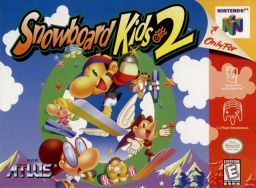
A matching decompilation of the greatest N64 game ever made, Snowboard Kids 2.
This repository does not contain any game assets or assembly whatsoever. An existing copy of the game is required. This project is not a port, to PC or any other platform. It takes a Nintendo 64 rom, extracts assets from it, and combines them with C code we reverse-engineered from the rom, to produce an identical rom. It is explicitly a non-goal for this project to be used for any commercial purpose.
Cloning
Clone this repository, including its submodules:
git clone --recurse-submodules -j8 https://github.com/cdlewis/snowboardkids2-decomp.git
Dependencies
This project has been tested on Debian/Ubuntu (x86) and macOS. Your mileage may vary on other systems.
System packages:
- make
- git
- python3
- pip3
- binutils-mips-linux-gnu
On Debian/Ubuntu:
sudo apt install make git python3 pip3 binutils-mips-linux-gnu
On macOS using homebrew. Note that calls below to make should use gmake instead to run the homebrew version.
brew install make tehzz/n64-dev/mips64-elf-binutils
Install toolchain:
make setup
Install Python dependencies in virtual environment:
python3 -m venv .venv
source .venv/bin/activate
python3 -m pip install -r requirements.txt
Building
Copy your big-endian Snowboard Kids 2 rom into the root of the repository. Rename it to snowboardkids2.z64. Then run:
make clean
make extract
make
If everything works correctly you should see:
build/snowboardkids2.z64: OK
The project's supported ROM and internal-VRAM relocation guarantees and their automated checks are documented in SHIFTABILITY.md.
Articles
If you're interested in learning more about decompilation and Snowboard Kids 2, the following articles might be of interest:
- Snowboard Kids 2 is Recompiled
- Snowboard Kids 2 is 100% Decompiled
- The Long Tail of LLM-Assisted Decompilation
- Finding Jingle Town: Debugging an N64 Game without Symbols
- The Unexpected Effectiveness of One-Shot Decompilation with Claude
- Using Coding Agents to Decompile Nintendo 64 Games
Contributing
Contributions are most welcome! There are a variety of other ways you can assist:
- Fix compiler warnings
- Clean up code: you'll see plenty of hastily decompiled functions that use pointer arithmatic rather than propre struct access. We need help cleaning up these functions.
- Document code: some functions/variables have useful names (rather than func_XXX or D_XXX) but most don't. Some that do are incorrectly named. We need lots of help investigating and documenting what all these functions do.
- Support building the project on more platforms such as Windows or ARM Linux. Currently the build is only verified as working on Linux (x86) and macOS which limits who can contribute.
If you have any additional questions, please reach out on Discord (linked in the header). However please note that, since this is a clean room decompilation, we cannot accept contributions based on leaked source code or from those with proprietary knowledge about the game or related subjects.
Credits
This project would not have been possible without all the amazing folks on the N64 Decomp Discord Community. In particular I would like to thank:
For all their help answering questions, solving problems and contributing matches.
The decomp community has some amazing platforms and tools. I am grateful to the maintainers of decomp.me, decomp.dev, Splat and decomp-permuter for building amazing tools.
I would
Model and course graphics
make extract decodes model display lists into assets/gfxbin/*.c and course
display lists into assets/courses/display_lists/*.c using F3DEX2 macros,
including texture-load aggregates. Each entry point is a separate Gfx
array. Descriptors and display-list calls refer to those arrays by symbol; the
linker places each bundle in RSP segment 1. Suffixes such as _part_0180 identify
an entry's original ROM offset, not a fixed address. Adding commands before that
entry moves its references automatically.
Textures, palettes, and vertices are described by assets/modelpayload/*.yaml
and assets/courses/model_resources/*.yaml.
Their packing offsets also generate the segment-2 symbols in
build/model_gfx.ld and declarations in build/include/generated/model_gfx.h.
Display lists refer to named parts and vertex array elements. To move a payload
part, keep its name and update its manifest offset, size, and containing payload
size as needed. Model loader tables use generated decompressed-size constants,
including the separate size/count fields in character asset entries. The
runtime-selected costume textures share segment-3 symbols;
the build checks that all selectable texture manifests have the same layout,
format, dimensions, and RSP segment. Vertex data embedded in a display-list
bundle is emitted as typed Vtx arrays; overlapping loads index the same array.
make builds the current extracted sources. make extract regenerates them from
the ROM, and make clean removes them. Preserve asset edits before either command.
The extraction and symbol-generation tools, rather than the generated assets,
are maintained in this repository.
Run python3 -m unittest tools.tests.test_model_gfx to check that moving both a
model or course display-list entry point and a payload part updates the linked
references. These tests also cover malformed layouts, duplicate symbols,
invalid branch targets, and embedded vertex data that resembles instructions.