Sonic Advance (Web)
Sonic Advance
OrigenGame Boy Advance
TecnologíaWebAssembly (WASM) / WebGL / Canvas Nativo
Disponible paraWeb
Ver proyecto oficialSobre el proyecto
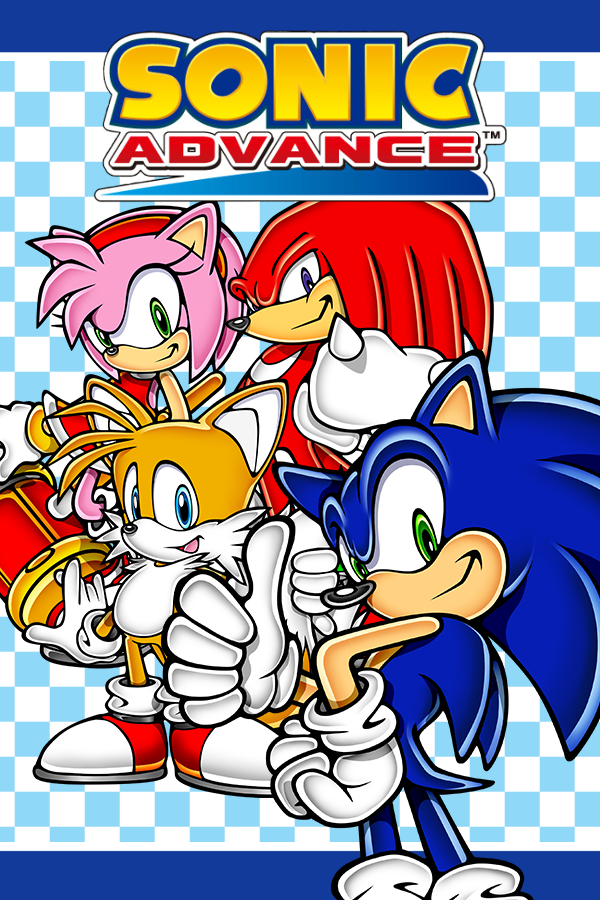
Sonic Advance es un videojuego de plataformas de acción de desplazamiento lateral de 2001 desarrollado por Dimps y publicado originalmente por Sega, THQ e Infogrames para Game Boy Advance (GBA). Fue el primer juego de Sonic the Hedgehog lanzado en una consola de Nintendo junto con Sonic Adventure 2 Battle en Nintendo GameCube (GCN), y fue producido en conmemoración del décimo aniversario de la serie. La historia sigue a Sonic, Tails, Knuckles y Amy en su viaje para salvar la Isla Sur y evitar que el Doctor Eggman se apodere del mundo.
2 versiones de Sonic Advance
Estás viendo: Sonic Advance (Web)
Información oficial del proyecto
<div align="center">[!IMPORTANT] Sonic Advance Dreamport has moved. On 30 October 2026 it moved into NahuelGenchi/dreamports, in
games/sonic-advance/, with its whole history. Its open issues moved there too, with thesonic-advancelabel, and new ones go there. This repository is archived and read-only, and keeps its closed issues and pull requests. The game still plays at the same address, dreamports.net/play/sonic-advance.
Sonic Advance Dreamport
Sonic Advance, rebuilt to play in your web browser.
Nothing to install. Bring your own copy of the game; it never leaves your device.
<br><a href="https://dreamports.net/play/sonic-advance/"><img src="docs/assets/gameplay/hero.webp" width="736" alt="Sonic races through two loops in Neo Green Hill Zone, passes a checkpoint, grinds down a long rail collecting rings and speeds off past the flower beds"></a>
<sub>Neo Green Hill Zone, act 1, in the optional widescreen view. Every clip on this page is a recording of Sonic Advance Dreamport itself.</sub>
<br><a href="https://dreamports.net/play/sonic-advance/"><img src="docs/assets/play.svg" width="300" height="72" alt="Play in your browser"></a>
<br>What is it? · How to play · Moves · Extras · Controls · Progress · Questions
</div> <br>What is it?
Sonic Advance Dreamport lets you play Sonic Advance, Sonic's 2001 adventure for the Game Boy Advance, in a web browser.
It isn't an emulator (a program that imitates a Game Boy Advance). Instead, the game has been rebuilt piece by piece, so that Sonic runs, jumps and rolls the way he does on the cartridge. The pictures, levels, music and sounds come from your own copy of the game: you open your Sonic Advance file on the game's page, and Sonic Advance Dreamport reads everything it needs from it, right there on your device.
A Dreamport is a port of a game you know, with the extras fans dream of, each one optional. The project was called Onsoku Advance until October 2026; onsoku (音速) is Japanese for "speed of sound".
<table> <tr> <td width="33%" valign="top">🎮 True to the original<br> Same physics, same timing, same camera and the game's own sound engine, checked against the original game frame by frame.
</td> <td width="33%" valign="top">🔒 Private by design<br> Your game file is opened on your device and stays there. Nothing from it is ever uploaded.
</td> <td width="33%" valign="top">⚡ Nothing to install<br> Open the page, choose your file and play, with a keyboard, an Xbox controller or on-screen touch buttons.
</td> </tr> </table>Play in three steps
- Open the game at dreamports.net/play/sonic-advance in a current desktop browser.
- Add your Sonic Advance file, the
.gbafile copied from your cartridge (called a ROM), with its Add button, or drop it anywhere on the page. Sonic Advance 2 and Sonic Rush, below it, are for the optional extras. With Remember on this device ticked, they are ready the next time too. - Press Play. The controls are below, and Controls in the game's settings lists the keys.
The arrow at the top left of the start screen goes back to the dreamports.net menu. The start screen is drawn like that menu, and is light or dark as the menu is: as your device is set, unless you picked a look in the menu's settings.
[!TIP] Where does the file come from? From a Sonic Advance cartridge you own, copied to your computer with a cartridge reader. This project can't provide the game. Sonic Advance (USA) is the tested version; docs/ROM.md has the details.
What Sonic can do
All of this works today. Each clip was played and recorded in Sonic Advance Dreamport, in Neo Green Hill Zone act 1.
<table> <tr> <td width="50%" valign="top"> <img src="docs/assets/gameplay/spin-dash.webp" width="360" alt="Sonic crouches by a checkpoint, revs up in a cloud of dust and shoots off down a long hill beside a grind rail"> <br> <b>Spin dash</b><br> Crouch, rev up and let go to blast off from a standstill.<br> <kbd>↓</kbd> + <kbd>Z</kbd> </td> <td width="50%" valign="top"> <img src="docs/assets/gameplay/air-moves.webp" width="360" alt="Sonic jumps by a palm tree and flashes the insta-shield, then jumps again and dashes forward in mid-air"> <br> <b>Insta-shield and mid-air dash</b><br> Press jump again in the air for a flash of shield, or tap a direction twice to dash.<br> <kbd>Z</kbd> in the air · <kbd>→</kbd> <kbd>→</kbd> in the air </td> </tr> <tr> <td width="50%" valign="top"> <img src="docs/assets/gameplay/combo.webp" width="360" alt="Standing on the beach, Sonic does a spin attack, a kick and a high backflip, then a spin, a kick and a slide"> <br> <b>Spin, kick, then slide or backflip</b><br> The attack button chains three moves together on the ground.<br> <kbd>X</kbd> <kbd>X</kbd> then <kbd>X</kbd> or <kbd>Z</kbd> </td> <td width="50%" valign="top"> <img src="docs/assets/gameplay/enemies.webp" width="360" alt="Sonic jumps onto a crab robot on the beach; it bursts in a puff of smoke and a seagull flies free"> <br> <b>Bop the robots</b><br> Land on an enemy to break it open and free the animal trapped inside.<br> <kbd>Z</kbd> to jump on it </td> </tr> <tr> <td width="50%" valign="top"> <img src="docs/assets/gameplay/item-boxes.webp" width="360" alt="Sonic rolls into an item box, which bursts; its icon rises and he runs on surrounded by invincibility stars"> <br> <b>Item boxes</b><br> Break one open for rings, a shield, invincibility, speed shoes or an extra life.<br> <kbd>↓</kbd> while running to roll into it </td> <td width="50%" valign="top"> <img src="docs/assets/gameplay/rings.webp" width="360" alt="Sonic is hit in mid-air under a wooden pier and his rings burst out in every direction, then he runs back to grab some"> <br> <b>Rings</b><br> Collect them as you run. Take a hit and they scatter, so grab what you can. 100 rings earn an extra life. </td> </tr> <tr> <td width="50%" valign="top"> <img src="docs/assets/gameplay/wall-poles.webp" width="360" alt="Sonic leaps at a pole sticking out of a cliff, swings around it and is flung up past a checkpoint"> <br> <b>Wall poles</b><br> Grab a pole on a cliff face and get swung up to the next one. </td> <td width="50%" valign="top"> <img src="docs/assets/gameplay/half-pipe.webp" width="360" alt="Sonic runs into a huge curved half-pipe, races up its wall and out the other side"> <br> <b>Half-pipe</b><br> Hit it at speed and Sonic races up and around its curved wall. </td> </tr> </table>Act 1 also has its loops, springs, spikes, grind rails, speed boosters, checkpoints, a trampoline, swinging, falling and crumbling platforms, bounce blocks, boulders, waterfalls, an incline ramp and a forced slide, all working as in the original.
Playing as Tails
Until the character select is in, add ?character=1 to the game's address to play as Tails, for example dreamports.net/play/sonic-advance/?character=1. Press jump again in a jump and he flies for eight seconds, each press lifting him, and swims the same way under water. The attack button swipes his tails on the ground. His moves, sprites, sounds, title cards, results and face on the HUD and the 1-up boxes are the original's, checked frame by frame against the original in an act of every zone, under water, against a boss and in the special stages (docs/ROM.md). Grind rails are Sonic's and do nothing for Tails, as on the cartridge, and so are the extras, which do nothing for him even when switched on. After X Zone Tails gets the normal ending: the Moon Zone is Sonic's.
Playing as Knuckles
Add ?character=2 to play as Knuckles, for example dreamports.net/play/sonic-advance/?character=2. Hold jump again in a jump and he glides, turning with left and right; let go and he drops. Glide into a wall and he grabs it: up and down climb, up at the top pulls him onto the ledge, and jump leaps off. Under water the glide is swimming, and falling into the water he floats on it until down lets him sink. The attack button punches on the ground, and pressed again a second and a third time, the third an uppercut. His moves, sprites, sounds, title cards, results and face are the original's, checked frame by frame against the original in an act of every zone, on walls, under water, against a boss and in the special stages (docs/ROM.md). As for Tails, grind rails and the extras are Sonic's, and after X Zone he gets the normal ending.
True to the cartridge
<div align="center"> <img src="docs/assets/gameplay/title-card.webp" width="480" alt="The screen fades in from black as the Neo Green Hill Zone act 1 title card slides in, with Sonic standing on the beach"> </div>The goal is a game that behaves exactly like the original, not one that looks roughly like it.
- Rules from the source. Sonic's speed, jumps and rolls, the camera and every object follow the original game's rules, as worked out by SAT-R, the community project that turned Sonic Advance's program back into readable code.
- Checked against the real thing. The results are compared with the original game running in an emulator. Even the original's own bugs are kept, so the two match; they are listed for an optional fix later.
- The game's own sound. The music and sound effects are played by a rebuilt copy of the cartridge's sound engine, whose output matches the original's byte for byte.
- Sharp pixels. The game draws at the Game Boy Advance's own 240 × 160 and scales up in whole steps, so every pixel stays crisp on any screen.
The game opens as the original does: the first time, with the language screen, where you choose Japanese or English for the menus and the game's messages; then with the SEGA and Sonic Team logos, the intro timed to its music, the title screen and the main menu. Game Start goes straight to the act, where the character select would start. Options opens the original Options menu: the difficulty, the time limit, the language and the button layout, kept in the save, Delete Game Data, the sound test, where Amy dances to the game's music and jingles, and the player data, where you enter your name on the original's character grid and see your VS record. Easy works as in the original: six kinds of enemy stay out of one zone each, and every boss needs 2 fewer hits. The main menu's other modes are next.
The act opens, and starts over after a lost life, with the original title card sliding in as the screen fades up from black. The original on-screen counters show your rings, score, time and lives. Let the clock reach 10:00 and Sonic is out of time: he loses a life, TIME OVER slides in and the act starts over (Egg Rocket's five-minute countdown runs out the same way). Lose your last life and it's game over; with a continue left, the continue screen counts down from 9: press jump to play the act again with three lives, or attack to count down faster.
Extras you can switch on
Four optional additions on top of the original game. All are off until you turn them on, and with them off the game runs exactly as without them.
Widescreen view
<div align="center"> <img src="docs/assets/gameplay/widescreen.webp" width="736" alt="The original 240 by 160 screen, outlined in the middle of a wider frame; the widescreen view then fades in around it, showing more of the loop and the grind rail"> </div>See more of the act around the original screen, up to 368 × 208, filling the window at the same whole-step scale. The outline marks the Game Boy Advance's screen: the game plays exactly as it does there. Press <kbd>V</kbd> or use the Widescreen switch in the settings.
Past the original screen, the view only shows what the game really has there. In an act that is more of the act, as far as the original's camera can go: the view stays inside the act's edges and inside a boss's arena. Where the original has nothing more to show, the view is black, like the frame around the Game Boy Advance's screen: beside an arena narrower than the view, and either side of a screen made for 240 × 160 alone. A picture's edge is never stretched or repeated to fill the space.
Sonic Rush boost
<div align="center"> <img src="docs/assets/gameplay/rush-boost.webp" width="480" alt="Sonic bursts forward along the beach at full speed, wrapped in a blue aura and leaving a long blue trail behind him"> </div>The boost from Sonic Rush on the Nintendo DS. Hold the boost button and Sonic blasts ahead at top speed, wrapped in Rush's blue aura and trail, smashing enemies, boulders and item boxes on contact, while nothing can hurt him. Press <kbd>R</kbd> or use the Rush boost button to turn it on, then hold <kbd>L</kbd> or <kbd>Shift</kbd> (<kbd>X</kbd> on a controller) to boost.
Its look and sound are Sonic Rush's own, so it also needs your Sonic Rush ROM (.nds). Add it on the start screen, next to Sonic Rush, which turns the boost on, or it's asked for the first time you turn the boost on in the game. Like the Sonic Advance file, it's read and kept on your device only. Its rules were read from Sonic Rush (USA) and checked in an emulator. For now it has no limit: Sonic Rush's tension gauge, which the boost uses up, isn't built yet.
- Start. Press the boost button while standing or running on the ground (not curled up, attacking or on a grind rail). Sonic turns to the direction held and runs at least 12 px a frame that way at once, with Sonic Rush's boost sound and a short screen shake.
- While held. Rush's own movement rules replace Sonic Advance's: on the ground the top speed is 12, a little more on slopes, with an acceleration of 48/256 that fades out as he nears it; holding the other way brakes by 80/256, and holding nothing slows him by 80/256 on floors. He keeps boosting through jumps, where holding a direction keeps his speed with no air drag and holding nothing slows him down. A box 64 px square around him destroys enemies and breaks boulders and item boxes, without bouncing him, and shakes the screen each time; nothing can hurt him.
- End. Letting go of the button ends it, and so does moving less than 6 px a frame on the ground for more than 8 frames in a row (running into a wall, say). The next boost can start 8 frames later. Afterwards the original rules take over, so he keeps the speed he has until he slows down.
- Camera. As in Sonic Rush, the view falls behind him for the first 8 frames, then moves ahead of him by up to 88 px in the direction he runs, and eases back once the boost is over.
- Look. The burst at the start, the aura around Sonic and the blue trail behind him are Sonic Rush's, from its sprites and its trail effect, placed, rotated, layered and blended the way the DS draws them: the sprites through its rotation hardware and half transparent, the trail as translucent 3D polygons under them.
- Sound. The boost's sound effect is played from Sonic Rush's sound archive by a port of the DS sound engine (the sequencer, its channels and the sound hardware), which matches Sonic Rush in an emulator frame by frame. It plays on top of the original game's sound at the same full volume, the two consoles' outputs matched.
Where the port differs from the DS: the trail's polygons are not clipped at the screen's edges before they are drawn, and Sonic Advance's own sprites behind Sonic count as background when the boost's sprites blend over them.
</details>Sonic Advance 2 Boost Mode
Boost Mode from Sonic Advance 2. Keep running flat out and Sonic breaks into an even faster run, with a burst of sparks and a trail of afterimages in Sonic Advance 2's light-blue boost colours. The more rings he carries, the sooner it kicks in; a hit, or slowing down, ends it. Press <kbd>B</kbd> or use the Boost Mode switch in the settings to turn it on. With the Rush boost on as well, the afterimages also follow Sonic while he boosts.
Its look and sound are Sonic Advance 2's own, so it also needs your Sonic Advance 2 ROM (.gba). Add it on the start screen, next to Sonic Advance 2, which turns Boost Mode and the tricks on, or it's asked for the first time you turn Boost Mode on in the game. Like the Sonic Advance file, it's read and kept on your device only. Its rules were read from Sonic Advance 2 (USA), with the help of SAT-R's work on that game, and checked in an emulator.
- Filling up. Sonic still runs as in Sonic Advance, up to 4.5 px a frame. Holding forward on the ground at that speed fills Sonic Advance 2's hidden boost meter, faster the more rings he has: it takes 256 frames (about 4 seconds) with 10 rings or fewer, 170 with 11 to 49, 120 with 50 to 99, 90 with 100 to 149 and 60 (1 second) with 150 or more. Leaving the ground or dropping below that speed empties it.
- Start. Once the meter is full, Boost Mode starts with Sonic Advance 2's sound, a burst of sparks that spread out ahead of Sonic and then sweep back past him, and the camera falling behind: its sideways speed limit drops to 4 px a frame and climbs back to 16 by 1/8 px a frame.
- In Boost Mode. Holding forward speeds Sonic up to 12 px a frame, at Sonic Advance 2's rate for the ring count (from 8/256 to 18/256 a frame, which speed shoes don't change), and his ground speed is capped at 15. In the air he speeds up twice as fast, also up to 12. Braking and friction stay Sonic Advance's.
- Boosters and springs. Act 1's boosters, and side springs that throw Sonic faster than 9 px a frame from the ground, put him straight into Boost Mode, without the sound or the sparks, as Sonic Advance 2's do.
- End. It ends when he slows below 4.5 px a frame on the ground, when he is hurt, and when the act starts over.
- The act's end. Past the goal, or once a boss is beaten, Sonic runs on his own, so the meter stays empty and Boost Mode doesn't start, nor from a booster or a spring. If it was already on, it ends there, with its afterimages, so his run to the results is Sonic Advance's own.
- Afterimages. While it lasts, three copies of Sonic follow him, each playing his animation as it was 2, 4 or 6 frames before, in Sonic Advance 2's boost palette, just behind him. Only one of them is drawn each frame, in turn, as in Sonic Advance 2. With the Sonic Rush boost on as well, they also show while it is held; it keeps its own rules and doesn't fill the meter.
- Sound. The start sound plays from your Sonic Advance 2 ROM on a second copy of the sound engine port, on top of Sonic Advance's sound.
Where it differs from Sonic Advance 2: outside Boost Mode's own numbers, Sonic keeps Sonic Advance's running and animations; the start sound has a sound engine of its own, so it never cuts off one of Sonic Advance's sounds; and it stops at the act's end, which Sonic Advance 2 never needs, as Sonic brakes to a stop after its goal while Sonic Advance has him run on at full speed.
</details>Sonic Advance 2 tricks
The four mid-air tricks from Sonic Advance 2. Once Sonic is in the air, press the trick button (the Game Boy Advance's R) alone for the Back Star, a backflip, or with up for the Hop Jump, forward for the spinning Humming Top, or down for the Bound, a dive that bounces him back up off the ground. The Humming Top and the Bound break enemies he touches, and each trick scores 100 points. Press <kbd>T</kbd> or use the SA2 tricks button to turn them on, then press <kbd>E</kbd> or <kbd>I</kbd> (<kbd>RB</kbd> on a controller) in the air.
Their moves, pictures and sounds are Sonic Advance 2's own, so they also need your Sonic Advance 2 ROM (.gba): the one added on the start screen, next to Sonic Advance 2, or asked for the first time you turn them on in the game. Like the Sonic Advance file, it's read and kept on your device only. Their rules were read from Sonic Advance 2 (USA) and checked against it in an emulator, frame by frame.
- When. Once Sonic is in the air: in a jump or a fall, off a spring, a ramp or the end of a grind rail, but not while he is hurt, grinding, on the half-pipe or in the forced slide. Sonic Advance 2 only allows them after springs, ramps and the like; here they work in any jump. One trick each time he leaves the ground, and not in the first 2 to 4 frames after a spring, as in Sonic Advance 2.
- Wind-up. The trick starts on the frame after the press. Sonic stops in the air for its wind-up, 12 frames for the Hop Jump, 8 for the Humming Top, 2 for the Back Star and 23 for the Bound, with Sonic Advance 2's jump and trick sounds (the Bound has none).
- Hop Jump (with up). He rises at 6 px a frame, then falls as in a jump.
- Humming Top (with the way he faces). He spins forward at 6 px a frame for 45 frames, in Sonic Advance 2's spin effect, destroying enemies he touches, then falls.
- Back Star (alone or with back). He flips backwards and up, at 5 px a frame back and 3.5 up.
- Bound (with down). He dives, from 2 px a frame and faster each frame, leaving afterimages and destroying enemies he touches. The ground throws him back up at 6 px a frame, away from its surface, with Sonic Advance 2's bounce sound, and he falls as in a jump from the top.
- Steering. After the wind-up of the Hop Jump, the Humming Top and the Back Star, left and right steer him as in a jump, but he doesn't turn round. The Bound can't be steered until it starts to fall.
Where the port differs from Sonic Advance 2: there, B in the air also starts the Bound, and a side spring on the ground allows a trick too; here neither does. The tricks' sounds play on their own copy of the sound engine, so they never take a channel from the music, as they can in Sonic Advance 2. The rules, sprites and sounds are compared with the original in docs/ROM.md.
</details>Achievements
Earn achievements as you play. When you earn one, a small popup drops in at the top right of the game, the way RetroAchievements' do, and unfolds to show a gold trophy and the achievement's name in pixel art, with a short chime (off while the sound is). It's dark or light to match your Dreamports look, or your device's when you haven't picked one. Open Achievements in the settings to see them all, with the date you earned each one.
| Achievement | How to earn it | Beaten |
|---|---|---|
| Hundred Rings | Hold 100 rings at once | |
| Ring Hoarder | Hold 200 rings at once | |
| Neo Green Hill | Clear Neo Green Hill Zone | ✓ |
| Secret Base | Clear Secret Base Zone | ✓ |
| Casino Paradise | Clear Casino Paradise Zone | ✓ |
| Ice Mountain | Clear Ice Mountain Zone | ✓ |
| Angel Island | Clear Angel Island Zone | ✓ |
| Egg Rocket | Clear Egg Rocket Zone | ✓ |
| Cosmic Angel | Clear Cosmic Angel Zone | ✓ |
| Egg Wrecker | Beat Egg Wrecker in the X Zone | |
| Egg Drillster | Beat Egg Drillster in the X Zone | |
| Egg X Down | Clear the X Zone | ✓ |
| Super Sonic | Beat the Super Egg Robo on the Moon | |
| First Emerald | Win a Chaos Emerald in a special stage | |
| Seven Emeralds | Hold all 7 Chaos Emeralds | |
| Untouched | Beat a boss without being hit | |
| Flawless Hammer Tank | Beat the Egg Hammer Tank without being hit | |
| Flawless Egg Press | Beat the Egg Press without being hit | |
| Flawless Egg Ball | Beat the Egg Ball without being hit | |
| Flawless Egg Spider | Beat the Egg Spider without being hit | |
| Flawless Mecha Knuckles | Beat Mecha Knuckles without being hit | |
| Flawless Egg Snake | Beat the Egg Snake without being hit | |
| Flawless Egg Wrecker | Beat Egg Wrecker without being hit | |
| Flawless Egg Drillster | Beat Egg Drillster without being hit | |
| Flawless Egg X | Beat Egg X without being hit | |
| Flawless Egg Robo | Beat the Super Egg Robo without being hit | |
| Not a Scratch | Clear an act without being hit | |
| Under a Minute | Clear an act in under 1:00 | |
| Life Collector | Have 10 lives | |
| Two Tails | Clear the X Zone as Tails | |
| Guardian | Clear the X Zone as Knuckles | |
| Chao Hunter | Win a Chao Hunt |
The game is Beaten once you have the 8 marked ✓, every zone and the X Zone, with any character, and Mastered once you have all 32. Each gets its own popup. In the achievements list, press Beaten or Mastered to see only what that status needs and how close you are.
A no-hit achievement counts from the moment the boss's arena closes in, and starts over if you lose a life and fight it again.
They count in a game started from the beginning, and in Chao Hunt. A game started with ?level, ?debug or ?special earns none.
Your achievements are kept in this browser. On dreamports.net, sign in to a Dreamports profile and they're saved there too, so you keep them on any device: the ones you earned before are added when you sign in, and each new one is saved as you earn it. The game shows the ones your profile has from your other devices too, without a popup, and an achievement you already have there isn't earned again. With nobody signed in, they stay in this browser until someone does.
Controls
| Keyboard | Xbox controller | |
|---|---|---|
| Run | <kbd>←</kbd> <kbd>→</kbd> or <kbd>A</kbd> <kbd>D</kbd> | D-pad or left stick |
| Jump | <kbd>Z</kbd> or <kbd>Space</kbd> | <kbd>A</kbd> |
| Insta-shield | <kbd>Z</kbd> again in a jump, once the rise slows | <kbd>A</kbd> again |
| Mid-air dash | Tap <kbd>←</kbd> <kbd>←</kbd> or <kbd>→</kbd> <kbd>→</kbd> in a jump | Tap left twice or right twice |
| Tails: fly, or swim under water, each press lifting him | <kbd>Z</kbd> again in a jump, then again | <kbd>A</kbd> again, then again |
| Tails: tail swipe | <kbd>X</kbd> on the ground | <kbd>B</kbd> or <kbd>X</kbd> |
| Knuckles: glide, or swim under water, turning with left and right | Hold <kbd>Z</kbd> again in a jump | Hold <kbd>A</kbd> again |
| Knuckles: climb a wall he glides into, and leap off it | <kbd>↑</kbd> <kbd>↓</kbd>, then <kbd>Z</kbd> | Up and down, then <kbd>A</kbd> |
| Knuckles: punch, again, then the uppercut | <kbd>X</kbd> on the ground, <kbd>X</kbd>, <kbd>X</kbd> | <kbd>B</kbd> or <kbd>X</kbd>, again, again |
| Knuckles: sink, floating on the water | <kbd>↓</kbd> | Down |
| Attack: spin, then kick, then slide or backflip | <kbd>X</kbd>, <kbd>X</kbd>, then <kbd>X</kbd> or <kbd>Z</kbd> | <kbd>B</kbd> or <kbd>X</kbd> (only <kbd>B</kbd> with the Rush boost on), again, then again or <kbd>A</kbd> |
| Crouch, or roll while moving | <kbd>↓</kbd> | Down |
| Spin dash | <kbd>↓</kbd> + <kbd>Z</kbd> | Down + <kbd>A</kbd> |
| Look up | <kbd>↑</kbd> | Up |
| Boost, with the Rush boost on | <kbd>L</kbd> or <kbd>Shift</kbd> | <kbd>X</kbd> |
| Trick, with the SA2 tricks on, in the air: alone or back for the Back Star, with up the Hop Jump, forward the Humming Top, down the Bound | <kbd>E</kbd> or <kbd>I</kbd> | <kbd>RB</kbd> |
| Start: skips the intro, as jump and attack do, opens the menu from the title screen, and pauses the act or the special stage and goes on again | <kbd>Enter</kbd> | <kbd>Menu</kbd> |
| In the menus: choose, then pick | <kbd>↑</kbd> <kbd>↓</kbd>, then <kbd>Z</kbd> or <kbd>Space</kbd> | D-pad or left stick, then <kbd>A</kbd> |
| On the language screen: choose Japanese or English, then keep it (the first time, Start keeps it too); from the Options menu, go back without changing it | <kbd>↑</kbd> <kbd>↓</kbd>, then <kbd>Z</kbd> or <kbd>Space</kbd> (or <kbd>Enter</kbd>); <kbd>X</kbd> | D-pad or left stick, then <kbd>A</kbd> (or <kbd>Menu</kbd>); <kbd>B</kbd> |
| In the Options menu: change the setting picked, then put it down; leave the menu or a question | <kbd>←</kbd> <kbd>→</kbd>, then <kbd>Z</kbd> or <kbd>X</kbd>; <kbd>X</kbd> | D-pad or left stick, then <kbd>A</kbd> or <kbd>B</kbd>; <kbd>B</kbd> |
| In the sound test: choose a song, play it, then stop it; leave with nothing playing | <kbd>←</kbd> <kbd>→</kbd>, <kbd>Z</kbd> or <kbd>Space</kbd>, then <kbd>X</kbd>; <kbd>X</kbd> | D-pad or left stick, <kbd>A</kbd>, then <kbd>B</kbd>; <kbd>B</kbd> |
| In the VS record: scroll the list; leave | Hold <kbd>↑</kbd> <kbd>↓</kbd>; <kbd>X</kbd> | Hold the d-pad or left stick; <kbd>B</kbd> |
| In the name input: move over the characters, add the one picked, take one out; move along the name; jump to END, then <kbd>Z</kbd> to finish | Arrows, <kbd>Z</kbd> or <kbd>Space</kbd>, <kbd>X</kbd>; <kbd>Q</kbd> <kbd>E</kbd> (the Game Boy Advance's L and R); <kbd>Enter</kbd> | D-pad or left stick, <kbd>A</kbd>, <kbd>B</kbd>; <kbd>LB</kbd> <kbd>RB</kbd>; <kbd>Menu</kbd> |
| Continue screen: continue, or skip to the next number | <kbd>Z</kbd> or <kbd>Space</kbd>, or <kbd>X</kbd> | <kbd>A</kbd>, or <kbd>B</kbd> or <kbd>X</kbd> |
| Select | <kbd>Backspace</kbd> | <kbd>View</kbd> |
| Settings open or closed | <kbd>H</kbd> | <kbd>View</kbd> + <kbd>Menu</kbd> held together (the game sees neither then) |
| In the settings: move between the buttons, press the one picked | Arrows, <kbd>Z</kbd> or <kbd>Enter</kbd> | D-pad or left stick, <kbd>A</kbd> |
| In the settings: back a step (from Achievements, Controls, Your ROMs or the asset viewer), or close them | <kbd>Esc</kbd>, <kbd>X</kbd> or <kbd>Backspace</kbd> | <kbd>B</kbd> |
| In the settings: the previous or the next tab (All, Earned and Locked in the achievements, a kind of control, a part of the asset viewer) | <kbd>Q</kbd> <kbd>E</kbd> | <kbd>LB</kbd> <kbd>RB</kbd> |
| In the settings: scroll a list or a picture | Pick it, then <kbd>↑</kbd> <kbd>↓</kbd> | Right stick |
| In the achievements: show only what Beaten or Mastered needs, then all of them again | Pick it, <kbd>Z</kbd>, then <kbd>Z</kbd> again | Pick it, <kbd>A</kbd>, then <kbd>A</kbd> again |
| Sound on or off | <kbd>M</kbd> | |
| Widescreen view on or off | <kbd>V</kbd> | |
| Rush boost on or off | <kbd>R</kbd> | |
| Boost Mode on or off | <kbd>B</kbd> | |
| SA2 tricks on or off | <kbd>T</kbd> | |
| Show the collision (for checking the level) | <kbd>C</kbd> |
The settings are behind the button in the top-left corner of the game. They rise in the middle of the screen, drawn like the dreamports.net launcher, over the game, which waits blurred behind them, music and all, and goes on from the same frame once they close; a click or a tap outside them closes them. Achievements, Controls, Your ROMs and Asset viewer open inside them: the settings grow into a bigger box for each, with what it holds in kinds on the left and the one picked on the right, and its back arrow goes back to the settings. On a phone held upright they fill the screen, with the kinds and filters at the top, staying there while the list under them scrolls. Controls lists every key, or every button of an Xbox controller, and what it does.
Other controllers that your browser maps to the Xbox layout work the same way. Press a button once after the page loads so the browser notices the controller; on the start screen, a small controller badge lights up while an Xbox controller is connected, and fades and leaves when it's unplugged.
On a phone or tablet, an Xbox controller's buttons are drawn around the game, partly see-through, and do what the controller column above says: the d-pad bottom left, <kbd>A</kbd> <kbd>B</kbd> <kbd>X</kbd> <kbd>Y</kbd> bottom right, <kbd>LT</kbd> <kbd>LB</kbd> and <kbd>RB</kbd> <kbd>RT</kbd> above them, and Select (<kbd>View</kbd>) under the settings button and Start (<kbd>Menu</kbd>) top right, or both between the d-pad and the diamond with the screen held upright. <kbd>Y</kbd>, <kbd>LT</kbd> and <kbd>RT</kbd> have nothing to do yet. Slide your thumb around the d-pad to change direction without lifting it; between two arms holds both. The buttons step aside while a controller is connected and come back once it's unplugged. The settings button in the top-left corner always stays, and on a touch screen its settings have a Button opacity slider for how solid the buttons are. Held sideways, the game fills the screen's height; held upright, it sits above the buttons. Where the screen is too wide or too square for the buttons to fit beside the game, the ones that cover it let more of it show through.
With BUTTON CONFIG. set to REVERSE in the Options menu, jump and attack swap places in the acts, the Moon Zone, the special stages and Chao Hunt, as on the cartridge: <kbd>X</kbd> (<kbd>B</kbd> on the controller) jumps and <kbd>Z</kbd> or <kbd>Space</kbd> (<kbd>A</kbd>) attacks. The menus, the continue screen and Chao Hunt's results screen keep them as they are.
The start screen works with the controller too: the d-pad or left stick moves between its links, buttons and switches, <kbd>A</kbd> presses the one picked, <kbd>Menu</kbd> starts the game, like <kbd>Enter</kbd> on the keyboard, and <kbd>B</kbd> goes back. During a game, Your ROMs in the settings adds, changes or removes them without leaving it; removing or changing the Sonic Advance ROM there ends that game and goes back to the start screen, where Play starts a new one. Browsers open the file list only from the mouse or the keyboard, so add the ROM files that way, or drop them on the page or on Your ROMs.
Multiplayer: Chao Hunt
The original game's Chao Hunt, on its first multiplayer stage, for 2 to 4 players on one computer. Each player gets their own Game Boy Advance screen on the page. Three minutes on the clock, one Chao hidden in the stage: grab it, and knock whoever has it to take it from them. Whoever holds it when time runs out wins.
To play, add ?level=14 to the game's address, for example dreamports.net/play/sonic-advance/?level=14, and &players=3 or &players=4 for more than two. The rules, the stage and its objects, the mystery item boxes, the music and the results screen are the original's, checked against the original running on linked emulators (docs/ROM.md has the details).
| Player 1 | Player 2 | Players 3 and 4 | |
|---|---|---|---|
| Run, crouch, look up | <kbd>W</kbd> <kbd>A</kbd> <kbd>S</kbd> <kbd>D</kbd> | <kbd>←</kbd> <kbd>→</kbd> <kbd>↑</kbd> <kbd>↓</kbd> | D-pad or left stick |
| Jump, and go on from the results | <kbd>F</kbd> | <kbd>.</kbd> | <kbd>A</kbd> |
| Attack | <kbd>G</kbd> | <kbd>/</kbd> | <kbd>B</kbd> or <kbd>X</kbd> |
With BUTTON CONFIG. on REVERSE, every player's jump and attack swap in the stage: <kbd>G</kbd>, <kbd>/</kbd> and the controller's <kbd>B</kbd> or <kbd>X</kbd> jump. The results screen still goes on with <kbd>F</kbd>, <kbd>.</kbd> and <kbd>A</kbd>.
Players 1 and 2 share the keyboard. Controllers go to the players without keys first: with 3 or 4 players, the first controller is player 3's and the second player 4's, and any more go to players 1 and 2. With 2 players, the first controller is player 1's and the second player 2's. <kbd>H</kbd> and <kbd>M</kbd> work as usual; the widescreen view and the Rush boost are for single player only.
For now everyone plays Sonic, which the original doesn't allow. The results screen leaves out the players' names, which the original takes from each cartridge's save. The other three stages, the screen after the results and the original's menus for setting up a game aren't built yet. For testing, &seed= sets the random number the players share at the start and &chao= (0 to 7) which of the stage's eight places the Chao starts at.
Where it's at
[!NOTE] Early days: the first eight zones are playable. The game opens with the original language screen the first time, then the SEGA and Sonic Team logos and the intro and its title screen and main menu, with the Options menu for the difficulty, the time limit, the language and the button layout, its sound test and the player data: your name and your VS record. You can play all of Neo Green Hill Zone act 1, with its music, sounds, rings, enemies, item boxes and every one of its gadgets, through to its goal signpost and score tally, and then act 2 with its mini loops, water bridge, bushes and hiding spikes, through to its boss, the Egg Hammer Tank, and the capsule that frees the animals and ends the zone. Seven acts have a special spring, each leading to one of the seven special stages, with its Chaos Emerald and the results, then back to the act. After the capsule the game goes on into Secret Base Zone: act 1 with its spotlights, enemies and gadgets, through to its goal, and act 2 with its steam exhausts, hooks, swing ropes and crane claws, through to its boss, the Egg Press. Then comes Casino Paradise Zone: act 1 with its pinball tubes, bumpers, flippers and balloons, and act 2 with its carousels, bowls and ship swings, through to its boss, the Egg Ball. After it comes Ice Mountain Zone: act 1 with its water, air bubbles and drowning, its snow, enemies and gadgets, and act 2 with its ferris wheels, blocks of ice and underwater lava, through to its boss, the Egg Spider. Then Angel Island Zone: act 1 with its lava, rolling boulders, whirlwinds and run wheels, through to its goal, and act 2 with its tubes, hang bars and spiked platforms, through to its boss, Mecha Knuckles. Then Egg Rocket Zone, with its launch, stage separations and countdown, up the rocket, and Cosmic Angel Zone, with its flipped gravity, tubes, Mirrors and antigravity units, through to its boss, the Egg Snake. After it comes X Zone, with its falling bricks and its three bosses one after the other, the Egg Wrecker, the Egg Drillster and Egg X, through to its results. With all seven Chaos Emeralds, X Zone leads on to the Moon Zone, the extra stage, with Super Sonic against the Super Egg Robo and the true ending after it;
?level=13goes straight to it. Start pauses the act and the special stages with the original pause menu, and goes on again where it stopped, music included. Running out of time brings the original TIME OVER screen, and losing your last life the original game over and, with a continue left, the continue screen. Without all seven, X Zone's results lead to the normal ending, with the staff credits and the closing message, and the Moon Zone's true ending goes on to the staff credits too. Your progress goes into the original's save, kept in your browser (see Questions). The first stage of Chao Hunt, for 2 to 4 players, is in too: add?level=14to the address.
Here's the road through the rest of the game. Each step has its own issue, so you can follow along.
<table> <thead> <tr><th align="left">Zone</th><th align="left">Act 1</th><th align="left">Act 2 and boss</th></tr> </thead> <tbody> <tr><td><b>Neo Green Hill</b></td><td>🟢 Playable now, through its ending</td><td>🟢 Playable now, through the Egg Hammer Tank</td></tr> <tr><td><b>Secret Base</b></td><td>🟢 Playable now, through its goal</td><td>🟢 Playable now, through the Egg Press</td></tr> <tr><td><b>Casino Paradise</b></td><td>🟢 Playable now</td><td>🟢 Playable now, through the Egg Ball</td></tr> <tr><td><b>Ice Mountain</b></td><td>🟢 Playable now</td><td>🟢 Playable now, through the Egg Spider</td></tr> <tr><td><b>Angel Island</b></td><td>🟢 Playable now, through its goal</td><td>🟢 Playable now, through Mecha Knuckles</td></tr> <tr><td><b>Egg Rocket</b></td><td colspan="2">🟢 Playable now, at <code>?level=10</code><br><sub><a href="docs/egg-rocket.md">What it reads from the ROM</a></sub></td></tr> <tr><td><b>Cosmic Angel</b></td><td colspan="2">🟢 Playable now, through the Egg Snake<br><sub><a href="docs/cosmic-angel.md">What it reads from the ROM</a></sub></td></tr> <tr><td><b>X Zone</b></td><td colspan="2">🟢 Playable now, through its three bosses, the normal ending and the staff credits</td></tr> <tr><td><b>Moon Zone</b></td><td colspan="2">🟢 Playable now, after X Zone with all seven Chaos Emeralds, through the Super Egg Robo, the true ending and the staff credits; <code>?level=13</code> goes straight to it</td></tr> <tr><td><b>Special stages</b></td><td colspan="2">🟢 All seven, from the special springs in Neo Green Hill act 1, Secret Base act 2, Casino Paradise act 1, Ice Mountain acts 1 and 2, Angel Island act 2 and Cosmic Angel</td></tr> </tbody> </table>Also on the way: the title screen's demos, the character select, Amy (Tails is in, at ?character=1, and Knuckles at ?character=2), the menu's other modes, and the other three Chao Hunt stages.
| Milestone | Outcome | Issues closed |
|---|---|---|
| M0 — Project foundation | Repository, documentation, tracking and presentation |  |
| M1 — Playable prototype | Sonic on a Neo Green Hill platform, assets from your own ROM |  |
| M2 — Stages and gameplay | Full stages with collision, rings, objects, enemies, sound and music |  |
| M3 — Release | A hosted build and versioned releases, with no game files |  |
The game is live at dreamports.net; versioned releases are planned.
</details>Questions
<details> <summary><b>Is this an emulator?</b></summary> <br>No. An emulator imitates the Game Boy Advance and runs the cartridge's original program. Sonic Advance Dreamport never runs that program: the game's rules have been written again from scratch in JavaScript, the language of web pages, and only the pictures, levels, music and sounds are read from your copy of the game.
</details> <details> <summary><b>Where do I get a Sonic Advance ROM?</b></summary> <br>From a Sonic Advance cartridge you own, copied to your computer with a cartridge reader (this is often called dumping it). This project doesn't provide the game and can't point you to copies of it.
</details> <details> <summary><b>Is my game file uploaded anywhere?</b></summary> <br>No. The page reads it inside your browser and never sends it anywhere. If you tick Remember on this device, they're kept in your browser's storage on that device only, and Forget the saved ROMs on the start screen removes them again. That covers the Sonic Advance 2 and Sonic Rush ROMs too.
</details> <details> <summary><b>What does it keep on my device?</b></summary> <br>The game's save, the same one the cartridge keeps: the acts you've cleared, the Chaos Emeralds you've won, the rings banked for the Tiny Chao Garden, a best score and the game's settings. It's written at the same moments as on the cartridge: as the language screen ends the first time you play, as each act's results end, as a game over ends, before the endings, as the Options menu closes, and when you change your name. So a Chaos Emerald counts as kept once the next act's results are over. Delete Game Data in the Options menu erases it, as on the cartridge. The screens that use the rest of the save, such as the course select, aren't built yet.
Besides the save, it remembers which extras you've switched on and whether the widescreen view is on, and keeps your ROMs if you tick Remember on this device. All of it stays in your browser's storage for this site, on this device, and is never sent anywhere. Clearing the site's data in your browser removes it. If your browser blocks the site's storage, as some private windows do, the game still plays, but forgets the save when you close the page.
</details> <details> <summary><b>Which version of Sonic Advance works?</b></summary> <br>Sonic Advance (USA) is the tested version. Other versions are recognized from their cartridge header, and the game searches them for what it needs; the asset viewer shows whether that worked. docs/ROM.md has the list and how to help add a version.
</details> <details> <summary><b>Can I play on a phone or tablet?</b></summary> <br>Yes, in a current browser. An Xbox controller's buttons appear around the game, stepping aside while a real controller is connected, and the settings are behind the button in the top-left corner; Controls shows where everything is.
On an iPhone or iPad, Add opens Files with all your files to choose from, not only ROMs, because iOS doesn't know the .gba and .nds file types. Choose the ROM there; the page checks which game it is.
Yes: the intro's music, SEGA's ring at the Sonic Team logo, the title screen's music, the menu's sounds, the act's music, the extra-life and invincibility tunes, and the sound effects of Sonic, the rings, the enemies, the item boxes and the act's springs, platforms, boosters, rails and more, all read from your ROM. <kbd>M</kbd> turns the sound on or off.
</details> <details> <summary><b>Is this official?</b></summary> <br>No. It's an unofficial fan project, not affiliated with or endorsed by SEGA or Sonic Team. See Legal.
</details>How it works
For the curious: the path from your ROM to the screen and speakers.
flowchart LR
    rom[("Your Sonic Advance ROM")]
    subgraph browser["Your browser"]
        direction LR
        ext["Extractor<br/>finds the sprite and<br/>tilemap tables"]
        data[("Sprites · palettes<br/>tiles · animations")]
        engine["Game engine<br/>physics · animation · camera"]
        screen["240 × 160 canvas"]
        sound["Sound engine<br/>songs · samples · PSG"]
        speakers["Audio output"]
        ext --> data --> engine --> screen
        engine --> sound --> speakers
    end
    rom --> ext
- Extract. You add your ROMs. The extractor locates the game's sprite and tilemap tables and decodes frames, palettes, tiles and animation scripts into memory, entirely in the browser.
- Simulate. The engine steps 60 times per second with the original game's rules: acceleration, braking, gravity, jump height, roll friction, spin dash speeds and the camera's dead zones. On a screen within 1% of 60 Hz every refresh shows the next step (within 1% of 120 Hz, every second refresh), so no step is shown twice or skipped; on other screens the steps follow the clock.
- Draw. The logos, the intro, the title screen and the menu run on a port of the original's own engine (its tasks, sprites, backgrounds, line-by-line effects and V-blank) at the GBA's 59.73 frames a second, and a model of the GBA's video hardware draws them as mGBA does. In the act, sprites and layers are composed at the Game Boy Advance's own 240 × 160 resolution, including the per-line background scrolling the original uses for its sea and clouds. The widescreen view draws up to 368 × 208 around the same screen; the game runs exactly as it does at 240 × 160. The optional Sonic Rush boost adds its trail and aura around Sonic, the optional Boost Mode Sonic Advance 2's afterimages and sparks, and the optional Sonic Advance 2 tricks draw Sonic from Sonic Advance 2's sprites while he does one.
- Play. A port of the game's sound engine runs on its own audio thread. It reads the songs and samples from your ROM, and its mixed output matches the original's byte for byte (see docs/ROM.md). The Rush boost's sound plays from your Sonic Rush ROM on a port of the Nintendo DS's sound engine, and Boost Mode's and the tricks' from your Sonic Advance 2 ROM on a second copy of the Game Boy Advance one, all added to the same output.
Run it on your own computer
There is no build step. The pages use JavaScript modules, which browsers only load over HTTP, so serve the repository folder with any static file server and open it on localhost:
git clone https://github.com/NahuelGenchi/sonic-advance-dreamport.git
cd sonic-advance-dreamport
python -m http.server 8000
Then open http://localhost:8000, add your ROMs and press Play. To start another act, add its number in the game's level list: http://localhost:8000/?level=2 is Secret Base Zone act 1. Add &character=1 to play as Tails, or &character=2 as Knuckles.
Two addresses skip ahead for testing: http://localhost:8000/?debug starts the act straight away, without the logos and the intro, and http://localhost:8000/?special starts Special Stage 1 as soon as the ROM is read, as if Sonic had just left act 1 on its special spring. When the stage ends, the act picks up again from that spring. With the level of another act that has a special spring it starts that act's stage instead: http://localhost:8000/?special&level=3 is Special Stage 2, from Secret Base Zone act 2.
To see everything the extractor decodes, open Asset viewer in the game's settings: the ROM's tables, Sonic's, the springs' and the rings' animations playing with their original timing, the sprite atlas, the act being played with its collision, and the zone's background. It opens inside the settings, over the game, which waits, with its parts on the left (<kbd>Q</kbd> <kbd>E</kbd>, or <kbd>LB</kbd> <kbd>RB</kbd>, go through them), and its back arrow, <kbd>Esc</kbd> or <kbd>B</kbd> goes back to the settings. On its own, http://localhost:8000/viewer.html shows the same for the ROM kept in this browser (Neo Green Hill Zone act 1, or ?level=N), and asks for the ROM when none is kept.
wrangler.jsonc sets up the copy that Cloudflare serves at dreamports.net/play/sonic-advance/. Its build copies only the committed pages, src/, styles/ and the social preview picture into dist/play/sonic-advance/. To try that copy on your computer, commit your changes, run npx wrangler dev and open http://localhost:8787/play/sonic-advance/.
The page also loads /dreamports.js from the site's root, which saves achievements to the player's Dreamports profile and gives the game the ones the profile has. Only dreamports.net serves it, so on your own computer and on this repository's Cloudflare previews it isn't found, and achievements stay in the browser.
Contributing
Every change follows one trail: issue → branch → milestone → pull request.
flowchart LR
    issue["Issue<br/>scope and done criteria"] --> branch["Branch<br/>type/issue-slug"] --> pr["Pull request<br/>Closes #issue"] --> milestone["Milestone<br/>M0 → M3"]
Read CONTRIBUTING.md and docs/TRACKING.md before opening work. Bugs and ideas start as an issue. Never attach ROMs, save files or extracted game assets.
Thanks
- The SAT-R decompilation of Sonic Advance, the reference for the game's data formats, physics and camera behavior. None of its code or data is copied into this repository.
- Monocraft by Idrees Hassan, the pixel font of the start screen. A subset of it is bundled under the SIL Open Font License 1.1 (styles/fonts/Monocraft-OFL.txt).
- Palmaris, the author's RetroAchievements project for the Nintendo DSi, whose unlock popup's trophy and 5×7 pixel font the achievement popup uses.
- Pixelarticons by Gerrit Halfmann, whose gamepad icon is the start screen's controller badge, under the MIT License (styles/icons/pixelarticons-LICENSE.txt).
Legal
Sonic Advance Dreamport is an unofficial fan project and is not affiliated with or endorsed by SEGA or Sonic Team. Sonic Advance, Sonic Advance 2, Sonic Rush and all related names, characters and artwork belong to SEGA.
This repository holds no ROM and no data taken from one: you need your own legally obtained copy of the game, and its graphics and sounds are read from it on your own device. The short clips on this page (in docs/assets/gameplay) are recordings of Sonic Advance Dreamport running, made to show the project; the characters and artwork in them remain SEGA's.
The project's own code, documentation and artwork are licensed under GPL-3.0-or-later.
<br> <div align="center"> <sub>Built by <a href="https://github.com/NahuelGenchi">Nahuel Genchi</a> · 音速</sub> </div>