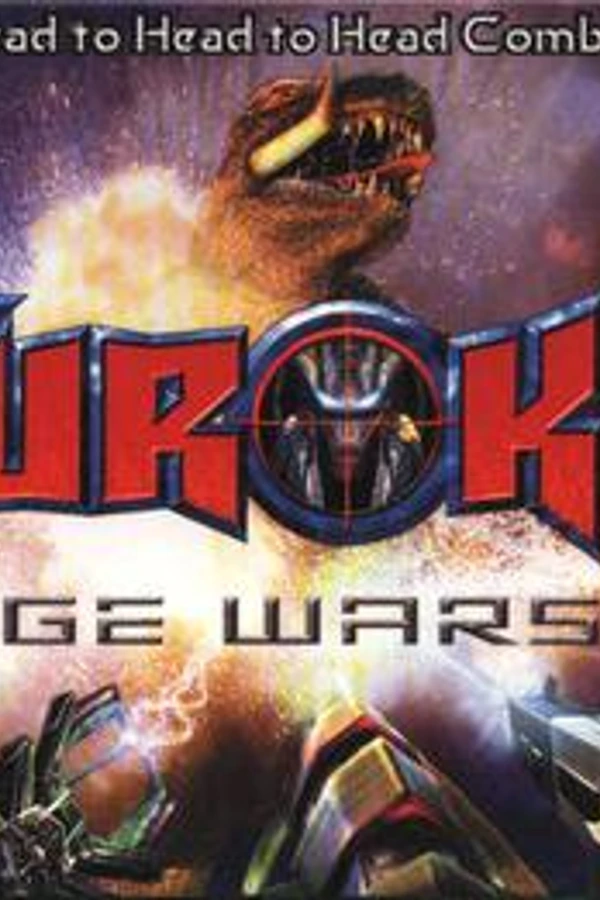
Turok: Rage Wars (PC)
Turok: Rage Wars
OrigenNintendo 64
TecnologíaRecompilación Estática (C/C++ nativo)
Disponible paraWindows
Ver proyecto oficialSobre el proyecto
Turok: Rage Wars es un videojuego de shooter en primera persona desarrollado por Acclaim Studios Austin y publicado por Acclaim Entertainment. Fue lanzado para la consola de videojuegos Nintendo 64 en 1999. Rage Wars es un juego que no es canon en la serie de videojuegos Turok, con un gran énfasis en multijugador. Admite un máximo de cuatro jugadores simultáneamente a través de pantalla dividida. El juego también es compatible con Expansion Pak de Nintendo 64 para gráficos de alta resolución, pero no lo requiere.
2 versiones de Turok: Rage Wars
Estás viendo: Turok: Rage Wars (PC)
Información oficial del proyecto
PaxDino: Rage Wars Modernized
You will need the game file from a licensed copy in order to play it.
A native PC port of Turok: Rage Wars, made by statically recompiling the N64 game with N64Recomp and running it on N64ModernRuntime with RT64 for rendering.
Unofficial, and not affiliated with the rights holders. No game data is included. You need your own dump of the game to build or play this.
Features
- Runs natively on Windows. Linux and Steam Deck builds are experimental.
- Widescreen.
- High resolutions and framerates.
- Bloom, anti-aliasing, and more.
- Mouse and keyboard with mouse aim, plus modern controller layout.
- Mouse and keyboard controls in game menus.
- Local multiplayer, up to 4 players, each with their own controller or the keyboard.
- Online netplay, 2 to 4 players, each on their own PC with their own view: join codes, public games and chat. Everyone needs the same PaxDino build.
- Earn medals in bot matches.
- Co-op Frag Tag trial bug fixed (needs the 1.0 USA ROM).
- Classic and Modern settings presets.
- CRT, Scanlines and LCD screen filters.
- Custom music. Put your own songs in the Music folder.
- Adjustable reverb.
- Unlocks and cheats in the settings, no codes needed.
- Add to Steam from the launcher, with artwork.
- Custom crosshairs.
- And much, much more.
Game Files
You need your own data file, Turok - Rage Wars (USA).
SHA-1:
11C2DD51FFCECC5D8134CEC96FFCF9C44B15DB48 (.n64)
9F8CB190831945F6F707AA8C2B20E04FA4276795 (.z64)
.v64 files work too.
Start the game, pick Load ROM and select your file. It only has to be done once.
Add a blank portable.txt in the application's folder to make it portable, if you want to save settings and saves locally.
Netplay
Everyone needs the same PaxDino version and their own game file.
Host
- Pick Netplay on the launcher and set Your name.
- Optional: turn on Public to list your game so anyone can join it. Unlock Everything gives everyone all the levels, characters, weapons and skins. It's on by default.
- Press Host and send the others the join code it shows.
- Press Start once everyone's in.
Join
- Pick Netplay on the launcher and set Your name.
- Type the join code and press Join, or pick a game from Public games.
Playing
- The host runs the menus. Everyone picks their own character and loadout.
- Chat: T in the menus, T or Enter in a match.
- F2 shows the players and their ping, and has Leave Game.
- If the host leaves, you can keep playing and use the menus yourself.
If you can't connect
- The host can forward UDP port 47000 to their PC. The others then join with the host's public IP instead of the code.
- If the game keeps waiting for someone, the host can raise Input delay.
Not used online: Controller Paks (saves), custom music, custom crosshairs and mods.
Download
Get the latest build from the Releases page.
- Windows: unzip it anywhere and run
PaxDino.exe. - Linux / Steam Deck (experimental): extract it and run
PaxDino-x86_64.AppImage(make it executable first if needed). Settings and saves go in~/.config/trwrecomp, the Music folder next to the AppImage.
On Steam Deck, in Desktop Mode, use Add to Steam on the launcher (or "Add a Non-Steam Game" in Steam), then play it from Gaming Mode.
Controls
Mouse and keyboard defaults. Change them on the Controls tab. F1 opens the settings, F2 opens the Cheats tab.
| In a match | In menus | |
|---|---|---|
| W A S D | move | C buttons |
| Mouse | aim | point and click |
| Left click | fire | select |
| Right click / R | weapon's second function | back |
| Mouse wheel / E / Q | next / previous weapon | |
| 1 - 8 | pick a weapon | |
| Space | jump | |
| Enter | select | |
| Esc | pause | back |
Controllers: left stick moves, right stick aims, right trigger fires, left trigger jumps.
Building
See BUILDING.md.
Issues and Limitations
Known:
- Beta.
- Linux and Steam Deck builds are experimental.
- Netplay: Controller Paks (saves and profiles) aren't used online yet.
Else:
- Please see the "Issues" section in GitHub. Screenshots or a short video help a lot.
- If the game crashes, attach
crash_log.txtfrom the game's folder.
Changes
See CHANGELOG.md.
Credits
- N64Recomp and N64ModernRuntime by Mr-Wiseguy and contributors, which this port is built with
- RT64 by Dario and contributors, the renderer
- RecompFrontend by the N64Recomp contributors, the launcher and input layer
- The CRT filter is based on Timothy Lottes' CRT shader, and the LCD filter on LCD3x by Gigaherz (both public domain)
- dr_mp3, dr_flac and dr_wav by David Reid and stb_vorbis by Sean Barrett (both public domain), the custom music decoders
- splat, spimdisasm,
rabbitizer and
n64sym, used for the function analysis
in
tools/
License
The project's own code is GPL-3.0; see COPYING. The game itself remains the property of its rights holders.