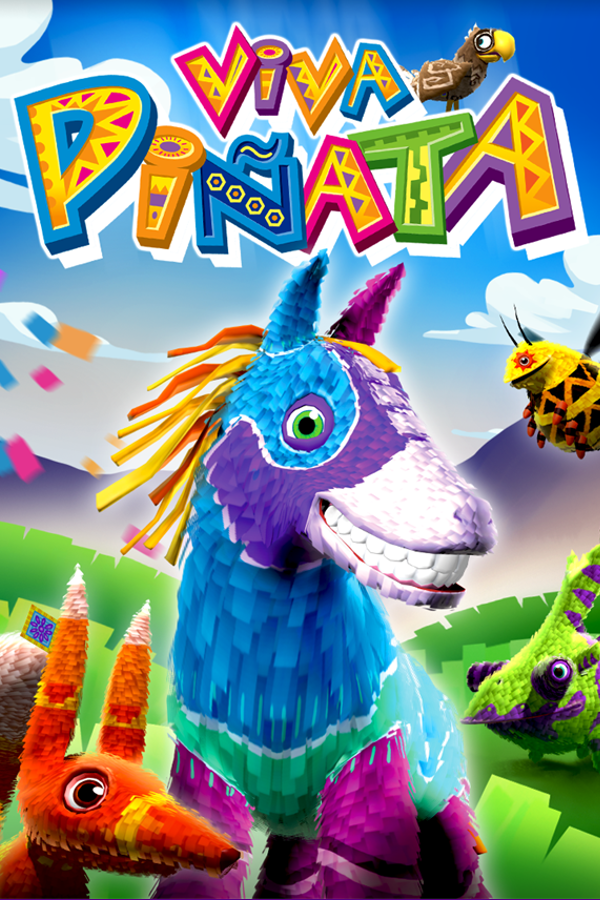
Viva Piñata Recompiled
Viva Piñata
OrigenXbox 360
TecnologíaRecompilación Estática (C/C++ nativo)
Disponible paraWindows
Ver proyecto oficialSobre el proyecto
Viva Piñata es un videojuego de simulación para Xbox 360, PC y Nintendo DS desarrollado por Rare y distribuido por Microsoft Game Studios, en la cual tiene como objetivo cuidar un jardín de animales piñata.
Información oficial del proyecto
Viva Piñata Recomp
Viva Piñata (Xbox 360, 2006) running natively on Windows PC
English · Русский







<img src="docs/images/title_screen.jpg" width="49%" alt="Title screen"> <img src="docs/images/garden.jpg" width="49%" alt="Garden">
</div>What is this?
The original Xbox 360 game, converted into a normal Windows program. It is not an emulator: the game's code was translated to C++ with ReXGlue SDK ("static recompilation"). The game has a launcher and can optionally use a Russian translation.
[!IMPORTANT] No game files are included. You need your own copy of the game, and it must be one specific version (see below).
RED Edition LAVA
<p align="center"><img src="docs/images/red-edition-lava/logo.png" width="560" alt="RED Edition LAVA logo: molten lava under a cracked crust"></p>RED Edition LAVA is the name of our work on the launcher's Accurate mode: the Xbox 360 video memory (EDRAM) emulated exactly on Vulkan with fragment shader interlock, and made fast enough on AMD Radeon to hold the game's 30 FPS (RX 6600). It lives in our fork of ReXGlue SDK, so other ReXGlue games can use it too. Red is for Radeon, the GPU it was tuned on; lava is what a volcano brings up from the mantle, a nod to Vulkan, which grew out of AMD's Mantle.
<sub>A community project, not affiliated with AMD or the Khronos Group. Vulkan is a registered trademark of the Khronos Group Inc.; Radeon is a trademark of Advanced Micro Devices, Inc.</sub>
What you need
- A Windows 10 or 11 PC (64-bit) with a DirectX 12 graphics card.
- About 25 GB of free disk space (Visual Studio ~12 GB, the game ~5 GB, the disc image ~8 GB while unpacking).
- Your own disc image (
.iso) of Viva Pinata (USA, Europe) for Xbox 360. It must be exactly the version below.
Which game version you need
| Disc (Redump name) | Viva Pinata (USA, Europe) (En,Ja,Fr,De,Es,It,Nl,Pt,Sv,No,Zh,Ko,Pl,Cs,Hu,Sk) |
| Title ID / Media ID | 4D5307F2 / 690B3287 |
| Version | 0.0.0.1, the original disc, no title update needed |
| ISO checksum | MD5 3902321dfe15d7d2510a96114dba625a, CRC32 f3ddf9d3 |
Other editions have not been tested and will probably not start. Viva Piñata: Trouble in Paradise and Viva Piñata: Party Animals are different games. You do not need the bonus disc.
The easy way: let an AI agent install it
-
Install an AI assistant that can run commands on your computer, for example Claude Code, OpenAI Codex or Cursor.
-
Paste this message into it, with the real path to your ISO:
Install Viva Piñata Recomp on this PC: https://github.com/crabinacrabic/VivaPinataRecomp — follow AGENTS.md from that repository. My game disc image is at
C:\path\to\Viva Pinata.iso. I also want the Russian language: no / yes. -
The agent downloads and checks everything. When it asks, click through the Visual Studio installer and press Build in Visual Studio.
-
When it is done, double-click
run_game.batin the project folder.
Doing it yourself (6 steps)
- Install the tools. You need:
- Visual Studio 2026 Community (free), with the workload Desktop development with C++ and the component C++ Clang tools for Windows;
- Git.
- Download the project. Use a folder path that contains only English letters, then run:
git clone https://github.com/crabinacrabic/VivaPinataRecomp.git C:\Games\VivaPinataRecomp - Unpack the game with extract-xiso (file
extract-xiso-Win64_Release.zip):
Afterwardsextract-xiso -x -d C:\Games\VivaPinataRecomp\game_files "C:\path\to\Viva Pinata (USA, Europe).iso"game_filesmust containdefault.xexand aBetafolder. - Build it.
- In Visual Studio: File → Open → Folder… → select
C:\Games\VivaPinataRecomp. - Wait until the Output window says the CMake generation has finished. The first time takes a few minutes: it downloads the SDK and converts the game code.
- In the toolbar, choose the configuration
local-win-relwithdebinfo. - Click Build → Build All (
F7).
- In Visual Studio: File → Open → Folder… → select
- Start it: double-click
run_game.bat. - In the launcher press PLAY (or
Enter). A green status line means the game was found and the version is right.- Settings has the game text language, fullscreen, V-Sync, render resolution, render mode and the launcher language.
- The launcher speaks English or Russian and follows your Windows language. The EN / RU button in the top-right corner switches it.
Russian language
The Xbox disc has no Russian. This project moves the fan translation of the PC version by ZoG Team (zoneofgames.ru) onto the Xbox game, with the team's permission. The translation is not stored in this repository.
- Download VivaPinata_Russian_v1.zip (Yandex Disk, 255 KB). It holds only the Russian text, no game files.
- Unzip it into the project folder, so that
translation\vp_russian.jsonappears. - Install Python 3 and 7-Zip, then run in the project folder:
python tools/make_russian_bnl.py - In the launcher, choose Settings → Game text language → Russian.
If you have the PC version with the ZoG translation installed, python tools/make_russian_bnl.py --pc-ru "<PC game>/bundles/english.bnl" --pc-en "<PC game>/Install_Rus/backup/bundles/english.bnl" builds the same file from it.
12 446 of 12 460 strings are translated; only the credits stay in English. You can switch back to English at any time.
Controls
The game is made for an Xbox controller, which works right away. The keyboard and mouse can also be used:
| Controller | Keyboard | Controller | Keyboard | |
|---|---|---|---|---|
| Left stick (cursor) | W A S D | A | Space | |
| Right stick (camera) | arrows, mouse | B | Backspace | |
| D-pad | Shift + arrows | X | L | |
| LT / RT | Q / E | Y | P | |
| LB / RB | 1 / 3 | Start | Enter | |
| L3 / R3 | F / K | Back | Tab |
The keys can be changed in settings/mapping.toml.
Settings
Most settings are in the launcher. Everything else is in settings/hardware.toml. The launcher saves its own choices to settings/launcher.toml; delete that file to reset them.
What works
Tested on Windows 11 with an AMD Radeon RX 6600.
| ✅ | Menus, title screen, garden gameplay, saving and loading |
| ✅ | Sound, Xbox controller, keyboard and mouse |
| ✅ | The original 30 FPS in the default Fast graphics mode |
| ✅ | Launcher in English and Russian, with a game version check and graphics settings |
| ✅ | Performance overlay on F2: game ticks per second, the worst frame, how evenly frames reach the screen, CPU, GPU, video memory, RAM and the render mode as it really runs |
| ✅ | Russian text (ZoG Team translation) |
| ✅ | Accurate graphics mode: the Xbox 360 video memory (EDRAM) emulated exactly, on Vulkan. 30 FPS on an RX 6600 |
| ⚠️ | Short stutters the first time a scene appears, while the GPU compiles its shaders. The shaders are saved, so each stutter happens only once |
| ⚠️ | A rare crash after about a minute of idling on the title screen. Pressing START before that avoids it |
| ✅ | Direct3D 12 (Fast) and Vulkan (Accurate) |
| 🚧 | No frame rates above 30 FPS; intro videos can't be skipped |
The whole game has not been played through from start to finish yet. If something breaks, please open an issue and attach the log from out\build\local-win-relwithdebinfo\logs\.
What we're working on
Done:
- Accurate mode at full speed. AMD drivers made the GPU wait for each pixel's turn, and that waiting took most of the time. Our build of ReXGlue shortens that wait and stops the CPU from waiting for the GPU, without changing the result: the emulated video memory is identical to the original code (one intermediate pass differs by ±1 in about 100 pixels). Accurate went from 13–15 to a steady 30 FPS on an RX 6600. How it works, with the measurements: research notes.
- Smoother Vulkan. The overlays kept asking the SDK to redraw the screen 100–180 times per second; with Vulkan's vertical sync on a busy GPU that made the game's 30 frames uneven (33 ms ± up to 23 ms, some frames never shown). Now the screen is redrawn once per game frame: 33.3 ms ± 1 ms in both modes.
- Honest Accurate mode. The launcher warns when this PC can't run Accurate (no Vulkan, or no fragment shader interlock on the GPU), and
F2shows the mode that really runs.
Next, in this order:
- No shader stutter on the first run. The first time a scene appears, the GPU compiles its shaders and the game stutters for a moment. Later runs don't stutter there: the shaders are saved and prepared at startup in a few seconds. Plan: compile shaders in the background before the game needs them, the way other recomps do, so that the first run is smooth too.
- A short hitch about 10 seconds after the start, in both modes: find the cause.
- The ±1 difference in Accurate: find the shader that makes one intermediate pass differ by ±1 in about 100 pixels, and why.
- The same speedups for Direct3D 12, starting with the lazy readback.
- More GPUs: Accurate is tested only on an AMD RX 6600. Reports from NVIDIA and Intel GPUs are very welcome (open an issue with your GPU and FPS).
- VP Tools, an in-game developer menu (
F1or hold Back): spawning piñatas, a value scanner, engine traces and GPU statistics. Next: editing coins and experience. Later: a base for mods. - The title screen crash (a crash log is already written to
logs\vp_crash.txt).
If something goes wrong
| Problem | What to do |
|---|---|
| Red line in the launcher | The game files are missing or the version is wrong: check game_files\default.xex and the version table above |
Build error Microsoft Visual C/C++ Version differs in precompiled file | Visual Studio was updated. Delete out\build\local-win-relwithdebinfo\CMakeFiles\vivapinata_recomp.dir\cmake_pch.hxx.pch and build again |
Code generation fails with 0xC0000409 | The project path contains non-English characters. Move the project, for example to C:\Games\VivaPinataRecomp |
Visual Studio stops at "Access violation" in memcpy when started with F5 | This is not a crash. Turn off breaking on 0xC0000005 (Debug → Windows → Exception Settings), or start with Ctrl+F5 / run_game.bat |
Logs are written to out\build\local-win-relwithdebinfo\logs\. Detailed technical instructions: AGENTS.md.
For developers
How the project is organised, the development rules and the important fixes: AGENTS.md, section 2. The two biggest fixes:
- a ReXGlue code generator bug that made the ground white (
vpkd3d128lost the sign of numbers,src/game_fixes.h); - in-place decompression of Rare's CAFF files, which the Russian text bundle has to respect (
tools/make_russian_bnl.py).
Credits
- ReXGlue SDK: recompiler and runtime (our fork with the Accurate mode changes)
- Xenia and Xenia Canary: graphics backend, and the reference used for comparison
- TiP-Recomp (SolarCookies): project architecture reference and engine function names (Viva Piñata: Trouble in Paradise), used with the author's permission
- ZoG Team (Zone of Games): the Russian translation of the PC version
- Rare: for a wonderful game
Legal
This project is not affiliated with or endorsed by Microsoft or Rare. It contains no game files; you need your own legally obtained copy. Viva Piñata is a trademark of Microsoft Corporation.