
Animal Crossing: Wild World
About the project
Animal Crossing: Wild World es un videojuego desarrollado y publicado por Nintendo para la consola portátil Nintendo DS. Se trata del segundo título de la saga Animal Crossing que se comercializó fuera de Japón, y salió a la venta a finales de 2005.
Official project information
Animal Crossing: Wild World, native
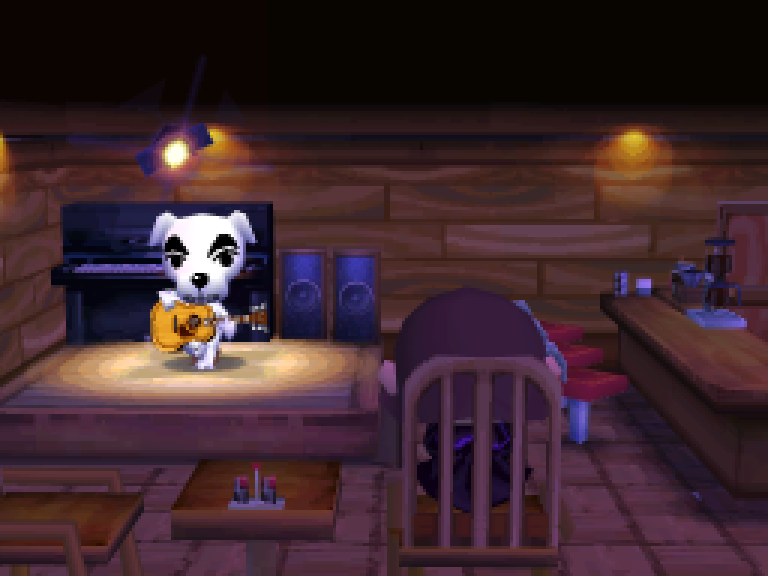
Animal Crossing: Wild World (Nintendo DS) as a native PC program. The game's code comes from a complete decompilation and is compiled for the PC, with its own 2D and 3D renderers (on the GPU through WebGPU, or on the CPU), sound, input and a window. It doesn't use an emulator. You need your own copy of the game.
Supported version:
| Version | Game code | SHA-1 |
|---|---|---|
| USA (Rev 1) | ADME | 77fde3e30e1e6068395d1f96ea63be569b61c351 |
Run it
Linux on x86-64 and macOS (Apple silicon or Intel). On Linux you need GCC, Python 3, Ninja and SDL2's development files; on Debian or Ubuntu:
sudo apt install build-essential python3 ninja-build libsdl2-dev
On macOS, Apple's command line tools (xcode-select --install) and, from Homebrew, brew install ninja sdl2 pkg-config. The steps below are the same; the GPU renderer draws through Metal there.
Then:
python3 tools/host_fetch_wgpu.py   # optional: the GPU renderer (downloads wgpu-native)
python3 tools/configure_host.py    # says what the build will have
ninja -f build_host64.ninja
build/host64_usa/acww path/to/your/game.nds
The game saves next to the ROM (game.sav for game.nds). Without host_fetch_wgpu.py, or on a machine without
a GPU that WebGPU can use, the game is drawn by the CPU renderers instead.
Controls
| DS | Keyboard | Controller |
|---|---|---|
| D-pad | arrow keys | D-pad or left stick |
| A / B / X / Y | X / Z / S / A | the face buttons by position, as on the DS |
| L / R | Q / W | shoulder buttons or triggers |
| Start / Select | Enter / Right Shift | Start / Back |
| touch screen | the mouse (left button) on the bottom screen, or a finger |
The keyboard keys are by position, so they are the same on other layouts. F1 (or Back + Start on a controller) opens a screen for changing every binding; it stays hidden until then, and the game pauses while it is open. F11 changes the window size, Alt+Enter switches to full screen and M mutes the sound.
Options
Set as environment variables:
ACWW_RENDERER3D=own: the CPU renderers even when there is a GPU (default: the GPU,wgpu).ACWW_SCALE3D=<n>: the 3D scenes at n times the DS's resolution (default 2).ACWW_MSAA=1: no smoothing of the 3D edges.ACWW_VSYNC=1: wait for the display's refresh.ACWW_SAVE=<file>: another save file.ACWW_FIRMWARE=<file>: a DS firmware image for the user settings (by default a built-in one).
docs/host.md has the rest, including the test and comparison options.
Playing together
The gate's DS-to-DS play works between copies of the program, each with its own save file: one player talks to Copper
and opens the gate ("Invite guests!"), the other asks Copper to go out by DS to DS and picks the town. Copies on the
same machine or the same LAN find each other by themselves (UDP ports 31470-31477: a firewall has to let them
through). A second copy on the same machine needs a save file of its own: ACWW_SAVE=second.sav. Over the internet,
the visitor names the host:
ACWW_NET_PEER=<the host's address> build/host64_usa/acww path/to/your/game.nds
The host's UDP port 31470 has to be reachable (forwarded on its router). Both players need the same build (64-bit or 32-bit). Nintendo Wi-Fi Connection is not supported.
What's here
src/,include/: the game's code, decompiled to C and C++. On this branch it is changed freely toward plain, portable code, so it no longer rebuilds the original ROM.modern/host/: the PC runtime:- the DS's hardware services (interrupts, timers, DMA, the ARM7's side: sound, touch, the clock, save memory);
- the 2D renderer (
gpu2d/) and 3D engine (gpu3d/), also as GPU shaders (gpu2d.wgsl,gpu3d/gpu3d_wgpu.c); - the SDL frontend.
docs/host.md: how the native build works, its options and how changes are checked.docs/portability.md: the port's plan and log (Windows, macOS, the GPU renderers).
Other builds: 32-bit x86 (--arch i386), 64-bit ARM Linux (--arch aarch64, cross-compiled) and Windows
(--os windows, cross-compiled with llvm-mingw; no window yet). docs/host.md has their setup.
The matching decompilation
The decompilation itself, which rebuilds the original ROM byte for byte with the original compiler, is at the
matching tag. Its README covers the setup, the compiler and how functions were matched; this tree keeps its
notes in docs/matching.md, docs/layout.md and
docs/unmatched.md.
Licence
The project's own work (sources, tools, documentation) is under the MIT licence, see LICENSE. The
game and its ROM belong to Nintendo and are not included; you need your own dump.