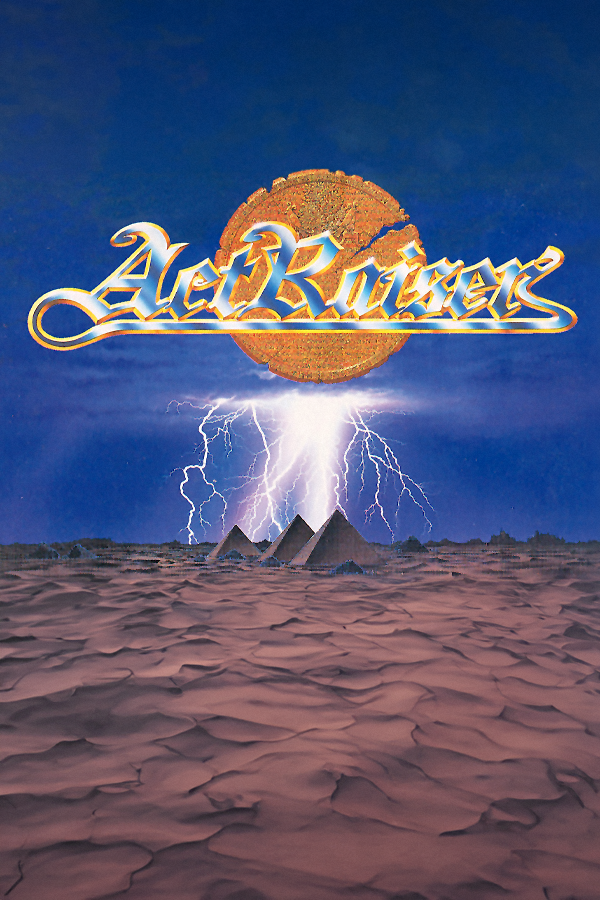
ActRaiser Recompiled
ActRaiser
OriginSuper Nintendo
TechnologyStatic recompilation (native C/C++)
Available forWindows, Linux, macOS
View official projectAbout the project
Actraiser , publicado fuera de Japón con el título ActRaiser, es un videojuego de plataformas, construcción de ciudades, acción y simulación de dios desarrollado por Quintet en 1990 para la plataforma Super Famicom. El jugador controla a Dios con el fin de salvar al mundo de la dominación de "El malvado" mediante la purificación del suelo y el desarrollo de ciudades. Una secuela ActRaiser 2 fue desarrollada en 1993 para la misma plataforma. Una reedición en HD, llamado ActRaiser Renaissance , salió para múltiples plataformas el 2021.
Official project information
ActRaiser Recomp
A native port of ActRaiser (SNES, USA release) that recompiles your own cartridge dump into a standalone executable.

The 1990 SNES game from Quintet and Enix alternates between side-scrolling action stages and a top-down town simulation. This project targets the USA cartridge dump and converts its 65816 machine code into C, which is then linked with a hand-written SDL3 runtime. Running the game as native code allows widescreen rendering, layered 3D action stages, height-mapped towns and a 3D globe, GPU and CRT effects, replacement art and music, language packs, and rebindable controls. The in-game settings menu explains each option.
Quick start · Features · Manual · Game documentation · Status · Development



Progress at a glance
Release milestone: the full USA campaign has been successfully played from start to finish. Development and visual improvements remain active.
| ✅ | Native graphics: All six towns, all 12 acts, Death Heim, and the ending have been play-tested, including overlay access at The End. The full USA campaign is verified completable end to end. |
| 🟡 | Action Mode Enhancements: Room-by-room presentation work continues in 3D Diorama mode: extending tile maps for widescreen, refining background policies, and fixing skybox rendering. Unique environmental effects now cover Fillmore Acts 1/2, Bloodpool Acts 1/2, Kasandora Acts 1/2, Aitos Act 1, and Marahna Acts 1/2. Death Heim remains in progress, with final-battle nebula enhancements and an optional completion scene already available. |
| ✅ | Platforms: Windows, macOS arm64, and Steam Deck have been tested and boot successfully. macOS x86_64 and generic Linux still need representative launch testing. |
| ✅ | Localization: Language packs, enhanced fonts, and Workshop authoring are ready. Players can create and distribute their own translations. |
| 🔵 | Regionalization: Implementation is complete and ready for testing. US, Japanese, and European gameplay presets support per-campaign customization, with independent regional artwork and music. |
| 🟡 | Full Decompilation: In progress. The goal is to produce human readable code, and decouple the game mechanics from the SNES' 60.0988 hz processing cycle for proper variable frame rate support (i.e. proper pacing at 45fps for steam deck, or at higher frame rates on more powerful machines), and remove limitations from the games memory/object management to remove limitations like max number of objects drawn/managed, increased play field handling, etc |
| 📋 | ActRaiser 2 support: In planning. The optional Master character import is available for ActRaiser using your own ActRaiser 2 (USA) ROM. |
| 📋 | Achievements: In planning. |
AI disclosure
Multiple AI coding assistants have contributed to the tooling, runtime, debugging infrastructure, and documentation under my direction and review.
Game logic is mechanically translated from the original binary and is never committed to this repository. The widescreen renderer, 3D presentation, settings system, and other host-side features are original work.
Reverse-engineering notes
The MIT-licensed research documents describe the original game rather than this implementation. They contain no ROM-derived code and may also be useful to an independent decompilation effort.
Quick start
Download the Builder from GitHub Releases
The Builder includes the compiler and game dependencies. Building happens locally and works offline once you have downloaded it.
What you need
Provide your own legally obtained USA cartridge dump. The project does not include a ROM, and the Builder verifies your file before continuing.
| Internal title | ACTRAISER-USA |
| Size | 1,048,576 bytes (1 MiB, no copier header) |
| Internal checksum | 0x83DB |
| SHA-256 | b8055844825653210d252d29a2229f9a3e7e512004e83940620173c57d8723f0 |
| SHA-1 | e8365852cc20178d42c93cd188a7ae9af45369d7 |
| CRC32 | 0xEAC3358D |
1. Download and open the Builder
Download the bundle for your machine from Releases and extract it into a writable folder.
| Platform | Recommended download | Open |
|---|---|---|
| macOS (Apple Silicon / Intel) | ActRaiserRecompBuilder-macos-arm64-portable.zip / -macos-x86_64-portable.zip | ActRaiserRecompBuilder.app |
| Windows (x64 / ARM64) | ActRaiserRecompBuilder-windows-x86_64-portable.zip / -windows-arm64-portable.zip | The Builder .exe |
| Linux (x64 / ARM64) | actraiser-recomp-linux-x86_64.tar.xz / -linux-arm64.tar.xz | ./run-build.sh |
| Steam Deck | ActRaiserRecompBuilder-steam-deck-portable.tar.xz | The Builder .AppImage in Desktop Mode |
Keep the portable desktop Builder and its .portable file together; its
build data goes into the adjacent BuilderData folder. App-only downloads
are also available for macOS, Windows, and Steam Deck and use per-user storage.
The generic Linux launcher opens the same Workshop in your browser.
On Windows, a startup window shows progress while the bundled tools are prepared or checked. The first launch can take a few minutes on slower machines. You can cancel safely; opening the Builder again for the same workspace brings the existing window forward instead of starting another copy. The Builder window uses the Microsoft Edge WebView2 Runtime that Windows 10 and 11 already include; if it is missing, the Builder offers to open Microsoft's download page.
Desktop Builders on all platforms cache successful verification so later launches
check metadata and changed files instead of rereading every bundled tool.
See startup verification
for the --verify-bundle option to request a complete check.
The Windows Builder and its build tools are unsigned. If a build fails with “An Application Control policy has blocked this file”, check Windows Security → App & browser control → Smart App Control settings. Smart App Control has no per-app exception; turning it off affects all apps on that device. See Windows Application Control for recovery steps and managed-device guidance.
On macOS, the Builder is locally signed but is not Developer ID signed or notarized. If Gatekeeper reports an unidentified developer or cannot verify the app, and you trust the download, try opening it once, then use System Settings → Privacy & Security → Open Anyway. See macOS Gatekeeper for helper-tool and other startup errors.
On Linux, mark an AppImage executable if necessary. AppImages need FUSE;
APPIMAGE_EXTRACT_AND_RUN=1 ./ActRaiserRecompBuilder-steam-deck.AppImage
provides a fallback. Minimal Linux installations may also need the desktop,
audio, and font libraries listed in the download's README.

2. Choose a game folder and build
The desktop Builder first asks where to put the game. Its default is an
ActRaiserRecomp/ folder beside the Builder. Select Update existing
installation to rebuild a current game, or choose a new folder when migrating
an older utils/ installation.
Open Build game in the sidebar, choose your USA ROM, and press Build game. The Builder extracts the game's data, recompiles its code, and creates the playable application. Progress stays visible while you browse the Workshop, including its language tools and your own instruction manual.

3. Play
Choose Run game when the build finishes. Later, open the generated game directly:
| Platform | Playable output |
|---|---|
| macOS | ActRaiserRecomp.app |
| Linux / Steam Deck | ActRaiserRecomp.AppImage |
| Windows | ActRaiserRecomp.exe; keep its supporting files beside it |
On Windows, double-click ActRaiserRecomp.exe directly—no .bat launcher is
required. Keep its DLLs, user-rom.sfc, tools/, assets, settings and saves in
the generated game folder; the .exe is not a single-file game package.
Keep the whole output folder for a portable installation, including its
.portable file on macOS/Linux, saves, settings, and assets. The game runs
independently of the Builder. These locally generated applications contain your
ROM and are not intended for redistribution.
Copy just the generated .app or .AppImage to your preferred location,
leaving its .portable file behind. On launch, it initializes data under your
operating system's application-data directory. Subsequent app updates reuse
that data.
Moving between portable and per-user storage does not transfer saves automatically. The Workshop edits the game folder selected in the Builder. See desktop packaging for data locations and advanced options.
</details>4. Update or import an existing installation
Select your existing game folder to use its settings, assets, ROM and saves directly, or select an empty folder to start fresh.
Back up your saves, then rebuild into the same game folder with the newer
Builder. Saves, settings, language packs, and custom assets are retained.
Updated bundled diorama rooms replace diorama-layers.ini after preserving
the previous file in a numbered .pre-update-N backup; see
shipped content updates.
For a per-user macOS or Linux installation, replace only the generated application.
On the first launch of the upgraded game, old saves/save.srm or
saves/save.ini files are automatically imported into Slot 1. The older
saves/actraiser.srm is also adopted when neither of those files exists.
Original files are retained in saves/legacy-layout; the active save moves to
saves/slots/01. Choose Continue at the title screen to resume. No manual
conversion is needed. See save migration
for format selection and recovery details.
To copy data from a different or legacy installation, use Import previous installation…, review the detected data, and close the game before importing. The Builder copies the files and preserves the originals; existing destination saves, settings, and modified assets take priority.
Change game folder… selects the destination for the next Builder session. Save your Workshop work, then close and reopen it to use that folder.
5. Keep the game after building
The desktop Builder's output folder is independent of its build tools, so you
can retain the game without keeping the Builder. Older archive installs offer
toolchain cleanup under Storage & build tools. Keep their utils/
runtime data and retained helper files; download the archive again to rebuild.
See the Workshop guide for the full installation, asset, and language workflows.
Features
On a fresh install, the game uses 4:3 geometry and the original music and
artwork, with the 3D and CRT presentation modes disabled. You can configure the
enhancements from the in-game settings overlay (Esc, F1, or L3 on a pad)
and compare them with the authentic rendering and audio at any time.
Widescreen
Widescreen supports true 16:9 and 16:10 presentation by streaming background
layers into the wider viewport and activating sprites beyond the original
screen bounds. This preserves the game's HDMA and parallax effects instead of
stretching or cropping the original view. Press F9 to cycle among authentic
4:3, widescreen raw, and widescreen full, which places the HUD in an
independently scaled overlay.
Screen ratio → Auto adapts the view to the window's shape, including when resizing while paused. Wider windows reveal extra columns; taller windows can reveal extra rows in action stages and enhanced 3D towns and world navigation. The selected pixel aspect and HUD proportions are retained. See display and scaling for coverage limits.

Diorama 3D for action stages
Diorama mode places action-stage backgrounds and sprites on separate planes in 3D space. Depth shading gives the scene the appearance of a physical diorama, while the HUD can be scaled independently.
Rooms can be tuned independently:
- Layer layout: Each room defines its own depths and can use a stable backdrop from the ROM when the live PPU view is too narrow.
- Camera modes: Dynamic Cam is the default, leaning and reacting around an authored pose. Free Cam supports manual orbit and zoom.
- Framing: Vertical extension reveals more of the stage above and below the original 224 lines. Skybox and Shoebox walls enclose finite backdrops.
- Enhanced completion: An optional Death Heim ocean vista adds clouds, light shafts, water reflections, cherubs and drifting feathers around the original platform and hero. One switch under Action 3D → Scene enables it with any skybox preference, preserving the original ending's timing.

This Fillmore Act 1 comparison starts with the original 4:3 presentation, then shows enhanced widescreen with the camera tilting and pulling back to reveal the layers.

Action scene and effects editor
The offline action editor lets creators extend room scenery for widescreen, paint tile pixels, adjust depth and framing, and author background policies and environmental effects. Shared renderer previews rooms through the game's C renderer with regional terrain, animation, and camera controls.
Save project or Ctrl/Cmd-S keeps scenery and effects together in one
action-project.zip, with Undo/Redo and an Unsaved changes indicator.
Collapsible panels and Settings… provide more room for the preview; settings
are also accessible through right-click menus. To use a project in the game,
extract its two INI files beside settings.ini and restart. See the editor guide
for preview scope and authoring details.
3D simulation towns
Simulation mode rebuilds each town as an oblique 3D scene:
- Terrain: A height field raises hills, plateaus, and cliff faces across all six towns. A landscape slider can scale the relief back to a flat plane.
- Scenery: Region-aware voxel models replace structures and foliage at selectable quality levels. Stone bridges span the banks, while mountains and volcanoes use camera-aligned relief.
- Actors and depth: People and effects are billboards grounded against the terrain, and flying actors maintain a stable altitude above it. Ridges and buildings can occlude objects behind them.
- Lighting and interaction: Objects cast terrain-following shadows, with optional soft blur and rim lighting. Miracles and enemy attacks add local lighting and particles. A connected globe continues beyond the town's borders, and building placement and miracle targeting work in the tilted view.
- Church interiors: An optional modeled stone church adds an altar, soft light, drifting dust and a view of the town during audiences and offerings. Enable Church interior 3D under Town 3D → Scene; dialogue and controls retain their original behavior.

3D world navigation
The Sky Palace travels over a spherical world with raised mountain ranges, developed towns, moving clouds, and an atmosphere against the starfield. The globe uses the same terrain, buildings, and regional artwork as the town view.
- Explore: Right-drag or use the right stick to look around the globe. The wheel or triggers zoom; middle-click or R3 resets the view. Travel and town entry use the original menus.
- Sky Palace: The optional globe backdrop shows the currently selected town below the Palace, with moving clouds behind the original pillars, angel, and menus.
- Adjust detail: Lighting, clouds, atmosphere, town models, ground detail, and mountain relief have separate controls for balancing appearance and performance.


GPU and CRT effects
The GPU renderer provides individually adjustable effects:
- Diorama lighting and focus: Warm rim lighting outlines sprites, depth of field softens distant layers, and edge anti-aliasing smooths tilted planes.
- Spell effects: Particles and local illumination follow action-stage magic in both flat and 3D views.
- Environmental effects: Fillmore's forest and caves gain canopy light, leaves, mist, drips, and water accents; Bloodpool gains moonlight, water reflections, castle window light, and torch glow. These work in flat and Diorama views and are controlled separately under Video → Effects → Environmental effects (on by default). Adding unique treatments across the remaining levels is ongoing.
- CRT presentation: Curved glass, scanlines, and a phosphor mask can be applied to any view, including authentic rendering. Video → CRT also controls colour fringing, signal softness, corner shading, and brightness.
- Frame interpolation: Optional intermediate diorama frames smooth motion on high-refresh displays while normal gameplay retains its 60 Hz logic.


High-resolution Mode 7
Mode 7 rendering runs at the internal render scale rather than 256×224, so its rotation, zoom, and per-scanline warps stay sharp instead of magnifying the original low-resolution sampling.

Asset and music replacements
Art replacement is limited to the title logo on the title screen and in the animated intro, where the replacement follows the original rotation, zoom, and warp effects.
Art and music replacements share the user-owned game-assets/manifest.ini,
which is preserved across upgrades. The Workshop's Assets section provides:
- previews of the included HD title art and all 17 entries in the ROM's song table, including unnamed tracks identified by slot;
- extracted previews of the original audio; and
- controls for installing replacements or restoring the original art and music.


Music replacement supports:
- OGG Vorbis files in place of the SPC driver's songs;
- sample-accurate looping through
LOOPSTART/LOOPLENGTHtags or manifest keys; and - variants selected by game state. When the ROM shares a song across several levels, Split by level gives each selected region and act its own OGG file. The unsplit entry remains the fallback everywhere else.
The SPC driver continues to handle sound effects, while only the instrument voices for a replaced song are muted. You can switch between the replacement and the original sequencer while a song is playing.
Languages and enhanced text
Language packs replace the game's text without patching the ROM. Enhanced font rendering supports Unicode text, font fallback, and layouts that adapt to translated dialogue.
- Play: Install an
.arlangfile in the Workshop's Languages section, restart the game, and choose it under Settings → Localization. The original US text remains available. - Read: Adjust enhanced font size and choose Crisp or Smooth sampling, with full-resolution, low-resolution, or mosaic rendering independent of the game graphics. The original US script can also use its native font.
- Create and share: Start a translation from the US script, edit messages alongside a reference, and check font coverage and side-by-side playback. The v2 text format supports mixed fonts, colors, sizes, and emphasis within a message, with a styling toolbar in the Workshop. Export a language pack to share it. Install a new project explicitly; later saves refresh its installed copy. Restart the game to load the updated text.
The Workshop interface supports English, French, German, and Japanese; its language is independent of the game's selected pack. Translation coverage depends on the pack; gameplay rules are selected separately in Regional settings. See the language-pack guide for installation and authoring details.
This comparison shows the same dialogue with the native font and five enhanced configurations. Enhanced samples use 140% font size; pixelation strengths are labelled in output pixels. Open the image at full size to compare the edges.

The Sky Palace capture below uses text extracted from the original Japanese ROM, displayed with enhanced fonts in the US game. It demonstrates a partial local language pack, not a complete or bundled Japanese translation.


Regional rules, artwork, and music
The game still builds from your USA ROM. Under Settings → Regions, choose a US, Japanese, or European gameplay preset, or combine individual rules. Art and music have their own presets; neither changes your language or button bindings.
- Action stages: Choose regional terrain, enemy and item placements, traps, enemy stats and boss behavior, spell costs, starting lives, and action-only inventory rules.
- Town simulation: Select population requirements and housing support, construction and development pacing, monster-lair reserves and behavior, miracle costs, health/SP recovery, and regional story-event rules.
- Difficulty: Apply European Beginner, Normal, or Expert adjustments over any regional base. For example, keep US stage layouts while using Japanese boss behavior and EU Beginner adjustments.
- Controls and menus: Choose between a dedicated magic button and Japan's Up + attack command, total or spare-life displays, and whether town dialogs return to angel control or leave the command menu open.
- Artwork: Select Japanese title and enemy artwork, Death Heim's horned statue, town symbols and pyramid decoration, or European Action Mode item graphics independently of their gameplay rules.
- Music: Choose Fillmore Act 2's regional track assignment and the two supported Japanese song versions without changing gameplay.
Gameplay rules need no additional ROM. For supported regional art and music, use the Workshop's Assets → Regional media tool to extract and install private packages from your own donor ROMs. Missing media falls back to US assets while retaining your selection.
Save regional choices with the Progress Log; Continue restores that campaign's rules rather than the title screen's new-game choices. Changes that require town redevelopment ask for confirmation and create a recovery copy before applying.
See regional settings for the full option list and activation timing, and regional media for artwork and music requirements.
Live authentic comparison
Bind Compare rendering in Settings → Controls to switch between the current enhanced presentation and the ROM's native 256×224 graphics and SPC audio without changing any saved settings:
- Short press: Toggle the enhanced and authentic base views.
- Long press: Open a persistent picture-in-picture view with the enhanced presentation as the main image and the authentic game inset. Hold the control again to close PiP without switching the base view, or press it briefly to close PiP and switch views.
The comparison state is shared by action and simulation modes and resets to the enhanced view each time the game launches. Gameplay pauses during the brief transition, but quality-of-life options and cheats remain active in both views. The CRT pass follows the current Video settings and can be used with either view.

Settings overlay
The in-game menu retains ActRaiser's dialog frames and offers both native and enhanced text rendering. It groups display, 3D, audio, localization, controls, save, and other settings into sections accessible by keyboard or gamepad.
Each setting includes an explanation. If you install an instruction manual in the
Builder, a Manual section appears in-game to read it; without one the section is
simply absent.
Settings are saved automatically to settings.ini.
Most sections offer a reset that restores that section's defaults after two
confirmation presses. The settings overlay remains available on The End
and Best Player screens to restart or exit after finishing the game.

Save management
The Saves menu holds ten independent campaigns, with previews of each character's level, completed acts, and last save time.
- Each campaign keeps its own regional rules, randomizer seed and options, and enhanced character name. Language, fonts, and controls stay shared.
- Import and export complete
.arsavearchives to move saved progress and campaign settings between slots or installations. Raw SRAM and lossless INI exports are also available, but do not include the enhanced campaign settings. - Optional automatic backups preserve the previous saved campaign before destructive edits or imports. Missing or damaged saves are marked unavailable rather than treated as empty slots.
Save with the normal Progress Log before switching campaigns: changing slots restarts the game and does not capture unsaved gameplay. See save slots and recovery and save editing, import, and export for details.
The experimental randomizer is available at the title screen after enabling Show debug settings. It supports seeded campaigns, including independent rolls for regional action and town rules. A complete randomized campaign has not yet been play-tested.
Quality of life
| Rebindable controls | Bind every keyboard and gamepad control independently in Settings → Controls. Keyboard bindings use physical key positions, so they remain in place when the keyboard layout changes. |
| Full gamepad support | The default mapping follows a SNES-on-Xbox layout, with support for multiple hotpluggable pads and gamecontrollerdb.txt. Bind controls for the menu, pause, turbo, camera reset, and rendering comparison. |
| Modern town menu | An optional categorized command menu remembers selections and lets you read descriptions without using a miracle or offering. It has its own scale control and works with or without 3D towns. See Modern SIM menu. |
| Native menu quick use | Keep the Original town menu while skipping optional command explanations. Confirmations and outcomes remain, and the remappable Describe control runs the full explanation. Enable it under System → Game → Quality of life; it is off by default. See quick use. |
| Remember last town | Continue positions the Sky Palace over the last town visited by that campaign. It works in native and enhanced views and is on by default under System → Game → Quality of life. |
| Restart in the same window | Switch save slots, restart the game, or apply save edits and restart without relaunching the application. Save gameplay with the Progress Log before switching campaigns. Restart and exit controls remain available after the ending. |
| Steam Deck | The dedicated bundle includes Valve's Steam Runtime SDL3. It works with the default Steam Input mapping, or with SDL's HIDAPI Steam driver in desktop mode. L3 opens the menu. |
| Camera controls | The right stick orbits, the triggers zoom, and R3 recentres the view. Sensitivity, deadzone, and invert-Y are configurable, and orbit speed remains consistent across frame rates. |
| Turbo | Press T to fast-forward at eight game frames per rendered frame, configurable from 2 to 64. |
| Render scale and refresh | Choose an internal render scale from 1× to 8×, downsampled to the window. Presentation modes include renderer-paced VSync, display-relative Uncapped, a selected FPS limit, and unthrottled Unlimited, with windowed, borderless, and exclusive fullscreen options. |
| Automatic screen ratio | Auto fits action stages, towns, world navigation, and the Sky Palace to the window, recalculating the view even while paused. It retains the selected pixel aspect and keeps HUD and menus at their own proportions. See display and scaling. |
| Graphics API selection | Choose an available graphics API to troubleshoot slow rendering or display problems. Changes take effect after restart, with automatic fallback if the selected API cannot start. |
| Independent HUD and menu scaling | The promoted widescreen HUD and settings menu can be scaled independently of the game framebuffer, from 25–400% and 100–800% respectively. |
| Save editor | Inspect town states, unlocks, levels, magic, items, and scores, then enable an explicit safety switch to apply changes. The editor preserves unedited data and maintains save checksums. |
| Bridge-free structure limit | This optional fix stops completed bridges from consuming a town's 128-structure population cap. It applies retroactively while preserving bridge tiles, crossings, and 32-person support. |
| Original-game fixes | Configurable fixes correct overlapping Aitos messages and keep newly built windmills still during the no-wind event. The windmill fix affects the enhanced town view only. |
| Cheats | Infinite HP, MP, and SP; moonjump; invincibility; all magic; ranged sword; angel health; and a generic Pro Action Replay code pinner can all be toggled from the menu. |
| Audio | Music, sound effects, and master volume have independent controls. An optional 40-voice mode preserves all eight song voices while queued native effects use 32 additional voices. Output is available at 32.04, 44.1, or 48 kHz, and dialogue blips can be muted separately. |

See the manual for the complete settings and controls reference.
Development
Build from source
For a local build without the packaged Builder, install Go 1.25 or newer, CMake 3.25 or newer, GNU Make, a C/C++ toolchain, and the development libraries for SDL3 3.4+ and SDL3_ttf 3.2+. On macOS, the compiler comes with Xcode Command Line Tools; on Windows, use a compatible native compiler and a shell with Make.
From the repository root, run:
make dev ROM=/absolute/path/to/your-usa-rom.sfc
./build-release/ActRaiserRecomp /absolute/path/to/your-usa-rom.sfc --config config.ini
make dev prepares the native US language source, generates the game C files
if they are missing, and builds the optimized play preset. It also creates
config.ini from the stock template if you do not already have one. If your
ROM is named ar.sfc in the repository root, you can omit ROM=….
For subsequent C/C++ changes, use cmake --build --preset play. These commands
produce a development executable; see desktop packaging
to turn it into a self-contained .app or .AppImage.
To test the Android preview, make android ROM=… builds a debug APK for USB
installation without the Builder; see Android preview builds.
To package releases on another machine, use make release-remote <ssh-config-name>.
It sends the current source tree, streams build progress, saves a local build
log, retrieves verified packages into release/, and cleans temporary remote
files. See remote packaging
for prerequisites and cache options.
Layout and testing
src/gen/ contains mechanically generated game code, while src/ holds the
authored runtime. installer/ contains the Builder, Workshop, content tools,
and release packaging. Shared recompilation and build tooling lives in
snesrecomp-go/; snesbuild.ini defines the runtime source list for both local
and packaged builds.
| Preset | Purpose |
|---|---|
play | Produces an optimized local build in build-release/ without tests or tracing. |
dev | Produces a Debug build with the unit-test suite, on-demand trace recorder, and timestamped diagnostics under runs/. |
trace | Extends the Debug build with generated CPU instrumentation. |
asan | Enables AddressSanitizer and UndefinedBehaviorSanitizer for corruption testing. |
control | Produces an optimized A/B control build with flat town terrain. |
For the shared quality gate, development conventions, and tooling setup, see CONTRIBUTING.md. The ROM-free checks cover the game, developer tools, Builder, and recompiler:
make check-quality
make check
Regression testing combines CTest, Go tests, and recorded gameplay replays. Replay benchmarks verify equivalent game state before comparing performance.
For benchmark definitions and development details, see
tools/runner-bench.json, the
installer documentation and
snesrecomp-go documentation.
Documentation
| Document | What it is |
|---|---|
docs/README.md | Public application, authoring, and game-reference index |
docs/actraiser-1/README.md | AR1 gameplay, regional releases, native data, and action environments |
docs/manual.md | Player and power-user reference |
docs/release-notes.md | Upcoming release changes, upgrade instructions, and remaining testing |
tools/action_editor/README.md | Offline action scenery, background policy, and effects authoring |
docs/builder-workshop.md | Builder and Workshop user guide |
docs/android.md | Building and testing the Android preview without the Builder |
docs/language-pack-format.md | UTF-8 translation pack authoring and validation contract |
docs/language-packs.md | Direct .arlang installation, sharing, and editor-free/AI authoring |
docs/actraiser-1/regional-settings.md | Regional gameplay presets, independent options, and campaign saving |
docs/actraiser-1/regional-media.md | Extracting and using regional artwork and music from your own ROMs |
installer/README.md | ActRaiser Builder ownership and developer entry points |
docs/diorama-depth-shapes.md | Depth effects for custom action-room layouts |
docs/actraiser-1/save-format.md | SRAM fields, checksums, and save editing |
docs/performance-overlay.md | Reading performance information and reporting slow scenes |
docs/actraiser-1/snes-native-audio-channels.md | Original SPC channel ownership and effect sequencing |
docs/actraiser-1/rom-map.md | ROM data regions and cross-release localization evidence |
License
The repository's original source, including the runtime, tooling,
recomp/*.cfg, and documentation, is MIT-licensed. This license does
not cover the ActRaiser ROM or material derived from it; the Scope section of
the license defines the boundary.
The Go implementation, tooling, tests, documentation, and project-authored
portable C runner under snesrecomp-go/ use a separate
MIT license. Its slot-accurate S-DSP contains
adaptations from the MIT-licensed Snaggletooth project. The exact scope,
historical lineage, and retained third-party notices are documented in
snesrecomp-go/LICENSE_SCOPE.md,
snesrecomp-go/ATTRIBUTION.md, and
snesrecomp-go/THIRD_PARTY_NOTICES.md.
ActRaiser Builder resources and game-distribution dependencies are documented
separately in
installer/THIRD_PARTY_NOTICES.md.