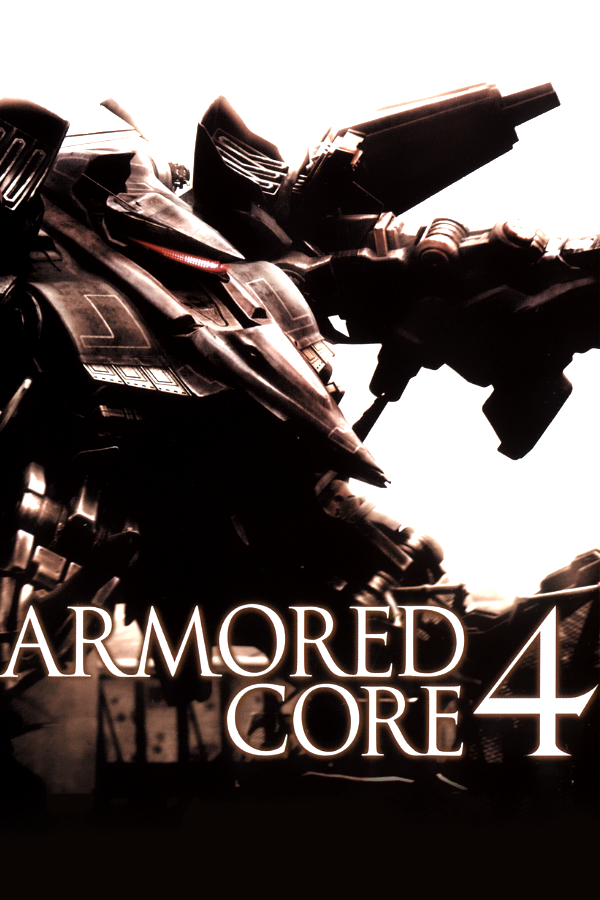
Armored Core 4 (PC)
Armored Core 4
OriginPlayStation 3
TechnologyNative C/C++ port (engine reimplementation)
Available forWindows
View official projectAbout the project
Armored Core 4 es un videojuego para la PlayStation 3 y Xbox 360. Este es la 12.ª entrega de la serie Armored Core de From Software, a pesar de estar titulado Armored Core 4. Armored Core 4 está ambientado en el futuro, donde una inminente gran guerra potencialmente dejara a las naciones de la tierra devastadas y sus respectivos gobiernos asumidos por las empresas. El juego presenta un sistema personalizado para la personalización de los mecanismos del jugador en línea y un modo donde los jugadores pueden luchar entre sí por la PlayStation Network o Xbox Live.
Official project information
ARMORED CORE 4: unofficial PC port
A native Windows version of ARMORED CORE 4 (PS3, USA, BLUS30027). The game's own PS3 code is translated into a real Windows program, built on your PC from your own copy of the game. This project contains no game data, no game code and no keys, and it decrypts nothing.
<img width="2560" height="1440" alt="ac4_lOjIc32xD6" src="https://github.com/user-attachments/assets/3d0559d2-a49b-4e44-bd30-cc5177ddf895" />Not affiliated with, endorsed or sponsored by FromSoftware, SEGA, Sony Interactive Entertainment or any other rights holder. ARMORED CORE is a trademark of its owners.
Highlights
- Native, not emulated. The whole game runs as a 64-bit Windows program.
- Resolution options. The game draws at your screen's own resolution, in borderless, windowed or fullscreen.
- Render scale from 50% to 200%.
- High frame rates. 30, 60, 120, 144, your monitor's refresh rate or uncapped and the same game speed at every frame rate. Menus and movies stay at 60.
- Full mouse support. By default the mouse works like a precise right stick, with raw input: your AC turns exactly as far as you move it. A camera mode is in PC SETTINGS. The mouse also works in the game's menus, including the ACSIS garage.
- PC SETTINGS inside the game. A row the port adds to the game's own SYSTEM menu: display, frame rate, mouse and keys settings all ingame.
How it works
Static recompilation. A recompiler reads the game's ~3.6 million PowerPC instructions and turns them into C++: about 54.000 functions, with 99.3% of the code covered and every indirect jump resolved. Your PC's compiler then builds a native 64-bit Windows program.
SPU programs are translated ahead of time too, with an interpreter as a safety net. The RSX command stream becomes Direct3D 11, and the game's shaders become HLSL, drawn at your resolution. Graphics, audio, input, files and saves are reimplemented in C++. a few complex firmware parts run as recompiled code from your own system files, so they behave exactly as on the console: the SPU task system and the movie and audio decoders.
It shares this runtime with the Armored Core For Answer port. The two games share an engine family and middleware.
Nothing from the game is in this repository. Everything game-derived is generated on your PC from your own copy. Setup downloads a compiler toolchain (about 250 MB) once and takes a few minutes.
Install
What you need
- Your own copy of ARMORED CORE 4 (US disc, BLUS30027). You need the disc's files, meaning the folder that contains 'PS3_GAME'.
- RPCS3, used once during setup to decrypt a few of your game files.
- The PS3 system software 4.93 file 'PS3UPDAT.PUP' from Sony's PS3 system software page.
- About 4 GB of free disk space and an internet connection.
Steps
- Download
AC4-Port-<version>.zipfrom Releases. - Right click the zip, choose Extract All..., and pick a folder with enough space, for example 'C:\Games\AC4-Port'.
- Open that folder and start 'AC4-Launcher.exe'.
- Under Game folder, choose the folder that contains 'PS3_GAME'.
- Click Prepare files and choose your 'rpcs3.exe' and 'PS3UPDAT.PUP'. The launcher uses your RPCS3 to decrypt the files the port needs. When RPCS3 asks "Install firmware?", click Yes. This takes under a minute and doesn't change your RPCS3.
- Click Set up. It downloads the build tools and builds the game. This takes a few minutes and is only needed once.
- Choose whether you want a desktop shortcut and a Start menu entry.
- Click PLAY.
From now on, you can start the game from the shortcut.
[!NOTE] Already decrypted the files yourself? Skip step 5 and choose their folder under Decrypted files instead. More... > Which files does the port need? lists them.
Update
Unzip the new release into a new folder or over the old one, start its launcher and click Set up. It finds your earlier install and rebuilds only what changed; your settings and saves stay. If your game data is in the old release's folder, keep that folder, or choose Move it beside this launcher.
Uninstall
More... > Remove game data..., then delete the launcher's folder. Saves and settings stay unless you tick their box; they then go to a backup folder.
Controls
Controllers work like the PS3 pad and can be connected at any time:
- PlayStation (DUALSHOCK 4, DualSense, DualSense Edge; USB or Bluetooth): Options = START; Share / Create or the touchpad click = SELECT. No extra program needed. No vibration yet.
- Xbox and other XInput controllers: A = Cross, B = Circle, X = Square, Y = Triangle, LB / RB = L1 / R1, LT / RT = L2 / R2, Menu = START, View = SELECT, stick clicks = L3 / R3.
With several controllers connected, the first one plays (Xbox-style controllers first).
Mouse and keyboard support
Keyboard and mouse in missions (defaults). The keys keep these actions under every control type (KEY TYPE):
| Action | Keys |
|---|---|
| Move | W A S D |
| Turn and look | Mouse |
| Turn and look with keys | I J K L (or numpad 8 4 5 6) |
| Left / right arm weapon | Left / right click |
| Shoulder weapon | C |
| Switch left / right weapon (hold: reload) | Q / E |
| Boost / quick boost / over boost | Space / Shift / Ctrl |
| Lock on (hold: lock mode) | Middle click |
| Reset view | V |
| Pause | Tab or Escape |
| SELECT / D-pad | Enter / arrow keys |
| Release / take the mouse | F1 |
| Fullscreen | F11 or Alt+Enter |
The mouse works like a precise right stick (MOUSE MODE: STICK, the default): your AC turns exactly as far as you move it, as fast as it can turn. MOUSE MODE: CAMERA moves only the camera, freely; the AC turns after it at its own speed, and aims and moves as in the game. Both modes use raw input, with no mouse acceleration.
Not on a key until you choose one in PC SETTINGS: purge right / left / shoulder weapon.
In menus:
- Mouse: point and click; right-click goes back; the wheel scrolls. This includes ACSIS (WEAPON, ASSEMBLY, PAINT, SIMULATOR). PAINT's color sliders, the postgame MISSION LIST's tiles and STABILIZER still use keys.
- Keys: arrows or W A S D move, Enter or Space choose, Escape or Backspace go back.
- PS3 buttons: the game shows these. Tab = START, Q / E = L1 / R1, R or Ctrl = Triangle (GARAGE in the hub), F = Square, Z = L2, X = SELECT.
All keys can be changed in game under SYSTEM > PC SETTINGS, which also shows the PS3 button each key presses.
Settings and saves
- Display mode, resolution, render scale (50–200 %) and frame rate (30, 60, 120, 144, your display's rate or uncapped) are set in the launcher or in game under SYSTEM > PC SETTINGS. Game speed is the same at every frame rate.
- The launcher has presets for modest PCs and handhelds under More....
- Settings and saves are in
Saved Games\ARMORED CORE 4. More... in the launcher backs up and restores saves. Saves don't work on a PS3. - PS3 saves work once you have decrypted them. Copy each save folder (named 'BLUS30027...') into the savedata folder above.
- RPCS3 saves should work as they are. Copy the same 'BLUS30027...' folders from RPCS3's savedata folder.
Only saves from the US version (BLUS30027) are found.
Community
For more ports, questions, discussion and help join the Discord. Please don't share game files, keys, decrypted files or download links here or on the discord.