Epic Pinball (Recompiled)
Epic Pinball
OriginMS-DOS
TechnologyStatic recompilation (native C/C++)
Available forWindows, Linux
View official projectAbout the project
Epic Pinball es un videojuego de puzles en 1993.
Official project information
Epic Pinball, recompiled
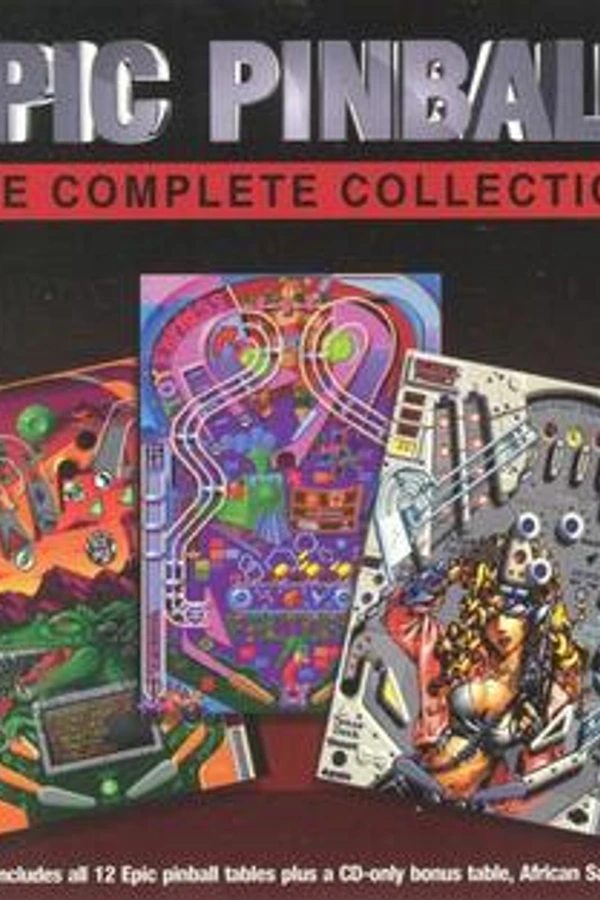
Epic Pinball (Epic MegaGames, 1993) — all thirteen tables of the GOG Complete Collection, taken apart from their shipping DOS executables and rebuilt as one native program for Windows or Linux. No DOSBox. No emulator.
<img src="docs/screenshots/play.gif" width="480" alt="Super Android running as recompiled native code: the ball comes off the plunger and up through the top lanes"><sub>Super Android, recompiled, mid-game. Recorded headless with the built-in recorder.</sub>
</div>What it is
A static recompilation of Epic Pinball. tools/lift.py lifts the 16-bit x86
of the menu program, every table and the sound drivers to C with the
pcrecomp toolkit; a small DOS machine
in src/ answers the DOS, VGA, Sound Blaster, keyboard and timer the game
expects, including running one program from another the way DOS does. You
supply the game; the build produces epicpinball.exe.
It is part of the pcrecomp family and follows its house style: the toolkit ships, the output never does.
Status
v0.1.0 — alpha. The menus and all thirteen tables boot and play; the conformance harness passes 133/133.
| Version recompiled | GOG Epic Pinball: The Complete Collection 1.01 |
| Programs lifted | PINBALL.EXE, EP1.EXE–EP13.EXE, the MASI mixer and Sound Blaster driver |
| Intro, menus, table select, high scores | ✅ |
| All 13 tables: playfield, scrolling, flippers, plunger, tilt | ✅ |
| Dot-matrix scoreboard (the VGA split screen) | ✅ |
| Music and effects: Sound Blaster 16, 8-bit stereo, 22 kHz | ✅ measured, see below |
| Windowed play at real speed | ✅ (seen on a virtual monitor) |
| Linux, natively (gcc, SDL2) | ✅ 133/133 conformance on Debian 13; not yet tried on a Linux desktop |
Gamepad (XInput, controller.ini, GOG's DOSBox mapping by default) | implemented, untested on a real pad |
SETUP.EXE (the sound card menu) | not lifted: its start-up check is answered, and GOG's SOUNDCRD.INF (Sound Blaster 16) is used as shipped |
The DEMO\ folder's shareware version | not supported |
| A full game, start to final ball, with hands on a keyboard | not yet |
| Conformance (docs) | 133/133 |
Everything marked ✅ was seen working in scripted headless runs, which the conformance harness repeats. The sound was checked by measurement — a stereo stream whose two channels are each smooth signals with a music-shaped spectrum — not yet by ear. Nobody has played a long session yet: treat this as an alpha.
What the remaster adds
The game plays as it shipped; everything here is around it, optional, and
off with --classic. Details in docs/remaster.md.
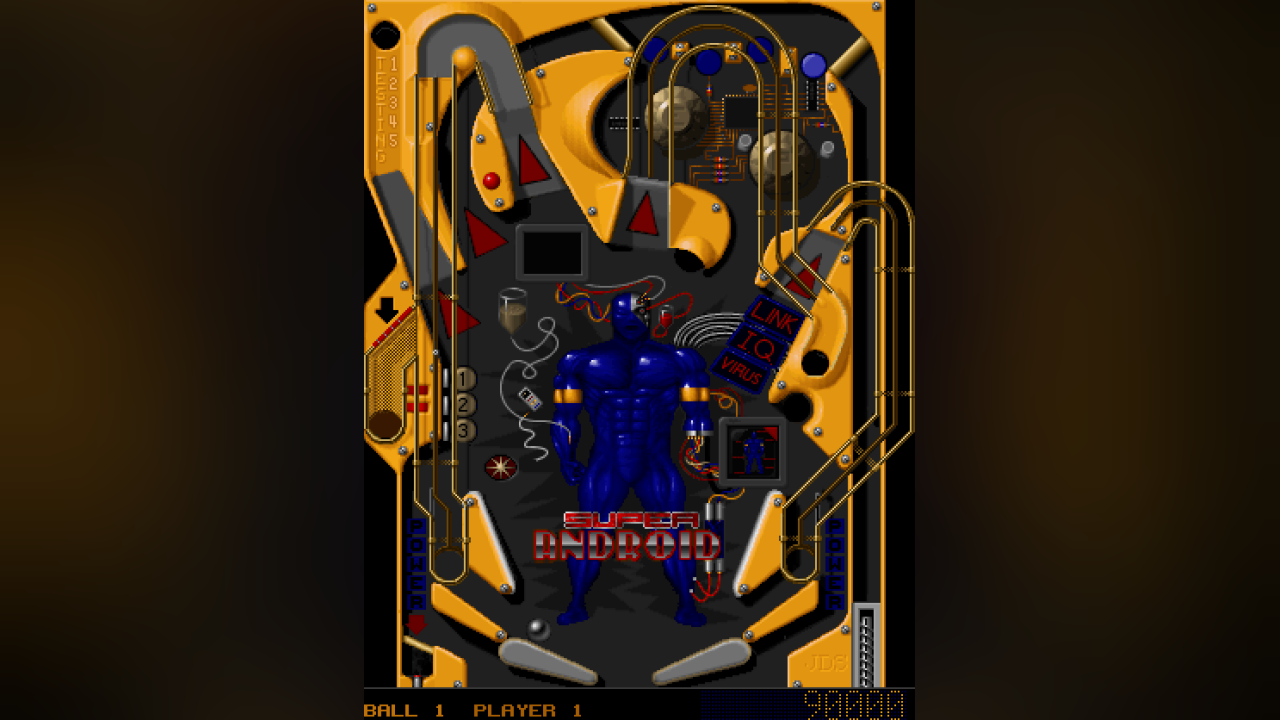
- The whole table (F7): the full playfield on screen at once, no scrolling, with the scoreboard under it. Not redrawn — the game keeps the entire table in video memory and only ever showed part of it; this shows the rest. Made for a tall window or a monitor turned on its side.
- Its own window, drawn with Direct3D 11 (SDL2 on Linux): resizable, borderless fullscreen (F11, Alt+Enter), remembered where you left it.
- Scaling (F12): sharp-bilinear (default), smooth, CRT, nearest, integer. Vivid colour (F9). A dark blur of the picture beside it instead of black bars.
- A settings menu on right-click or F10; choices are kept in
saves\epicpinball.ini. - Smooth sound: the 22 kHz Sound Blaster stream interpolated up to 44.1 kHz instead of held in steps (Settings → Sound for the original).
- Xbox controller mapped by
saves\controller.ini.
Screenshots
Every one of these is the recompiled game running.
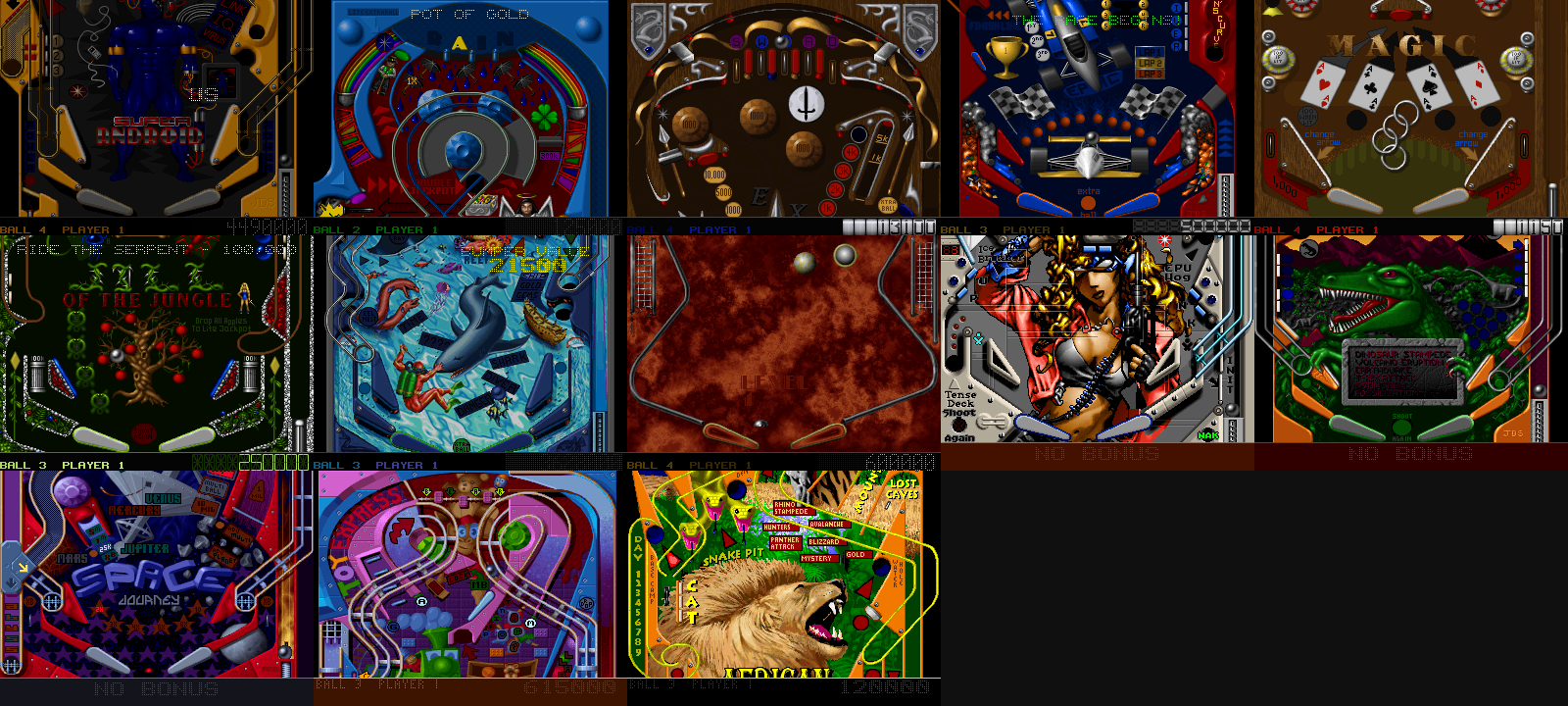
<sub>All thirteen tables, each mid-game with its scoreboard across the bottom: Android, Pot of Gold, Excalibur, Crash and Burn, Magic, Jungle Pinball, Deep Sea, Enigma, Cyborgirl, Pangaea, Space Journey, Toy Factory, African Safari.</sub>
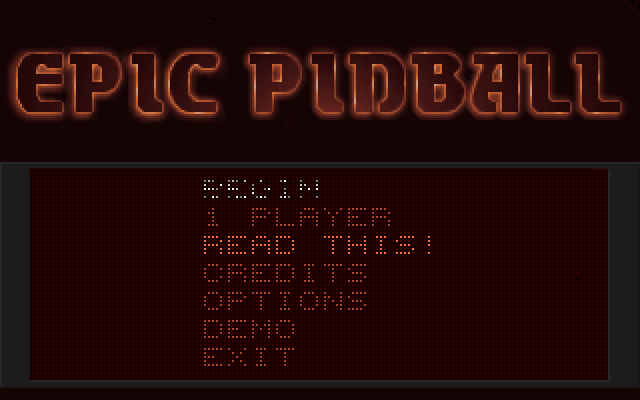 | 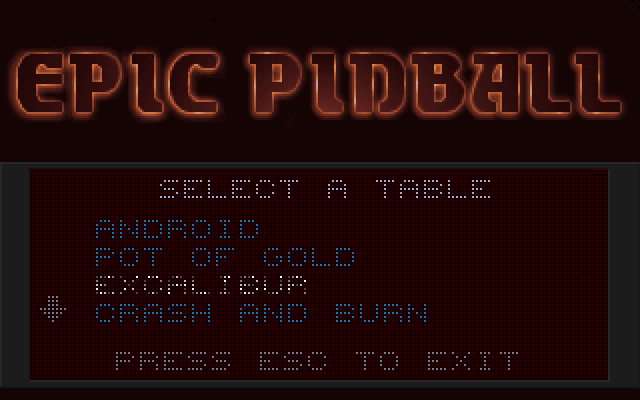 | 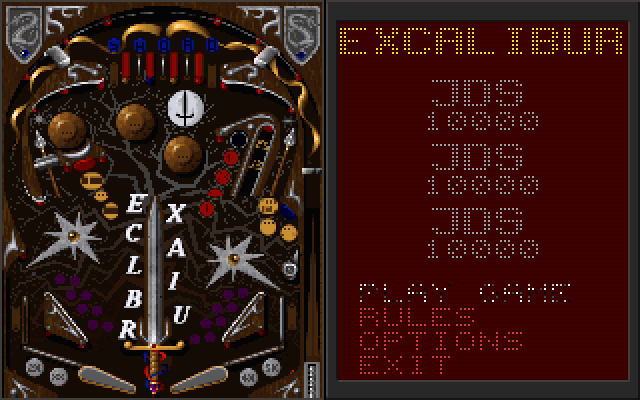 |
| The main menu | Choosing a table | A table's own screen |
The game
Epic Pinball came out in 1993 from Epic MegaGames — the company that became Epic Games. Most tables' own credits say it plainly: design and graphics by James Schmalz, music by Robert Allen. It was shareware: the free table was Super Android, and PINBALL.EXE's closing text still promises that "eleven more worlds of pinball await". The sound system under it is MASI, Joshua C. Jensen's — its drivers sign themselves Licensed to: Epic MegaGames. [Wikipedia]
It was written in assembly, and it shows: the tables scroll a 320×240 Mode X playfield by moving the CRTC start address, put their dot-matrix scoreboard in the VGA's split screen, lock their timer to the display's vertical retrace, and run as children of a front end that keeps the music playing under them. The sound driver's mixer jumps into the middle of unrolled loops. All of that is lifted as-is; architecture and lifting say how.
Getting Started
You need your own copy of the game. GOG's Epic Pinball: The Complete
Collection works, installed or as the offline installer
(setup_epic_pinball_the_complete_collection_*.exe). Other versions are untested.
The installer (easiest)
From the releases,
download the installer for your system:
EpicPinball-Recomp-Installer-windows-x64.exe, or
EpicPinball-Recomp-Installer-linux-x64.tar.gz (unpack it, then run it).
- It finds GOG's install by itself. Otherwise, Choose folder… and pick
the folder holding
PINBALL.EXE, or the one holding GOG'ssetup_epic_pinball_*.exe. - Build: it downloads this repository and pcrecomp, then runs the same setup as below with no questions. On Windows, a first build installs the compilers it needs. On Linux, it tells you which packages to install.
- Play. Next time it opens straight to this. Its corner shows its version, and it says when a newer release is out.
Nothing of the game is in the installer. The build is made from your copy and stays on your machine. The installer isn't signed: Windows SmartScreen asks first (More info, Run anyway).
Quick start
- Download this repository (Code → Download ZIP) and unzip it anywhere.
- Double-click
Setup.cmd.
Setup checks for Python 3, CMake, Visual Studio 2022's C++ build tools and Git,
and asks before installing any that are missing (it says what, why and how
big). It finds the game (a GOG install, or GOG's installer in your Downloads,
which it unpacks with innoextract without running it — asking first), copies the
game files into original\, fetches pcrecomp next to this folder, lifts and
builds, and leaves a shortcut here: Epic Pinball. On a fast machine that
takes under two minutes. If anything fails it stops with one sentence on what to
do and writes the details to setup.log; running it again carries on from
where it stopped.
Step by step
Prerequisites: Windows 10/11 x64, Python 3.10+ (py --version), CMake 3.20+,
Visual Studio 2022 with the Desktop development with C++ workload (Build Tools
is enough), Git. ffmpeg is optional (only --record needs it).
-
Get the toolkit, next to this folder:
git clone https://github.com/sp00nznet/pcrecomp ..\pcrecomp git -C ..\pcrecomp checkout 1dfdaef $env:PCRECOMP_HOME = (Resolve-Path ..\pcrecomp) -
Copy the game in. Everything in the game's folder that sits next to
PINBALL.EXEgoes intooriginal\(theDOSBOX\folder GOG adds is not needed). From GOG's installer instead, unpack it (nothing is run) and copy the files fromwork\gog:mkdir work\gog innoextract -d work\gog setup_epic_pinball_the_complete_collection_1.01_gog_v2_(86528).exe -
Configure, then lift and build until it settles:
cmake -B build -G "Visual Studio 17 2022" -A x64
py tools\discover.py
Expected output:
round 1
  lift
  configure
  build
  play: boot, then each table
round 2
...
settled after 4 rounds: every address reached is lifted
Why rounds: where each table loads, and a few entry points (interrupt handlers installed through variables), are learned by running the game. Each round plays PINBALL and every table headless for a few seconds and lifts what that run recorded (lifting).
-
Play:
build\Release\epicpinball.exe
Usual trip-ups: python that opens the Microsoft Store is the App Execution
Alias — use py, or turn the alias off in Settings → Apps → Advanced app
settings. A tool installed in this window is not on PATH until you open a new
one. cmake needs the Visual Studio generator line in step 3 on the first run
only.
On Linux
The same game, built natively: gcc and SDL2, no Wine.
./setup.sh                  # or: ./setup.sh /the/folder/holding/PINBALL.EXE
./epicpinball.sh
setup.sh takes the same steps as Setup.cmd. If gcc, CMake, Python 3, git
or SDL2's development files are missing, it names the packages for Debian,
Ubuntu, Fedora and Arch and stops. It finds the game in ~/GOG Games or
~/Games, or uses GOG's offline Windows installer from ~/Downloads
(unpacked with innoextract). It copies the game into original/ with
upper-case names, fetches pcrecomp next to this folder, and runs
tools/discover.py, which builds into build-linux/. On Debian 13 it
settles in four rounds, about 85 seconds. After a change, ./build-linux.sh
rebuilds. python3 tools/conformance.py runs the checks against
build-linux/epicpinball.
Usage
epicpinball [options] [-- arguments for PINBALL.EXE]
| Keys | |
|---|---|
| Left / right Shift | flippers |
| Space | start; hold to pull the plunger; nudge |
| Z / / | nudge left / right |
| Enter | show or hide the scoreboard |
| ↑ ↓ | menus; look up and down the table |
| Esc | back, quit |
| F7 | whole table / scrolling view |
| F9 | colour: natural / vivid |
| F10, right-click | settings menu |
| F11, Alt+Enter | fullscreen |
| F12 | scaling: sharp → smooth → CRT → nearest → integer |
| PrtSc | screenshot to screenshots\ |
A pad: triggers flip, bumpers nudge, A plunges, d-pad for menus; remap it in
saves\controller.ini.
| Option | |
|---|---|
--data DIR | the game's files (default original) |
--save DIR | where CONFIG.PIN and high scores go (default saves); the install is never written to |
--window N | window size, multiples of 320×240 (default 3, or where you left it) |
--scale sharp|smooth|crt|nearest|integer, --look natural|vivid, --bars blur|black, --whole-table, --fullscreen | this run's picture; wins over epicpinball.ini and is not saved to it |
--classic | the game's own picture: nearest, no extras |
--mute | |
--headless | no window, no audio device, deterministic time — works over RDP |
--record out.mp4 | video and audio through ffmpeg (with --headless: unattended) |
--keys "ms:KEY[+holdms],..." | scripted input at emulated times, e.g. "12500:ENTER,14500:ENTER" |
--seconds N, --shot-at "ms:file.bmp,...", --wav out.wav, --trace | testing |
--present WxH | --shot-at frames through the presenter at that size, headless |
# a minute of Super Android, recorded without a window
build\Release\epicpinball.exe --headless --seconds 60 --record android.mp4 `
  --keys "12500:ENTER,13500:ENTER,15500:ENTER,24500:SPACE,26500:SPACE+1500"
Building from source
The Step by step route is the build. What else is here:
tools/lift.py | one program or driver → C, at the segment it runs at |
tools/discover.py | lift, build, play, repeat |
tools/conformance.py | the scripted checks; --update records a new baseline |
setup.sh, build-linux.sh | the Linux quick start and rebuild |
tests/selftest.c | the split screen, SB16 stereo and the image registry, with no game data — what CI runs (cmake --build build --target selftest) |
src/ | the DOS machine: dos.c (DOS, BIOS, EXEC), images.c (which lifted code is where), machine.c (PIC, PIT, keyboard, interrupts), vga.c, audio.c (SB16, DMA), host.c (window, input, recording: Win32, or SDL2 on Linux), present.c (Direct3D 11, or SDL2), pad.c |
docs/ | architecture, lifting, conformance |
A trace build (cmake -B build-dbg -DEPIC_TRACE=ON, then
cmake --build build-dbg --config RelWithDebInfo) keeps a ring of the lifted
functions entered and adds a watchdog that names the generated C line the game
is stuck on; lifting lists the rest.
This needs pcrecomp 1dfdaef or later: 32-bit addressing in the 16-bit decoder
and lifter (pcrecomp#74) and jmp reg tables lifted as switches (pcrecomp#75).
The generated source is not distributed. Everything lifted from the game —
work/gen/, the layout and entry lists — is produced on your machine from your
copy, and .gitignore keeps it out of this repository.
License
MIT for this repository's code (LICENSE). Epic Pinball is commercial software; no part of the game, and nothing generated from it, is in this repository (NOTICE).