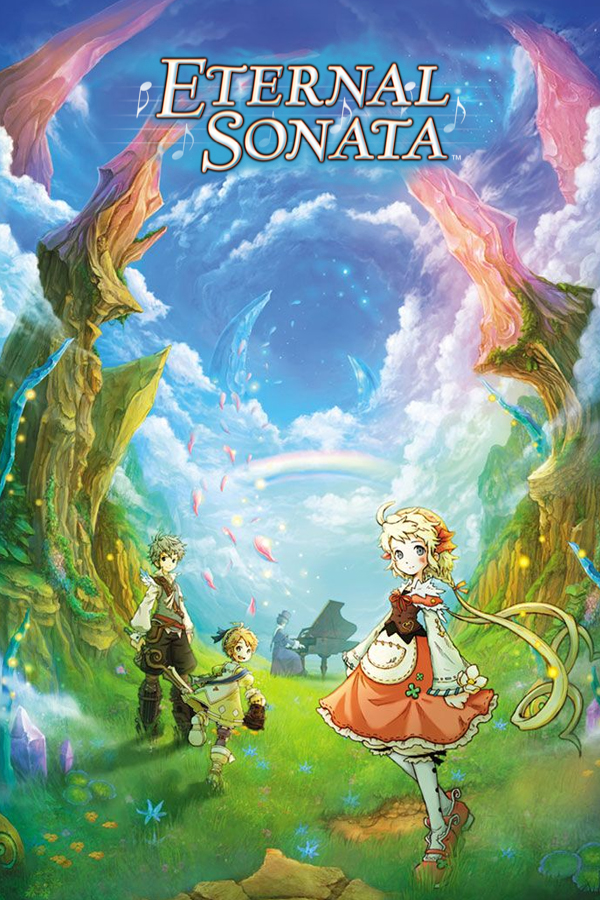
Eternal Sonata: Reprise
Eternal Sonata
OriginXbox 360
TechnologyNative C/C++ port (engine reimplementation)
Available forWindows, Linux, macOS, Android
View official projectAbout the project
Eternal Sonata —conocido en Japón como Trusty Bell: Chopin's Dream —, es un videojuego de rol creado por tri-Crescendo. La versión de Xbox 360 fue lanzado el 14 de junio de 2007 en Japón, 17 de septiembre de 2007 en Norteamérica, y 19 de octubre de 2007 en Europa. El juego también fue lanzado para PlayStation 3 el 18 de septiembre de 2008 en Japón, y el 21 de octubre de 2008 en Norteamérica con el contenido adicional Trusty Bell: Chopin's Dream - Reprise . En Europa fue lanzado con el nombre original Eternal Sonata el 13 de febrero de 2009.
Official project information
Static recompilation of Eternal Sonata.
You can play with both the Xbox 360 and PS3 versions of the game, no matter the region (PAL, USA or JAP). However, building the actual executable yourself requires the Xbox 360 PAL version of the game.
You must own the game. This project does not ship any copyrighted code, data, or assets. You provide your own copy of the game.
Get the game on Goopie!
Join the community on Discord.
Keybinds:
-
Ins: Overlay menu
-
F1: Mod Manager
-
F2: Shader debugger
-
F3: FPS overlay
-
F4: Settings overlay
-
F5: Input overlay
-
Shift: Fast-Forward
-
WASD: Walk
-
Left/Right Click: Interact/Attack/Guard
-
Middle Click: Object
-
Spacebar: Special Ability
-
Ctrl: Alternative Special Ability (PS3)
-
Alt: Switch Camera
Using a pre-built release
Get the latest stable build from the Releases page.
Nightly builds are available from CI artifacts.
You can play with both the Xbox 360 and PS3 versions of the game, no matter the region (PAL, USA or JAP). However, building the actual executable yourself requires the Xbox 360 PAL version of the game.
Making it portable
By default saves, options and caches live in your platform user folder. To keep
them next to the executable instead, create an empty portable.txt beside it.
The root cvars in eternalsonata.toml (or --name=value on the command line)
override each location. Any root left empty falls back to its default.
game_data_root   = "assets"    # one folder per installed version (default: assets)
user_data_root   = "user"      # saves and profiles (default: Documents/eternalsonata)
cache_root       = "cache"     # shader cache (default: <user_data_root>/cache)
mods_data_root   = "mods"      # mod folders (default: mods)
mods_dump_root   = "dumps"     # dumped textures and shaders (default: dumps)
update_data_root = "update"    # extracted title update files (default: update)
Troubleshooting
Black screen before the window title appears
On some Windows systems, SDL's DirectInput device scan can block while Windows queries an unresponsive HID device. The window stays black and unresponsive for a while, then starts normally after the HID request times out.
To bypass the DirectInput scan for one launch, start the game from PowerShell:
$env:SDL_JOYSTICK_DIRECTINPUT = "0"
.\eternalsonata.exe
This setting disables support for controllers that require DirectInput.
Android: the game crashes or will not start
Many Adreno phones ship a Vulkan driver too old for the renderer, and Android
offers no way to update it. The game can load a custom driver instead, such as
Mesa's Turnip drivers, packaged as the same .zip files other Android
emulators use.
- Download a Turnip driver package to the phone.
- In game, press back and choose GPU driver....
- Tap Install..., pick the
.zip, then OK. - Let the game close, then start it again.
If the game never gets far enough to open the menu, start it again after the crash: when the previous start did not finish, the same dialog appears before the renderer loads, so you can install a driver or switch back to the system one. See docs/custom-gpu-drivers.md for details.
Building from scratch
0. Install dependencies
Linux (Arch/CachyOS)
paru -S clang20 cmake ninja vulkan-headers wayland libxcb
Linux (Debian/Ubuntu)
sudo apt install clang cmake ninja-build libvulkan-dev libwayland-dev libxcb1-dev
Windows
scoop install llvm cmake ninja extract-xiso
1. Clone
git clone --recursive https://github.com/birabittoh/EternalSonataReprise
cd EternalSonataReprise
If you already cloned without --recursive, fetch the submodules with:
git submodule update --init --recursive
2. Download the ReXGlue SDK
python scripts/download-sdk.py --pinned # Fetches the Release version
3. Provide your game
Extract your legally dumped ISO directly into assets/:
extract-xiso -d assets "Eternal Sonata.iso"
assets/default.xex must exist before running codegen. The game keeps it as a
copy of the installed Xbox 360 PAL version's executable, and moves a flat assets/
tree into a version folder (assets/360-pal/) the first time it runs.
4. Build
For an optimized release build:
python scripts/build.py --release
Without --release the script builds RelWithDebInfo.
Contribution Policy
AI-assisted contributions will be judged exactly like human-written ones. Basically, if I like the code you submitted, and I feel like the PR is in line with the project's goals, I will gladly accept it, no matter how that code was produced.
Things that make me not like your code are:
- emdashes;
- comments with useless narrative ("this used to do this, now it does this");
- Claude/Codex/Jules/whatever as a co-author in commit messages.
Credits
License
The host-side source in src/, build scripts, and CI config are available
under the MIT License.