
NearChuckle (Far Cry)
Far Cry
OriginWindows
TechnologyNative C/C++ port (engine reimplementation)
Available forAndroid, Linux
View official projectAbout the project
Far Cry es una serie de videojuegos de acción en primera persona creada por Crytek y distribuido por Ubisoft. El primer juego de la serie fue Far Cry, desarrollado en Alemania por Crytek y distribuido por Ubisoft en 2004 para Microsoft Windows. Debido al éxito que obtuvo se desarrollaron varias secuelas con el mismo título: Far Cry 2, Far Cry 3, Far Cry 4, Far Cry 5 y Far Cry 6. También se han lanzado expansiones e historias alternas como: Far Cry Instincts, Far Cry 3: Blood Dragon, Far Cry Primal y Far Cry New Dawn.
Official project information
Near Chuckle
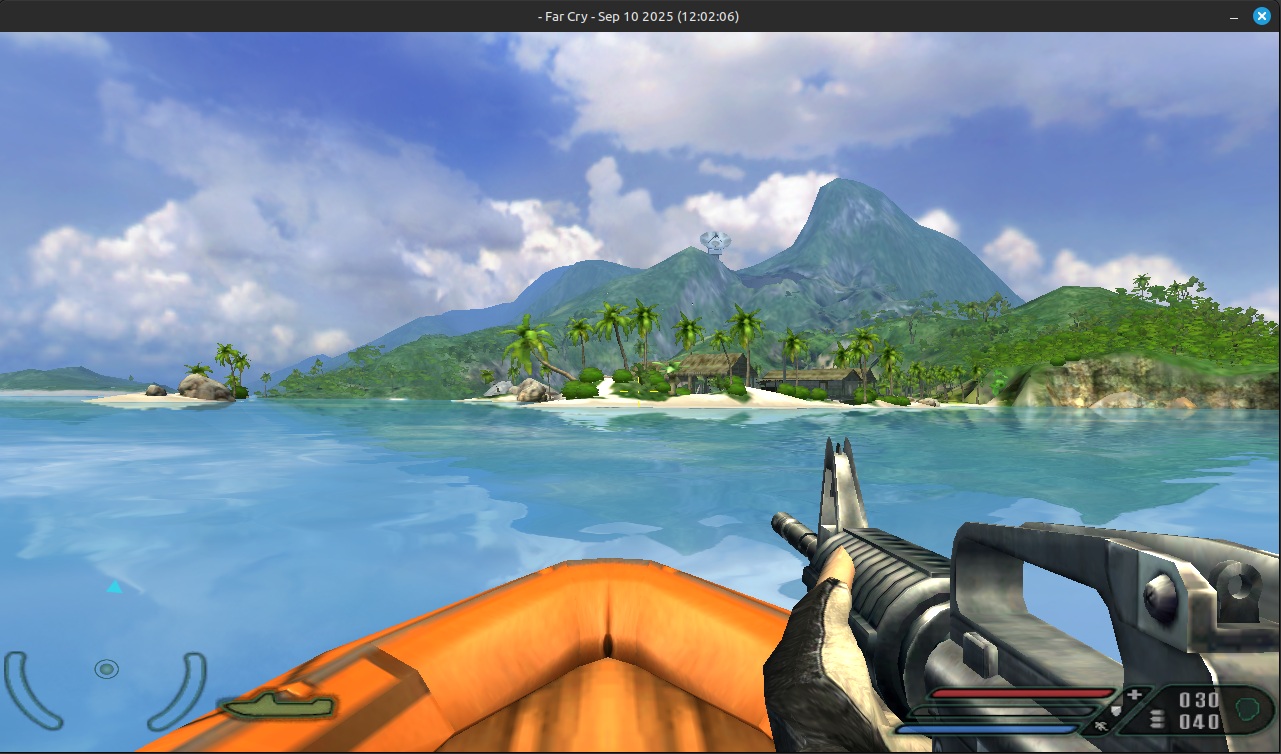
Far Cry's leaked source code ported to run on SDL3 and Linux. Thanks to ugozapad and q4a for their earlier work. Also thanks to SoapyMan for their work in integrating FFMpeg for Bink video support on their branch.
Binaries are available here.
You need SDL3, OpenAL-Soft, and OpenGL to compile the port. For macOS (a development host, not a release target) see BUILDING-macOS.md. You will also need the Nvidia Cg toolkit, which is not included, to compile the OpenGL renderer. You can get it here: https://developer.nvidia.com/cg-toolkit-download
Note: When running NearChuckle with OpenGL in Wayland, you must either use a precompiled shader cache, or force the game to run in X11 mode. See "Known issues" below.
Modify the CMakeLists.txt file in RenderDll/XRenderOGL and set CG_LIB_PATH to
the path containing libCgGL.so and libCg.so.
NearChuckle also supports the Direct3D9 renderer via DXVK for better performance. To compile with
DXVK, specify DXVK_INC_PATH and DXVK_LIB_PATH. Example:
cmake -DDXVK_LIB_PATH=/path/to/libdxvk_d3d9.so/ -DDXVK_INC_PATH=/path/to/dxvk_source/include/native/windows/
Note: When running NearChuckle with DXVK, you will need to supply precompiled shaders since it does not
include a shader compiler. You can download a mostly complete shader cache in the binary release. The
cache files are stored as pak files, which you can place in FCData. You can also create your own shader
cache by compiling and running the Windows port, then copying the files created in Shaders/Cache. If NearChuckle
tries to render a shader it does not have, it will log the error in a file named MissingShaders.txt in the same
directory as FCData. Please send any entries to me so that I can generate them.
After building, place all of the .so files and the FarCry binary in a folder in Far Cry's installation folder
(containing FCData, Levels, Profiles, Shaders). If you built with the supplied CMake Preset, they should
be in bin/x64-Debug. You can simply move x64-Debug to the installation folder. Launch FarCry from inside the folder it is in.
Known issues
Setting FOV
The view FOV has a default value of 90. To change this, open the console (tilde), and set the CVar game_fov. Example:
\game_fov 105
Broken decals on OpenGL
When using the OpenGL renderer, decal texture coordinates will frequently change every frame and look almost like
Z-fighting. To address this, I added a new CVar - r_DisableLevelDecalsHack. Setting this to 1 in the console
will disable rendering anything that uses a specific render state, which includes static level decals
as well as the player's multiplayer shirt color. Not ideal, but it's less distracting. The Direct3D9
renderer via DXVK does not have this issue. The CVar is saved into system.cfg, so don't forget to disable
it if you decide to switch renderers.
"The profile is not supported" error messages in console
The CG compiler does not work under Wayland. You can either run the game in X11, or download
a cache of precompiled shaders and place it in FCData. Precompiled shaders are available here.