Final Fantasy Tactics Advance · FFTARecomp
Final Fantasy Tactics Advance
OriginGame Boy Advance
TechnologyStatic recompilation (native C/C++)
Available forWindows, Linux
View official projectAbout the project
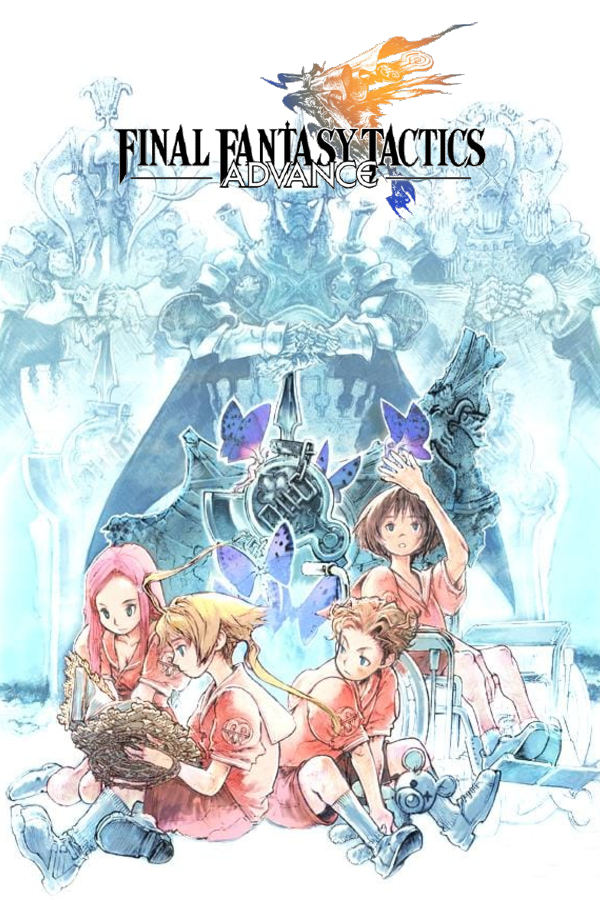
Final Fantasy Tactics Advance es un videojuego desarrollado por Square Enix en 2003 para la consola Game Boy Advance. Este juego es un spin-off de la popular serie Final Fantasy y, al igual que el videojuego de 1997 Final Fantasy Tactics para PlayStation, cambia el estilo original de la serie para embarcarse a un género más táctico. El jugador dirige a un clan con diferentes miembros y controla sus acciones en unos escenarios distribuidos por casillas.
2 versions of Final Fantasy Tactics Advance
You're viewing: FFTARecomp
Official project information
✨ What is this?
FFTARecomp turns Final Fantasy Tactics Advance into a native program for Windows, Linux, Steam Deck and Android. Instead of running in an emulator, the game is recompiled from your own ROM, so it runs smoothly, needs no BIOS, and gets modern options. It is based on gba-recomp by JRickey.
🆕 What's new in v3.1
- 🕹️ Steam Deck: the port menu now opens with Y.
- 📱 Much better mouse and touch support on Android. Most of the game is now playable with this mode.
- 📜 Scrollbars were added so menus are more comfortable to use with the mouse and touch.
- 💾 Reworked save system.
- The game now creates an auto save every 5 seconds, so you can close the game at any time, anywhere, without losing progress.
- The slot limit of the base game was raised: you can now have more than 2 save slots.
- ⏩ New x1.5 speed for fast forward.
- 🖥️ Menus redesigned for widescreen, without black borders, repeating the gradient patterns of the game's own textures.
- Please keep in mind that the menu background is just an image, and stretching the render area doesn't magically extend everything in the menu. This is my best effort to widen it; a better option would be to recreate the artwork from scratch, but I don't have much artistic experience.
- 🔍 Smooth zoom: zooming in and out is now animated instead of instant, and some UI elements that didn't scale with zoom out now do.
- 💬 Visual bugs fixed related to text bubbles.
- 🎞️ Visual bugs fixed related to the enter and exit animations of the menus, plus other visual fixes.
🎮 Features
- 🤖 Native Android version, with touch support that works like the PC mouse support. To enable it, go to Input > Touchscreen > Touch Controls.
- 🖱️ Mouse support: it doesn't cover the whole game yet, but support keeps expanding. To enable it, go to Input > Mouse and Keyboard and turn it on. On Windows, mouse mode comes with its own remappable layout that doesn't affect the keyboard controls.
- ⚡ Lightweight install: the install size is only about 11 MB (it used to be roughly 800 MB), and compile time is about 4 seconds (it used to be roughly 120 seconds).
- 💬 Fully reworked game UI and editable text bubbles: the Text Bubbles option in the Settings menu lets you adjust their length and size in-game.
- 🇪🇺 European ROM support. Saves are compatible between regions.
- 🖥️ Widescreen: Auto, 16:10, 16:9 (default), 20:9, 21:9 and 32:9.
- 🔍 Zoom in and out.
- 🎨 Video options: screen model, grid, scaling and vsync.
- 🔊 Audio options and volume control.
- 🔊 Normal audio mode: the game fast-forwards while the audio keeps playing at normal speed.
- ⏩ Fast forward.
- 🎛️ Completely redesigned menu.
- 🎮 Gamepad support (reworked generic XInput).
- 🐧 Native Linux version.
- 🕹️ Steam Deck support, with a dedicated installer (the Linux installer also works).
- 🛠️ Reworked installer and a one-click installer: pick your ROM and you're done.
- 🚫 No console BIOS needed.
🕹️ Controls
💡 To open the Options Menu, press Esc while in-game.
| PC | Game Boy Advance |
|---|---|
| Z | A |
| X | B |
| A | L |
| S | R |
| Enter | Start |
| Right Shift | Select |
| Up Arrow | Up |
| Down Arrow | Down |
| Left Arrow | Left |
| Right Arrow | Right |
| Tab | Fast Forward |
| + | Zoom in |
| - | Zoom out |
Controls can be remapped from the Options Menu.
🎮 Gamepad default
| Gamepad | Action |
|---|---|
| A | GBA A |
| B | GBA B |
| LT | GBA L |
| RT | GBA R |
| LB | Zoom out |
| RB | Zoom in |
| Left stick click | Hold Fast Forward |
| Right stick click | Toggle Fast Forward |
| Start / Menu | Start |
| Back / View | Select |
| D-pad or left stick | Move |
| Guide | Options Menu |
| Y (Steam Deck) | Port menu |
⏩ Fast forward modes
| Mode | Behavior |
|---|---|
| Silent | No audio (default) |
| Fast audio | Audio speed follows the fast forward speed |
| Normal | Audio keeps playing at normal speed |
💬 Text Bubbles
| Option | Behavior |
|---|---|
| Manual length | Changes the length of the text bubbles |
| Size | Changes the size of the text bubbles |
🚀 Installation
Windows
- Download
FFTARecomp-windows-x86_64.zipfrom Releases and extract it. - Run
FFTARecomp.exe, choose your ROM and press Recompile & Install. - Wait for the five steps to finish, then press Play. ▶️
Linux / Steam Deck
Download FFTARecomp-linux-x86_64.tar.gz from Releases and run:
mkdir -p FFTARecomp-linux && tar -xzf FFTARecomp-linux-x86_64.tar.gz -C FFTARecomp-linux && cd FFTARecomp-linux && ./FFTAInstaller
On Steam Deck, run it from Desktop Mode.
Android
- Download
FFTARecomp-android-arm64.apkfrom Releases. - Tap the downloaded file and press Install. If Android asks, allow installing apps from this source.
- Open the app and choose your ROM.
💡 You need your own copy of Final Fantasy Tactics Advance. This project does not include any game data.
🔨 Building from source
You need Rust and Windows PowerShell. Then run a single script from the repo root:
git clone https://github.com/Jorge262007/FFTARecomp.git
cd FFTARecomp
.\build-all.ps1
The script does everything in order:
- Builds the whole workspace (
cargo build --release). - Builds the installer (
cargo build --release -p installer). - Copies
installer.exeintoInstaller\, next to the staticpayloadfolder. - Downloads the compiler toolchain (w64devkit 2.10.0) into
Installer\payload\toolchain, only if it is missing.
When it finishes, the final installer is in:
FFTARecomp\Installer\
If PowerShell blocks the script, run it with:
powershell -ExecutionPolicy Bypass -File .\build-all.ps1
To force a fresh toolchain download, delete Installer\payload\toolchain and run the script again.
⏱️ The first build can take several minutes.
⚠️ Good to know
- ⚠️ The USA version of the game is temporarily not supported with the new changes. Your saves are compatible between regions, so there should be no problems: you only need to switch to the European ROM.
- 🚧 This is a work in progress.
🛡️ Windows or your antivirus shows a warning?
The executables are not code-signed, so Windows SmartScreen or your antivirus may show a warning. Click More info → Run anyway, or right-click the
.zip→ Properties → tick Unblock before extracting.If you have any doubts, you can check the VirusTotal report included in each release.
📜 License and credits
- License: MIT, see LICENSE. It keeps the original author's copyright line.
- Based on gba-recomp by JRickey (MIT OR Apache-2.0).
gamedb.sqliteis by JRickey, released under CC0 1.0.- Includes w64devkit (GCC, binutils and other tools under GPL and compatible licenses), unmodified. Their licenses are in
payload/toolchain. - Final Fantasy Tactics Advance is owned by Square Enix / Nintendo. This project is not affiliated with them and does not distribute ROMs or copyrighted game data.
<p align="center">Made by a fan, for fans.</p>