Forecast Channel
OriginWii
TechnologyNative C/C++ port (engine reimplementation)
Available forWindows, Linux, macOS
View official projectAbout the project
Forecast Channel es un videojuego de simulaci�n publicado por Nintendo para Wii, lanzado en 2006.
Official project information
Forecast Channel


A decompilation of The Wii's Forecast Channel.
This repository does not contain any game assets or assembly whatsoever. An existing copy of the channel WAD is required.
Supported versions:
HAFE: v7 (USA/NTSC)
Dependencies
Windows
On Windows, it's highly recommended to use native tooling. WSL or msys2 are not required.
When running under WSL, objdiff is unable to get filesystem notifications for automatic rebuilds.
- Install Python and add it to
%PATH%.- Also available from the Windows Store.
- Download ninja and add it to
%PATH%.- Quick install via pip:
pip install ninja
- Quick install via pip:
macOS
-
Install ninja:
brew install ninja
wibo, a minimal 32-bit Windows binary wrapper, will be automatically downloaded and used.
Linux
- Install ninja.
wibo, a minimal 32-bit Windows binary wrapper, will be automatically downloaded and used.
Building
-
Clone the repository:
git clone https://github.com/doldecomp/forecast.git -
Copy your WAD to
orig/HAFE -
Configure:
python configure.pyTo use a version other than
HAFE(USA/NTSC v7), specify it with--version. -
Build:
ninja
AI Usage
You are entirely responsible for whatever AI-generated code you submit, You should treat it as if you wrote it yourself.
tldr; no slop and you'll be fine
Diffing
Once the initial build succeeds, an objdiff.json should exist in the project root.
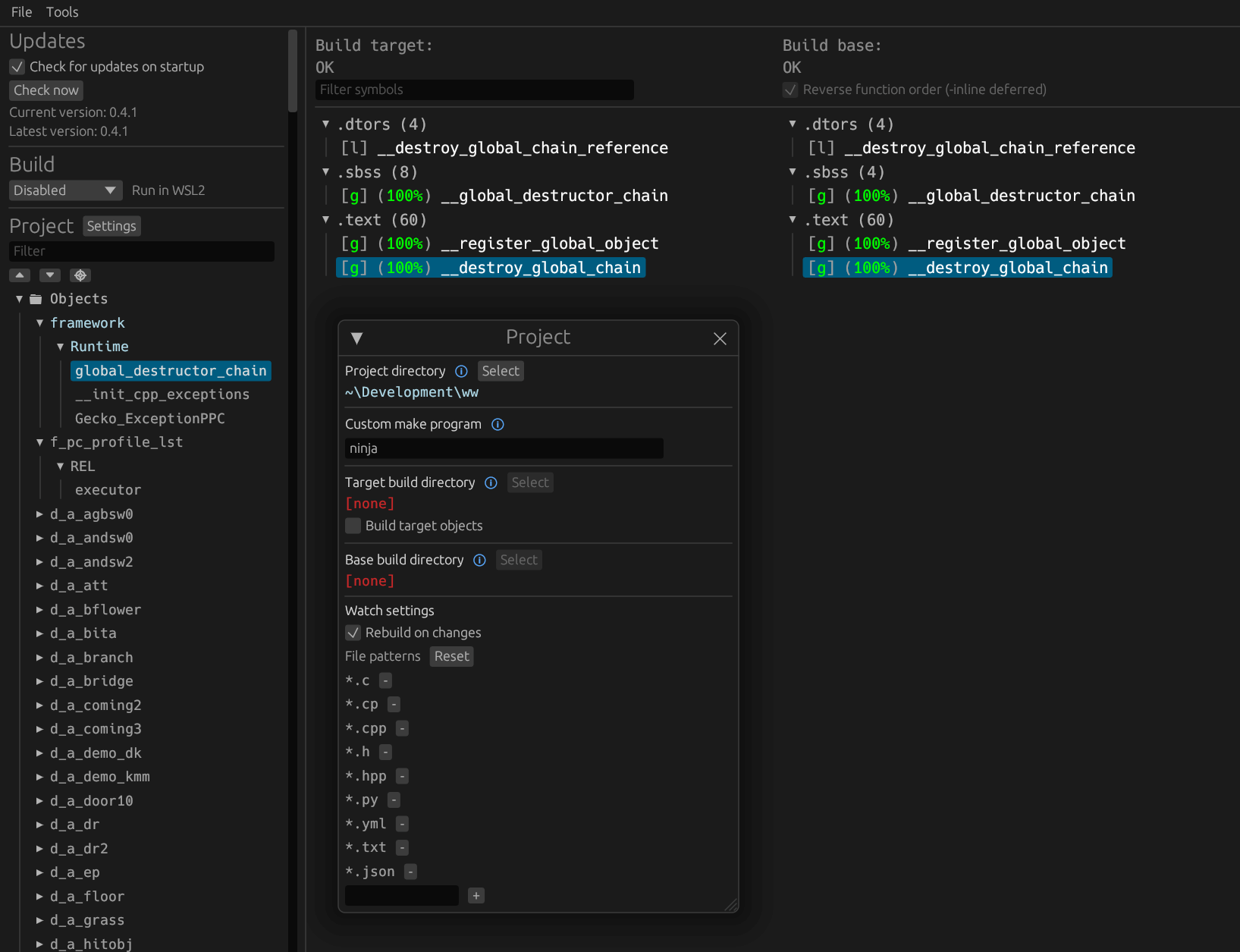
Download the latest release from encounter/objdiff. Under project settings, set Project directory. The configuration should be loaded automatically.
Select an object from the left sidebar to begin diffing. Changes to the project will rebuild automatically: changes to source files, headers, configure.py, splits.txt or symbols.txt.
Credits
ogws: RVL_SDK, MSL, nw4r
Petari: MetroTRK