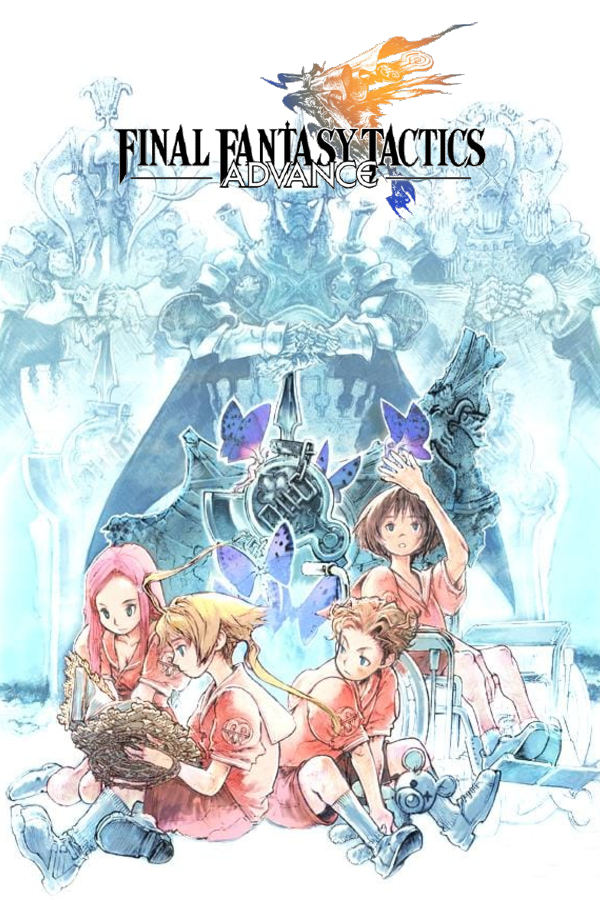
Final Fantasy Tactics Advance · FTTA Recomp
Final Fantasy Tactics Advance
OriginGame Boy Advance
TechnologyStatic recompilation (native C/C++)
Available forAndroid
View official projectAbout the project
Final Fantasy Tactics Advance es un videojuego desarrollado por Square Enix en 2003 para la consola Game Boy Advance. Este juego es un spin-off de la popular serie Final Fantasy y, al igual que el videojuego de 1997 Final Fantasy Tactics para PlayStation, cambia el estilo original de la serie para embarcarse a un género más táctico. El jugador dirige a un clan con diferentes miembros y controla sus acciones en unos escenarios distribuidos por casillas.
2 versions of Final Fantasy Tactics Advance
You're viewing: FTTA Recomp
Official project information
Final Fantasy Tactics Advance Recomp
Experimental preview. This recompilation is built on gbarecompx, the actively developed fork of gbarecomp — the reusable static-recompilation framework whose reference games are its proving ground. This is not a finished commercial port, so expect rough edges and please report problems. For more context, read Recomp + AI: 5 Months Later ».
Static recompilation of Final Fantasy Tactics Advance for Linux, Windows, Android, and Steam Deck, with a validated widescreen view and strict fully-static execution.
The game ROM is not included. You must provide your own legally obtained
dump of Final Fantasy Tactics Advance (USA). The launch BIOS is
included: a clean-room, freely redistributable
emibios build committed at bios/ —
no Nintendo BIOS dump is required.
Features
- Native Linux, Windows, Android, and Steam Deck builds — portable Linux zip, Steam Deck/SteamOS AppImage, static Windows exe, and an Android APK
- Keyboard, controller, and touchscreen controls
- Windowed and fullscreen desktop play
- Validated widescreen view up to 448 px
- Present-time shader stack: MMPX edge smoothing, sharp scaling, pixel grid, LCD subpixel grille, LCD boost, dither, and deband — each toggleable in the in-game menu
- Frame enhancements: frame interpolation (experimental) and LCD ghosting (frame blending), also configurable in the in-game menu
- Cartridge saves and save states
- Fast-forward speed boost — hold
2(default Assist binding) orTab(Turbo) / right trigger, or tap theFFtouch pill to latch it; speed (2–10x) is set in the in-game menu's Assist section - Strict fully-static execution — zero interpreter fallback on any executed path, kept that way by a self-healing coverage loop
- GBA screen simulation:
raw,unlit,frontlit,backlit,classic - Launch screen with box art and a native file-dialog ROM picker; ROM and BIOS hashes verified at launch
Controls
| GBA control | Keyboard | Controller |
|---|---|---|
| D-Pad | Arrow keys | D-Pad / left stick |
| A / B | X / Z | A / B |
| Start | Enter | Start |
| Select | Backspace | Back (Select) |
| L / R | C / V | LB / RB |
| Fast-forward (hold) | Tab (Turbo) / 2 | Right trigger |
| In-game menu | Del | Guide or Y button |
Controllers are detected automatically. The left analog stick doubles as
the D-Pad. Inside the menu, the D-Pad/arrows move, A selects, and B goes
back; Del, the Guide button, or Y opens and closes it. Fast-forward runs the
game faster while held or latched; 2 is the default Assist binding, Tab
is the separate Turbo binding, and its speed (2–10x) is configurable in the
in-game menu's Assist section.
On Android, use the on-screen touch controls — tap the FF pill at the top
of the screen to toggle the speed boost; open the menu with a long-press,
three-finger tap, or the system Back gesture. Use the on-screen A/B buttons
to select and go back inside the menu.
Fast-forward controls, the 2–10x speed setting, and expected behavior are covered in docs/fast-forward.md.
Quick start
Release builds are ROM-less: download one, supply your own legally obtained Final Fantasy Tactics Advance (USA) dump, and pick it on the launch screen. The clean-room BIOS is bundled and verified, so no Nintendo BIOS dump is needed.
Grab the latest release from the releases page.
| Release | Artifact | System requirements |
|---|---|---|
| Linux x64 | FFTARecomp-*-linux-x64.zip | x86-64 Linux with OpenGL and X11/XWayland; Debian/Ubuntu: libgl1 libglu1-mesa libx11-6 (normally preinstalled on desktops) |
| Windows x64 | FFTARecomp-*-windows-x64.zip | Windows 10+ x86-64; static executable, nothing extra |
| Steam Deck / SteamOS | FFTARecomp-*-linux-x86_64.AppImage | SteamOS 3.x, x86-64; FUSE; glibc 2.35 or newer |
| Android | FFTARecomp-*-android-arm64-v8a.apk | Android 9+ (API 28), arm64-v8a |
Apart from the system OpenGL/X11 stack (and the standard C++ runtime), the release builds are self-contained; no additional game runtime libraries need to be installed.
Run
- Linux: extract the zip anywhere writable and run
./FFTARecomp. - Windows: extract the zip anywhere writable and run
FFTARecomp.exe. - Steam Deck / SteamOS: mark the AppImage executable (
chmod +x) and run it from Desktop Mode, or add it as a non-Steam game. - Android: sideload the APK (it is debug-signed, so allow installation from your browser or file manager) and open the app.
Pick your ROM
The flow is the same on every release:
- Start the game. On desktop the launch screen opens (the first boot opens the native file picker right away); on Android the setup screen opens.
- Choose Select ROM and pick your legally obtained USA dump. On desktop
you can also drop a
.gbafile onto the window. - Select Play. The ROM is hash-verified, the pick is remembered, and Select ROM re-picks later. The bundled BIOS needs no separate pick.
Load an old save (optional)
Battery saves are raw 64 KiB (65,536-byte) flash images.
- Desktop: copy your old
.savto the game's save file, namedffta_us.sav, before launching; exact paths are in the file-location details below. - Android: on the setup screen, use Save data (optional) →
CHOOSE SAVE and pick the 64 KiB
.savfile.
The game loads the imported battery save on the next launch; in-game saves update the same file.
<details> <summary>Where files live and platform-specific details</summary>Linux and Windows zip (inside the extracted folder):
saves/ffta_us.sav— cartridge battery save (createsaves/if needed)rom.cfg— remembered ROM pathconfig.ini,keybinds.ini— menu settings and key bindings
Steam Deck / SteamOS AppImage: after the first launch the game is
unpacked to $XDG_DATA_HOME/ffta-recomp/app (default
~/.local/share/ffta-recomp/app). That folder holds the executable,
saves/ffta_us.sav, rom.cfg, and the config/keybind files; updating the
AppImage keeps them. In Game Mode it defaults to borderless fullscreen with
the resize-driven widescreen view. Override with --window, --scale, or
--view-width, or set FFTA_APPIMAGE_NO_DECK_DEFAULTS=1. If FUSE is
unavailable, run with APPIMAGE_EXTRACT_AND_RUN=1 or
--appimage-extract-and-run. If the system file picker is unavailable, add
--rom /path/to/ffta.gba as a Steam launch option once.
Android: the app's external files live under
/sdcard/Android/data/org.gbarecomp.fftarecomp/files/; the battery save is
saves/ffta_us.sav, and save states are in states/. To import a save
manually, force-stop the app first, then copy the 64 KiB file to that
saves/ffta_us.sav path.
The AppImage and Linux zip are built in a pinned Debian 12 container
(tools/compat_build.py) and require glibc 2.35 or newer, which SteamOS 3.x
provides. A binary built on a rolling host can require a newer glibc than
SteamOS ships.
Display and widescreen options (--view-width 448, --resize-view,
--scale, fullscreen) are listed in docs/README.md.
Building from source
Release players do not need this. Source-build requirements, the
one-command python3 build.py route, the manual pipeline, the Android
build, and contributor notes are documented in
docs/manual-build.md.
License
PolyForm Noncommercial 1.0.0 — see LICENSE. Third-party
components retain their own licenses; see
THIRD_PARTY_ATTRIBUTION.md.
Legal
This is an unofficial, non-commercial preservation and research project. It is not affiliated with or endorsed by Square Enix or Nintendo. Final Fantasy Tactics Advance and related names, characters, artwork, and game data are trademarks or copyrights of their respective owners.
No copyrighted game ROM or Nintendo BIOS data is distributed by this project. The bundled BIOS is a clean-room replacement, not a Nintendo dump.
Part of the R.A.I.D. — Retro AI Development static-recompilation community.