
Galaxy On Fire 2 Unity Remake
Galaxy on Fire 2™ Full HD
About the project
Galaxy on Fire 2™ Full HD es un videojuego de simulación publicado por bitComposer Games en 2012.
Official project information
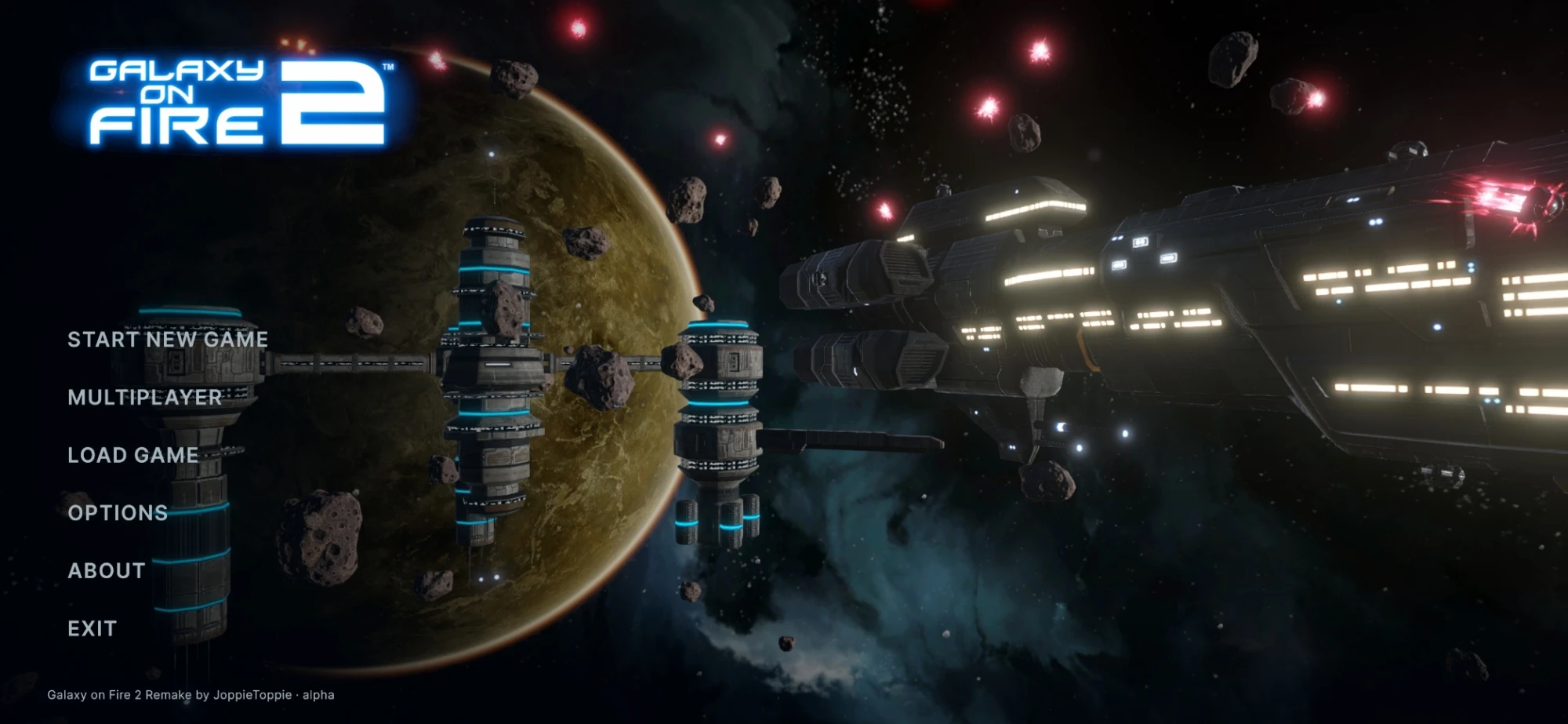
The remake is built on the original game's assets and on game logic ported from the decompiled original code.
[!NOTE] Status: the main campaign and both add-ons, Valkyrie and Supernova, can be played from start to end, and so can the Supernova Challenge arcade mode. Multiplayer, the co-op campaign and the Mod Builder are experimental. VR has only been tested without a headset so far.
Which section do I need?
| I want to... | Go to |
|---|---|
| Play the game on my PC or phone | Play the game: download a release, no Unity needed |
| Play with friends or run a server | Multiplayer |
| Add ships, items, systems or quests | Mods: made in the game or as data files, no Unity needed |
| Change the game's code or assets, or send a pull request | Help with the project: clone the repository and open it in Unity |
<a id="play"></a>
🎮 Play the game
You don't need Unity, Git or this repository to play. Download the build for your platform from the latest release:
| Platform | Download | How to install |
|---|---|---|
| Windows 10 / 11 (64-bit) | GoF2Remake-Windows-<version>.zip | Unzip, then run GoF2Remake.exe in the GoF2Remake folder |
| Linux (x86_64) | GoF2Remake-Linux-<version>.zip | Unzip, then run GoF2Remake.x86_64 (if it won't start: chmod +x GoF2Remake.x86_64) |
| Android (ARM64) | GoF2Remake-Android-<version>.apk | Copy the APK to the phone and open it; allow installs from this source when asked |
| Windows (UWP app) | GoF2Remake-UWP-<version>.zip | Unzip, right-click Install.ps1 > Run with PowerShell (it asks to trust the package's test certificate) |
| Dedicated server | GoF2Remake-WindowsServer-… / -LinuxServer-… | See SERVER.md; also the Docker image ghcr.io/joppietoppie/gof2-server |
- Version: every build's version is the date and time of its release (for example
2026.11.02.0622), the same on every platform, shown in the main menu. Multiplayer only works between players on the same version. - Updating: the main menu shows Update available when a newer release is out. From builds after 2026.11.02 on, that button updates the game in place and downloads only what changed (Windows, Linux and Android; the UWP app updates through Windows' App Installer). Builds from 2026.11.02 and older need one last full download.
- Saves are kept separately from the game files, so updating or reinstalling keeps them. Export and import all saves as one file under Load game, to move them to another PC or phone.
- The UWP version has no Discord status, controller gyro, save file dialog, VR or dedicated server.
[!TIP] A new install plays like the original game. Options > Gameplay > Game experience switches the remake's additions on at once: Original, Cosmetic (hangar flights and animated dialogue) or Remake (every addition). Each option can also be changed on its own.
Linux and Steam Deck
- Controllers: Xbox, PlayStation and Switch Pro controllers work directly. On a Steam Deck in desktop mode, or with a controller the game doesn't recognise, add the game to Steam (Add a Non-Steam Game) and start it from there: Steam Input then presents it as an Xbox controller.
- Started from Steam on a Steam Deck: Steam sets
SteamDeck=1, which makes the Unity Linux player stall at ~0 FPS (#232). The game restarts itself once without it (the window may open twice). If it still stalls, set the shortcut's Launch Options toenv -u SteamDeck %command%.
<a id="features"></a>
✨ Features
- Story: the full main campaign with the prologue, the Void and the ending, plus the Valkyrie and Supernova add-ons. Voiced dialogue (English or German), portraits, radio chatter and cutscenes.
- Flight: the original flight model and chase camera, a cockpit view, and an optional free flight mode in the style of EVERSPACE 2. Station orbits are rebuilt exactly like the original, with their skies, planets, suns and asteroid fields.
- Travel: autopilot, planet jumps, fast-forward, the star map, jumpgates, the Khador Drive and the Void's wormhole. Jumpgate route planning flies you gate by gate to any system, by the fastest or the safest route. The optional Khador Slipstream is fast travel inside a system and between systems.
- Combat: every weapon (missiles, beams, EMP, mines, turrets, sentry guns, the Liberator...), NPC traffic and AI, capital ships, pirate bases, Specters and the Most Wanted. Cloak, emergency system, time extender, repair beams and gamma shields. The Supernova Challenge arcade mode with a combo score and a highscore.
- Economy and stations: hangars, shops and ship dealers, the space lounge with bar agents and every freelance mission type, blueprints, wingmen, medals and the Kaamo Club.
- Mining: asteroid mining with the drilling minigame, the Mido Mining Plant (ore into cores, Space Waste sorting), gas clouds, hacking and docking at objects.
- Co-op campaign (experimental): play the story together, 2 to 4 players by default, from its own button in the main menu. The host continues a single-player save or starts a new game; enemies can get stronger per player.
- Multiplayer (experimental): a shared universe with squads, factions, arena matches, trading and event game modes. See Multiplayer.
- Mods: new items, ships, systems, stations, characters, quests and whole campaigns, made with the in-game Mod Builder. See Mods.
- VR (experimental): PC VR through OpenXR. See VR.
- Speedrun timer: splits per story chapter or step, LiveSplit split files and a LiveSplit link.
- Controls and screens: touch, tilt, keyboard and mouse, and controllers (Xbox or PlayStation buttons, picked automatically), all rebindable. Gyro steering with DualSense, DualShock 4 or Switch Pro on Windows; haptics on controllers and Android phones. Landscape screens from 4:3 up to 32:9.
- Languages: the original's languages plus Dutch, Simplified Chinese and Hindi translations, with Korean, Japanese and Arabic completed (14 in all), and German or English voices.
- Hangar and presentation: arrival and take-off flights in the hangar, soft ship shadows, depth of field, Inspect ship (an orbit camera around your ship), animated dialogue text and the original-style bloom.
- Capital ship enhancements: escorts, stronger turrets and missile salvos; the carrier and the Vossk battleship can be destroyed, rare fleet battles between them, and the carrier sells supplies to pilots it trusts.
- Pirate events: in Risky and Dangerous systems an orbit may hold a pirate outpost or a named pirate boss with a bounty and a threat tier, listed on the Missions window's Pirate activity board.
- Smarter NPC targeting: enemy fighters attack the nearest hostile ship instead of all going for you. EMP breaks cloaks, and the Disruptor does double damage to shields, as its description says.
- Collision on the real shapes: shots hit what they touch and you slide along stations and freighters. Ship collision: Exact shape, Mixed (fighters keep the original's larger hit box) or Original.
- A missile warning; boosting or cloaking shakes off homing missiles. An arming distance for bombs.
- New Game+: start again with a finished game's credits, blueprints, medals and ships.
- New game options: the Kaamo Club from the start, Hardcore (permadeath), a game without medals, the tutorial popups, and a choice between the PC and Android economies.
- Four difficulties (Easy, Normal, Hard, Extreme), changeable during a game.
- Quality of life: sell or buy a whole stack by holding the arrow, a smart target lock with an Unlock target control, the Missions window's map can travel to a mission's target, a full-map star map overview, medals as a short toast, a Full / Minimal / Off flight HUD (F1), far ship markers with distances, cooldown icons, an FPS counter and every weapon's own shot sound.
- Graphics: Low / Medium / High presets, levels of detail for distant ships, stations and asteroids, SMAA / FXAA / TAA, and upscaling (FSR 1 and STP everywhere, NVIDIA DLSS and AMD FSR 2 / 3 / 4 on Windows).
- Photo modes (Action Freeze in flight, Inspect ship in the hangar): a free camera, field of view, roll, depth of field, shutter angle and long exposures, zoom blur, film looks, exposure, colour, frames, and screenshots up to 4x the screen size.
- Saves: import an Android or PC save of the original game, export saves for the original's community builds, and a save folder of your choice (reachable by sync tools such as Syncthing).
- Debug tools (Options > Gameplay): jump to any story step, cheats, give items, spawn ships and objects, fly any hull, save and load ship loadouts. The current story step and station can show at the bottom right, so a bug screenshot shows where it happened.
- Discord Rich Presence on Windows.
<a id="multiplayer"></a>
🌐 Multiplayer
Multiplayer is experimental. Everyone in a session shares one universe in the finished game's world: you see each other in space and in the hangars, form squads, fly bar missions together, share the shops and the NPC traffic, found factions that own stations, trade credits and cargo, and fight in arena matches (or anywhere, when the host picks PvP). Join through the server browser (with each game's region and ping), a join code, or the local network.
A new pilot starts docked at Dis in a Betty with 10 000 credits. A dedicated server (or a host's persistent world) keeps each player's progress; your single-player saves are never touched. Only the exact same game version can play together.
| Guide | What's in it |
|---|---|
| Playing together | Joining and hosting, chat, squads, missions, shops, factions, owning stations, arena fights, admins, every chat command |
| Running a dedicated server | The Windows / Linux server downloads and the Docker image, options, console, message of the day, becoming admin, its files |
| How multiplayer works | The code, for programmers |
<a id="mods"></a>
🧩 Mods
Mods add or change the game's content as data, no code and no Unity needed: items (with their own weapon effects and sounds), ships from GLB models, skins, star systems and stations (with their own models, planets, suns, skies, hangars and bars), characters with portraits and voice-over, music and sound effects, blueprints, quests and bar missions, and whole campaigns that appear under New Game.
Installing a mod: in the main menu's Mods screen, press Import mod and pick the mod's .zip (on Android too).
Or put the mod (a folder or its .zip) in the Mods folder yourself, then turn it on in the Mods screen. The screen's
Open mods folder button opens it:
| Platform | Mods folder |
|---|---|
| Windows | %USERPROFILE%\AppData\LocalLow\JoppieToppie\Galaxy on Fire 2\Mods, or a Mods folder next to GoF2Remake.exe |
| Linux | ~/.config/unity3d/JoppieToppie/Galaxy on Fire 2/Mods, or a Mods folder next to the game |
| Android | Android/data/com.joppietoppie.gof2remake/files/Mods (reachable over USB) |
A save made with mods remembers them; loading it without them removes their items (refunded). In multiplayer the host decides whether mods are allowed, and joining players need the same mods.
Making a mod:
- Mod Builder (Mods > Mod Builder, experimental): makes ships, items, skins, characters,
quests (with a node graph), systems, stations, hangars and bars, weapon effects, audio, blueprints, campaigns and ship
kits inside the game, with undo, test flights and play tests, and exports the finished mod. It also shrinks a mod's
models and textures and imports community mods made from the original's models (
.aem/.aei). Your own AI assistant can work in it through its local MCP server, with permissions you choose. - By hand: the modders' guide Modding/README.md, with example mods in Modding/Examples.
- With an AI assistant: Modding/ai has a guide for Claude, ChatGPT and others.
<a id="controls"></a>
🕹️ Controls
<details> <summary><b>Keyboard and mouse</b></summary>| Key | Action |
|---|---|
| Arrow keys | Steer |
| W | Boost |
| S | Brake (the engines stop while held) |
] / / or the mouse wheel | Throttle |
| Space / left mouse | Primary weapons |
| R / right mouse | Secondary weapon |
| G | Switch secondary weapon |
| A / D | Strafe left / right |
| 1 / 3 | Roll left / right |
| 2 | Level out |
| F / Enter | Action (dock, autopilot, mine, jump) |
| Q | Autopilot menu |
| E | Actions menu (secondary weapons, wingmen, cloak, Khador Drive) |
| Tab | Fast-forward |
| T | Camera: chase, cockpit, turret view, free look |
| V / K / C / X | Wingmen / Khador Drive / cloak / time extender |
| M or middle mouse | Toggle mouse steering |
| U | Unlock target |
| B / N | Chat / multiplayer window (multiplayer) |
| F1 | Flight HUD: full, minimal, off |
| F12 | Screenshot |
| Esc | Pause |
Every flight control can be rebound in Options > Key bindings (two keyboard / mouse keys and a controller button each). Controllers and touch are fully supported, and the in-game hints show the buttons of whichever input you used last.
<a id="vr"></a>
VR (experimental)
Start the Windows build with -vr (for example a shortcut to GoF2Remake.exe -vr) with a PC VR headset connected and an
OpenXR runtime active (SteamVR, Meta Quest Link, Windows Mixed Reality). Without a headset the game starts normally.
- Flight: you sit in a cockpit. Shield, hull and cargo are on its displays, the radar in the middle of the dashboard, the rest of the HUD on the canopy. Cutscenes keep the horizon level and fade between shots.
- Stations: you stand in the hangar beside your ship (grab it with the grip and pull to turn it) and in the bar (point at a visitor and pull the trigger to talk).
- Menus appear on a floating screen; point with the right controller and pull the trigger.
- Controls: the controllers work as a gamepad (sticks, triggers, A / B / X / Y, the grips as LB / RB). With Options > Controls > "VR flight: grab the stick and throttle" you fly with the cockpit's side-stick and throttle lever instead.
The cockpit is the same for every ship for now.
</details><a id="help"></a>
🛠️ Help with the project
This section is for changing the game itself: its code, scenes and assets, or building your own copies. To just play, use a release; to add content, a mod is usually enough.
Requirements
- Unity 7000.0.0a12 (an alpha, installed through Unity Hub). Add the build support modules for the platforms you build: Windows Build Support (IL2CPP), Linux Build Support (IL2CPP), Android Build Support, and the Dedicated Server modules for server builds.
- Git with Git LFS. The models, textures and sounds are about 2.1 GB in LFS, fetched from the project's own LFS server (set in .lfsconfig).
- For Windows builds: Visual Studio 2022 or newer with the Desktop development with C++ workload and a Windows 10 / 11 SDK (IL2CPP). The UWP build also needs C++ Universal Windows Platform tools.
Getting the project running
git lfs install
git clone https://github.com/JoppieToppie/Galaxy-on-Fire-2-Unity-Remake.git
- Open the cloned folder in Unity Hub (Add > Add project from disk) with Unity 7000.0.0a12. The first import takes a while.
- Open
Assets/Scenes/Splash.unity(orMainMenu.unityto skip the logos) and press Play.
The scenes are Splash (build index 0), MainMenu, Space (the flight level) and Station (docked). The generated
assets (prefabs, materials, icons, HUD images) are already in the repository; the GoF2 menu in the Editor rebuilds
them, and GoF2 > Tools Overview lists every tool.
[!IMPORTANT] Don't generate lighting for the scenes. They have no baked lighting on purpose: the game builds its levels at runtime and each system has its own sky (
SkyReflectionupdates the ambient light from it). A baked probe would be one fixed sky for every system.
Building
- Always switch the active build profile (File > Build Profiles > Switch Profile) before building another platform.
URP keeps shader variants for the active platform only: an Android build made while Windows was active renders black,
so the editor script
BuildTargetGuardrefuses it. BuildVersionStampgives every build its version from the date and time of its git commit. For a release, set the Editor process'sGOF2_BUILD_VERSIONenvironment variable so all platforms get the same one.- Dedicated servers: GoF2 > Build > Linux Dedicated Server / Windows Dedicated Server. The
docker/folder holds the server image. - Update patches for the in-game updater: GoF2 > Build > Update Patch after the builds.
Tests
About 3000 edit-mode tests cover the rules and data, plus play-mode smoke tests of the scenes, story levels and a hosted
session. Run them from Window > General > Test Runner, or with the unity CLI connected:
python -I Reference/tools/tests/run_tests.py
See Assets/Scripts/Tests/README.md.
Project layout
Assets/Scripts/Runtime/   game code in layered assemblies: Core <- Game <- Space <- Net <- App
Assets/Scripts/Editor/    import settings, asset and prefab builders, the GoF2 menu
Assets/Scripts/Tests/     edit-mode and play-mode tests
Assets/Resources/         game data (JSON), assembled prefabs, sky / HUD / combat assets
Assets/UI/                UI Toolkit screens (UXML / USS)
Modding/                  the modders' guide and example mods
Reference/                decompiled original code, research notes and conversion tools
docs/                     multiplayer guides and the per-area technical notes
Documentation
- CLAUDE.md: the project-wide rules (conventions, coordinates, data) and the index of the technical notes.
- docs/notes/: one file per area of the game (flight, combat, story, shop, multiplayer, mods...), with the original functions each system is based on and the choices the remake made.
- Assets/Scripts/Runtime/README.md: the assembly layers and their hooks.
- Reference/README.md: the decompiled code and the tools that read it.
Contributing
- Found a bug? Open an issue with your platform, the game's version (shown in the main menu) and a screenshot. Options > Gameplay can show the current story step and station at the bottom right, which tells us where it happened.
- Pull requests are welcome. Fork the repository, make your change on a branch, run the edit-mode tests, and open a
pull request against
main. Before working on an area, read its file in docs/notes/; the conventions are in CLAUDE.md. - Like the project? Give it a ⭐ on GitHub, it helps others find it.
<a id="credits"></a>
🙏 Credits
Galaxy on Fire 2 Remake by JoppieToppie, with pull requests from KiritoJPK, DuIslingr, Zippadelic, FantasyToLife and others.
The remake is built on the FULL HD version and modifications made by KiritoJPK, thanks to the Galaxy on Fire 2™ and 4PDA community: https://github.com/KiritoJPK/Galaxy-on-Fire-2-FULL-HD-Android
Fonts: the original game's interface typeface, and Inter (SIL Open Font License). Controller gyro: JoyShockLibrary by Julian Smart (MIT License). Built with Unity, the Universal Render Pipeline, Netcode for GameObjects and OpenXR.
Contributors
<a href="https://github.com/JoppieToppie/Galaxy-on-Fire-2-Unity-Remake/graphs/contributors"> <img alt="Contributors" src="https://contrib.rocks/image?repo=JoppieToppie/Galaxy-on-Fire-2-Unity-Remake"> </a>⭐ Star history
<a href="https://star-history.com/#JoppieToppie/Galaxy-on-Fire-2-Unity-Remake&Date"> <img alt="Star history chart" src="https://api.star-history.com/svg?repos=JoppieToppie/Galaxy-on-Fire-2-Unity-Remake&type=Date"> </a>⚖️ Legal
© 2011 Designed and developed by FISHLABS Entertainment GmbH, powered by ABYSS® Game Engine. Galaxy on Fire 2™ and ABYSS® are registered trademarks of FISHLABS Entertainment GmbH. All rights reserved. This is an unofficial fan project, not affiliated with or endorsed by FISHLABS or Deep Silver.
The remake's own code is licensed under the Apache License 2.0.