
Ghost Recon Future Soldier (macOS)
Tom Clancy's Ghost Recon Future Soldier
OriginXbox 360
TechnologyNative C/C++ port (engine reimplementation)
Available formacOS
View official projectAbout the project
Tom Clancy's Ghost Recon Future Soldier es un videojuego de disparos publicado por Ubisoft para Xbox 360, lanzado en 2012.
Official project information
The project
GRFS-Recomp brings the Xbox 360 version of Ghost Recon Future Soldier to Apple Silicon through static PowerPC recompilation. It uses the ReXGlue runtime and Xenos graphics backend, with Vulkan translated to Metal by MoltenVK. The download bundles the runtime and a native AppKit launcher; players do not need to install the SDK.
[!IMPORTANT] Bring your own game. You must provide your own compatible Xbox 360 ISO. The download does not include a disc image or the original game data, textures, audio, or cinematics.
[!WARNING] This is an experimental release. Campaign and Guerrilla have been playable on the development Mac, but visual bugs remain. The current binary requires macOS 27.0 or newer and is developed on a Mac mini M4 Pro with 24 GB of memory. The owner also reports successful testing on a MacBook Air M3 with 8 GB of memory. It is ad-hoc signed, without Apple Developer ID signing or notarization.
Contributors wanted
Help with graphics correctness, Apple Silicon performance, shader/pipeline handling and reproducible builds is welcome. This is a heavily AI-assisted experimental project; reviewed code, reproducible reports and small, tested fixes are valuable contributions. Fork the repo and open a pull request—no write access is needed.
Start with CONTRIBUTING.md, developer setup, the architecture / patch map, testing guide, and open tasks.
[!WARNING] Current investigation, November 2: later M3 tests reproduced incorrect materials and stretched geometry, including with empty caches and general SPIR-V optimization disabled. Historical clean playtests below do not mean these issues are fixed. See current development status. The latest published binary remains v0.10.0.12; local diagnostic variants are not new releases.
Build boundary: the launcher can be rebuilt using a compatible release runtime, and host tests need no game assets. A verified full ISO-to-runtime build remains a contributor task. See BUILDING.md before starting SDK work.
Highlights
- Native Apple Silicon runtime with a bundled graphics backend.
- Campaign and Guerrilla with campaign creation, saving, and continuation observed working.
- Install from your ISO with a 0–100% progress bar and file validation.
- Open and play after installation; the installer window hides while the game runs.
- Optional in-app updates from GitHub Releases, with an Ed25519-signed manifest and SHA-256 verification.
- Persistent saves and shader storage outside the app, preserved when updating.
- A previous-version backup when the updater replaces the app.
Shader preparation and display controls — v0.10.0.12
Known compatible shader/pipeline records are collected locally and prepared before gameplay, with a persistent GPU-compatible driver cache. The dark GRFS progress panel follows the game display and can appear over native fullscreen; it closes when preparation finishes or game submissions begin. First preparation may take several minutes. This prepares known variants, not every shader or pipeline from the ISO.
F5 adds 30/60/120/unlimited host presentation limits. These do not unlock game logic or guarantee that many unique game frames. Metal HUD appears on the right, with a separate game-submission counter below it to expose stalls while Metal repeats an image. App and Dock icons use a rounded black background.
The owner reported better perceived performance and reduced distant-model flicker in the catalog trial. No controlled M3 FPS gain is claimed. On M4 Pro, the same 1,121-pipeline catalog took 218.6 s on its first preparation and 16.4 s on reopening; these are startup times, not frame times. Game data, saves and previous caches are retained. The ISO extractor is still experimental and is not enabled by this release.
Combined rendering changes — v0.10.0.11
The current release combines control-flow simplification for three exact pixel shader variants with independent depth/color clear grouping through dynamic rendering. Original clear values, rectangles and dependency checks are retained; unsupported work stays on the original path.
The owner reported no visual bugs in the tested M3 combined build. Both shader targets and grouped clears were observed in the capture. The slow-scene captures remained around 13 game requests/s; these are not displayed FPS, and a controlled frame-rate improvement or 30 FPS is not claimed. First-use shader compilation can still cause pauses.
CacheCombinedFlowV1 keeps this shader variant separate from earlier caches. Game data and saves are unchanged. Details and validation.
Graphics stability — v0.10.0.10
This release corrects texture color exponent decoding and enables unclipped draw extent estimation to avoid excessive EDRAM transfer regions. The M3 owner verified Gunsmith, campaign and Guerrilla across repeat openings with correct visuals and reported smoother play. Disabling extent estimation reproduced geometry corruption; restoring it removed the observed corruption. No controlled FPS improvement is claimed.
SPIRV-Tools optimization remains enabled with validated fallback and preserved precision/interfaces. Stored pipeline preload is bypassed while Xenos shader storage and in-process pipeline reuse remain active. Pipelines are created on demand; first-use compilation can still cause hitches. Experimental eager Metal drawable acquisition is disabled; queue submission and shader compilation remain synchronous.
The new CacheTextureExponentV1 namespace does not import older pipeline records.
Earlier caches and save data are preserved. Mip0, MSAA, F5 settings, controls,
native fullscreen/Game Mode and the installer remain in place.
The owner validated the final packaged app on MacBook Air M3 and approved release.
Resolution and restart — v0.10.0.8
Open Extras → Options → F5, choose Fullscreen / Windowed and an Output resolution limit, then Save and restart. Available limits are 1280×720, 1600×900, 1920×1080 (default), and Native. The launcher closes the game normally and relaunches it with the saved preferences. Ordinary exits and crashes do not trigger a restart.
The cap also applies in native macOS fullscreen, retaining Game Mode support without changing the desktop display mode. It preserves aspect ratio and never upscales smaller windows: a 3420×2148 surface capped at 1080p uses 1719×1080. This controls presentation output, not Xbox internal render-target resolution. Mip0 remains enabled; dynamic mipmaps are a separate experiment. Lower output resolution is not a guarantee of 30 FPS; M3 performance remains scene-dependent.
Performance HUD and idle UI fix — v0.10.0.7
Open Extras → Options → F5 → Performance HUD, then Save settings to remember your choice. It is off by default. The HUD shows game swap requests per second, their mean interval and p95 over a rolling two-second window. It excludes UI redraws, but it is not a GPU-completed, unique-image or simulation FPS counter. Apple's Metal HUD can count additional presentations of the same game image, so a value such as 200 FPS does not imply 200 game frames per second.
PC Settings now detaches from the renderer while the original Options screen is closed. Previously its invisible dialog kept the host UI redraw loop active. A development-Mac startup check reduced host presentations from about 138/s to 60/s while game requests remained around 30/s. This is reduced redraw work, not a measured M3 gameplay FPS gain. The owner verified F5, HUD toggling, saving settings and returning to gameplay. The v0.10.0.6 GPU/runtime, mip0, synchronous shaders, native fullscreen/Game Mode and installation flow are retained.
Shader cache update — v0.10.0.6
This release fixes shader/pipeline storage being truncated on reopen on macOS.
Existing shader storage is copied into CachePersistent without deleting the
original; players who used the Game Mode cache test keep that warmed storage.
The owner reports smoother revisited areas on MacBook Air M3. This is not an FPS
or temperature benchmark. New effects can still compile shaders during play.
Native fullscreen/Game Mode, synchronous compilation and current graphics settings
are retained. No asynchronous rendering, FPS cap or geometry experiment is enabled.
In-game screenshots
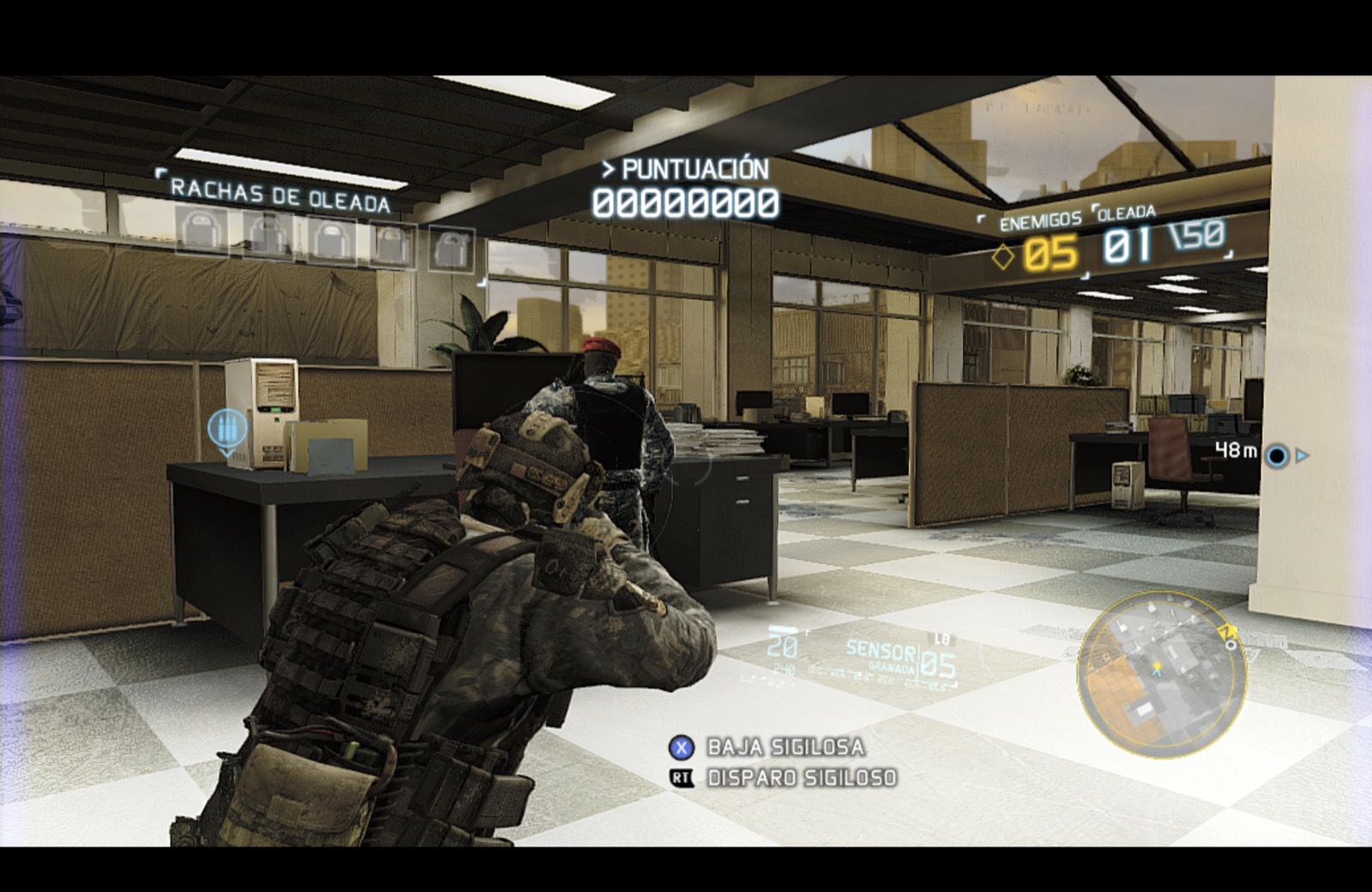
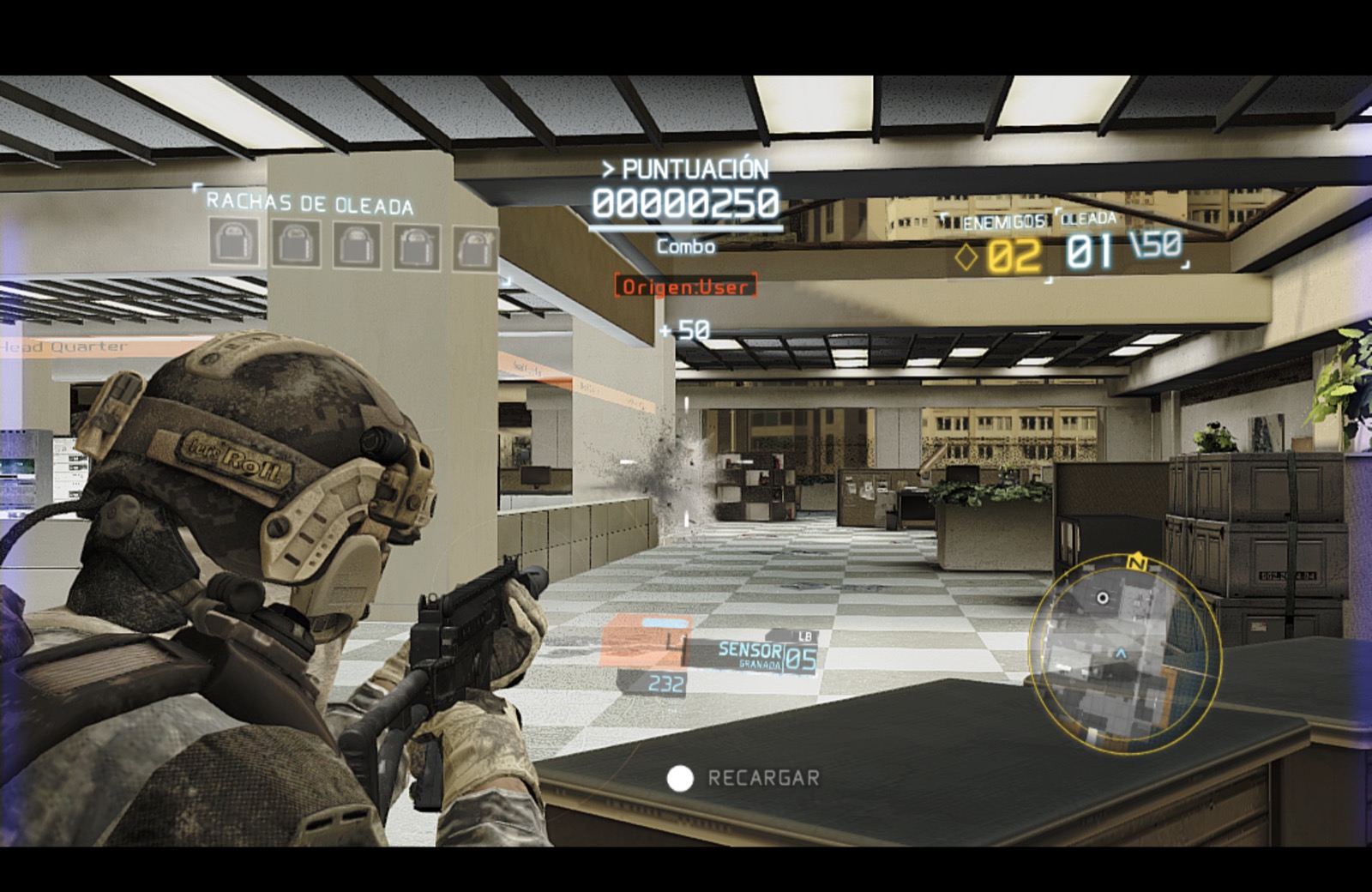
Current owner-provided captures from October 21, 2026. Campaign missions, the campaign Gunsmith / weapon selection screen, and Guerrilla are accessible and playable in the current port. These captures document tested sections; they do not establish that every mission or feature is complete. Visual issues remain.
| Campaign | Campaign — drone view |
|---|---|
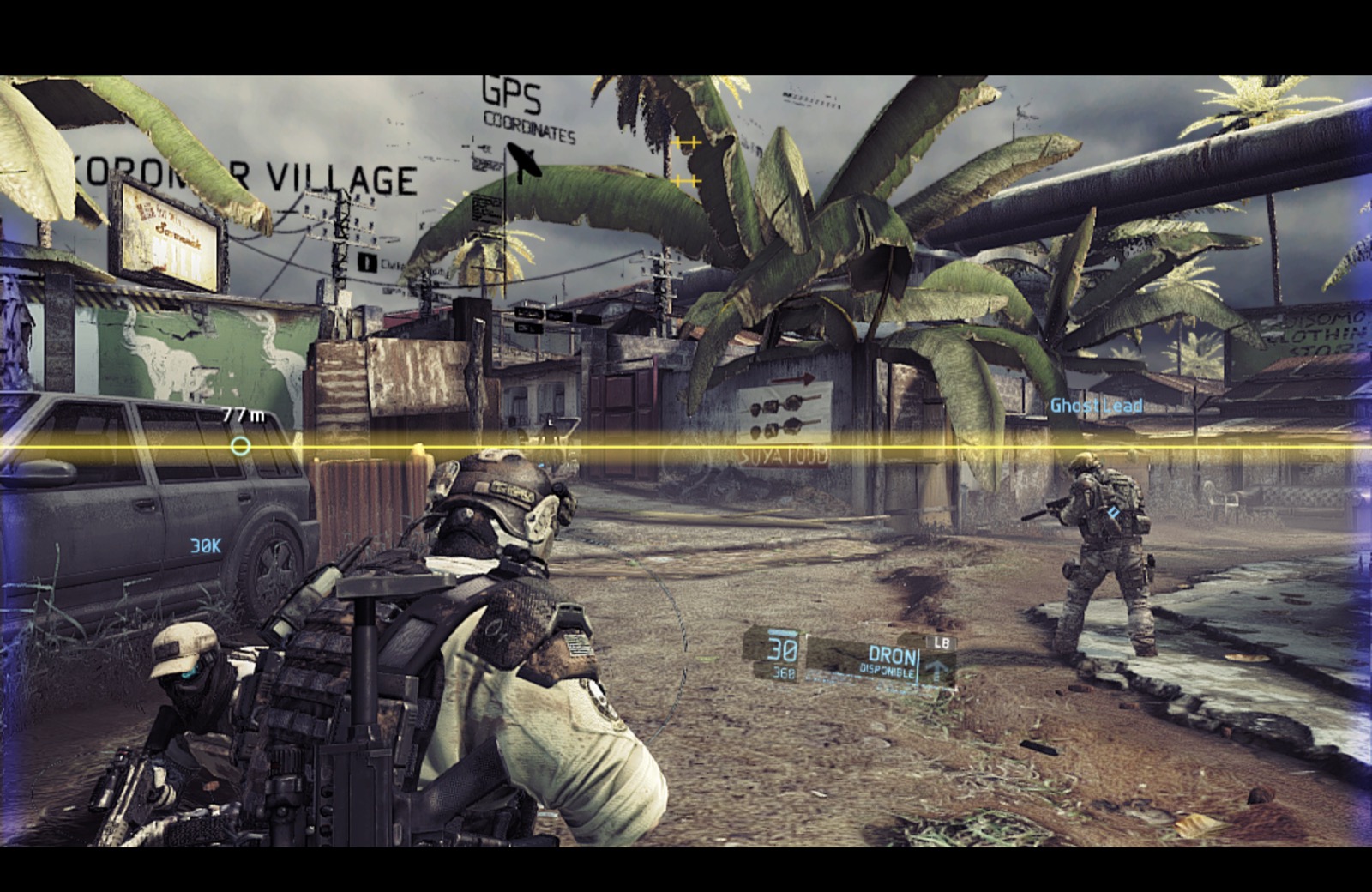 | 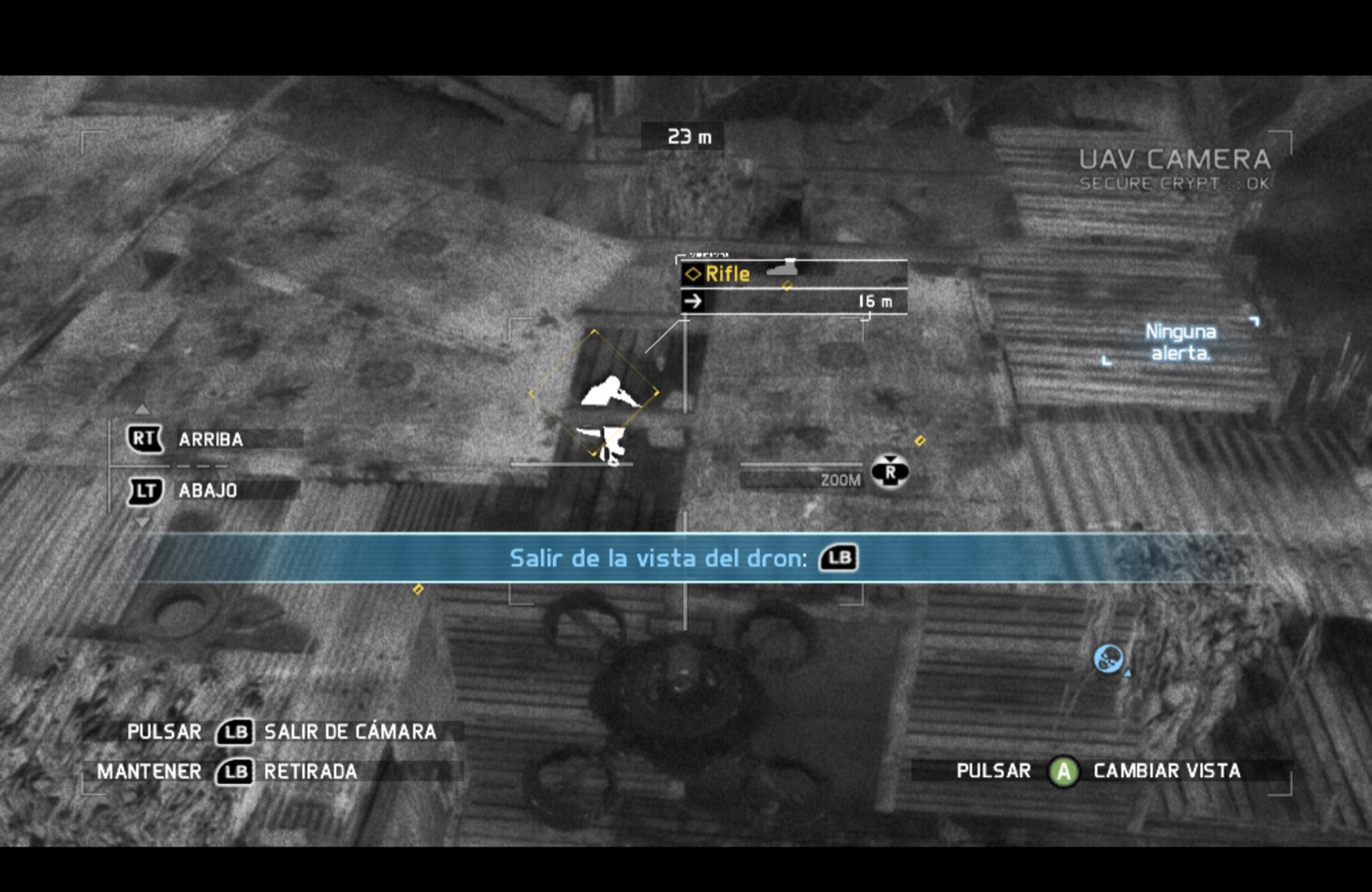 |
| Campaign — Gunsmith / weapon selection | Campaign — takedown |
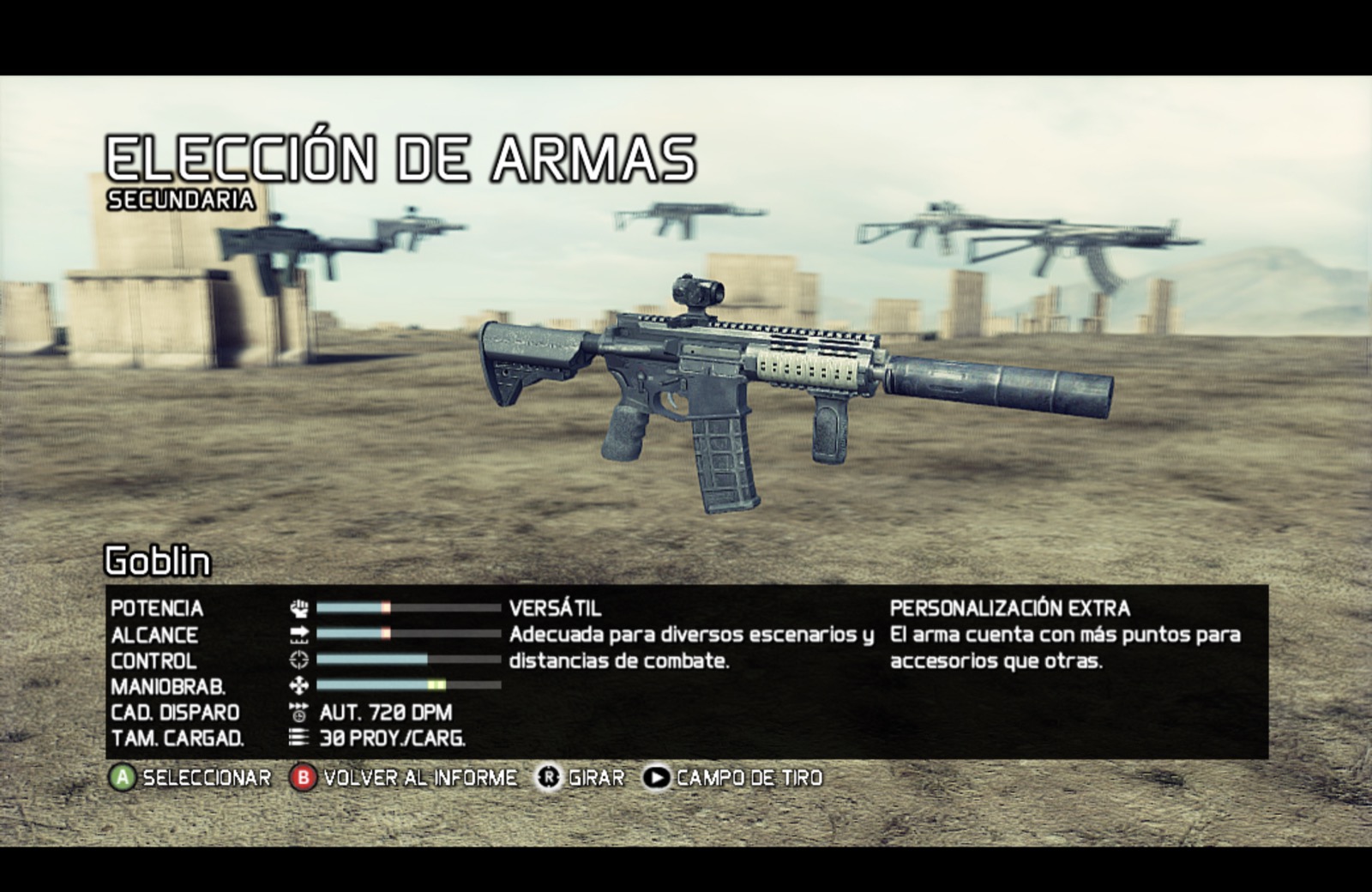 | 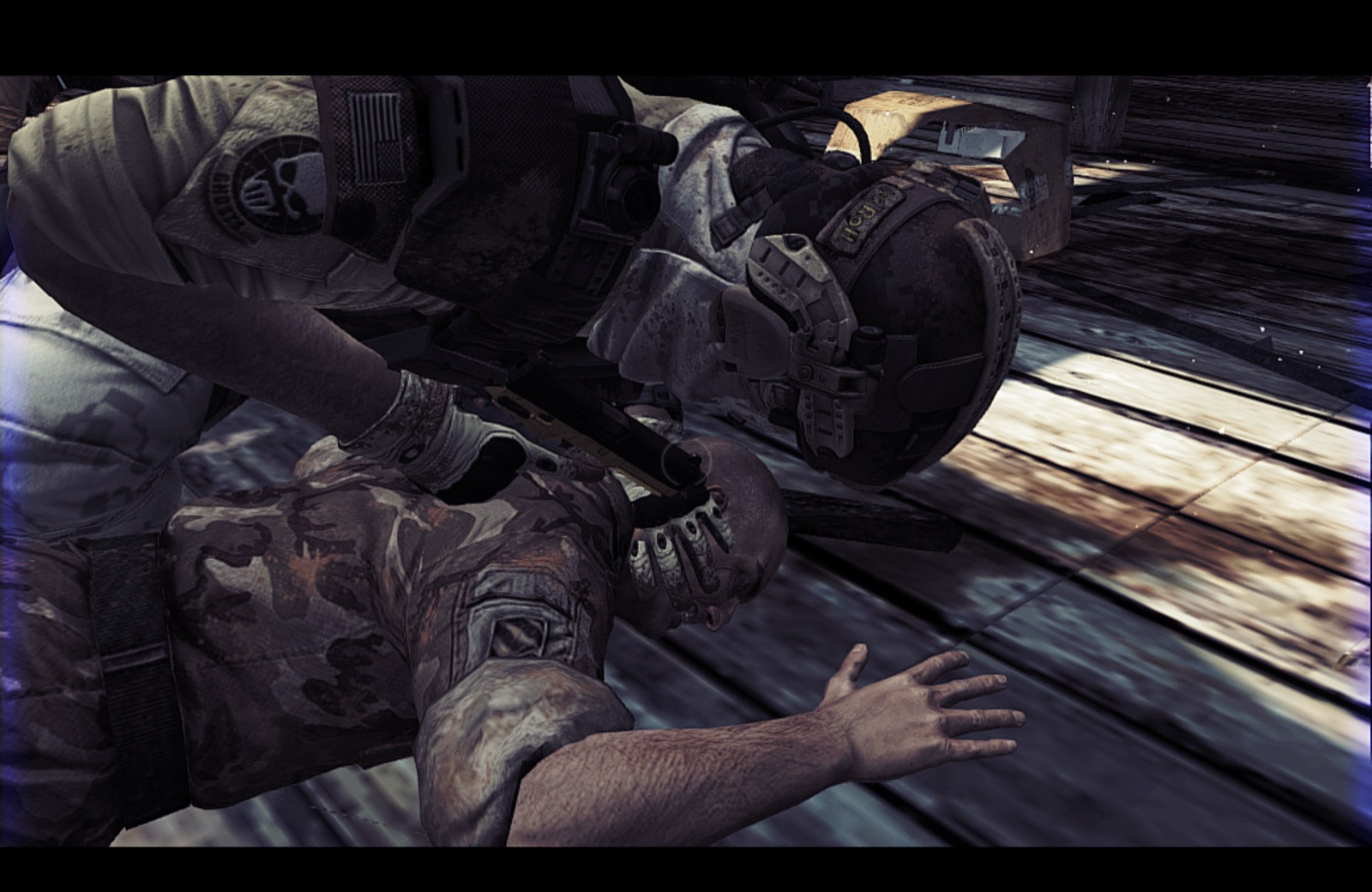 |
| Guerrilla — stealth | Guerrilla — combat |
 |  |
Getting started
- Download GRFS-Recompiled-macOS-arm64.zip from the latest Release.
- Unzip it and drag GRFS Recompiled.app into Applications.
- Open the app and choose your compatible Xbox 360
.iso. - Let the launcher verify and extract the files. The game starts when installation finishes.
- Next time, open the same app from Applications to launch the game directly.
The v0.10.0.3 launcher uses English, including update buttons and progress messages. Published versions through v0.10.0.2 still use Spanish. Installation happens locally; your ISO is not uploaded. It checks the two game executable hashes and the expected file names and sizes. Other editions or revisions may be rejected; see the compatibility manifest.
Requirements
| Component | Current requirement |
|---|---|
| Mac | Apple Silicon / ARM64 |
| macOS | 27.0 or later, as required by the current binaries |
| Game | Your own Xbox 360 ISO matching the compatibility manifest |
| Storage | Space for the extracted game, shader storage, and temporary installation/update files |
| Internet | Needed to download the app and check for updates; an existing installation can start without a successful update check |
Intel Macs, Windows, Linux, other disc revisions, and online multiplayer are not validated by this release.
macOS Game Mode — v0.10.0.5
The game now starts in native macOS fullscreen and declares Game Mode support. macOS manages activation: while fullscreen, open Game Overlay from the game icon in the menu bar to check its status. If you previously turned Game Mode off for GRFS, turn it back on there; macOS remembers this preference. Returning to windowed mode is still supported. See Apple’s Game Mode guide.
This update also applies the transparent GRFS skull directly to the running Dock icon. It preserves the v0.10.0.4 renderer and game code; experimental FPS caps, async profiles, cache fixes and geometry probes are not part of this release.
PC settings — new in v0.10.0.4
Open Extras → Options, then click PC Settings or press F5 (Fn+F5 on some Macs). Adjust mouse sensitivity, rebind keyboard/mouse buttons, and choose English, Spanish, or French menu text. Save and restart to apply a language change. Native audio and subtitle options remain available.
Select Apply PC preset to enable mouse look and these bindings:
| Input | Action / Xbox mapping |
|---|---|
| Left / right mouse button | Fire / aim |
| Middle mouse button | Right-stick press |
| R / Q | X / Y |
| C / Backspace | B — back |
| Space / ; | A — confirm |
| G / E | Left / right bumper |
| Escape / Enter | Start |
| F6 | Release / capture mouse |
The preset is opt-in. Settings persist outside the app across updates. Mouse look emulates the right stick and retains the game's turn-speed limit. Original Xbox button prompts remain; controller hardware switching has not yet been playtested. See host UI sources and integration notes.
Keyboard controls
The launcher enables keyboard-to-controller emulation. These are the current runtime defaults, not a remapped PC control scheme. In-game prompts still display Xbox buttons; actions depend on the current game context.
| Keyboard input | Xbox input / common use |
|---|---|
| W / A / S / D | Left stick — movement and menu navigation |
| Arrow keys | Right stick — camera / look |
| Space or ; | A — confirm / contextual action |
| Backspace or ' | B — back / contextual action |
| L | X — reload / interact, depending on context |
| P | Y — weapon switching / contextual action |
| Q or I | Left trigger — aim |
| E or O | Right trigger — fire |
| 1 | Left bumper |
| 3 | Right bumper |
| F | Left stick click |
| K | Right stick click |
| Shift + Arrow keys | D-pad directions |
| Enter or X | Start — start / pause |
| Tab or Z | Back button |
Mouse-look is off by default in this build: use the arrow keys for the camera. Mouse clicks are not bound to the triggers by these defaults. Modifier matching is exact, so holding Shift, Control, or Option can suppress an unmodified key binding. The Guide button is unbound.
Project status
| Area | Current state |
|---|---|
| Main menu and navigation | Working on the development Mac |
| Campaign | Creation, gameplay into mission two, saving, and continuation observed working |
| Guerrilla | Playable on the development Mac |
| Audio and controls | Reported working during playtesting |
| Graphics | Playable; cinematic flicker and scene-reload corruption remain |
| Native macOS fullscreen | Entry and return to windowed mode confirmed working with the v0.10.0.3 fix on the development Mac |
| Shader storage | Persistent; first-use and some startup compilation can still occur |
| Updates | v0.10.0.1 → v0.10.0.2 upgrade and backup tested on the development Mac |
| Development machine | Mac mini M4 Pro · 24 GB memory |
| Additional tested machine | MacBook Air M3 · 8 GB memory — reported working by the owner |
The current renderer uses the FBO path and a mip0 workaround from the playable baseline. This improves the observed texture seams but is not a complete mipmap fix. No fixed frame-rate guarantee is made.
Updates without reinstalling your game
When the launcher opens, it checks the latest public Release. If a newer build is available, you can choose Download and update or Not now. The English buttons are “Download and update” and “Not now.” Published versions through v0.10.0.2 show “Descargar y actualizar” and “Ahora no.”
Before replacement, it validates the signed manifest, downloaded ZIP checksum, app identity, build number, and code signature. A separate helper replaces the app and opens the new version. Starting with v0.10.0.3, one previous copy is kept in the launcher’s data folder, outside Applications; older versions left backup apps beside the launcher. If the app folder is not writable, the downloaded update is offered for manual installation.
Your extracted game, saves, and shader storage stay outside the app. If GitHub is unavailable, the launcher continues normally. Earlier prototypes need one manual app replacement to gain the updater. The upgrade from v0.10.0.1 to v0.10.0.2 has been exercised on the development Mac, including replacement, previous-version backup, and game relaunch.
Saves, shaders, and logs
All persistent data lives under:
~/Library/Application Support/GRFS Recompiled/
| Folder | Contents |
|---|---|
Game/ | Extracted game files |
UserData/ | Profile and save data |
Diagnostics/CacheCatalogV1/ | v0.10.0.12 local shader/pipeline catalog and compatible driver cache |
CacheCombinedFlowV1/ | v0.10.0.11 shader storage, retained for rollback |
CacheTextureExponentV1/ | Previous version cache, retained for rollback |
Cache/, CachePersistent/ | Earlier caches, retained without deletion |
Logs/ | Game and console logs |
Updates/ | Downloaded and staged app updates |
Backups/ | One previous app version, kept outside Applications |
Shader storage is not a complete precompiled shader pack. v0.10.0.12 prepares known compatible records at startup; new variants and later sessions may still trigger compilation. Installation reaching 100% does not mean every shader is compiled. Saves from earlier development prototypes are not automatically migrated.
Known issues
- Black texture flicker can appear in cinematics.
- Reloading some campaign scenes can produce corrupted geometry or textures.
- First-time effects and scenes may stutter during shader compilation.
- The mip0 workaround does not fix the underlying mipmap handling.
- Public distribution is not yet notarized; testing beyond the two listed Macs is still needed.
Found a problem? Open an issue with your Mac model, macOS version, release version, reproduction steps, and a screenshot if useful. Review logs for personal information before attaching them. Please do not upload ISOs, original executables, or game data.
<details> <summary><strong>Building the launcher and repository layout</strong></summary>See developer setup for the tested host-check command, launcher packaging workflow, and current full-build limitations.
Build prerequisites
Install the Xcode command-line tools and supply a compatible, already compiled ARM64 runtime containing grfs, librexruntime.dylib, librexgpu-xenos.dylib, libgrfs_AICLASS_X360_F.dylib, libTracyClient.dylib, and vulkan/.
Set GRFS_RUNTIME_DIR to that directory and run python3 launcher/build.py. You may set GRFS_ICON_FILE to a local .icns. The packaging script builds the launcher and helper; it does not regenerate or rebuild the game from an ISO. Download a Release if you only want to play.
Release v0.10.0.1 also includes ReXGlue-SDK-source.tar.gz, a snapshot of the SDK sources and dependencies used in development. Later releases may link to that archive when those sources are unchanged. It does not contain the game code generated from the ISO. A full reproducible game-build workflow is still in development.
Repository layout
| Path | Purpose |
|---|---|
launcher/ | Native installer, signed updater, helper, and tests |
docs/images/ | README artwork and presentation assets |
THIRD_PARTY_LICENSES/ | ReXGlue/Xenia and dependency license notices |
RELEASING.md | Packaging, signing, and release workflow |
CHANGELOG.md | Published changes |
The source repository excludes ISOs, extracted game files, saves, signing keys, compiled runtime libraries, and generated game code. See launcher development notes for the verification tests.
</details>Support the project

If you enjoy GRFS-Recomp, you can help support its development through Buy Me a Coffee.
Your support helps me dedicate more time to improving performance, fixing graphical issues, and making installation and updates easier. It also supports research into future recompilation projects, including Ghost Recon Advanced Warfighter 1 and 2.
Future projects are exploratory and depend on technical feasibility. Donations are optional, and this project will remain available regardless of whether you contribute. Thank you for supporting the work and helping bring these games to modern Macs!
Credits
- ReXGlue — static recompilation SDK and runtime.
- Xenia — Xbox 360 research underlying the runtime.
- MoltenVK — Vulkan-to-Metal implementation.
- hl360-Forza2 — reference project consulted during development and inspiration for this project page.
- Everyone testing builds and reporting issues.
License and game ownership
Original launcher and release tooling: MIT. Third-party components retain their own licenses, provided in THIRD_PARTY_LICENSES/ and inside the app.
Ghost Recon Future Soldier and its artwork belong to their respective rights holders. This is an independent community project, not affiliated with or endorsed by Ubisoft, Microsoft, or the upstream runtime projects. The launcher license does not grant rights to the game or its assets.